tailgate SUZUKI GRAND VITARA 2017 User Guide
[x] Cancel search | Manufacturer: SUZUKI, Model Year: 2017, Model line: GRAND VITARA, Model: SUZUKI GRAND VITARA 2017Pages: 482, PDF Size: 21 MB
Page 95 of 482
2-73
BEFORE DRIVING
54P00-01E
Door lock (Door lock setting)
You can choose either once or twice oper-
ation(s) to unlock all doors (including the
tailgate) or release the dead lock system (if
equipped) by turning the key, or operating
the keyless entry system transmitter, key-
less push start system remote controller or
request switch.
You can also turn off or on the buzzer
sound when the door(s) is(are) locked or
unlocked.
Lights (Light setting)
(Footwell light setting) (if equipped)
The footwell lights can be programmed for
interlocked operation with either lighting
control or door operation and for no light-
ing.
Lane change (Turn signal light setting)
The turn signal and its indicator can be set
whether they flash three times even if you
return the turn signal control lever immedi-
ately after moving it.Antitheft (Theft deterrent alarm system
setting) (if equipped)
You can switch the theft deterrent alarm
system from the enabled state to the dis-
abled state, and vice versa.
The state of the theft deterrent alarm sys-
tem is shown on the information display as
follows:
• Mode A: Disabled state
• Mode D: Enabled state
NOTE:
For the theft deterrent alarm system of
Mexico and South Africa models, refer to
“For European countries, Mexico and
South Africa” in “SUPPLEMENT” section.Oil change (Oil life monitoring system
reset setting) (if equipped for gasoline
engine model)
The oil life monitoring system must be
reset after changing the engine oil and oil
filter.
TPMS (Tire pressure monitoring system
setting) (if equipped)
• You can check the current tire inflation
pressure on the information display.
• You can set one of the initial values of
tire pressure below that are indicated on
the tire information label.
– Comfort Mode
–Eco Mode
– Load Mode
Refer to “Tire pressure monitoring system
(TPMS) (if equipped)” in “OPERATING
YOUR VEHICLE” section for details.
Page 97 of 482
2-75
BEFORE DRIVING
54P00-01E
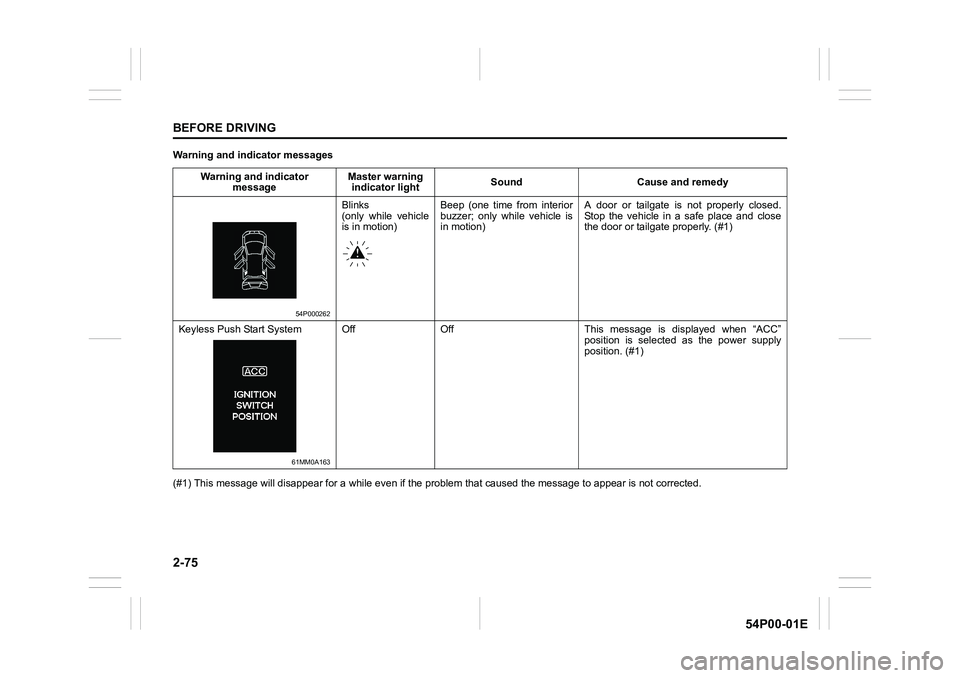
Warning and indicator messages
(#1) This message will disappear for a while even if the problem that caused the message to appear is not corrected. Warning and indicator
messageMaster warning
indicator lightSound Cause and remedy
54P000262
Blinks
(only while vehicle
is in motion)Beep (one time from interior
buzzer; only while vehicle is
in motion)A door or tailgate is not properly closed.
Stop the vehicle in a safe place and close
the door or tailgate properly. (#1)
Keyless Push Start System
61MM0A163
Off Off This message is displayed when “ACC”
position is selected as the power supply
position. (#1)
Page 116 of 482
2-94
BEFORE DRIVING
54P00-01E
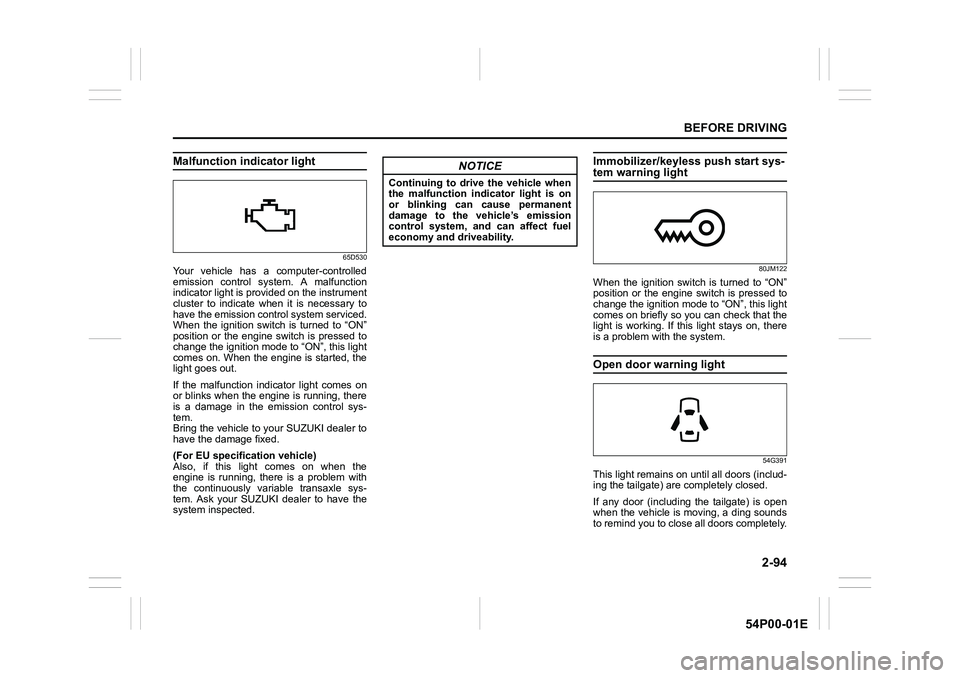
Malfunction indicator light
65D530
Your vehicle has a computer-controlled
emission control system. A malfunction
indicator light is provided on the instrument
cluster to indicate when it is necessary to
have the emission control system serviced.
When the ignition switch is turned to “ON”
position or the engine switch is pressed to
change the ignition mode to “ON”, this light
comes on. When the engine is started, the
light goes out.
If the malfunction indicator light comes on
or blinks when the engine is running, there
is a damage in the emission control sys-
tem.
Bring the vehicle to your SUZUKI dealer to
have the damage fixed.
(For EU specification vehicle)
Also, if this light comes on when the
engine is running, there is a problem with
the continuously variable transaxle sys-
tem. Ask your SUZUKI dealer to have the
system inspected.
Immobilizer/keyless push start sys-tem warning light
80JM122
When the ignition switch is turned to “ON”
position or the engine switch is pressed to
change the ignition mode to “ON”, this light
comes on briefly so you can check that the
light is working. If this light stays on, there
is a problem with the system.
Open door warning light
54G391
This light remains on until all doors (includ-
ing the tailgate) are completely closed.
If any door (including the tailgate) is open
when the vehicle is moving, a ding sounds
to remind you to close all doors completely.
NOTICE
Continuing to drive the vehicle when
the malfunction indicator light is on
or blinking can cause permanent
damage to the vehicle’s emission
control system, and can affect fuel
economy and driveability.
Page 141 of 482
3-1
OPERATING YOUR VEHICLE
54P00-01E
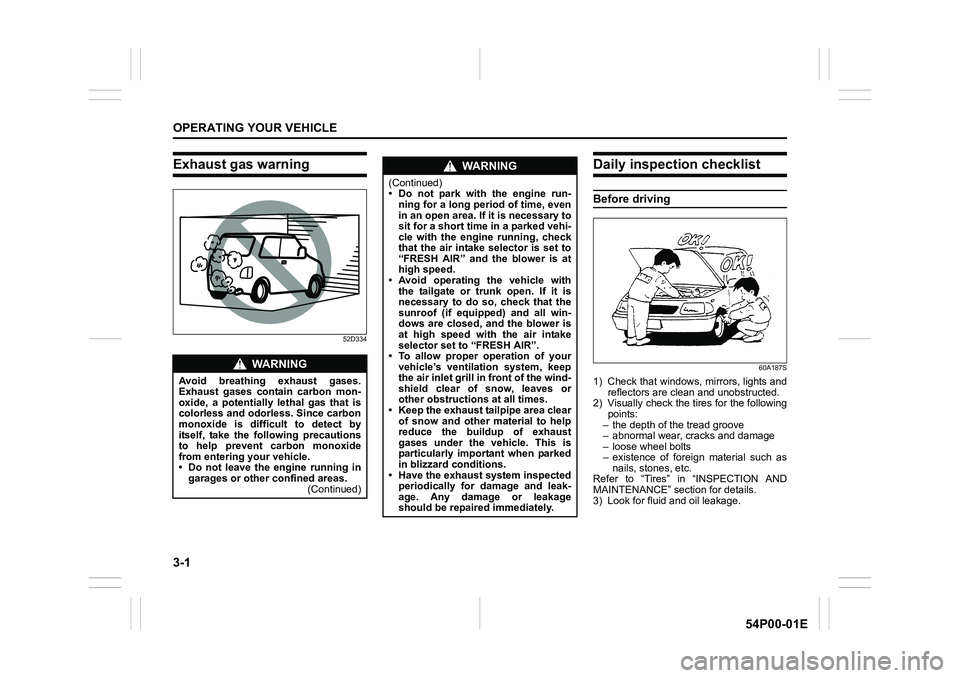
Exhaust gas warning
52D334
Daily inspection checklist
Before driving
60A187S
1) Check that windows, mirrors, lights and
reflectors are clean and unobstructed.
2) Visually check the tires for the following
points:
– the depth of the tread groove
– abnormal wear, cracks and damage
– loose wheel bolts
– existence of foreign material such as
nails, stones, etc.
Refer to “Tires” in “INSPECTION AND
MAINTENANCE” section for details.
3) Look for fluid and oil leakage.
WA R N I N G
Avoid breathing exhaust gases.
Exhaust gases contain carbon mon-
oxide, a potentially lethal gas that is
colorless and odorless. Since carbon
monoxide is difficult to detect by
itself, take the following precautions
to help prevent carbon monoxide
from entering your vehicle.
• Do not leave the engine running in
garages or other confined areas.
(Continued)
WA R N I N G
(Continued)
• Do not park with the engine run-
ning for a long period of time, even
in an open area. If it is necessary to
sit for a short time in a parked vehi-
cle with the engine running, check
that the air intake selector is set to
“FRESH AIR” and the blower is at
high speed.
• Avoid operating the vehicle with
the tailgate or trunk open. If it is
necessary to do so, check that the
sunroof (if equipped) and all win-
dows are closed, and the blower is
at high speed with the air intake
selector set to “FRESH AIR”.
• To allow proper operation of your
vehicle’s ventilation system, keep
the air inlet grill in front of the wind-
shield clear of snow, leaves or
other obstructions at all times.
• Keep the exhaust tailpipe area clear
of snow and other material to help
reduce the buildup of exhaust
gases under the vehicle. This is
particularly important when parked
in blizzard conditions.
• Have the exhaust system inspected
periodically for damage and leak-
age. Any damage or leakage
should be repaired immediately.
Page 145 of 482
3-5
OPERATING YOUR VEHICLE
54P00-01E
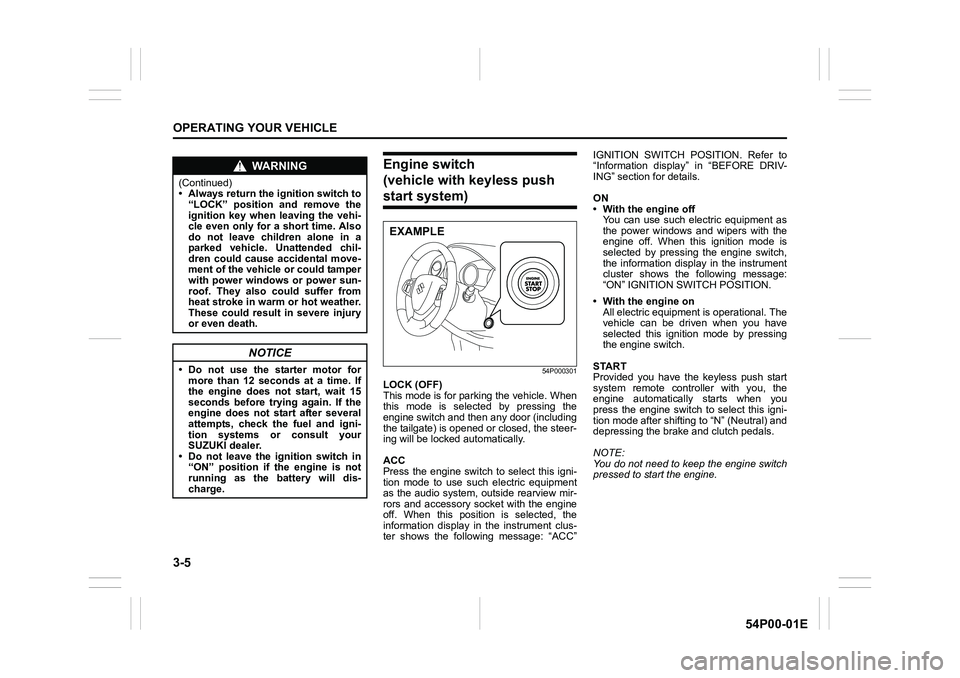
Engine switch
(vehicle with keyless push
start system)
54P000301
LOCK (OFF)
This mode is for parking the vehicle. When
this mode is selected by pressing the
engine switch and then any door (including
the tailgate) is opened or closed, the steer-
ing will be locked automatically.
ACC
Press the engine switch to select this igni-
tion mode to use such electric equipment
as the audio system, outside rearview mir-
rors and accessory socket with the engine
off. When this position is selected, the
information display in the instrument clus-
ter shows the following message: “ACC”IGNITION SWITCH POSITION. Refer to
“Information display” in “BEFORE DRIV-
ING” section for details.
ON
• With the engine off
You can use such electric equipment as
the power windows and wipers with the
engine off. When this ignition mode is
selected by pressing the engine switch,
the information display in the instrument
cluster shows the following message:
“ON” IGNITION SWITCH POSITION.
• With the engine on
All electric equipment is operational. The
vehicle can be driven when you have
selected this ignition mode by pressing
the engine switch.
START
Provided you have the keyless push start
system remote controller with you, the
engine automatically starts when you
press the engine switch to select this igni-
tion mode after shifting to “N” (Neutral) and
depressing the brake and clutch pedals.
NOTE:
You do not need to keep the engine switch
pressed to start the engine.
WA R N I N G
(Continued)
• Always return the ignition switch to
“LOCK” position and remove the
ignition key when leaving the vehi-
cle even only for a short time. Also
do not leave children alone in a
parked vehicle. Unattended chil-
dren could cause accidental move-
ment of the vehicle or could tamper
with power windows or power sun-
roof. They also could suffer from
heat stroke in warm or hot weather.
These could result in severe injury
or even death.
NOTICE
• Do not use the starter motor for
more than 12 seconds at a time. If
the engine does not start, wait 15
seconds before trying again. If the
engine does not start after several
attempts, check the fuel and igni-
tion systems or consult your
SUZUKI dealer.
• Do not leave the ignition switch in
“ON” position if the engine is not
running as the battery will dis-
charge.
EXAMPLE
Page 146 of 482
3-6
OPERATING YOUR VEHICLE
54P00-01E
NOTE:
In the presence of strong radio signals or
noise, you may not be able to change the
ignition mode to “ACC” or “ON” or to start
the engine using the engine switch. In this
case, the information display in the instru-
ment cluster will show the following mes-
sage: KEY FOB NOT DETECTED.
Unreleased steering lock warning
If the steering lock remains engaged when
you press the engine switch to change the
ignition mode to “ON”, the information dis-
play in the instrument cluster shows the
message: “TRN. STEERING WHEEL TO
RELEASE LOCK”. Refer to “Information
display” in “BEFORE DRIVING” section for
details.
NOTE:
The steering lock may not be released if
some load is acting on the steering wheel.
If this happens, turn the steering wheel to
the right or left to relieve it from the load
before you press the engine switch again
to change to the desired ignition mode.
Keyless push start system
(if equipped)
Provided the keyless push start system
remote controller is within the interior work-
able area (refer to the related explanation
in this section), you can use the engine
switch for starting the engine and selecting
an ignition mode (“ACC” or “ON”). In addi-
tion, the following functions can be used:
• Keyless entry function. Refer to “Keyless
push start system remote controller /
keyless entry system transmitter” in
“BEFORE DRIVING” section for details.
• Locking and unlocking doors (including
the tailgate) using a request switch.
Refer to “Keyless push start system
remote controller / keyless entry system
transmitter” in “BEFORE DRIVING” sec-
tion for details.
• Immobilizer (anti-theft) function. Refer to
“Immobilizer system” in “BEFORE DRIV-
ING” section for details.
Engine switch illumination
The engine switch is illuminated (lit) in the
following situations:
• When the engine is off and the driver’s
door is open, or for 15 seconds after the
driver’s door is closed. The illumination
will fade out after 15 seconds passed.
NOTICE
Do not leave the engine switch in
“ACC” or “ON” mode when the
engine is not running. Avoid using
the radio or other electric accesso-
ries for a long time when the engine
switch is in “ACC” or “ON” mode
when the engine is not running, oth-
erwise the battery may discharge.
Page 157 of 482
3-17
OPERATING YOUR VEHICLE
54P00-01E
NOTE:
• If you still cannot start the engine after
several attempts using the above
method, there may be a problem else-
where, such as a low battery. Contact
your SUZUKI dealer for inspection.
• The immobilizer/keyless push start sys-
tem warning light will come on for about
5 seconds while the master warning indi-
cator light is blinking. In addition, the
information display will show a certain
message during this time. Refer to
“Information display” in “BEFORE DRIV-
ING” section for details.
• You may customize the system to cause
the interior buzzer to sound once for
warning that remote controller is out of
sensing range. Please contact an autho-
rized SUZUKI dealer for the customiza-
tion.
• If the battery of the remote controller is
about to become completely discharged,
the corresponding message will appear
on the information display when you
press the engine switch to change the
ignition mode to “ON”. For details on
replacing the battery, refer to “Keyless
push start system remote controller /
keyless entry system transmitter” in
“BEFORE DRIVING” section.Returning ignition mode to “LOCK” (OFF)
NOTE:
Certain problems such as a fault in engine
system may prevent the engine switch
from going back to “LOCK” (OFF) mode. If
this happens, have the vehicle inspected
by an authorized SUZUKI dealer after
doing the following:
• Lock the doors using the key to prevent
theft. (The request switches and the key-
less push start system remote controller
cannot be used to lock them.)
• Disconnect the negative cable from the
battery to prevent discharge.“LOCK” (OFF) mode reminder buzzer
The buzzer will stop sounding if you then
push the engine switch twice, thus bringing
back the ignition mode to “LOCK” (OFF).
• If you open the driver’s door after press-
ing the engine switch to change the igni-
tion mode to “ACC”, the interior buzzer
beeps intermittently.
• The buzzer will stop sounding if you then
push the engine switch twice, thus bring-
ing it back the ignition mode to “LOCK”
(OFF).
NOTE:
Whenever you leave the vehicle, check
that you have returned the ignition mode to
“LOCK” (OFF) using the engine switch and
then lock the doors. Without returning the
ignition mode to “LOCK” (OFF), you can-
not use a request switch or keyless push
start system remote controller to lock the
doors.
Steering lock warning buzzer
If the steering lock fails to engage due to a
fault in the system when the ignition mode
is turned to “LOCK” (OFF) by pressing the
engine switch and any door (including the
tailgate) is opened or closed, the interior
buzzer will warn you of this condition with
repeated short beeps. If this happens,
have the vehicle inspected by an autho-
rized SUZUKI dealer.
Page 211 of 482
3-71
OPERATING YOUR VEHICLE
54P00-01E
Rearview camera
(if equipped)
When the gearshift lever is shifted to “R”
position while the ignition switch is in “ON”
position or the ignition mode is “ON”, the
rearview camera system automatically
shows the view behind the vehicle on the
display.
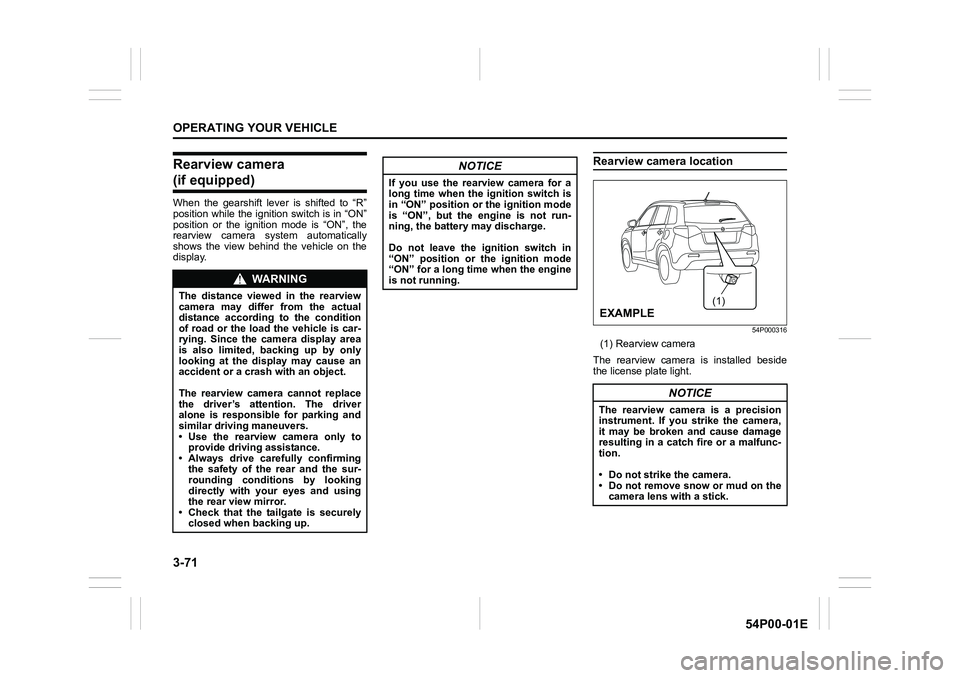
Rearview camera location
54P000316
(1) Rearview camera
The rearview camera is installed beside
the license plate light.
WA R N I N G
The distance viewed in the rearview
camera may differ from the actual
distance according to the condition
of road or the load the vehicle is car-
rying. Since the camera display area
is also limited, backing up by only
looking at the display may cause an
accident or a crash with an object.
The rearview camera cannot replace
the driver’s attention. The driver
alone is responsible for parking and
similar driving maneuvers.
• Use the rearview camera only to
provide driving assistance.
• Always drive carefully confirming
the safety of the rear and the sur-
rounding conditions by looking
directly with your eyes and using
the rear view mirror.
• Check that the tailgate is securely
closed when backing up.
NOTICE
If you use the rearview camera for a
long time when the ignition switch is
in “ON” position or the ignition mode
is “ON”, but the engine is not run-
ning, the battery may discharge.
Do not leave the ignition switch in
“ON” position or the ignition mode
“ON” for a long time when the engine
is not running.
NOTICE
The rearview camera is a precision
instrument. If you strike the camera,
it may be broken and cause damage
resulting in a catch fire or a malfunc-
tion.
• Do not strike the camera.
• Do not remove snow or mud on the
camera lens with a stick.
(1)
EXAMPLE
Page 212 of 482
3-72
OPERATING YOUR VEHICLE
54P00-01E
NOTE:
If body wax gets on the camera lens, wipe
off the wax with a clean cloth dampened
with mild detergent diluted with water, and
then wipe the lens with a dry cloth.
How to use rearview camera
1) Turn the ignition switch to “ON” position
or press the engine switch to change
the ignition mode to “ON”.
2) Shift the gearshift lever in “R” position.
• The display automatically shows the
view behind the vehicle.
• When the gearshift lever is shifted
from “R” to another gearshift lever
position, the display returns to the
previous display.
NOTE:
The rearview camera display has first pri-
ority in any display mode. However, the
rearview camera display does not show
the rear view while the system is initializ-
ing.
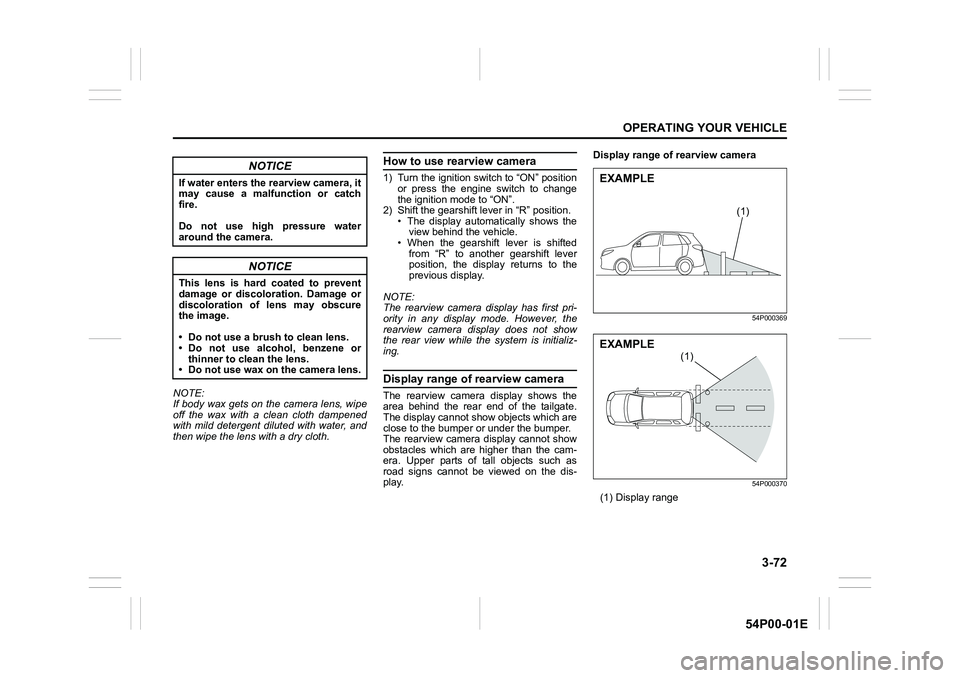
Display range of rearview camera
The rearview camera display shows the
area behind the rear end of the tailgate.
The display cannot show objects which are
close to the bumper or under the bumper.
The rearview camera display cannot show
obstacles which are higher than the cam-
era. Upper parts of tall objects such as
road signs cannot be viewed on the dis-
play.Display range of rearview camera
54P000369
54P000370
(1) Display range
NOTICE
If water enters the rearview camera, it
may cause a malfunction or catch
fire.
Do not use high pressure water
around the camera.
NOTICE
This lens is hard coated to prevent
damage or discoloration. Damage or
discoloration of lens may obscure
the image.
• Do not use a brush to clean lens.
• Do not use alcohol, benzene or
thinner to clean the lens.
• Do not use wax on the camera lens.
(1)
EXAMPLE
(1)
EXAMPLE
Page 248 of 482
5-6
OTHER CONTROLS AND EQUIPMENT
54P00-01E
Glove box light (if equipped) (1)
Refer to “Glove box” in this section.
Footwell lights (if equipped) (2)
A footwell light is provided in the leg space
in front of each front seat. When any door
(including the tailgate) is open, the footwell
lights on both sides light automatically.
NOTE:
You can change the footwell light opera-
tions via the information display. Refer to
“Information display” in “BEFORE DRIV-
ING” section.
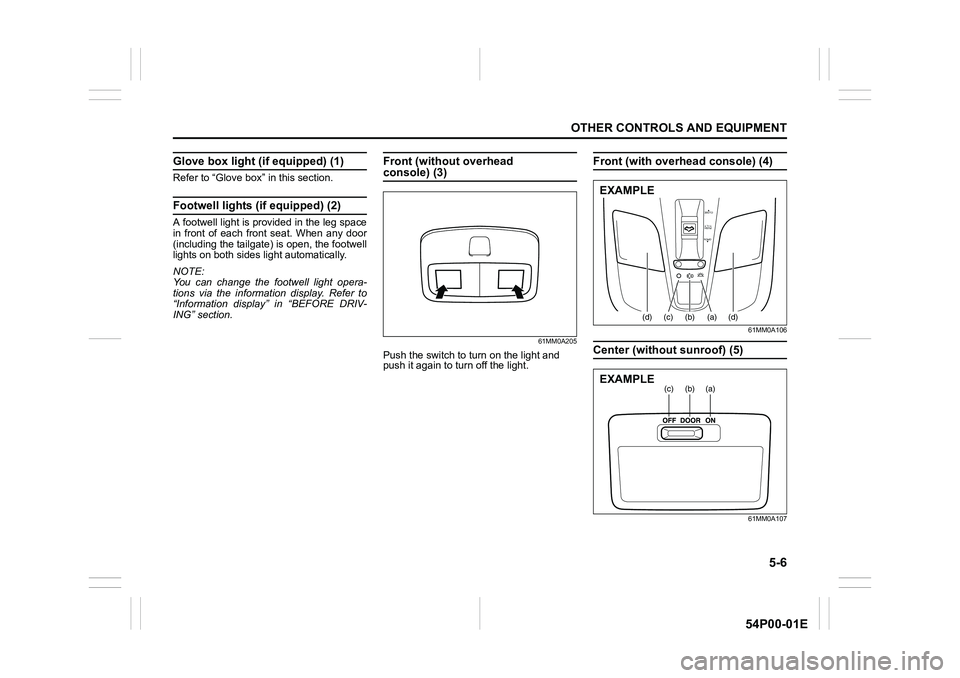
Front (without overhead console) (3)
61MM0A205
Push the switch to turn on the light and
push it again to turn off the light.
Front (with overhead console) (4)
61MM0A106
Center (without sunroof) (5)
61MM0A107
OPEN
PUSH
TILT
CLOSE
(d)(c)(b) (a)(d)
EXAMPLE
(a)(b)(c)EXAMPLE