wheel SUZUKI GRAND VITARA 2017 Owner's Manual
[x] Cancel search | Manufacturer: SUZUKI, Model Year: 2017, Model line: GRAND VITARA, Model: SUZUKI GRAND VITARA 2017Pages: 482, PDF Size: 21 MB
Page 152 of 482
3-12
OPERATING YOUR VEHICLE
54P00-01E
Clutch pedal (1)
A clutch pedal is used to disengage the
drive to the wheels when starting the
engine, stopping, or shifting the gearshift
lever. Depressing the pedal disengages
the clutch.
Brake pedal (2)
Your SUZUKI vehicle is equipped with front
and rear disc brakes. Depressing a brake
pedal applies both sets of brakes.
You may hear occasional brake squeal
when you apply the brakes. This is a nor-
mal condition caused by environmental
factors such as cold, wet, snow, etc.
Accelerator pedal (3)
An accelerator pedal controls the speed of
the engine. Depressing the accelerator
pedal increases power output and speed.
Starting engine
(vehicle without keyless push
start system)
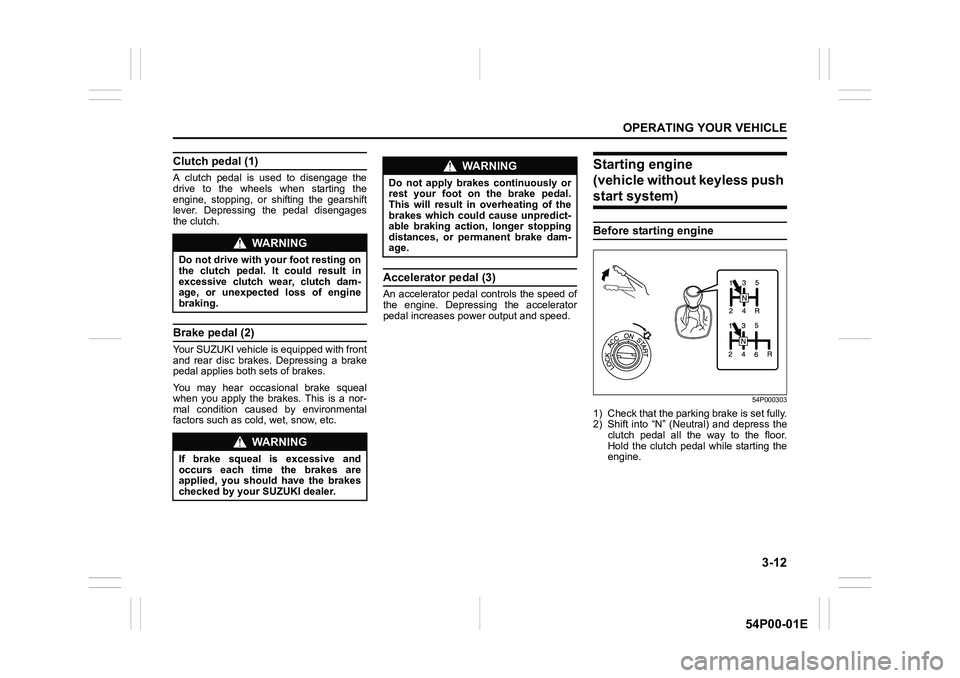
Before starting engine
54P000303
1) Check that the parking brake is set fully.
2) Shift into “N” (Neutral) and depress the
clutch pedal all the way to the floor.
Hold the clutch pedal while starting the
engine.
WA R N I N G
Do not drive with your foot resting on
the clutch pedal. It could result in
excessive clutch wear, clutch dam-
age, or unexpected loss of engine
braking.
WA R N I N G
If brake squeal is excessive and
occurs each time the brakes are
applied, you should have the brakes
checked by your SUZUKI dealer.
WA R N I N G
Do not apply brakes continuously or
rest your foot on the brake pedal.
This will result in overheating of the
brakes which could cause unpredict-
able braking action, longer stopping
distances, or permanent brake dam-
age.
Page 163 of 482
3-23
OPERATING YOUR VEHICLE
54P00-01E
Four-mode 4WD system
(if equipped)
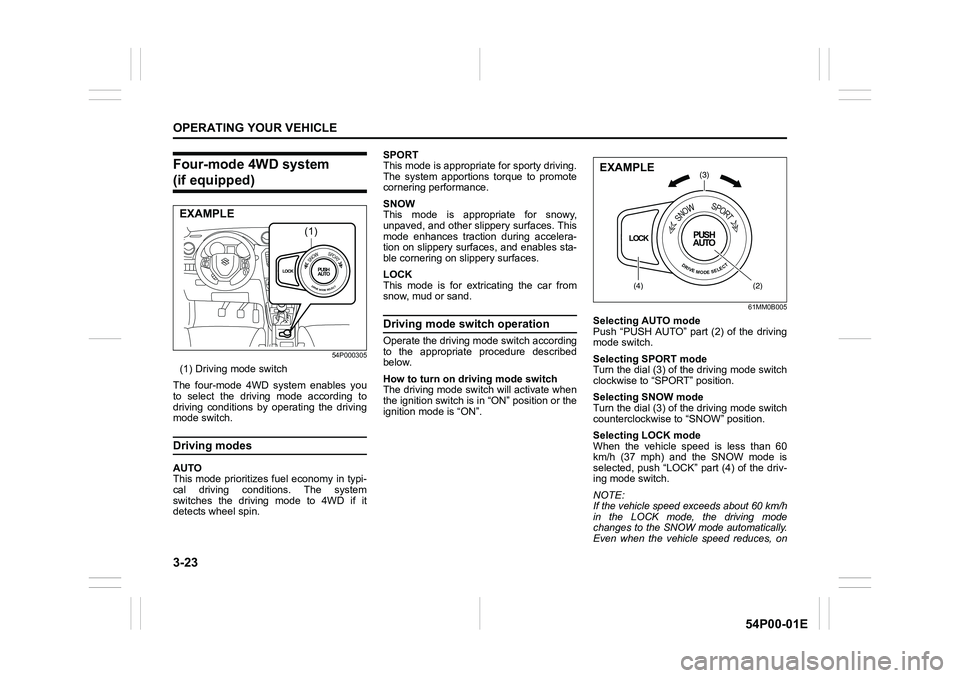
54P000305
(1) Driving mode switch
The four-mode 4WD system enables you
to select the driving mode according to
driving conditions by operating the driving
mode switch.
Driving modes
AUTO
This mode prioritizes fuel economy in typi-
cal driving conditions. The system
switches the driving mode to 4WD if it
detects wheel spin.SPORT
This mode is appropriate for sporty driving.
The system apportions torque to promote
cornering performance.
SNOW
This mode is appropriate for snowy,
unpaved, and other slippery surfaces. This
mode enhances traction during accelera-
tion on slippery surfaces, and enables sta-
ble cornering on slippery surfaces.
LOCK
This mode is for extricating the car from
snow, mud or sand.
Driving mode switch operation
Operate the driving mode switch according
to the appropriate procedure described
below.
How to turn on driving mode switch
The driving mode switch will activate when
the ignition switch is in “ON” position or the
ignition mode is “ON”.
61MM0B005
Selecting AUTO mode
Push “PUSH AUTO” part (2) of the driving
mode switch.
Selecting SPORT mode
Turn the dial (3) of the driving mode switch
clockwise to “SPORT” position.
Selecting SNOW mode
Turn the dial (3) of the driving mode switch
counterclockwise to “SNOW” position.
Selecting LOCK mode
When the vehicle speed is less than 60
km/h (37 mph) and the SNOW mode is
selected, push “LOCK” part (4) of the driv-
ing mode switch.
NOTE:
If the vehicle speed exceeds about 60 km/h
in the LOCK mode, the driving mode
changes to the SNOW mode automatically.
Even when the vehicle speed reduces, on
LOCKPUSH
AUTOSNOWSPORT
DRIVEMODESELECT
(1)
EXAMPLE
LOCKPUSH
AUTO
SNOWSPORT
DRIVEMODESELECT
(3)
(4)(2)
EXAMPLE
Page 164 of 482
3-24
OPERATING YOUR VEHICLE
54P00-01E
the other hand, the driving mode does not
return to the LOCK mode automatically. You
should select the LOCK mode according to
the driving conditions.
NOTE:
• The information display shows current
driving mode.
• When the ignition switch is turned to
“ON” position or the engine switch is
pressed to change the ignition mode to
“ON”, the AUTO mode is selected auto-
matically.
• The driving mode switch can be oper-
ated when the vehicle is either stopped
or moving.
• Check that the front wheels are in the
straight ahead position when operating
the driving mode switch.
• While making turns or accelerating and
decelerating, operating the driving mode
switch, turning the ignition switch to
“ACC” or “LOCK” position or pressing
the engine switch to change the ignition
mode to “ACC” or “LOCK” may cause a
shock, but this is not a system malfunc-
tion.
• When you operate your vehicle under
conditions that involve wheel spin, such
as driving off-road in the sand or water
or when a wheel has run off the road, the
difference in the amount of revolution
between front wheels and rear wheels
increases (wheels run idle). If this state
continues, the oil temperature of the
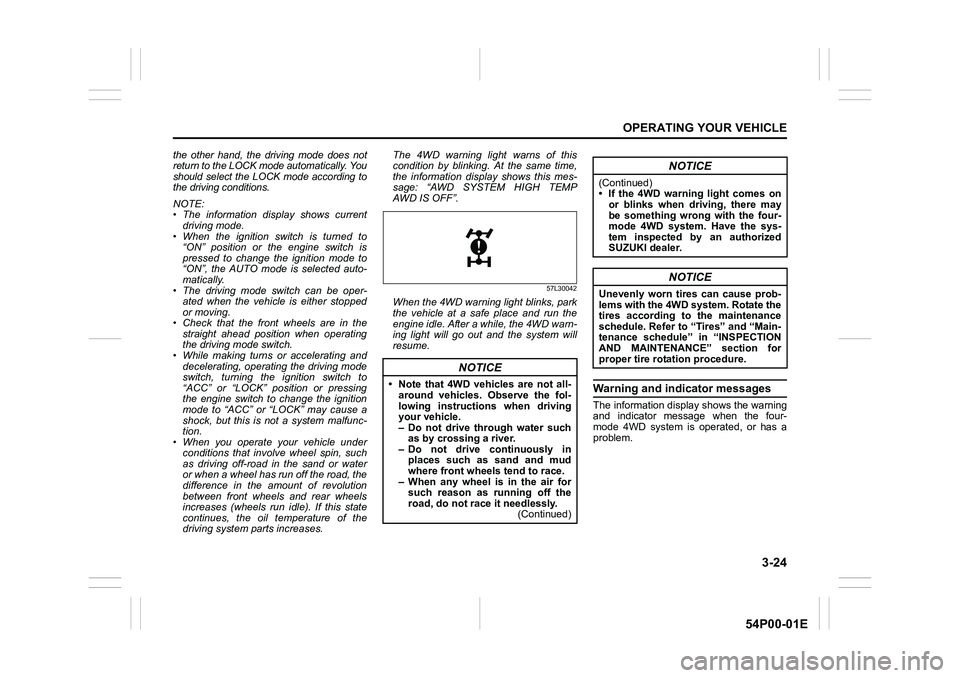
driving system parts increases. The 4WD warning light warns of this
condition by blinking. At the same time,
the information display shows this mes-
sage: “AWD SYSTEM HIGH TEMP
AWD IS OFF”.
57L30042
When the 4WD warning light blinks, park
the vehicle at a safe place and run the
engine idle. After a while, the 4WD warn-
ing light will go out and the system will
resume.
Warning and indicator messages
The information display shows the warning
and indicator message when the four-
mode 4WD system is operated, or has a
problem.
NOTICE
• Note that 4WD vehicles are not all-
around vehicles. Observe the fol-
lowing instructions when driving
your vehicle.
– Do not drive through water such
as by crossing a river.
– Do not drive continuously in
places such as sand and mud
where front wheels tend to race.
– When any wheel is in the air for
such reason as running off the
road, do not race it needlessly.
(Continued)
NOTICE
(Continued)
• If the 4WD warning light comes on
or blinks when driving, there may
be something wrong with the four-
mode 4WD system. Have the sys-
tem inspected by an authorized
SUZUKI dealer.
NOTICE
Unevenly worn tires can cause prob-
lems with the 4WD system. Rotate the
tires according to the maintenance
schedule. Refer to “Tires” and “Main-
tenance schedule” in “INSPECTION
AND MAINTENANCE” section for
proper tire rotation procedure.
Page 182 of 482
3-42
OPERATING YOUR VEHICLE
54P00-01E
Cruise control (if equipped)
The cruise control system allows you to
maintain a steady speed without keeping
your foot on the accelerator pedal. The
controls for operating the cruise control
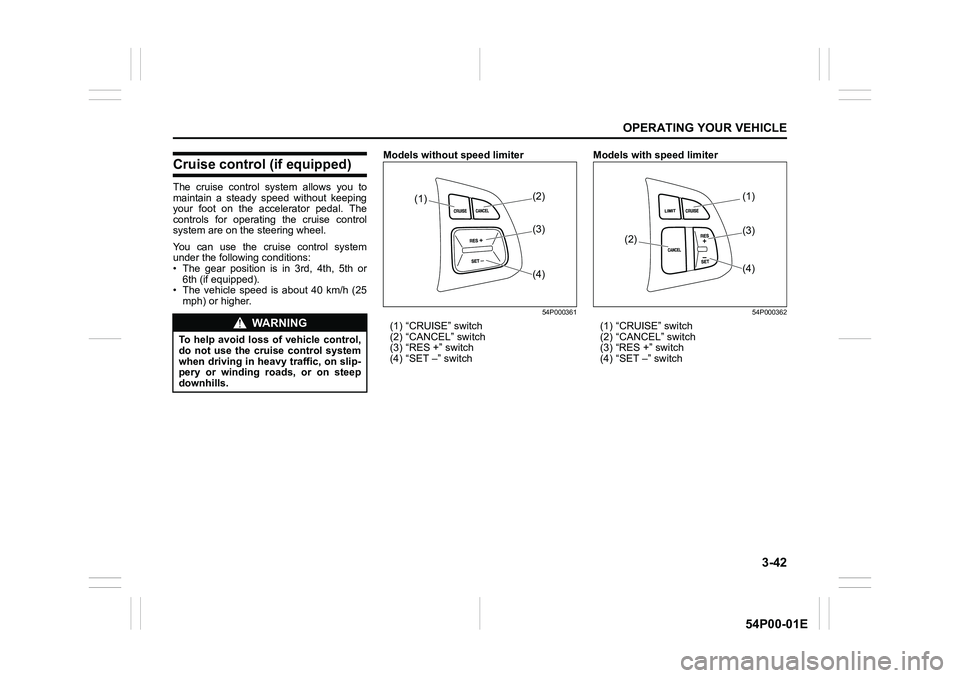
system are on the steering wheel.
You can use the cruise control system
under the following conditions:
• The gear position is in 3rd, 4th, 5th or
6th (if equipped).
• The vehicle speed is about 40 km/h (25
mph) or higher.Models without speed limiter
54P000361
(1) “CRUISE” switch
(2) “CANCEL” switch
(3) “RES +” switch
(4) “SET –” switchModels with speed limiter
54P000362
(1) “CRUISE” switch
(2) “CANCEL” switch
(3) “RES +” switch
(4) “SET –” switchWA R N I N G
To help avoid loss of vehicle control,
do not use the cruise control system
when driving in heavy traffic, on slip-
pery or winding roads, or on steep
downhills.
(1)(2)
(4) (3)
(1)
(2)
(4) (3)
Page 192 of 482
3-52
OPERATING YOUR VEHICLE
54P00-01E
Situations where radar will not acti-vate properly
Under the following situations, there is a
high possibility that the system will not acti-
vate.
• When the engine is off (except when the
engine is automatically stopped by the
ENG A-STOP system)
• When the gearshift lever is in the reverse
gear
• When facing an oncoming vehicle
• When the following switches are pushed
and the system is turned off:
– Radar brake support OFF switch
– ESP
® OFF switch
• When the system is temporarily stopped
or malfunctioning, some of the following
indicator and messages will come on:
– The radar brake support system warn-
ing light
– “RADAR BRAKE SUPPORT SYS
INSPECTION REQUIRED” message
– “RADAR BRAKE SUPPORT FCN
TEMPORARILY DISABLED” message
– “RADAR BRAKE SUPPORT: NOT
ACTIVE BY SENSOR.” message
Situations where radar may not activate properly
Under the following situations, the radar
may not detect a vehicle in front of you cor-
rectly and the system may not activate.
• When the radar sensor cover is covered
in snow, water or dirt
• When there is bad weather such as
heavy rain or fog, a blizzard or sand-
storm or when the vehicle in front of you
is surrounded by water, snow or sand
• When you are operating on a narrow
road
• When another vehicle jumps out sud-
denly
• When you suddenly accelerate and
approach the vehicle in front of you,
such as when you overtake the vehicle
in front of you
• When swerving
• When the vehicle cannot move in a
straight manner without consistently
steering, due to an accident or break-
down
54P000322
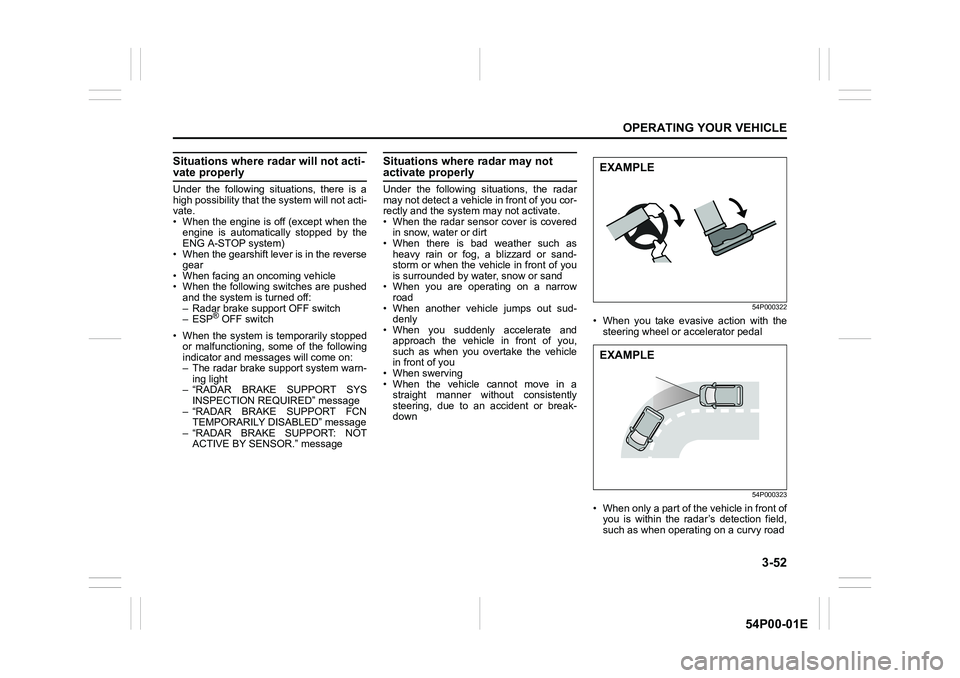
• When you take evasive action with the
steering wheel or accelerator pedal
54P000323
• When only a part of the vehicle in front of
you is within the radar’s detection field,
such as when operating on a curvy road
EXAMPLE
EXAMPLE
Page 195 of 482
3-55
OPERATING YOUR VEHICLE
54P00-01E
54P000331
• When your vehicle is weighed down by
heavy items in the luggage compartment
or rear seat
54P000332
• When there is a roadside guard rail, or
sign, on a curve
Frontal collision warning
When you are operating at a speed of
approximately 5 km/h (3 mph) or over and
there is a risk of a frontal crash, a warning
will work.
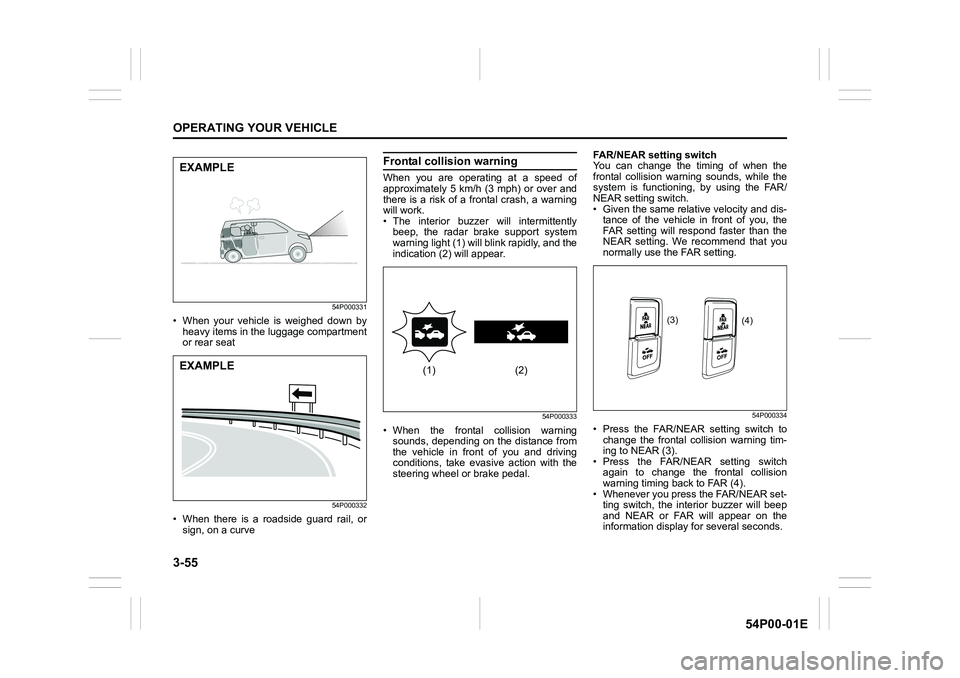
• The interior buzzer will intermittently
beep, the radar brake support system
warning light (1) will blink rapidly, and the
indication (2) will appear.
54P000333
• When the frontal collision warning
sounds, depending on the distance from
the vehicle in front of you and driving
conditions, take evasive action with the
steering wheel or brake pedal.FAR/NEAR setting switch
You can change the timing of when the
frontal collision warning sounds, while the
system is functioning, by using the FAR/
NEAR setting switch.
• Given the same relative velocity and dis-
tance of the vehicle in front of you, the
FAR setting will respond faster than the
NEAR setting. We recommend that you
normally use the FAR setting.
54P000334
• Press the FAR/NEAR setting switch to
change the frontal collision warning tim-
ing to NEAR (3).
• Press the FAR/NEAR setting switch
again to change the frontal collision
warning timing back to FAR (4).
• Whenever you press the FAR/NEAR set-
ting switch, the interior buzzer will beep
and NEAR or FAR will appear on the
information display for several seconds.
EXAMPLE
EXAMPLE(1) (2)
(3)
(4)
Page 215 of 482
3-75
OPERATING YOUR VEHICLE
54P00-01E
Brake assist system
When you slam the brakes on, the brake
assist system determines it to be an emer-
gency stop and provides more powerful
braking for a driver who cannot hold down
the brake pedal firmly.
NOTE:
If you quickly and forcefully depress the
brakes, you may hear a clicking sound in
the brake pedal. This is normal and indi-
cates that the brake assist system is acti-
vated properly.
Anti-lock brake system (ABS)
ABS will help you avoid skidding by elec-
tronically controlling braking pressure. It
will also help you maintain steering control
when braking on slippery surfaces or when
braking hard.
The ABS works automatically, so you do
not need any special braking technique.
Just push the brake pedal down without
pumping. The ABS will operate wheneverit senses that the wheels are locking up.
You may feel the brake pedal move a little
while the ABS is operating.
NOTE:
The ABS will not work if vehicle speed is
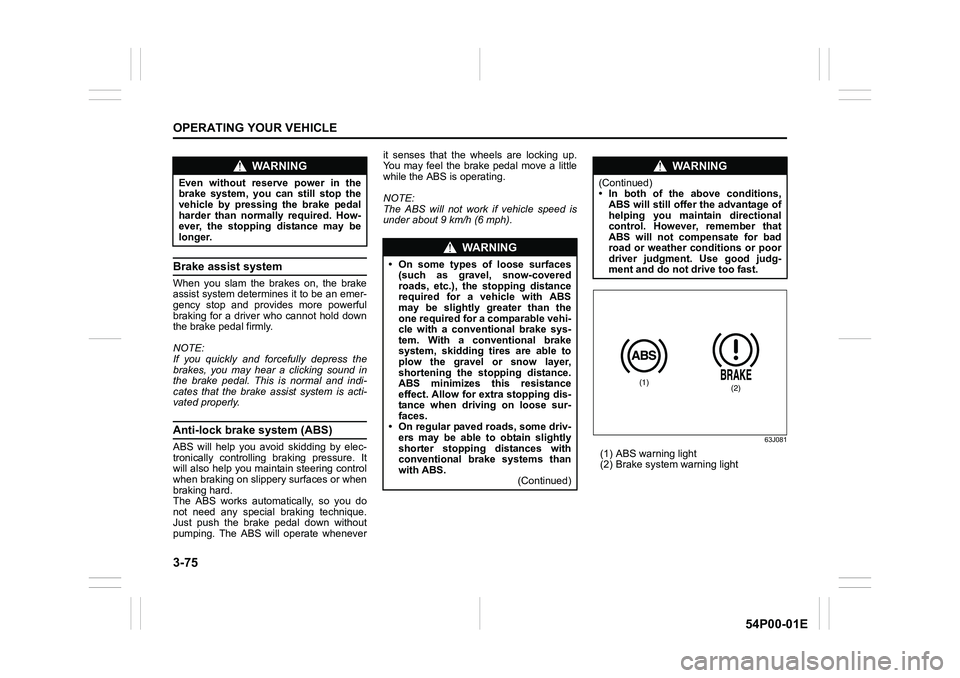
under about 9 km/h (6 mph).63J081
(1) ABS warning light
(2) Brake system warning light
WA R N I N G
Even without reserve power in the
brake system, you can still stop the
vehicle by pressing the brake pedal
harder than normally required. How-
ever, the stopping distance may be
longer.
WA R N I N G
• On some types of loose surfaces
(such as gravel, snow-covered
roads, etc.), the stopping distance
required for a vehicle with ABS
may be slightly greater than the
one required for a comparable vehi-
cle with a conventional brake sys-
tem. With a conventional brake
system, skidding tires are able to
plow the gravel or snow layer,
shortening the stopping distance.
ABS minimizes this resistance
effect. Allow for extra stopping dis-
tance when driving on loose sur-
faces.
• On regular paved roads, some driv-
ers may be able to obtain slightly
shorter stopping distances with
conventional brake systems than
with ABS.
(Continued)
WA R N I N G
(Continued)
• In both of the above conditions,
ABS will still offer the advantage of
helping you maintain directional
control. However, remember that
ABS will not compensate for bad
road or weather conditions or poor
driver judgment. Use good judg-
ment and do not drive too fast.
(1)(2)
Page 216 of 482
3-76
OPERATING YOUR VEHICLE
54P00-01E
How ABS works
A computer continuously monitors wheel
speed. The computer compares the
changes in wheel speed when braking. If
the wheels slow suddenly, indicating a
skidding situation, the computer will
change braking pressure several times
each second to prevent the wheels from
locking. When you start your vehicle or
when you accelerate after a hard stop, you
may hear a momentary motor or clicking
noise as the system resets or checks itself.
Electronic stability program
(ESP®)
ESP® is a registered trademark of Daimler
AG.
The Electronic Stability Program (ESP
®)
helps to control the vehicle during corner-
ing if front wheels or rear wheels skid. It
also assists you in maintaining traction
while accelerating on loose or slippery
road surfaces. It does this by regulating
the engine’s output, and by selectively
applying the brakes. In addition, ESP
®
helps to avoid skidding by controlling brak-
ing pressure.
WA R N I N G
• If the ABS warning light (1) on the
instrument cluster comes on and
stays on while driving, there may
be a problem with the ABS system.
Ask your SUZUKI dealer to inspect
the ABS system immediately. If the
ABS system becomes inoperative,
the brake system will function as
an ordinary brake system that has
no ABS.
• If the ABS warning light (1) and the
brake system warning light (2) on
the instrument cluster simultane-
ously stay on or come on while
driving, both anti-lock function and
rear brake force control function
(proportioning valve function) of
the ABS system may have failed. If
so, the rear wheels may easily skid
or the vehicle can even spin in the
worst case when braking on a slip-
pery road or when hard braking
even on a dry paved road. Ask your
SUZUKI dealer to inspect the ABS
system immediately. Drive care-
fully, avoiding hard braking as
much as possible.
WA R N I N G
The ABS may not work properly if
tires or wheels other than those
specified in the owner’s manual are
used. This is because the ABS works
by comparing changes in wheel
speed. When replacing tires or
wheels, use only the size and type
specified in this owner’s manual.
WA R N I N G
The ESP® cannot enhance the vehi-
cle’s driving stability in all situations
and does not control your vehicle’s
entire braking system. The ESP
® can-
not prevent accidents, including
those resulting from excessive speed
in turns, or hydroplaning. Only safe
and attentive drive can prevent acci-
dents. The capabilities of an ESP
®-
equipped vehicle must never be used
as a substitute for careful driving.
Page 217 of 482
3-77
OPERATING YOUR VEHICLE
54P00-01E
The ESP® has the following three sys-
tems:
Stability control system
The vehicle stability control system helps
provide integrated control of systems such
as anti-lock brakes, traction control, engine
control, etc. This system automatically
controls the brakes and engine to help pre-
vent the vehicle from skidding when cor-
nering on a slippery road surface or when
turning the steering wheel abruptly.
Traction control system
The traction control system automatically
helps prevent the spinning of wheels when
the vehicle is started or accelerated on
slippery road surfaces. The system oper-
ates only if it senses that some of the
wheels are spinning or beginning to lose
traction. When this happens, the system
operates the front or rear brakes and
reduces engine power to limit wheel spin.
NOTE:
You may hear a clunking sound when you
start the engine or after the vehicle begins
to move. This means that the above sys-
tems are in the self-check mode. This
sound does not indicate a malfunction.
Anti-lock brake system (ABS)
ABS will help you avoid skidding by elec-
tronically controlling braking pressure. It
will also help you maintain steering control
when braking on slippery surfaces or when
braking hard. The ABS works automati-
cally, so you do not have to use any spe-
cial braking technique. Just push the brake
pedal down without pumping. The ABS will
operate whenever it senses that wheels
are locking up. You may feel the brake
pedal pulsate while the ABS is operating.
(For more information on ABS, see “Brak-
ing” in this section.)
NOTE:
If the ABS system is activated, you may
hear a clunking noise and/or feel pulsating
in the brake pedal. This is normal and indi-
cates that the brake fluid pressure is being
controlled properly.WA R N I N G
• The ESP® may not work properly if
tires or wheels other than those
specified in the owner’s manual are
used. When replacing tires or
wheels, use only the size and type
specified in this owner’s manual.
• The ESP
® may not work properly if
tires are not inflated to the recom-
mended tire inflation pressure.
• The ESP
® may not work properly if
tires are fitted with tire chains.
• The ESP
® may not work properly if
the tires are excessively worn.
Replace tires when the tread wear
indicators in the grooves appear on
the tread surface.
• The ESP
® is not a substitute for
winter tires or tire chains on a
snow-covered road.
WA R N I N G
• The ESP® may not work properly if
engine related parts such as the
muffler are not equivalent to stan-
dard equipment or are extremely
deteriorated.
• Do not modify the vehicle’s sus-
pension since the ESP
® may not
work properly.
Page 218 of 482
3-78
OPERATING YOUR VEHICLE
54P00-01E
The ESP® indicator lights are described
below:
ESP® warning light
52KM133
This light blinks 5 times per second when
one of the following systems is activated.
• Stability control system
• Traction control system
• Hill descent control system (if equipped)
If this light blinks, drive carefully.
When the ignition switch is turned to “ON”
position, or the engine switch is pressed to
change the ignition mode to “ON”, this light
comes on briefly so you can check that the
light is working.NOTE:
When the ESP
® warning light comes on
and stays on while driving, indicating a
malfunction of the ESP
® systems (other
than ABS), the brake system will function
as an ordinary ABS with no additional
ESP
® functions.
ESP® OFF indicator light
57L30045
You should turn the ESP® on during your
ordinary driving, so that you have the ben-
efits of all of the ESP
® systems.
It may be required to turn the ESP
® sys-
tems (other than ABS) off if your vehicle is
stuck in sand, mud, or snow, where wheel
spin is necessary.
ESP® OFF switch
Models without parking sensors
61MM0A197
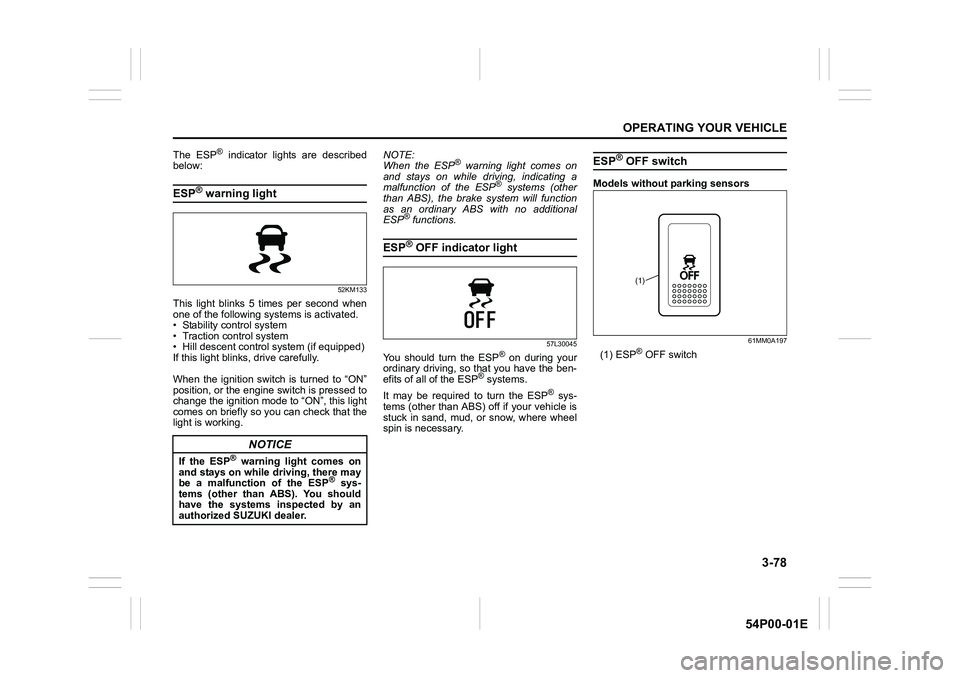
(1) ESP® OFF switch
NOTICE
If the ESP® warning light comes on
and stays on while driving, there may
be a malfunction of the ESP
® sys-
tems (other than ABS). You should
have the systems inspected by an
authorized SUZUKI dealer.
(1)