warning SUZUKI GRAND VITARA 2017 Workshop Manual
[x] Cancel search | Manufacturer: SUZUKI, Model Year: 2017, Model line: GRAND VITARA, Model: SUZUKI GRAND VITARA 2017Pages: 482, PDF Size: 21 MB
Page 164 of 482
3-24
OPERATING YOUR VEHICLE
54P00-01E
the other hand, the driving mode does not
return to the LOCK mode automatically. You
should select the LOCK mode according to
the driving conditions.
NOTE:
• The information display shows current
driving mode.
• When the ignition switch is turned to
“ON” position or the engine switch is
pressed to change the ignition mode to
“ON”, the AUTO mode is selected auto-
matically.
• The driving mode switch can be oper-
ated when the vehicle is either stopped
or moving.
• Check that the front wheels are in the
straight ahead position when operating
the driving mode switch.
• While making turns or accelerating and
decelerating, operating the driving mode
switch, turning the ignition switch to
“ACC” or “LOCK” position or pressing
the engine switch to change the ignition
mode to “ACC” or “LOCK” may cause a
shock, but this is not a system malfunc-
tion.
• When you operate your vehicle under
conditions that involve wheel spin, such
as driving off-road in the sand or water
or when a wheel has run off the road, the
difference in the amount of revolution
between front wheels and rear wheels
increases (wheels run idle). If this state
continues, the oil temperature of the
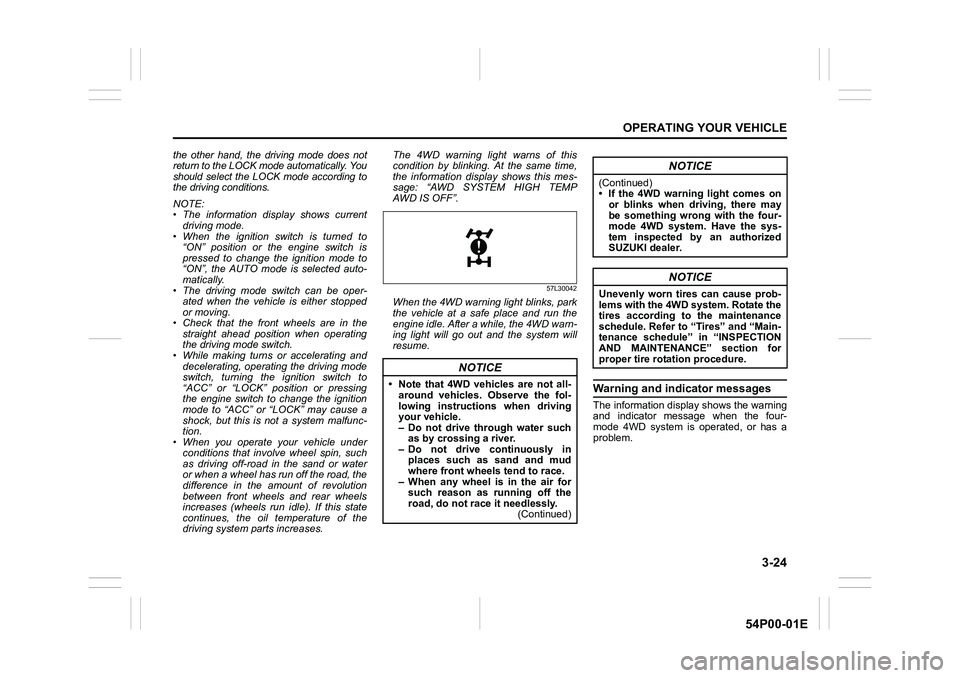
driving system parts increases. The 4WD warning light warns of this
condition by blinking. At the same time,
the information display shows this mes-
sage: “AWD SYSTEM HIGH TEMP
AWD IS OFF”.
57L30042
When the 4WD warning light blinks, park
the vehicle at a safe place and run the
engine idle. After a while, the 4WD warn-
ing light will go out and the system will
resume.
Warning and indicator messages
The information display shows the warning
and indicator message when the four-
mode 4WD system is operated, or has a
problem.
NOTICE
• Note that 4WD vehicles are not all-
around vehicles. Observe the fol-
lowing instructions when driving
your vehicle.
– Do not drive through water such
as by crossing a river.
– Do not drive continuously in
places such as sand and mud
where front wheels tend to race.
– When any wheel is in the air for
such reason as running off the
road, do not race it needlessly.
(Continued)
NOTICE
(Continued)
• If the 4WD warning light comes on
or blinks when driving, there may
be something wrong with the four-
mode 4WD system. Have the sys-
tem inspected by an authorized
SUZUKI dealer.
NOTICE
Unevenly worn tires can cause prob-
lems with the 4WD system. Rotate the
tires according to the maintenance
schedule. Refer to “Tires” and “Main-
tenance schedule” in “INSPECTION
AND MAINTENANCE” section for
proper tire rotation procedure.
Page 165 of 482
3-25
OPERATING YOUR VEHICLE
54P00-01E
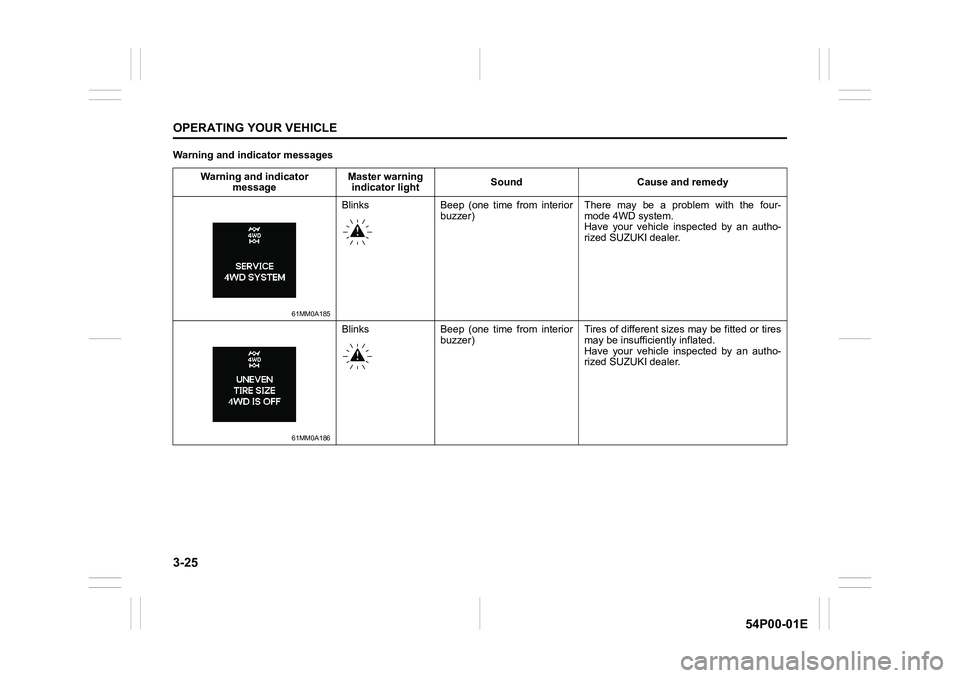
Warning and indicator messages
Warning and indicator
messageMaster warning
indicator lightSound Cause and remedy
61MM0A185
Blinks Beep (one time from interior
buzzer) There may be a problem with the four-
mode 4WD system.
Have your vehicle inspected by an autho-
rized SUZUKI dealer.
61MM0A186
Blinks Beep (one time from interior
buzzer) Tires of different sizes may be fitted or tires
may be insufficiently inflated.
Have your vehicle inspected by an autho-
rized SUZUKI dealer.
Page 166 of 482
3-26
OPERATING YOUR VEHICLE
54P00-01E
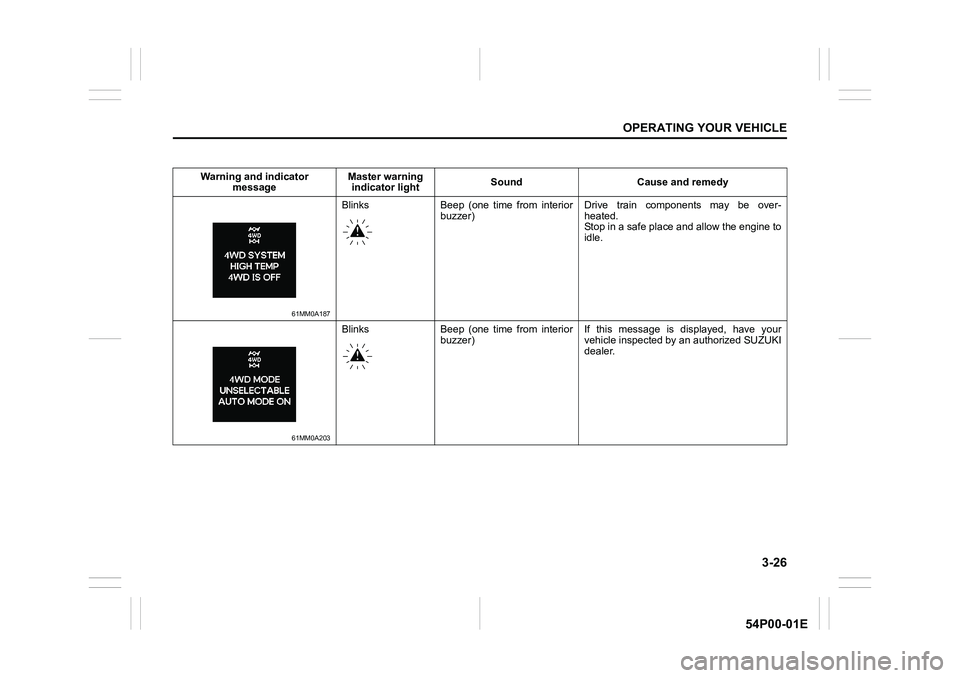
Warning and indicator
messageMaster warning
indicator lightSound Cause and remedy
61MM0A187
Blinks Beep (one time from interior
buzzer) Drive train components may be over-
heated.
Stop in a safe place and allow the engine to
idle.
61MM0A203
Blinks Beep (one time from interior
buzzer) If this message is displayed, have your
vehicle inspected by an authorized SUZUKI
dealer.
Page 167 of 482
3-27
OPERATING YOUR VEHICLE
54P00-01E
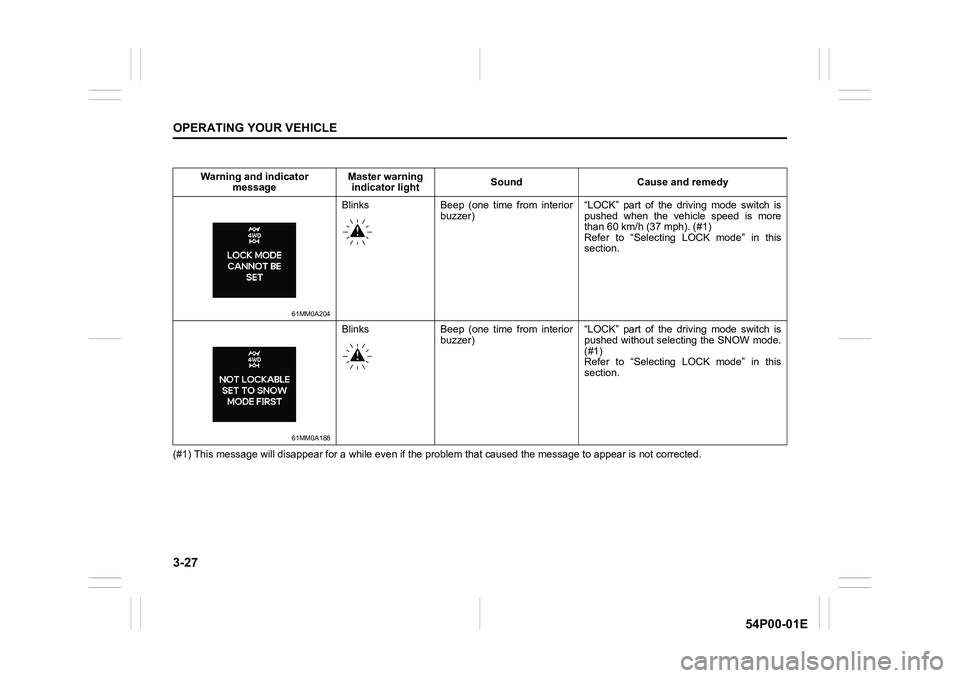
(#1) This message will disappear for a while even if the problem that caused the message to appear is not corrected. Warning and indicator
messageMaster warning
indicator lightSound Cause and remedy
61MM0A204
Blinks Beep (one time from interior
buzzer) “LOCK” part of the driving mode switch is
pushed when the vehicle speed is more
than 60 km/h (37 mph). (#1)
Refer to “Selecting LOCK mode” in this
section.
61MM0A188
Blinks Beep (one time from interior
buzzer) “LOCK” part of the driving mode switch is
pushed without selecting the SNOW mode.
(#1)
Refer to “Selecting LOCK mode” in this
section.
Page 168 of 482
3-28
OPERATING YOUR VEHICLE
54P00-01E
Warning and indicator
messageMaster warning
indicator lightSound Cause and remedy
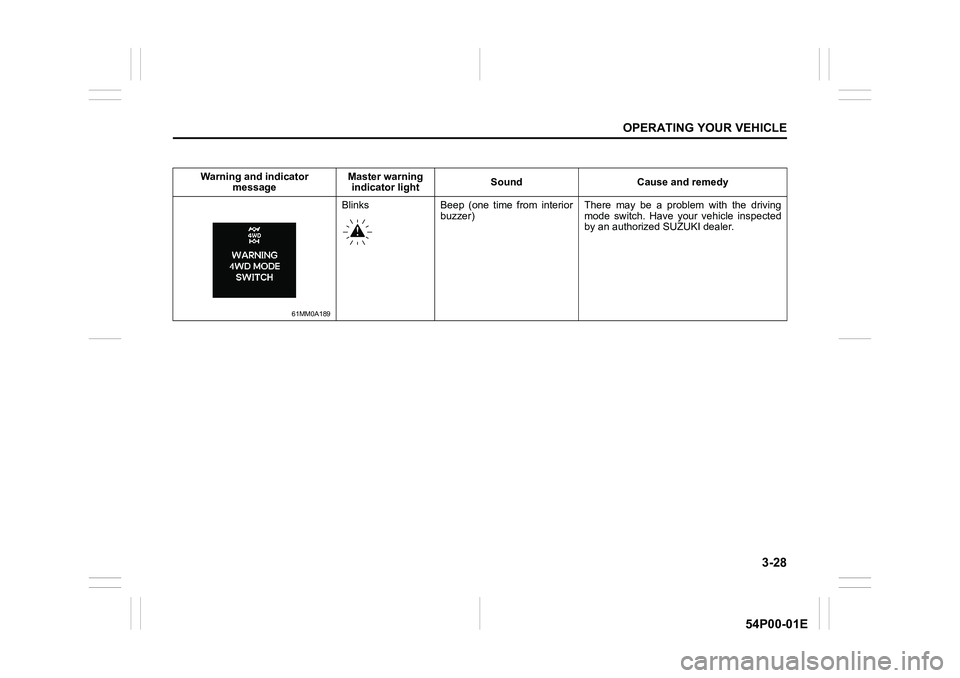
61MM0A189
Blinks Beep (one time from interior
buzzer) There may be a problem with the driving
mode switch. Have your vehicle inspected
by an authorized SUZUKI dealer.
Page 171 of 482
3-31
OPERATING YOUR VEHICLE
54P00-01E
Automatically restarting the engine
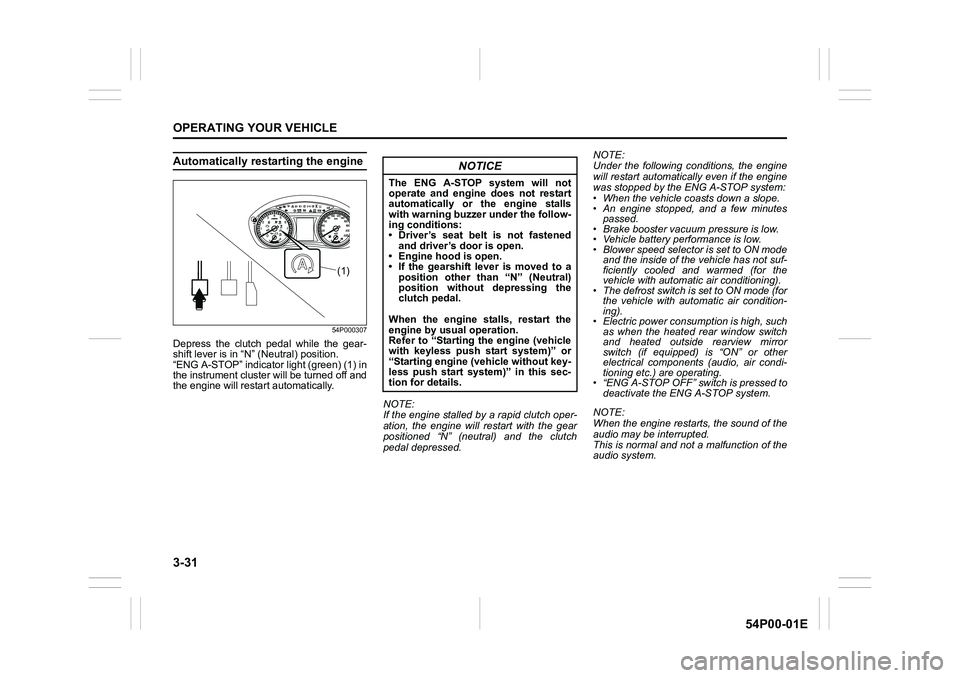
54P000307
Depress the clutch pedal while the gear-
shift lever is in “N” (Neutral) position.
“ENG A-STOP” indicator light (green) (1) in
the instrument cluster will be turned off and
the engine will restart automatically.
NOTE:
If the engine stalled by a rapid clutch oper-
ation, the engine will restart with the gear
positioned “N” (neutral) and the clutch
pedal depressed.NOTE:
Under the following conditions, the engine
will restart automatically even if the engine
was stopped by the ENG A-STOP system:
• When the vehicle coasts down a slope.
• An engine stopped, and a few minutes
passed.
• Brake booster vacuum pressure is low.
• Vehicle battery performance is low.
• Blower speed selector is set to ON mode
and the inside of the vehicle has not suf-
ficiently cooled and warmed (for the
vehicle with automatic air conditioning).
• The defrost switch is set to ON mode (for
the vehicle with automatic air condition-
ing).
• Electric power consumption is high, such
as when the heated rear window switch
and heated outside rearview mirror
switch (if equipped) is “ON” or other
electrical components (audio, air condi-
tioning etc.) are operating.
• “ENG A-STOP OFF” switch is pressed to
deactivate the ENG A-STOP system.
NOTE:
When the engine restarts, the sound of the
audio may be interrupted.
This is normal and not a malfunction of the
audio system.
(1)
NOTICE
The ENG A-STOP system will not
operate and engine does not restart
automatically or the engine stalls
with warning buzzer under the follow-
ing conditions:
• Driver’s seat belt is not fastened
and driver’s door is open.
• Engine hood is open.
• If the gearshift lever is moved to a
position other than “N” (Neutral)
position without depressing the
clutch pedal.
When the engine stalls, restart the
engine by usual operation.
Refer to “Starting the engine (vehicle
with keyless push start system)” or
“Starting engine (vehicle without key-
less push start system)” in this sec-
tion for details.
Page 172 of 482
3-32
OPERATING YOUR VEHICLE
54P00-01E
To deactivate ENG A-STOP system
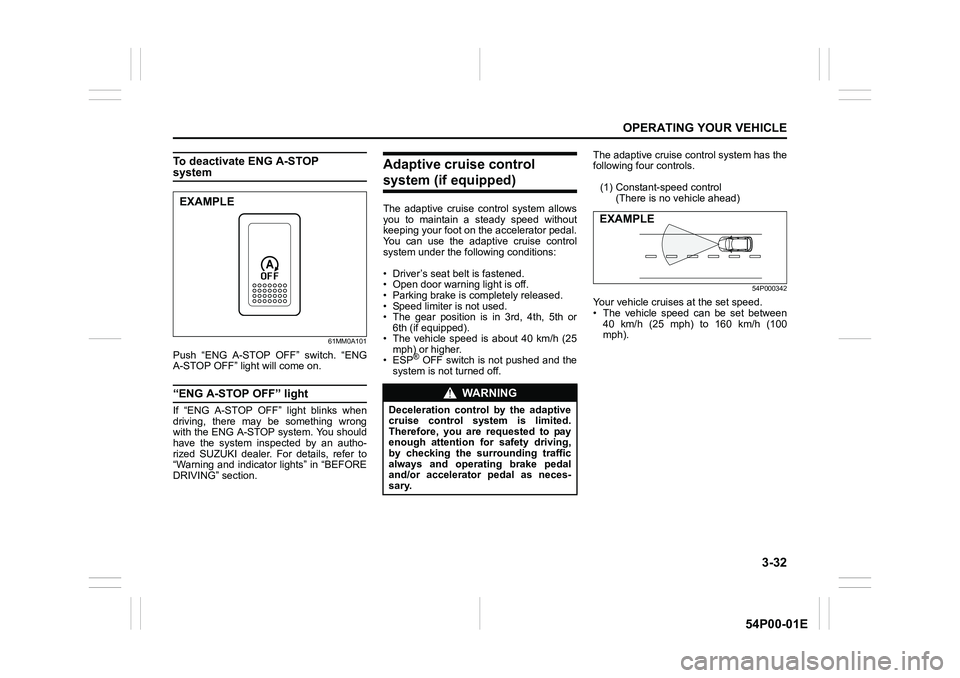
61MM0A101
Push “ENG A-STOP OFF” switch. “ENG
A-STOP OFF” light will come on.
“ENG A-STOP OFF” light
If “ENG A-STOP OFF” light blinks when
driving, there may be something wrong
with the ENG A-STOP system. You should
have the system inspected by an autho-
rized SUZUKI dealer. For details, refer to
“Warning and indicator lights” in “BEFORE
DRIVING” section.
Adaptive cruise control
system (if equipped)
The adaptive cruise control system allows
you to maintain a steady speed without
keeping your foot on the accelerator pedal.
You can use the adaptive cruise control
system under the following conditions:
• Driver’s seat belt is fastened.
• Open door warning light is off.
• Parking brake is completely released.
• Speed limiter is not used.
• The gear position is in 3rd, 4th, 5th or
6th (if equipped).
• The vehicle speed is about 40 km/h (25
mph) or higher.
• ESP
® OFF switch is not pushed and the
system is not turned off.The adaptive cruise control system has the
following four controls.
(1) Constant-speed control
(There is no vehicle ahead)
54P000342
Your vehicle cruises at the set speed.
• The vehicle speed can be set between
40 km/h (25 mph) to 160 km/h (100
mph).
EXAMPLE
WA R N I N G
Deceleration control by the adaptive
cruise control system is limited.
Therefore, you are requested to pay
enough attention for safety driving,
by checking the surrounding traffic
always and operating brake pedal
and/or accelerator pedal as neces-
sary.
EXAMPLE
Page 173 of 482
3-33
OPERATING YOUR VEHICLE
54P00-01E
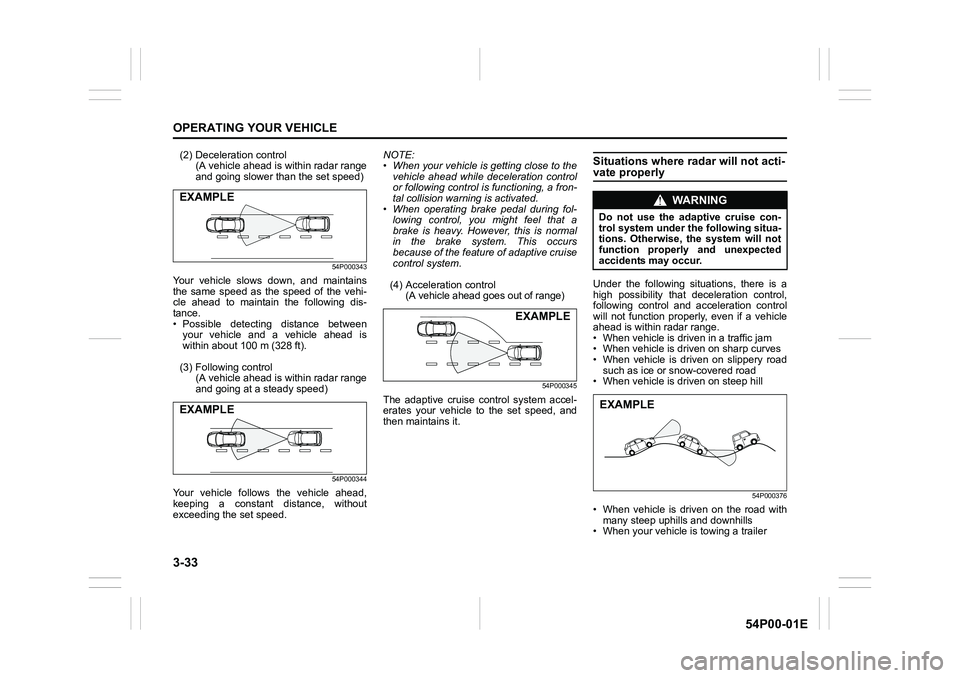
(2) Deceleration control
(A vehicle ahead is within radar range
and going slower than the set speed)
54P000343
Your vehicle slows down, and maintains
the same speed as the speed of the vehi-
cle ahead to maintain the following dis-
tance.
• Possible detecting distance between
your vehicle and a vehicle ahead is
within about 100 m (328 ft).
(3) Following control
(A vehicle ahead is within radar range
and going at a steady speed)
54P000344
Your vehicle follows the vehicle ahead,
keeping a constant distance, without
exceeding the set speed.NOTE:
• When your vehicle is getting close to the
vehicle ahead while deceleration control
or following control is functioning, a fron-
tal collision warning is activated.
• When operating brake pedal during fol-
lowing control, you might feel that a
brake is heavy. However, this is normal
in the brake system. This occurs
because of the feature of adaptive cruise
control system.
(4) Acceleration control
(A vehicle ahead goes out of range)
54P000345
The adaptive cruise control system accel-
erates your vehicle to the set speed, and
then maintains it.
Situations where radar will not acti-vate properly
Under the following situations, there is a
high possibility that deceleration control,
following control and acceleration control
will not function properly, even if a vehicle
ahead is within radar range.
• When vehicle is driven in a traffic jam
• When vehicle is driven on sharp curves
• When vehicle is driven on slippery road
such as ice or snow-covered road
• When vehicle is driven on steep hill
54P000376
• When vehicle is driven on the road with
many steep uphills and downhills
• When your vehicle is towing a trailer
EXAMPLE
EXAMPLE
EXAMPLE
WA R N I N G
Do not use the adaptive cruise con-
trol system under the following situa-
tions. Otherwise, the system will not
function properly and unexpected
accidents may occur.
EXAMPLE
Page 174 of 482
3-34
OPERATING YOUR VEHICLE
54P00-01E
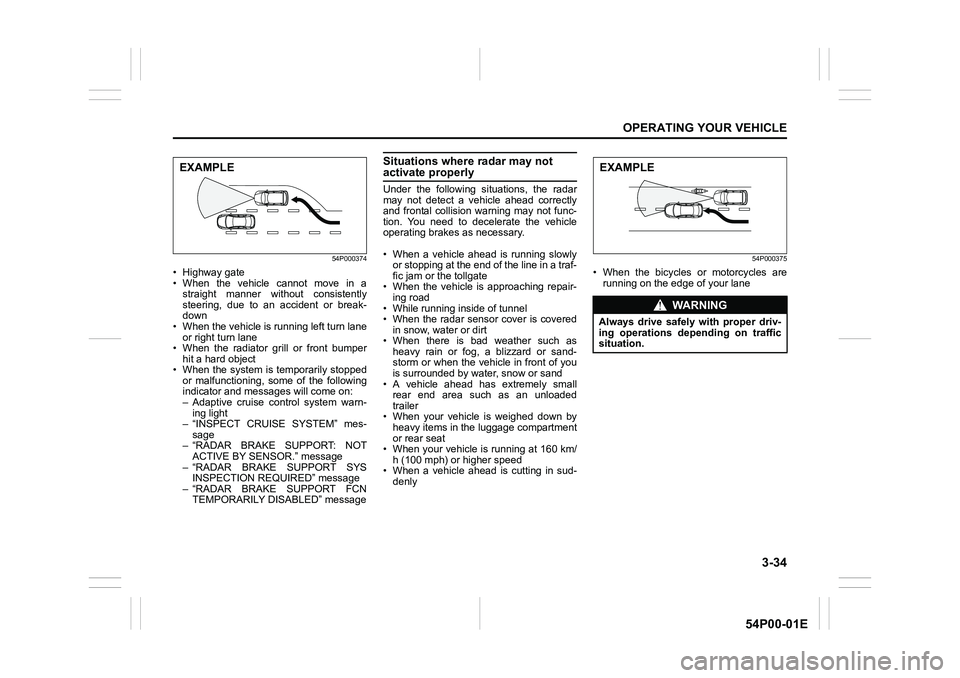
54P000374
• Highway gate
• When the vehicle cannot move in a
straight manner without consistently
steering, due to an accident or break-
down
• When the vehicle is running left turn lane
or right turn lane
• When the radiator grill or front bumper
hit a hard object
• When the system is temporarily stopped
or malfunctioning, some of the following
indicator and messages will come on:
– Adaptive cruise control system warn-
ing light
– “INSPECT CRUISE SYSTEM” mes-
sage
– “RADAR BRAKE SUPPORT: NOT
ACTIVE BY SENSOR.” message
– “RADAR BRAKE SUPPORT SYS
INSPECTION REQUIRED” message
– “RADAR BRAKE SUPPORT FCN
TEMPORARILY DISABLED” message
Situations where radar may not activate properly
Under the following situations, the radar
may not detect a vehicle ahead correctly
and frontal collision warning may not func-
tion. You need to decelerate the vehicle
operating brakes as necessary.
• When a vehicle ahead is running slowly
or stopping at the end of the line in a traf-
fic jam or the tollgate
• When the vehicle is approaching repair-
ing road
• While running inside of tunnel
• When the radar sensor cover is covered
in snow, water or dirt
• When there is bad weather such as
heavy rain or fog, a blizzard or sand-
storm or when the vehicle in front of you
is surrounded by water, snow or sand
• A vehicle ahead has extremely small
rear end area such as an unloaded
trailer
• When your vehicle is weighed down by
heavy items in the luggage compartment
or rear seat
• When your vehicle is running at 160 km/
h (100 mph) or higher speed
• When a vehicle ahead is cutting in sud-
denly
54P000375
• When the bicycles or motorcycles are
running on the edge of your lane
EXAMPLE
WA R N I N G
Always drive safely with proper driv-
ing operations depending on traffic
situation.
EXAMPLE
Page 175 of 482
3-35
OPERATING YOUR VEHICLE
54P00-01E
Situations where radar may activate properly
Under the following situations, the radar
system detects a vehicle on the neighbor-
ing lane or roadside objects and frontal col-
lision warning may function.
• At a corner or narrow traffic lane
• The vehicle position in your lane
is unstable due to steering operation etc.
• Objects protruding from the road’s
surface such as manhole covers and
other metal objects, as well as falling
objects or level changes in the road
Setting cruising speed
Adaptive cruise control switch
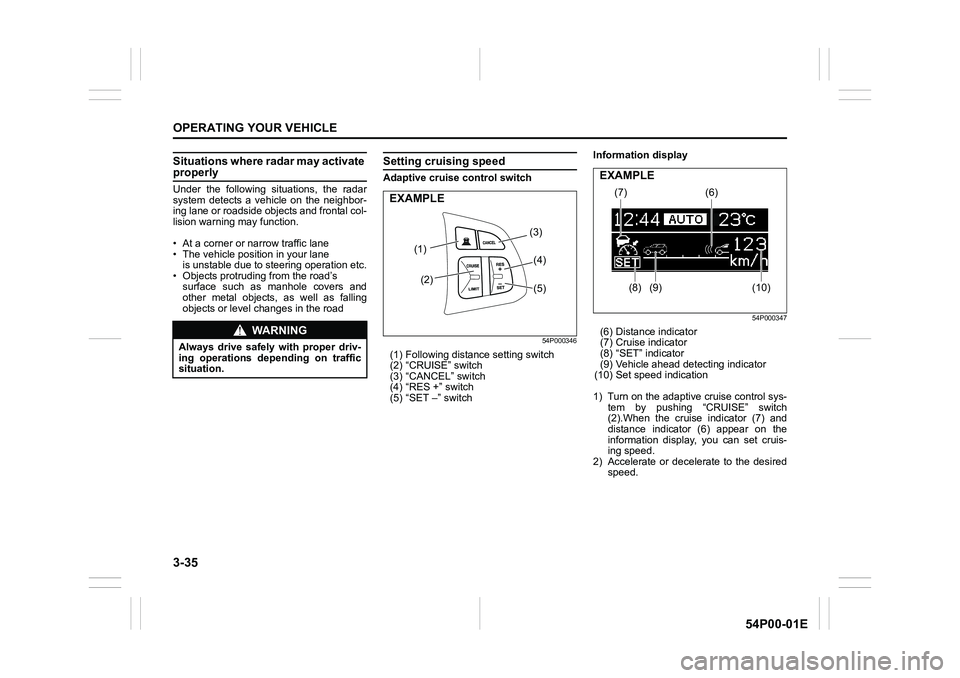
54P000346
(1) Following distance setting switch
(2) “CRUISE” switch
(3) “CANCEL” switch
(4) “RES +” switch
(5) “SET –” switchInformation display
54P000347
(6) Distance indicator
(7) Cruise indicator
(8) “SET” indicator
(9) Vehicle ahead detecting indicator
(10) Set speed indication
1) Turn on the adaptive cruise control sys-
tem by pushing “CRUISE” switch
(2).When the cruise indicator (7) and
distance indicator (6) appear on the
information display, you can set cruis-
ing speed.
2) Accelerate or decelerate to the desired
speed.WA R N I N G
Always drive safely with proper driv-
ing operations depending on traffic
situation.
(1)
(2)(3)
(4)
(5)
EXAMPLE(7)
(8) (9)(6)
(10)
EXAMPLE