low SUZUKI GRAND VITARA 2019 Workshop Manual
[x] Cancel search | Manufacturer: SUZUKI, Model Year: 2019, Model line: GRAND VITARA, Model: SUZUKI GRAND VITARA 2019Pages: 482, PDF Size: 21 MB
Page 88 of 482
2-66
BEFORE DRIVING
54P00-01E
Information display
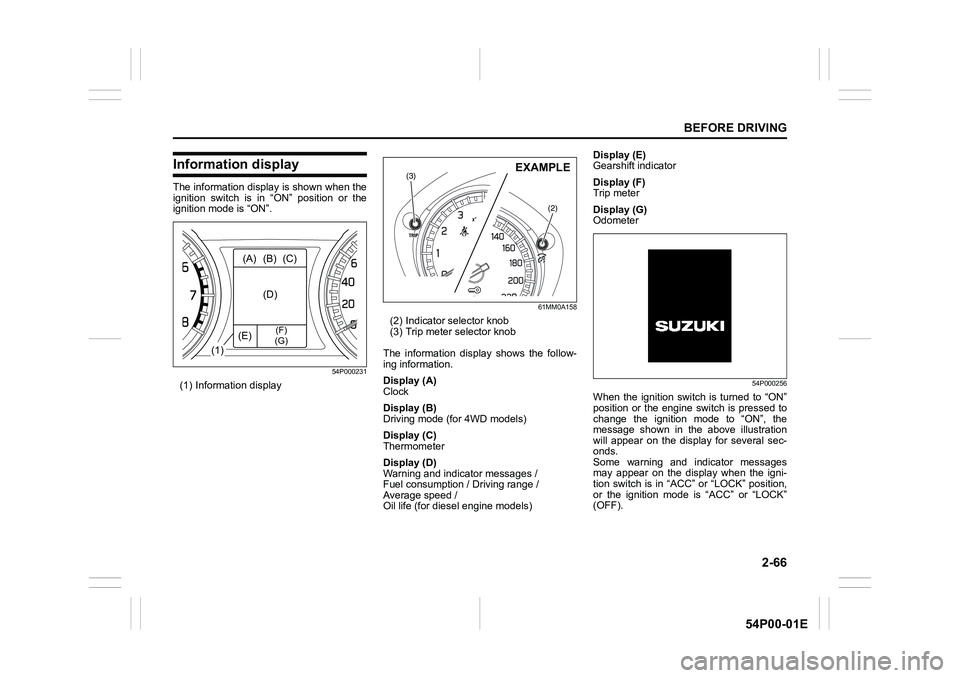
The information display is shown when the
ignition switch is in “ON” position or the
ignition mode is “ON”.
54P000231
(1) Information display
61MM0A158
(2) Indicator selector knob
(3) Trip meter selector knob
The information display shows the follow-
ing information.
Display (A)
Clock
Display (B)
Driving mode (for 4WD models)
Display (C)
Thermometer
Display (D)
Warning and indicator messages /
Fuel consumption / Driving range /
Average speed /
Oil life (for diesel engine models)Display (E)
Gearshift indicator
Display (F)
Trip meter
Display (G)
Odometer
54P000256
When the ignition switch is turned to “ON”
position or the engine switch is pressed to
change the ignition mode to “ON”, the
message shown in the above illustration
will appear on the display for several sec-
onds.
Some warning and indicator messages
may appear on the display when the igni-
tion switch is in “ACC” or “LOCK” position,
or the ignition mode is “ACC” or “LOCK”
(OFF).
(1)(A) (B) (C)
(D)
(E)
(F)
(G)
(3)
(2)
EXAMPLE
Page 89 of 482
2-67
BEFORE DRIVING
54P00-01E
Clock
The display (A) shows the time.
To set the clock, follow “Setting mode”
instructions in this section.
Driving mode (for 4WD models)
The display (B) shows the driving mode.
For details on how to use the four-mode
4WD system, refer to “Four-mode 4WD
system (if equipped)” in “OPERATING
YOUR VEHICLE” section.
Thermometer
The display (C) shows the thermometer.
The thermometer indicates the outside
temperature.
54P000257
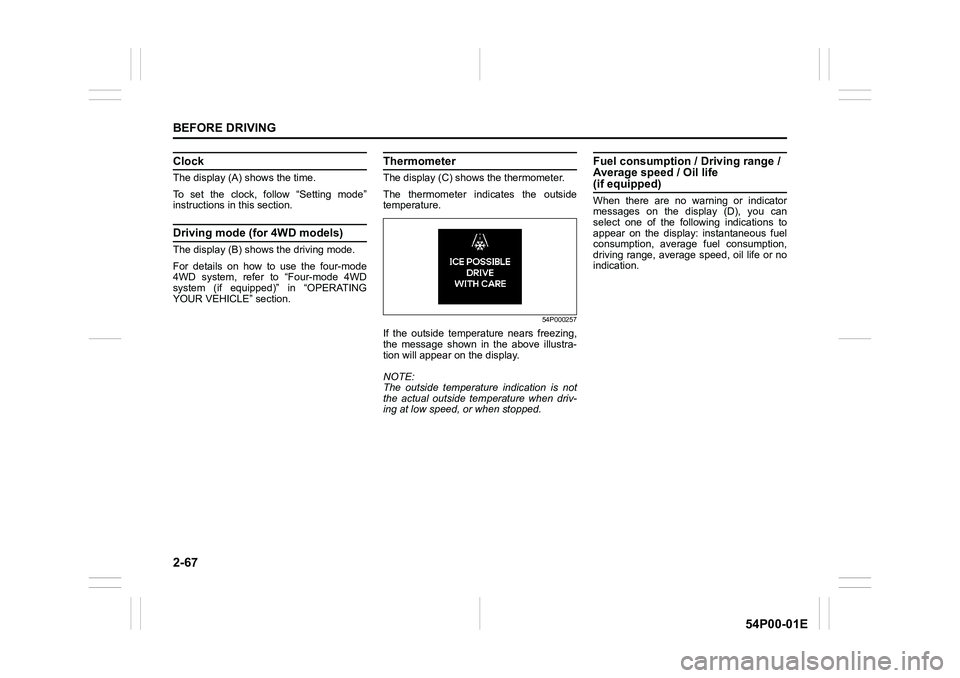
If the outside temperature nears freezing,
the message shown in the above illustra-
tion will appear on the display.
NOTE:
The outside temperature indication is not
the actual outside temperature when driv-
ing at low speed, or when stopped.
Fuel consumption / Driving range /
Average speed / Oil life
(if equipped)
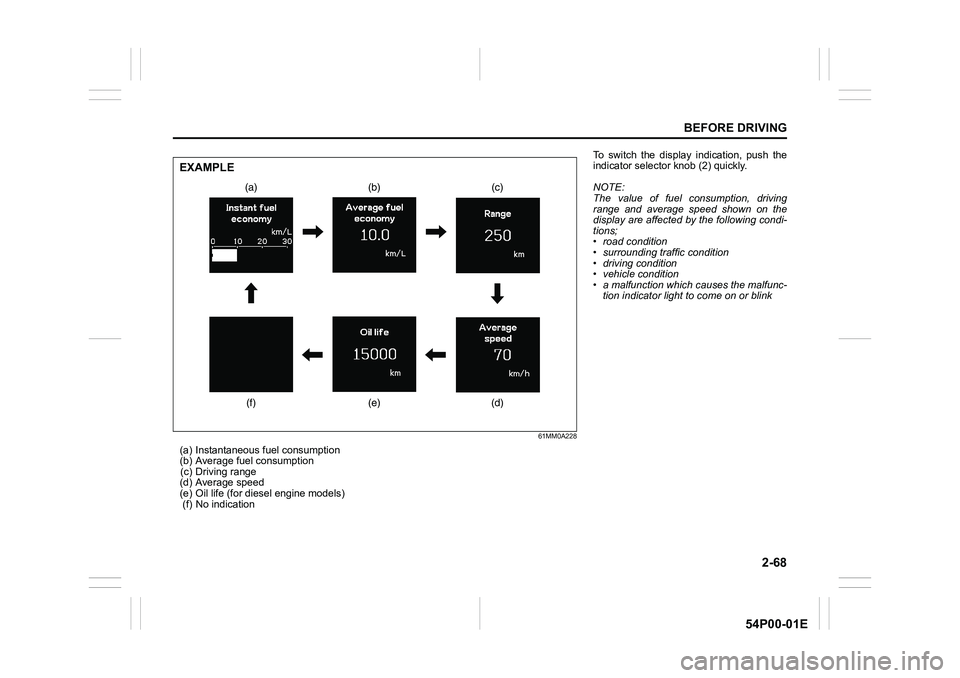
When there are no warning or indicator
messages on the display (D), you can
select one of the following indications to
appear on the display: instantaneous fuel
consumption, average fuel consumption,
driving range, average speed, oil life or no
indication.
Page 90 of 482
2-68
BEFORE DRIVING
54P00-01E
61MM0A228
(a) Instantaneous fuel consumption
(b) Average fuel consumption
(c) Driving range
(d) Average speed
(e) Oil life (for diesel engine models)
(f) No indication
(a) (b) (c)
(d) (e) (f)
EXAMPLE
To switch the display indication, push the
indicator selector knob (2) quickly.
NOTE:
The value of fuel consumption, driving
range and average speed shown on the
display are affected by the following condi-
tions;
• road condition
• surrounding traffic condition
• driving condition
• vehicle condition
• a malfunction which causes the malfunc-
tion indicator light to come on or blink
Page 91 of 482
2-69
BEFORE DRIVING
54P00-01E
Instantaneous fuel consumption
The display shows instantaneous fuel con-
sumption with a bar graph only when the
vehicle is moving.
NOTE:
• The display does not show the bar graph
unless the vehicle is moving.
• Depending on the vehicle’s specification,
the fuel consumption units of initial set-
ting are indicated as L/100km, km/L or
MPG.
• For L/100km or km/L setting, the indi-
cated maximum value of instantaneous
fuel consumption is 30. No more than 30
will be indicated on the display even if
the actual instantaneous fuel consump-
tion is higher.
• For MPG setting, the indicated maxi-
mum value of instantaneous fuel con-
sumption is 80. No more than 80 will be
indicated on the display even if the
actual instantaneous fuel consumption is
higher.
• The indication on the display may be
delayed if fuel consumption is greatly
affected by driving conditions.
• The display shows estimated values.
Indications may not be the same as
actual values.
Average fuel consumption
If you selected average fuel consumption
the last time you drove the vehicle, the dis-
play shows the last value of average fuel
consumption from previous driving whenthe ignition switch is turned to “ON” posi-
tion or the engine switch is pressed to
change the ignition mode to “ON”. Unless
you reset the value of average fuel con-
sumption, the display indicates the value of
average fuel consumption based on the
average fuel consumption during previous
driving.
NOTE:
When you reconnect the negative (–) ter-
minal to the battery, the value of average
fuel consumption will be shown after driv-
ing for a period of time.
You can select when the value of average
fuel consumption is reset from among the
following three methods;
• Reset after refuel: the value of average
fuel consumption will be reset automati-
cally by refueling.
• Reset with trip meter A: the value of
average fuel consumption will be reset
automatically by resetting trip meter A.
• Reset manually: the value of average
fuel consumption will be reset by push-
ing and holding the indicator selector
knob (2) when the display indicates the
average fuel consumption.
To change when the value of average fuel
consumption is reset, refer to “Setting
mode” in this section. NOTE:
If you add only a small amount of fuel
when you select “Reset after refuel”, the
average fuel consumption value may not
be reset.
Driving range
If you selected driving range the last time
you drove the vehicle, the display indicates
“---” for a few seconds and then indicates
the current driving range when the ignition
switch is turned to “ON” position or the
engine switch is pressed to change the
ignition mode to “ON”.
The driving range shown in the display is
the approximate distance you can drive
until the fuel gauge indicates “E”, based on
current driving conditions.
When the low fuel warning light comes on,
the display “---” will appear.
If the low fuel warning light comes on, fill
the fuel tank immediately regardless of the
value of driving range shown in the display.
As the driving range after refueling is cal-
culated based on the most recent driving
condition, the value is different each time
you refuel.
NOTE:
• If you refuel when the ignition switch is in
“ON” position or the ignition mode is
“ON”, the driving range may not indicate
the correct value.
Page 95 of 482
2-73
BEFORE DRIVING
54P00-01E
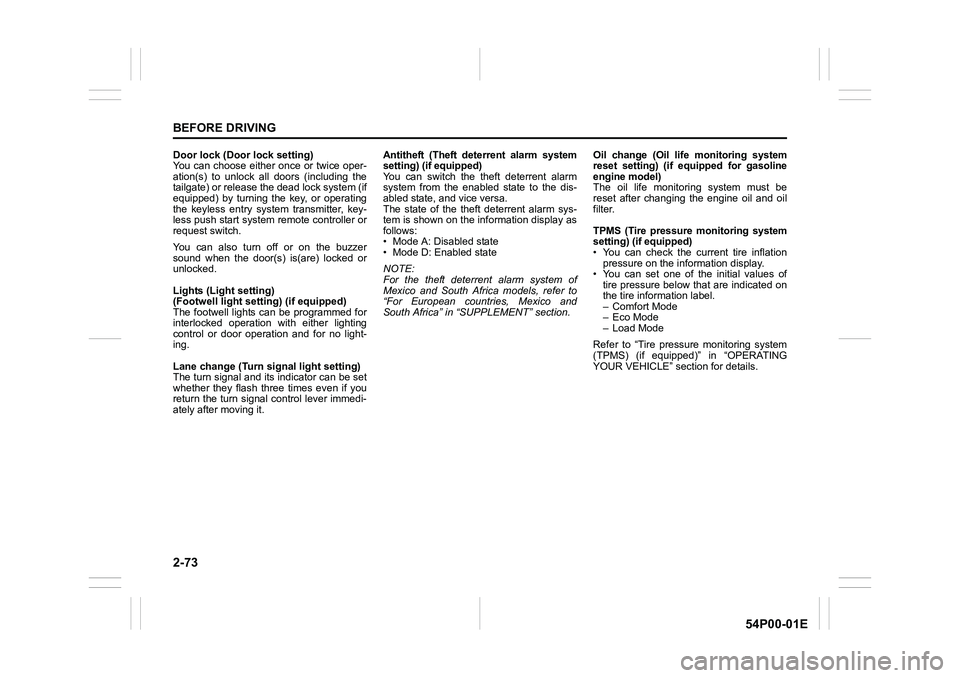
Door lock (Door lock setting)
You can choose either once or twice oper-
ation(s) to unlock all doors (including the
tailgate) or release the dead lock system (if
equipped) by turning the key, or operating
the keyless entry system transmitter, key-
less push start system remote controller or
request switch.
You can also turn off or on the buzzer
sound when the door(s) is(are) locked or
unlocked.
Lights (Light setting)
(Footwell light setting) (if equipped)
The footwell lights can be programmed for
interlocked operation with either lighting
control or door operation and for no light-
ing.
Lane change (Turn signal light setting)
The turn signal and its indicator can be set
whether they flash three times even if you
return the turn signal control lever immedi-
ately after moving it.Antitheft (Theft deterrent alarm system
setting) (if equipped)
You can switch the theft deterrent alarm
system from the enabled state to the dis-
abled state, and vice versa.
The state of the theft deterrent alarm sys-
tem is shown on the information display as
follows:
• Mode A: Disabled state
• Mode D: Enabled state
NOTE:
For the theft deterrent alarm system of
Mexico and South Africa models, refer to
“For European countries, Mexico and
South Africa” in “SUPPLEMENT” section.Oil change (Oil life monitoring system
reset setting) (if equipped for gasoline
engine model)
The oil life monitoring system must be
reset after changing the engine oil and oil
filter.
TPMS (Tire pressure monitoring system
setting) (if equipped)
• You can check the current tire inflation
pressure on the information display.
• You can set one of the initial values of
tire pressure below that are indicated on
the tire information label.
– Comfort Mode
–Eco Mode
– Load Mode
Refer to “Tire pressure monitoring system
(TPMS) (if equipped)” in “OPERATING
YOUR VEHICLE” section for details.
Page 96 of 482
2-74
BEFORE DRIVING
54P00-01E
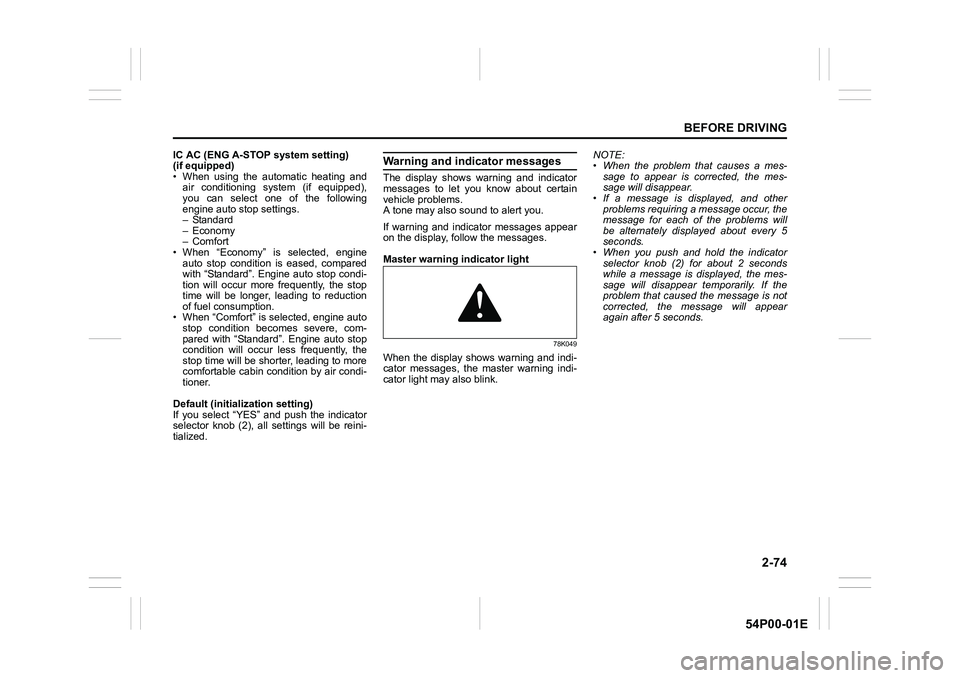
IC AC (ENG A-STOP system setting)
(if equipped)
• When using the automatic heating and
air conditioning system (if equipped),
you can select one of the following
engine auto stop settings.
– Standard
– Economy
–Comfort
• When “Economy” is selected, engine
auto stop condition is eased, compared
with “Standard”. Engine auto stop condi-
tion will occur more frequently, the stop
time will be longer, leading to reduction
of fuel consumption.
• When “Comfort” is selected, engine auto
stop condition becomes severe, com-
pared with “Standard”. Engine auto stop
condition will occur less frequently, the
stop time will be shorter, leading to more
comfortable cabin condition by air condi-
tioner.
Default (initialization setting)
If you select “YES” and push the indicator
selector knob (2), all settings will be reini-
tialized.Warning and indicator messages
The display shows warning and indicator
messages to let you know about certain
vehicle problems.
A tone may also sound to alert you.
If warning and indicator messages appear
on the display, follow the messages.
Master warning indicator light
78K049
When the display shows warning and indi-
cator messages, the master warning indi-
cator light may also blink.NOTE:
• When the problem that causes a mes-
sage to appear is corrected, the mes-
sage will disappear.
• If a message is displayed, and other
problems requiring a message occur, the
message for each of the problems will
be alternately displayed about every 5
seconds.
• When you push and hold the indicator
selector knob (2) for about 2 seconds
while a message is displayed, the mes-
sage will disappear temporarily. If the
problem that caused the message is not
corrected, the message will appear
again after 5 seconds.
Page 103 of 482
2-81
BEFORE DRIVING
54P00-01E
(#1) This message will disappear for a while even if the problem that caused the message to appear is not corrected. Warning and indicator
messageMaster warning
indicator lightSound Cause and remedy
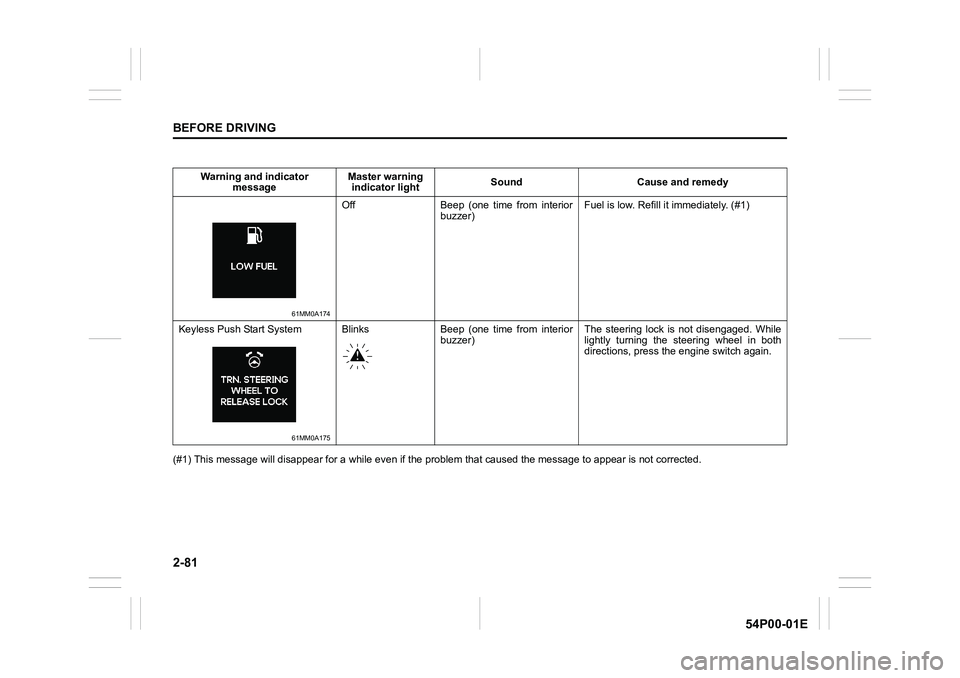
61MM0A174
Off Beep (one time from interior
buzzer)Fuel is low. Refill it immediately. (#1)
Keyless Push Start System
61MM0A175
Blinks Beep (one time from interior
buzzer)The steering lock is not disengaged. While
lightly turning the steering wheel in both
directions, press the engine switch again.
Page 110 of 482
2-88
BEFORE DRIVING
54P00-01E
Warning and indicator lights
NOTE:
If warning and indicator lights blink or
come on, the corresponding messages
may be shown on the information display.
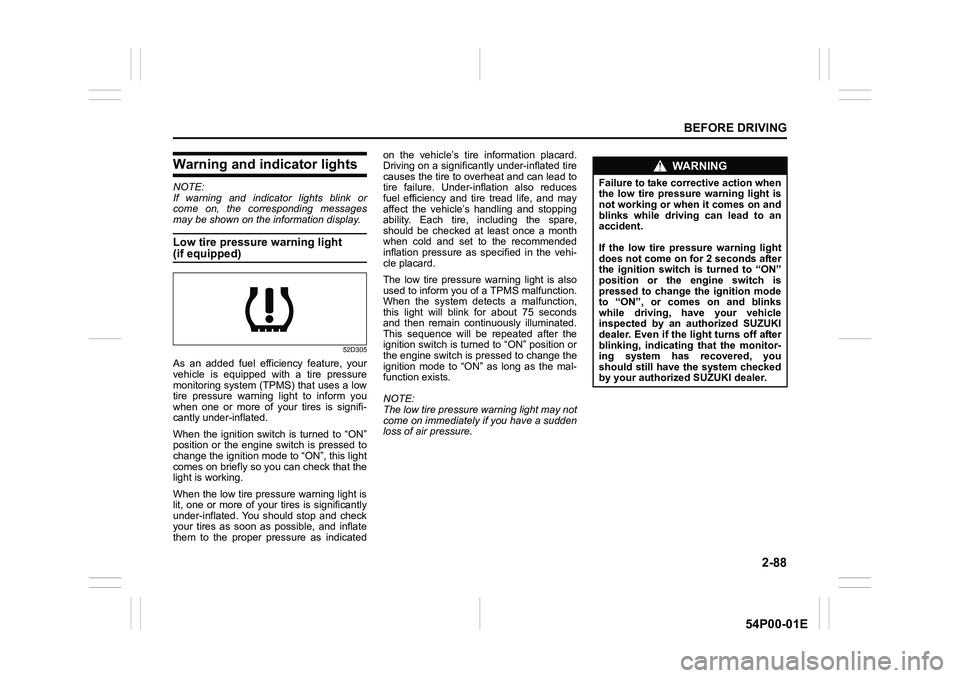
Low tire pressure warning light
(if equipped)
52D305
As an added fuel efficiency feature, your
vehicle is equipped with a tire pressure
monitoring system (TPMS) that uses a low
tire pressure warning light to inform you
when one or more of your tires is signifi-
cantly under-inflated.
When the ignition switch is turned to “ON”
position or the engine switch is pressed to
change the ignition mode to “ON”, this light
comes on briefly so you can check that the
light is working.
When the low tire pressure warning light is
lit, one or more of your tires is significantly
under-inflated. You should stop and check
your tires as soon as possible, and inflate
them to the proper pressure as indicatedon the vehicle’s tire information placard.
Driving on a significantly under-inflated tire
causes the tire to overheat and can lead to
tire failure. Under-inflation also reduces
fuel efficiency and tire tread life, and may
affect the vehicle’s handling and stopping
ability. Each tire, including the spare,
should be checked at least once a month
when cold and set to the recommended
inflation pressure as specified in the vehi-
cle placard.
The low tire pressure warning light is also
used to inform you of a TPMS malfunction.
When the system detects a malfunction,
this light will blink for about 75 seconds
and then remain continuously illuminated.
This sequence will be repeated after the
ignition switch is turned to “ON” position or
the engine switch is pressed to change the
ignition mode to “ON” as long as the mal-
function exists.
NOTE:
The low tire pressure warning light may not
come on immediately if you have a sudden
loss of air pressure.
WA R N I N G
Failure to take corrective action when
the low tire pressure warning light is
not working or when it comes on and
blinks while driving can lead to an
accident.
If the low tire pressure warning light
does not come on for 2 seconds after
the ignition switch is turned to “ON”
position or the engine switch is
pressed to change the ignition mode
to “ON”, or comes on and blinks
while driving, have your vehicle
inspected by an authorized SUZUKI
dealer. Even if the light turns off after
blinking, indicating that the monitor-
ing system has recovered, you
should still have the system checked
by your authorized SUZUKI dealer.
Page 111 of 482
2-89
BEFORE DRIVING
54P00-01E
Refer to “Tire pressure monitoring system
(TPMS) (if equipped)” in “OPERATING
YOUR VEHICLE” section for additional
details on the tire pressure monitoring sys-
tem. Refer to “Tires” in “INSPECTION AND
MAINTENANCE” section for information
on maintaining proper tire pressure.
WA R N I N G
The load-carrying capacity of your
tires is reduced at lower inflation
pressures. If your tires are even mod-
erately under-inflated, the load on the
tires may exceed the load-carrying
capacity of the tires, which could lead
to tire failure. The low tire pressure
warning light will not alert you to this
condition, because it only comes on
when one or more of your tires
becomes significantly under-inflated.
Check and adjust your tire inflation
pressure at least once a month. Refer
to “Tires” in “INSPECTION AND
MAINTENANCE” section.
WA R N I N G
Continuing to drive with the low tire
pressure warning light on can lead to
an accident, resulting in severe injury
or death.
If the low tire pressure warning light
comes on and stays on, reduce your
speed and avoid abrupt steering and
braking. Be aware that driving on a
significantly under-inflated tire can
cause the tire to overheat and can
lead to tire failure, and may affect
steering control and brake effective-
ness. Stop the vehicle in a safe place
as soon as possible and check your
tires.
• If you have a flat tire, replace it with
the spare tire (if equipped). Refer to
“Jacking instructions” in “EMER-
GENCY SERVICE” section for the
tire replacement method. Also refer
to “Replacing tires and/or wheels”
for instructions on how to restore
normal operation of the TPMS after
you have had a flat tire.
(Continued)
WA R N I N G
(Continued)
• If your vehicle is equipped with a
flat tire repair kit instead of a spare
tire, refer to “Flat tire repair kit (if
equipped)” in “EMERGENCY SER-
VICE” section for instructions on
how to perform an emergency
repair of a flat tire.
• If one or more of your tires is
under-inflated, adjust the inflation
pressure of all tires to the recom-
mended inflation pressure as soon
as possible.
Page 112 of 482
2-90
BEFORE DRIVING
54P00-01E
Brake system warning light
65D477
Three different types of operations exist
depending on the vehicle’s specification.
• The light comes on briefly when the igni-
tion switch is turned to “ON” position or
the engine switch is pressed to change
the ignition mode to “ON”.
• The light comes on when the parking
brake is engaged with the ignition switch
in “ON” position or the ignition mode is
“ON”.
• The light comes on under either or both
of above two conditions.
The light also comes on when the fluid in
the brake fluid reservoir falls below the
specified level.
The light should go out after starting the
engine and fully releasing the parking
brake, if the fluid level in the brake fluid
reservoir is adequate.
The light also comes on together with the
ABS warning light when the rear brake
force control function (proportioning valve
function) of the ABS system fails.If the brake system warning light comes on
while you are driving the vehicle, it may
mean that there is something wrong with
the vehicle’s brake system.
If this happens:
1) Pull off the road and stop carefully.
2) Test the brakes by carefully starting and
stopping the vehicle on the shoulder of
the road.
3) If you determine that it is safe, drive the
vehicle cautiously at low speed to the
nearest dealer for repairs or tow the
vehicle to the nearest dealer for repairs.
NOTE:
Because the brake system is self-adjust-
ing, the fluid level will drop as the brake
pads become worn. Replenishing the
brake fluid reservoir is considered normal
periodic maintenance.
NOTE:
Parking brake reminder buzzer
A buzzer sounds intermittently to remind
you to release the parking brake if you
start the vehicle without releasing the park-
ing brake. Check that the parking brake is
fully released and the brake system warn-
ing light turns off.
WA R N I N G
Remember that stopping distance
may be longer, you may have to push
harder on the pedal, and the pedal
may go down farther than normal.
WA R N I N G
If any of the following conditions
occur, you should immediately ask
your SUZUKI dealer to inspect the
brake system.
• If the brake system warning light
does not go out after the engine
has been started and the parking
brake has been fully released.
• If the brake system warning light
does not come on when the igni-
tion switch is turned to “ON” posi-
tion or the engine switch is pressed
to change the ignition mode to
“ON”.
• If the brake system warning light
comes on at any time during vehi-
cle operation.