Eco Driving Indicator SUZUKI GRAND VITARA 2019 Owners Manual
[x] Cancel search | Manufacturer: SUZUKI, Model Year: 2019, Model line: GRAND VITARA, Model: SUZUKI GRAND VITARA 2019Pages: 482, PDF Size: 21 MB
Page 33 of 482
2-11
BEFORE DRIVING
54P00-01E
Press the request switch again after doing
the following:
With the ignition mode changed to “LOCK”
(OFF) by pressing the engine switch, bring
out the remote controller if it is inside the
vehicle and check that all doors are com-
pletely closed.
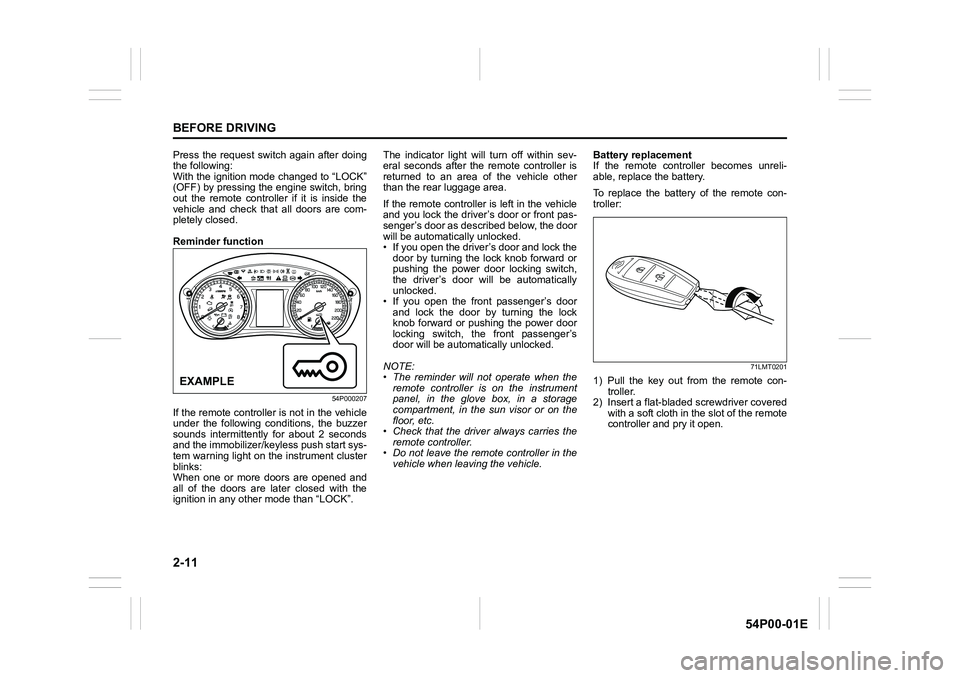
Reminder function
54P000207
If the remote controller is not in the vehicle
under the following conditions, the buzzer
sounds intermittently for about 2 seconds
and the immobilizer/keyless push start sys-
tem warning light on the instrument cluster
blinks:
When one or more doors are opened and
all of the doors are later closed with the
ignition in any other mode than “LOCK”.The indicator light will turn off within sev-
eral seconds after the remote controller is
returned to an area of the vehicle other
than the rear luggage area.
If the remote controller is left in the vehicle
and you lock the driver’s door or front pas-
senger’s door as described below, the door
will be automatically unlocked.
• If you open the driver’s door and lock the
door by turning the lock knob forward or
pushing the power door locking switch,
the driver’s door will be automatically
unlocked.
• If you open the front passenger’s door
and lock the door by turning the lock
knob forward or pushing the power door
locking switch, the front passenger’s
door will be automatically unlocked.
NOTE:
• The reminder will not operate when the
remote controller is on the instrument
panel, in the glove box, in a storage
compartment, in the sun visor or on the
floor, etc.
• Check that the driver always carries the
remote controller.
• Do not leave the remote controller in the
vehicle when leaving the vehicle.Battery replacement
If the remote controller becomes unreli-
able, replace the battery.
To replace the battery of the remote con-
troller:
71LMT0201
1) Pull the key out from the remote con-
troller.
2) Insert a flat-bladed screwdriver covered
with a soft cloth in the slot of the remote
controller and pry it open.EXAMPLE
Page 82 of 482
2-60
BEFORE DRIVING
54P00-01E
pens, ask your SUZUKI dealer to check
the air bag system as soon as possible.
Special procedures are required for servic-
ing or replacing an air bag. For that rea-
son, only an authorized SUZUKI dealer
should be allowed to service or replace
your air bags. Remind anyone who ser-
vices your SUZUKI vehicle that it has air
bags.
Service on or around air bag components
or wiring must be performed only by an
authorized SUZUKI dealer. Improper ser-
vice could result in unintended air bag
deployment or could render the air bag
inoperative. Either of these two conditions
may result in severe injury.
To prevent damage or unintended inflation
of the air bag system, check that the bat-
tery is disconnected and the ignition switch
has been in “LOCK” position or the ignition
mode has been “LOCK” (OFF) for at least
90 seconds before performing any electri-
cal service work on your SUZUKI vehicle.
Do not touch air bag system components
or wires. The wires are wrapped with yel-
low tape or yellow tubing, and the couplers
are yellow for easy identification.
Scrapping a vehicle that has an uninflated
air bag can be hazardous. Ask your dealer,
body repair shop or scrap yard for help
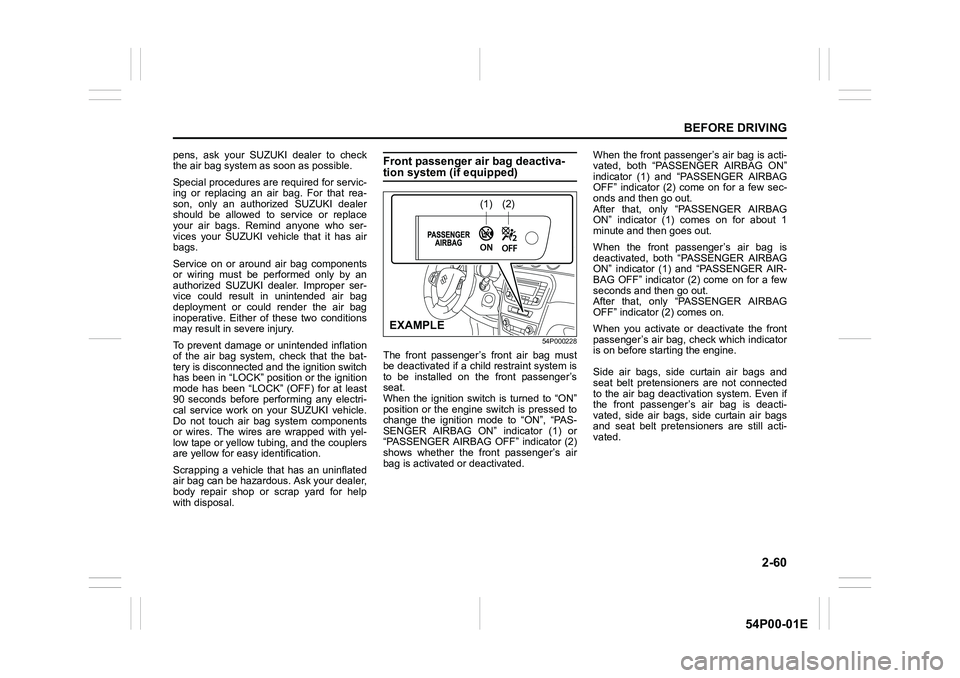
with disposal.Front passenger air bag deactiva-tion system (if equipped)
54P000228
The front passenger’s front air bag must
be deactivated if a child restraint system is
to be installed on the front passenger’s
seat.
When the ignition switch is turned to “ON”
position or the engine switch is pressed to
change the ignition mode to “ON”, “PAS-
SENGER AIRBAG ON” indicator (1) or
“PASSENGER AIRBAG OFF” indicator (2)
shows whether the front passenger’s air
bag is activated or deactivated.When the front passenger’s air bag is acti-
vated, both “PASSENGER AIRBAG ON”
indicator (1) and “PASSENGER AIRBAG
OFF” indicator (2) come on for a few sec-
onds and then go out.
After that, only “PASSENGER AIRBAG
ON” indicator (1) comes on for about 1
minute and then goes out.
When the front passenger’s air bag is
deactivated, both “PASSENGER AIRBAG
ON” indicator (1) and “PASSENGER AIR-
BAG OFF” indicator (2) come on for a few
seconds and then go out.
After that, only “PASSENGER AIRBAG
OFF” indicator (2) comes on.
When you activate or deactivate the front
passenger’s air bag, check which indicator
is on before starting the engine.
Side air bags, side curtain air bags and
seat belt pretensioners are not connected
to the air bag deactivation system. Even if
the front passenger’s air bag is deacti-
vated, side air bags, side curtain air bags
and seat belt pretensioners are still acti-
vated.
(1)(2)
EXAMPLE
Page 83 of 482
2-61
BEFORE DRIVING
54P00-01E
58MS030
According to accident statistics, children
are safer when properly restrained in rear
seating positions than front seating posi-
tions. Whenever possible, SUZUKI recom-
mends that child restraint systems be
installed on the rear seat.
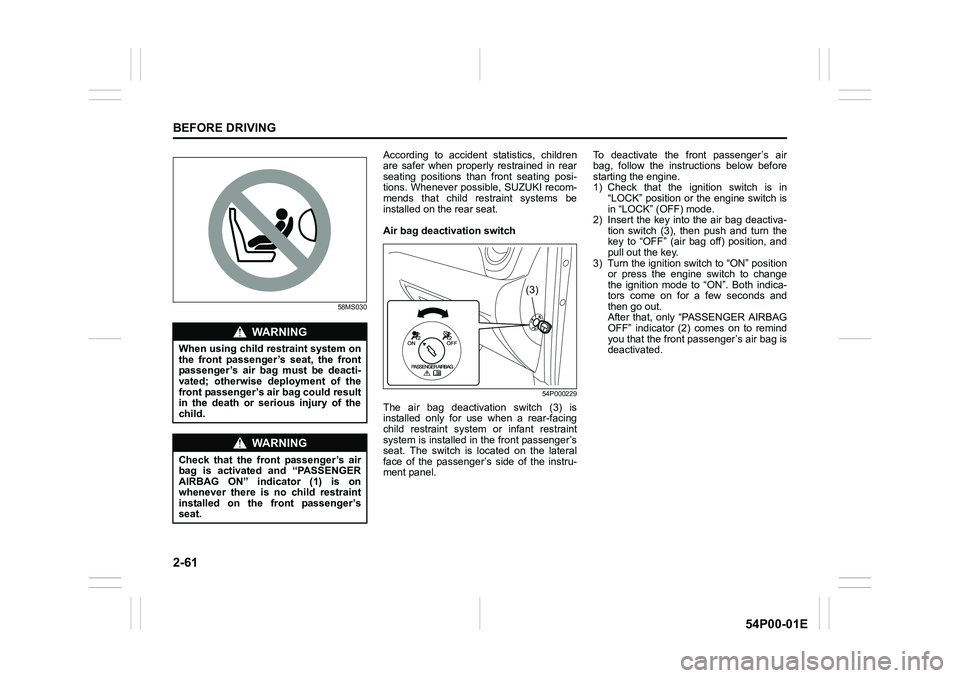
Air bag deactivation switch
54P000229
The air bag deactivation switch (3) is
installed only for use when a rear-facing
child restraint system or infant restraint
system is installed in the front passenger’s
seat. The switch is located on the lateral
face of the passenger’s side of the instru-
ment panel.To deactivate the front passenger’s air
bag, follow the instructions below before
starting the engine.
1) Check that the ignition switch is in
“LOCK” position or the engine switch is
in “LOCK” (OFF) mode.
2) Insert the key into the air bag deactiva-
tion switch (3), then push and turn the
key to “OFF” (air bag off) position, and
pull out the key.
3) Turn the ignition switch to “ON” position
or press the engine switch to change
the ignition mode to “ON”. Both indica-
tors come on for a few seconds and
then go out.
After that, only “PASSENGER AIRBAG
OFF” indicator (2) comes on to remind
you that the front passenger’s air bag is
deactivated.
WA R N I N G
When using child restraint system on
the front passenger’s seat, the front
passenger’s air bag must be deacti-
vated; otherwise deployment of the
front passenger’s air bag could result
in the death or serious injury of the
child.
WA R N I N G
Check that the front passenger’s air
bag is activated and “PASSENGER
AIRBAG ON” indicator (1) is on
whenever there is no child restraint
installed on the front passenger’s
seat.
(3)
Page 84 of 482
2-62
BEFORE DRIVING
54P00-01E
To activate the front passenger’s air bag,
follow the instructions below before start-
ing the engine.
1) Check that the ignition switch is in
“LOCK” position or the engine switch is
in “LOCK” (OFF) mode.
2) Insert the key into the air bag deactiva-
tion switch (3), then push and turn the
key to “ON” (air bag on) position, and
pull out the key.
3) Turn the ignition switch to “ON” position
or press the engine switch to change
the ignition mode to “ON”. Both indica-
tors come on for a few seconds and
then go out.
After that, only “PASSENGER AIRBAG
ON” indicator (1) comes on for about 1
minute and then goes out to remind you
that the front passenger’s air bag is
activated.
Page 87 of 482
2-65
BEFORE DRIVING
54P00-01E
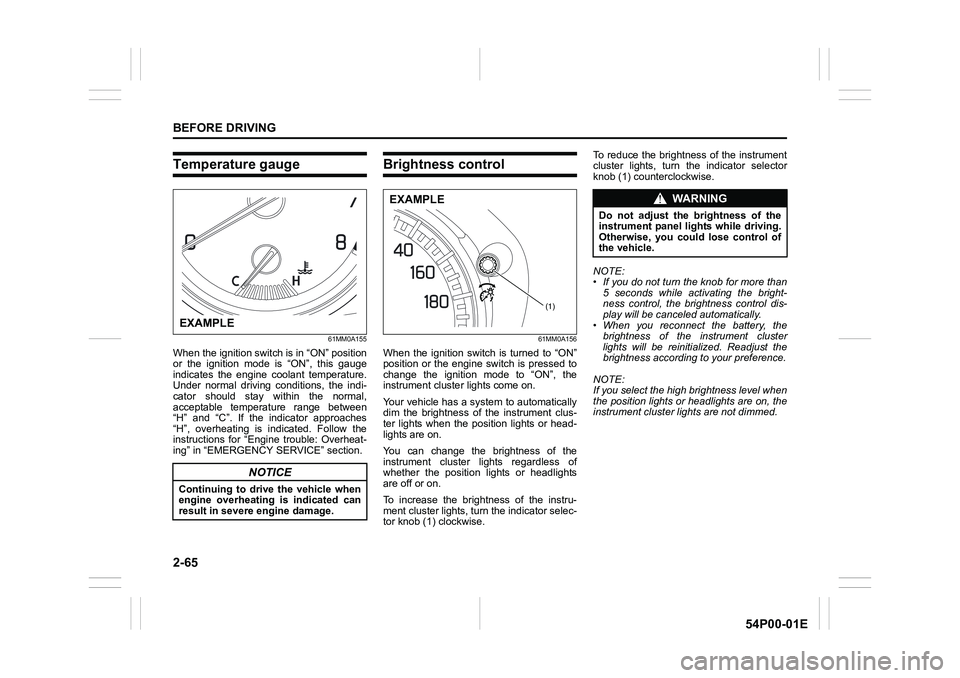
Temperature gauge
61MM0A155
When the ignition switch is in “ON” position
or the ignition mode is “ON”, this gauge
indicates the engine coolant temperature.
Under normal driving conditions, the indi-
cator should stay within the normal,
acceptable temperature range between
“H” and “C”. If the indicator approaches
“H”, overheating is indicated. Follow the
instructions for “Engine trouble: Overheat-
ing” in “EMERGENCY SERVICE” section.
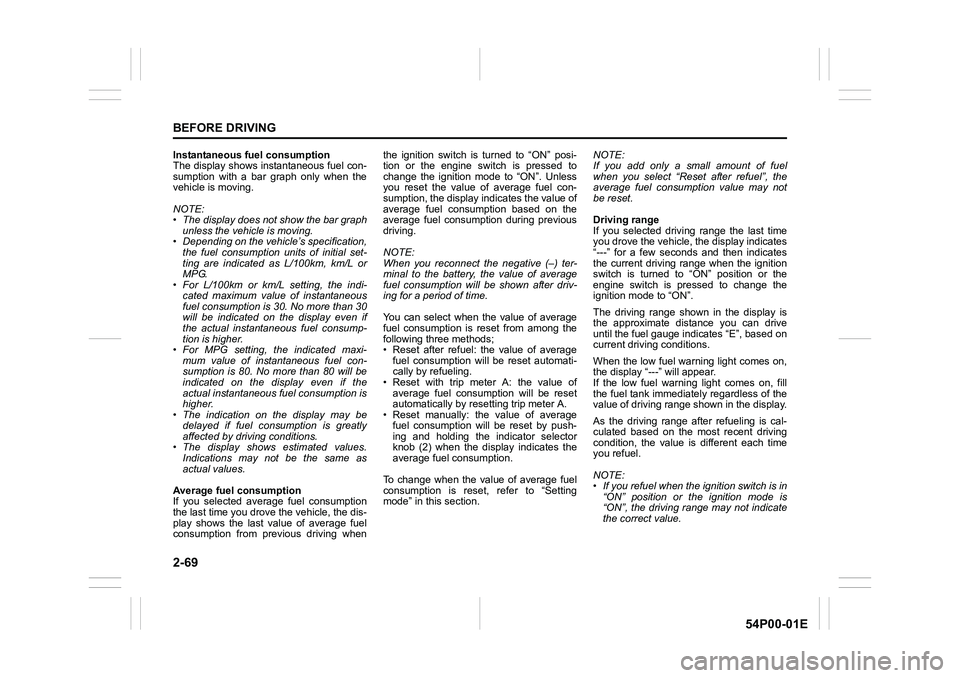
Brightness control
61MM0A156
When the ignition switch is turned to “ON”
position or the engine switch is pressed to
change the ignition mode to “ON”, the
instrument cluster lights come on.
Your vehicle has a system to automatically
dim the brightness of the instrument clus-
ter lights when the position lights or head-
lights are on.
You can change the brightness of the
instrument cluster lights regardless of
whether the position lights or headlights
are off or on.
To increase the brightness of the instru-
ment cluster lights, turn the indicator selec-
tor knob (1) clockwise. To reduce the brightness of the instrument
cluster lights, turn the indicator selector
knob (1) counterclockwise.
NOTE:
• If you do not turn the knob for more than
5 seconds while activating the bright-
ness control, the brightness control dis-
play will be canceled automatically.
• When you reconnect the battery, the
brightness of the instrument cluster
lights will be reinitialized. Readjust the
brightness according to your preference.
NOTE:
If you select the high brightness level when
the position lights or headlights are on, the
instrument cluster lights are not dimmed.
NOTICE
Continuing to drive the vehicle when
engine overheating is indicated can
result in severe engine damage.
EXAMPLE
(1)
EXAMPLEWA R N I N G
Do not adjust the brightness of the
instrument panel lights while driving.
Otherwise, you could lose control of
the vehicle.
Page 91 of 482
2-69
BEFORE DRIVING
54P00-01E
Instantaneous fuel consumption
The display shows instantaneous fuel con-
sumption with a bar graph only when the
vehicle is moving.
NOTE:
• The display does not show the bar graph
unless the vehicle is moving.
• Depending on the vehicle’s specification,
the fuel consumption units of initial set-
ting are indicated as L/100km, km/L or
MPG.
• For L/100km or km/L setting, the indi-
cated maximum value of instantaneous
fuel consumption is 30. No more than 30
will be indicated on the display even if
the actual instantaneous fuel consump-
tion is higher.
• For MPG setting, the indicated maxi-
mum value of instantaneous fuel con-
sumption is 80. No more than 80 will be
indicated on the display even if the
actual instantaneous fuel consumption is
higher.
• The indication on the display may be
delayed if fuel consumption is greatly
affected by driving conditions.
• The display shows estimated values.
Indications may not be the same as
actual values.
Average fuel consumption
If you selected average fuel consumption
the last time you drove the vehicle, the dis-
play shows the last value of average fuel
consumption from previous driving whenthe ignition switch is turned to “ON” posi-
tion or the engine switch is pressed to
change the ignition mode to “ON”. Unless
you reset the value of average fuel con-
sumption, the display indicates the value of
average fuel consumption based on the
average fuel consumption during previous
driving.
NOTE:
When you reconnect the negative (–) ter-
minal to the battery, the value of average
fuel consumption will be shown after driv-
ing for a period of time.
You can select when the value of average
fuel consumption is reset from among the
following three methods;
• Reset after refuel: the value of average
fuel consumption will be reset automati-
cally by refueling.
• Reset with trip meter A: the value of
average fuel consumption will be reset
automatically by resetting trip meter A.
• Reset manually: the value of average
fuel consumption will be reset by push-
ing and holding the indicator selector
knob (2) when the display indicates the
average fuel consumption.
To change when the value of average fuel
consumption is reset, refer to “Setting
mode” in this section. NOTE:
If you add only a small amount of fuel
when you select “Reset after refuel”, the
average fuel consumption value may not
be reset.
Driving range
If you selected driving range the last time
you drove the vehicle, the display indicates
“---” for a few seconds and then indicates
the current driving range when the ignition
switch is turned to “ON” position or the
engine switch is pressed to change the
ignition mode to “ON”.
The driving range shown in the display is
the approximate distance you can drive
until the fuel gauge indicates “E”, based on
current driving conditions.
When the low fuel warning light comes on,
the display “---” will appear.
If the low fuel warning light comes on, fill
the fuel tank immediately regardless of the
value of driving range shown in the display.
As the driving range after refueling is cal-
culated based on the most recent driving
condition, the value is different each time
you refuel.
NOTE:
• If you refuel when the ignition switch is in
“ON” position or the ignition mode is
“ON”, the driving range may not indicate
the correct value.
Page 92 of 482
2-70
BEFORE DRIVING
54P00-01E
• When you reconnect the negative (–)
terminal to the battery, the value of driv-
ing range will be shown after driving for a
period of time.
Average Speed
If you selected average speed the last time
you drove the vehicle, the display indicates
the last value of average speed from previ-
ous driving when the ignition switch is
turned to “ON” position or the engine
switch is pressed to change the ignition
mode to “ON”. Unless you reset the value
of average speed, the display indicates the
value of average speed which includes
average speed during previous driving.
To reset the value of average speed, push
and hold the indicator selector knob (2) for
about 2 seconds when the display indi-
cates an average speed. The display
shows “---” and then indicates a new aver-
age speed after driving for a short time.
NOTE:
When you reconnect the negative (–) ter-
minal to the battery, the value of average
speed will be shown after driving for a
period of time.Oil life (for diesel engine models)
The display indicates the remaining dis-
tance until the timing calculated for the
next engine oil and oil filter change. When
the remaining distance becomes 0 km, the
oil change request light in the instrument
cluster also starts blinking to alert that you
should change the engine oil and oil filter
immediately.
If you selected oil life the last time you
drove the vehicle, the display indicates “---”
for a few seconds and then indicates the
current distance until the next engine oil
change is due, when the ignition switch is
turned to “ON” position or the engine
switch is pressed to change the ignition
mode to “ON”.
Whenever the engine oil and oil filter are
changed, the oil life monitoring must be
reset in order to monitor the next oil and oil
filter change timing properly. To reset the
indicator, consult your SUZUKI dealer.
When the oil life monitoring is reset, the oil
life monitoring indicates 30000 km. If the
oil change request light was blinking, it will
go out.
NOTICE
Change the engine oil and oil filter
immediately when the remaining dis-
tance of the oil life monitoring indica-
tion becomes close to 0 km. If you
keep operating the engine with 0 km
indication of oil life monitoring,
severe engine damage can result.
Page 93 of 482
2-71
BEFORE DRIVING
54P00-01E
Gearshift indicator
The display (E) shows the gearshift indica-
tor.
54P000232
Refer to “Gearshift indicator” in “OPERAT-
ING YOUR VEHICLE” section.
Trip meter
The display (F) shows the trip meter.
The trip meter can be used to measure the
distance traveled on short trips or between
fuel stops.
You can use trip meter A or trip meter B
independently.
To reset the trip meter to zero, push and
hold the trip meter selector knob (3) for
about 2 seconds when the display shows
the trip meter.
Odometer
The display (G) shows the odometer.
The odometer records the total distance
the vehicle has been driven.
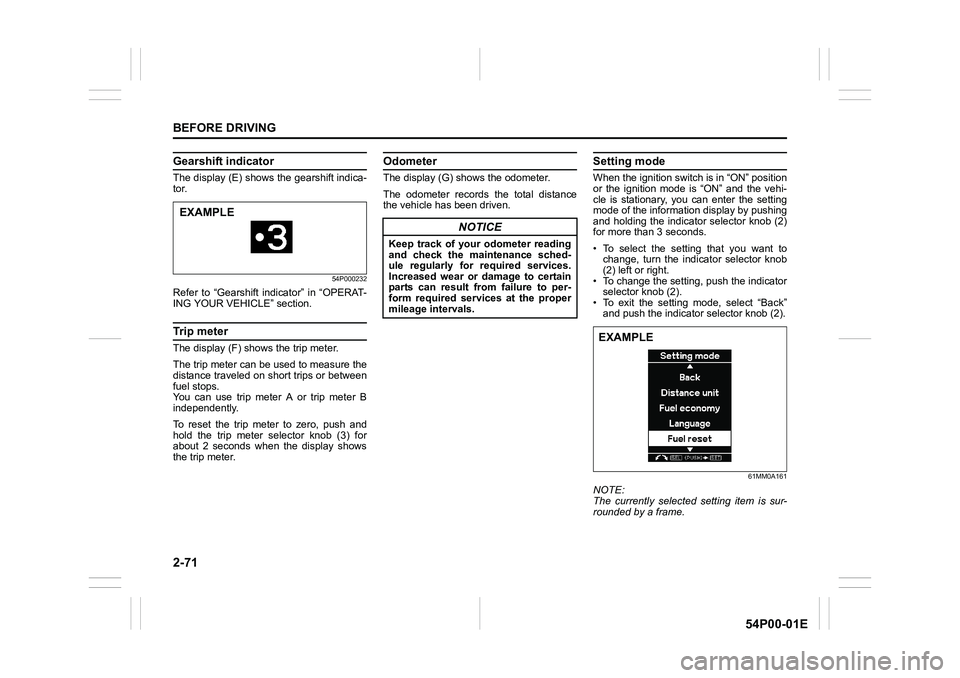
Setting mode
When the ignition switch is in “ON” position
or the ignition mode is “ON” and the vehi-
cle is stationary, you can enter the setting
mode of the information display by pushing
and holding the indicator selector knob (2)
for more than 3 seconds.
• To select the setting that you want to
change, turn the indicator selector knob
(2) left or right.
• To change the setting, push the indicator
selector knob (2).
• To exit the setting mode, select “Back”
and push the indicator selector knob (2).
61MM0A161
NOTE:
The currently selected setting item is sur-
rounded by a frame.
EXAMPLE
NOTICE
Keep track of your odometer reading
and check the maintenance sched-
ule regularly for required services.
Increased wear or damage to certain
parts can result from failure to per-
form required services at the proper
mileage intervals.
EXAMPLE
Page 94 of 482
2-72
BEFORE DRIVING
54P00-01E
NOTE:
• If you push and hold the indicator selec-
tor knob (2) to enter the setting mode
when the display (D) shows average fuel
consumption or average speed, the
value will be reset simultaneously. If you
do not want to reset the value, push the
indicator selector knob quickly to switch
the indication of the display.
• If you turn the ignition switch, press the
engine switch or start to move the vehi-
cle when the display is in the setting
mode, the setting mode will be canceled
automatically.
Distance unit
(Odometer / trip meter distance unit set-
ting)
You can change the units in which odome-
ter / trip meter distance is displayed.
NOTE:
When you change the units in which odom-
eter / trip meter distance is displayed, the
trip meter will be reset automatically.
Fuel economy
(Fuel consumption unit setting)
You can change the units that fuel con-
sumption is displayed in.
Language
You can change the language of the infor-
mation display.Fuel reset (Average fuel consumption
reset setting)
You can change when the value of aver-
age fuel consumption is reset.
Temperature
(Temperature unit setting)
You can change the units that temperature
is displayed in.
NOTE:
When you change the units that tempera-
ture is displayed in, the automatic heating
and air conditioning system (if equipped)
temperature display units will be changed
automatically.
Set sensors
(Parking sensor setting) (if equipped)
The parking sensor can be switched
between the normal mode and trailer
mode.Clock setting
• To change the hour indication, turn the
indicator selector knob (2) left or right
repeatedly when the hour indication
appears as reversed color. To change
the hour indication quickly, turn and hold
the indicator selector knob (2). To set the
hour indication, push the indicator selec-
tor knob (2) and the minute indication
appears as reversed color.
• To change the minute indication, turn the
indicator selector knob (2) left or right
repeatedly when the minute indication
appears as reversed color. To change
the minute indication quickly, turn and
hold the indicator selector knob (2). To
set the minute indication, push the indi-
cator selector knob (2).
You can also switch the time indication
between 12-hour and 24-hour format.
NOTE:
When the clock on the information display
is set, the clock in the instrument panel (if
equipped) is set in accordance with the
time of the clock on the information display.
Page 95 of 482
2-73
BEFORE DRIVING
54P00-01E
Door lock (Door lock setting)
You can choose either once or twice oper-
ation(s) to unlock all doors (including the
tailgate) or release the dead lock system (if
equipped) by turning the key, or operating
the keyless entry system transmitter, key-
less push start system remote controller or
request switch.
You can also turn off or on the buzzer
sound when the door(s) is(are) locked or
unlocked.
Lights (Light setting)
(Footwell light setting) (if equipped)
The footwell lights can be programmed for
interlocked operation with either lighting
control or door operation and for no light-
ing.
Lane change (Turn signal light setting)
The turn signal and its indicator can be set
whether they flash three times even if you
return the turn signal control lever immedi-
ately after moving it.Antitheft (Theft deterrent alarm system
setting) (if equipped)
You can switch the theft deterrent alarm
system from the enabled state to the dis-
abled state, and vice versa.
The state of the theft deterrent alarm sys-
tem is shown on the information display as
follows:
• Mode A: Disabled state
• Mode D: Enabled state
NOTE:
For the theft deterrent alarm system of
Mexico and South Africa models, refer to
“For European countries, Mexico and
South Africa” in “SUPPLEMENT” section.Oil change (Oil life monitoring system
reset setting) (if equipped for gasoline
engine model)
The oil life monitoring system must be
reset after changing the engine oil and oil
filter.
TPMS (Tire pressure monitoring system
setting) (if equipped)
• You can check the current tire inflation
pressure on the information display.
• You can set one of the initial values of
tire pressure below that are indicated on
the tire information label.
– Comfort Mode
–Eco Mode
– Load Mode
Refer to “Tire pressure monitoring system
(TPMS) (if equipped)” in “OPERATING
YOUR VEHICLE” section for details.