Ignition system SUZUKI GRAND VITARA 2022 Workshop Manual
[x] Cancel search | Manufacturer: SUZUKI, Model Year: 2022, Model line: GRAND VITARA, Model: SUZUKI GRAND VITARA 2022Pages: 482, PDF Size: 21 MB
Page 164 of 482
3-24
OPERATING YOUR VEHICLE
54P00-01E
the other hand, the driving mode does not
return to the LOCK mode automatically. You
should select the LOCK mode according to
the driving conditions.
NOTE:
• The information display shows current
driving mode.
• When the ignition switch is turned to
“ON” position or the engine switch is
pressed to change the ignition mode to
“ON”, the AUTO mode is selected auto-
matically.
• The driving mode switch can be oper-
ated when the vehicle is either stopped
or moving.
• Check that the front wheels are in the
straight ahead position when operating
the driving mode switch.
• While making turns or accelerating and
decelerating, operating the driving mode
switch, turning the ignition switch to
“ACC” or “LOCK” position or pressing
the engine switch to change the ignition
mode to “ACC” or “LOCK” may cause a
shock, but this is not a system malfunc-
tion.
• When you operate your vehicle under
conditions that involve wheel spin, such
as driving off-road in the sand or water
or when a wheel has run off the road, the
difference in the amount of revolution
between front wheels and rear wheels
increases (wheels run idle). If this state
continues, the oil temperature of the
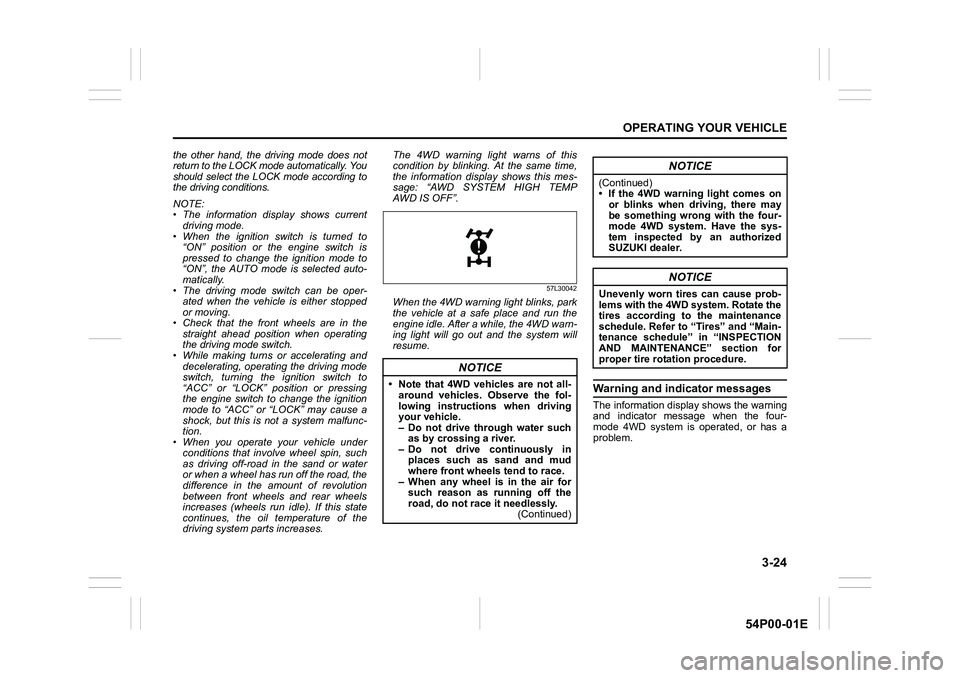
driving system parts increases. The 4WD warning light warns of this
condition by blinking. At the same time,
the information display shows this mes-
sage: “AWD SYSTEM HIGH TEMP
AWD IS OFF”.
57L30042
When the 4WD warning light blinks, park
the vehicle at a safe place and run the
engine idle. After a while, the 4WD warn-
ing light will go out and the system will
resume.
Warning and indicator messages
The information display shows the warning
and indicator message when the four-
mode 4WD system is operated, or has a
problem.
NOTICE
• Note that 4WD vehicles are not all-
around vehicles. Observe the fol-
lowing instructions when driving
your vehicle.
– Do not drive through water such
as by crossing a river.
– Do not drive continuously in
places such as sand and mud
where front wheels tend to race.
– When any wheel is in the air for
such reason as running off the
road, do not race it needlessly.
(Continued)
NOTICE
(Continued)
• If the 4WD warning light comes on
or blinks when driving, there may
be something wrong with the four-
mode 4WD system. Have the sys-
tem inspected by an authorized
SUZUKI dealer.
NOTICE
Unevenly worn tires can cause prob-
lems with the 4WD system. Rotate the
tires according to the maintenance
schedule. Refer to “Tires” and “Main-
tenance schedule” in “INSPECTION
AND MAINTENANCE” section for
proper tire rotation procedure.
Page 169 of 482
3-29
OPERATING YOUR VEHICLE
54P00-01E
ENG A-STOP system
(engine auto stop start
system) (if equipped)
The ENG A-STOP system (engine auto
stop start system) automatically stops and
restarts the engine without operating the
ignition switch or the engine switch when
the vehicle is stopped, such as at a traffic
signal or in a traffic jam, to reduce exhaust
gases and fuel consumption.
• When the vehicle will be stopped for a
long time or when you will leave the
vehicle unattended, turn the ignition
switch to “LOCK” position or press the
engine switch to stop the engine.
NOTE:
If your vehicle is equipped with the auto air
conditioning system, you can change the
auto engine stop condition via the informa-
tion display. Refer to “Information display”
in “BEFORE DRIVING” section.
72M2042
The ENG A-STOP system is automatically
activated when the ignition switch is turned
to “ON” position or the engine switch is
pressed to change the ignition mode to
“ON”.
The system activation also requires the fol-
lowing conditions:
• Driver’s seat belt is fastened.
• Driver’s door is closed.
• Engine hood is closed.
For more details, refer to the explanation
below.
WA R N I N G
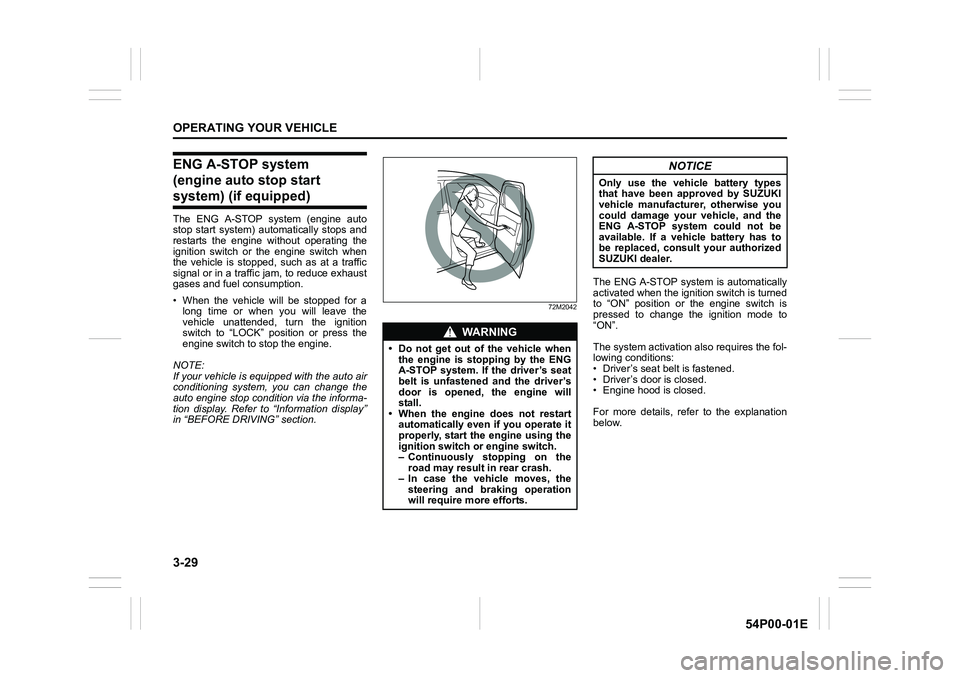
• Do not get out of the vehicle when
the engine is stopping by the ENG
A-STOP system. If the driver’s seat
belt is unfastened and the driver’s
door is opened, the engine will
stall.
• When the engine does not restart
automatically even if you operate it
properly, start the engine using the
ignition switch or engine switch.
– Continuously stopping on the
road may result in rear crash.
– In case the vehicle moves, the
steering and braking operation
will require more efforts.
NOTICE
Only use the vehicle battery types
that have been approved by SUZUKI
vehicle manufacturer, otherwise you
could damage your vehicle, and the
ENG A-STOP system could not be
available. If a vehicle battery has to
be replaced, consult your authorized
SUZUKI dealer.
Page 200 of 482
3-60
OPERATING YOUR VEHICLE
54P00-01E
When dirt is detected on the sensor
cover
If the message (4) does not disappear,
perform the following procedure.
1) Find a safe place to park and change
the ignition switch to “LOCK” position or
the ignition mode to “LOCK” (OFF) by
pressing the engine switch.
2) Clean the sensor cover with a soft
cloth.
3) Change the ignition switch to “ON”
position or the ignition mode to “ON” by
pressing the engine switch.
4) Check that the message (4) appears for
about 3 seconds and then disappears.
• If you clean the sensor cover and drive
the vehicle, but the message (4) appears
again, there might be another problem.
Contact an authorized SUZUKI dealer
for further assistance.NOTE:
In the following situations, the radar brake
support system warning light (3) may come
on, the message (4) may appear and the
radar brake support system may be deacti-
vated automatically, even if there is no dirt
on the sensor cover.
• In a tunnel
• A road where there are concrete walls
on both sides
• A road where there are metal fences on
one side
• Around overpasses or grade separated
crossings
• When there is bad weather such as
heavy rain or snow
• A road where there are puddles
In these situations, the radar brake support
system is stop functioning temporarily,
because millimeter-waves emanating from
the radar sensor cause diffused reflection
and a position of the vehicle in front of you
cannot be detected correctly.
If you drive the vehicle for about 2 minutes
after the above situations have improved,
these indicator and message will turn off
and the radar brake support system will
turn back on.
Page 208 of 482
3-68
OPERATING YOUR VEHICLE
54P00-01E
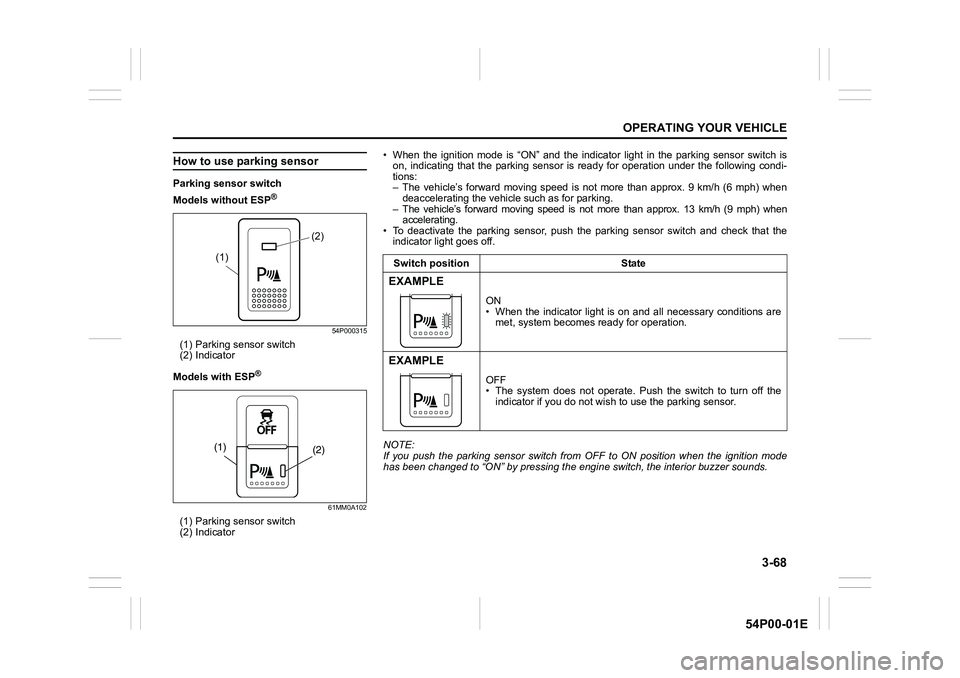
How to use parking sensor
Parking sensor switch
Models without ESP
®
54P000315
(1) Parking sensor switch
(2) Indicator
Models with ESP
®
61MM0A102
(1) Parking sensor switch
(2) Indicator
(2)
(1)
(2) (1)
• When the ignition mode is “ON” and the indicator light in the parking sensor switch is
on, indicating that the parking sensor is ready for operation under the following condi-
tions:
– The vehicle’s forward moving speed is not more than approx. 9 km/h (6 mph) when
deaccelerating the vehicle such as for parking.
– The vehicle’s forward moving speed is not more than approx. 13 km/h (9 mph) when
accelerating.
• To deactivate the parking sensor, push the parking sensor switch and check that the
indicator light goes off.
NOTE:
If you push the parking sensor switch from OFF to ON position when the ignition mode
has been changed to “ON” by pressing the engine switch, the interior buzzer sounds.Switch position State
EXAMPLE
ON
• When the indicator light is on and all necessary conditions are
met, system becomes ready for operation.
EXAMPLE
OFF
• The system does not operate. Push the switch to turn off the
indicator if you do not wish to use the parking sensor.
Page 211 of 482
3-71
OPERATING YOUR VEHICLE
54P00-01E
Rearview camera
(if equipped)
When the gearshift lever is shifted to “R”
position while the ignition switch is in “ON”
position or the ignition mode is “ON”, the
rearview camera system automatically
shows the view behind the vehicle on the
display.
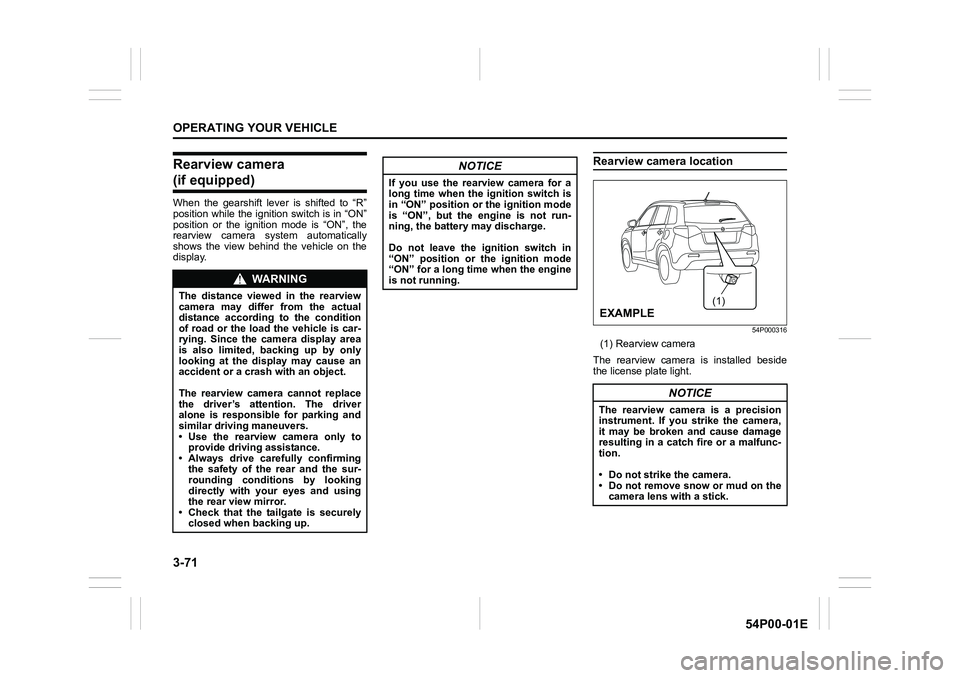
Rearview camera location
54P000316
(1) Rearview camera
The rearview camera is installed beside
the license plate light.
WA R N I N G
The distance viewed in the rearview
camera may differ from the actual
distance according to the condition
of road or the load the vehicle is car-
rying. Since the camera display area
is also limited, backing up by only
looking at the display may cause an
accident or a crash with an object.
The rearview camera cannot replace
the driver’s attention. The driver
alone is responsible for parking and
similar driving maneuvers.
• Use the rearview camera only to
provide driving assistance.
• Always drive carefully confirming
the safety of the rear and the sur-
rounding conditions by looking
directly with your eyes and using
the rear view mirror.
• Check that the tailgate is securely
closed when backing up.
NOTICE
If you use the rearview camera for a
long time when the ignition switch is
in “ON” position or the ignition mode
is “ON”, but the engine is not run-
ning, the battery may discharge.
Do not leave the ignition switch in
“ON” position or the ignition mode
“ON” for a long time when the engine
is not running.
NOTICE
The rearview camera is a precision
instrument. If you strike the camera,
it may be broken and cause damage
resulting in a catch fire or a malfunc-
tion.
• Do not strike the camera.
• Do not remove snow or mud on the
camera lens with a stick.
(1)
EXAMPLE
Page 212 of 482
3-72
OPERATING YOUR VEHICLE
54P00-01E
NOTE:
If body wax gets on the camera lens, wipe
off the wax with a clean cloth dampened
with mild detergent diluted with water, and
then wipe the lens with a dry cloth.
How to use rearview camera
1) Turn the ignition switch to “ON” position
or press the engine switch to change
the ignition mode to “ON”.
2) Shift the gearshift lever in “R” position.
• The display automatically shows the
view behind the vehicle.
• When the gearshift lever is shifted
from “R” to another gearshift lever
position, the display returns to the
previous display.
NOTE:
The rearview camera display has first pri-
ority in any display mode. However, the
rearview camera display does not show
the rear view while the system is initializ-
ing.
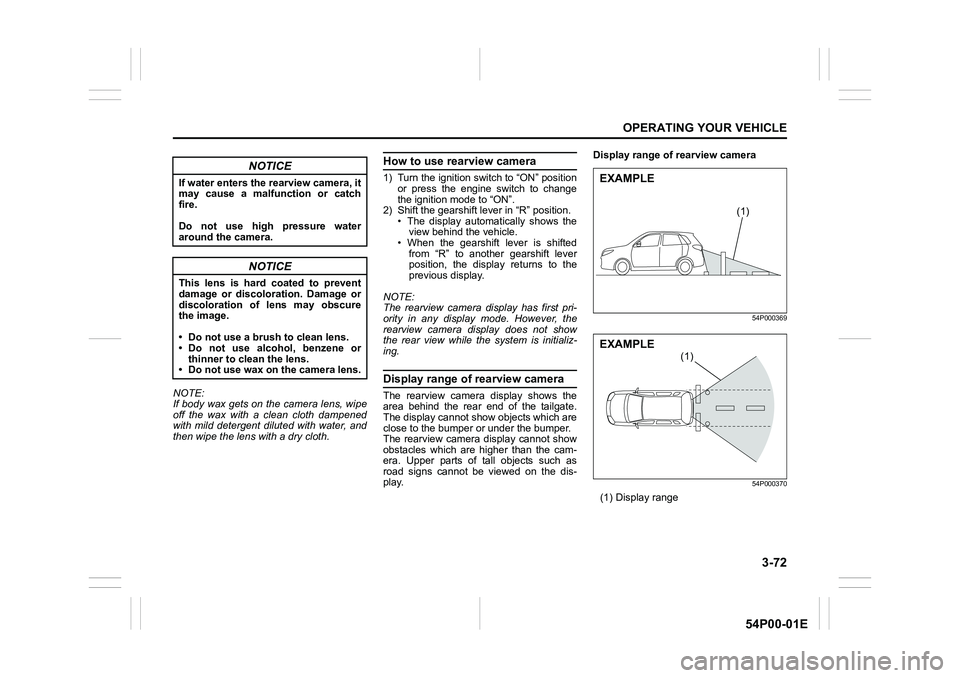
Display range of rearview camera
The rearview camera display shows the
area behind the rear end of the tailgate.
The display cannot show objects which are
close to the bumper or under the bumper.
The rearview camera display cannot show
obstacles which are higher than the cam-
era. Upper parts of tall objects such as
road signs cannot be viewed on the dis-
play.Display range of rearview camera
54P000369
54P000370
(1) Display range
NOTICE
If water enters the rearview camera, it
may cause a malfunction or catch
fire.
Do not use high pressure water
around the camera.
NOTICE
This lens is hard coated to prevent
damage or discoloration. Damage or
discoloration of lens may obscure
the image.
• Do not use a brush to clean lens.
• Do not use alcohol, benzene or
thinner to clean the lens.
• Do not use wax on the camera lens.
(1)
EXAMPLE
(1)
EXAMPLE
Page 214 of 482
3-74
OPERATING YOUR VEHICLE
54P00-01E
If the rear view from the rearview cam-
era is not shown or there is a poor
image
• If the rear view from the rearview camera
is not shown.
– Check that the ignition switch is in
“ON” position or the ignition mode is
“ON”.
– Check that the gearshift lever is
shifted to “R” position.
• If the image from the rearview camera is
poor.
– Check that the camera lens is not dirty.
– Check that light from the sun or the
beam of the headlights from the vehi-
cle behind is not shining directly into
the lens.
If the rearview camera system is still not
working properly after checking the above,
have the system inspected by an autho-
rized SUZUKI dealer as soon as possible.Braking
60G165S
The distance needed to bring any vehicle
to a halt increases with the speed of the
vehicle. The braking distance needed, for
example, at 60 km/h (37 mph) will be
approximately 4 times greater than the
braking distance needed at 30 km/h (19
mph). Start to depress the brake pedal
when there is plenty of distance between
your vehicle and the stopping point, and
slow down gradually.
Power-assisted brakes
Your vehicle has power-assisted brakes. If
power assistance is lost due to a stalled
engine or other failures, the system is still
fully operational on reserve power and you
can bring the vehicle to a complete stop by
pressing the brake pedal once and holding
it down. The reserve power is partly used
up when you depress the brake pedal and
reduces each time the pedal is pressed.
Apply smooth and even pressure to the
pedal. Do not pump the pedal.
WA R N I N G
If water gets into the brake devices,
brake performance may become poor
and unpredictable. After driving
through water or washing the under-
side of the vehicle, test the brakes
while driving at a slow speed to see if
they have maintained their normal
effectiveness. If the brakes are less
effective than normal, dry them by
repeatedly applying the brakes while
driving slowly until the brakes have
regained their normal effectiveness.
Page 218 of 482
3-78
OPERATING YOUR VEHICLE
54P00-01E
The ESP® indicator lights are described
below:
ESP® warning light
52KM133
This light blinks 5 times per second when
one of the following systems is activated.
• Stability control system
• Traction control system
• Hill descent control system (if equipped)
If this light blinks, drive carefully.
When the ignition switch is turned to “ON”
position, or the engine switch is pressed to
change the ignition mode to “ON”, this light
comes on briefly so you can check that the
light is working.NOTE:
When the ESP
® warning light comes on
and stays on while driving, indicating a
malfunction of the ESP
® systems (other
than ABS), the brake system will function
as an ordinary ABS with no additional
ESP
® functions.
ESP® OFF indicator light
57L30045
You should turn the ESP® on during your
ordinary driving, so that you have the ben-
efits of all of the ESP
® systems.
It may be required to turn the ESP
® sys-
tems (other than ABS) off if your vehicle is
stuck in sand, mud, or snow, where wheel
spin is necessary.
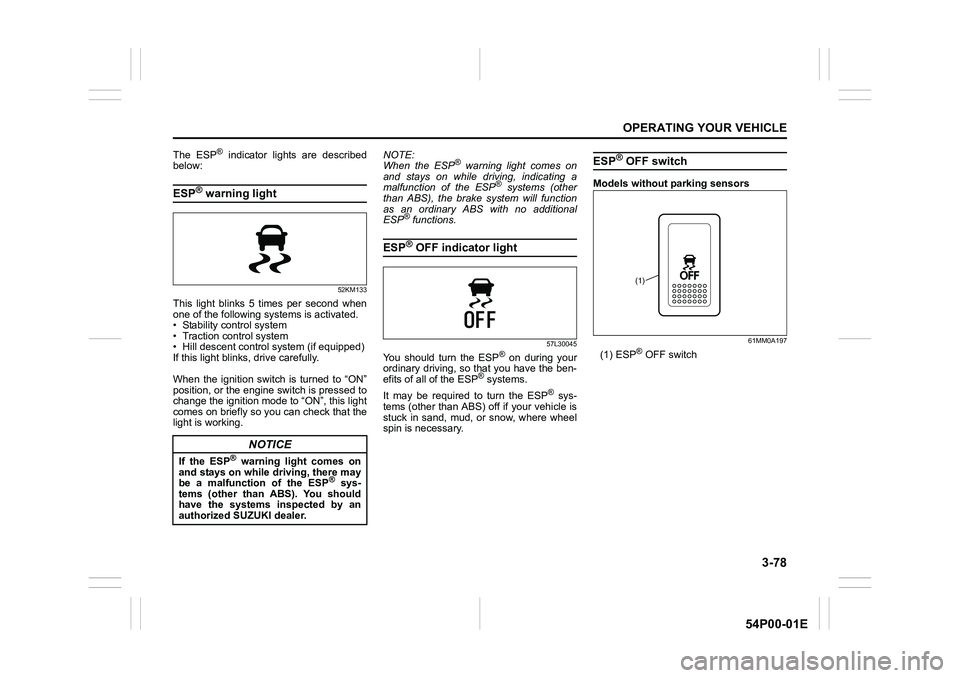
ESP® OFF switch
Models without parking sensors
61MM0A197
(1) ESP® OFF switch
NOTICE
If the ESP® warning light comes on
and stays on while driving, there may
be a malfunction of the ESP
® sys-
tems (other than ABS). You should
have the systems inspected by an
authorized SUZUKI dealer.
(1)
Page 221 of 482
3-81
OPERATING YOUR VEHICLE
54P00-01E
NOTE:
You may hear a sound coming from the
engine when the hill descent control sys-
tem is activated. This sound is normal and
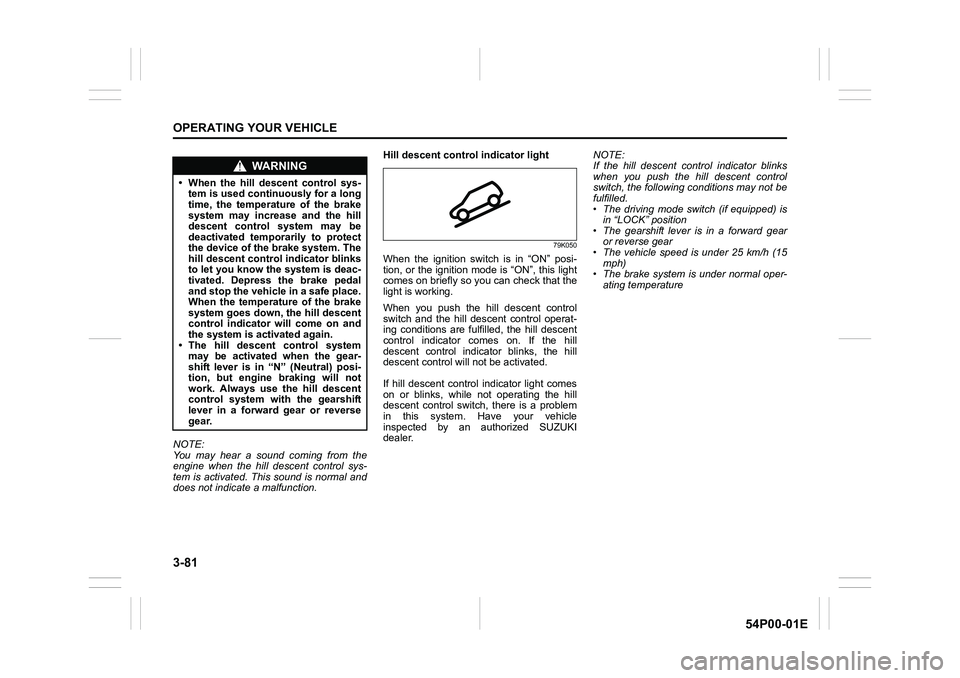
does not indicate a malfunction.Hill descent control indicator light
79K050
When the ignition switch is in “ON” posi-
tion, or the ignition mode is “ON”, this light
comes on briefly so you can check that the
light is working.
When you push the hill descent control
switch and the hill descent control operat-
ing conditions are fulfilled, the hill descent
control indicator comes on. If the hill
descent control indicator blinks, the hill
descent control will not be activated.
If hill descent control indicator light comes
on or blinks, while not operating the hill
descent control switch, there is a problem
in this system. Have your vehicle
inspected by an authorized SUZUKI
dealer.NOTE:
If the hill descent control indicator blinks
when you push the hill descent control
switch, the following conditions may not be
fulfilled.
• The driving mode switch (if equipped) is
in “LOCK” position
• The gearshift lever is in a forward gear
or reverse gear
• The vehicle speed is under 25 km/h (15
mph)
• The brake system is under normal oper-
ating temperature
WA R N I N G
• When the hill descent control sys-
tem is used continuously for a long
time, the temperature of the brake
system may increase and the hill
descent control system may be
deactivated temporarily to protect
the device of the brake system. The
hill descent control indicator blinks
to let you know the system is deac-
tivated. Depress the brake pedal
and stop the vehicle in a safe place.
When the temperature of the brake
system goes down, the hill descent
control indicator will come on and
the system is activated again.
• The hill descent control system
may be activated when the gear-
shift lever is in “N” (Neutral) posi-
tion, but engine braking will not
work. Always use the hill descent
control system with the gearshift
lever in a forward gear or reverse
gear.
Page 224 of 482
3-84
OPERATING YOUR VEHICLE
54P00-01E
affect the vehicle’s handling and stopping
ability.
Please note that the TPMS is not a substi-
tute for proper tire maintenance, and it is
the driver’s responsibility to maintain cor-
rect tire pressure, even if under-inflation
has not reached the level to trigger illumi-
nation of the TPMS low tire pressure tell-
tale.
WA R N I N G
Relying only on the tire pressure
monitoring system to determine
when it is necessary to add air to the
tires can result in loss of control or
an accident.
Check tire inflation pressures
monthly when the tires are cold. If
necessary, adjust them to the recom-
mended inflation pressure as speci-
fied on the vehicle’s tire information
placard and in this owner’s manual.
Refer to “Tires” in “INSPECTION AND
MAINTENANCE” section.
WA R N I N G
Failure to take corrective action when
the low tire pressure warning light is
not working or when it comes on and
blinks while driving can lead to an
accident.
If the low tire pressure warning light
does not come on for 2 seconds after
the ignition switch is turned to “ON”
position or the engine switch is
pressed to change the ignition mode
to “ON”, or comes on and blinks
while driving, have your vehicle
inspected by an authorized SUZUKI
dealer. Even if the light turns off after
blinking, indicating that the monitor-
ing system has recovered, you
should still have the system checked
by your authorized SUZUKI dealer.
WA R N I N G
The load-carrying capacity of your
tires is reduced at lower inflation
pressures. If your tires are even mod-
erately under-inflated, the load on the
tires may exceed the load-carrying
capacity of the tires, which could lead
to tire failure. The low tire pressure
warning light will not alert you to this
condition, because it only comes on
when one or more of your tires
becomes significantly under-inflated.
Check and adjust your tire inflation
pressure at least once a month. Refer
to “Tires” in “INSPECTION AND
MAINTENANCE” section.