warning light SUZUKI GRAND VITARA 2022 Repair Manual
[x] Cancel search | Manufacturer: SUZUKI, Model Year: 2022, Model line: GRAND VITARA, Model: SUZUKI GRAND VITARA 2022Pages: 482, PDF Size: 21 MB
Page 198 of 482
3-58
OPERATING YOUR VEHICLE
54P00-01E
• In the following situations, the radar sen-
sor might not function properly. Turn it off
and have it inspected by an authorized
SUZUKI dealer.
– When there is a minor crash and the
radar sensor is damaged or hindered
– When the warning brake system and
automatic brake system are activated
more than necessary
54P000337
54P000336
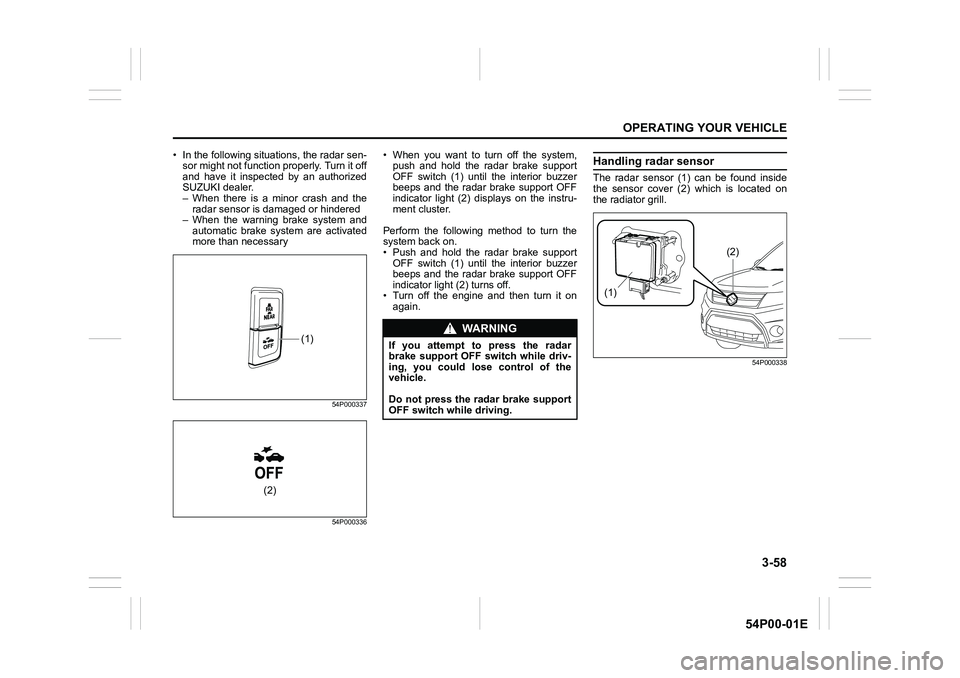
• When you want to turn off the system,
push and hold the radar brake support
OFF switch (1) until the interior buzzer
beeps and the radar brake support OFF
indicator light (2) displays on the instru-
ment cluster.
Perform the following method to turn the
system back on.
• Push and hold the radar brake support
OFF switch (1) until the interior buzzer
beeps and the radar brake support OFF
indicator light (2) turns off.
• Turn off the engine and then turn it on
again.Handling radar sensor
The radar sensor (1) can be found inside
the sensor cover (2) which is located on
the radiator grill.
54P000338
(1)
(2)
WA R N I N G
If you attempt to press the radar
brake support OFF switch while driv-
ing, you could lose control of the
vehicle.
Do not press the radar brake support
OFF switch while driving.
(1)
(2)
Page 199 of 482
3-59
OPERATING YOUR VEHICLE
54P00-01E
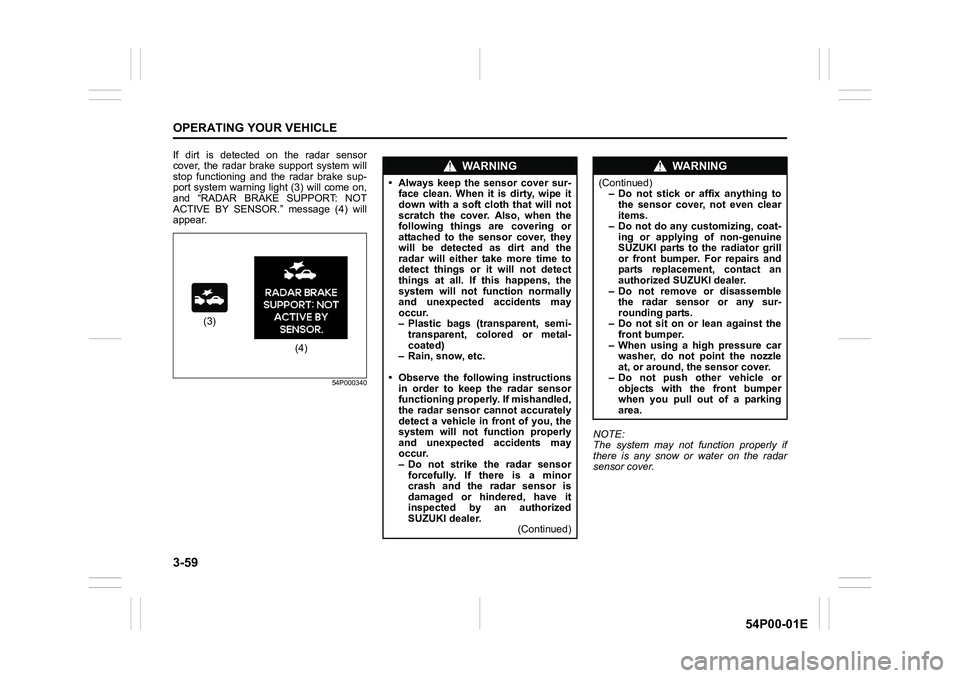
If dirt is detected on the radar sensor
cover, the radar brake support system will
stop functioning and the radar brake sup-
port system warning light (3) will come on,
and “RADAR BRAKE SUPPORT: NOT
ACTIVE BY SENSOR.” message (4) will
appear.
54P000340
NOTE:
The system may not function properly if
there is any snow or water on the radar
sensor cover.
(3)
(4)
WA R N I N G
• Always keep the sensor cover sur-
face clean. When it is dirty, wipe it
down with a soft cloth that will not
scratch the cover. Also, when the
following things are covering or
attached to the sensor cover, they
will be detected as dirt and the
radar will either take more time to
detect things or it will not detect
things at all. If this happens, the
system will not function normally
and unexpected accidents may
occur.
– Plastic bags (transparent, semi-
transparent, colored or metal-
coated)
– Rain, snow, etc.
• Observe the following instructions
in order to keep the radar sensor
functioning properly. If mishandled,
the radar sensor cannot accurately
detect a vehicle in front of you, the
system will not function properly
and unexpected accidents may
occur.
– Do not strike the radar sensor
forcefully. If there is a minor
crash and the radar sensor is
damaged or hindered, have it
inspected by an authorized
SUZUKI dealer.
(Continued)
WA R N I N G
(Continued)
– Do not stick or affix anything to
the sensor cover, not even clear
items.
– Do not do any customizing, coat-
ing or applying of non-genuine
SUZUKI parts to the radiator grill
or front bumper. For repairs and
parts replacement, contact an
authorized SUZUKI dealer.
– Do not remove or disassemble
the radar sensor or any sur-
rounding parts.
– Do not sit on or lean against the
front bumper.
– When using a high pressure car
washer, do not point the nozzle
at, or around, the sensor cover.
– Do not push other vehicle or
objects with the front bumper
when you pull out of a parking
area.
Page 200 of 482
3-60
OPERATING YOUR VEHICLE
54P00-01E
When dirt is detected on the sensor
cover
If the message (4) does not disappear,
perform the following procedure.
1) Find a safe place to park and change
the ignition switch to “LOCK” position or
the ignition mode to “LOCK” (OFF) by
pressing the engine switch.
2) Clean the sensor cover with a soft
cloth.
3) Change the ignition switch to “ON”
position or the ignition mode to “ON” by
pressing the engine switch.
4) Check that the message (4) appears for
about 3 seconds and then disappears.
• If you clean the sensor cover and drive
the vehicle, but the message (4) appears
again, there might be another problem.
Contact an authorized SUZUKI dealer
for further assistance.NOTE:
In the following situations, the radar brake
support system warning light (3) may come
on, the message (4) may appear and the
radar brake support system may be deacti-
vated automatically, even if there is no dirt
on the sensor cover.
• In a tunnel
• A road where there are concrete walls
on both sides
• A road where there are metal fences on
one side
• Around overpasses or grade separated
crossings
• When there is bad weather such as
heavy rain or snow
• A road where there are puddles
In these situations, the radar brake support
system is stop functioning temporarily,
because millimeter-waves emanating from
the radar sensor cause diffused reflection
and a position of the vehicle in front of you
cannot be detected correctly.
If you drive the vehicle for about 2 minutes
after the above situations have improved,
these indicator and message will turn off
and the radar brake support system will
turn back on.
Page 201 of 482
3-61
OPERATING YOUR VEHICLE
54P00-01E
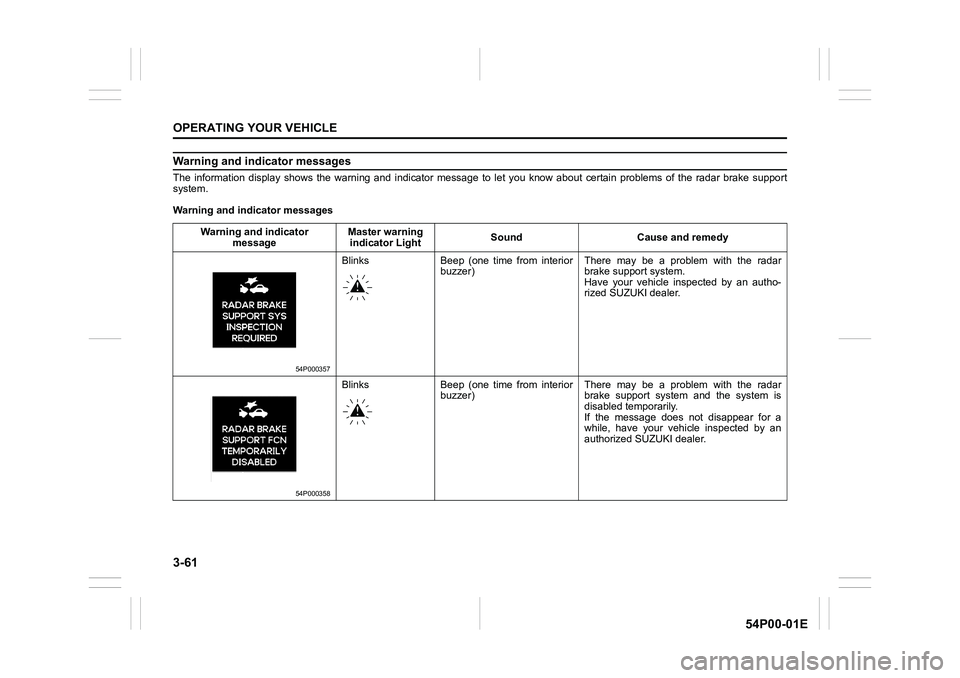
Warning and indicator messages
The information display shows the warning and indicator message to let you know about certain problems of the radar brake support
system.
Warning and indicator messages
Warning and indicator
messageMaster warning
indicator LightSound Cause and remedy
54P000357
Blinks Beep (one time from interior
buzzer)There may be a problem with the radar
brake support system.
Have your vehicle inspected by an autho-
rized SUZUKI dealer.
54P000358
Blinks Beep (one time from interior
buzzer)There may be a problem with the radar
brake support system and the system is
disabled temporarily.
If the message does not disappear for a
while, have your vehicle inspected by an
authorized SUZUKI dealer.
Page 202 of 482
3-62
OPERATING YOUR VEHICLE
54P00-01E
Warning and indicator
messageMaster warning
indicator lightSound Cause and remedy
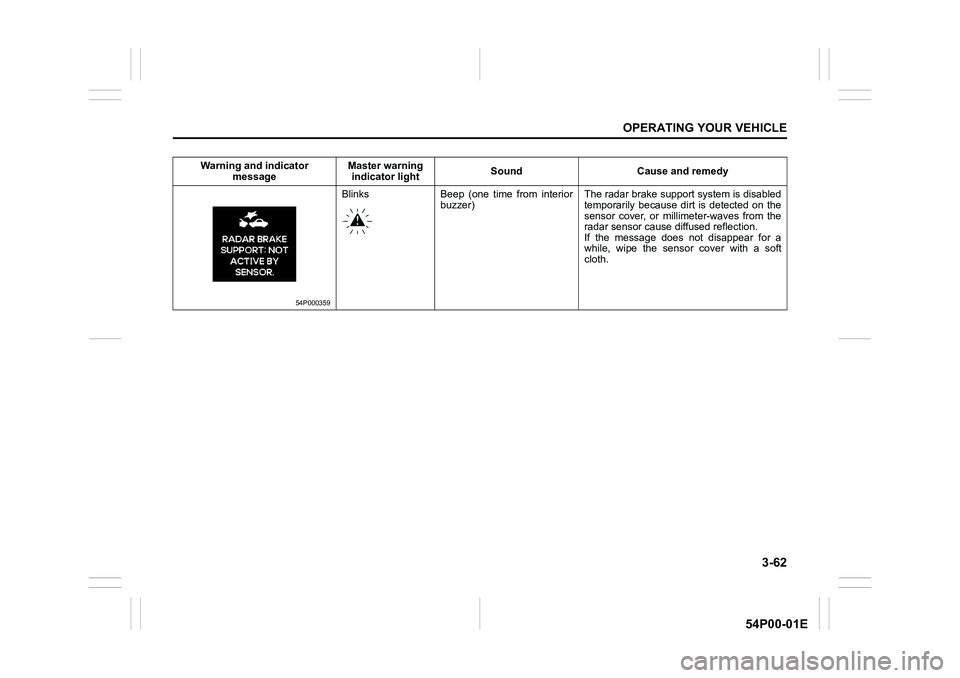
54P000359
Blinks Beep (one time from interior
buzzer)The radar brake support system is disabled
temporarily because dirt is detected on the
sensor cover, or millimeter-waves from the
radar sensor cause diffused reflection.
If the message does not disappear for a
while, wipe the sensor cover with a soft
cloth.
Page 203 of 482
3-63
OPERATING YOUR VEHICLE
54P00-01E
Emergency stop signal (ESS) (if equipped)
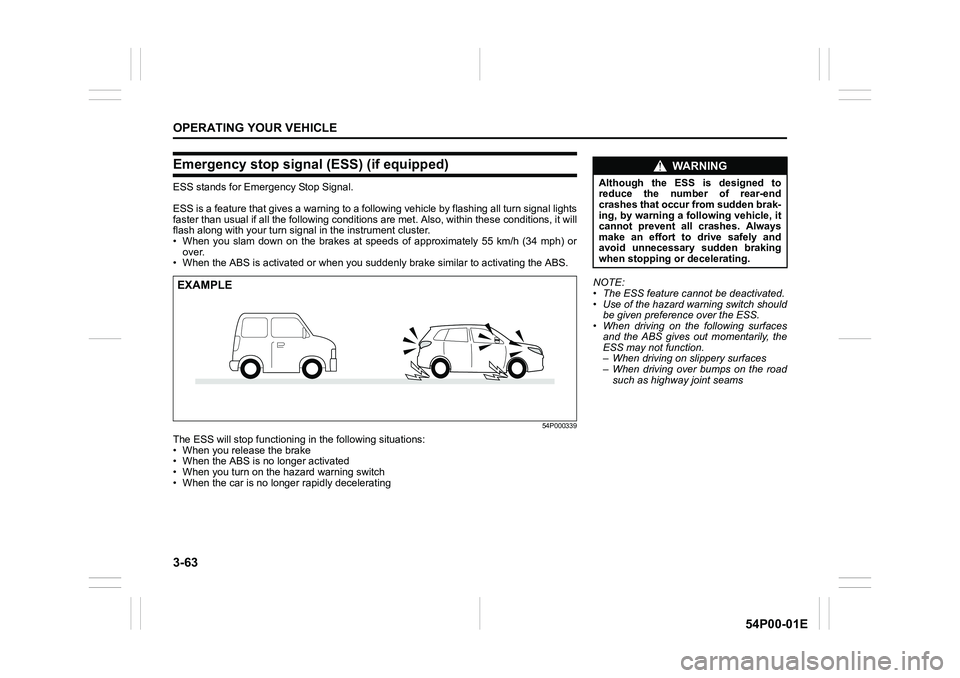
ESS stands for Emergency Stop Signal.
ESS is a feature that gives a warning to a following vehicle by flashing all turn signal lights
faster than usual if all the following conditions are met. Also, within these conditions, it will
flash along with your turn signal in the instrument cluster.
• When you slam down on the brakes at speeds of approximately 55 km/h (34 mph) or
over.
• When the ABS is activated or when you suddenly brake similar to activating the ABS.
54P000339
The ESS will stop functioning in the following situations:
• When you release the brake
• When the ABS is no longer activated
• When you turn on the hazard warning switch
• When the car is no longer rapidly decelerating
EXAMPLENOTE:
• The ESS feature cannot be deactivated.
• Use of the hazard warning switch should
be given preference over the ESS.
• When driving on the following surfaces
and the ABS gives out momentarily, the
ESS may not function.
– When driving on slippery surfaces
– When driving over bumps on the road
such as highway joint seams
WA R N I N G
Although the ESS is designed to
reduce the number of rear-end
crashes that occur from sudden brak-
ing, by warning a following vehicle, it
cannot prevent all crashes. Always
make an effort to drive safely and
avoid unnecessary sudden braking
when stopping or decelerating.
Page 215 of 482
3-75
OPERATING YOUR VEHICLE
54P00-01E
Brake assist system
When you slam the brakes on, the brake
assist system determines it to be an emer-
gency stop and provides more powerful
braking for a driver who cannot hold down
the brake pedal firmly.
NOTE:
If you quickly and forcefully depress the
brakes, you may hear a clicking sound in
the brake pedal. This is normal and indi-
cates that the brake assist system is acti-
vated properly.
Anti-lock brake system (ABS)
ABS will help you avoid skidding by elec-
tronically controlling braking pressure. It
will also help you maintain steering control
when braking on slippery surfaces or when
braking hard.
The ABS works automatically, so you do
not need any special braking technique.
Just push the brake pedal down without
pumping. The ABS will operate wheneverit senses that the wheels are locking up.
You may feel the brake pedal move a little
while the ABS is operating.
NOTE:
The ABS will not work if vehicle speed is
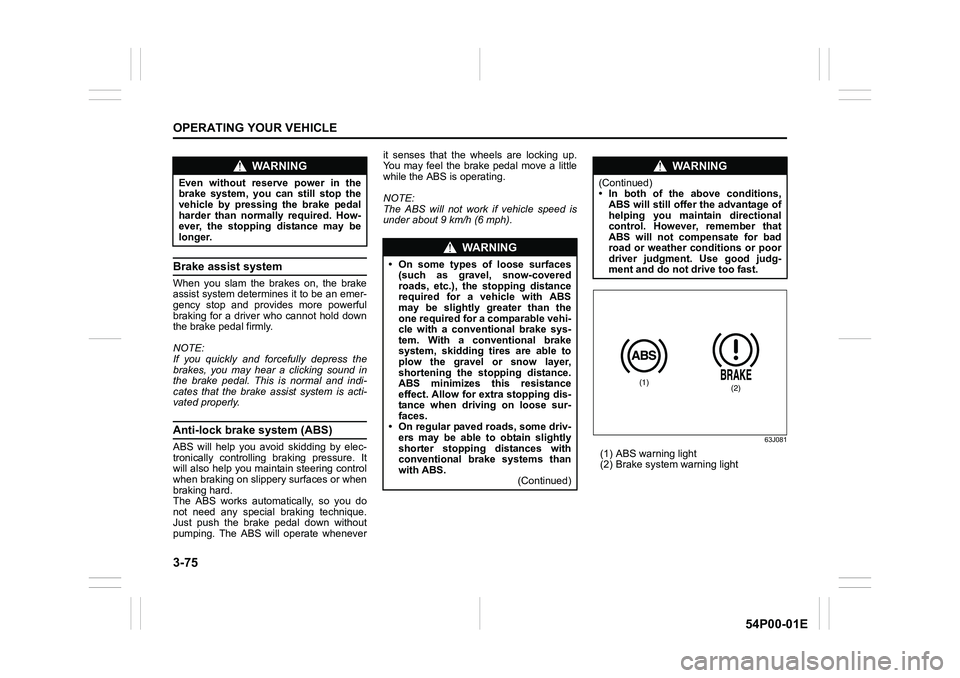
under about 9 km/h (6 mph).63J081
(1) ABS warning light
(2) Brake system warning light
WA R N I N G
Even without reserve power in the
brake system, you can still stop the
vehicle by pressing the brake pedal
harder than normally required. How-
ever, the stopping distance may be
longer.
WA R N I N G
• On some types of loose surfaces
(such as gravel, snow-covered
roads, etc.), the stopping distance
required for a vehicle with ABS
may be slightly greater than the
one required for a comparable vehi-
cle with a conventional brake sys-
tem. With a conventional brake
system, skidding tires are able to
plow the gravel or snow layer,
shortening the stopping distance.
ABS minimizes this resistance
effect. Allow for extra stopping dis-
tance when driving on loose sur-
faces.
• On regular paved roads, some driv-
ers may be able to obtain slightly
shorter stopping distances with
conventional brake systems than
with ABS.
(Continued)
WA R N I N G
(Continued)
• In both of the above conditions,
ABS will still offer the advantage of
helping you maintain directional
control. However, remember that
ABS will not compensate for bad
road or weather conditions or poor
driver judgment. Use good judg-
ment and do not drive too fast.
(1)(2)
Page 216 of 482
3-76
OPERATING YOUR VEHICLE
54P00-01E
How ABS works
A computer continuously monitors wheel
speed. The computer compares the
changes in wheel speed when braking. If
the wheels slow suddenly, indicating a
skidding situation, the computer will
change braking pressure several times
each second to prevent the wheels from
locking. When you start your vehicle or
when you accelerate after a hard stop, you
may hear a momentary motor or clicking
noise as the system resets or checks itself.
Electronic stability program
(ESP®)
ESP® is a registered trademark of Daimler
AG.
The Electronic Stability Program (ESP
®)
helps to control the vehicle during corner-
ing if front wheels or rear wheels skid. It
also assists you in maintaining traction
while accelerating on loose or slippery
road surfaces. It does this by regulating
the engine’s output, and by selectively
applying the brakes. In addition, ESP
®
helps to avoid skidding by controlling brak-
ing pressure.
WA R N I N G
• If the ABS warning light (1) on the
instrument cluster comes on and
stays on while driving, there may
be a problem with the ABS system.
Ask your SUZUKI dealer to inspect
the ABS system immediately. If the
ABS system becomes inoperative,
the brake system will function as
an ordinary brake system that has
no ABS.
• If the ABS warning light (1) and the
brake system warning light (2) on
the instrument cluster simultane-
ously stay on or come on while
driving, both anti-lock function and
rear brake force control function
(proportioning valve function) of
the ABS system may have failed. If
so, the rear wheels may easily skid
or the vehicle can even spin in the
worst case when braking on a slip-
pery road or when hard braking
even on a dry paved road. Ask your
SUZUKI dealer to inspect the ABS
system immediately. Drive care-
fully, avoiding hard braking as
much as possible.
WA R N I N G
The ABS may not work properly if
tires or wheels other than those
specified in the owner’s manual are
used. This is because the ABS works
by comparing changes in wheel
speed. When replacing tires or
wheels, use only the size and type
specified in this owner’s manual.
WA R N I N G
The ESP® cannot enhance the vehi-
cle’s driving stability in all situations
and does not control your vehicle’s
entire braking system. The ESP
® can-
not prevent accidents, including
those resulting from excessive speed
in turns, or hydroplaning. Only safe
and attentive drive can prevent acci-
dents. The capabilities of an ESP
®-
equipped vehicle must never be used
as a substitute for careful driving.
Page 218 of 482
3-78
OPERATING YOUR VEHICLE
54P00-01E
The ESP® indicator lights are described
below:
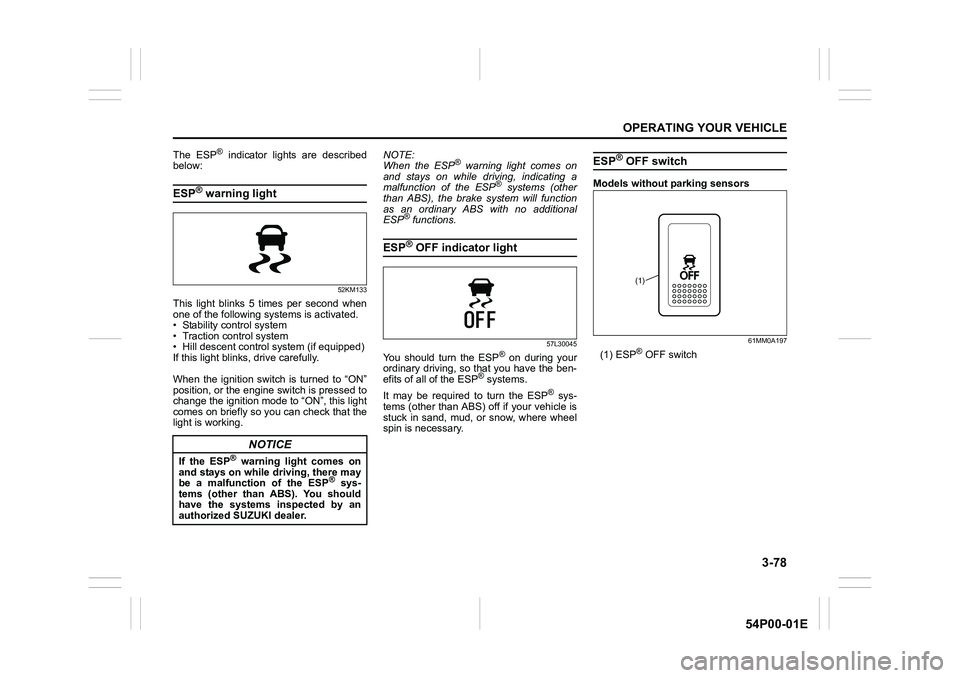
ESP® warning light
52KM133
This light blinks 5 times per second when
one of the following systems is activated.
• Stability control system
• Traction control system
• Hill descent control system (if equipped)
If this light blinks, drive carefully.
When the ignition switch is turned to “ON”
position, or the engine switch is pressed to
change the ignition mode to “ON”, this light
comes on briefly so you can check that the
light is working.NOTE:
When the ESP
® warning light comes on
and stays on while driving, indicating a
malfunction of the ESP
® systems (other
than ABS), the brake system will function
as an ordinary ABS with no additional
ESP
® functions.
ESP® OFF indicator light
57L30045
You should turn the ESP® on during your
ordinary driving, so that you have the ben-
efits of all of the ESP
® systems.
It may be required to turn the ESP
® sys-
tems (other than ABS) off if your vehicle is
stuck in sand, mud, or snow, where wheel
spin is necessary.
ESP® OFF switch
Models without parking sensors
61MM0A197
(1) ESP® OFF switch
NOTICE
If the ESP® warning light comes on
and stays on while driving, there may
be a malfunction of the ESP
® sys-
tems (other than ABS). You should
have the systems inspected by an
authorized SUZUKI dealer.
(1)
Page 219 of 482
3-79
OPERATING YOUR VEHICLE
54P00-01E
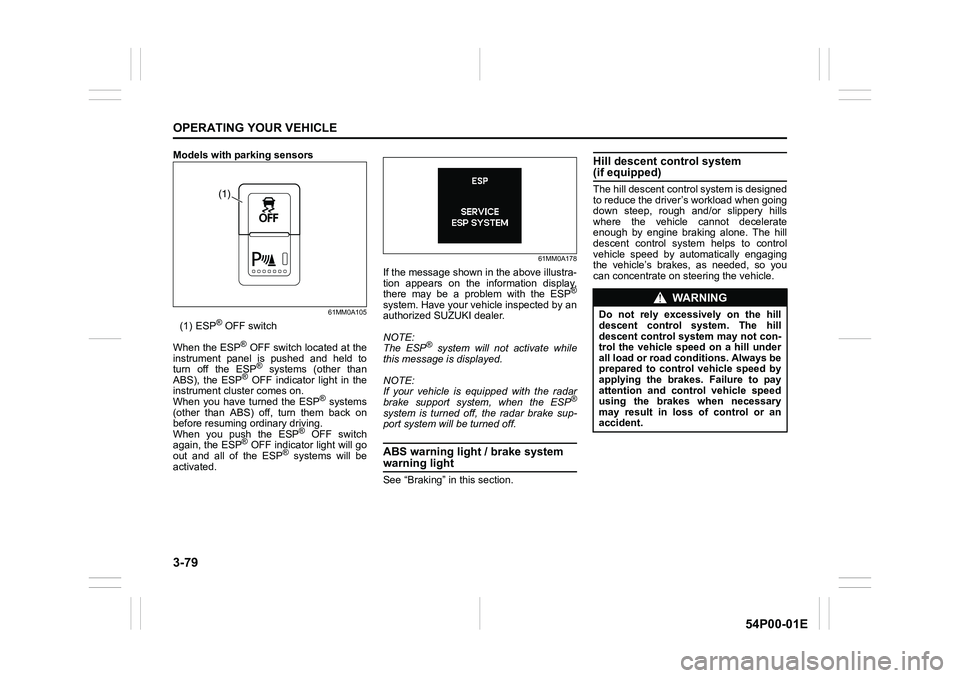
Models with parking sensors
61MM0A105
(1) ESP® OFF switch
When the ESP
® OFF switch located at the
instrument panel is pushed and held to
turn off the ESP
® systems (other than
ABS), the ESP® OFF indicator light in the
instrument cluster comes on.
When you have turned the ESP
® systems
(other than ABS) off, turn them back on
before resuming ordinary driving.
When you push the ESP
® OFF switch
again, the ESP® OFF indicator light will go
out and all of the ESP® systems will be
activated.
61MM0A178
If the message shown in the above illustra-
tion appears on the information display,
there may be a problem with the ESP
®
system. Have your vehicle inspected by an
authorized SUZUKI dealer.
NOTE:
The ESP
® system will not activate while
this message is displayed.
NOTE:
If your vehicle is equipped with the radar
brake support system, when the ESP
®
system is turned off, the radar brake sup-
port system will be turned off.
ABS warning light / brake system
warning light
See “Braking” in this section.
Hill descent control system (if equipped)
The hill descent control system is designed
to reduce the driver’s workload when going
down steep, rough and/or slippery hills
where the vehicle cannot decelerate
enough by engine braking alone. The hill
descent control system helps to control
vehicle speed by automatically engaging
the vehicle’s brakes, as needed, so you
can concentrate on steering the vehicle.(1)
WA R N I N G
Do not rely excessively on the hill
descent control system. The hill
descent control system may not con-
trol the vehicle speed on a hill under
all load or road conditions. Always be
prepared to control vehicle speed by
applying the brakes. Failure to pay
attention and control vehicle speed
using the brakes when necessary
may result in loss of control or an
accident.