P 5-6 SUZUKI IGNIS 2017 User Guide
[x] Cancel search | Manufacturer: SUZUKI, Model Year: 2017, Model line: IGNIS, Model: SUZUKI IGNIS 2017Pages: 505, PDF Size: 8.36 MB
Page 319 of 505
5-64
OTHER CONTROLS AND EQUIPMENT
75RM4-01E
NOTE:
• Please consult your place of purchasefor details about whether a given auxil-
iary audio source can be connected and
the proper auxiliary cord to use.
• The volume and tone controls of the
auxiliary audio source can be adjusted
on the unit.
• In AUX mode, the volume setting is dif-
ferent from another mode.
Page 320 of 505
5-65OTHER CONTROLS AND EQUIPMENT
75RM4-01E
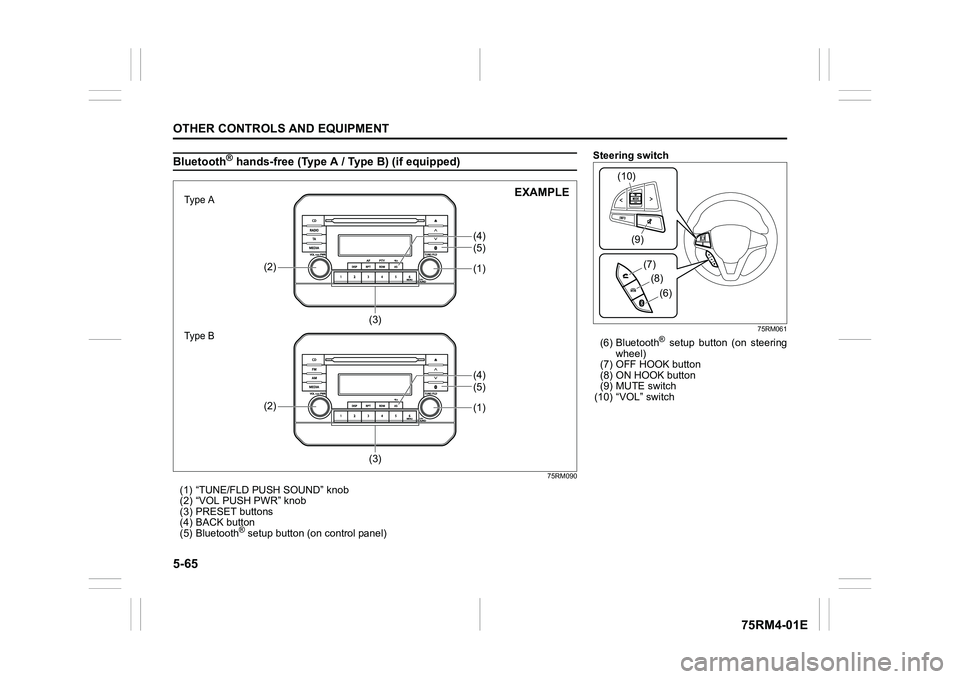
Bluetooth
® hands-free (Type A / Type B) (if equipped)
75RM090
(1) “TUNE/FLD PUSH SOUND” knob
(2) “VOL PUSH PWR” knob
(3) PRESET buttons
(4) BACK button
(5) Bluetooth
® setup button (on control panel)
(1)(5)
(2)
(3) (4)
(1)(5)
(2)
(3) (4)
7śSHаΝ
7śSHаΠ
EXAMPLE
Steering switch
75RM061
(6) Bluetooth
® setup button (on steering
wheel)
(7) OFF HOOK button
(8) ON HOOK button
(9) MUTE switch
(10) “VOL” switch
(9)
(10)
(8)(7)
(6)
Page 321 of 505
5-66
OTHER CONTROLS AND EQUIPMENT
75RM4-01E
Phone registration
NOTE:
• Up to 5 phones can be registered.
• To set up a new phone, disconnect theaudio player from the unit. Connect the
audio player again after phone setup is
completed if necessary.
• When attempts to establish the pairing
fail within 60 seconds, the connecting
operation will be canceled. Try to estab-
lish the pairing again or refer to the man-
ual of the phone in use for how to
establish the pairing with the phone.
1) Press the Bluetooth
® setup button (5)
or (6).
The Bluetooth
® setup menu will be dis-
played.
2) Turn “TUNE/FLD PUSH SOUND” knob (1) to select “Setup Bluetooth”, and
press the knob (1) to determine the
selection.
3) Turn “TUNE/FLD PUSH SOUND” knob (1) to select “Pairi ng”, and press the
knob (1) to determine the selection.
4) Select “My Car” from the Bluetooth
®
menu of the phone and establish the
pairing.
Refer to the manual of the phone in use
for further information.
5) Enter the passkey displayed on the unit to the phone. 6) When the pairing with the phone is
established, automatic transfer of the
phonebook and the call history
becomes selectable. The automatic
transfer starts with “Yes” and it does not
with “No”.
7) Press ON HOOK button (8).
NOTE:
• When selecting “Go Back” or pressing BACK button (4), the previous menu will
be displayed.
• When registering an additional phone, repeat Step from 1).
Receiving a call
Press OFF HOOK button (7) to receive a
call.
Ending a call
Press ON HOOK button (8) to end a call.
Rejecting a call (only for supported
models)
Press ON HOOK button (8) to reject a
incoming call.
Mute of hands-free microphone
Press MUTE switch (9) to mute the micro-
phone. To cancel the mute, press MUTE
switch (9) again. Adjusting the listening volume
• Turn “VOL PUSH PWR” knob (2) during
a call.
Turning it clockwise increases the vol-
ume; turning it counterclockwise
decreases the volume.
• Press “VOL” switch (10) during a call. Pressing the switch up increases the vol-
ume; pressing the switch down
decreases the volume.
Adjusting the ring volume
• Turn “VOL PUSH PWR” knob (2) while a call is coming in.
Turning it clockwise increases the vol-
ume; turning it counterclockwise
decreases the volume.
• Press “VOL” switch (10) during a call. Pressing the switch up increases the vol-
ume; pressing the switch down
decreases the volume.To use the hands-free function with this
unit, it is required to register the phone
in advance.
Page 322 of 505
5-67OTHER CONTROLS AND EQUIPMENT
75RM4-01E
Adjusting the call or ringtone volume
Follow the instructions below to adjust the
call or ringtone volume.
1) Press the Bluetooth
® setup button (5)
or (6).
The Bluetooth
® setup menu will be dis-
played.
2) Turn “TUNE/FLD PUSH SOUND” knob (1) to select “Setup Telephone”, and
press the knob (1) to determine the
selection.
3) Turn “TUNE/FLD PUSH SOUND” knob
(1) to select “Sound Setting”, and press
the knob (1) to dete rmine the selection.
4) Turn “TUNE/FLD PUSH SOUND” knob
(1) to select “Call Volume” or “Ringtone
Volume”, and press the knob (1) to
determine the selection.
The current call or ringtone volume will
be displayed.
5) Turn “TUNE/FLD PUSH SOUND” knob (1) to select the desired call or ringtone
volume, and press the knob (1) to
determine the selection.
NOTE:
When selecting “Go Back” or pressing
BACK button (4), the previous menu will
be displayed. Dialing using missed/incoming/
outgoing calls
Follow the instructions below to dial to the
previously dialed number again.
NOTE:
Up to 30 phone numbers of the latest calls
can be stored. (30 ca
lls including missed,
received and dialed call)
1) Press OFF HOOK button (7). The Bluetooth
® phonebook menu will
be displayed.
2) Turn “TUNE/FLD PUSH SOUND” knob (1) to select “All Ca lls”, “Missed Calls”,
“Incoming Calls” or “Outgoing Calls”,
and press the knob (1) to determine the
selection.
To dial from the dialed history or the
received history, select “All Calls”,
“Missed Calls”, “Incoming Calls” or
“Outgoing Calls” respectively.
3) Turn “TUNE/FLD PUSH SOUND” knob
(1) to select the desired number, and
press the knob (1) to determine the
selection.
4) Turn “TUNE/FLD PUSH SOUND” knob (1) to select “Dial”, and press the knob
(1) or OFF HOOK button (7) to dial to
the selected number.
NOTE:
• When selecting “Go Back” or pressing BACK button (4), the previous menu will
be displayed. • Pressing “Confirm” after selecting “Add
Speed Dial” can register the selected
number in the speed dial.
• Pressing “Confirm” after selecting
“Delete” can delete the selected number
from the call history.
Deletion of call history
Follow the instructions below to delete a
missed/incoming/outgoing call history.
1) Press the Bluetooth
® setup button (5)
or (6).
The Bluetooth
® setup menu will be dis-
played.
2) Turn “TUNE/FLD PUSH SOUND” knob
(1) to select “Setup Telephone”, and
press the knob (1) to determine the
selection.
3) Turn “TUNE/FLD PUSH SOUND” knob (1) to select “Setup Phonebook”, and
press the knob (1) to determine the
selection.
4) Turn “TUNE/FLD PUSH SOUND” knob
(1) to select “Delete History”, and press
the knob (1) to dete rmine the selection.
5) Turn “TUNE/FLD PUSH SOUND” knob
(1) to select “Missed Calls”, “Incoming
Calls”, or “Outgoing Calls”, and press
the knob (1) to dete rmine the selection.
6) Turn “TUNE/FLD PUSH SOUND” knob (1) to select a number to be deleted or
“ALL”, and press the knob (1) to deter-
mine the selection.
Page 323 of 505

5-68
OTHER CONTROLS AND EQUIPMENT
75RM4-01E
7) Turn “TUNE/FLD PUSH SOUND” knob(1) to select “Delete?” or “Delete All?”,
and press the knob (1) to determine the
selection.
8) Turn “TUNE/FLD PUSH SOUND” knob (1) to select “Confirm”, and press the
knob (1) to complete the deletion.
NOTE:
When selecting “Go Back” or pressing
BACK button (4), the previous menu will
be displayed.
Registration in Phonebook
Follow the instructions below to register
phone numbers in the Phonebook of the
unit.
1) Press the Bluetooth
® setup button (5)
or (6).
The Bluetooth
® setup menu will be dis-
played.
2) Turn “TUNE/FLD PUSH SOUND” knob (1) to select “Setup Telephone”, and
press the knob (1) to determine the
selection.
3) Turn “TUNE/FLD PUSH SOUND” knob
(1) to select “Setup Phonebook”, and
press the knob (1) to determine the
selection.
4) Turn “TUNE/FLD PUSH SOUND” knob (1) to select “Add Contacts”, and press
the knob (1) to dete rmine the selection. 5) Turn “TUNE/FLD PUSH SOUND” knob
(1) to select “Overwrite All” or “Add One
Contact”, and press the knob (1) to
determine the selection.
“Rewrite All (MAX100 0): Ok?” or “Rest
of Memory XXXX: Ok?” will be dis-
played.
6) Press or turn “TUNE/FLD PUSH SOUND” knob (1) to select “Confirm”,
and press the knob (1) to determine the
selection.
7) Transfer contacts from the phone.
When the registration is completed, the
“Setup Phonebook” will be displayed.
NOTE:
• When selecting “Go Back” or pressing BACK button (4), the previous menu will
be displayed.
• Up to 1000 numbers can be registered in
Phonebook. Transfer of call history (Call History)
Follow the instructions below to transfer
call history of the
registered phone.
1) Press the Bluetooth
® setup button (5)
or (6).
The Bluetooth
® setup menu will be dis-
played.
2) Turn “TUNE/FLD PUSH SOUND” knob (1) to select “Setup Telephone”, and
press the knob (1) to determine the
selection.
3) Turn “TUNE/FLD PUSH SOUND” knob
(1) to select “Call History”, and press
the knob (1) to dete rmine the selection.
4) Turn “TUNE/FLD PUSH SOUND” knob
(1) to select “Overw rite Call History?”,
and press the knob (1) to determine the
selection.
5) Turn “TUNE/FLD PUSH SOUND” knob (1) to select “Confirm”, and press the
knob (1) to transfer the call history from
the phone.
NOTE:
When selecting “Go Back” or pressing
BACK button (4), the previous menu will
be displayed.
Page 324 of 505

5-69OTHER CONTROLS AND EQUIPMENT
75RM4-01E
Automatic transfer of phonebook/call
history
You can select whether or not the device
transfers the phonebook and the call his-
tory automatically when the phone is regis-
tered.
Follow the instructions below to select.
1) Press the Bluetooth
® setup button (5)
or (6).
The Bluetooth
® setup menu will be dis-
played.
2) Turn “TUNE/FLD PUSH SOUND” knob
(1) to select “Setup Telephone”, and
press the knob (1) to determine the
selection.
3) Turn “TUNE/FLD PUSH SOUND” knob (1) to select “A.Transfer”, and press the
knob (1) to determine the selection.
4) Pressing “TUNE/FLD PUSH SOUND” knob (1) switches between “A.transfer
On” and “A.transfer Off”.
5) Selecting “Go Back” or pressing the BACK button (4) stores displayed set-
ting and the previous menu is dis-
played. Making a call by phonebook
Follow the instructions below to dial a num-
ber registered in phonebook.
1) Press OFF HOOK
button (7).
The Bluetooth
® phonebook menu will
be displayed.
2) Turn “TUNE/FLD PUSH SOUND” knob (1) to select “Phonebook”, and press
the knob (1) to dete rmine the selection.
3) Turn “TUNE/FLD PUSH SOUND” knob (1) to select the initial of the name you
would like to make a call, and press the
knob (1) to determine the selection.
The registered numbers will be dis-
played in sequence. If names have
been registered tog ether with numbers,
the names will be displayed.
Turn “TUNE/FLD PUSH SOUND” knob
(1) to select the name you would like to
make a call, and press the knob (1) to
determine the selection.
4) Turn “TUNE/FLD PUSH SOUND” knob (1) to select “Dial”, and press the knob
(1) or OFF HOOK button (7).
The displayed number or the number
registered with the displayed name will
be dialed. Deletion of registered data (Delete
Entry)
Follow the instructions below to delete a
number registered in phonebook.
1) Press the Bluetooth
® setup button (5)
or (6).
The Bluetooth
® setup menu will be dis-
played.
2) Turn “TUNE/FLD PUSH SOUND” knob
(1) to select “Setup Telephone”, and
press the knob (1) to determine the
selection.
3) Turn “TUNE/FLD PUSH SOUND” knob (1) to select “Setup Phonebook”, and
press the knob (1) to determine the
selection.
4) Turn “TUNE/FLD PUSH SOUND” knob
(1) to select “Delete Contacts”, and
press the knob (1) to determine the
selection.
5) Turn “TUNE/FLD PUSH SOUND” knob (1) to select the initial of the name you
would like to delete or “ALL”, and press
the knob (1) to dete rmine the selection.
Turn “TUNE/FLD PUSH SOUND” knob
(1) to select the name you would like to
delete, and press the knob (1) to deter-
mine the selection.
6) Turn “TUNE/FLD PUSH SOUND” knob
(1) to select “Delete?” or “Delete All?”,
and press the knob (1) to determine the
selection.
7) Turn “TUNE/FLD PUSH SOUND” knob (1) to select “Confirm”, and press the
knob (1) to complete the deletion.
Page 449 of 505
13-1
INDEX
13
75RM4-01E
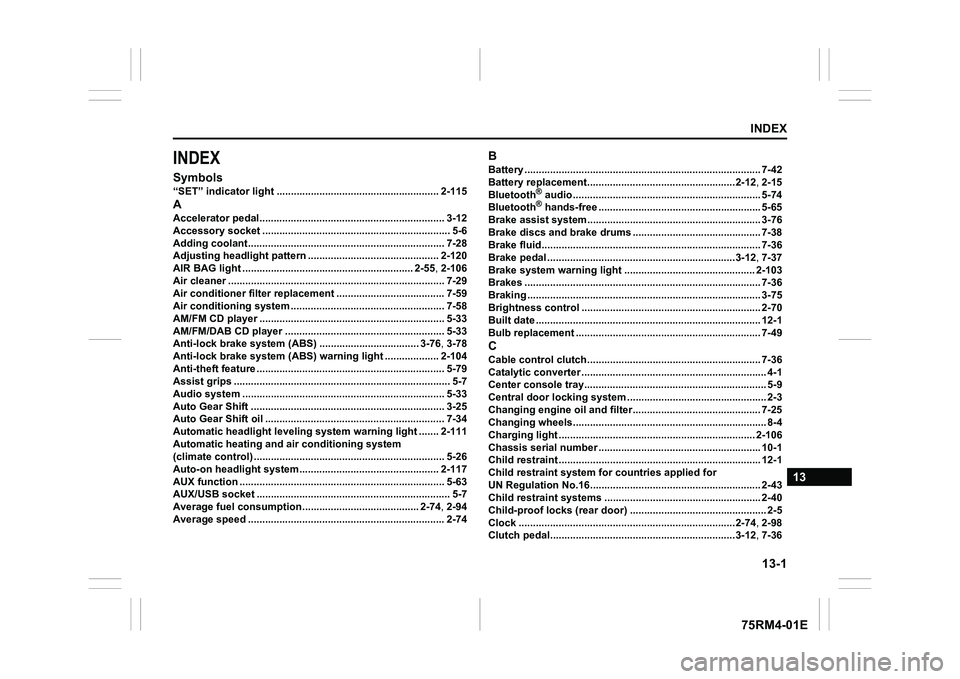
INDEXSymbols“SET” indicator light ......................................................... 2-115AAccelerator pedal................................................................. 3-12
Accessory socket ............. .................................. ................... 5-6
Adding coolant................................................. .................... 7-28
Adjusting headlight pattern .................................... .......... 2-120
AIR BAG light .................................................. .......... 2-55, 2-106
Air cleaner .................................................... ........................ 7-29
Air conditioner filter replacement ............................. ......... 7-59
Air conditioning system ...... ................................................ 7-58
AM/FM CD player ................................................ ................. 5-33
AM/FM/DAB CD player ........... ............................................. 5-33
Anti-lock brake system (ABS) ................................... 3-76, 3-78
Anti-lock brake system (ABS) warning light ................... 2- 104
Anti-theft feature ............................................. ..................... 5-79
Assist grips ................................................... ......................... 5-7
Audio system ................................................... .................... 5-33
Auto Gear Shift ................................................ .................... 3-25
Auto Gear Shift oil ............................................ ................... 7-34
Automatic headlight leveling system warning light ....... 2-111
Automatic heating and air conditioning system
(climate control) .............................................. ..................... 5-26
Auto-on headlight system...... ........................................... 2-117
AUX function ................................................... ..................... 5-63
AUX/USB socket ................................................. ................... 5-7
Average fuel consumption....................................... .. 2-74, 2-94
Average speed .................................................. ................... 2-74
BBattery ................................................................................... 7-42
Battery replacement........... .........................................2-12, 2-15
Bluetooth
® audio......................................................... ......... 5-74
Bluetooth® hands-free .................................................... ..... 5-65
Brake assist system............................................ ................. 3-76
Brake discs and brake drums .................................... ......... 7-38
Brake fluid.................................................... ......................... 7-36
Brake pedal .................................................... ..............3-12, 7-37
Brake system warning light ..................................... ......... 2-103
Brakes ......................................................... .......................... 7-36
Braking ........................................................ .......................... 3-75
Brightness control ............................................. .................. 2-70
Built date ..................................................... .......................... 12-1
Bulb replacement ............................................... .................. 7-49
CCable control clutch........................................... .................. 7-36
Catalytic converter ........ ......................................................... 4-1
Center console tray......... ....................................................... 5-9
Central door locking system .................................... ............. 2-3
Changing engine oil and filter................................. ............ 7-25
Changing wheels................................................ .................... 8-4
Charging light ................................................. .................... 2-106
Chassis serial number ....... .................................................. 10-1
Child restraint ................................................ ....................... 12-1
Child restraint system f or countries applied for
UN Regulation No.16............................................ ................ 2-43
Child restraint systems ........................................ ............... 2-40
Child-proof locks (rear door) .................................. .............. 2-5
Clock .......................................................... ..................2-74, 2-98
Clutch pedal................................................... ..............3-12, 7-36
Page 452 of 505
13-4INDEX
75RM4-01E
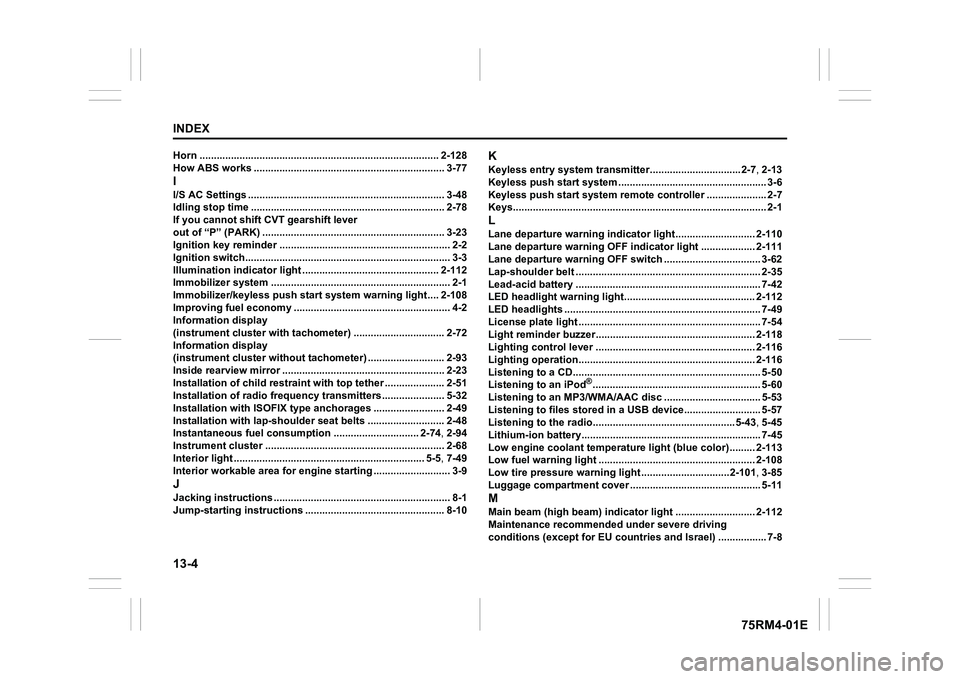
Horn .................................................................................... 2-128
How ABS works .................................................. ................. 3-77II/S AC Settings ..................................................................... 3-48
Idling stop time ............................................... ..................... 2-78
If you cannot shift CVT gearshift lever
out of “P” (PARK) .............................................. .................. 3-23
Ignition key reminder .......................................... .................. 2-2
Ignition switch................................................ ........................ 3-3
Illumination indicator light ................................... ............. 2-112
Immobilizer system ............................................. .................. 2-1
Immobilizer/keyless push start system warning light.... 2-108
Improving fuel economy ......................................... .............. 4-2
Information display
(instrument cluster with tachometer) ........................... ..... 2-72
Information display
(instrument cluster without tachometer) ........................ ... 2-93
Inside rearview mirror ...... ................................................... 2-23
Installation of child restraint with top tether ................ ..... 2-51
Installation of radio frequenc y transmitters...................... 5-32
Installation with ISOFIX type anchorages ....................... .. 2-49
Installation with lap-shoulder seat belts ........................... 2-48
Instantaneous fuel consumption .............................. 2-7 4, 2-94
Instrument cluster ............................................. .................. 2-68
Interior light ................................................. .................. 5-5, 7-49
Interior workable area for engi ne starting ........................... 3-9JJacking instructions ........................................... ................... 8-1
Jump-starting instructions ..................................... ............ 8-10
KKeyless entry system transmitter............................... .2-7, 2-13
Keyless push start system ... ................................................. 3-6
Keyless push start system rem ote controller.....................2-7
Keys........................................................... .............................. 2-1LLane departure warning indicator light......................... ... 2-110
Lane departure warning OFF indicator light ................... 2- 111
Lane departure warning OFF switch .............................. .... 3-62
Lap-shoulder belt .............................................. ................... 2-35
Lead-acid battery .............................................. ................... 7-42
LED headlight warning light.................................... .......... 2-112
LED headlights ................................................. .................... 7-49
License plate light ............................................ .................... 7-54
Light reminder buzzer.......................................... .............. 2-118
Lighting control lever ......................................... ............... 2-116
Lighting operation............................................. ................. 2-116
Listening to a CD.............................................. .................... 5-50
Listening to an iPod
®........................................................... 5-60
Listening to an MP3/WMA/AAC disc ............................... ... 5-53
Listening to files stored in a USB device...................... ..... 5-57
Listening to the radio......................................... .........5-43, 5-45
Lithium-ion battery............................................ ................... 7-45
Low engine coolant temperature l ight (blue color)......... 2-113
Low fuel warning light ......................................... .............. 2-108
Low tire pressure warning light ...............................2 -101, 3-85
Luggage compartment cover ...................................... ........ 5-11
MMain beam (high beam) indicator light ............................ 2-112
Maintenance recommended under severe driving
conditions (except for EU countries and Israel) ................ .7-8