warning lights SUZUKI IGNIS 2017 User Guide
[x] Cancel search | Manufacturer: SUZUKI, Model Year: 2017, Model line: IGNIS, Model: SUZUKI IGNIS 2017Pages: 505, PDF Size: 8.36 MB
Page 155 of 505
3-2
OPERATING YOUR VEHICLE
75RM4-01E
NOTE:
It is normal for water to drip from the air
conditioning system after use.
4) Check that the hood is fully closed andlatched.
5) Check the headlights, turn signal lights, brake lights and horn for proper opera-
tion.
6) Adjust the seat and head restraint.
7) Check the brake pedal and the parking brake lever.
8) Adjust the mirrors.
9) Check that you and all passengers have properly fastened your seat belts.
10)Check that all warning lights come on as the ignition switch is turned to “ON”
position or the engine switch is pressed
to change the ignition mode to ON.
11)Check all gauges.
12)Check that the brake system warning light turns off when the parking brake is
released.
Once a week, or each time you fill your fuel
tank, perform the following under-hood
checks:
1) Engine oil level
2) Coolant level
3) Brake fluid level
4) Lead-acid battery solution level
5) Windshield washer fluid level
6) Hood latch operation Pull the hood release handle inside the
vehicle. Check that you cannot open the hood all the way without releasing
the secondary latch. Close the hood
securely after checking for proper latch
operation. See the item “All latches,
hinges and locks” of “Chassis, body
and others” in “Maintenance schedule”
in the “INSPECTION AND MAINTE-
NANCE” section for lubrication sched-
ule.
Once a month, or each time you fill your
fuel tank, check the tire pressure using a
tire pressure gauge. Also check the tire
pressure of the spare tire.
Engine oil consumptionIt is normal for the engine to consume
some engine oil during normal vehicle
operation.
The amount of engine oil consumption
depends on viscosity and quality of the oil
and your driving conditions.
More oil is consumed during high-speed
driving and when there is frequent acceler-
ation and deceleration. Under high loads,
your engine also will consume more oil.
A new engine also consumes more oil,
since its pistons, piston rings and cylinder
walls have not yet become conditioned.
New engines reach the normal level of oil
consumption only after approximately
5000 km (3000 miles) driving.
Oil consumption:
Max. 1.0 L per 1000 km
(1 Qt. per 600 miles)
When judging the amount of oil consump-
tion, note that the oil may become diluted
and it is difficult to judge the accurate oil
level.
As an example, if a vehicle is used for
repeated short trips, and consumes a nor-
mal amount of oil, the dipstick may not
show any drop in the oil level at all, even
after 1000 km (600 miles) or more of driv-
ing. This is because the oil gradually
becomes diluted with fuel or moisture,
WA R N I N G
Check that the hood is fully closed
and latched before d riving. If it is not,
it can fly up unexpectedly during
driving, obstructing your view and
resulting in an accident.
Page 194 of 505
3-41OPERATING YOUR VEHICLE
75RM4-01E
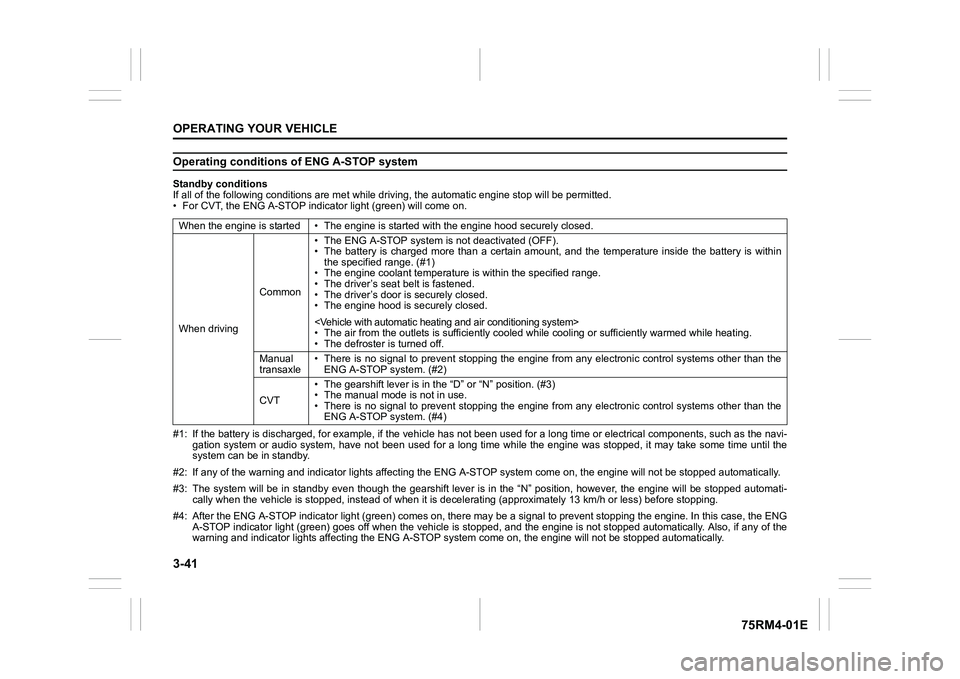
Operating conditions of ENG A-STOP systemStandby conditions
If all of the following conditions are met while driving, the automatic engine stop will be permitted.
• For CVT, the ENG A-STOP indicator light (green) will come on.
#1: If the battery is discharged, for example, if the vehicle has not been used for a long time or electrical components, such as the navi-
gation system or audio system, have not been used for a long ti me while the engine was stopped, it may take some time until th e
system can be in standby.
#2: If any of the warning and indi cator lights affecting the ENG A-STOP system come on, the e ngine will not be stopped automati cally.
#3: The system will be in standby even though the gearshift leve r is in the “N” position, however, the engine will be stopped automati-
cally when the vehicl e is stopped, instead of when it is decelerating (approximately 13 km/ h or less) before stopping.
#4: After the ENG A-STOP indicator light (green) comes on, there may be a signal to prevent stopping the engine. In this case, the ENG
A-STOP indicator light (green) goes off when the vehicle is sto pped, and the engine is not stopped automatically. Also, if any of the
warning and indi cator lights affecting the ENG A-STOP system co me on, the engine will not be stopped automatically.
When the engine is started • The
engine is started with the engine hood securely closed.
When driving Common• The ENG A-STOP system is
not deactivated (OFF).
• The battery is charged more than a certain amount, and the tem perature inside the battery is within
the specified range. (#1)
• The engine coolant temperature i s within the specified range.
• The driver’s seat belt is fastened.
• The driver’s door is securely closed.
• The engine hood is s ecurely closed.
• The air from the outlets is su fficiently cooled while cooling or sufficiently warmed while heating.
• The defroster is turned off.
Manual
transaxle • There is no signal to prevent stopping the engine from any ele
ctronic control systems other than the
ENG A-STOP system. (#2)
CVT • The gearshift lever is in the
“D” or “N” position. (#3)
• The manual mode is not in use.
• There is no signal to prevent stopping the engine from any ele ctronic control systems other than the
ENG A-STOP system. (#4)
Page 210 of 505
3-57OPERATING YOUR VEHICLE
75RM4-01E
54P000330
• When you pass by an oncoming vehicleon a curvy road
54P000332
• When there is a roadside guard rail, orsign, on a curve
• When approaching a large shaped float-
ing object such as a vinyl sheet which is
blown by the wind.
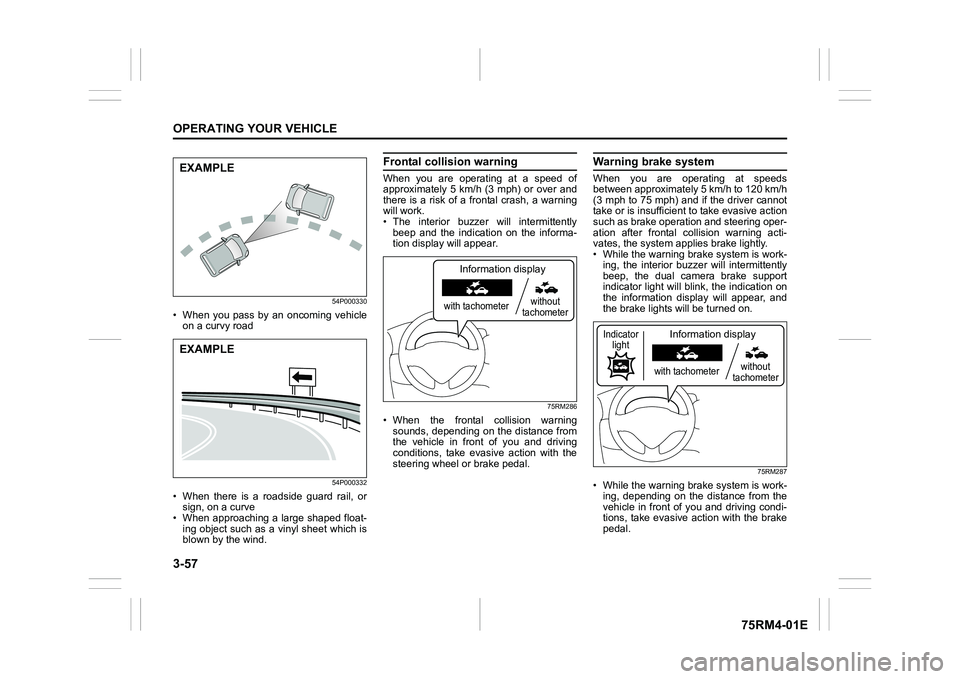
Frontal colli sion warningWhen you are operating at a speed of
approximately 5 km/h (3 mph) or over and
there is a risk of a frontal crash, a warning
will work.
• The interior buzzer will intermittently
beep and the indication on the informa-
tion display will appear.
75RM286
• When the frontal collision warningsounds, depending on the distance from
the vehicle in front of you and driving
conditions, take evasive action with the
steering wheel or brake pedal.
Warning brake systemWhen you are operating at speeds
between approximately 5 km/h to 120 km/h
(3 mph to 75 mph) and if the driver cannot
take or is insufficient t o take evasive action
such as brake operation and steering oper-
ation after frontal collision warning acti-
vates, the system appl ies brake lightly.
• While the warning brake system is work-
ing, the interior buzz er will intermittently
beep, the dual camera brake support
indicator light will blink, the indication on
the information display will appear, and
the brake lights will be turned on.
75RM287
• While the warning brake system is work-
ing, depending on the distance from the
vehicle in front of you and driving condi-
tions, take evasive action with the brake
pedal.
EXAMPLEEXAMPLE
with tachometer without
tachometer
Information display
with tachometer without
tachometer
Information display
Indicator light
Page 211 of 505
3-58
OPERATING YOUR VEHICLE
75RM4-01E
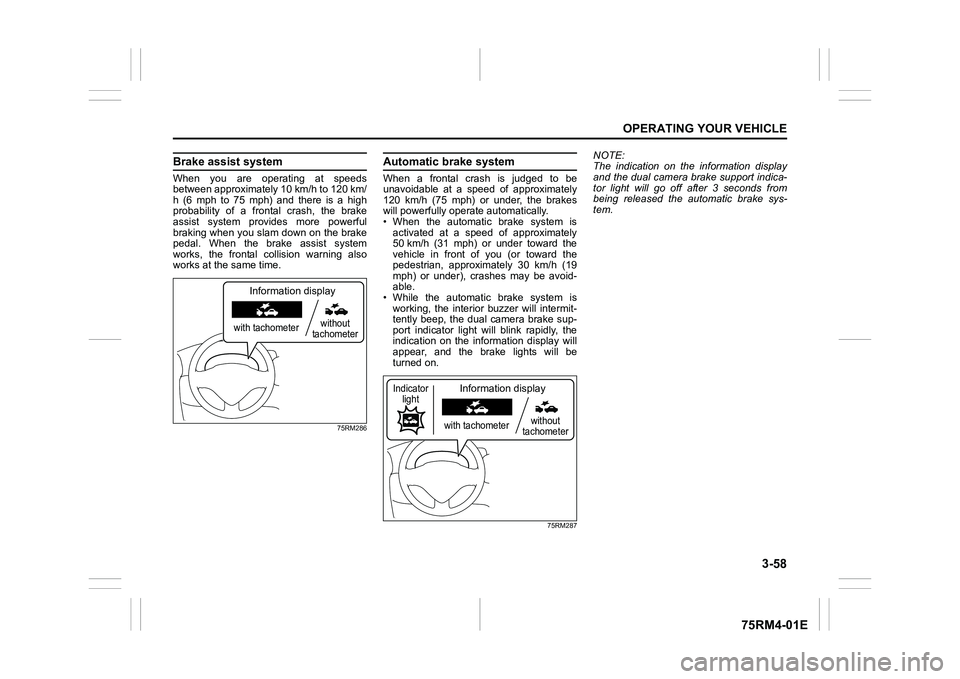
Brake assist systemWhen you are operating at speeds
between approximately 10 km/h to 120 km/
h (6 mph to 75 mph) and there is a high
probability of a frontal crash, the brake
assist system provides more powerful
braking when you slam down on the brake
pedal. When the brake assist system
works, the frontal collision warning also
works at the same time.
75RM286
Automatic brake systemWhen a frontal crash is judged to be
unavoidable at a speed of approximately
120 km/h (75 mph) or under, the brakes
will powerfully operate automatically.
• When the automatic brake system is
activated at a speed of approximately
50 km/h (31 mph) or under toward the
vehicle in front of you (or toward the
pedestrian, approximately 30 km/h (19
mph) or under), crashes may be avoid-
able.
• While the automatic brake system is working, the interior buzzer will intermit-
tently beep, the dual camera brake sup-
port indicator light will blink rapidly, the
indication on the information display will
appear, and the brake lights will be
turned on.
75RM287
NOTE:
The indication on the information display
and the dual camera brake support indica-
tor light will go off after 3 seconds from
being released the automatic brake sys-
tem.
with tachometer without
tachometer
Information display
with tachometer without
tachometer
Information display
Indicator light
Page 212 of 505
3-59OPERATING YOUR VEHICLE
75RM4-01E
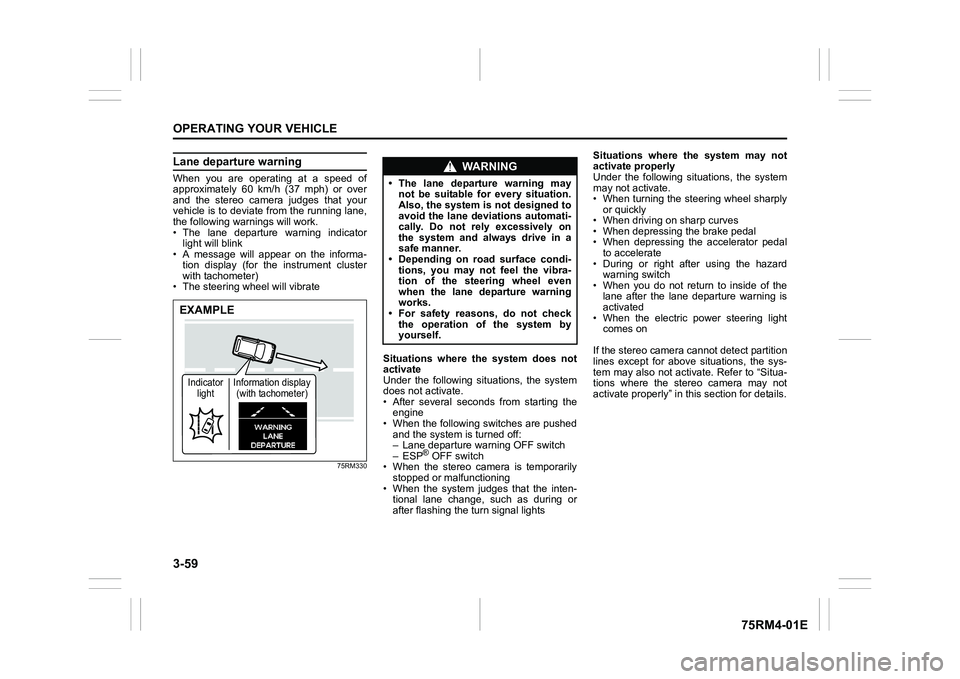
Lane departure warningWhen you are operating at a speed of
approximately 60 km/h (37 mph) or over
and the stereo camera judges that your
vehicle is to deviate from the running lane,
the following warnings will work.
• The lane departure warning indicatorlight will blink
• A message will appear on the informa-
tion display (for the instrument cluster
with tachometer)
• The steering wheel will vibrate
75RM330
Situations where the system does not
activate
Under the following situations, the system
does not activate.
• After several seconds from starting the engine
• When the following switches are pushed and the system is turned off:
– Lane departure warning OFF switch
– ESP
® OFF switch
• When the stereo camera is temporarily stopped or malfunctioning
• When the system judges that the inten- tional lane change, such as during or
after flashing the turn signal lights Situations where the system may not
activate properly
Under the following situations, the system
may not activate.
• When turning the steering wheel sharply
or quickly
• When driving on sharp curves
• When depressing the brake pedal
• When depressing the accelerator pedal to accelerate
• During or right after using the hazard warning switch
• When you do not return to inside of the lane after the lane departure warning is
activated
• When the electric power steering light comes on
If the stereo camera cannot detect partition
lines except for above situations, the sys-
tem may also not activ ate. Refer to “Situa-
tions where the stereo camera may not
activate properly” in this section for details.
EXAMPLEIndicator light Information display
(with tachometer)
WA R N I N G
• The lane departure warning may not be suitable for every situation.
Also, the system is not designed to
avoid the lane deviations automati-
cally. Do not rely excessively on
the system and always drive in a
safe manner.
• Depending on road surface condi-
tions, you may not feel the vibra-
tion of the steering wheel even
when the lane departure warning
works.
• For safety reasons, do not check
the operation of the system by
yourself.
Page 224 of 505
3-71OPERATING YOUR VEHICLE
75RM4-01E
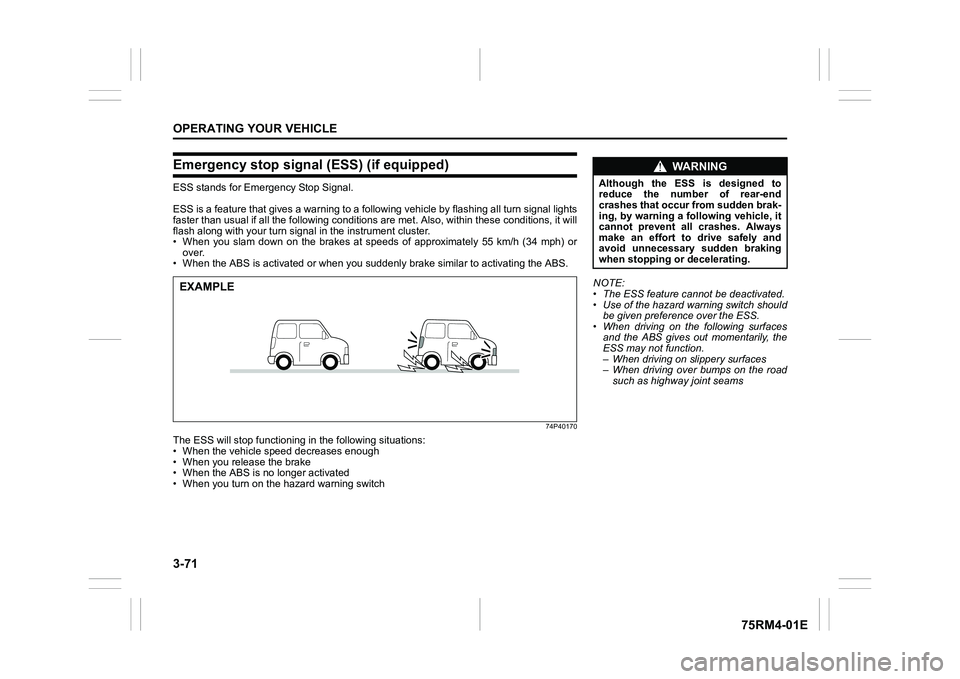
Emergency stop signal (ESS) (if equipped)ESS stands for Emergency Stop Signal.
ESS is a feature that gives a war ning to a following vehicle by flashing all turn signal lights
faster than usual if all the following conditions are met. Also , within these conditions, it will
flash along with your turn signal in the instrument cluster.
• When you slam down on the brakes at speeds of approximately 55 km/h (34 mph) or
over.
• When the ABS is activated or when you suddenly brake similar to activating the ABS.
74P40170
The ESS will stop functioning in the following situations:
• When the vehicle speed decreases enough
• When you release the brake
• When the ABS is no longer activated
• When you turn on the hazard warning switchEXAMPLE
NOTE:
• The ESS feature cannot be deactivated.
• Use of the hazard warning switch should
be given preference over the ESS.
• When driving on the following surfaces and the ABS gives out momentarily, the
ESS may not function.
– When driving on slippery surfaces
– When driving over bumps on the road
such as highway joint seams
WA R N I N G
Although the ESS is designed to
reduce the number of rear-end
crashes that occur from sudden brak-
ing, by warning a following vehicle, it
cannot prevent all crashes. Always
make an effort to drive safely and
avoid unnecessary sudden braking
when stopping or decelerating.
Page 232 of 505
3-79OPERATING YOUR VEHICLE
75RM4-01E
NOTE:
• If the ESP
® system is activated, you may
hear a clunking noise and/or feel pulsat-
ing in the brake pedal. This is normal
and indicates that the brake fluid pres-
sure is being controlled properly.
• You may hear an operation sound when you start the engine or after the vehicle
begins to move. This means that the
above systems are in the self-check
mode. This sound does not indicate a
malfunction. The ESP
® indicator lights are described
below:
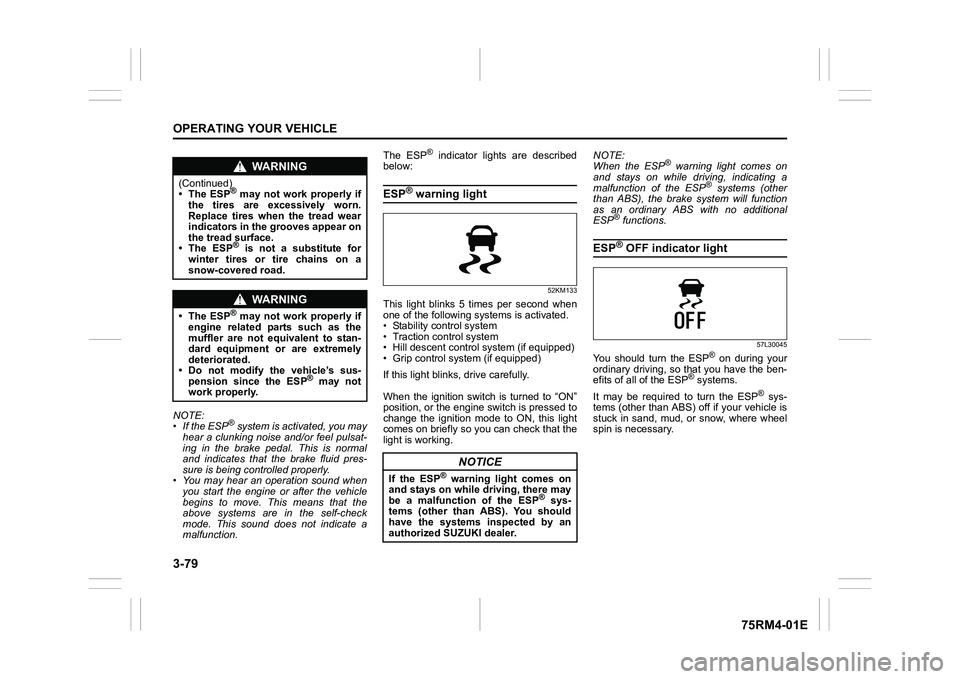
ESP
® warning light
52KM133
This light blinks 5 times per second when
one of the following sy stems is activated.
• Stability control system
• Traction control system
• Hill descent control system (if equipped)
• Grip control system (if equipped)
If this light blinks, drive carefully.
When the ignition switch is turned to “ON”
position, or the engine switch is pressed to
change the ignition mode to ON, this light
comes on briefly so you can check that the
light is working. NOTE:
When the ESP
® warning light comes on
and stays on while driving, indicating a
malfunction of the ESP
® systems (other
than ABS), the brake system will function
as an ordinary ABS with no additional
ESP
® functions.
ESP
® OFF indicator light
57L30045
You should turn the ESP
® on during your
ordinary driving, so that you have the ben-
efits of all of the ESP
® systems.
It may be required to turn the ESP
® sys-
tems (other than ABS) off if your vehicle is
stuck in sand, mud, or snow, where wheel
spin is necessary.
WA R N I N G
(Continued)
• The ESP
® may not work properly if
the tires are excessively worn.
Replace tires when the tread wear
indicators in the grooves appear on
the tread surface.
• The ESP® is not a substitute for
winter tires or tire chains on a
snow-covered road.
WA R N I N G
• The ESP
® may not work properly if
engine related parts such as the
muffler are not equivalent to stan-
dard equipment or are extremely
deteriorated.
• Do not modify the vehicle’s sus- pension since the ESP
® may not
work properly.
NOTICE
If the ESP
® warning light comes on
and stays on while driving, there may
be a malfunction of the ESP
® sys-
tems (other than ABS). You should
have the systems inspected by an
authorized SUZUKI dealer.
Page 233 of 505
3-80
OPERATING YOUR VEHICLE
75RM4-01E
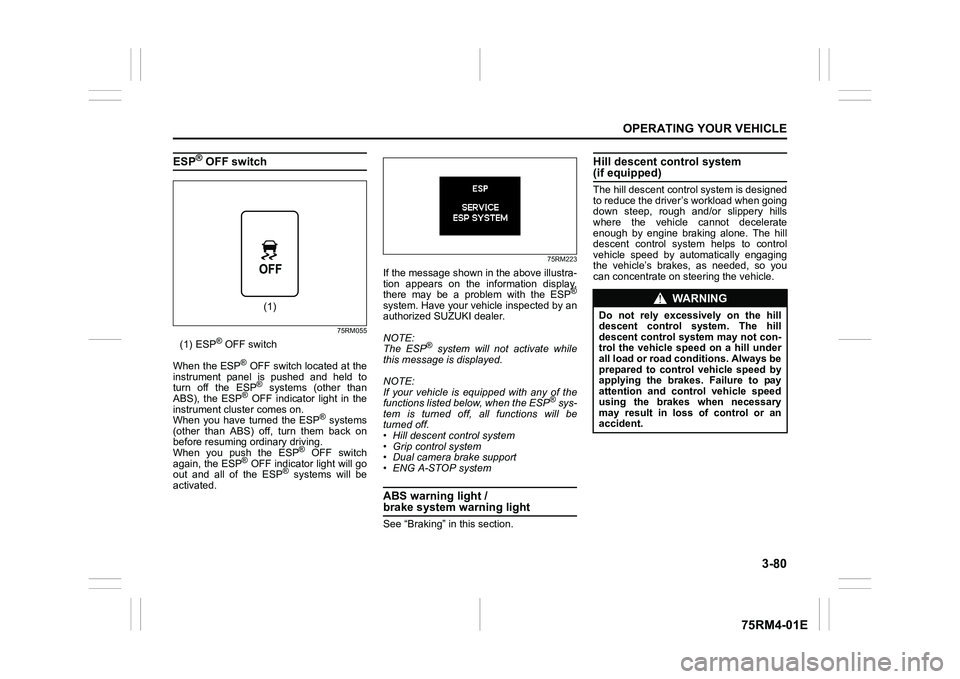
ESP
® OFF switch
75RM055
(1) ESP
® OFF switch
When the ESP
® OFF switch located at the
instrument panel is pushed and held to
turn off the ESP® systems (other than
ABS), the ESP
® OFF indicator light in the
instrument cluster comes on.
When you have turned the ESP
® systems
(other than ABS) off, turn them back on
before resuming ordinary driving.
When you push the ESP
® OFF switch
again, the ESP
® OFF indicator light will go
out and all of the ESP
® systems will be
activated.
75RM223
If the message shown in the above illustra-
tion appears on the information display,
there may be a problem with the ESP
®
system. Have your vehicle inspected by an
authorized SUZUKI dealer.
NOTE:
The ESP
® system will not activate while
this message is displayed.
NOTE:
If your vehicle is equipped with any of the
functions listed below, when the ESP
® sys-
tem is turned off, all functions will be
turned off.
• Hill descent control system
• Grip control system
• Dual camera brake support
• ENG A-STOP system
ABS warning light / brake system warning lightSee “Braking” in this section.
Hill descent control system (if equipped)The hill descent cont rol system is designed
to reduce the driver’s workload when going
down steep, rough and/or slippery hills
where the vehicle cannot decelerate
enough by engine braking alone. The hill
descent control system helps to control
vehicle speed by automatically engaging
the vehicle’s brakes, as needed, so you
can concentrate on steering the vehicle.
(1)
WA R N I N G
Do not rely excessively on the hill
descent control system. The hill
descent control system may not con-
trol the vehicle speed on a hill under
all load or road conditions. Always be
prepared to control vehicle speed by
applying the brakes. Failure to pay
attention and control vehicle speed
using the brakes when necessary
may result in loss of control or an
accident.
Page 234 of 505

3-81OPERATING YOUR VEHICLE
75RM4-01E
Hill descent control switch
75RM056
(1) Hill descent control switch
To activate the hill descent control system:
1) Shift the gearshift lever into a forward
gear or reverse gear.2) Push the hill descent control switch (1) when the vehicle speed is under 25 km/h
(15 mph). The hill descent control indica-
tor on the instrument cluster will come on
and the hill descent control system will be
activated.
When the vehicle speed exceeds about 7
km/h (4 mph) without depressing the
accelerator pedal, the hill descent control
system applies the brak es automatically to
maintain the vehicle speed at about 7 km/h
(4 mph).
• When braking, the brake/tail lights come on and the ESP
® warning light blinks.
• When the vehicle speed exceeds about
40 km/h (25 mph), the hill descent con-
trol system stops functioning and the hill
descent control indicator goes off. When
the vehicle slows down below about 25
km/h (16 mph), the hill descent control
system will be activated again and the
hill descent control indicator will come
on.
NOTE:
You may hear a sound coming from the
engine when the hill descent control sys-
tem is activated. This sound is normal and
does not indicate a malfunction.
To turn off the hill descent control system,
push the hill descent control switch and
turn off the hill descent control indicator
light.
(1)
WA R N I N G
• When the hill descent control sys- tem is used continuously for a long
time, the temperature of the brake
system may increase and the hill
descent control system may be
deactivated tempor arily to protect
the device of the brake system. The
hill descent control indicator blinks
to let you know the system is deac-
tivated. Depress the brake pedal
and stop the vehicle in a safe place.
When the temperature of the brake
system goes down, the hill descent
control indicator will come on and
the system is activated again. (Continued)
WA R N I N G
(Continued)
• The hill descent control system
may be activated when the gear-
shift lever is in “N” (Neutral) posi-
tion, but engine braking will not
work. Always use the hill descent
control system with the gearshift
lever in a forward gear or reverse
gear.
• When using the hill descent control system, push the hill descent con-
trol switch and ma ke sure that the
hill descent control indicator light
comes on and no warning message
indicates on the information dis-
play.
• While operating the hill descent control system, the dual camera
brake support (if equipped) may
not operate depending on the
accelerating.
Page 345 of 505
6-4
VEHICLE LOADING AND TOWING
75RM4-01E
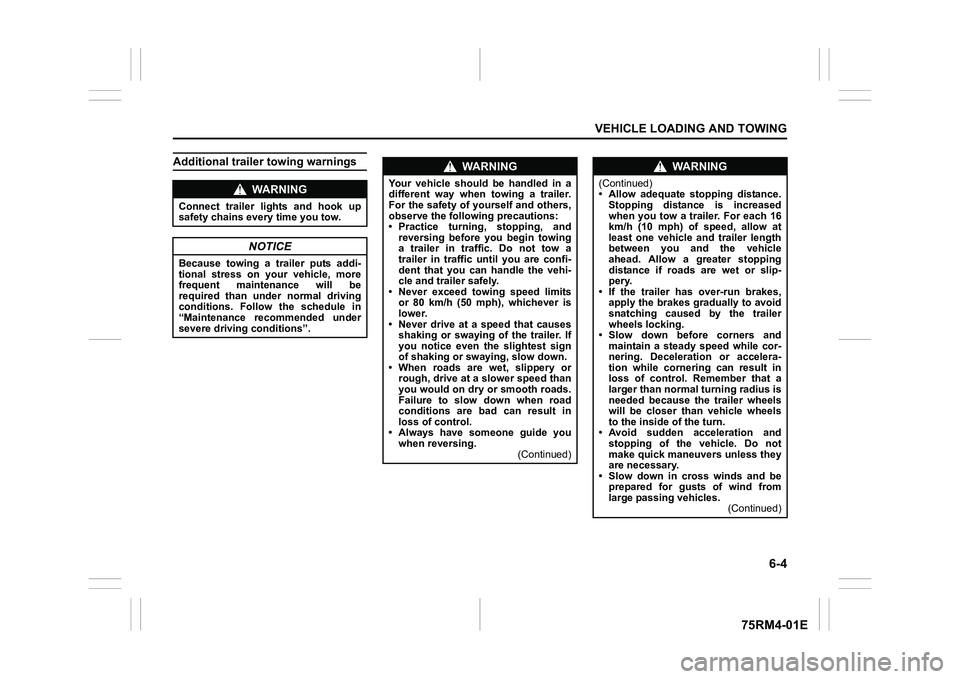
Additional trailer towing warnings
WA R N I N G
Connect trailer lights and hook up
safety chains every time you tow.
NOTICE
Because towing a trailer puts addi-
tional stress on your vehicle, more
frequent maintenance will be
required than under normal driving
conditions. Follow the schedule in
“Maintenance recommended under
severe driving conditions”.
WA R N I N G
Your vehicle should be handled in a
different way when towing a trailer.
For the safety of yourself and others,
observe the following precautions:
• Practice turning, stopping, andreversing before you begin towing
a trailer in traffi c. Do not tow a
trailer in traffic until you are confi-
dent that you can handle the vehi-
cle and trailer safely.
• Never exceed towing speed limits
or 80 km/h (50 mph), whichever is
lower.
• Never drive at a speed that causes shaking or swaying of the trailer. If
you notice even the slightest sign
of shaking or sw aying, slow down.
• When roads are wet, slippery or rough, drive at a slower speed than
you would on dry or smooth roads.
Failure to slow down when road
conditions are bad can result in
loss of control.
• Always have someone guide you when reversing.
(Continued)
WA R N I N G
(Continued)
• Allow adequate stopping distance.Stopping distance is increased
when you tow a trailer. For each 16
km/h (10 mph) of speed, allow at
least one vehicle and trailer length
between you and the vehicle
ahead. Allow a greater stopping
distance if roads are wet or slip-
pery.
• If the trailer has over-run brakes,
apply the brakes gradually to avoid
snatching caused by the trailer
wheels locking.
• Slow down before corners and maintain a steady speed while cor-
nering. Deceleration or accelera-
tion while cornering can result in
loss of control. Remember that a
larger than normal turning radius is
needed because the trailer wheels
will be closer than vehicle wheels
to the inside of the turn.
• Avoid sudden acceleration and stopping of the vehicle. Do not
make quick maneuvers unless they
are necessary.
• Slow down in cross winds and be
prepared for gusts of wind from
large passing vehicles. (Continued)