air condition SUZUKI IGNIS 2018 User Guide
[x] Cancel search | Manufacturer: SUZUKI, Model Year: 2018, Model line: IGNIS, Model: SUZUKI IGNIS 2018Pages: 505, PDF Size: 8.36 MB
Page 103 of 505
2-80
BEFORE DRIVING
75RM4-01E
NOTE:
• If you push and hold the informationswitch (2) to enter the setting mode
when the display (C) shows average fuel
consumption, average speed, driving
time, total idling stop time or total idling
fuel saved, the value will be reset simul-
taneously. If you do not want to reset the
value, push the information switch
quickly to switch the indication of the dis-
play.
• If you turn the ignition switch, press the
engine switch or start to move the vehi-
cle when the display is in the setting
mode, the setting mode will be canceled
automatically.
Distance unit (Odometer / trip meter distance unit setting)You can change the units in which odome-
ter / trip meter / driving range distance is
displayed.
Fuel economy
(Fuel consumption unit setting)
You can change the units that fuel con-
sumption is displayed in.
Language
You can change the language of the infor-
mation display.
Fuel reset
(Average fuel consumption reset setting)
You can change when the value of aver-
age fuel consumption is reset. Temperature (Tempera
ture unit setting)
You can change the units that temperature
is displayed in.
NOTE:
When you change the units that tempera-
ture is displayed in, the automatic heating
and air conditioning system (if equipped)
temperature display units will be changed
automatically.
Clock setting (Adjusting the clock)
• To change the hour indication, push the brightness control switch (4) up or down
repeatedly when the hour indication
appears as reversed color. To change
the hour indication quickly, push and
hold the brightness control switch (4). To
set the hour indication, push the informa-
tion switch (2) and the minute indication
appears as reversed color.
• To change the minute indication, push the brightness control switch (4) up or
down repeatedly when the minute indi-
cation appears as reversed color. To
change the minute indication quickly,
push and hold the brightness control
switch (4). To set the minute indication,
push the information switch (2).
You can also switch the time indication
between 12-hour and 24-hour format. Door lock (Door
unlock setting)
(if equipped)
You can choose either once or twice oper-
ation(s) to unlock all doors (including the
tailgate) by turning the key, or operating
the keyless entry syst em transmitter, key-
less push start system remote controller or
request switch.
If your vehicle is equip ped with the keyless
push start system, you can also turn off or
on the buzzer sound when the door(s)
is(are) locked or unlocked.
Lights (Light setting)
Lane change (Turn signal lights setting)
The turn signal and its indicator can be set
whether they flash three times even if you
return the turn signal control lever immedi-
ately after moving it.
Guide me light setting (Light setting)
(if equipped)
You can change the lighting time of “To
car” function or “To home” function.
Antitheft
(Theft deterrent alarm system setting)
(if equipped)
You can switch the theft deterrent alarm
system from the enabled state to the dis-
abled state, and vice versa.
The state of the theft deterrent alarm sys-
tem is shown on the information display as
follows:
• Mode A: Disabled state
• Mode D: Enabled state
Page 104 of 505
2-81BEFORE DRIVING
75RM4-01E
NOTE:
For the theft deterrent alarm system of
other than Australia, Israel, Germany and
Taiwan models, refer to “Theft deterrent
alarm system” in this section.
Oil change
(Oil life monitoring system reset setting)
(if equipped)
The oil life monitoring system must be
reset after changing the engine oil and oil
filter.
IS A/C (ENG A-STOP system setting)
(if equipped)
• When using the automatic heating and air conditioning system (if equipped),
you can select one of the following
engine auto stop settings.
– Standard
– Economy
–Comfort
• When “Economy” is selected, engine
auto stop condition is eased, compared
with “Standard”. Engine auto stop condi-
tion will occur more f requently, the stop
time will be longer, leading to reduction
of fuel consumption.
• When “Comfort” is sel ected, engine auto
stop condition becomes severe, com-
pared with “Standard”. Engine auto stop
condition will occur less frequently, the
stop time will be shorter, leading to more
comfortable cabin condition by air condi-
tioner. TPMS
(Tire pressure monitoring system set-
ting) (if equipped)
• You can check the current tire inflation
pressure on the information display.
• You can set one of the initial values of
tire pressure below that are indicated on
the tire information label.
– Comfort Mode
– Load Mode
Refer to “Tire pressure monitoring system
(TPMS)” in the “OPERATING YOUR VEHI-
CLE” section for details.
Display item (if equipped)
(Idling stop setting)
You can switch whether the information
display shows the engine stopping time by
the ENG A-STOP system.
(Idling disp setting)
You can switch whether the information
display shows the Eco-driving display
when the ignition switch is turned to
“LOCK” position or the ignition mode is
changed to LOCK (OFF).
(Idling warn setting)
You can switch whether the information
display shows the warning and indicator
messages related on the ENG A-STOP
system.
(Regen disp setting)
You can choose that the deceleration
energy regenerating indicator light comes
on or does not come on. Default (initialization setting)
If you select “YES” and push the informa-
tion switch (2), all settings will be reinitial-
ized.
Page 114 of 505
2-91BEFORE DRIVING
75RM4-01E
Vehicle with ENG A-STOP systemWarning and indicator message Master warning
indicator light Sound Cause and remedy
75RM269
Off Off The engine does not s
top automatically by the
ENG A-STOP system, because any of the auto
stop conditions is not met.
Refer to “ENG A-STOP system (engine auto
stop start system)” in the “OPERATING YOUR
VEHICLE” section for details.
75RM270
Off By certain conditions, some kind of sound you will hear
from interior of the vehicle. The engine stalls. Restar
t the engine by turning
the ignition switch or pressing the engine
switch.
Refer to “ENG A-STOP system (engine auto
stop start system)” in the “OPERATING YOUR
VEHICLE” section for details.
75RM271
Off Beep (one time from interior buzzer) The engine will restart soon, because the bat-
tery continues to be disc
harged, some time has
passed since the engin e was stopped automat-
ically, the temperature of the air from the outlets
changes greatly or the defroster is turned on.
Refer to “ENG A-STOP system (engine auto
stop start system)” in the “OPERATING YOUR
VEHICLE” section for details.
Also, the duration time of the ENG A-STOP
system, depending on using the air conditioning
system can be set. Refer to “Setting mode” in
this section.
Page 125 of 505
2-102
BEFORE DRIVING
75RM4-01E
Refer to “Tire pressure monitoring system
(TPMS)” in the “OPERATING YOUR VEHI-
CLE” section for additional details on the
tire pressure monitoring system. Refer to
“Tires” in the “INSPECTION AND MAIN-
TENANCE” section for information on
maintaining proper tire pressure.
WA R N I N G
The load-carrying capacity of your
tires is reduced at lower inflation
pressures. If your tires are even mod-
erately under-inflated, the load on the
tires may exceed the load-carrying
capacity of the tires, which could lead
to tire failure. The low tire pressure
warning light will not alert you to this
condition, because it only comes on
when one or more of your tires
becomes significan tly under-inflated.
Check and adjust your tire inflation
pressure at least once a month. Refer
to “Tires” in the “INSPECTION AND
MAINTENANCE” section.
WA R N I N G
Continuing to drive with the low tire
pressure warning light on can lead to
an accident, resulting in severe injury
or death.
If the low tire pressure warning light
comes on and stays on, reduce your
speed and avoid abrupt steering and
braking. Be aware that driving on a
significantly unde r-inflated tire can
cause the tire to overheat and can
lead to tire failure, and may affect
steering control and brake effective-
ness. Stop the vehicle in a safe place
as soon as possible and check your
tires.
• If you have a flat tire, replace it with
the spare tire (if e quipped). Refer to
“Jacking instructions” in the
“EMERGENCY SERVICE” section
for the tire replacement method.
Also refer to “Replacing tires and/
or wheels” for instructions on how
to restore normal operation of the
TPMS after you have had a flat tire. (Continued)
WA R N I N G
(Continued)
• If your vehicle is equipped with a
flat tire repair kit instead of a spare
tire, refer to “Flat tire repair kit (if
equipped)” in the “EMERGENCY
SERVICE” section for instructions
on how to perform an emergency
repair of a flat tire.
• If one or more of your tires is under-inflated, adjust the inflation
pressure of all tires to the recom-
mended inflation pressure as soon
as possible.
Page 126 of 505
2-103BEFORE DRIVING
75RM4-01E
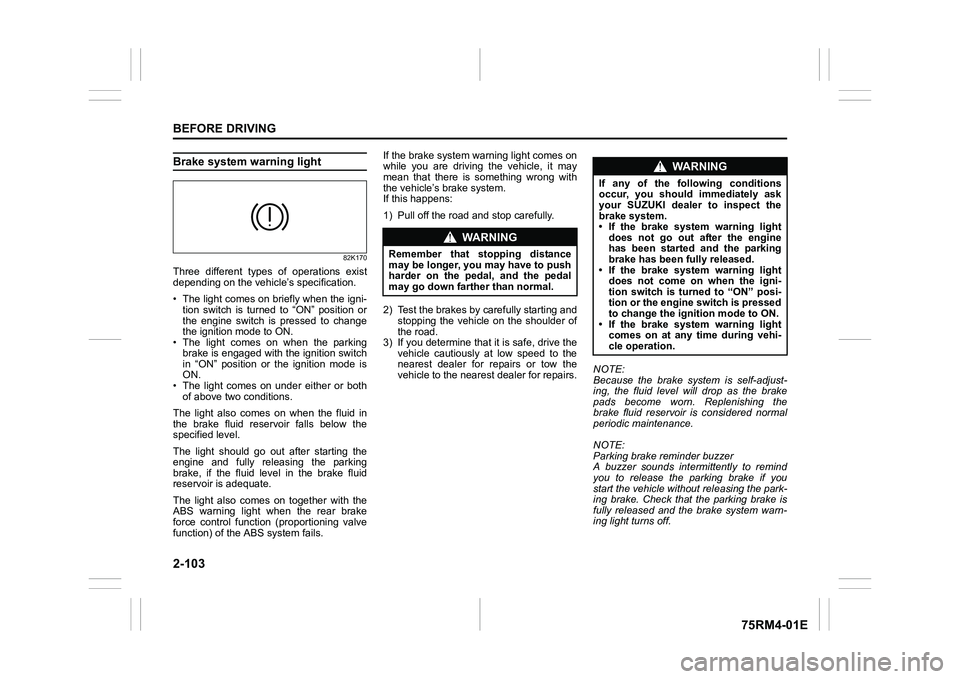
Brake system warning light
82K170
Three different types of operations exist
depending on the vehicle’s specification.
• The light comes on briefly when the igni- tion switch is turned to “ON” position or
the engine switch is pressed to change
the ignition mode to ON.
• The light comes on when the parking
brake is engaged with the ignition switch
in “ON” position or the ignition mode is
ON.
• The light comes on under either or both of above two conditions.
The light also comes on when the fluid in
the brake fluid reservoir falls below the
specified level.
The light should go out after starting the
engine and fully releasing the parking
brake, if the fluid level in the brake fluid
reservoir is adequate.
The light also comes on together with the
ABS warning light when the rear brake
force control function (proportioning valve
function) of the ABS system fails. If the brake system warning light comes on
while you are driving the vehicle, it may
mean that there is something wrong with
the vehicle’s brake system.
If this happens:
1) Pull off the road and stop carefully.
2) Test the brakes by carefully starting and
stopping the vehicle on the shoulder of
the road.
3) If you determine that it is safe, drive the
vehicle cautiously at low speed to the
nearest dealer for repairs or tow the
vehicle to the nearest dealer for repairs. NOTE:
Because the brake system is self-adjust-
ing, the fluid level will drop as the brake
pads become worn. Replenishing the
brake fluid reservoir is considered normal
periodic maintenance.
NOTE:
Parking brake reminder buzzer
A buzzer sounds intermittently to remind
you to release the parking brake if you
start the vehicle without releasing the park-
ing brake. Check that the parking brake is
fully released and the brake system warn-
ing light turns off.
WA R N I N G
Remember that stopping distance
may be longer, you may have to push
harder on the pedal, and the pedal
may go down farther than normal.
WA R N I N G
If any of the following conditions
occur, you should immediately ask
your SUZUKI dealer to inspect the
brake system.
• If the brake system warning light
does not go out after the engine
has been started and the parking
brake has been fully released.
• If the brake system warning light does not come on when the igni-
tion switch is turned to “ON” posi-
tion or the engine switch is pressed
to change the ignition mode to ON.
• If the brake system warning light comes on at any time during vehi-
cle operation.
Page 154 of 505
3-1OPERATING YOUR VEHICLE
75RM4-01E
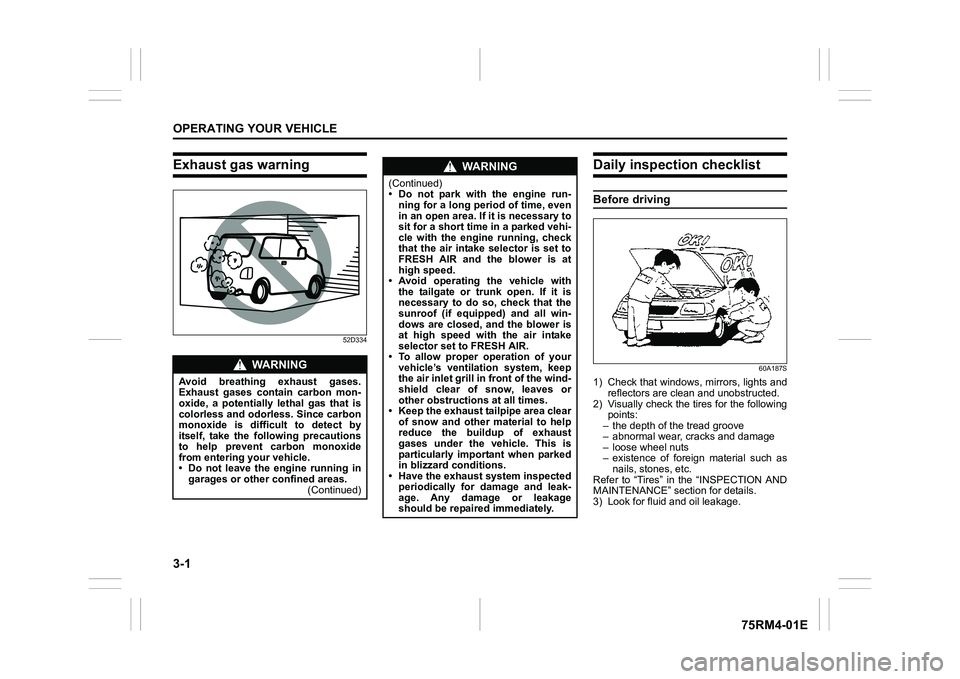
Exhaust gas warning
52D334
Daily inspection checklistBefore driving
60A187S
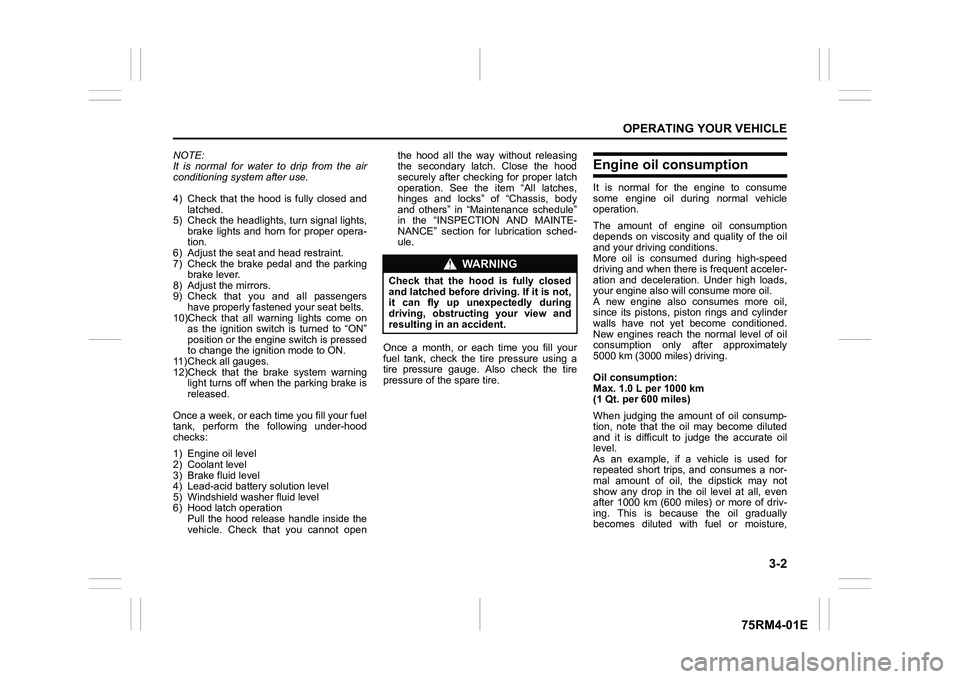
1) Check that windows, mirrors, lights andreflectors are clean and unobstructed.
2) Visually check the ti res for the following
points:
– the depth of the tread groove
– abnormal wear, cracks and damage
– loose wheel nuts
– existence of foreign material such as
nails, stones, etc.
Refer to “Tires” in the “INSPECTION AND
MAINTENANCE” section for details.
3) Look for fluid and oil leakage.
WA R N I N G
Avoid breathing exhaust gases.
Exhaust gases contain carbon mon-
oxide, a potentially lethal gas that is
colorless and odorless. Since carbon
monoxide is difficult to detect by
itself, take the following precautions
to help prevent carbon monoxide
from entering your vehicle.
• Do not leave the engine running in
garages or other confined areas. (Continued)
WA R N I N G
(Continued)
• Do not park with the engine run-
ning for a long period of time, even
in an open area. If it is necessary to
sit for a short time in a parked vehi-
cle with the engine running, check
that the air intake selector is set to
FRESH AIR and the blower is at
high speed.
• Avoid operating the vehicle with the tailgate or tr unk open. If it is
necessary to do so, check that the
sunroof (if equipped) and all win-
dows are closed, and the blower is
at high speed with the air intake
selector set to FRESH AIR.
• To allow proper operation of your vehicle’s ventilation system, keep
the air inlet grill in front of the wind-
shield clear of snow, leaves or
other obstructions at all times.
• Keep the exhaust tailpipe area clear
of snow and other material to help
reduce the buildup of exhaust
gases under the vehicle. This is
particularly important when parked
in blizzard conditions.
• Have the exhaust system inspected
periodically for damage and leak-
age. Any damage or leakage
should be repaired immediately.
Page 155 of 505
3-2
OPERATING YOUR VEHICLE
75RM4-01E
NOTE:
It is normal for water to drip from the air
conditioning system after use.
4) Check that the hood is fully closed andlatched.
5) Check the headlights, turn signal lights, brake lights and horn for proper opera-
tion.
6) Adjust the seat and head restraint.
7) Check the brake pedal and the parking brake lever.
8) Adjust the mirrors.
9) Check that you and all passengers have properly fastened your seat belts.
10)Check that all warning lights come on as the ignition switch is turned to “ON”
position or the engine switch is pressed
to change the ignition mode to ON.
11)Check all gauges.
12)Check that the brake system warning light turns off when the parking brake is
released.
Once a week, or each time you fill your fuel
tank, perform the following under-hood
checks:
1) Engine oil level
2) Coolant level
3) Brake fluid level
4) Lead-acid battery solution level
5) Windshield washer fluid level
6) Hood latch operation Pull the hood release handle inside the
vehicle. Check that you cannot open the hood all the way without releasing
the secondary latch. Close the hood
securely after checking for proper latch
operation. See the item “All latches,
hinges and locks” of “Chassis, body
and others” in “Maintenance schedule”
in the “INSPECTION AND MAINTE-
NANCE” section for lubrication sched-
ule.
Once a month, or each time you fill your
fuel tank, check the tire pressure using a
tire pressure gauge. Also check the tire
pressure of the spare tire.
Engine oil consumptionIt is normal for the engine to consume
some engine oil during normal vehicle
operation.
The amount of engine oil consumption
depends on viscosity and quality of the oil
and your driving conditions.
More oil is consumed during high-speed
driving and when there is frequent acceler-
ation and deceleration. Under high loads,
your engine also will consume more oil.
A new engine also consumes more oil,
since its pistons, piston rings and cylinder
walls have not yet become conditioned.
New engines reach the normal level of oil
consumption only after approximately
5000 km (3000 miles) driving.
Oil consumption:
Max. 1.0 L per 1000 km
(1 Qt. per 600 miles)
When judging the amount of oil consump-
tion, note that the oil may become diluted
and it is difficult to judge the accurate oil
level.
As an example, if a vehicle is used for
repeated short trips, and consumes a nor-
mal amount of oil, the dipstick may not
show any drop in the oil level at all, even
after 1000 km (600 miles) or more of driv-
ing. This is because the oil gradually
becomes diluted with fuel or moisture,
WA R N I N G
Check that the hood is fully closed
and latched before d riving. If it is not,
it can fly up unexpectedly during
driving, obstructing your view and
resulting in an accident.
Page 190 of 505
3-37OPERATING YOUR VEHICLE
75RM4-01E
• The audio and other electrical compo-nent can be used during the automatic
engine stop, but the air conditioner will
switch to the fan mode.
• If the vehicle is equipped with the auto- matic heating and air conditioning sys-
tem, the fan speed will be limited during
the automatic engine stop (only in the
auto control mode) to keep the cabin air-
conditioned for a longer time.
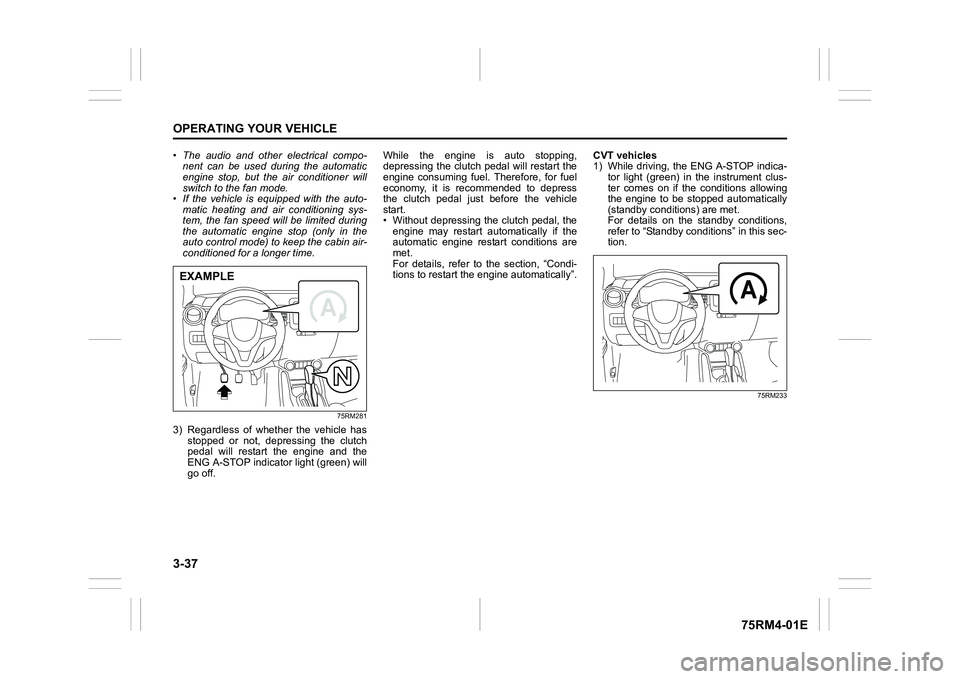
75RM281
3) Regardless of whether the vehicle has
stopped or not, depressing the clutch
pedal will restart the engine and the
ENG A-STOP indicator light (green) will
go off. While the engine is auto stopping,
depressing the clutch pedal will restart the
engine consuming fuel. Therefore, for fuel
economy, it is recommended to depress
the clutch pedal just before the vehicle
start.
• Without depressing the clutch pedal, the
engine may restart automatically if the
automatic engine restart conditions are
met.
For details, refer to the section, “Condi-
tions to restart the engine automatically”. CVT vehicles
1) While driving, the ENG A-STOP indica-
tor light (green) in the instrument clus-
ter comes on if the conditions allowing
the engine to be stopped automatically
(standby conditions) are met.
For details on the standby conditions,
refer to “Standby conditions” in this sec-
tion.
75RM233
EXAMPLE
Page 191 of 505
3-38
OPERATING YOUR VEHICLE
75RM4-01E
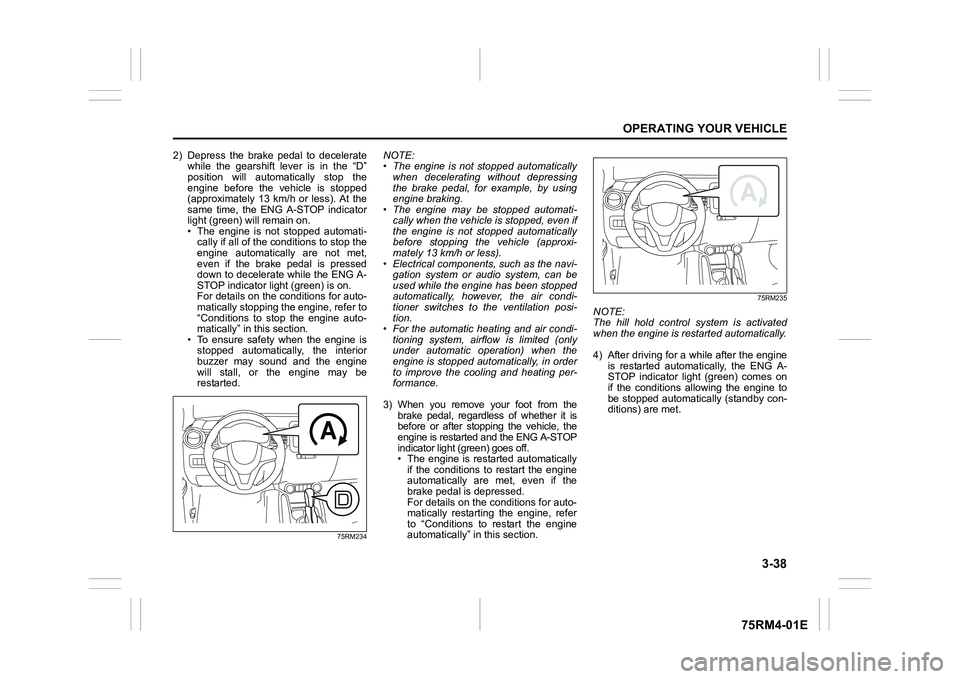
2) Depress the brake pedal to deceleratewhile the gearshift lever is in the “D”
position will automatically stop the
engine before the vehicle is stopped
(approximately 13 km/h or less). At the
same time, the ENG A-STOP indicator
light (green) will remain on.
• The engine is not stopped automati-cally if all of the c onditions to stop the
engine automatically are not met,
even if the brake pedal is pressed
down to decelerate while the ENG A-
STOP indicator light (green) is on.
For details on the conditions for auto-
matically stopping the engine, refer to
“Conditions to stop the engine auto-
matically” in this section.
• To ensure safety when the engine is stopped automatically, the interior
buzzer may sound and the engine
will stall, or the engine may be
restarted.
75RM234
NOTE:
• The engine is not stopped automatically when decelerating without depressing
the brake pedal, for example, by using
engine braking.
• The engine may be stopped automati-
cally when the vehicle is stopped, even if
the engine is not stopped automatically
before stopping the vehicle (approxi-
mately 13 km/h or less).
• Electrical components, such as the navi- gation system or audio system, can be
used while the engine has been stopped
automatically, however, the air condi-
tioner switches to the ventilation posi-
tion.
• For the automatic heating and air condi-
tioning system, airflow is limited (only
under automatic operation) when the
engine is stopped aut omatically, in order
to improve the cooling and heating per-
formance.
3) When you remove your foot from the brake pedal, regardless of whether it is
before or after stopping the vehicle, the
engine is restarted and the ENG A-STOP
indicator light (green) goes off.
• The engine is restarted automatically
if the conditions to restart the engine
automatically are met, even if the
brake pedal is depressed.
For details on the conditions for auto-
matically restarting the engine, refer
to “Conditions to restart the engine
automatically” in this section.
75RM235
NOTE:
The hill hold control system is activated
when the engine is restarted automatically.
4) After driving for a while after the engine is restarted automatically, the ENG A-
STOP indicator light (green) comes on
if the conditions allowing the engine to
be stopped automatically (standby con-
ditions) are met.
Page 194 of 505
3-41OPERATING YOUR VEHICLE
75RM4-01E
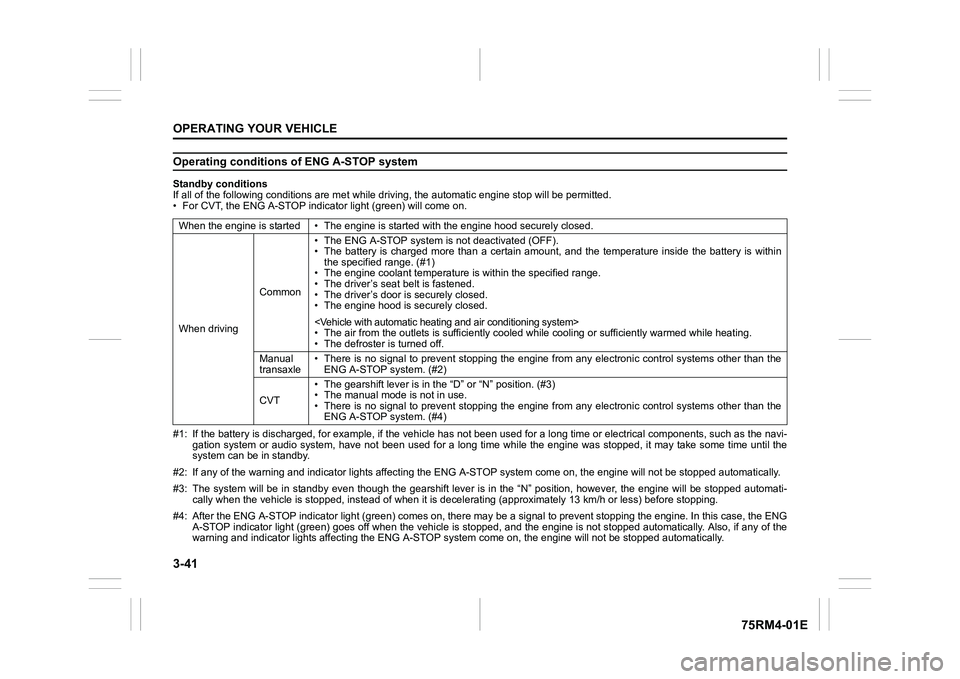
Operating conditions of ENG A-STOP systemStandby conditions
If all of the following conditions are met while driving, the automatic engine stop will be permitted.
• For CVT, the ENG A-STOP indicator light (green) will come on.
#1: If the battery is discharged, for example, if the vehicle has not been used for a long time or electrical components, such as the navi-
gation system or audio system, have not been used for a long ti me while the engine was stopped, it may take some time until th e
system can be in standby.
#2: If any of the warning and indi cator lights affecting the ENG A-STOP system come on, the e ngine will not be stopped automati cally.
#3: The system will be in standby even though the gearshift leve r is in the “N” position, however, the engine will be stopped automati-
cally when the vehicl e is stopped, instead of when it is decelerating (approximately 13 km/ h or less) before stopping.
#4: After the ENG A-STOP indicator light (green) comes on, there may be a signal to prevent stopping the engine. In this case, the ENG
A-STOP indicator light (green) goes off when the vehicle is sto pped, and the engine is not stopped automatically. Also, if any of the
warning and indi cator lights affecting the ENG A-STOP system co me on, the engine will not be stopped automatically.
When the engine is started • The
engine is started with the engine hood securely closed.
When driving Common• The ENG A-STOP system is
not deactivated (OFF).
• The battery is charged more than a certain amount, and the tem perature inside the battery is within
the specified range. (#1)
• The engine coolant temperature i s within the specified range.
• The driver’s seat belt is fastened.
• The driver’s door is securely closed.
• The engine hood is s ecurely closed.
• The air from the outlets is su fficiently cooled while cooling or sufficiently warmed while heating.
• The defroster is turned off.
Manual
transaxle • There is no signal to prevent stopping the engine from any ele
ctronic control systems other than the
ENG A-STOP system. (#2)
CVT • The gearshift lever is in the
“D” or “N” position. (#3)
• The manual mode is not in use.
• There is no signal to prevent stopping the engine from any ele ctronic control systems other than the
ENG A-STOP system. (#4)