reset SUZUKI IGNIS 2018 User Guide
[x] Cancel search | Manufacturer: SUZUKI, Model Year: 2018, Model line: IGNIS, Model: SUZUKI IGNIS 2018Pages: 505, PDF Size: 8.36 MB
Page 123 of 505
2-100
BEFORE DRIVING
75RM4-01E
NOTE:
Depending on vehicle’s specifications,
some items may not be displayed.
How to operate the setting mode:
1) When the ignition switch is in “ON”
position and the vehicle is stationary,
push the trip meter selector knob (1) to
switch the information display indication
(C) to the odometer.
2) Push and hold the indicator selector knob (2) until the display shows
“”.
3) Turn and/or push the indicator selector knob (2) to select a function that you
want to set up according to the above
chart.
4) Turn and/or push the indicator selector knob (2) to register settings of the fol-
lowing functions. Time indication of clock “ ”
• : 12-hour format (default set-
ting)
• : 24-hour format
Central door locking system “ ”
• : Unlock all doors by turning the key once
• : Unlock all doors by turning
the key twice (default setting)
Additional flashes of the turn signal
“”
• : Turn signal flashes three times after the turn signal
lever is returned (default set-
ting)
• : Disable the additional flashes of turn signal
Theft deterrent alarm system “ ”
(if equipped)
• : Enable the theft deterrent alarm system (default setting)
• : Disable the theft deterrent alarm system
Oil change request light reset setting
“ ” (if equipped)
• : Reset of the oil life monitoring system Tire pressure monitoring system set-
ting (if equipped)
• : Unladen Mode (default set-
ting)
• : Laden Mode
Refer to “Tire pressure monitoring system
(TPMS)” in the “OPERATING YOUR VEHI-
CLE” section for details.
Initialization setting “ ”
• : Initialize all settings
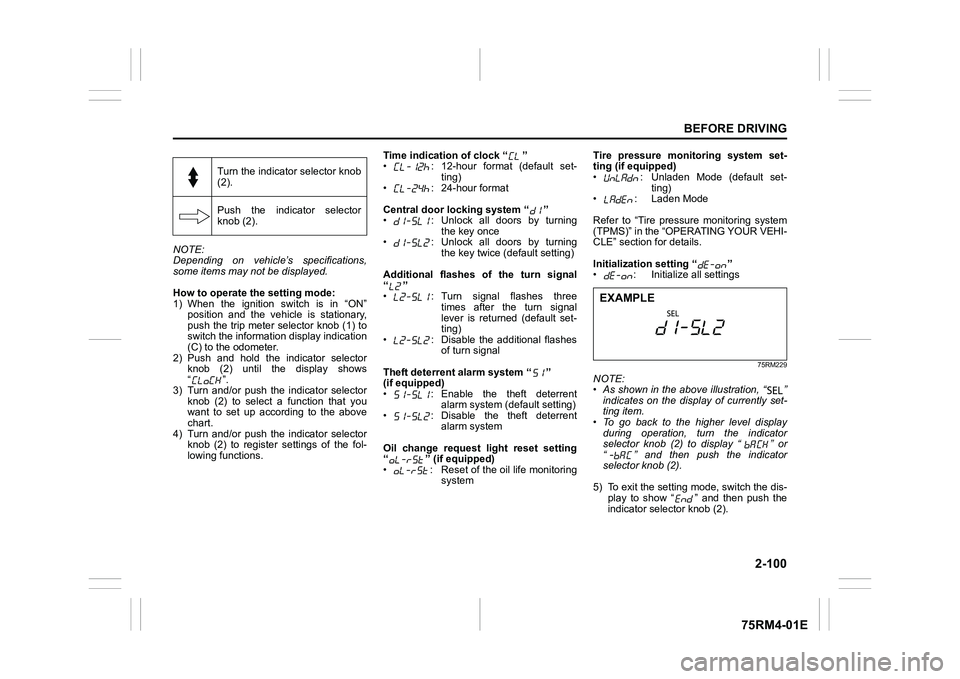
75RM229
NOTE:
• As shown in the above illustration, “ ”
indicates on the disp lay of currently set-
ting item.
• To go back to the higher level display
during operation, turn the indicator
selector knob (2) to display “ ” or
“ ” and then push the indicator
selector knob (2).
5) To exit the setting mode, switch the dis- play to show “ ” and then push the
indicator selector knob (2).
Turn the indicator selector knob
(2).
Push the indicator selector
knob (2).EXAMPLE
Page 136 of 505
2-113BEFORE DRIVING
75RM4-01E
Low engine coolant temperature light (blue color)
54G344
When the ignition switch is turned to “ON”
position or the engine switch is pressed to
change the ignition mode to ON, this light
comes on and stays on if the engine is
cold, and goes off after the engine warms
up.
If this light still stays on after the engine
warms up, there is a problem with the sys-
tem.
Have your vehicle inspected by your
SUZUKI dealer.
Oil change request light(if equipped)
79JM007
Your vehicle has the oil life monitoring sys-
tem and related oil change request light
that alerts you to change the engine oil and
oil filter.
When this light comes on or blinks, change
engine oil and oil filter immediately.
For details on how to change the engine oil
and oil filter, refer to “Changing engine oil
and filter” in the “INSPECTION AND
MAINTENANCE” section.
This light comes on for several seconds
when the ignition switch is turned to “ON”
position or the engine switch is pressed to
change the ignition mode to ON so you
can check that light is working.
If either of odometer reading or time is
reached to the value which is set by the
system, this light comes on when the igni-
tion switch or engine switch is in ON posi-
tion. In addition, the message is shown on
the information display to tell you it is nec-
essary to change the engine oil and oil fil-ter. When the engine oil and oil filter are
changed, and the oil life monitoring system
is reset, this light will go out.
Whenever the engine oil and oil filter are
changed, the light must be reset to monitor
the next oil change timing properly. The
light will go out after the reset. For the
resetting procedure, r
efer to “Information
display” in this section.
NOTE:
This light is used to facilitate the oil and oil
filter change according to the maintenance
schedule.
NOTICE
Severe engine damage will result, if
you keep operating the engine after
this light comes on.
Change the engine oil and oil filter
immediately when the light blinks.
Page 148 of 505
2-125BEFORE DRIVING
75RM4-01E
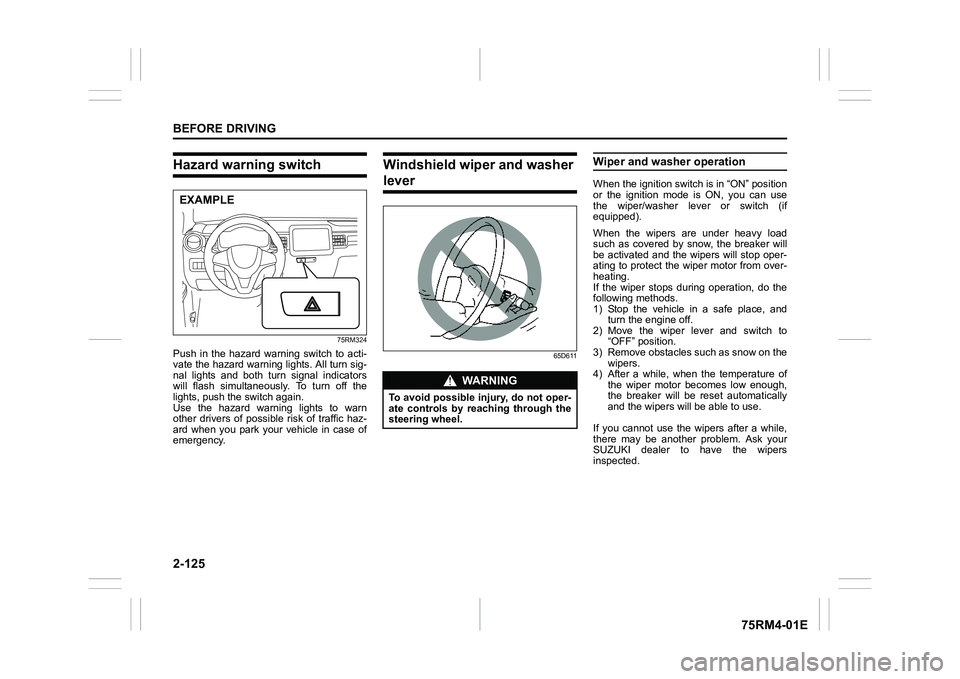
Hazard warning switch
75RM324
Push in the hazard warning switch to acti-
vate the hazard warning lights. All turn sig-
nal lights and both turn signal indicators
will flash simultaneously. To turn off the
lights, push the switch again.
Use the hazard warning lights to warn
other drivers of possible risk of traffic haz-
ard when you park your vehicle in case of
emergency.
Windshield wiper and washer lever
65D611
Wiper and washer operationWhen the ignition switch is in “ON” position
or the ignition mode is ON, you can use
the wiper/washer lever or switch (if
equipped).
When the wipers are under heavy load
such as covered by snow, the breaker will
be activated and the wipers will stop oper-
ating to protect the wiper motor from over-
heating.
If the wiper stops during operation, do the
following methods.
1) Stop the vehicle in a safe place, andturn the engine off.
2) Move the wiper lever and switch to “OFF” position.
3) Remove obstacles such as snow on the wipers.
4) After a while, when the temperature of
the wiper motor becomes low enough,
the breaker will be reset automatically
and the wipers will be able to use.
If you cannot use the wipers after a while,
there may be another problem. Ask your
SUZUKI dealer to have the wipers
inspected.
EXAMPLE
WA R N I N G
To avoid possible injury, do not oper-
ate controls by reaching through the
steering wheel.
Page 203 of 505
3-50
OPERATING YOUR VEHICLE
75RM4-01E
Be careful of the following when operat-
ing with the cruise control
Even if your vehicle is equipped with the
dual camera brake support, it cannot auto-
matically adjust to the speed of the vehicle
in front of you. Turn off the cruise control
system if you cannot operate safely at a
cruising speed.
Even in the following conditions, the set
indicator (5) will not go off and the cruising
speed will not be canceled.
• When the frontal collision warning isworking. If you depress the brake pedal,
the cruise speed will be canceled tempo-
rarily.
• When the stereo camera detects dirt on
the windshield and the dual camera
brake support stops functioning. For
safety purposes, push the cruise switch
(1) to turn off the cru ise indicator (4).
If the automatic brake system is working,
the cruise indicator (4) will turn off and the
cruise control system will be canceled.
Once you have determined that the condi-
tions are once again safe, reset the cruise
speed.
Changing speed temporarilyWhen the cruising speed is maintained,
you can temporarily accelerate or deceler-
ate.
To accelerate, depre ss the accelerator
pedal. When you take your foot off the
pedal, your vehicle will return to the set
speed.
To decelerate, depress the brake pedal.
The set speed will be canceled and the set
indicator (5) or “SET” indicator light (7) will
go off.
To resume the previously set speed, push
up the “RES +/SET –” switch (3) and turn
on the set indicator (5) or “SET” indicator
light (7) again when vehicle speed is
above 45 km/h (28 mph). The vehicle will
accelerate to and maintain the previously
set speed.
NOTE:
For CVT with manual mode or Auto Gear
Shift vehicle, when the cruising speed is
maintained, you cannot decelerate by
using the engine brake even if you down-
shift from higher gear to 3rd in the manual
mode.
To decelerate while the cruise control is
on, depress the brake pedal or push down
the “RES +/SET –” switch (3).
Changing cruising speedUsing the accelerator pedal
To reset at a faster cruising speed, accel-
erate to the desired speed using the accel-
erator pedal and push down the “RES +/
SET –” switch (3). The new speed will be
maintained.
Using the brake pedal
To reset at a slower cruising speed, decel-
erate to the desired speed using the brake
pedal and push down the “RES +/SET –”
switch (3). The new speed will be main-
tained.
NOTE:
When the brake pedal is depressed, the
set indicator (5) or “ SET” indicator light (7)
goes off until the cruising speed is reset.
Using “RES +/ SET –” switch
To reset at a faster cruising speed, press
repeatedly or hold push up the “RES +/
SET –” switch (3). Vehicle speed will
steadily increase. When you release the
switch, the new speed will be maintained.
To reset at a slower cruising speed, press
repeatedly or hold push down the “RES +/
SET –” switch (3) until the vehicle has
slowed to the desired speed, and then
release the switch. The new speed will be
maintained.
Page 204 of 505
3-51OPERATING YOUR VEHICLE
75RM4-01E
NOTE:
You can adjust the set speed by approxi-
mately 1.5 km/h (0.9 mph) by pushing
“RES +/SET –” switch quickly.Canceling cruise controlThe set indicator (5) or “SET” indicator light
(7) will go off and the cruise control will be
canceled temporarily with the following
conditions:
• Push “CANCEL” switch (2).
• Depress the brake pedal.
• For manual transaxle, depress the clutch pedal.
• For CVT, downshift from 3rd to 2nd in the manual mode (if equipped).
• For Auto Gear Shift, downshift from 3rd to
2nd in the manual mode.
• The vehicle speed falls more than about 20 percent from the set speed.
• Any time the vehicle speed falls below 40 km/h (25 mph).
• When the vehicle skids and ESP
® (if
equipped) is activated.
To resume the previously set speed, push
up the “RES +/SET –” switch (3) and turn
on the set indicator (5) or “SET” indicator
light (7). The vehicle speed must be above
45 km/h (28 mph) when the vehicle is not
under the above conditions. To turn off the cruise control system, push
cruise switch (1) and check that the cruise
indicator (4) or cruise indicator light (6) is
off.
Also, if the malfunction indicator light in the
instrument cluster comes on or blinks, the
cruise control system will be turned off.
NOTE:
If you turn off the cruise control system, the
previously set speed in the memory is
cleared. Reset your cruising speed again.
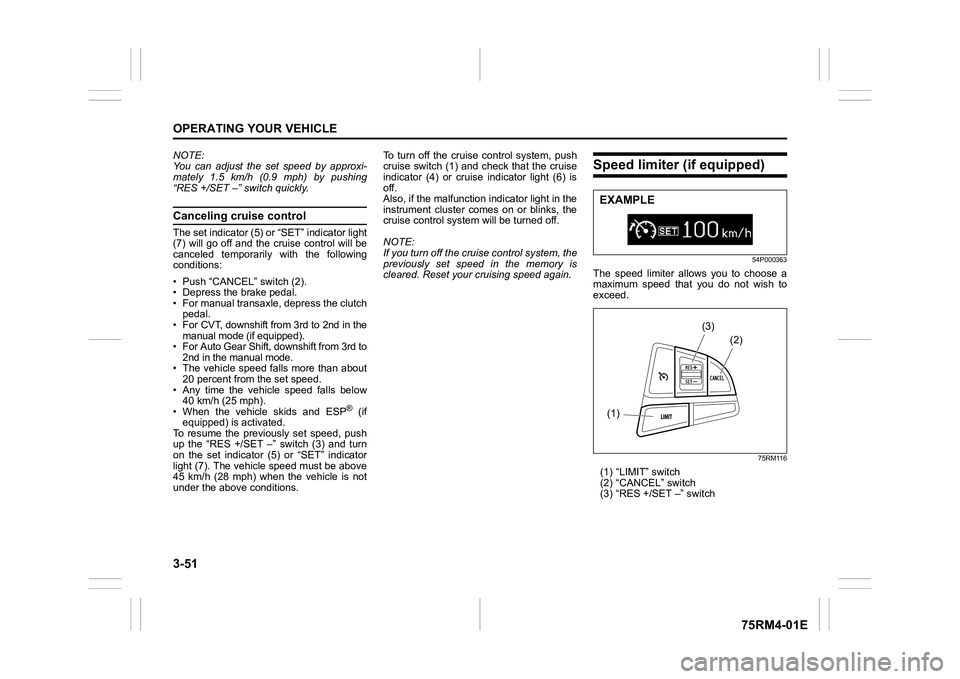
Speed limiter (if equipped)
54P000363
The speed limiter allows you to choose a
maximum speed that you do not wish to
exceed.
75RM116
(1) “LIMIT” switch
(2) “CANCEL” switch
(3) “RES +/SET –” switchEXAMPLE(1)
(2)
(3)
Page 230 of 505
3-77OPERATING YOUR VEHICLE
75RM4-01E
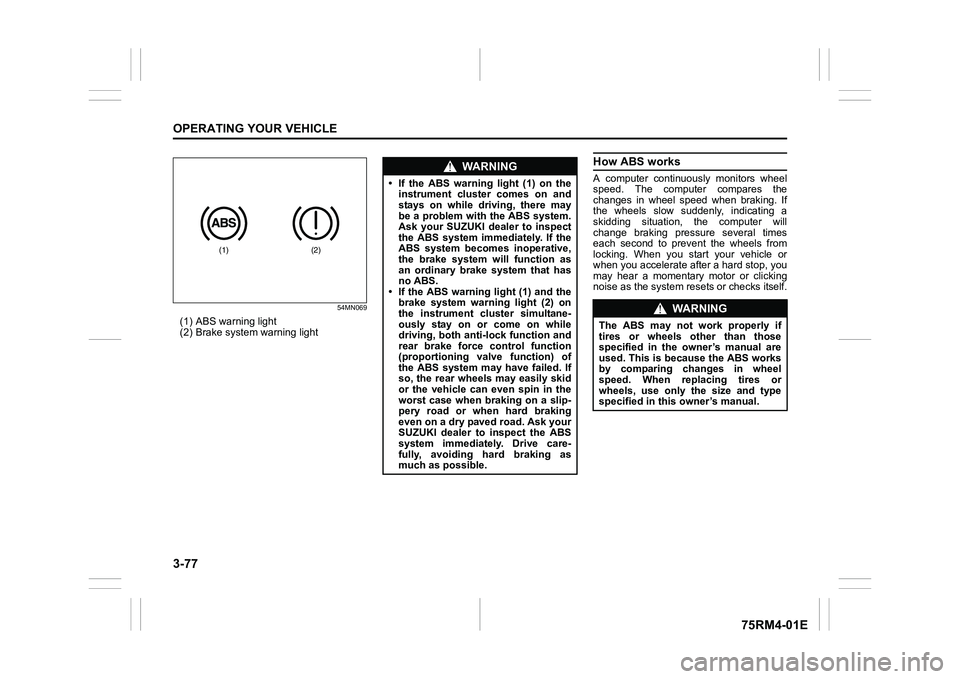
54MN069
(1) ABS warning light
(2) Brake system warning light
How ABS worksA computer continuously monitors wheel
speed. The computer compares the
changes in wheel speed when braking. If
the wheels slow suddenly, indicating a
skidding situation, the computer will
change braking pressure several times
each second to prevent the wheels from
locking. When you start your vehicle or
when you accelerate after a hard stop, you
may hear a momentary motor or clicking
noise as the system resets or checks itself.
(1)
(2)
WA R N I N G
• If the ABS warning light (1) on theinstrument cluster comes on and
stays on while driving, there may
be a problem with the ABS system.
Ask your SUZUKI dealer to inspect
the ABS system immediately. If the
ABS system becomes inoperative,
the brake system will function as
an ordinary brake system that has
no ABS.
• If the ABS warning light (1) and the
brake system warning light (2) on
the instrument cluster simultane-
ously stay on or come on while
driving, both anti-lock function and
rear brake force control function
(proportioning valve function) of
the ABS system may have failed. If
so, the rear wheels may easily skid
or the vehicle can even spin in the
worst case when braking on a slip-
pery road or when hard braking
even on a dry paved road. Ask your
SUZUKI dealer to inspect the ABS
system immediately. Drive care-
fully, avoiding hard braking as
much as possible.
WA R N I N G
The ABS may not work properly if
tires or wheels other than those
specified in the owner’s manual are
used. This is because the ABS works
by comparing changes in wheel
speed. When replacing tires or
wheels, use only the size and type
specified in this owner’s manual.
Page 241 of 505
3-88
OPERATING YOUR VEHICLE
75RM4-01E
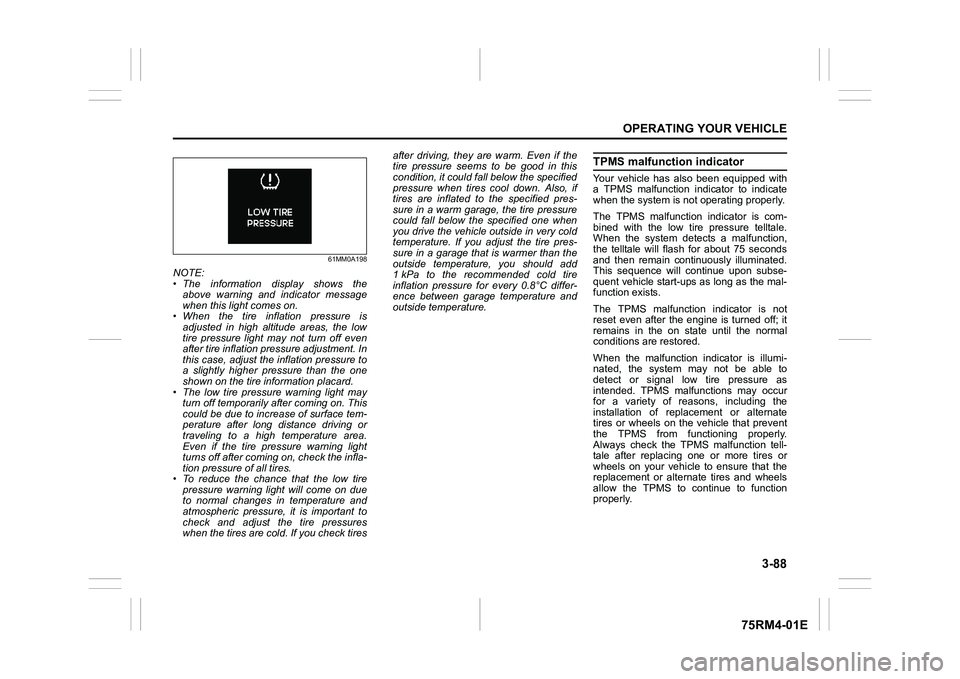
61MM0A198
NOTE:
• The information display shows theabove warning and indicator message
when this light comes on.
• When the tire inflation pressure is
adjusted in high altitude areas, the low
tire pressure light may not turn off even
after tire inflation pressure adjustment. In
this case, adjust the inflation pressure to
a slightly higher pressure than the one
shown on the tire information placard.
• The low tire pressure warning light may turn off temporarily after coming on. This
could be due to increase of surface tem-
perature after long distance driving or
traveling to a high temperature area.
Even if the tire pressure warning light
turns off after coming on, check the infla-
tion pressure of all tires.
• To reduce the chance that the low tire pressure warning light will come on due
to normal changes in temperature and
atmospheric pressure, it is important to
check and adjust the tire pressures
when the tires are cold. If you check tires after driving, they are warm. Even if the
tire pressure seems to be good in this
condition, it could fall below the specified
pressure when tires cool down. Also, if
tires are inflated to the specified pres-
sure in a warm garage, the tire pressure
could fall below the specified one when
you drive the vehicle outside in very cold
temperature. If you adjust the tire pres-
sure in a garage that is warmer than the
outside temperature, you should add
1 kPa to the recommended cold tire
inflation pressure for every 0.8°C differ-
ence between garage temperature and
outside temperature.
TPMS malfunction indicatorYour vehicle has also been equipped with
a TPMS malfunction indicator to indicate
when the system is not operating properly.
The TPMS malfunction indicator is com-
bined with the low tire pressure telltale.
When the system detects a malfunction,
the telltale will flash for about 75 seconds
and then remain continuously illuminated.
This sequence will continue upon subse-
quent vehicle start-ups as long as the mal-
function exists.
The TPMS malfunction indicator is not
reset even after the engine is turned off; it
remains in the on state until the normal
conditions are restored.
When the malfunction indicator is illumi-
nated, the system may not be able to
detect or signal low tire pressure as
intended. TPMS malfunctions may occur
for a variety of reasons, including the
installation of replacement or alternate
tires or wheels on the vehicle that prevent
the TPMS from functioning properly.
Always check the TPMS malfunction tell-
tale after replacing one or more tires or
wheels on your vehicle to ensure that the
replacement or alternate tires and wheels
allow the TPMS to continue to function
properly.
Page 244 of 505
3-91OPERATING YOUR VEHICLE
75RM4-01E
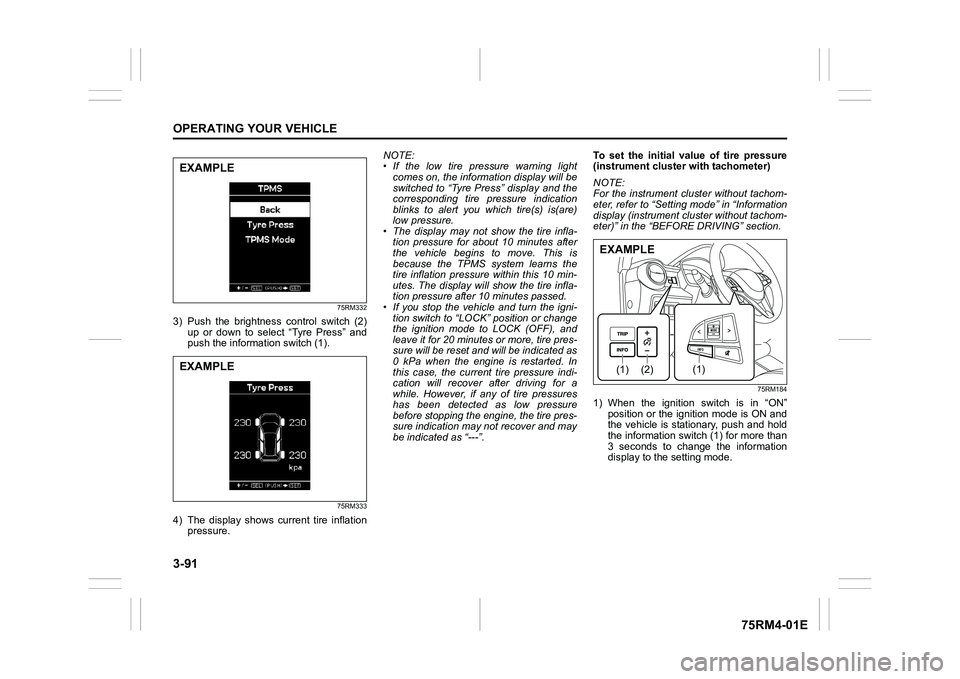
75RM332
3) Push the brightness control switch (2)
up or down to select “Tyre Press” and
push the information switch (1).
75RM333
4) The display shows current tire inflation pressure. NOTE:
• If the low tire pressure warning light
comes on, the information display will be
switched to “Tyre Press” display and the
corresponding tire pressure indication
blinks to alert you which tire(s) is(are)
low pressure.
• The display may not show the tire infla- tion pressure for about 10 minutes after
the vehicle begins to move. This is
because the TPMS system learns the
tire inflation pressure within this 10 min-
utes. The display will show the tire infla-
tion pressure after 10 minutes passed.
• If you stop the vehicle and turn the igni-
tion switch to “LOCK” position or change
the ignition mode to LOCK (OFF), and
leave it for 20 minutes or more, tire pres-
sure will be reset and will be indicated as
0 kPa when the engine is restarted. In
this case, the current tire pressure indi-
cation will recover after driving for a
while. However, if any of tire pressures
has been detected as low pressure
before stopping the engine, the tire pres-
sure indication may not recover and may
be indicated as “---”. To set the initial value of tire pressure
(instrument
cluster with tachometer)
NOTE:
For the instrument cl uster without tachom-
eter, refer to “Setting mode” in “Information
display (instrument cluster without tachom-
eter)” in the “BEFORE DRIVING” section.
75RM184
1) When the ignition switch is in “ON” position or the ignition mode is ON and
the vehicle is stationary, push and hold
the information switch (1) for more than
3 seconds to change the information
display to the setting mode.
EXAMPLEEXAMPLE
(2)
(1)
(1)
EXAMPLE
Page 289 of 505
5-34
OTHER CONTROLS AND EQUIPMENT
75RM4-01E
Safety information
Notes on discsPrecautions
• When the inside of the vehicle is verycold and the player is used soon after
switching on the heater, condensation
may form on the disc or the optical
parts of the player and proper playback
may not be possible. If condensation
forms on the disc, wipe it off with a soft
cloth. If condensation forms on the opti-
cal parts of the player, do not use the
player for about one hour. This will
allow the condensation to disappear
normally.
• Driving on extremely bumpy roads which cause severe vibrations may
cause sound to skip.
• This unit uses a precision mechanism. Even in the event that trouble arises,
never open the case, disassemble the
unit, or lubricate the rotating parts.
Bring the unit to an authorized SUZUKI
dealer. Cautions on handling
52D274
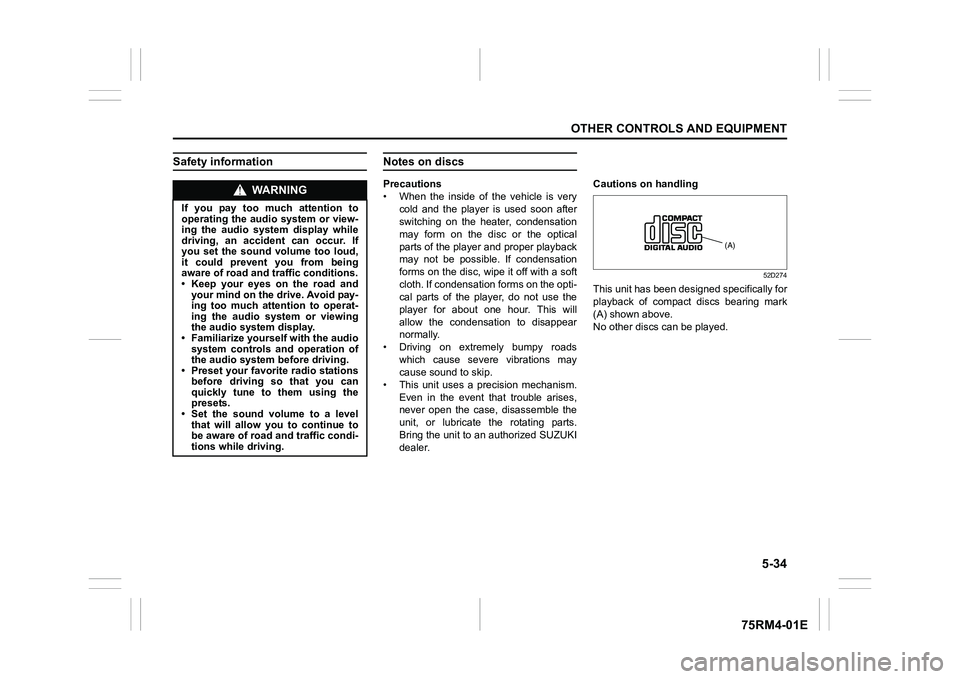
This unit has been designed specifically for
playback of compact discs bearing mark
(A) shown above.
No other discs
can be played.
WA R N I N G
If you pay too much attention to
operating the audio system or view-
ing the audio system display while
driving, an accident can occur. If
you set the sound volume too loud,
it could prevent you from being
aware of road and tr affic conditions.
• Keep your eyes on the road and your mind on the drive. Avoid pay-
ing too much attention to operat-
ing the audio system or viewing
the audio system display.
• Familiarize yourself with the audio
system controls and operation of
the audio system before driving.
• Preset your favorite radio stations
before driving so that you can
quickly tune to them using the
presets.
• Set the sound volume to a level that will allow you to continue to
be aware of road and traffic condi-
tions while driving.
(A)
Page 297 of 505
5-42
OTHER CONTROLS AND EQUIPMENT
75RM4-01E
Adjusting bass/treble/balance/fader
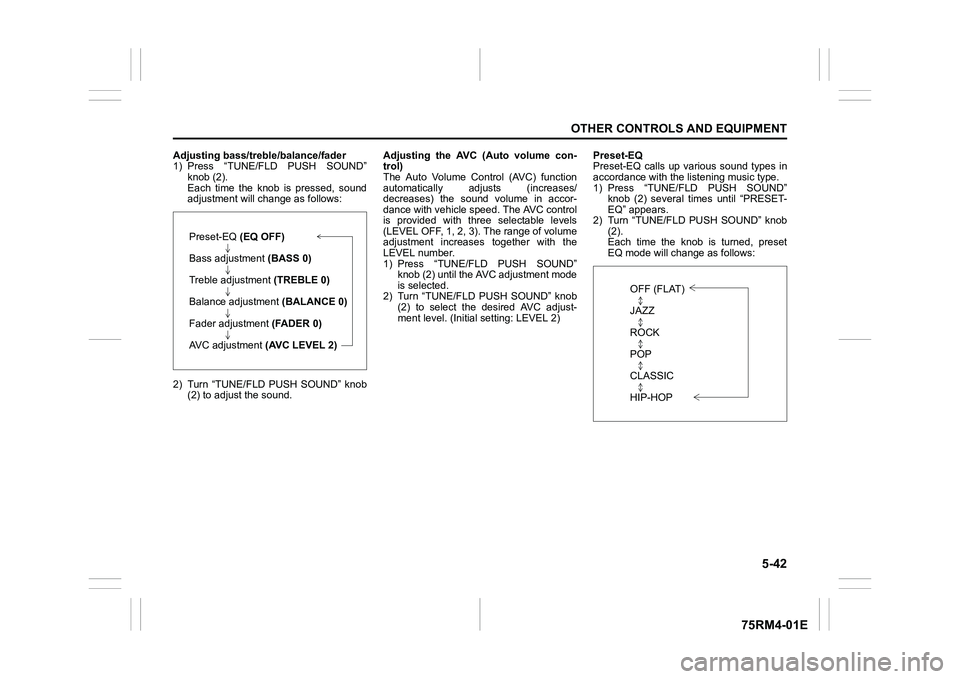
1) Press “TUNE/FLD PUSH SOUND”knob (2).
Each time the knob is pressed, sound
adjustment will c hange as follows:
2) Turn “TUNE/FLD PUSH SOUND” knob (2) to adjust the sound. Adjusting the AVC (Auto volume con-
trol)
The Auto Volume Control (AVC) function
automatically adjusts (increases/
decreases) the sound volume in accor-
dance with vehicle speed. The AVC control
is provided with three selectable levels
(LEVEL OFF, 1, 2, 3). The range of volume
adjustment increases
together with the
LEVEL number.
1) Press “TUNE/FLD PUSH SOUND” knob (2) until the AV C adjustment mode
is selected.
2) Turn “TUNE/FLD PUSH SOUND” knob (2) to select the desired AVC adjust-
ment level. (Initi al setting: LEVEL 2) Preset-EQ
Preset-EQ calls up various sound types in
accordance with the listening music type.
1) Press “TUNE/FLD PUSH SOUND”
knob (2) several times until “PRESET-
EQ” appears.
2) Turn “TUNE/FLD PUSH SOUND” knob (2).
Each time the knob is turned, preset
EQ mode will change as follows:
Preset-EQ (EQ OFF)
Bass adjustment (BASS 0)
Treble adjustment (TREBLE 0)
Balance adjustment (BALANCE 0)
Fader adjustment (FADER 0)
AVC adjustment (AVC LEVEL 2)
OFF (FLAT)
JAZZ
ROCK
POP
CLASSIC
HIP-HOP