service SUZUKI IGNIS 2018 User Guide
[x] Cancel search | Manufacturer: SUZUKI, Model Year: 2018, Model line: IGNIS, Model: SUZUKI IGNIS 2018Pages: 505, PDF Size: 8.36 MB
Page 101 of 505
2-78
BEFORE DRIVING
75RM4-01E
Drive mode indicator
(for Auto Gear Shift models)
When the gearshift lever is in “D”, the dis-
play shows the drive mode indicator (9).
For details on how to use the transaxle,
refer to “Using transaxle” in the “OPERAT-
ING YOUR VEHICLE” section.
Gearshift indicator (if equipped)
Refer to “Gearshift indicator” in the
“OPERATING YOUR VEHICLE” section.
Trip meterThe display (E) shows the trip meter.
The trip meter can be used to measure the
distance traveled on short trips or between
fuel stops.
You can use trip meter A or trip meter B
independently.
To reset the trip meter to zero, push and
hold the trip meter swi tch (3) for a while.
NOTE:
The indicated maximum value of the trip
meter is 9999.9. When you run past the
maximum value, the indicated value will
return to 0.0.OdometerThe display (F) s hows the odometer.
The odometer records the total distance
the vehicle has been driven.
Fuel gaugeThe display (G) shows the fuel gauge.
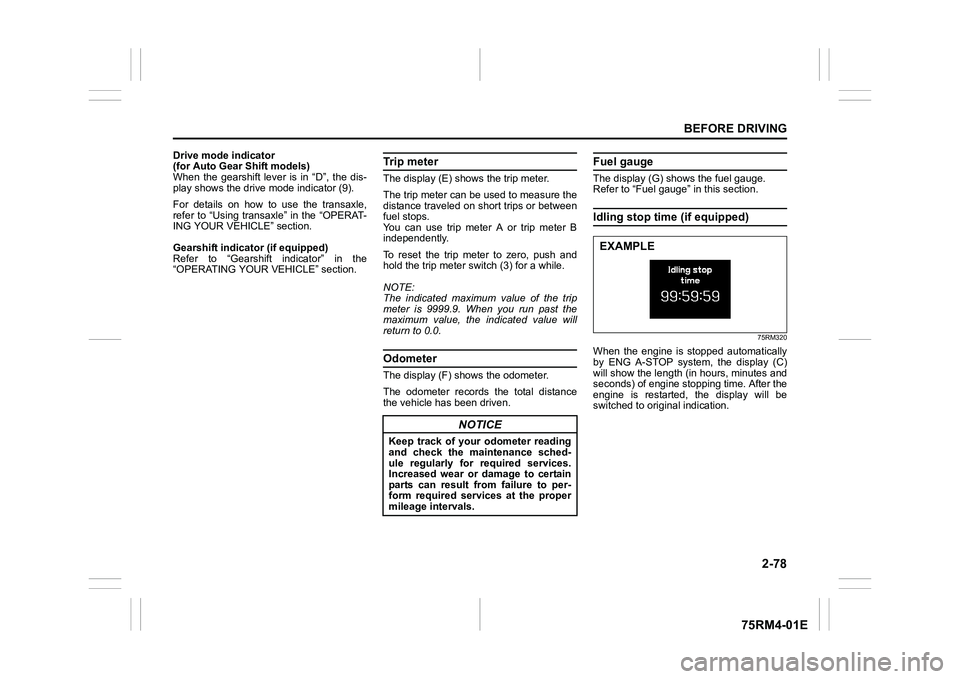
Refer to “Fuel gauge” in this section.Idling stop time (if equipped)
75RM320
When the engine is stopped automatically
by ENG A-STOP system, the display (C)
will show the length (in hours, minutes and
seconds) of engine stopping time. After the
engine is restarted, the display will be
switched to original indication.
NOTICE
Keep track of your odometer reading
and check the maintenance sched-
ule regularly for required services.
Increased wear or damage to certain
parts can result from failure to per-
form required services at the proper
mileage intervals.
EXAMPLE
Page 118 of 505
2-95BEFORE DRIVING
75RM4-01E
Trip meter
The trip meter can be used to measure the
distance traveled on short trips or between
fuel stops.
You can use the trip meter A or trip meter B
independently.
To reset the trip meter to zero, push and
hold the trip meter selector knob (1) for a
while when the display shows the trip
meter.
NOTE:
The indicated maximum value of the trip
meter is 9999.9. When you run past the
maximum value, the indicated value will
return to 0.0.
Odometer
The odometer records the total distance
the vehicle has been driven. Instantaneous fuel consumption
The display shows the value of instanta-
neous fuel consumption only when the
vehicle is moving.
NOTE:
• The display does not show the value
unless the vehicle is moving.
• Depending on the vehicle’s specification,
the fuel consumption units of initial set-
ting are indicated as L/100km, km/L or
MPG.
• The indicated maximum value of instan- taneous fuel consumption is one of the
followings. No more than the maximum
value will be indicated on the display
even if the actual instantaneous fuel
consumption is higher.
– For L/100km setting: 30
– For km/L setting: 50
– For MPG setting: 99.9
• The indication on the display may be delayed if fuel consumption is greatly
affected by driving conditions.
• The display shows estimated values. Indications may not be the same as
actual values.
• For “L/100km” or “km/L” setting, you can change the units that instantaneous fuel
consumption is displayed in. Refer to
“Average fuel consumption” in this sec-
tion. Average fuel consumption
If you selected average fuel consumption
the last time you drove
the vehicle, the dis-
play shows the last value of average fuel
consumption from previous driving when
the ignition switch is turned to “ON” posi-
tion. Unless you reset the value of average
fuel consumption, the display indicates the
value of average fuel consumption which
includes average fuel consumption during
previous driving.
To reset the average fuel consumption to
zero, push and hold the indicator selector
knob (2) for a while when the display
shows the average fuel consumption.
NOTE:
When you reset the indication or reconnect
the negative (–) terminal to the lead-acid
battery, the value of average fuel con-
sumption will be shown after driving for a
while.
NOTICE
Keep track of your odometer reading
and check the maintenance sched-
ule regularly for required services.
Increased wear or damage to certain
parts can result from failure to per-
form required services at the proper
mileage intervals.
Page 125 of 505
2-102
BEFORE DRIVING
75RM4-01E
Refer to “Tire pressure monitoring system
(TPMS)” in the “OPERATING YOUR VEHI-
CLE” section for additional details on the
tire pressure monitoring system. Refer to
“Tires” in the “INSPECTION AND MAIN-
TENANCE” section for information on
maintaining proper tire pressure.
WA R N I N G
The load-carrying capacity of your
tires is reduced at lower inflation
pressures. If your tires are even mod-
erately under-inflated, the load on the
tires may exceed the load-carrying
capacity of the tires, which could lead
to tire failure. The low tire pressure
warning light will not alert you to this
condition, because it only comes on
when one or more of your tires
becomes significan tly under-inflated.
Check and adjust your tire inflation
pressure at least once a month. Refer
to “Tires” in the “INSPECTION AND
MAINTENANCE” section.
WA R N I N G
Continuing to drive with the low tire
pressure warning light on can lead to
an accident, resulting in severe injury
or death.
If the low tire pressure warning light
comes on and stays on, reduce your
speed and avoid abrupt steering and
braking. Be aware that driving on a
significantly unde r-inflated tire can
cause the tire to overheat and can
lead to tire failure, and may affect
steering control and brake effective-
ness. Stop the vehicle in a safe place
as soon as possible and check your
tires.
• If you have a flat tire, replace it with
the spare tire (if e quipped). Refer to
“Jacking instructions” in the
“EMERGENCY SERVICE” section
for the tire replacement method.
Also refer to “Replacing tires and/
or wheels” for instructions on how
to restore normal operation of the
TPMS after you have had a flat tire. (Continued)
WA R N I N G
(Continued)
• If your vehicle is equipped with a
flat tire repair kit instead of a spare
tire, refer to “Flat tire repair kit (if
equipped)” in the “EMERGENCY
SERVICE” section for instructions
on how to perform an emergency
repair of a flat tire.
• If one or more of your tires is under-inflated, adjust the inflation
pressure of all tires to the recom-
mended inflation pressure as soon
as possible.
Page 130 of 505
2-107BEFORE DRIVING
75RM4-01E
Malfunction indicator light
65D530
Your vehicle has a computer-controlled
emission control system. A malfunction
indicator light is provided on the instrument
cluster to indicate when it is necessary to
have the emission control system serviced.
When the ignition switch is turned to “ON”
position or the engine switch is pressed to
change the ignition mode to ON, this light
comes on. When the engine is started, the
light goes out.
If the malfunction indicator light comes on
or blinks when the engine is running, there
is a damage in the emission control sys-
tem.
Bring the vehicle to your SUZUKI dealer to
have the damage fixed.
(For EU specifi cation vehicle)
Also, if this light comes on when the
engine is running, there is a problem with
the continuously variable transaxle system
or Auto Gear Shift system. Ask your
SUZUKI dealer to have the system
inspected.
Transaxle warning light (if equipped)
80J219
When the ignition switch is turned to “ON”
position or the engine switch is pressed to
change the ignition mode to ON, this light
comes on for several seconds so you can
check that the light is working.
If this light comes on when the engine is
running, there is a problem with the contin-
uously variable transaxle system or Auto
Gear Shift system. Ask your SUZUKI
dealer to have t he system inspected.
NOTE:
If the Auto Gear Shift clutch temperature
becomes too high, this light will blink. Stop
the vehicle in a safe place and let the sys-
tem cool down.
If the CVT fluid temperature becomes too
high, this light will blink. Stop the vehicle in
a safe place and let the fluid cool down.
NOTICE
Continuing to drive the vehicle when
the malfunction indicator light is on
or blinking can cause permanent
damage to the vehicle’s emission
control system, and can affect fuel
economy and driveability.
Page 132 of 505
2-109BEFORE DRIVING
75RM4-01E
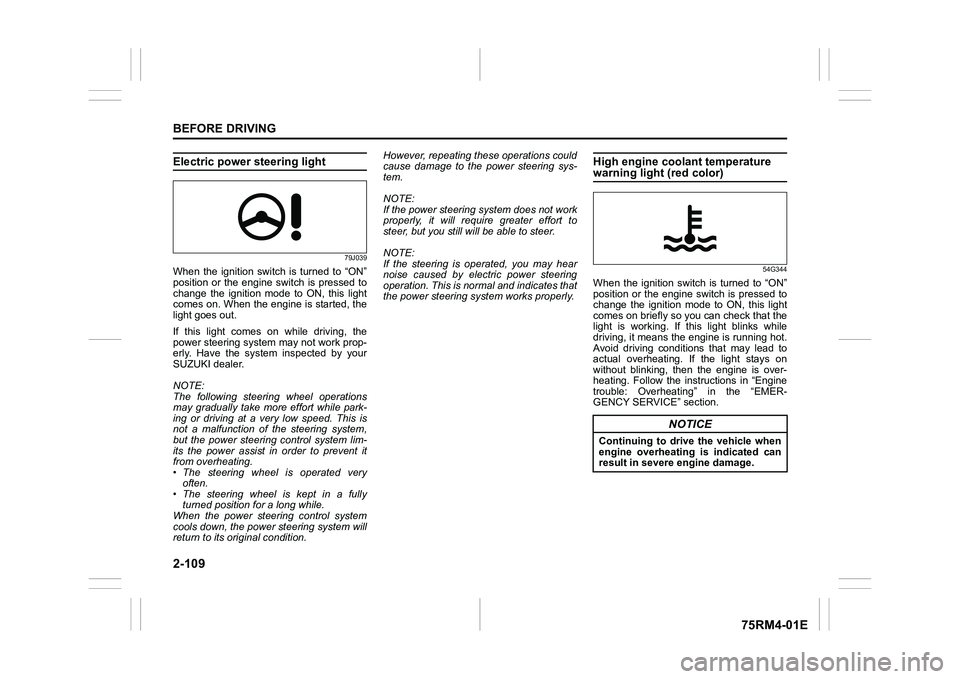
Electric power steering light
79J039
When the ignition switch is turned to “ON”
position or the engine switch is pressed to
change the ignition mode to ON, this light
comes on. When the engine is started, the
light goes out.
If this light comes on while driving, the
power steering system may not work prop-
erly. Have the system inspected by your
SUZUKI dealer.
NOTE:
The following steering wheel operations
may gradually take more effort while park-
ing or driving at a very low speed. This is
not a malfunction of the steering system,
but the power steering control system lim-
its the power assist in order to prevent it
from overheating.
• The steering wheel is operated veryoften.
• The steering wheel is kept in a fully turned position for a long while.
When the power steering control system
cools down, the powe r steering system will
return to its original condition. However, repeating these operations could
cause damage to the power steering sys-
tem.
NOTE:
If the power steering system does not work
properly, it will require greater effort to
steer, but you still will be able to steer.
NOTE:
If the steering is operated, you may hear
noise caused by electric power steering
operation. This is normal and indicates that
the power steering system works properly.
High engine coolant temperature warning light (red color)
54G344
When the ignition switch is turned to “ON”
position or the engine switch is pressed to
change the ignition mode to ON, this light
comes on briefly so you can check that the
light is working. If this light blinks while
driving, it means the engine is running hot.
Avoid driving conditions that may lead to
actual overheating. If the light stays on
without blinking, then the engine is over-
heating. Follow the instructions in “Engine
trouble: Overheating” in the “EMER-
GENCY SERVICE” section.
NOTICE
Continuing to drive the vehicle when
engine overheating is indicated can
result in severe engine damage.
Page 198 of 505
3-45OPERATING YOUR VEHICLE
75RM4-01E
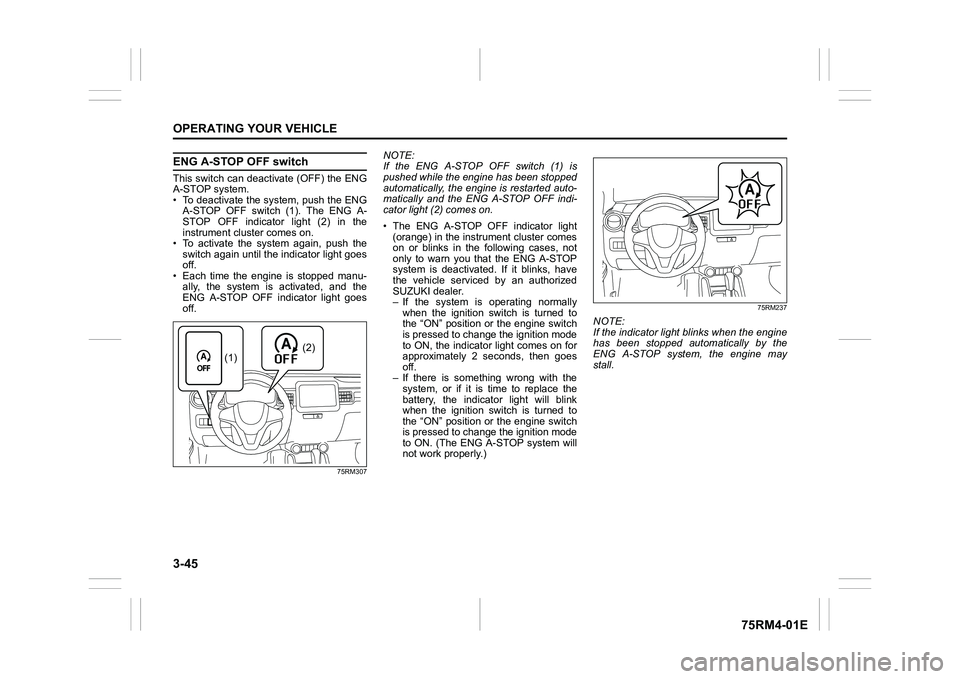
ENG A-STOP OFF switchThis switch can deactivate (OFF) the ENG
A-STOP system.
• To deactivate the system, push the ENGA-STOP OFF switch (1). The ENG A-
STOP OFF indicator light (2) in the
instrument cluster comes on.
• To activate the system again, push the switch again until the indicator light goes
off.
• Each time the engine is stopped manu- ally, the system is activated, and the
ENG A-STOP OFF indicator light goes
off.
75RM307
NOTE:
If the ENG A-STOP OFF switch (1) is
pushed while the engine has been stopped
automatically, the engine is restarted auto-
matically and the ENG A-STOP OFF indi-
cator light (2) comes on.
• The ENG A-STOP OFF indicator light (orange) in the instrument cluster comes
on or blinks in the following cases, not
only to warn you that the ENG A-STOP
system is deactivated. If it blinks, have
the vehicle serviced by an authorized
SUZUKI dealer.
– If the system is operating normally
when the ignition switch is turned to
the “ON” position or the engine switch
is pressed to change the ignition mode
to ON, the indicator light comes on for
approximately 2 seconds, then goes
off.
– If there is something wrong with the system, or if it is time to replace the
battery, the indicator light will blink
when the ignition switch is turned to
the “ON” position or the engine switch
is pressed to change the ignition mode
to ON. (The ENG A-STOP system will
not work properly.)
75RM237
NOTE:
If the indicator light blinks when the engine
has been stopped automatically by the
ENG A-STOP system, the engine may
stall.
(2)
(1)
Page 240 of 505
3-87OPERATING YOUR VEHICLE
75RM4-01E
The low tire pressure warning light can
come on due to normal causes such as
natural air leakage and pressure changes
caused by changes in temperature or
atmospheric pressure. Adjusting the air
pressure in the tires to the pressure shown
on the tire information placard should
cause the low tire pressure warning light to
turn off.
To make the low tire pressure warning light
go off, adjust the tire pressures when the
tires are cold, and drive the vehicle for
about 10 minutes.
When the adjusted tire pressure is recog-
nized, the low tire pressure warning light
will go off and the information display
shows the current tire pressure (if you
select the TPMS monitor).If the light turns on again shortly after
adjusting the pressure in your tires, you
may have a flat tire. If you have a flat tire,
replace it with the spare tire (if equipped).
Refer to “Jacking instructions” in the
“EMERGENCY SERVICE” section. Refer
to “Replacing tires and/or wheels” for
instructions on how to restore normal oper-
ation of the tire pressure monitoring sys-
tem after you have
had a flat tire.
WA R N I N G
Continuing to drive with the low tire
pressure warning light on can lead to
an accident, resulting in severe injury
or death.
If the low tire pressure warning light
comes on and stays on, reduce your
speed and avoid abrupt steering and
braking. Be aware that driving on a
significantly unde r-inflated tire can
cause the tire to overheat and can
lead to tire failure, and may affect
steering control and brake effective-
ness. Stop in a safe place as soon as
possible and check your tires.
• If you have a flat tire, replace it with the spare tire (if e quipped). Refer to
“Jacking instructions” in the
“EMERGENCY SERVICE” section
for tire replacement. Also refer to
“Replacing tires and/or wheels” for
instructions on how to restore nor-
mal operation of the TPMS after
you have had a flat tire. (Continued)
WA R N I N G
(Continued)
• If your vehicle is equipped with a
flat tire repair kit instead of a spare
tire, refer to “Flat tire repair kit” in
the “EMERGENCY SERVICE” sec-
tion for instructions on how to per-
form an emergency repair of a flat
tire.
• If one or more of your tires is under-inflated, adjust the inflation
pressure in all of your tires to the
recommended inflation pressure as
soon as possible.
NOTICE
If the low tire pressure warning light
does not go off even when you drive
for more than 10 minutes after adjust-
ing the cold tire pressure, there may
be a problem with the TPMS. Have
your vehicle inspected by an autho-
rized SUZUKI dealer.
Page 249 of 505
4-2
DRIVING TIPS
75RM4-01E
heat damage to the catalytic converter and
other vehicle components.
54G584S
Improving fuel economyThe following instructions will help you
improve fuel economy.
Avoid excessive idling
If you are to wait for more than a minute
while you are parked, stop the engine and
start it again later. When warming up a
cold engine, do not allow the engine to idle
or apply full throttle until the engine has
reached operating temperature. Allow the
engine to warm up by driving.
Avoid fast starts
Fast starts away from lights or stop signs
will consume fuel unnecessarily and
shorten engine life. Start off slowly.
Avoid unnecessary stops
Avoid unnecessary deceleration and stop-
ping. Try to maintain a slow, steady speed
whenever possible. Slowing down and
then accelerating aga in uses more fuel.
Keep a steady cruising speed
Drive at a constant speed that road and
traffic conditions will permit.
NOTICE
To minimize the possibility of cata-
lytic converter or other vehicle dam-
age:
• Maintain the engine in the proper operating condition.
• In the event of an engine malfunc-
tion, particularly one involving
engine misfire or other apparent
loss of performance, have the vehi-
cle serviced promptly.
• Do not turn off the engine or inter-
rupt the ignition when the transaxle
is in gear and the vehicle is in
motion.
• Do not try to start the engine by pushing or towing the vehicle, or
coasting down a hill.
• Do not idle the engine with any spark plug wires disconnected or
removed, such as during diagnos-
tic testing.
• Do not idle the vehicle for pro- longed periods if idling seems
rough or there are other malfunc-
tions.
• Do not allow the fuel tank to get
near the empty level.
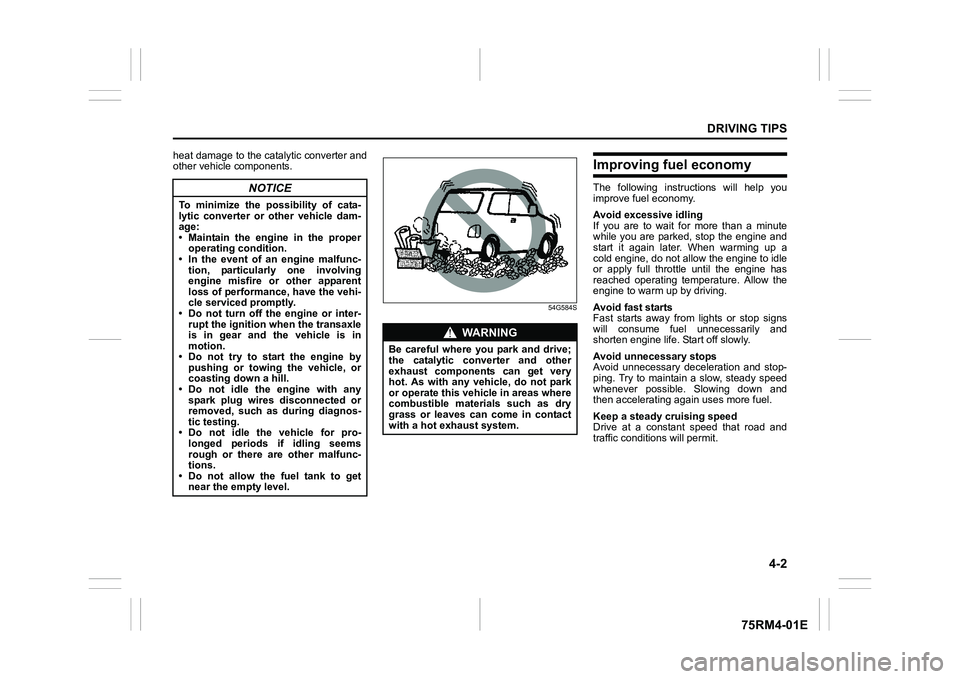
WA R N I N G
Be careful where you park and drive;
the catalytic converter and other
exhaust components can get very
hot. As with any vehicle, do not park
or operate this vehicle in areas where
combustible materials such as dry
grass or leaves can come in contact
with a hot exhaust system.
Page 252 of 505
4-5DRIVING TIPS
75RM4-01E
Tire chainsTire chains should only be used if they are
needed to increase traction or are required
by law. Check that the chains you use are
the correct size for your vehicle’s tires.
Also check that there is enough clearance
between the fenders and the chains as
installed on the tires.
Install the chains on the front tires tightly,
according to the chain manufacturer’s
instructions. Retighten the chains after
driving about 1.0 km (1/2 mile) if neces-
sary. With the chains installed, drive slowly.
Stuck vehicleIf your vehicle gets stuck in snow, mud or
sand, follow the directions below:
1) Shift the transaxle back and forthbetween a forward range (or first gear
for manual transaxle/Auto Gear Shift)
and reverse. This will create a rocking
motion which may give you enough
momentum to free the vehicle. Press
gently on the accelerator to keep wheel
spinning to a minimum wheel rpm.
Remove your foot from the accelerator
while shifting.
Do not race the engine. Excessive
wheel spin will cause the tires to dig
deeper, making it more difficult to free
the vehicle.
NOTE:
If your vehicle is equipped with the ESP
®
and/or grip control system, you may have
to turn the systems off in order to spin the
wheels. 2) If your vehicle rema
ins stuck after a few
minutes of rocking, we recommend you
to consult your SUZUKI dealer or a road-
side assistance service. If a towing ser-
vice is not available in an emergency,
your vehicle may be temporarily towed by
a towing cable or chain secured to the
towing hook either on the front of the
vehicle or on the rear of the vehicle. Refer
to “Frame hooks” in the “OTHER CON-
TROLS AND EQUIPMENT” section.
NOTICE
• If you hear the chains hitting against the vehicle body while driv-
ing, stop and tighten them.
• If your vehicle is equipped with full wheel caps, remove the wheel caps
before installing the chains or the
wheel caps can be damaged by the
chain bands.
WA R N I N G
Do not allow anyone to stand near
the vehicle when you are rocking it,
and do not spin the wheels faster
than an indicated 40 km/h (25 mph)
on the speedometer. Personal injury
and/or vehicle damage may result
from spinning the wheels too fast.
NOTICE
Do not continue rocking the vehicle
for more than a few minutes. Pro-
longed rocking can cause engine
overheating or transaxle damage.
Page 267 of 505
5-12
OTHER CONTROLS AND EQUIPMENT
75RM4-01E
Frame hooksYour SUZUKI does not recommend you
use the frame hooks for towing another
vehicle. SUZUKI was originally designed to
tow your vehicle on the road emergency
towing.
If your vehicle needs to be towed in an
emergency, refer to “Towing” in the
“EMERGENCY SERVICE” section.
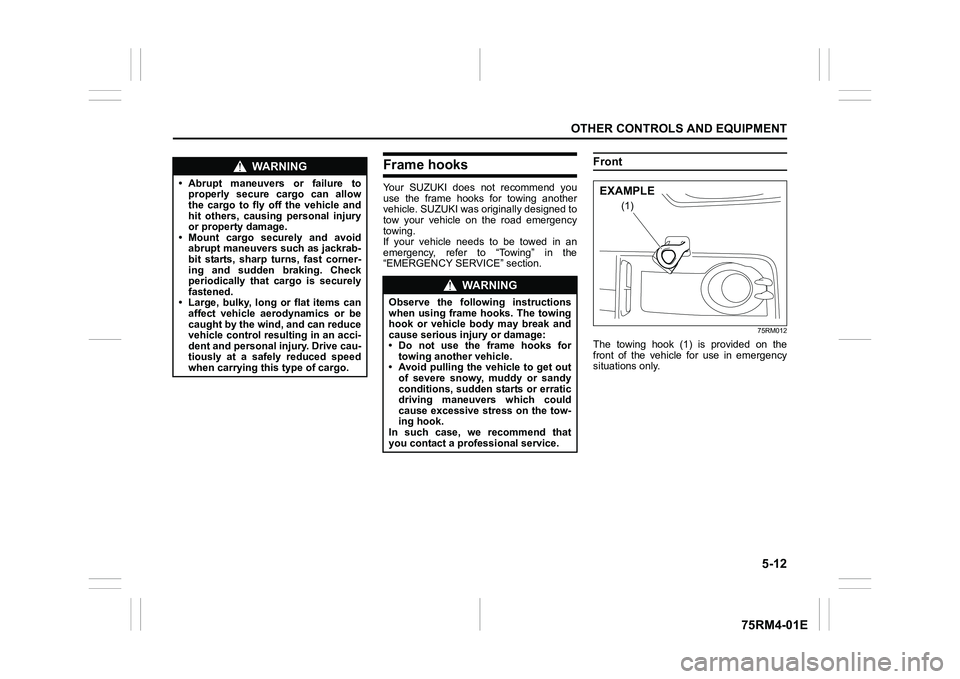
Front
75RM012
The towing hook (1) is provided on the
front of the vehicle for use in emergency
situations only.
WA R N I N G
• Abrupt maneuvers or failure toproperly secure cargo can allow
the cargo to fly off the vehicle and
hit others, causing personal injury
or property damage.
• Mount cargo securely and avoid abrupt maneuvers such as jackrab-
bit starts, sharp turns, fast corner-
ing and sudden braking. Check
periodically that cargo is securely
fastened.
• Large, bulky, long or flat items can affect vehicle aerodynamics or be
caught by the wind, and can reduce
vehicle control resulting in an acci-
dent and personal injury. Drive cau-
tiously at a safely reduced speed
when carrying this type of cargo.
WA R N I N G
Observe the following instructions
when using frame hooks. The towing
hook or vehicle body may break and
cause serious injury or damage:
• Do not use the frame hooks fortowing another vehicle.
• Avoid pulling the vehicle to get out
of severe snowy, muddy or sandy
conditions, sudden starts or erratic
driving maneuvers which could
cause excessive stress on the tow-
ing hook.
In such case, we recommend that
you contact a professional service.
(1)
EXAMPLE