headlight SUZUKI IGNIS 2018 Owner's Manual
[x] Cancel search | Manufacturer: SUZUKI, Model Year: 2018, Model line: IGNIS, Model: SUZUKI IGNIS 2018Pages: 505, PDF Size: 8.36 MB
Page 168 of 505
3-15OPERATING YOUR VEHICLE
75RM4-01E
• For Auto Gear Shift vehicles, if theengine cannot be started, make sure the
gearshift lever is in “N” before restarting
the engine.
• During the engine starting procedure, messages on the information display will
help you. Refer to “Information display” in
the “BEFORE DRIVING” section for
details.
• You should turn off such loads as the headlights and air co nditioning system to
facilitate starting of the engine.
• Even if you fail to start the engine, the starter motor will stop turning automati-
cally after a short time. After the starter
motor has stopped or if there is some
problem with the system, the starter
motor will rotate only while the engine
switch is being pressed.
Stopping engine• Depress the engine switch to stop theengine after the vehicle stopped com-
pletely.
• In case of emergency, you can stop the engine by quickly pushing the engine
switch more than 3 times, or pushing
and holding the engine switch for more
than 2 seconds while the vehicle is in
motion.
NOTE:
Except in cases of emergency, do not stop
the engine while the vehicle is in motion.
The steering and braking operation will
require more effort when the engine is
stopped.
Refer to “Braking” in this section.
• If the engine remains stopped for while after it was stopped unexpectedly or was
raced before stopping, a clicking sound
may be heard from around the engine
when it is restarted. This is not a mal-
function. Always let the engine idle
before stopping it.
Starting a cold and warm engineWith your foot taken off the accelerator
pedal, crank the engine by pressing the
engine switch to change the ignition mode
to START.
After pressing the engine switch to change
the ignition mode to START, the starter
cranks the engine for about 12 seconds
before it can start the engine. If the engine
fails to start at the first attempt, wait about
15 seconds, and then try again while keep-
ing the engine switch pressed while press-
ing down the accelerator pedal 1/3 of full
capacity. Release the accelerator pedal
when the engine starts.
If the engine still does not start, try holding
the accelerator pedal all the way to the
floor while cranking. This should clear the
engine if it is flooded.
If you are unable to start the engine using
this procedure, consult your SUZUKI
dealer.
NOTICE
If you stop the engine while the vehi-
cle is in motion, the CVT may be dam-
aged.
Avoid stopping the engine while driv-
ing.
NOTICE
Do not crank the engine for more
than 12 seconds at a time.
If the engine does not start on the
first try, wait abou t 15 seconds before
trying again.
Page 214 of 505
3-61OPERATING YOUR VEHICLE
75RM4-01E
Situations where the system may not
activate properly
Under the following situations, the system
may not activate.
• When driving on continuous curves
• When the vehicle speed changes
extremely
• Right after lane changing
If the stereo camera cannot detect partition
lines except for above situations, the sys-
tem may also not activ ate. Refer to “Situa-
tions where the stereo camera may not
activate properly” in this section for details.
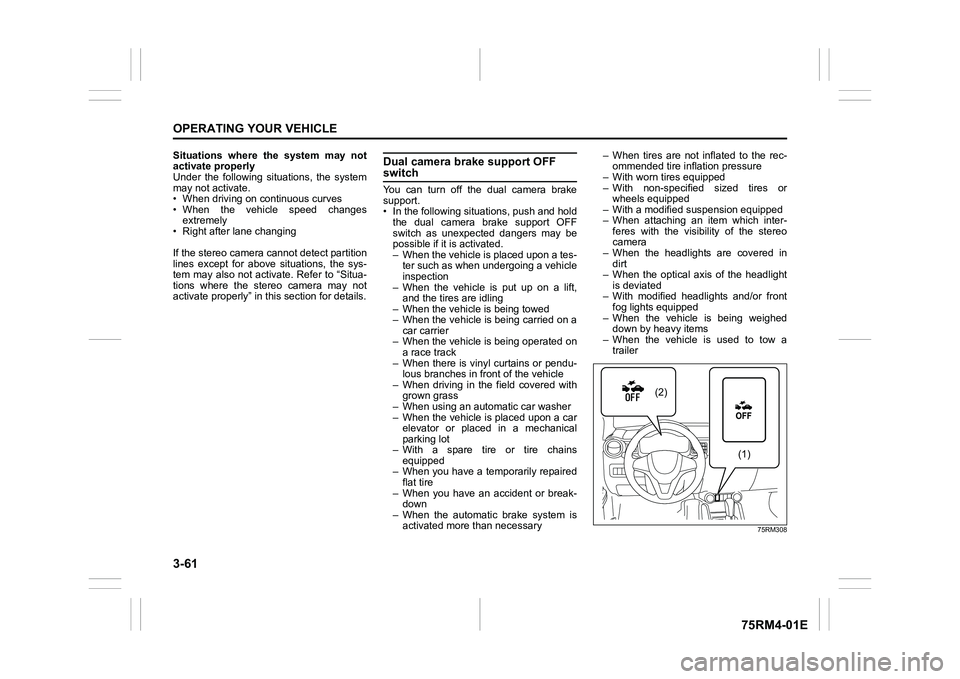
Dual camera brake support OFF switchYou can turn off the dual camera brake
support.
• In the following situations, push and hold the dual camera brake support OFF
switch as unexpected dangers may be
possible if it is activated.
– When the vehicle is placed upon a tes-ter such as when undergoing a vehicle
inspection
– When the vehicle is put up on a lift, and the tires are idling
– When the vehicle is being towed
– When the vehicle is being carried on a car carrier
– When the vehicle is being operated on
a race track
– When there is vinyl curtains or pendu- lous branches in front of the vehicle
– When driving in the field covered with grown grass
– When using an aut omatic car washer
– When the vehicle is placed upon a car elevator or placed in a mechanical
parking lot
– With a spare tire or tire chains equipped
– When you have a temporarily repaired
flat tire
– When you have an accident or break- down
– When the automatic brake system is activated more than necessary – When tires are not inflated to the rec-
ommended tire inflation pressure
– With worn tires equipped
– With non-specified sized tires or wheels equipped
– With a modified su spension equipped
– When attaching an item which inter- feres with the visibility of the stereo
camera
– When the headlights are covered in dirt
– When the optical axis of the headlight
is deviated
– With modified headlights and/or front fog lights equipped
– When the vehicle is being weighed down by heavy items
– When the vehicle is used to tow a trailer
75RM308
(2)
(1)
Page 220 of 505
3-67OPERATING YOUR VEHICLE
75RM4-01E
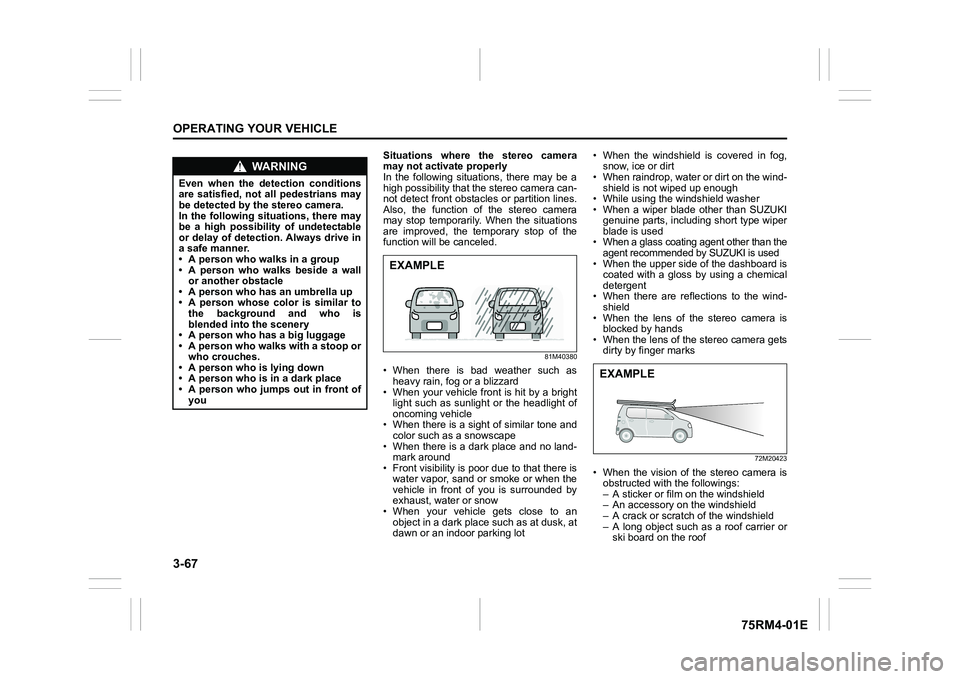
Situations where the stereo camera
may not activate properly
In the following situations, there may be a
high possibility that the stereo camera can-
not detect front obstacles or partition lines.
Also, the function of the stereo camera
may stop temporarily. When the situations
are improved, the temporary stop of the
function will be canceled.
81M40380
• When there is bad weather such as
heavy rain, fo g or a blizzard
• When your vehicle front is hit by a bright light such as sunlight or the headlight of
oncoming vehicle
• When there is a sight of similar tone and color such as a snowscape
• When there is a dark place and no land- mark around
• Front visibility is poor due to that there is
water vapor, sand or smoke or when the
vehicle in front of you is surrounded by
exhaust, water or snow
• When your vehicle gets close to an object in a dark place such as at dusk, at
dawn or an indoor parking lot • When the windshield is covered in fog,
snow, ice or dirt
• When raindrop, water or dirt on the wind-
shield is not wiped up enough
• While using the windshield washer
• When a wiper blade other than SUZUKI
genuine parts, including short type wiper
blade is used
• When a glass coating agent other than the
agent recommended by SUZUKI is used
• When the upper side of the dashboard is coated with a gloss by using a chemical
detergent
• When there are reflections to the wind- shield
• When the lens of the stereo camera is blocked by hands
• When the lens of the stereo camera gets dirty by finger marks
72M20423
• When the vision of the stereo camera isobstructed with the followings:
– A sticker or film on the windshield
– An accessory on the windshield
– A crack or scratch of the windshield
– A long object such as a roof carrier or ski board on the roof
WA R N I N G
Even when the detection conditions
are satisfied, not all pedestrians may
be detected by the stereo camera.
In the following situations, there may
be a high possibility of undetectable
or delay of detection. Always drive in
a safe manner.
• A person who walks in a group
• A person who walks beside a wallor another obstacle
• A person who has an umbrella up
• A person whose color is similar to the background and who is
blended into the scenery
• A person who has a big luggage
• A person who walks with a stoop or
who crouches.
• A person who is lying down
• A person who is in a dark place
• A person who jumps out in front of you
EXAMPLE
EXAMPLE
Page 221 of 505
3-68
OPERATING YOUR VEHICLE
75RM4-01E
72M20405
• When your vehicle is weighed down byheavy items in the luggage compartment
or rear seat
• When the tires are not inflated to the rec- ommended tire inflation pressure or the
tires are worn
• With tire chains or non-specified sized
tires equipped
• When you have a temporarily repaired flat tire
• With a modified suspension equipped
• When passing through the entrance or exit of the tunnel and the brightness is
changed extremely
• When driving without lighting the head- lights at night or in tunnels
• When driving on a steep slope or sharp curves
• When the optical axis of the headlight is
deviated
• With modified headlights and/or front fog lights equipped
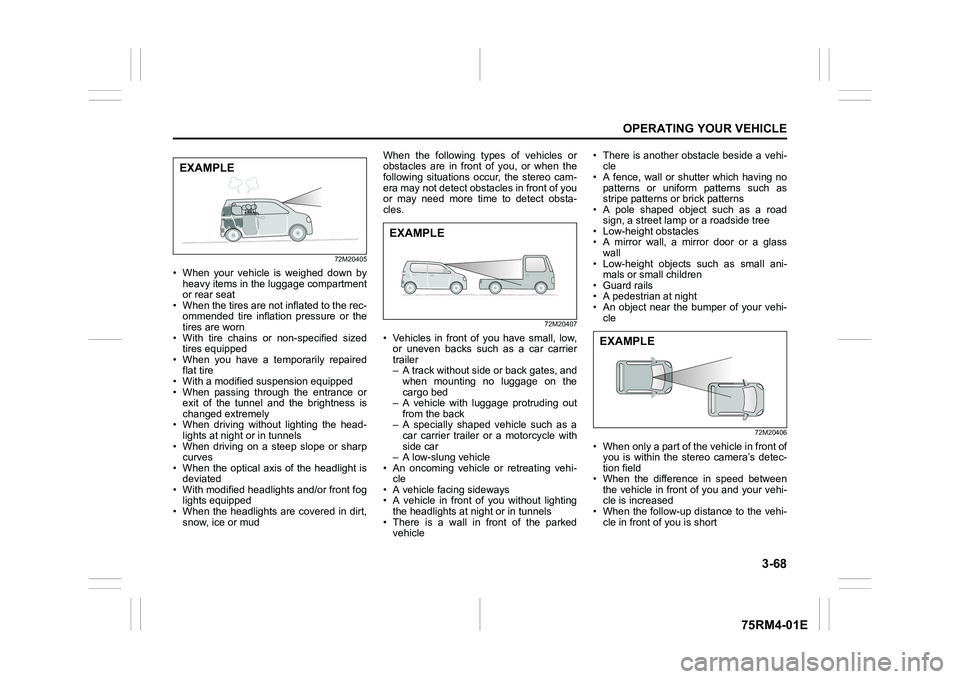
• When the headlights are covered in dirt, snow, ice or mud When the following types of vehicles or
obstacles are in front of you, or when the
following situations occur, the stereo cam-
era may not detect obstacles in front of you
or may need more time to detect obsta-
cles.
72M20407
• Vehicles in front of you have small, low,
or uneven backs such as a car carrier
trailer
– A track without side or back gates, andwhen mounting no luggage on the
cargo bed
– A vehicle with luggage protruding out
from the back
– A specially shaped vehicle such as a car carrier trailer or a motorcycle with
side car
– A low-slung vehicle
• An oncoming vehicle or retreating vehi-
cle
• A vehicle facing sideways
• A vehicle in front of you without lighting
the headlights at n ight or in tunnels
• There is a wall in front of the parked vehicle • There is another obstacle beside a vehi-
cle
• A fence, wall or shutter which having no
patterns or uniform patterns such as
stripe patterns or brick patterns
• A pole shaped object such as a road
sign, a street lamp or a roadside tree
• Low-height obstacles
• A mirror wall, a mirror door or a glass
wall
• Low-height objects such as small ani- mals or small children
• Guard rails
• A pedestrian at night
• An object near the bumper of your vehi- cle
72M20406
• When only a part of the vehicle in front ofyou is within the stereo camera’s detec-
tion field
• When the difference in speed between the vehicle in front of you and your vehi-
cle is increased
• When the follow-up distance to the vehi- cle in front of you is short
EXAMPLE
EXAMPLE
EXAMPLE
Page 222 of 505
3-69OPERATING YOUR VEHICLE
75RM4-01E
• When the vehicle in front of you turns,accelerates or decelerates suddenly
• An object outside of the irradiation range
of the headlights
• An object which jumps out in front of you
• When you change the lane and
approach the preceding vehicle
When the following types of partition lines
are in front of you, or when the following
situations occur, the stereo camera may
not detect the lines o r may need more time
to detect the lines.
• The narrow lane width
• When the lane is difficult to detect – No partition lines, or faded lines
– The Color of partition lines is similar tothe road
– The width of partition lines is narrow
• When the follow-up distance to the vehi-
cle in front of you is short
Page 228 of 505
3-75OPERATING YOUR VEHICLE
75RM4-01E
If the rear view from the rearview cam-
era is not shown or there is a poor
image
• If the rear view from the rearview camerais not shown.
– Check that the ignition switch is in
“ON” position or the ignition mode is
ON.
– Check that the gearshift lever is
shifted to “R” position.
• If the image from the rearview camera is poor.
– Check that the camera lens is not dirty.
– Check that light from the sun or thebeam of the headlights from the vehi-
cle behind is not shining directly into
the lens.
If the rearview camera system is still not
working properly after checking the above,
have the system inspected by an autho-
rized SUZUKI dealer as soon as possible.
Braking
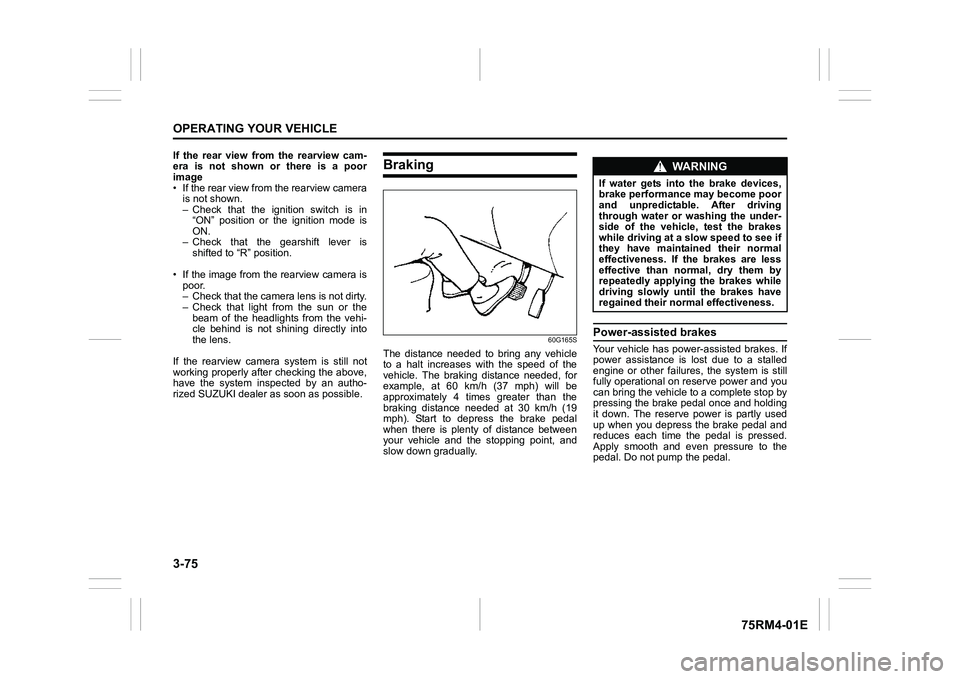
60G165S
The distance needed to bring any vehicle
to a halt increases with the speed of the
vehicle. The braking distance needed, for
example, at 60 km/h (37 mph) will be
approximately 4 times greater than the
braking distance needed at 30 km/h (19
mph). Start to depress the brake pedal
when there is plenty of distance between
your vehicle and the stopping point, and
slow down gradually.
Power-assisted brakesYour vehicle has power-assisted brakes. If
power assistance is lo st due to a stalled
engine or other failure s, the system is still
fully operational on reserve power and you
can bring the vehicle to a complete stop by
pressing the brake pedal once and holding
it down. The reserve power is partly used
up when you depress the brake pedal and
reduces each time the pedal is pressed.
Apply smooth and even pressure to the
pedal. Do not pump the pedal.
WA R N I N G
If water gets into the brake devices,
brake performance may become poor
and unpredictable. After driving
through water or washing the under-
side of the vehicle, test the brakes
while driving at a slow speed to see if
they have maintained their normal
effectiveness. If the brakes are less
effective than normal, dry them by
repeatedly applying the brakes while
driving slowly until the brakes have
regained their normal effectiveness.
Page 349 of 505
INSPECTION AND MAINTENANCE
7
75RM4-01E
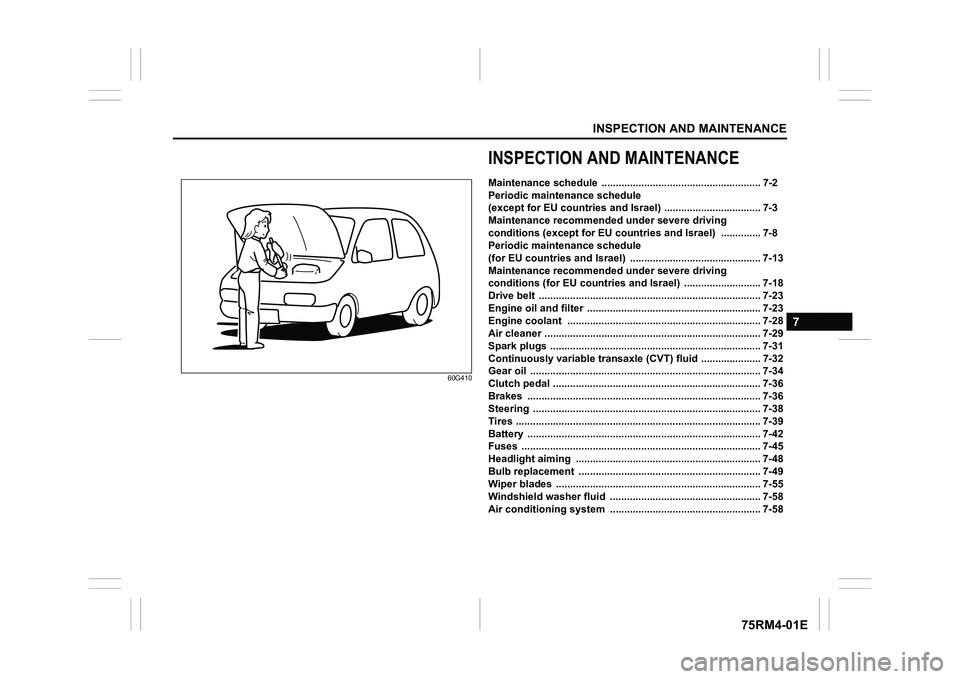
60G410
INSPECTION AND MAINTENANCEMaintenance schedule ........................................................ 7-2
Periodic maintenance schedule
(except for EU countries and Israel) .......................... ........ 7-3
Maintenance recommended under severe driving
conditions (except for EU countries and Israel) .............. 7 -8
Periodic maintenance schedule
(for EU countries and Israel) ................................. ............. 7-13
Maintenance recommended under severe driving
conditions (for EU countries and Israel) ........................... 7-18
Drive belt .................................................... .......................... 7-23
Engine oil and filter ......................................... .................... 7-23
Engine coolant ................................................ .................... 7-28
Air cleaner ................................................... ......................... 7-29
Spark plugs ................................................... ....................... 7-31
Continuously variable transaxle (CVT) fluid ................... .. 7-32
Gear oil ...................................................... ........................... 7-34
Clutch pedal .................................................. ....................... 7-36
Brakes ............. ..................................................................... 7-36
Steering ...................................................... .......................... 7-38
Tires ......................................................... ............................. 7-39
Battery ....................................................... ........................... 7-42
Fuses ......................................................... ........................... 7-45
Headlight aiming .............................................. ................... 7-48
Bulb replacement .............................................. .................. 7-49
Wiper blades .................................................. ...................... 7-55
Windshield washer fluid ....................................... .............. 7-58
Air conditioning system ....................................... .............. 7-58
Page 395 of 505
7-46
INSPECTION AND MAINTENANCE
75RM4-01E
*1: Models with ENG A-STOP
*2: CVT models with ENG A-STOP
*3: Auto Gear Shift models
*4: Models with Auto-on headlight system
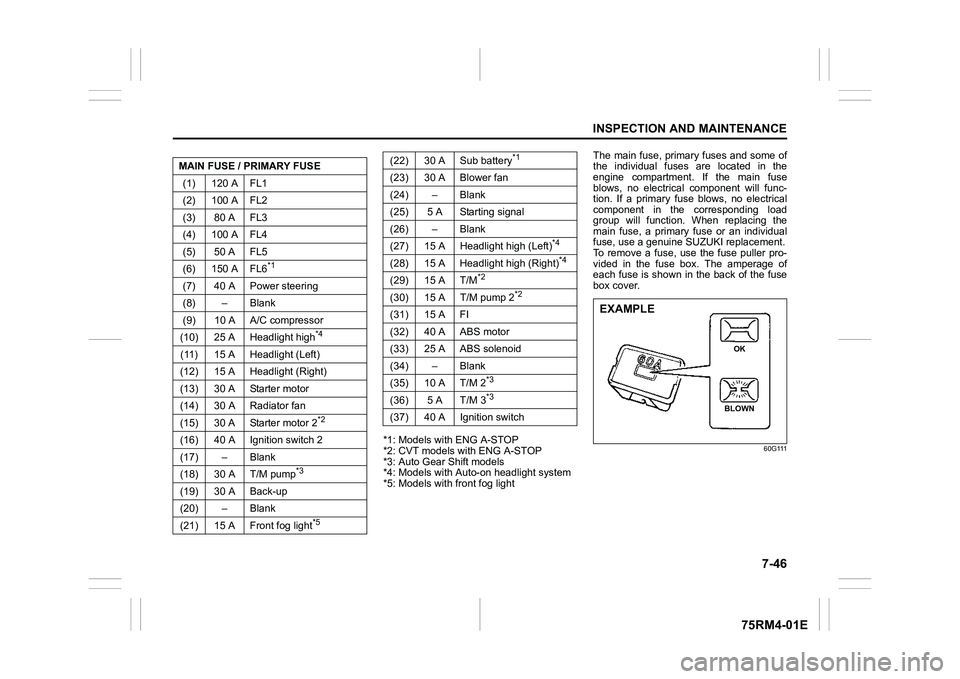
*5: Models with front fog light The main fuse, primary fuses and some of
the individual fuses are located in the
engine compartment. If the main fuse
blows, no electrical component will func-
tion. If a primary fuse blows, no electrical
component in the corresponding load
group will function. When replacing the
main fuse, a primary fuse or an individual
fuse, use a genuine S
UZUKI replacement.
To remove a fuse, use the fuse puller pro-
vided in the fuse box. The amperage of
each fuse is shown in the back of the fuse
box cover.
60G111
MAIN FUSE / PRIMARY FUSE
(1) 120 A FL1
(2) 100 A FL2
(3) 80 A FL3
(4) 100 A FL4
(5) 50 A FL5
(6) 150 A FL6
*1
(7) 40 A Power steering
(8) – Blank
(9) 10 A A/C compressor
(10) 25 A Headlight high
*4
(11) 15 A Headlight (Left)
(12) 15 A Headlight (Right)
(13) 30 A Starter motor
(14) 30 A Radiator fan
(15) 30 A Starter motor 2
*2
(16) 40 A Ignition switch 2
(17) – Blank
(18) 30 A T/M pump
*3
(19) 30 A Back-up
(20) – Blank
(21) 15 A Front fog light
*5
(22) 30 A Sub battery
*1
(23) 30 A Blower fan
(24) – Blank
(25) 5 A Starting signal
(26) – Blank
(27) 15 A Headlight high (Left)
*4
(28) 15 A Headlight high (Right)
*4
(29) 15 A T/M
*2
(30) 15 A T/M pump 2
*2
(31) 15 A FI
(32) 40 A ABS motor
(33) 25 A ABS solenoid
(34) – Blank
(35) 10 A T/M 2
*3
(36) 5 A T/M 3
*3
(37) 40 A Ignition switch
EXAMPLE
BLOWN OK
Page 397 of 505
7-48
INSPECTION AND MAINTENANCE
75RM4-01E
81A283
Headlight aimingSince special procedures are required, ask
your authorized SUZUKI dealer for this job.
(21) 20 A Power window timer
(22) 5 A Key
(23) 15 A Horn
(24) 5 A Tail light (Left)
(25) 10 A Tail light
(26) 10 A Air bag
(27) 10 A Ignition-1 signal
(28) 10 A Back-up light
(29) 5 A ACC-3
(30) 20 A Rear defogger
(31) 10 A Heated mirror
(32) 15 A ACC-2
(33) 5 A ACC
(34) 10 A Rear wiper
(35) 5 A Ignition-2 signal
(36) 15 A Washer
(37) 25 A Front wiper
(38) 10 A Stop light
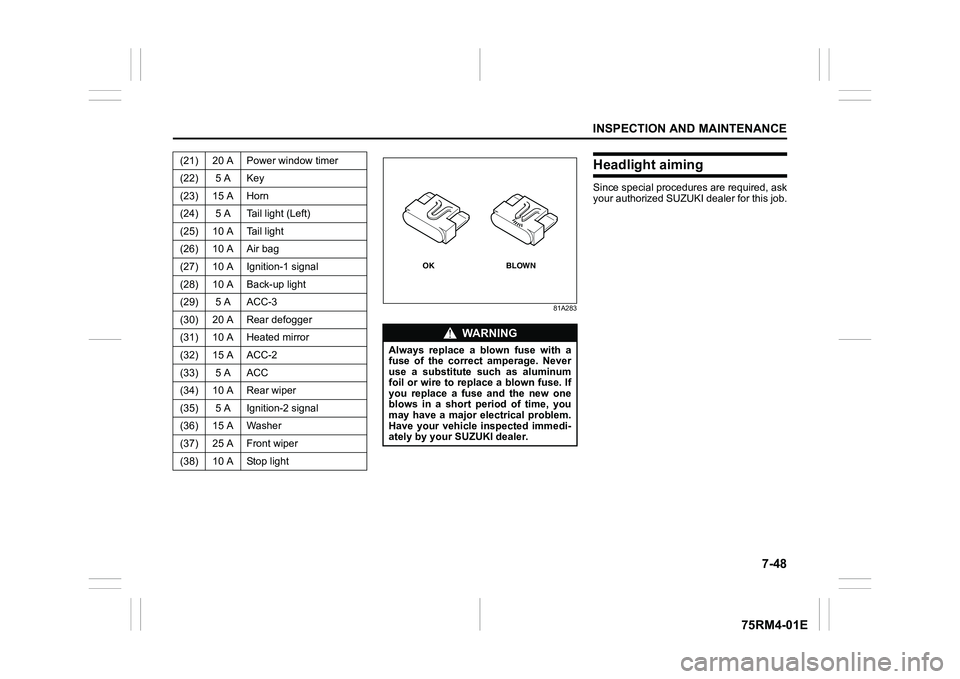
WA R N I N G
Always replace a blown fuse with a
fuse of the correct amperage. Never
use a substitute such as aluminum
foil or wire to replace a blown fuse. If
you replace a fuse and the new one
blows in a short period of time, you
may have a major electrical problem.
Have your vehicle inspected immedi-
ately by your SUZUKI dealer.
BLOWN
OK
Page 398 of 505
7-49INSPECTION AND MAINTENANCE
75RM4-01E
Bulb replacement
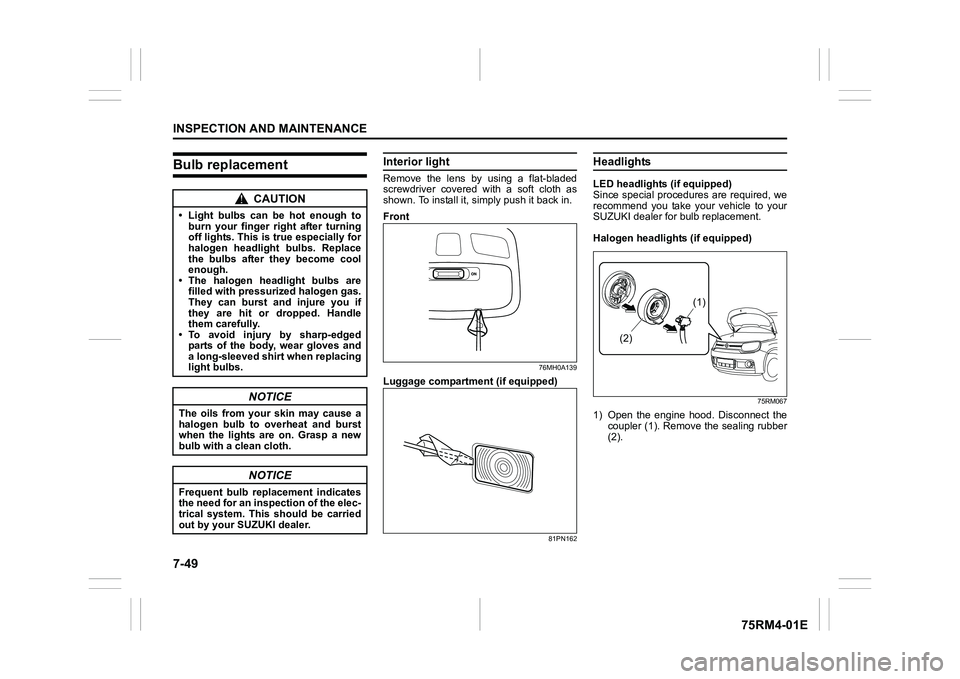
Interior lightRemove the lens by using a flat-bladed
screwdriver covered with a soft cloth as
shown. To install it, simply push it back in.
Front
76MH0A139
Luggage compartmen t (if equipped)
81PN162
HeadlightsLED headlights (if equipped)
Since special procedures are required, we
recommend you take your vehicle to your
SUZUKI dealer for bulb replacement.
Halogen headlights (if equipped)
75RM067
1) Open the engine hood. Disconnect the
coupler (1). Remove the sealing rubber
(2).
CAUTION
• Light bulbs can be hot enough to burn your finger right after turning
off lights. This is true especially for
halogen headlight bulbs. Replace
the bulbs after they become cool
enough.
• The halogen headlight bulbs are filled with pressurized halogen gas.
They can burst and injure you if
they are hit or dropped. Handle
them carefully.
• To avoid injury by sharp-edged
parts of the body, wear gloves and
a long-sleeved shirt when replacing
light bulbs.
NOTICE
The oils from your skin may cause a
halogen bulb to overheat and burst
when the lights are on. Grasp a new
bulb with a clean cloth.
NOTICE
Frequent bulb replacement indicates
the need for an inspection of the elec-
trical system. This should be carried
out by your SUZUKI dealer.
(1)
(2)