light SUZUKI IGNIS 2018 Repair Manual
[x] Cancel search | Manufacturer: SUZUKI, Model Year: 2018, Model line: IGNIS, Model: SUZUKI IGNIS 2018Pages: 505, PDF Size: 8.36 MB
Page 133 of 505

2-110
BEFORE DRIVING
75RM4-01E
Dual camera brake support indica-tor light (if equipped)
54P000255
When the ignition switch is turned to “ON”
position or the engine switch is pressed to
change the ignition mode to ON, this light
comes on briefly so you can check that the
light is working.
When the dual camera brake support is
activated, this light blinks rapidly.
If this light comes on, there is a problem
with the dual camera brake support. Bring
the vehicle to your SUZUKI dealer to have
the problem corrected.
For details, refer to “Dual camera brake
support” in the “OPERATING YOUR VEHI-
CLE” section.
Dual camera brake support OFF indicator light (if equipped)
62R0316
When the ignition switch is turned to “ON”
position or the engine switch is pressed to
change the ignition mode to ON, this light
comes on briefly so you can check that the
light is working.When the dual camera brake support OFF
switch is pushed to turn off the dual camera
brake support, this light comes on.
For details, refer to “Dual camera brake sup-
port” in the “OPERATING YOUR VEHICLE”
section.
Lane departure warning indicator light (if equipped)
81M31080
When the ignition switch is turned to “ON”
position or the engine switch is pressed to
change the ignition mode to ON, this light
comes on briefly so you can check that the
light is working.
When the lane departure warning is acti-
vated, this light blinks.
If this light comes on, there is a problem with
the dual camera brake support. Bring the
vehicle to your SUZUKI dealer to have the
problem corrected.
For details, refer to “Dual camera brake sup-
port” in the “OPERATING YOUR VEHICLE”
section.
Page 134 of 505
2-111BEFORE DRIVING
75RM4-01E
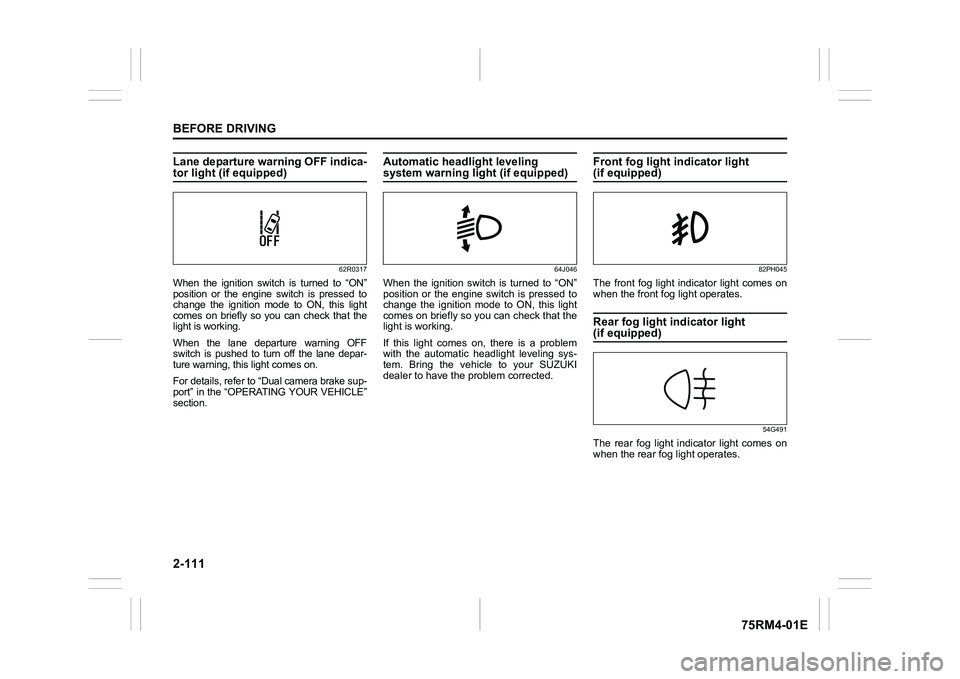
Lane departure warning OFF indica-tor light (if equipped)
62R0317
When the ignition switch is turned to “ON”
position or the engine switch is pressed to
change the ignition mode to ON, this light
comes on briefly so you can check that the
light is working.
When the lane departure warning OFF
switch is pushed to turn off the lane depar-
ture warning, this light comes on.
For details, refer to “Dual camera brake sup-
port” in the “OPERATING YOUR VEHICLE”
section.
Automatic headlight leveling system warning light (if equipped)
64J046
When the ignition switch is turned to “ON”
position or the engine switch is pressed to
change the ignition mode to ON, this light
comes on briefly so you can check that the
light is working.
If this light comes on, there is a problem
with the automatic headlight leveling sys-
tem. Bring the vehicle to your SUZUKI
dealer to have the problem corrected.
Front fog light indicator light (if equipped)
82PH045
The front fog light indicator light comes on
when the front fog light operates.Rear fog light indicator light (if equipped)
54G491
The rear fog light indicator light comes on
when the rear fog light operates.
Page 135 of 505
2-112
BEFORE DRIVING
75RM4-01E
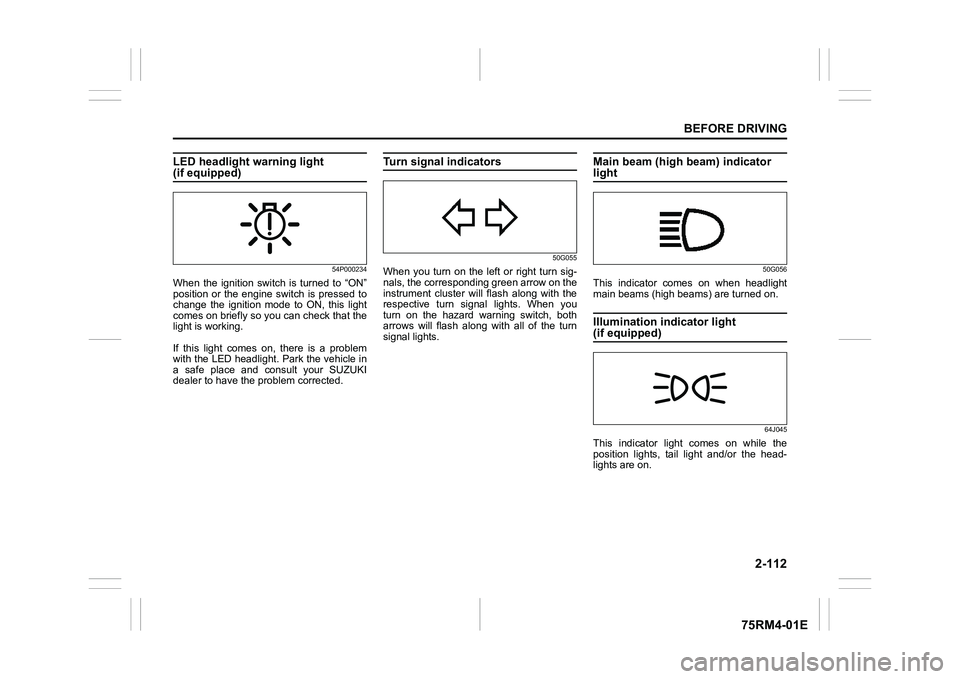
LED headlight warning light (if equipped)
54P000234
When the ignition switch is turned to “ON”
position or the engine switch is pressed to
change the ignition mode to ON, this light
comes on briefly so you can check that the
light is working.
If this light comes on, there is a problem
with the LED headlight. Park the vehicle in
a safe place and consult your SUZUKI
dealer to have the problem corrected.
Turn signal indicators
50G055
When you turn on the left or right turn sig-
nals, the corresponding green arrow on the
instrument cluster will flash along with the
respective turn signal lights. When you
turn on the hazard warning switch, both
arrows will flash along with all of the turn
signal lights.
Main beam (high beam) indicator light
50G056
This indicator comes on when headlight
main beams (high beams) are turned on.Illumination indicator light (if equipped)
64J045
This indicator light comes on while the
position lights, tail light and/or the head-
lights are on.
Page 136 of 505
2-113BEFORE DRIVING
75RM4-01E
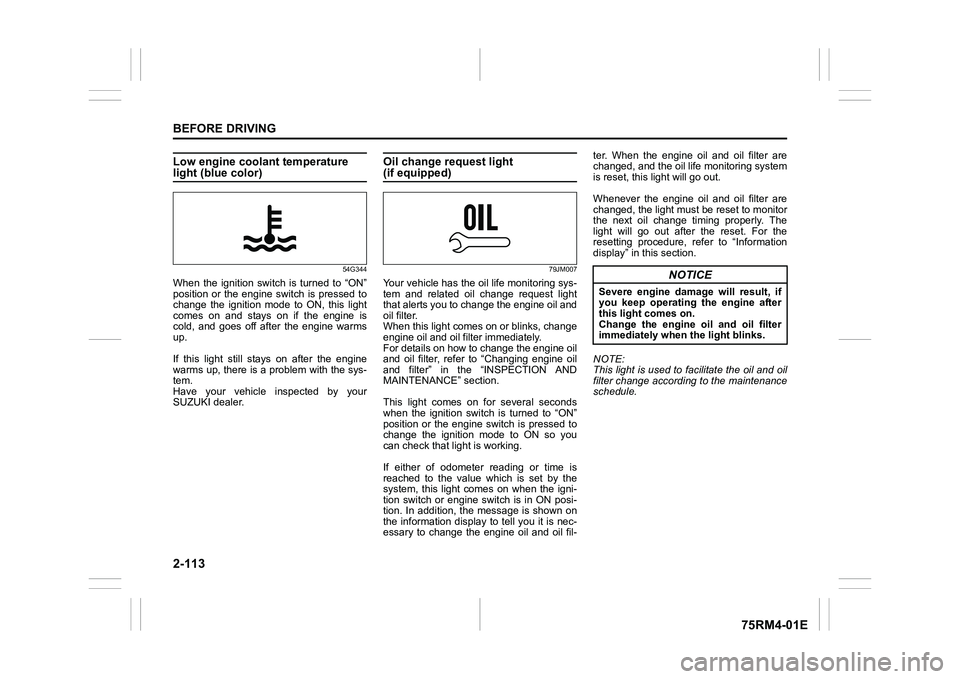
Low engine coolant temperature light (blue color)
54G344
When the ignition switch is turned to “ON”
position or the engine switch is pressed to
change the ignition mode to ON, this light
comes on and stays on if the engine is
cold, and goes off after the engine warms
up.
If this light still stays on after the engine
warms up, there is a problem with the sys-
tem.
Have your vehicle inspected by your
SUZUKI dealer.
Oil change request light(if equipped)
79JM007
Your vehicle has the oil life monitoring sys-
tem and related oil change request light
that alerts you to change the engine oil and
oil filter.
When this light comes on or blinks, change
engine oil and oil filter immediately.
For details on how to change the engine oil
and oil filter, refer to “Changing engine oil
and filter” in the “INSPECTION AND
MAINTENANCE” section.
This light comes on for several seconds
when the ignition switch is turned to “ON”
position or the engine switch is pressed to
change the ignition mode to ON so you
can check that light is working.
If either of odometer reading or time is
reached to the value which is set by the
system, this light comes on when the igni-
tion switch or engine switch is in ON posi-
tion. In addition, the message is shown on
the information display to tell you it is nec-
essary to change the engine oil and oil fil-ter. When the engine oil and oil filter are
changed, and the oil life monitoring system
is reset, this light will go out.
Whenever the engine oil and oil filter are
changed, the light must be reset to monitor
the next oil change timing properly. The
light will go out after the reset. For the
resetting procedure, r
efer to “Information
display” in this section.
NOTE:
This light is used to facilitate the oil and oil
filter change according to the maintenance
schedule.
NOTICE
Severe engine damage will result, if
you keep operating the engine after
this light comes on.
Change the engine oil and oil filter
immediately when the light blinks.
Page 137 of 505
2-114
BEFORE DRIVING
75RM4-01E
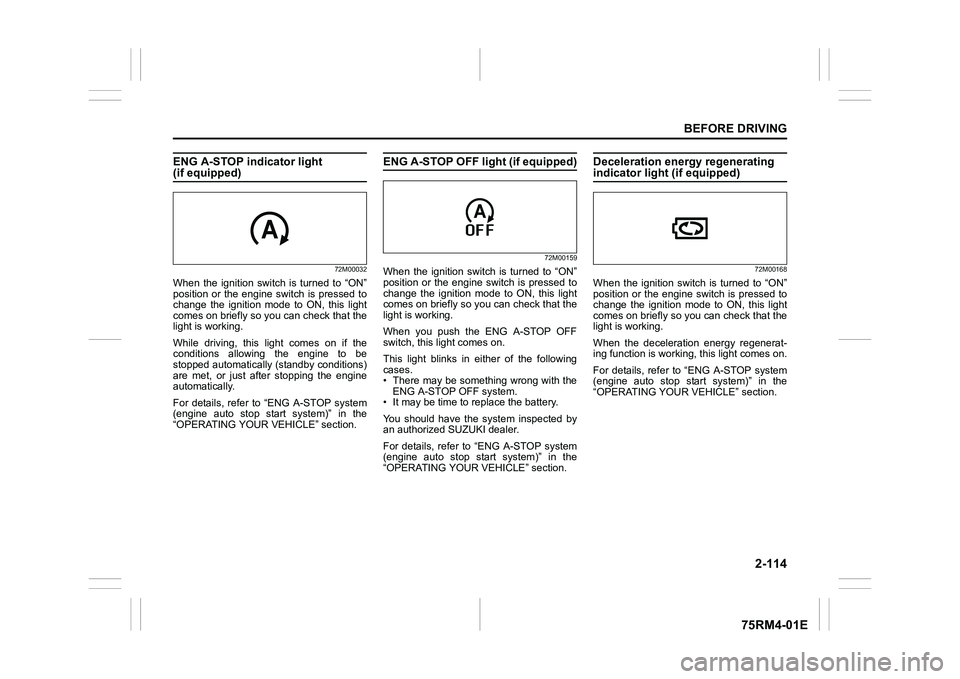
ENG A-STOP indicator light (if equipped)
72M00032
When the ignition switch is turned to “ON”
position or the engine switch is pressed to
change the ignition mode to ON, this light
comes on briefly so you can check that the
light is working.
While driving, this light comes on if the
conditions allowing the engine to be
stopped automatically (standby conditions)
are met, or just after stopping the engine
automatically.
For details, refer to “ENG A-STOP system
(engine auto stop start system)” in the
“OPERATING YOUR VEHICLE” section.
ENG A-STOP OFF light (if equipped)
72M00159
When the ignition switch is turned to “ON”
position or the engine switch is pressed to
change the ignition mode to ON, this light
comes on briefly so you can check that the
light is working.
When you push the ENG A-STOP OFF
switch, this light comes on.
This light blinks in either of the following
cases.
• There may be something wrong with theENG A-STOP OFF system.
• It may be time to replace the battery.
You should have the system inspected by
an authorized SUZUKI dealer.
For details, refer to “ENG A-STOP system
(engine auto stop start system)” in the
“OPERATING YOUR VEHICLE” section.
Deceleration energy regenerating indicator light (if equipped)
72M00168
When the ignition switch is turned to “ON”
position or the engine switch is pressed to
change the ignition mode to ON, this light
comes on briefly so you can check that the
light is working.
When the deceleration energy regenerat-
ing function is worki ng, this light comes on.
For details, refer to “ENG A-STOP system
(engine auto stop start system)” in the
“OPERATING YOUR VEHICLE” section.
Page 138 of 505
2-115BEFORE DRIVING
75RM4-01E
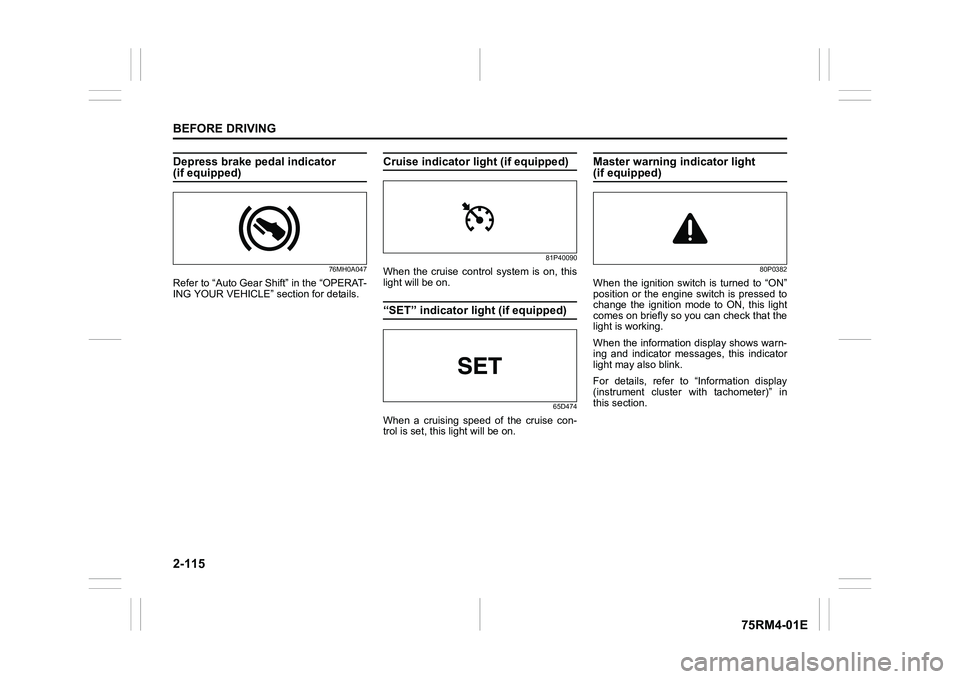
Depress brake pedal indicator (if equipped)
76MH0A047
Refer to “Auto Gear Shift” in the “OPERAT-
ING YOUR VEHICLE” section for details.
Cruise indicator light (if equipped)
81P40090
When the cruise control system is on, this
light will be on.“SET” indicator light (if equipped)
65D474
When a cruising speed of the cruise con-
trol is set, this light will be on.
Master warning indicator light (if equipped)
80P0382
When the ignition switch is turned to “ON”
position or the engine switch is pressed to
change the ignition mode to ON, this light
comes on briefly so you can check that the
light is working.
When the information display shows warn-
ing and indicator messages, this indicator
light may also blink.
For details, refer to “Information display
(instrument cluster with tachometer)” in
this section.
Page 139 of 505
2-116
BEFORE DRIVING
75RM4-01E
Dual camera brake support warning light (if equipped)
80P0382
When the ignition switch is turned to “ON”
position, this light comes on briefly so you
can check that the light is working.
If the function of the stereo camera stops
temporarily or failure, this light will blink
when the ignition switch is in “ON” position.
For details, refer to “Dual camera brake
support” in the “OPERATING YOUR VEHI-
CLE” section.
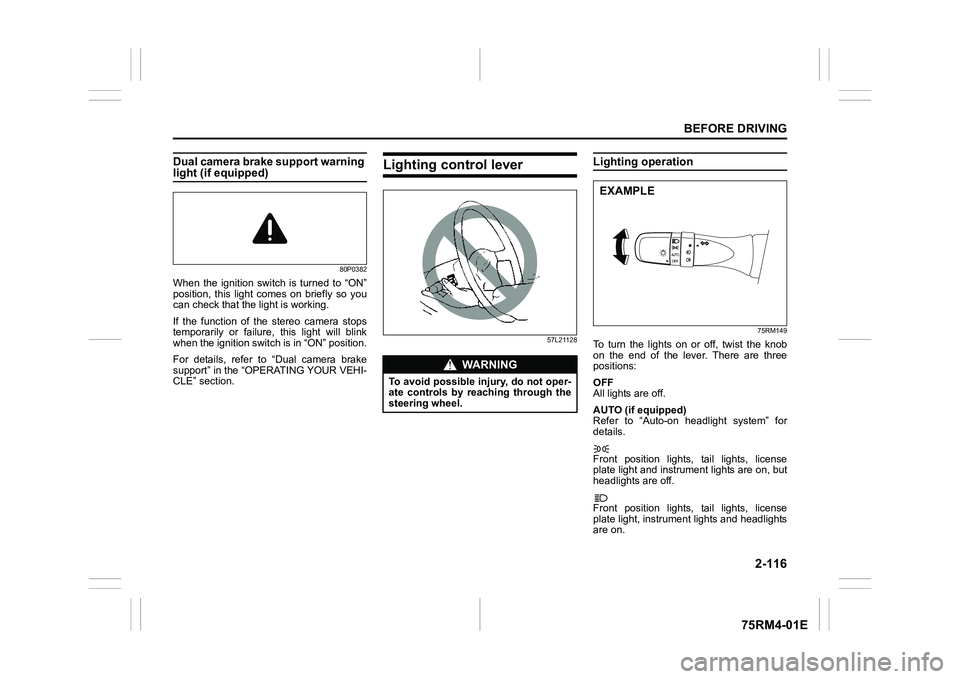
Lighting control lever
57L21128
Lighting operation
75RM149
To turn the lights on or off, twist the knob
on the end of the lever. There are three
positions:
OFF
All lights are off.
AUTO (if equipped)
Refer to “Auto-on headlight system” for
details.
Front position lights, tail lights, license
plate light and instrument lights are on, but
headlights are off.
Front position lights, tail lights, license
plate light, instrument lights and headlights
are on.
WA R N I N G
To avoid possible injury, do not oper-
ate controls by reaching through the
steering wheel.
EXAMPLE
Page 140 of 505
2-117BEFORE DRIVING
75RM4-01E
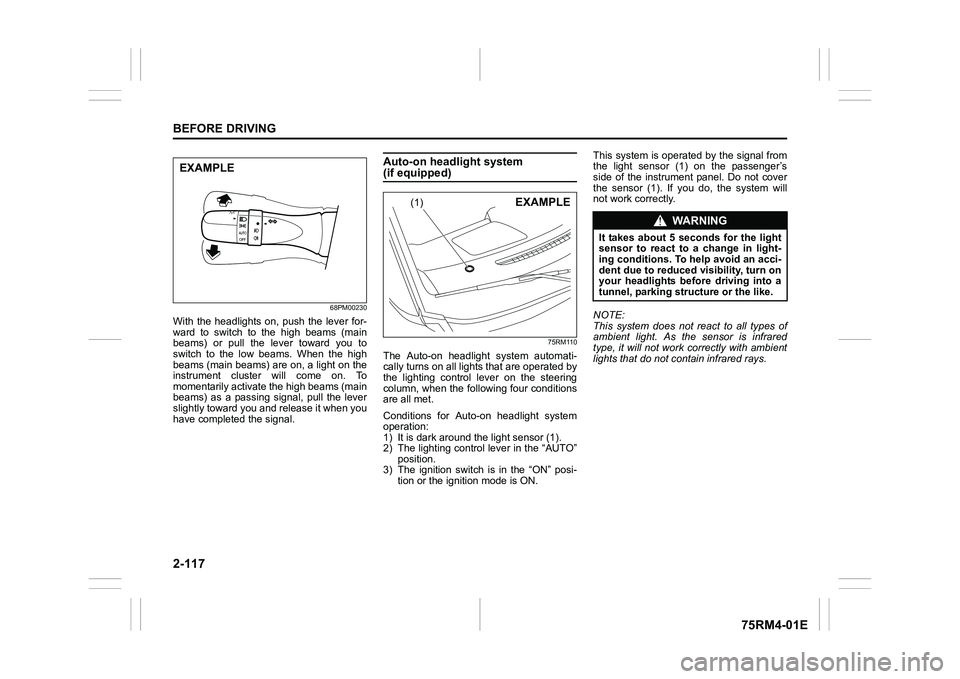
68PM00230
With the headlights on, push the lever for-
ward to switch to the high beams (main
beams) or pull the lever toward you to
switch to the low beams. When the high
beams (main beams) are on, a light on the
instrument cluster will come on. To
momentarily activate the high beams (main
beams) as a passing signal, pull the lever
slightly toward you and release it when you
have completed the signal.
Auto-on headlight system (if equipped)
75RM110
The Auto-on headlig ht system automati-
cally turns on all lights that are operated by
the lighting control lever on the steering
column, when the following four conditions
are all met.
Conditions for Auto-on headlight system
operation:
1) It is dark around the light sensor (1).
2) The lighting control lever in the “AUTO” position.
3) The ignition switch is in the “ON” posi-
tion or the ignition mode is ON. This system is operated by the signal from
the light sensor (1) on the passenger’s
side of the instrument panel. Do not cover
the sensor (1). If you do, the system will
not work correctly.
NOTE:
This system does not react to all types of
ambient light. As the sensor is infrared
type, it will not work correctly with ambient
lights that do not contain infrared rays.
EXAMPLE
(1)
EXAMPLE
WA R N I N G
It takes about 5 seconds for the light
sensor to react to a change in light-
ing conditions. To help avoid an acci-
dent due to reduced visibility, turn on
your headlights before driving into a
tunnel, parking structure or the like.
Page 141 of 505
2-118
BEFORE DRIVING
75RM4-01E
Light reminder buzzerThe interior buzzer continuously beeps if
you open the driver’s door without turning
off the headlights and position lights. This
function is triggered under the following
condition:
The headlights and/or position lights are
on even after the ignition switch is turned
off, or the engine switch is pressed to
change the ignition mode to LOCK (OFF).
The buzzer stops sounding when you turn
off the headlights and position lights.
NOTE:
A message is indicated on the information
display in the instrument cluster with
tachometer while the buzzer is sounding.Daytime running light (D.R.L.) sys-tem (if equipped)When the engine is started, this system
turns on the daytime running lights.
Conditions for D.R.L. system operation
1) The engine is running.
2) Headlights and front fog light (if equipped) are off.
NOTE:
Brightness of the daytime running lights is
different from the bri ghtness of the position
lights, but it is not a malfunction.
Guide me light (if equipped)To home function
This function turns on the front position
lights and the headlights in the low beam
setting for about 10 seconds after the igni-
tion switch is turned to “LOCK” position or
the engine switch is pressed to change the
ignition mode to LOCK (OFF).
To set the function:
1) Turn the lighting switch to “AUTO” posi- tion
2) Turn the ignition switch to “LOCK” posi- tion or press the engine switch to
change the ignition mode to LOCK
(OFF).
3) Pull the lighting control lever toward you once and open the driver’s side
door within 60 seconds. Or pull the
lighting control lever toward you once
while the driver’s side door is open.
To cancel the function:
Perform any of the following operations.
• Pull the lighting control lever toward you once.
• Insert the key into the ignition switch or
change the ignition mode to ACC or ON
by pressing the engine switch.
• Turn the lighting switch to any other
position than “AUTO” position. NOTE:
• When the “To home” is functioning, the
front fog lights, rear fog lights and the
headlights (high beam) are not turned
on.
• Lighting time of the “To home” function
can be changed on the information dis-
play. Refer to “Information display” in this
section.
To car function
If UNLOCK button of the keyless push start
system remote controller or the keyless
entry system transmitter is pressed while
the lighting switch is positioned in “AUTO”,
the front position lights and the headlights
in the low beam are turned on for 10 sec-
onds.
This function will operate only when it is
dark outside the vehicle.
To cancel the function:
Perform any of the following operations.
• Lock the doors by using the keyless push start system rem ote controller, the
request switch or the keyless entry sys-
tem transmitter, or insert the key into the
driver’s door lock.
• Insert the key into the ignition switch or
change the ignition mode to ACC or ON
by pressing the engine switch.
• Turn the lighting switch to any other
position than “AUTO” position.
Page 142 of 505
2-119BEFORE DRIVING
75RM4-01E
NOTE:
• When the “To car” is functioning, thefront fog lights, rear fog lights and the
headlights (high beam) are not turned
on.
• Lighting time of the “To car” function can
be changed on the information display.
Refer to “Information display” in this sec-
tion.
Front fog light swi tch (if equipped)
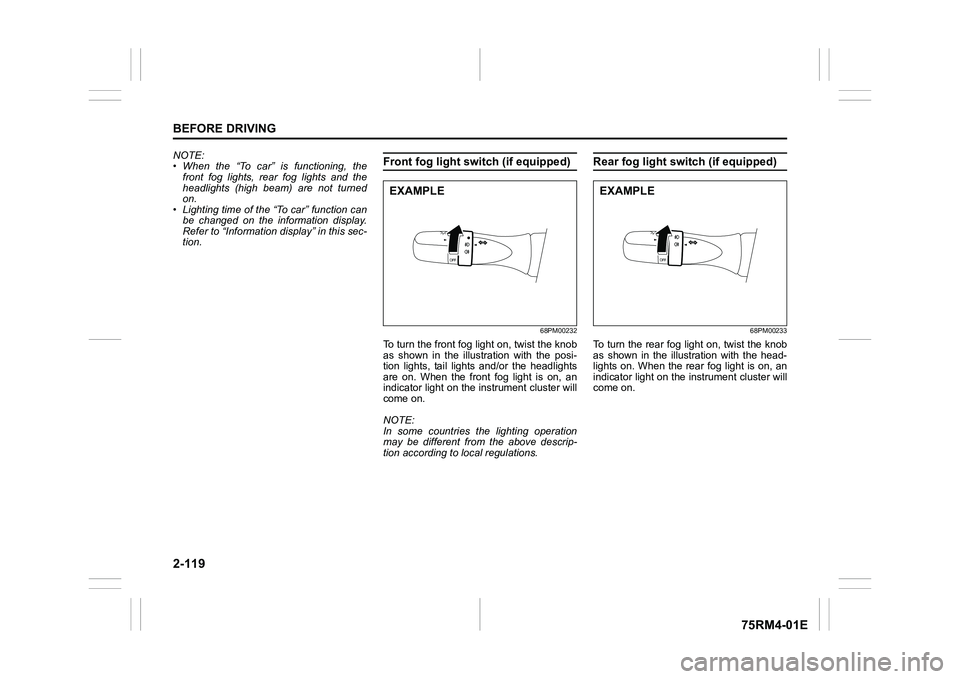
68PM00232
To turn the front fog light on, twist the knob
as shown in the illustration with the posi-
tion lights, tail lights and/or the headlights
are on. When the front fog light is on, an
indicator light on the in strument cluster will
come on.
NOTE:
In some countries the lighting operation
may be different from the above descrip-
tion according to local regulations.
Rear fog light switch (if equipped)
68PM00233
To turn the rear fog light on, twist the knob
as shown in the illustration with the head-
lights on. When the rear fog light is on, an
indicator light on the in strument cluster will
come on.
EXAMPLE
EXAMPLE