brake light SUZUKI IGNIS 2021 User Guide
[x] Cancel search | Manufacturer: SUZUKI, Model Year: 2021, Model line: IGNIS, Model: SUZUKI IGNIS 2021Pages: 505, PDF Size: 8.36 MB
Page 133 of 505

2-110
BEFORE DRIVING
75RM4-01E
Dual camera brake support indica-tor light (if equipped)
54P000255
When the ignition switch is turned to “ON”
position or the engine switch is pressed to
change the ignition mode to ON, this light
comes on briefly so you can check that the
light is working.
When the dual camera brake support is
activated, this light blinks rapidly.
If this light comes on, there is a problem
with the dual camera brake support. Bring
the vehicle to your SUZUKI dealer to have
the problem corrected.
For details, refer to “Dual camera brake
support” in the “OPERATING YOUR VEHI-
CLE” section.
Dual camera brake support OFF indicator light (if equipped)
62R0316
When the ignition switch is turned to “ON”
position or the engine switch is pressed to
change the ignition mode to ON, this light
comes on briefly so you can check that the
light is working.When the dual camera brake support OFF
switch is pushed to turn off the dual camera
brake support, this light comes on.
For details, refer to “Dual camera brake sup-
port” in the “OPERATING YOUR VEHICLE”
section.
Lane departure warning indicator light (if equipped)
81M31080
When the ignition switch is turned to “ON”
position or the engine switch is pressed to
change the ignition mode to ON, this light
comes on briefly so you can check that the
light is working.
When the lane departure warning is acti-
vated, this light blinks.
If this light comes on, there is a problem with
the dual camera brake support. Bring the
vehicle to your SUZUKI dealer to have the
problem corrected.
For details, refer to “Dual camera brake sup-
port” in the “OPERATING YOUR VEHICLE”
section.
Page 134 of 505
2-111BEFORE DRIVING
75RM4-01E
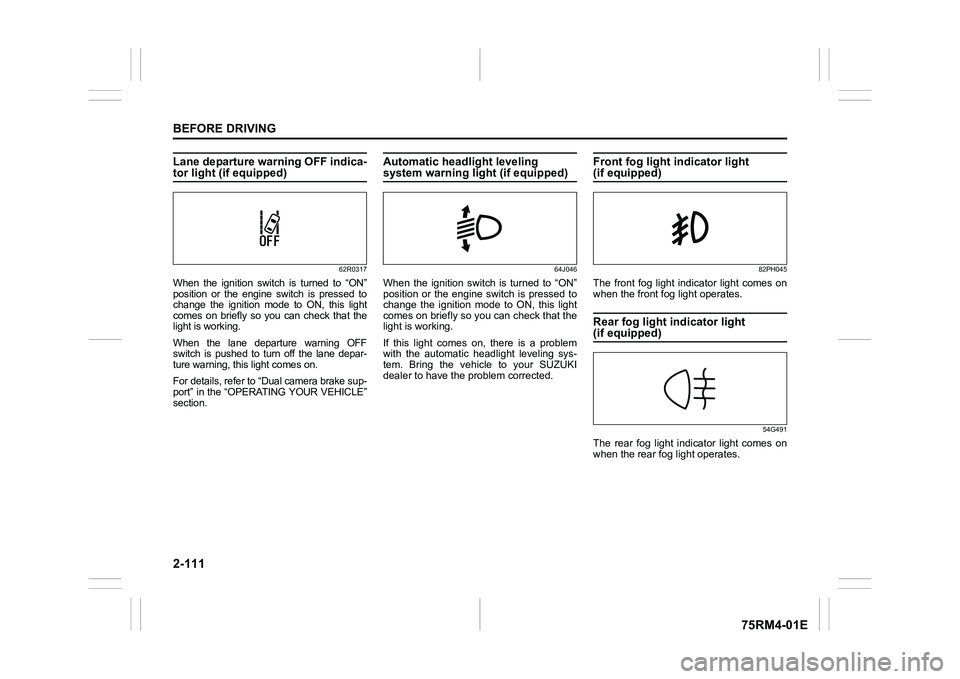
Lane departure warning OFF indica-tor light (if equipped)
62R0317
When the ignition switch is turned to “ON”
position or the engine switch is pressed to
change the ignition mode to ON, this light
comes on briefly so you can check that the
light is working.
When the lane departure warning OFF
switch is pushed to turn off the lane depar-
ture warning, this light comes on.
For details, refer to “Dual camera brake sup-
port” in the “OPERATING YOUR VEHICLE”
section.
Automatic headlight leveling system warning light (if equipped)
64J046
When the ignition switch is turned to “ON”
position or the engine switch is pressed to
change the ignition mode to ON, this light
comes on briefly so you can check that the
light is working.
If this light comes on, there is a problem
with the automatic headlight leveling sys-
tem. Bring the vehicle to your SUZUKI
dealer to have the problem corrected.
Front fog light indicator light (if equipped)
82PH045
The front fog light indicator light comes on
when the front fog light operates.Rear fog light indicator light (if equipped)
54G491
The rear fog light indicator light comes on
when the rear fog light operates.
Page 138 of 505
2-115BEFORE DRIVING
75RM4-01E
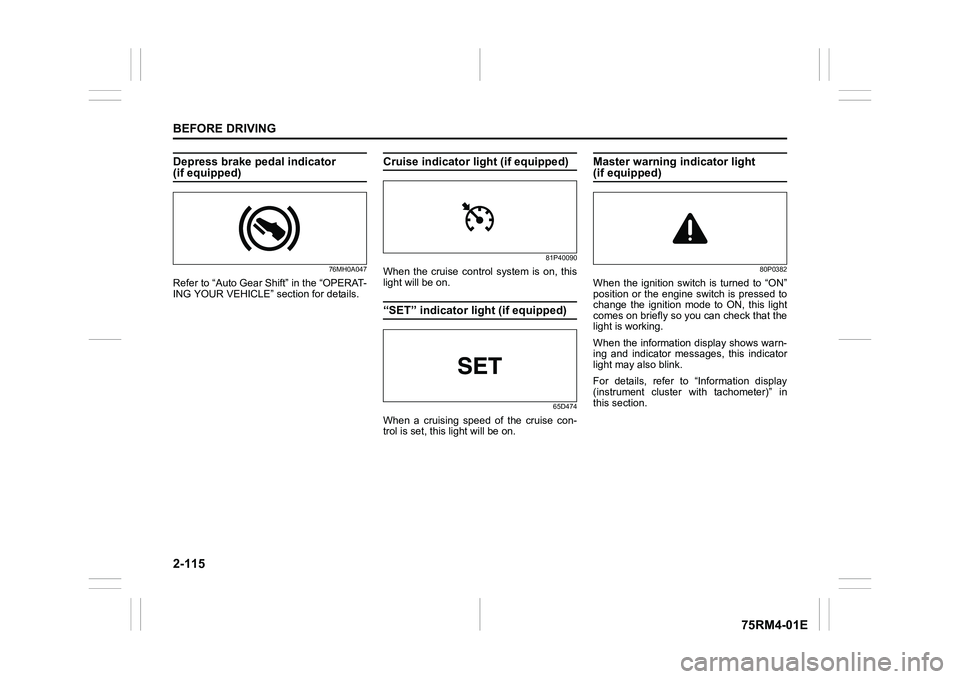
Depress brake pedal indicator (if equipped)
76MH0A047
Refer to “Auto Gear Shift” in the “OPERAT-
ING YOUR VEHICLE” section for details.
Cruise indicator light (if equipped)
81P40090
When the cruise control system is on, this
light will be on.“SET” indicator light (if equipped)
65D474
When a cruising speed of the cruise con-
trol is set, this light will be on.
Master warning indicator light (if equipped)
80P0382
When the ignition switch is turned to “ON”
position or the engine switch is pressed to
change the ignition mode to ON, this light
comes on briefly so you can check that the
light is working.
When the information display shows warn-
ing and indicator messages, this indicator
light may also blink.
For details, refer to “Information display
(instrument cluster with tachometer)” in
this section.
Page 139 of 505
2-116
BEFORE DRIVING
75RM4-01E
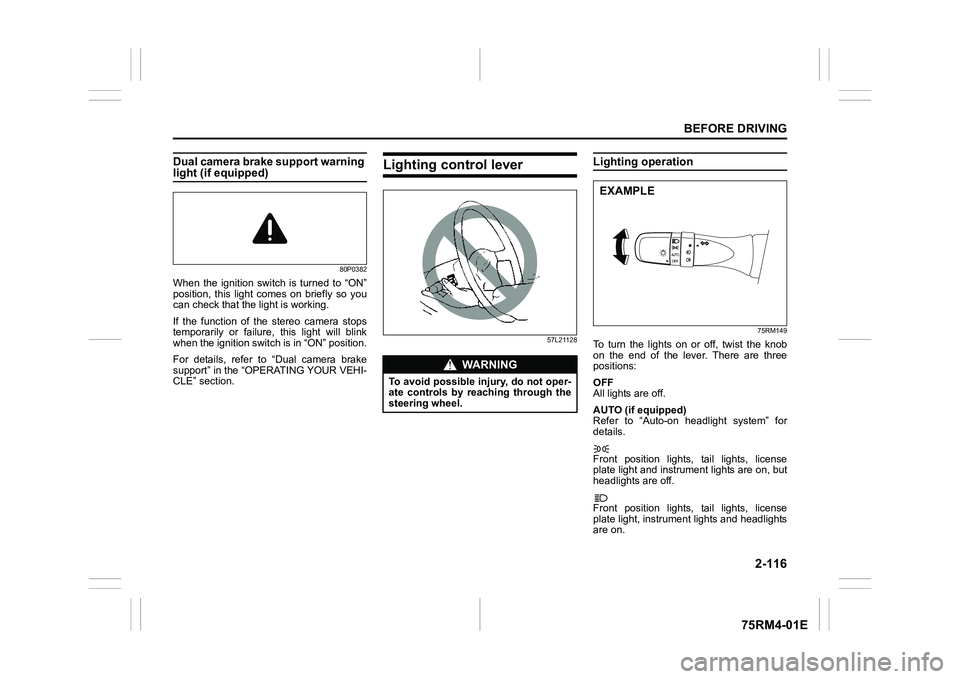
Dual camera brake support warning light (if equipped)
80P0382
When the ignition switch is turned to “ON”
position, this light comes on briefly so you
can check that the light is working.
If the function of the stereo camera stops
temporarily or failure, this light will blink
when the ignition switch is in “ON” position.
For details, refer to “Dual camera brake
support” in the “OPERATING YOUR VEHI-
CLE” section.
Lighting control lever
57L21128
Lighting operation
75RM149
To turn the lights on or off, twist the knob
on the end of the lever. There are three
positions:
OFF
All lights are off.
AUTO (if equipped)
Refer to “Auto-on headlight system” for
details.
Front position lights, tail lights, license
plate light and instrument lights are on, but
headlights are off.
Front position lights, tail lights, license
plate light, instrument lights and headlights
are on.
WA R N I N G
To avoid possible injury, do not oper-
ate controls by reaching through the
steering wheel.
EXAMPLE
Page 155 of 505
3-2
OPERATING YOUR VEHICLE
75RM4-01E
NOTE:
It is normal for water to drip from the air
conditioning system after use.
4) Check that the hood is fully closed andlatched.
5) Check the headlights, turn signal lights, brake lights and horn for proper opera-
tion.
6) Adjust the seat and head restraint.
7) Check the brake pedal and the parking brake lever.
8) Adjust the mirrors.
9) Check that you and all passengers have properly fastened your seat belts.
10)Check that all warning lights come on as the ignition switch is turned to “ON”
position or the engine switch is pressed
to change the ignition mode to ON.
11)Check all gauges.
12)Check that the brake system warning light turns off when the parking brake is
released.
Once a week, or each time you fill your fuel
tank, perform the following under-hood
checks:
1) Engine oil level
2) Coolant level
3) Brake fluid level
4) Lead-acid battery solution level
5) Windshield washer fluid level
6) Hood latch operation Pull the hood release handle inside the
vehicle. Check that you cannot open the hood all the way without releasing
the secondary latch. Close the hood
securely after checking for proper latch
operation. See the item “All latches,
hinges and locks” of “Chassis, body
and others” in “Maintenance schedule”
in the “INSPECTION AND MAINTE-
NANCE” section for lubrication sched-
ule.
Once a month, or each time you fill your
fuel tank, check the tire pressure using a
tire pressure gauge. Also check the tire
pressure of the spare tire.
Engine oil consumptionIt is normal for the engine to consume
some engine oil during normal vehicle
operation.
The amount of engine oil consumption
depends on viscosity and quality of the oil
and your driving conditions.
More oil is consumed during high-speed
driving and when there is frequent acceler-
ation and deceleration. Under high loads,
your engine also will consume more oil.
A new engine also consumes more oil,
since its pistons, piston rings and cylinder
walls have not yet become conditioned.
New engines reach the normal level of oil
consumption only after approximately
5000 km (3000 miles) driving.
Oil consumption:
Max. 1.0 L per 1000 km
(1 Qt. per 600 miles)
When judging the amount of oil consump-
tion, note that the oil may become diluted
and it is difficult to judge the accurate oil
level.
As an example, if a vehicle is used for
repeated short trips, and consumes a nor-
mal amount of oil, the dipstick may not
show any drop in the oil level at all, even
after 1000 km (600 miles) or more of driv-
ing. This is because the oil gradually
becomes diluted with fuel or moisture,
WA R N I N G
Check that the hood is fully closed
and latched before d riving. If it is not,
it can fly up unexpectedly during
driving, obstructing your view and
resulting in an accident.
Page 159 of 505
3-6
OPERATING YOUR VEHICLE
75RM4-01E
CVT – Provided you have the keyless
push start system remote controller with
you, the engine automatically starts when
you press the engine switch to select this
ignition mode after placing the gearshift
lever in the “P” position and depressing the
brake pedal. (If you need to re-start the
engine while the vehicle is moving, shift
into “N”.)
NOTE:
You do not need to keep the engine switch
pressed to start the engine.
NOTE:
In the presence of strong radio signals or
noise, you may not be able to change the
ignition mode to ACC or ON or to start the
engine using the engine switch. In this
case, the information display in the instru-
ment cluster will show the following mes-
sage: KEY FOB NOT DETECTED.
Unreleased steering lock warningIf the steering lock remains engaged when
you press the engine switch to change the
ignition mode to ON, the information dis-
play in the instrument cluster shows the
message: “TRN. STEERING WHEEL TO
RELEASE LOCK”. Refer to “Information
display” in the “BEFORE DRIVING” sec-
tion for details.
NOTE:
The steering lock may not be released and
the immobilizer/keyless push start system
warning light turns on if some load is acting
on the steering wheel . If this happens, turn
the steering wheel to the right or left to
relieve it from the load before you press
the engine switch again to change to the
desired ignition mode.
Keyless push start system (if equipped)Provided the keyless push start system
remote controller is within the interior work-
able area (refer to the related explanation
in this section), you can use the engine
switch for starting the engine and selecting
an ignition mode (ACC or ON). In addition,
the following functions can be used:
• Keyless entry function. Refer to “Keyless push start system r emote controller /
keyless entry system transmitter” in the
“BEFORE DRIVING” se ction for details.
• Locking and unlocking doors (including the tailgate) using a request switch.
Refer to “Keyless push start system
remote controller / keyless entry system
transmitter” in the “BEFORE DRIVING”
section for details.
• Immobilizer (anti-thef t) function. Refer to
“Immobilizer syste m” in the “BEFORE
DRIVING” section for details.
NOTICE
Do not leave the engine switch in
ACC or ON mode when the engine is
not running. Avoid using the radio or
other electric accessories for a long
time when the engine switch is in
ACC or ON mode when the engine is
not running, other wise the lead-acid
battery may discharge.
Page 160 of 505
3-7OPERATING YOUR VEHICLE
75RM4-01E
Engine switch illuminationThe engine switch is illuminated (lit) in the
following situations:
• When the engine is off and the driver’sdoor is open, or for 15 seconds after the
driver’s door is closed. The illumination
will fade out after 15 seconds passed.
• When the engine is off and the position lights are on. The illumination will go out
when the position lig hts are turned off.
• When the engine is on and the position lights and/or the headlights are on. The
illumination will go out when the position
lights are turned off.
82K253
NOTE:
To save the lead-acid battery, the illumina-
tion will be automatically turned off when
both of the following conditions are simul-
taneously met:
• The headlights and position lights areturned off.
• 15 minutes has elapsed since opening
the driver’s door.
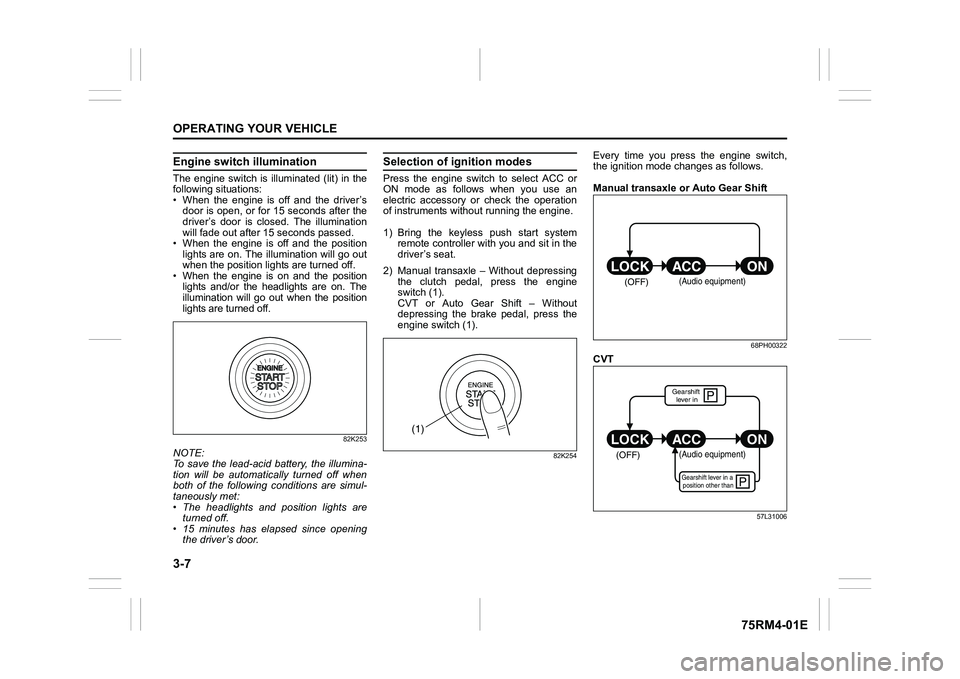
Selection of i gnition modesPress the engine switch to select ACC or
ON mode as follows when you use an
electric accessory or check the operation
of instruments without running the engine.
1) Bring the keyless push start system remote controller with you and sit in the
driver’s seat.
2) Manual transaxle – Without depressing the clutch pedal, press the engine
switch (1).
CVT or Auto Gear Shift – Without
depressing the brake pedal, press the
engine switch (1).
82K254
Every time you press the engine switch,
the ignition mode changes as follows.
Manual transaxle or Auto Gear Shift
68PH00322
CVT
57L31006
(1)
(OFF)
(Audio equipment)
çP
P
(OFF)
ON
ACC
LOCK
(Audio equipment)Gearshift lever in a
position other thanGearshift lever in
Page 161 of 505
3-8
OPERATING YOUR VEHICLE
75RM4-01E
NOTE:
• CVT – If the gearshift lever is in anyposition other than “P”, or if the knob but-
ton is pushed when the gearshift lever is
in “P” position the ignition mode cannot
be returned to LOCK (OFF).
• When selecting the ignition modes, the information display in the instrument
cluster shows certain messages. Refer
to “Information display” in the “BEFORE
DRIVING” section for details.
If the master warning indicator light
blinks and the ignition modes cannot
be selected
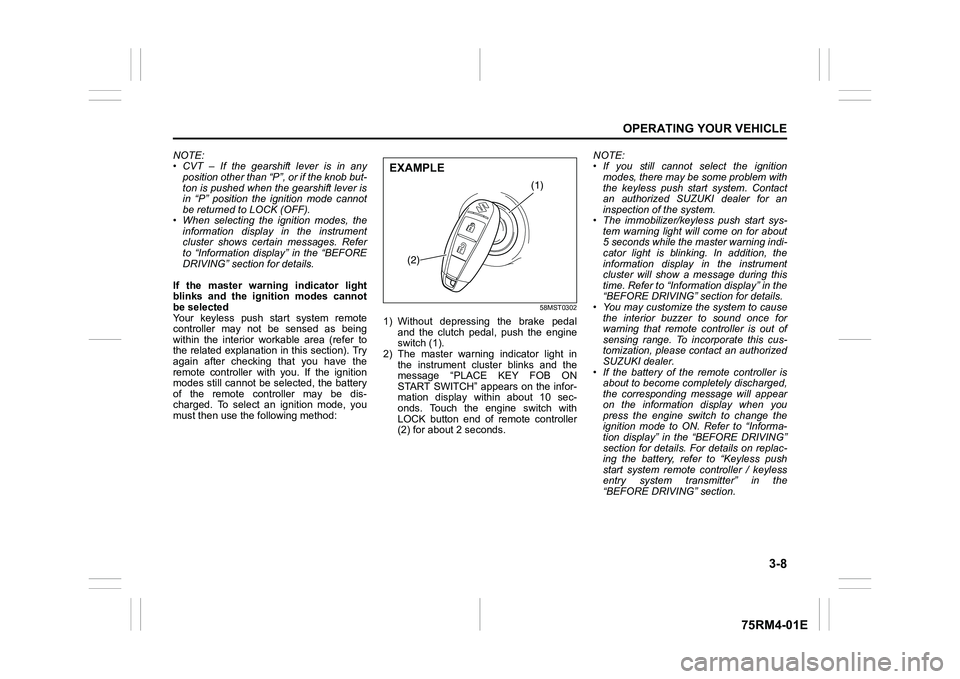
Your keyless push start system remote
controller may not be sensed as being
within the interior wo rkable area (refer to
the related explanation in this section). Try
again after checking that you have the
remote controller with you. If the ignition
modes still cannot be selected, the battery
of the remote controller may be dis-
charged. To select an ignition mode, you
must then use the following method:
58MST0302
1) Without depressing the brake pedal
and the clutch pedal, push the engine
switch (1).
2) The master warning indicator light in the instrument cluster blinks and the
message “PLACE KEY FOB ON
START SWITCH” appears on the infor-
mation display within about 10 sec-
onds. Touch the engine switch with
LOCK button end of remote controller
(2) for about 2 seconds. NOTE:
• If you still cannot
select the ignition
modes, there may be some problem with
the keyless push start system. Contact
an authorized SUZUKI dealer for an
inspection of the system.
• The immobilizer/keyless push start sys- tem warning light will come on for about
5 seconds while the master warning indi-
cator light is blinking. In addition, the
information display in the instrument
cluster will show a message during this
time. Refer to “Informa tion display” in the
“BEFORE DRIVING” section for details.
• You may customize the system to cause
the interior buzzer to sound once for
warning that remote controller is out of
sensing range. To incorporate this cus-
tomization, please contact an authorized
SUZUKI dealer.
• If the battery of the remote controller is about to become completely discharged,
the corresponding message will appear
on the information display when you
press the engine switch to change the
ignition mode to ON. Refer to “Informa-
tion display” in the “BEFORE DRIVING”
section for details. For details on replac-
ing the battery, refer to “Keyless push
start system remote controller / keyless
entry system transmitter” in the
“BEFORE DRIVING” section.
(1)
(2)
EXAMPLE
Page 163 of 505
3-10
OPERATING YOUR VEHICLE
75RM4-01E
NOTE:
• Even when the remote controller is in theinterior workable area, if it is in any of the
following conditions, you may not be
able to start the engine or select the igni-
tion modes, and the REMOTE CON-
TROLLER OUTSIDE warning may be
given.
– The remote controller’s battery is low.
– The remote controller is affected by strong radio signals or noise.
– The remote controller is in contact with
or covered by a metallic object.
– The remote controller is in stowage such as the glove box or a door
pocket.
– The remote controller is in the sun
visor pocket or on the floor.
• Even when the remote controller is out- side the interior workable area, if it is in
any of the following conditions, you may
be able to start the engine or select the
ignition mode. The REMOTE CON-
TROLLER OUTSIDE warning may not
be given at that time.
– The remote controller is outside the
vehicle but very close to a door.
– The remote controller is on the instru-
ment panel.
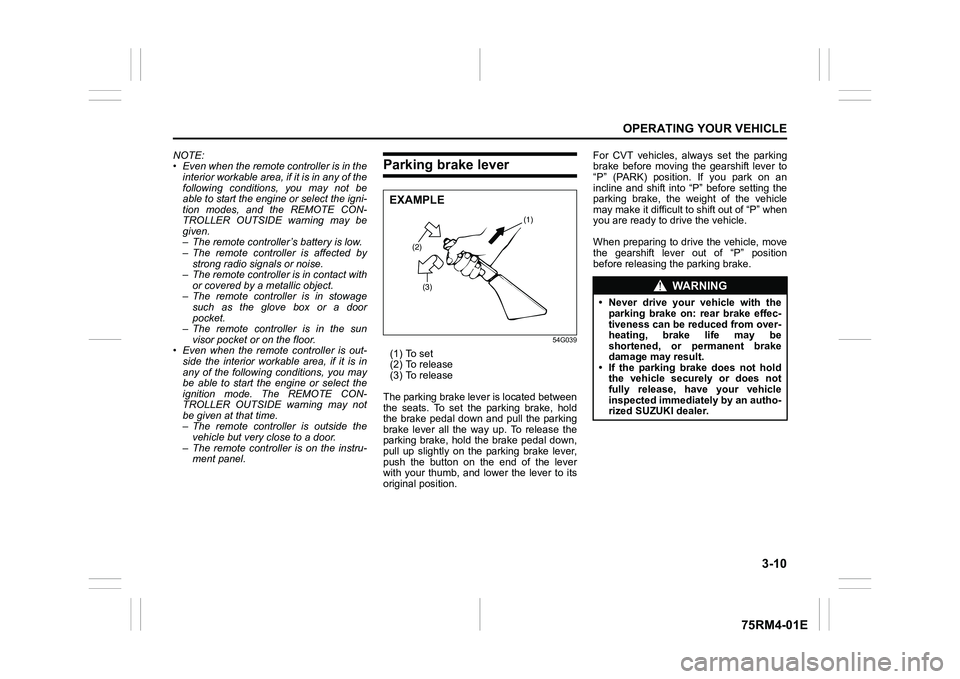
Parking brake lever
54G039
(1) To set
(2) To release
(3) To release
The parking brake lever is located between
the seats. To set the parking brake, hold
the brake pedal down and pull the parking
brake lever all the way up. To release the
parking brake, hold the brake pedal down,
pull up slightly on the parking brake lever,
push the button on the end of the lever
with your thumb, and lower the lever to its
original position. For CVT vehicles, always set the parking
brake before moving the gearshift lever to
“P” (PARK) position. If you park on an
incline and shift into “P” before setting the
parking brake, the weight of the vehicle
may make it difficult to shift out of “P” when
you are ready to drive the vehicle.
When preparing to drive the vehicle, move
the gearshift lever out of “P” position
before releasing the parking brake.
(2)
(3) (1)
EXAMPLE
WA R N I N G
• Never drive your vehicle with the
parking brake on: rear brake effec-
tiveness can be reduced from over-
heating, brake life may be
shortened, or permanent brake
damage may result.
• If the parking brake does not hold the vehicle securely or does not
fully release, have your vehicle
inspected immediately by an autho-
rized SUZUKI dealer.
Page 164 of 505
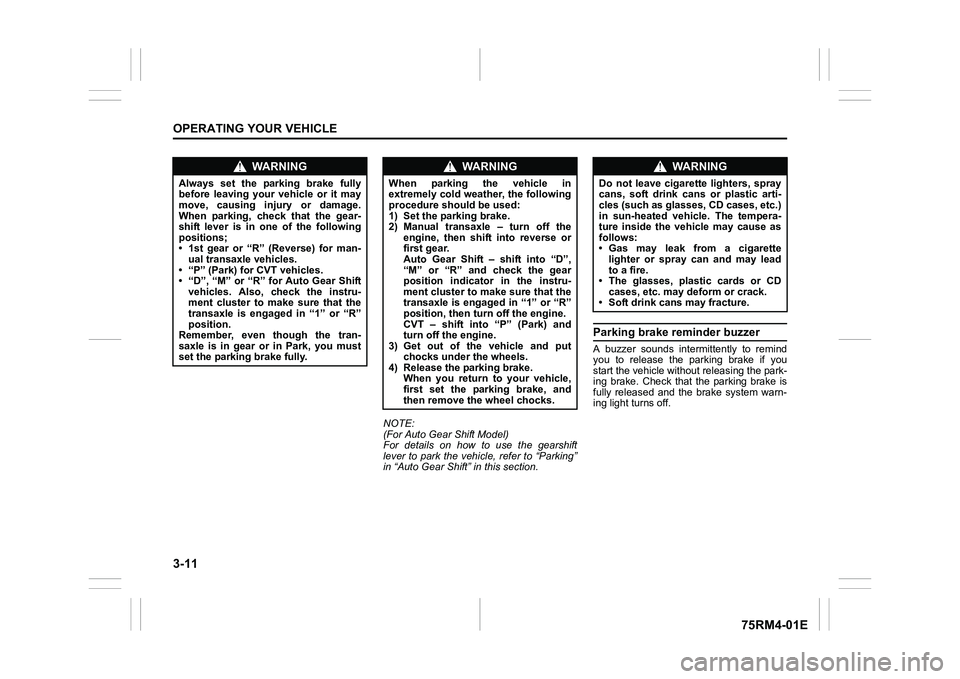
3-11OPERATING YOUR VEHICLE
75RM4-01E
NOTE:
(For Auto Gear Shift Model)
For details on how to use the gearshift
lever to park the vehicle, refer to “Parking”
in “Auto Gear Shift” in this section.
Parking brake reminder buzzerA buzzer sounds intermittently to remind
you to release the parking brake if you
start the vehicle without releasing the park-
ing brake. Check that the parking brake is
fully released and the brake system warn-
ing light turns off.
WA R N I N G
Always set the parking brake fully
before leaving your vehicle or it may
move, causing injury or damage.
When parking, check that the gear-
shift lever is in one of the following
positions;
• 1st gear or “R” (Reverse) for man-ual transaxle vehicles.
• “P” (Park) for CVT vehicles.
• “D”, “M” or “R” for Auto Gear Shift vehicles. Also, check the instru-
ment cluster to make sure that the
transaxle is engaged in “1” or “R”
position.
Remember, even though the tran-
saxle is in gear or in Park, you must
set the parking brake fully.
WA R N I N G
When parking the vehicle in
extremely cold weather, the following
procedure should be used:
1) Set the parking brake.
2) Manual transaxle – turn off the
engine, then shift into reverse or
first gear.
Auto Gear Shift – shift into “D”,
“M” or “R” and check the gear
position indicator in the instru-
ment cluster to make sure that the
transaxle is engaged in “1” or “R”
position, then tur n off the engine.
CVT – shift into “P” (Park) and
turn off the engine.
3) Get out of the vehicle and put
chocks under the wheels.
4) Release the parking brake. When you return to your vehicle,
first set the parking brake, and
then remove the wheel chocks.
WA R N I N G
Do not leave cigarette lighters, spray
cans, soft drink cans or plastic arti-
cles (such as glasses, CD cases, etc.)
in sun-heated vehicle. The tempera-
ture inside the vehicle may cause as
follows:
• Gas may leak from a cigarette lighter or spray can and may lead
to a fire.
• The glasses, plastic cards or CD cases, etc. may deform or crack.
• Soft drink cans may fracture.