brakes SUZUKI IGNIS 2021 User Guide
[x] Cancel search | Manufacturer: SUZUKI, Model Year: 2021, Model line: IGNIS, Model: SUZUKI IGNIS 2021Pages: 505, PDF Size: 8.36 MB
Page 228 of 505
3-75OPERATING YOUR VEHICLE
75RM4-01E
If the rear view from the rearview cam-
era is not shown or there is a poor
image
• If the rear view from the rearview camerais not shown.
– Check that the ignition switch is in
“ON” position or the ignition mode is
ON.
– Check that the gearshift lever is
shifted to “R” position.
• If the image from the rearview camera is poor.
– Check that the camera lens is not dirty.
– Check that light from the sun or thebeam of the headlights from the vehi-
cle behind is not shining directly into
the lens.
If the rearview camera system is still not
working properly after checking the above,
have the system inspected by an autho-
rized SUZUKI dealer as soon as possible.
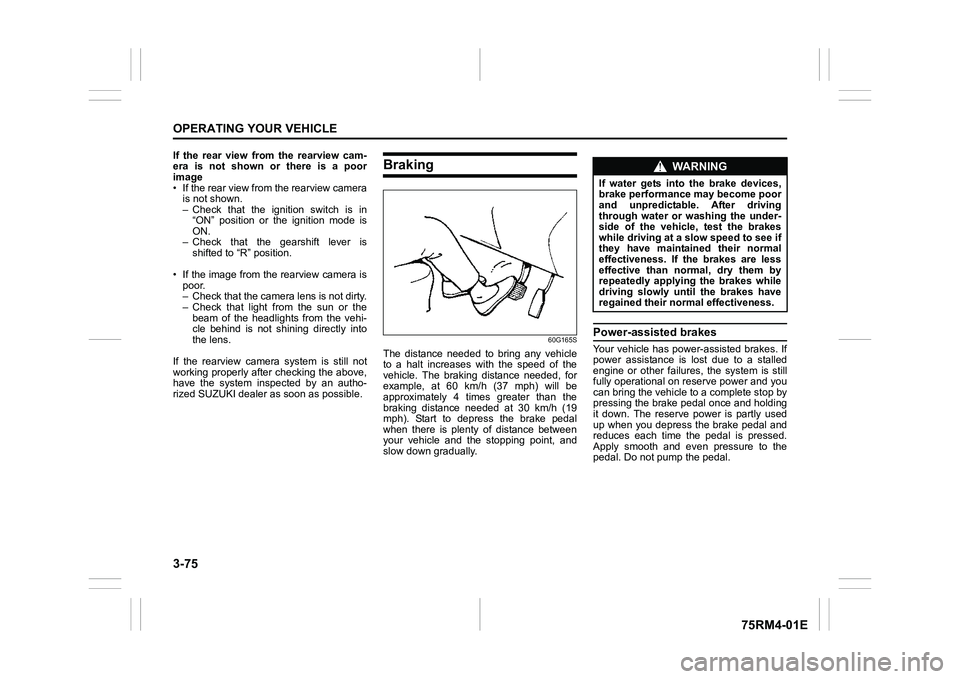
Braking
60G165S
The distance needed to bring any vehicle
to a halt increases with the speed of the
vehicle. The braking distance needed, for
example, at 60 km/h (37 mph) will be
approximately 4 times greater than the
braking distance needed at 30 km/h (19
mph). Start to depress the brake pedal
when there is plenty of distance between
your vehicle and the stopping point, and
slow down gradually.
Power-assisted brakesYour vehicle has power-assisted brakes. If
power assistance is lo st due to a stalled
engine or other failure s, the system is still
fully operational on reserve power and you
can bring the vehicle to a complete stop by
pressing the brake pedal once and holding
it down. The reserve power is partly used
up when you depress the brake pedal and
reduces each time the pedal is pressed.
Apply smooth and even pressure to the
pedal. Do not pump the pedal.
WA R N I N G
If water gets into the brake devices,
brake performance may become poor
and unpredictable. After driving
through water or washing the under-
side of the vehicle, test the brakes
while driving at a slow speed to see if
they have maintained their normal
effectiveness. If the brakes are less
effective than normal, dry them by
repeatedly applying the brakes while
driving slowly until the brakes have
regained their normal effectiveness.
Page 229 of 505
3-76
OPERATING YOUR VEHICLE
75RM4-01E
Brake assist systemWhen you slam the brakes on, the brake
assist system determines it to be an emer-
gency stop and provides more powerful
braking for a driver who cannot hold down
the brake pedal firmly.
NOTE:
If you quickly and forcefully depress the
brakes, you may hear clicking sound by
the brake assist system operation. This is
normal and indicates that the brake assist
system is activated properly.
Anti-lock brake system (ABS)ABS will help you avoid skidding by elec-
tronically controlling braking pressure. It
will also help you maintain steering control
when braking on slippery surfaces or when
braking hard.
The ABS works automatically, so you do
not need any special braking technique.
Just push the brake pedal down without
pumping. The ABS will operate whenever
it senses that the wheels are locking up.
You may feel the brake pedal move a little
while the ABS is operating.
NOTE:
• The ABS will not work if vehicle speed is under about 9 km/h (6 mph).
• If the ABS system is activated, you may
hear a clunking noise and/or feel pulsat-
ing in the brake pedal. This is normal
and indicates that the brake fluid pres-
sure is being controlled properly.
• You may hear an operation sound when you start the engine or after the vehicle
begins to move. This means that the
above systems are in the self-check
mode. This sound does not indicate a
malfunction.
WA R N I N G
Even without reserve power in the
brake system, you can still stop the
vehicle by pressing the brake pedal
harder than normally required. How-
ever, the stopping distance may be
longer.
WA R N I N G
• On some types of loose surfaces (such as gravel, snow-covered
roads, etc.), the stopping distance
required for a vehicle with ABS
may be slightly greater than the
one required for a comparable vehi-
cle with a conventional brake sys-
tem. With a conventional brake
system, skidding tires are able to
plow the gravel or snow layer,
shortening the stopping distance.
ABS minimizes this resistance
effect. Allow for extra stopping dis-
tance when driving on loose sur-
faces.
• On regular paved roads, some driv-
ers may be able to obtain slightly
shorter stopping distances with
conventional brake systems than
with ABS.
• In both of the above conditions, ABS will still offer the advantage of
helping you maintain directional
control. However, remember that
ABS will not compensate for bad
road or weather conditions or poor
driver judgment. Use good judg-
ment and do not drive too fast.
Page 231 of 505
3-78
OPERATING YOUR VEHICLE
75RM4-01E
Electronic stability program (ESP
®) (if equipped)
ESP
® is a registered trademark of Daimler
AG.
The Electronic Stability Program (ESP
®)
helps to control the vehicle during corner-
ing if front wheels or rear wheels skid. It
also assists you in maintaining traction
while accelerating on loose or slippery
road surfaces. It does this by regulating
the engine’s output, and by selectively
applying the brakes. In addition, ESP®
helps to avoid skidding by controlling brak-
ing pressure. The ESP
® has the following three sys-
tems:
Stability control systemThe vehicle stability control system helps
provide integrated control of systems such
as anti-lock brakes, traction control, engine
control, etc. This system automatically
controls the brakes and engine to help pre-
vent the vehicle from skidding when cor-
nering on a slippery road surface or when
turning the steering wheel abruptly.Traction control systemThe traction control system automatically
helps prevent the spinning of wheels when
the vehicle is started or accelerated on
slippery road surfaces. The system oper-
ates only if it senses that some of the
wheels are spinning or beginning to lose
traction. When this happens, the system
operates the front or rear brakes and
reduces engine power to limit wheel spin.
Anti-lock brake system (ABS)ABS will help you avoid skidding by elec-
tronically controlling braking pressure. It
will also help you maintain steering control
when braking on slippery surfaces or when
braking hard. The ABS works automati-
cally, so you do not have to use any spe-
cial braking technique. Just push the brake
pedal down wit hout pumping. The ABS will
operate whenever it senses that wheels
are locking up. You may feel the brake
pedal pulsate while the ABS is operating.
(For more information on ABS, see “Brak-
ing” in this section.)
NOTE:
The ABS will not work if vehicle speed is
under about 9 km/h (6 mph).
WA R N I N G
The ESP
® cannot enhance the vehi-
cle’s driving stability in all situations
and does not control your vehicle’s
entire braking system. The ESP
® can-
not prevent accidents, including
those resulting from excessive speed
in turns, or hydroplaning. Only safe
and attentive drive can prevent acci-
dents. The capabilities of an ESP
®-
equipped vehicle must never be used
as a substitute for careful driving.
WA R N I N G
• The ESP
® may not work properly if
tires or wheels other than those
specified in the owner’s manual are
used. When replacing tires or
wheels, use only the size and type
specified in this owner’s manual.
• The ESP® may not work properly if
tires are not inflated to the recom-
mended tire inflation pressure.
• The ESP® may not work properly if
tires are fitted wi th tire chains.
(Continued)
Page 233 of 505
3-80
OPERATING YOUR VEHICLE
75RM4-01E
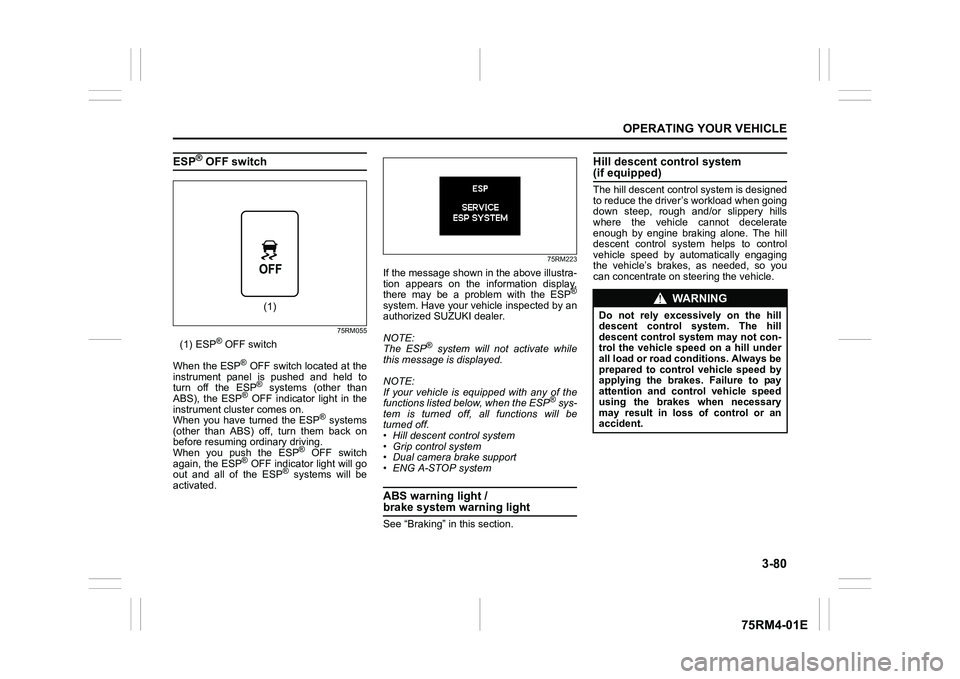
ESP
® OFF switch
75RM055
(1) ESP
® OFF switch
When the ESP
® OFF switch located at the
instrument panel is pushed and held to
turn off the ESP® systems (other than
ABS), the ESP
® OFF indicator light in the
instrument cluster comes on.
When you have turned the ESP
® systems
(other than ABS) off, turn them back on
before resuming ordinary driving.
When you push the ESP
® OFF switch
again, the ESP
® OFF indicator light will go
out and all of the ESP
® systems will be
activated.
75RM223
If the message shown in the above illustra-
tion appears on the information display,
there may be a problem with the ESP
®
system. Have your vehicle inspected by an
authorized SUZUKI dealer.
NOTE:
The ESP
® system will not activate while
this message is displayed.
NOTE:
If your vehicle is equipped with any of the
functions listed below, when the ESP
® sys-
tem is turned off, all functions will be
turned off.
• Hill descent control system
• Grip control system
• Dual camera brake support
• ENG A-STOP system
ABS warning light / brake system warning lightSee “Braking” in this section.
Hill descent control system (if equipped)The hill descent cont rol system is designed
to reduce the driver’s workload when going
down steep, rough and/or slippery hills
where the vehicle cannot decelerate
enough by engine braking alone. The hill
descent control system helps to control
vehicle speed by automatically engaging
the vehicle’s brakes, as needed, so you
can concentrate on steering the vehicle.
(1)
WA R N I N G
Do not rely excessively on the hill
descent control system. The hill
descent control system may not con-
trol the vehicle speed on a hill under
all load or road conditions. Always be
prepared to control vehicle speed by
applying the brakes. Failure to pay
attention and control vehicle speed
using the brakes when necessary
may result in loss of control or an
accident.
Page 237 of 505
3-84
OPERATING YOUR VEHICLE
75RM4-01E
How grip control system works
When the grip control switch is on and one
side of the tires is slipping, the grip control
system assists you in smooth starting by
controlling the driving force and brake
force of all wheels.
• When the ESP
® system is off, the grip
control system cannot be activated.
NOTE:
While the grip control system is working,
the ESP
® warning light blinks.
Hill hold control sys tem (if equipped)The hill hold control system is designed to
assist you in starting to move up hills.
When you start to move up a hill, the sys-
tem helps to prevent the vehicle from roll-
ing downward (for approximately 2
seconds) while you move your foot from
the brake pedal to the accelerator pedal.
The hill hold control system activates for a
maximum of about 2 seconds if your foot is
moved from the brake pedal when the fol-
lowing conditions are all met.
1) The gearshift lever is in a forward gear or reverse gear.
2) The parking brake is released.
3) For manual transaxle models, the clutch pedal is depressed.
4) The vehicle is o n an upward incline.
CAUTION
To activate the grip control system,
push the grip control switch and
check that the indicator on the switch
turns on.
WA R N I N G
• Do not rely excessively on the hill
hold control system. The hill hold
control system may not prevent the
vehicle from rolling downward on a
hill under all load or road condi-
tions. Always be prepared to
depress the brake pedal to prevent
the vehicle from rolling downward.
Failure to pay attention and
depress the brake pedal to hold the
vehicle on a hill when necessary,
may result in loss of control or an
accident.
• The hill hold control system is not designed to stop the vehicle on a
hill. (Continued)
WA R N I N G
(Continued)
• After you release your foot from the
brake pedal, accelerate the vehicle
to move up immediately. If you
release your foot from the brake
pedal over 2 seconds, the hill hold
control system will be canceled. If
so, the vehicle may roll downward,
which can result in an accident
depending on the degree of slope.
And, the engine may stall and the
power assist for the steering and
brakes will not work so steering
and braking will be much harder
than usual which can result in an
accident or vehicle damage.
Page 250 of 505
4-3DRIVING TIPS
75RM4-01E
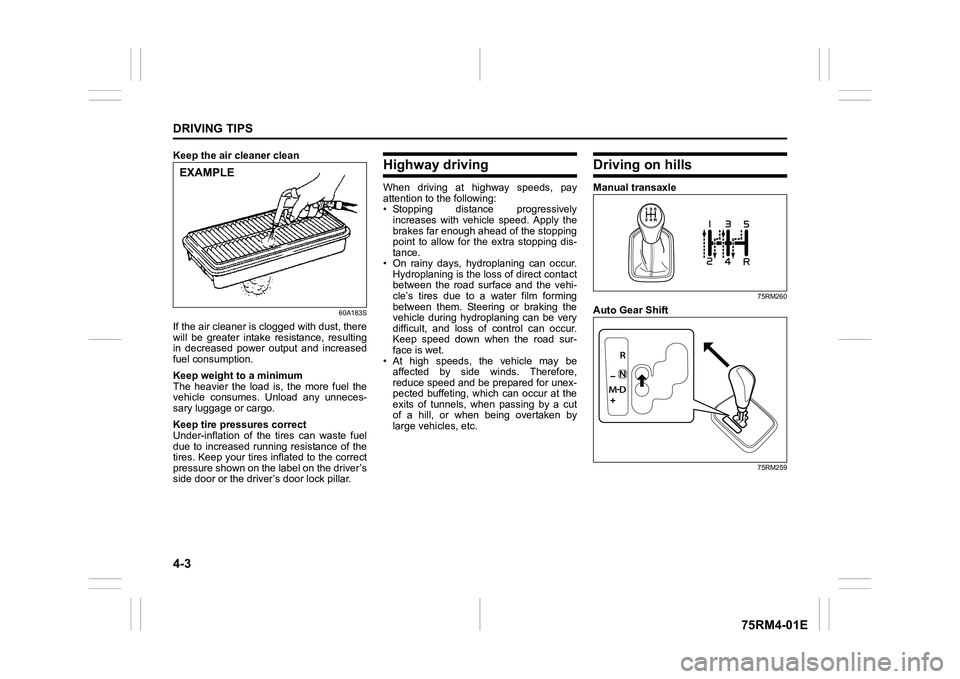
Keep the air cleaner clean
60A183S
If the air cleaner is clogged with dust, there
will be greater intake resistance, resulting
in decreased power output and increased
fuel consumption.
Keep weight to a minimum
The heavier the load is, the more fuel the
vehicle consumes. Unload any unneces-
sary luggage or cargo.
Keep tire pressures correct
Under-inflation of the tires can waste fuel
due to increased running resistance of the
tires. Keep your tires inflated to the correct
pressure shown on the label on the driver’s
side door or the driver’s door lock pillar.
Highway drivingWhen driving at highway speeds, pay
attention to the following:
• Stopping distance progressivelyincreases with vehicle speed. Apply the
brakes far enough ahead of the stopping
point to allow for the extra stopping dis-
tance.
• On rainy days, hydroplaning can occur. Hydroplaning is the loss of direct contact
between the road surface and the vehi-
cle’s tires due to a water film forming
between them. Steering or braking the
vehicle during hydroplaning can be very
difficult, and loss of control can occur.
Keep speed down when the road sur-
face is wet.
• At high speeds, the vehicle may be affected by side winds. Therefore,
reduce speed and be prepared for unex-
pected buffeting, which can occur at the
exits of tunnels, when passing by a cut
of a hill, or when being overtaken by
large vehicles, etc.
Driving on hillsManual transaxle
75RM260
Auto Gear Shift
75RM259
EXAMPLE
Page 251 of 505
4-4
DRIVING TIPS
75RM4-01E
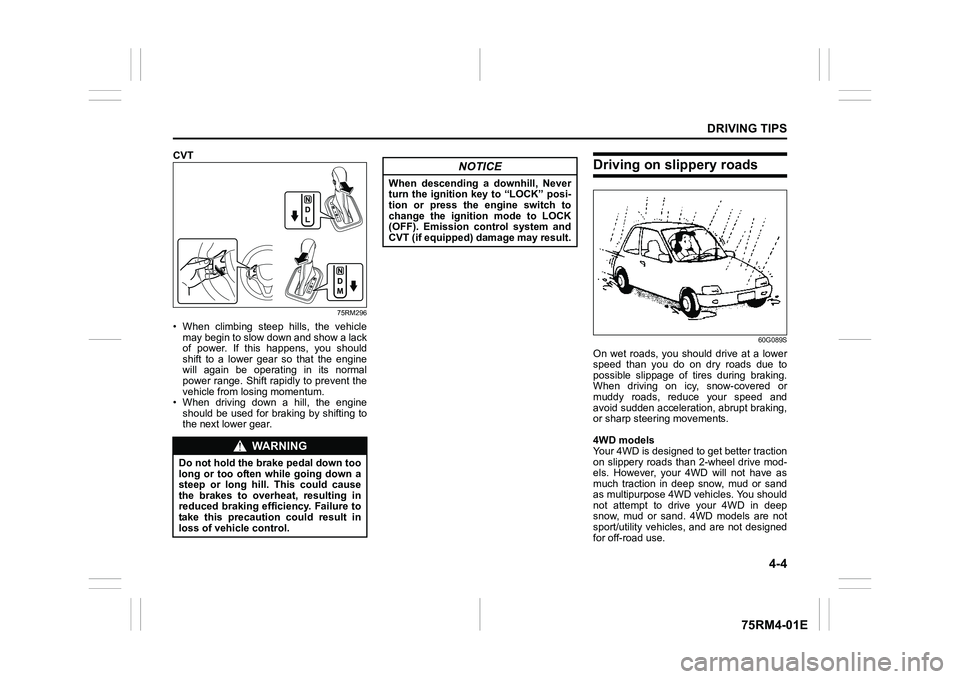
CVT
75RM296
• When climbing steep hills, the vehiclemay begin to slow down and show a lack
of power. If this happens, you should
shift to a lower gear so that the engine
will again be operating in its normal
power range. Shift rapidly to prevent the
vehicle from losing momentum.
• When driving down a hill, the engine
should be used for braking by shifting to
the next lower gear.
Driving on slippery roads
60G089S
On wet roads, you shou ld drive at a lower
speed than you do on dry roads due to
possible slippage of tires during braking.
When driving on icy, snow-covered or
muddy roads, reduce your speed and
avoid sudden acceleration, abrupt braking,
or sharp steering movements.
4WD models
Your 4WD is designed to get better traction
on slippery roads than 2-wheel drive mod-
els. However, your 4WD will not have as
much traction in deep snow, mud or sand
as multipurpose 4WD vehicles. You should
not attempt to drive your 4WD in deep
snow, mud or sand. 4WD models are not
sport/utility vehicles, and are not designed
for off-road use.
WA R N I N G
Do not hold the brake pedal down too
long or too often while going down a
steep or long hill. This could cause
the brakes to overheat, resulting in
reduced braking efficiency. Failure to
take this precaution could result in
loss of vehicle control.
NOTICE
When descending a downhill, Never
turn the ignition key to “LOCK” posi-
tion or press the engine switch to
change the ignition mode to LOCK
(OFF). Emission control system and
CVT (if equipped) damage may result.
Page 253 of 505
4-6
DRIVING TIPS
75RM4-01E
54G638S
Off-road drivingDo not drive in the field covered with grown grassIf you drive in the field covered with grass,
it may cause unexpected accident or vehi-
cle damage by getting caught in grown
grass.
WA R N I N G
In addition to following the driving
tips in this section, it is important to
observe the following precautions.
• Check that your tires are in good
condition and always maintain the
specified tire pressure. Refer to
“Tires” in the “INSPECTION AND
MAINTENANCE” section for
details. (Continued)
WA R N I N G
(Continued)
• Do not use tires other than those
specified by SUZUKI. Never use dif-
ferent sizes or types of tires on the
front and rear wheels. For informa-
tion regarding the specified tires,
refer to the tire information label
located on the driver’s door lock
pillar.
• Never use oversized tires or spe- cial shock absorbers and springs
to raise (jack up) your vehicle. This
will change the handling character-
istics. Oversized tires may also rub
against the fender over bumps,
causing vehicle damage or tire fail-
ure.
• After driving through water, test the brakes while driving at a slow
speed to see if they have main-
tained their normal effectiveness. If
the brakes are less effective than
normal, dry them by repeatedly
applying the brakes while driving
slowly until the brakes have
regained their normal effective-
ness.
Page 343 of 505
6-2
VEHICLE LOADING AND TOWING
75RM4-01E
To w b a r sOnly use a tow bar that is designed to
attach to the chassis of your vehicle, and a
hitch that is designed to bolt to this tow bar.
We recommend that you use a genuine
SUZUKI tow bar (available as option), or
equivalent.Safety chainsAlways attach safety chains between your
vehicle and trailer. Cross safety chains
under the nose of the trailer so that the
nose will not drop to the road if the trailer
becomes separated from the tow bar. Fol-
low the manufacturer’s recommendation
for attaching safety chains. Always leave
just enough slack to permit full turning.
Never allow safety chains to drag on the
road.
Trailer lightsCheck that your trailer is equipped with
lights which meet local requirements.
Always check for the proper operation of
all trailer lights before you start to tow.Brakes
WA R N I N G
For vehicles equipped with the dual
camera brake support, if your vehicle
is used to tow a trailer, press the dual
camera brake support OFF switch
and turn off the dual camera brake
support. If not, unexpected acci-
dents related to the system being
turned on may occur.
NOTICE
Trailer towing puts additional stress
on the engine, drive train and brakes
of your vehicle. Never tow a trailer
during the first 960 km (600 miles) of
vehicle operation.
NOTICE
When towing by a vehicle with CVT
on a long steep hill, try to take some
rest on the way to prevent overheat
or damage of the engine or transaxle.
WA R N I N G
Never use a tow bar which attaches
to the axle or the bumper of your
vehicle.
WA R N I N G
Never attach safety chains to the
bumper of your vehicle. Secure con-
nections so that they cannot come
loose.
WA R N I N G
Never connect trailer lights directly
into your vehicle’s electrical system,
or electrical system damage may
occur.
WA R N I N G
If trailer brakes are used, follow all
instructions provided by the manu-
facturer. Never connect to the brake
system of your vehicle and never
take an electrical supply directly from
the wiring harness.
Page 345 of 505
6-4
VEHICLE LOADING AND TOWING
75RM4-01E
Additional trailer towing warnings
WA R N I N G
Connect trailer lights and hook up
safety chains every time you tow.
NOTICE
Because towing a trailer puts addi-
tional stress on your vehicle, more
frequent maintenance will be
required than under normal driving
conditions. Follow the schedule in
“Maintenance recommended under
severe driving conditions”.
WA R N I N G
Your vehicle should be handled in a
different way when towing a trailer.
For the safety of yourself and others,
observe the following precautions:
• Practice turning, stopping, andreversing before you begin towing
a trailer in traffi c. Do not tow a
trailer in traffic until you are confi-
dent that you can handle the vehi-
cle and trailer safely.
• Never exceed towing speed limits
or 80 km/h (50 mph), whichever is
lower.
• Never drive at a speed that causes shaking or swaying of the trailer. If
you notice even the slightest sign
of shaking or sw aying, slow down.
• When roads are wet, slippery or rough, drive at a slower speed than
you would on dry or smooth roads.
Failure to slow down when road
conditions are bad can result in
loss of control.
• Always have someone guide you when reversing.
(Continued)
WA R N I N G
(Continued)
• Allow adequate stopping distance.Stopping distance is increased
when you tow a trailer. For each 16
km/h (10 mph) of speed, allow at
least one vehicle and trailer length
between you and the vehicle
ahead. Allow a greater stopping
distance if roads are wet or slip-
pery.
• If the trailer has over-run brakes,
apply the brakes gradually to avoid
snatching caused by the trailer
wheels locking.
• Slow down before corners and maintain a steady speed while cor-
nering. Deceleration or accelera-
tion while cornering can result in
loss of control. Remember that a
larger than normal turning radius is
needed because the trailer wheels
will be closer than vehicle wheels
to the inside of the turn.
• Avoid sudden acceleration and stopping of the vehicle. Do not
make quick maneuvers unless they
are necessary.
• Slow down in cross winds and be
prepared for gusts of wind from
large passing vehicles. (Continued)