door lock SUZUKI IGNIS 2021 Owner's Manual
[x] Cancel search | Manufacturer: SUZUKI, Model Year: 2021, Model line: IGNIS, Model: SUZUKI IGNIS 2021Pages: 505, PDF Size: 8.36 MB
Page 42 of 505
2-19BEFORE DRIVING
75RM4-01E
1) Close all the doors and turn the lockknob (1) on the driver’s door in the
unlocking direction (2) (rearward). Turn
the knob on the lighting control lever to
“OFF” position (5).
NOTE:
All operations included in the following
Step 2) and 3) must be completed within
15 seconds.
2) Turn the knob on the lighting control lever to the position (6) and then to
“OFF” position (5). Repeat this opera-
tion 4 times with the control lever finally
set to “OFF” position.
3) Push the lock end (3) (forward end) of
the power door lock switch (4) to lock
the doors, and then the unlock end (2)
(backward end) to unlock the doors.
Repeat these operations 3 times and
finally push the lock end of the switch. Every time you perform the series of the
above steps, the state of the theft deterrent
alarm system changes from the currently
selected one to the other. You can check
whether the system is
enabled or disabled
by the number of interior buzzer beeps at
the end of the procedure as follows.
NOTE:
• You cannot disable the theft deterrent
alarm system while it is in the armed
condition.
• If you fail to complete the operations in
Step 2) and 3) within 15 seconds, per-
form the procedure again from the
beginning.
• Check that all doors are closed when performing the above procedure.
NOTE:
You can also switch the theft deterrent
alarm system from the enabled state to the
disabled state, and vice versa, via the
information display setting mode. For
details on how to use the information dis-
play, refer to “Informa tion display” in this
section.
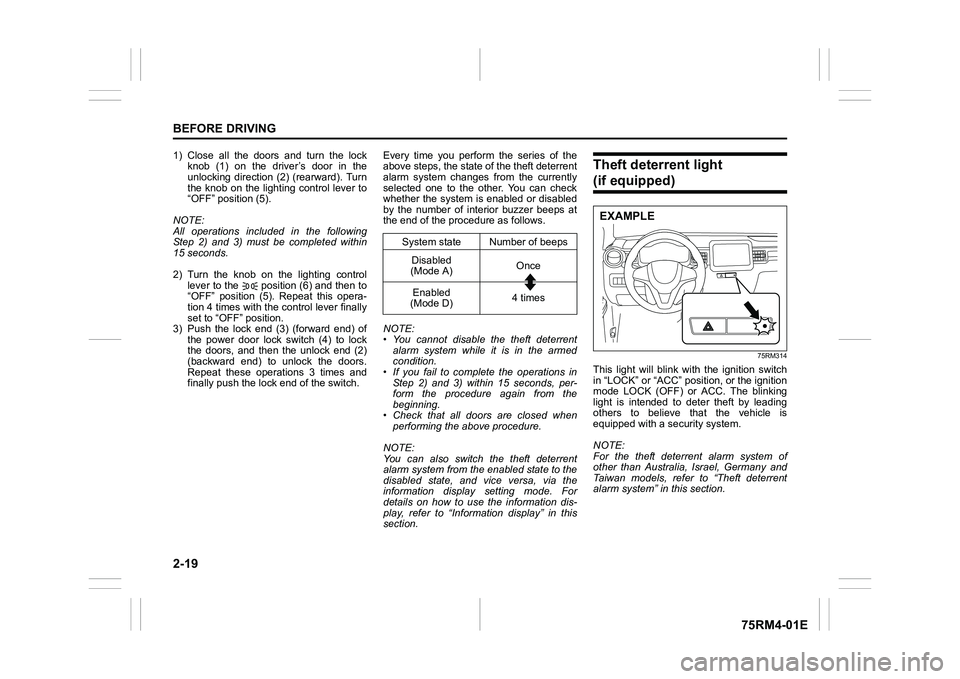
Theft deterrent light (if equipped)
75RM314
This light will blink with the ignition switch
in “LOCK” or “ACC” pos ition, or the ignition
mode LOCK (OFF) or ACC. The blinking
light is intended to deter theft by leading
others to believe that the vehicle is
equipped with a security system.
NOTE:
For the theft deterrent alarm system of
other than Australia, Israel, Germany and
Taiwan models, refer to “Theft deterrent
alarm system” in this section.
System state Number of beeps Disabled
(Mode A) Once
Enabled
(Mode D) 4 times
EXAMPLE
Page 44 of 505
2-21BEFORE DRIVING
75RM4-01E
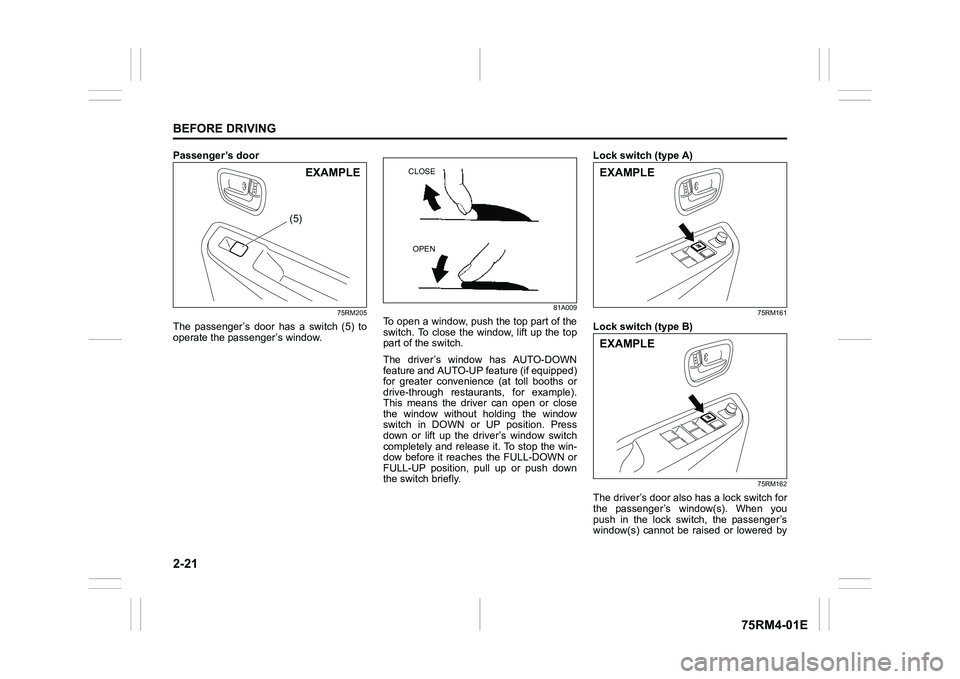
Passenger’s door
75RM205
The passenger’s door has a switch (5) to
operate the passenger’s window.
81A009
To open a window, push the top part of the
switch. To close the window, lift up the top
part of the switch.
The driver’s window has AUTO-DOWN
feature and AUTO-UP feature (if equipped)
for greater convenience (at toll booths or
drive-through restaurants, for example).
This means the driver can open or close
the window without holding the window
switch in DOWN or UP position. Press
down or lift up the driver’s window switch
completely and release it. To stop the win-
dow before it reaches the FULL-DOWN or
FULL-UP position, pull up or push down
the switch briefly. Lock switch (type A)
75RM161
Lock switch (type B)
75RM162
The driver’s door also has a lock switch for
the passenger’s window(s). When you
push in the lock switch, the passenger’s
window(s) cannot be raised or lowered by
(5)
EXAMPLE
CLOSE
OPEN
EXAMPLEEXAMPLE
Page 48 of 505
2-25BEFORE DRIVING
75RM4-01E
Remote folding mirrors (if equipped)When the outside rearview mirrors folding
switch is in the unfolded position, the out-
side rearview mirrors are folded or
unfolded in conjunction with the door lock-
ing or engine switch operation.
• When you lock the doors (including the tailgate) by using the remote controller
or pushing the request switch, the mir-
rors will be folded automatically.
• To unfold the mirrors, push the engine switch to change the ignition mode to
ACC or ON.
• The factory setting is that the function is enabled. You can switch the function
from enabled to disabled, and vice
versa. To switch the function for your
preference, refer to “How to switch the
remote folding mi rrors function”. NOTE:
• If the doors are locked by using the key,
lock knob on a door or power door lock-
ing switch, the mirrors will not be folded
automatically.
• If the outside rearview mirrors folding
switch is in the folded position, the mir-
rors will not be unfolded automatically,
even when the engine switch is pushed
to change the ignition mode to ACC or
ON.
• If any of the doors is not opened within
about 30 seconds after the doors are
unlocked by using the keyless push start
system remote controller or request
switch, the doors will be locked again
and the mirrors will be folded automati-
cally. How to switch the remote folding mir-
rors function
When the ignition mode is LOCK (OFF),
you can switch the function from the
enabled state to the disabled state, and
vice versa, using the following method.
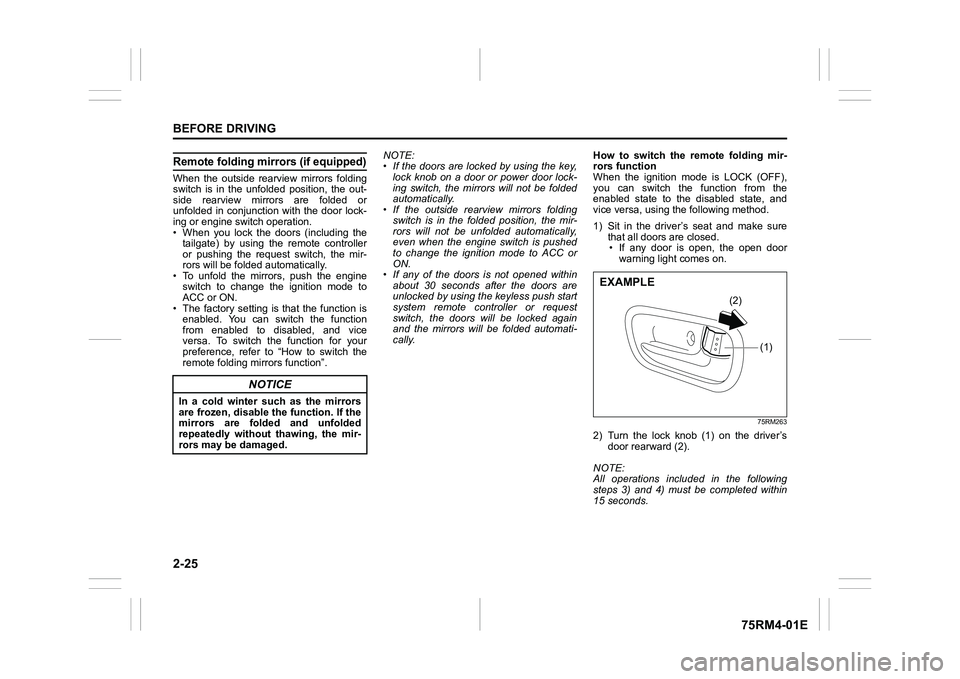
1) Sit in the driver’s seat and make sure
that all doors are closed.
• If any door is open, the open door warning light comes on.
75RM263
2) Turn the lock knob (1) on the driver’s door rearward (2).
NOTE:
All operations included in the following
steps 3) and 4) must be completed within
15 seconds.
NOTICE
In a cold winter such as the mirrors
are frozen, disable the function. If the
mirrors are folded and unfolded
repeatedly without thawing, the mir-
rors may be damaged.
(1)
(2)
EXAMPLE
Page 49 of 505
2-26
BEFORE DRIVING
75RM4-01E
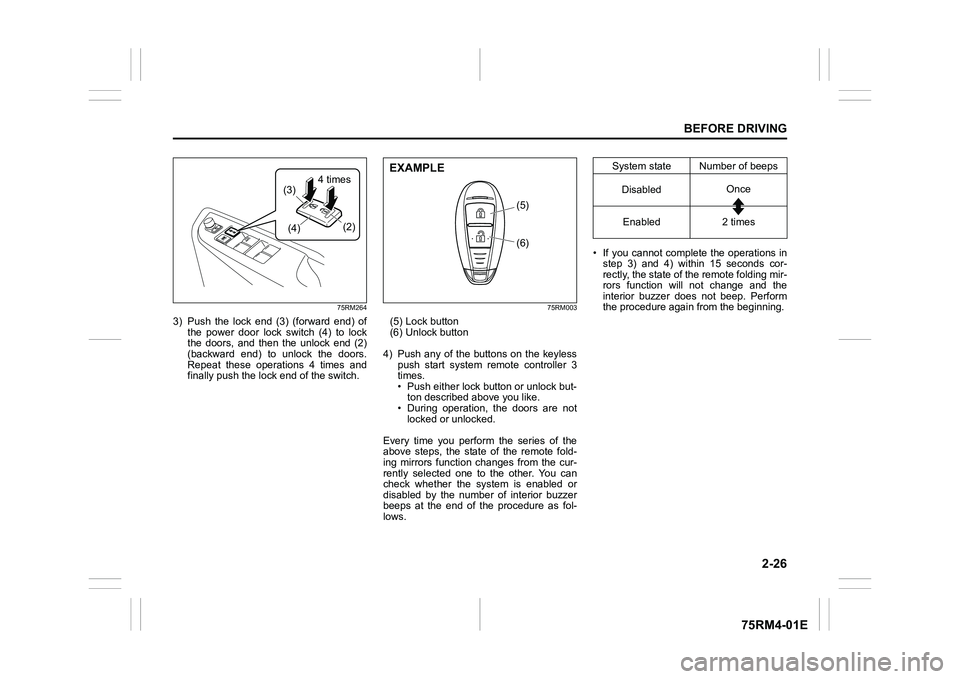
75RM264
3) Push the lock end (3) (forward end) ofthe power door lock switch (4) to lock
the doors, and then the unlock end (2)
(backward end) to unlock the doors.
Repeat these operations 4 times and
finally push the lock end of the switch.
75RM003
(5) Lock button
(6) Unlock button
4) Push any of the buttons on the keyless push start system remote controller 3
times.
• Push either lock button or unlock but-ton described above you like.
• During operation, the doors are not locked or unlocked.
Every time you perform the series of the
above steps, the state of the remote fold-
ing mirrors function changes from the cur-
rently selected one to the other. You can
check whether the system is enabled or
disabled by the number of interior buzzer
beeps at the end of the procedure as fol-
lows. • If you cannot complete the operations in
step 3) and 4) within 15 seconds cor-
rectly, the state of the remote folding mir-
rors function will not change and the
interior buzzer does not beep. Perform
the procedure again from the beginning.
(4)
(3)
(2)
маWLPHΚ
(6)
(5)
EXAMPLE
System state Number of beeps
Disabled Once
Enabled 2 times
Page 103 of 505
2-80
BEFORE DRIVING
75RM4-01E
NOTE:
• If you push and hold the informationswitch (2) to enter the setting mode
when the display (C) shows average fuel
consumption, average speed, driving
time, total idling stop time or total idling
fuel saved, the value will be reset simul-
taneously. If you do not want to reset the
value, push the information switch
quickly to switch the indication of the dis-
play.
• If you turn the ignition switch, press the
engine switch or start to move the vehi-
cle when the display is in the setting
mode, the setting mode will be canceled
automatically.
Distance unit (Odometer / trip meter distance unit setting)You can change the units in which odome-
ter / trip meter / driving range distance is
displayed.
Fuel economy
(Fuel consumption unit setting)
You can change the units that fuel con-
sumption is displayed in.
Language
You can change the language of the infor-
mation display.
Fuel reset
(Average fuel consumption reset setting)
You can change when the value of aver-
age fuel consumption is reset. Temperature (Tempera
ture unit setting)
You can change the units that temperature
is displayed in.
NOTE:
When you change the units that tempera-
ture is displayed in, the automatic heating
and air conditioning system (if equipped)
temperature display units will be changed
automatically.
Clock setting (Adjusting the clock)
• To change the hour indication, push the brightness control switch (4) up or down
repeatedly when the hour indication
appears as reversed color. To change
the hour indication quickly, push and
hold the brightness control switch (4). To
set the hour indication, push the informa-
tion switch (2) and the minute indication
appears as reversed color.
• To change the minute indication, push the brightness control switch (4) up or
down repeatedly when the minute indi-
cation appears as reversed color. To
change the minute indication quickly,
push and hold the brightness control
switch (4). To set the minute indication,
push the information switch (2).
You can also switch the time indication
between 12-hour and 24-hour format. Door lock (Door
unlock setting)
(if equipped)
You can choose either once or twice oper-
ation(s) to unlock all doors (including the
tailgate) by turning the key, or operating
the keyless entry syst em transmitter, key-
less push start system remote controller or
request switch.
If your vehicle is equip ped with the keyless
push start system, you can also turn off or
on the buzzer sound when the door(s)
is(are) locked or unlocked.
Lights (Light setting)
Lane change (Turn signal lights setting)
The turn signal and its indicator can be set
whether they flash three times even if you
return the turn signal control lever immedi-
ately after moving it.
Guide me light setting (Light setting)
(if equipped)
You can change the lighting time of “To
car” function or “To home” function.
Antitheft
(Theft deterrent alarm system setting)
(if equipped)
You can switch the theft deterrent alarm
system from the enabled state to the dis-
abled state, and vice versa.
The state of the theft deterrent alarm sys-
tem is shown on the information display as
follows:
• Mode A: Disabled state
• Mode D: Enabled state
Page 122 of 505
2-99BEFORE DRIVING
75RM4-01E
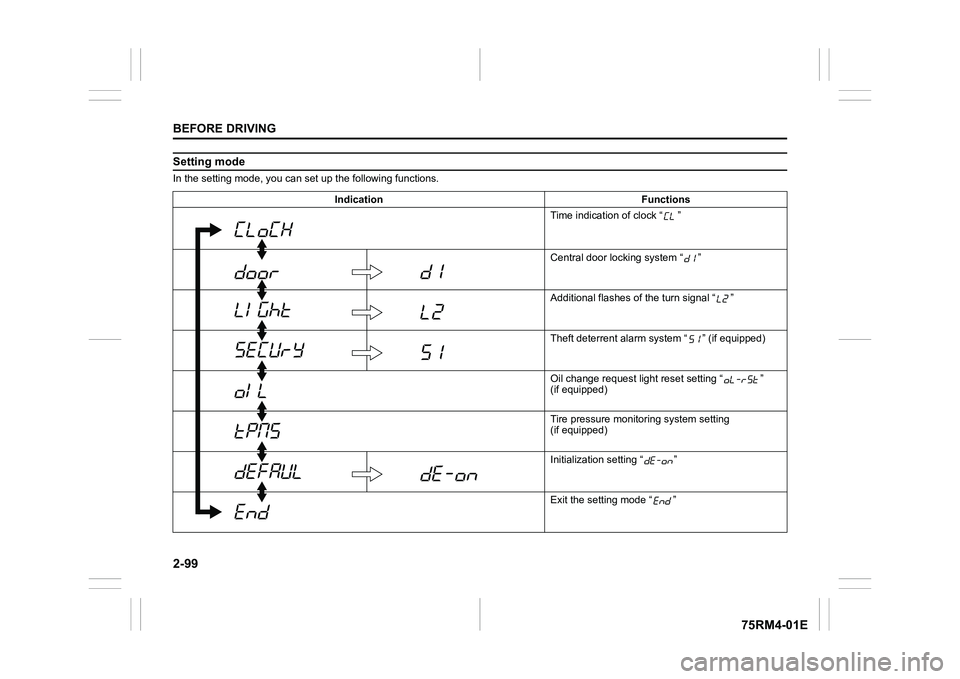
Setting modeIn the setting mode, you can set up the following functions.
Indication Functions Time indication of clock “ ”
Central door locking system “ ”
Additional flashes of the turn signal “ ”
Theft deterrent alarm system “ ” (if equipped)
Oil change request lig ht reset setting “ ”
(if equipped)
Tire pressure monito ring system setting
(if equipped)
Initialization setting “ ”
Exit the setting mode “ ”
Page 123 of 505
2-100
BEFORE DRIVING
75RM4-01E
NOTE:
Depending on vehicle’s specifications,
some items may not be displayed.
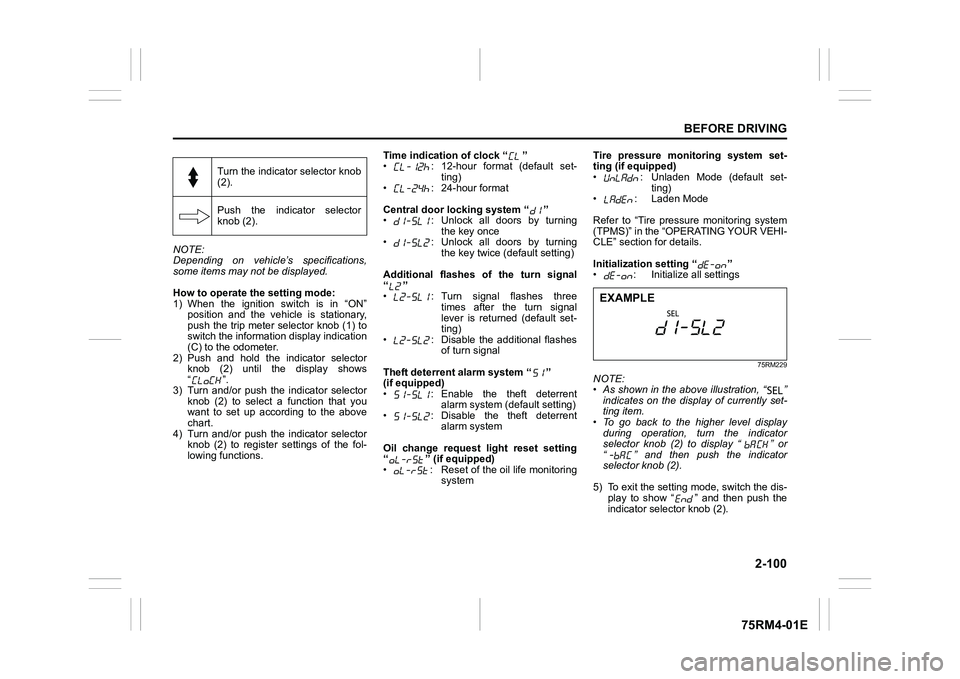
How to operate the setting mode:
1) When the ignition switch is in “ON”
position and the vehicle is stationary,
push the trip meter selector knob (1) to
switch the information display indication
(C) to the odometer.
2) Push and hold the indicator selector knob (2) until the display shows
“”.
3) Turn and/or push the indicator selector knob (2) to select a function that you
want to set up according to the above
chart.
4) Turn and/or push the indicator selector knob (2) to register settings of the fol-
lowing functions. Time indication of clock “ ”
• : 12-hour format (default set-
ting)
• : 24-hour format
Central door locking system “ ”
• : Unlock all doors by turning the key once
• : Unlock all doors by turning
the key twice (default setting)
Additional flashes of the turn signal
“”
• : Turn signal flashes three times after the turn signal
lever is returned (default set-
ting)
• : Disable the additional flashes of turn signal
Theft deterrent alarm system “ ”
(if equipped)
• : Enable the theft deterrent alarm system (default setting)
• : Disable the theft deterrent alarm system
Oil change request light reset setting
“ ” (if equipped)
• : Reset of the oil life monitoring system Tire pressure monitoring system set-
ting (if equipped)
• : Unladen Mode (default set-
ting)
• : Laden Mode
Refer to “Tire pressure monitoring system
(TPMS)” in the “OPERATING YOUR VEHI-
CLE” section for details.
Initialization setting “ ”
• : Initialize all settings
75RM229
NOTE:
• As shown in the above illustration, “ ”
indicates on the disp lay of currently set-
ting item.
• To go back to the higher level display
during operation, turn the indicator
selector knob (2) to display “ ” or
“ ” and then push the indicator
selector knob (2).
5) To exit the setting mode, switch the dis- play to show “ ” and then push the
indicator selector knob (2).
Turn the indicator selector knob
(2).
Push the indicator selector
knob (2).EXAMPLE
Page 131 of 505
2-108
BEFORE DRIVING
75RM4-01E
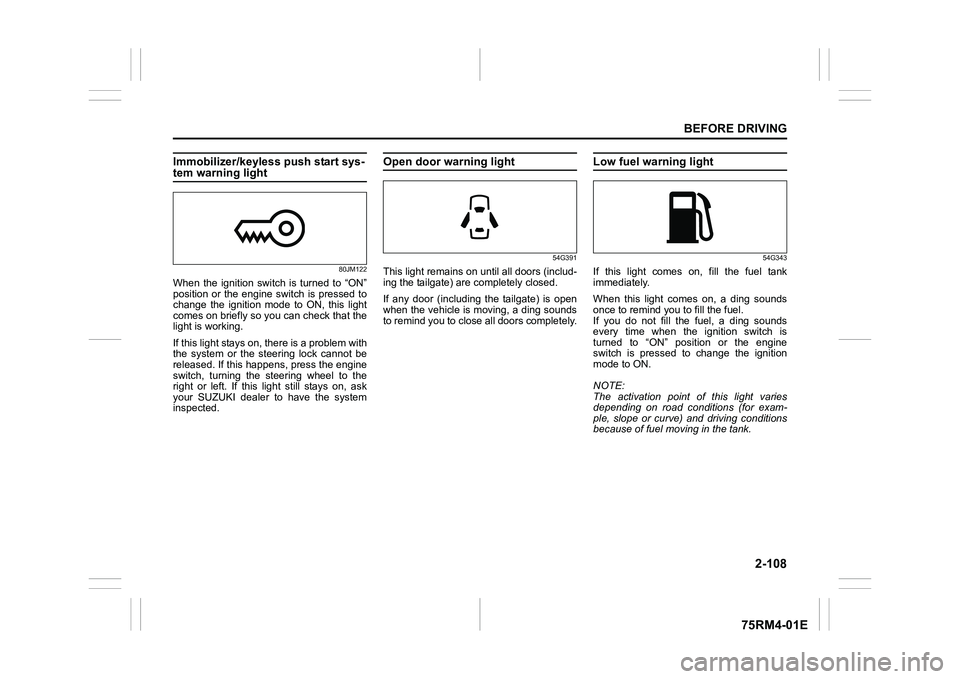
Immobilizer/keyless push start sys-tem warning light
80JM122
When the ignition switch is turned to “ON”
position or the engine switch is pressed to
change the ignition mode to ON, this light
comes on briefly so you can check that the
light is working.
If this light stays on, there is a problem with
the system or the steering lock cannot be
released. If this happens, press the engine
switch, turning the steering wheel to the
right or left. If this light still stays on, ask
your SUZUKI dealer to have the system
inspected.
Open door warning light
54G391
This light remains on until all doors (includ-
ing the tailgate) are completely closed.
If any door (including the tailgate) is open
when the vehicle is moving, a ding sounds
to remind you to close all doors completely.
Low fuel warning light
54G343
If this light comes on, fill the fuel tank
immediately.
When this light comes on, a ding sounds
once to remind you to fill the fuel.
If you do not fill the fuel, a ding sounds
every time when the ignition switch is
turned to “ON” position or the engine
switch is pressed to change the ignition
mode to ON.
NOTE:
The activation point of this light varies
depending on road conditions (for exam-
ple, slope or curve) and driving conditions
because of fuel moving in the tank.
Page 141 of 505
2-118
BEFORE DRIVING
75RM4-01E
Light reminder buzzerThe interior buzzer continuously beeps if
you open the driver’s door without turning
off the headlights and position lights. This
function is triggered under the following
condition:
The headlights and/or position lights are
on even after the ignition switch is turned
off, or the engine switch is pressed to
change the ignition mode to LOCK (OFF).
The buzzer stops sounding when you turn
off the headlights and position lights.
NOTE:
A message is indicated on the information
display in the instrument cluster with
tachometer while the buzzer is sounding.Daytime running light (D.R.L.) sys-tem (if equipped)When the engine is started, this system
turns on the daytime running lights.
Conditions for D.R.L. system operation
1) The engine is running.
2) Headlights and front fog light (if equipped) are off.
NOTE:
Brightness of the daytime running lights is
different from the bri ghtness of the position
lights, but it is not a malfunction.
Guide me light (if equipped)To home function
This function turns on the front position
lights and the headlights in the low beam
setting for about 10 seconds after the igni-
tion switch is turned to “LOCK” position or
the engine switch is pressed to change the
ignition mode to LOCK (OFF).
To set the function:
1) Turn the lighting switch to “AUTO” posi- tion
2) Turn the ignition switch to “LOCK” posi- tion or press the engine switch to
change the ignition mode to LOCK
(OFF).
3) Pull the lighting control lever toward you once and open the driver’s side
door within 60 seconds. Or pull the
lighting control lever toward you once
while the driver’s side door is open.
To cancel the function:
Perform any of the following operations.
• Pull the lighting control lever toward you once.
• Insert the key into the ignition switch or
change the ignition mode to ACC or ON
by pressing the engine switch.
• Turn the lighting switch to any other
position than “AUTO” position. NOTE:
• When the “To home” is functioning, the
front fog lights, rear fog lights and the
headlights (high beam) are not turned
on.
• Lighting time of the “To home” function
can be changed on the information dis-
play. Refer to “Information display” in this
section.
To car function
If UNLOCK button of the keyless push start
system remote controller or the keyless
entry system transmitter is pressed while
the lighting switch is positioned in “AUTO”,
the front position lights and the headlights
in the low beam are turned on for 10 sec-
onds.
This function will operate only when it is
dark outside the vehicle.
To cancel the function:
Perform any of the following operations.
• Lock the doors by using the keyless push start system rem ote controller, the
request switch or the keyless entry sys-
tem transmitter, or insert the key into the
driver’s door lock.
• Insert the key into the ignition switch or
change the ignition mode to ACC or ON
by pressing the engine switch.
• Turn the lighting switch to any other
position than “AUTO” position.
Page 157 of 505
3-4
OPERATING YOUR VEHICLE
75RM4-01E
Manual transaxle/Auto Gear Shift
60G033
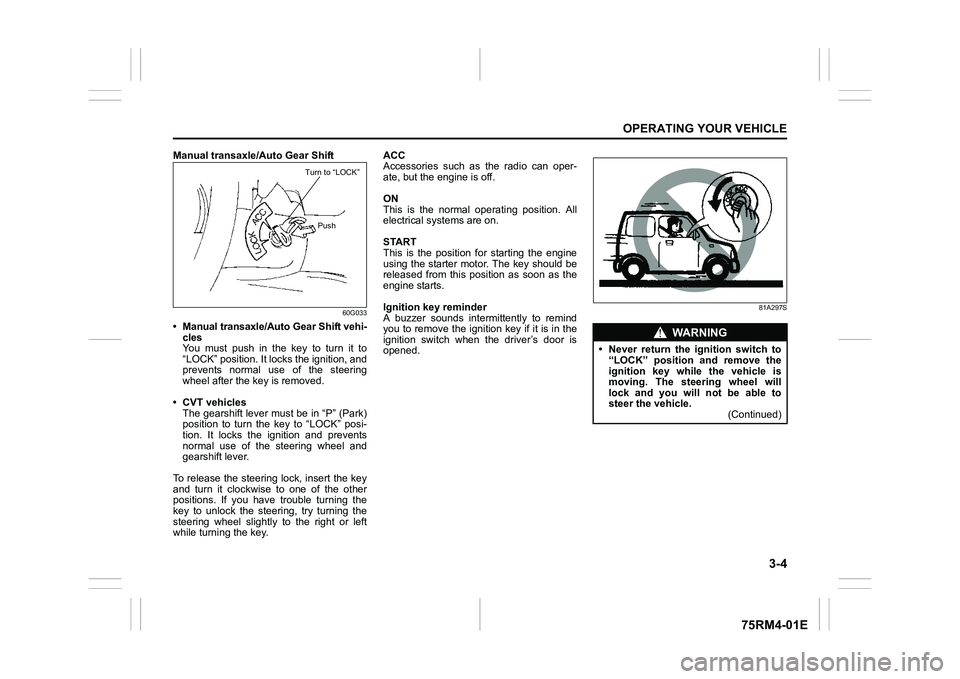
• Manual transaxle/Auto Gear Shift vehi-cles
You must push in the key to turn it to
“LOCK” position. It lo cks the ignition, and
prevents normal use of the steering
wheel after the key is removed.
• CVT vehicles The gearshift lever must be in “P” (Park)
position to turn the key to “LOCK” posi-
tion. It locks the ignition and prevents
normal use of the steering wheel and
gearshift lever.
To release the steering lock, insert the key
and turn it clockwis e to one of the other
positions. If you have trouble turning the
key to unlock the steering, try turning the
steering wheel slightly to the right or left
while turning the key. ACC
Accessories such as the radio can oper-
ate, but the engine is off.
ON
This is the normal operating position. All
electrical systems are on.
START
This is the position for starting the engine
using the starter motor. The key should be
released from this position as soon as the
engine starts.
Ignition key reminder
A buzzer sounds intermittently to remind
you to remove the ignition key if it is in the
ignition switch when the driver’s door is
opened.
81A297S
Turn to “LOCK”
Push
WA R N I N G
• Never return the ignition switch to“LOCK” position and remove the
ignition key while the vehicle is
moving. The steering wheel will
lock and you will not be able to
steer the vehicle. (Continued)