stereo SUZUKI IGNIS 2021 Owners Manual
[x] Cancel search | Manufacturer: SUZUKI, Model Year: 2021, Model line: IGNIS, Model: SUZUKI IGNIS 2021Pages: 505, PDF Size: 8.36 MB
Page 15 of 505
ILLUSTRATED TABLE OF CONTENTS
75RM4-01E
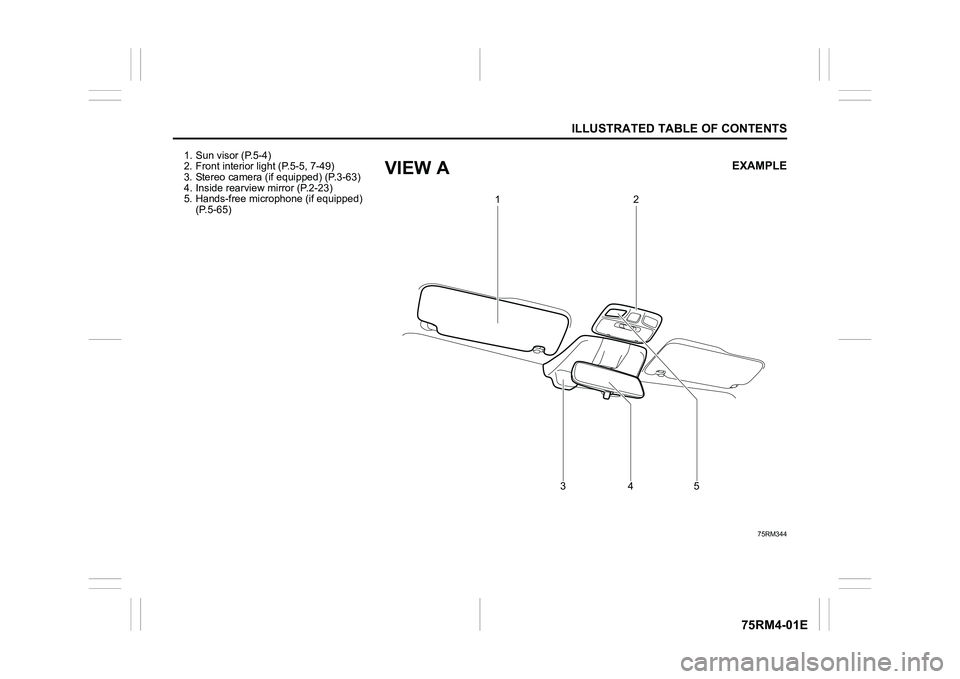
1. Sun visor (P.5-4)
2. Front interior light (P.5-5, 7-49)
3. Stereo camera (if equipped) (P.3-63)
4. Inside rearview mirror (P.2-23)
5. Hands-free microphone (if equipped) (P.5-65)
75RM344
1
2
345
EXAMPLE
VIEW A
Page 139 of 505
2-116
BEFORE DRIVING
75RM4-01E
Dual camera brake support warning light (if equipped)
80P0382
When the ignition switch is turned to “ON”
position, this light comes on briefly so you
can check that the light is working.
If the function of the stereo camera stops
temporarily or failure, this light will blink
when the ignition switch is in “ON” position.
For details, refer to “Dual camera brake
support” in the “OPERATING YOUR VEHI-
CLE” section.
Lighting control lever
57L21128
Lighting operation
75RM149
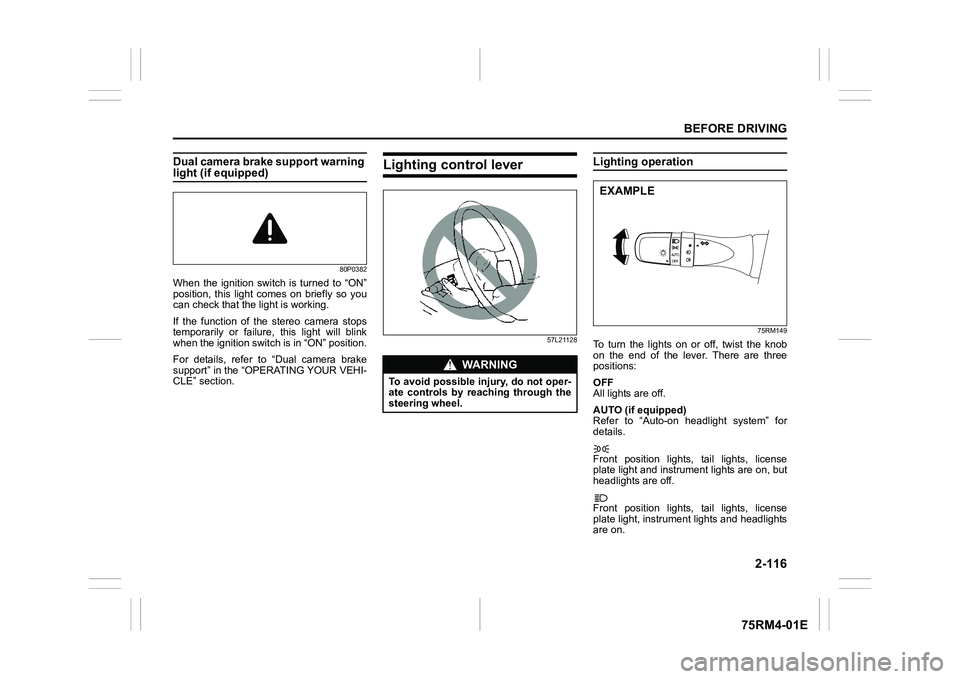
To turn the lights on or off, twist the knob
on the end of the lever. There are three
positions:
OFF
All lights are off.
AUTO (if equipped)
Refer to “Auto-on headlight system” for
details.
Front position lights, tail lights, license
plate light and instrument lights are on, but
headlights are off.
Front position lights, tail lights, license
plate light, instrument lights and headlights
are on.
WA R N I N G
To avoid possible injury, do not oper-
ate controls by reaching through the
steering wheel.
EXAMPLE
Page 203 of 505
3-50
OPERATING YOUR VEHICLE
75RM4-01E
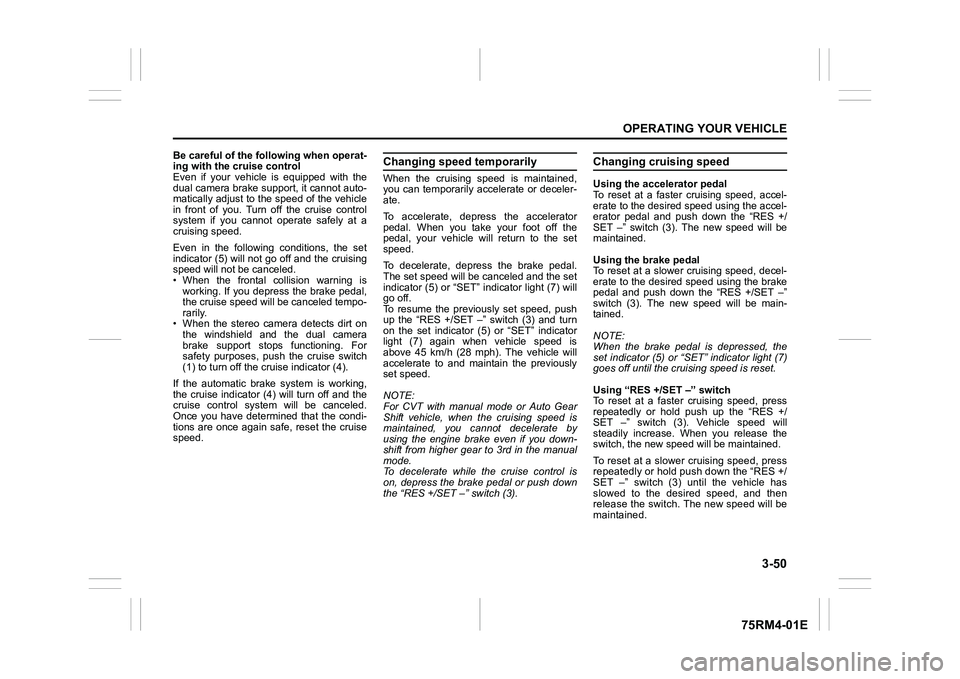
Be careful of the following when operat-
ing with the cruise control
Even if your vehicle is equipped with the
dual camera brake support, it cannot auto-
matically adjust to the speed of the vehicle
in front of you. Turn off the cruise control
system if you cannot operate safely at a
cruising speed.
Even in the following conditions, the set
indicator (5) will not go off and the cruising
speed will not be canceled.
• When the frontal collision warning isworking. If you depress the brake pedal,
the cruise speed will be canceled tempo-
rarily.
• When the stereo camera detects dirt on
the windshield and the dual camera
brake support stops functioning. For
safety purposes, push the cruise switch
(1) to turn off the cru ise indicator (4).
If the automatic brake system is working,
the cruise indicator (4) will turn off and the
cruise control system will be canceled.
Once you have determined that the condi-
tions are once again safe, reset the cruise
speed.
Changing speed temporarilyWhen the cruising speed is maintained,
you can temporarily accelerate or deceler-
ate.
To accelerate, depre ss the accelerator
pedal. When you take your foot off the
pedal, your vehicle will return to the set
speed.
To decelerate, depress the brake pedal.
The set speed will be canceled and the set
indicator (5) or “SET” indicator light (7) will
go off.
To resume the previously set speed, push
up the “RES +/SET –” switch (3) and turn
on the set indicator (5) or “SET” indicator
light (7) again when vehicle speed is
above 45 km/h (28 mph). The vehicle will
accelerate to and maintain the previously
set speed.
NOTE:
For CVT with manual mode or Auto Gear
Shift vehicle, when the cruising speed is
maintained, you cannot decelerate by
using the engine brake even if you down-
shift from higher gear to 3rd in the manual
mode.
To decelerate while the cruise control is
on, depress the brake pedal or push down
the “RES +/SET –” switch (3).
Changing cruising speedUsing the accelerator pedal
To reset at a faster cruising speed, accel-
erate to the desired speed using the accel-
erator pedal and push down the “RES +/
SET –” switch (3). The new speed will be
maintained.
Using the brake pedal
To reset at a slower cruising speed, decel-
erate to the desired speed using the brake
pedal and push down the “RES +/SET –”
switch (3). The new speed will be main-
tained.
NOTE:
When the brake pedal is depressed, the
set indicator (5) or “ SET” indicator light (7)
goes off until the cruising speed is reset.
Using “RES +/ SET –” switch
To reset at a faster cruising speed, press
repeatedly or hold push up the “RES +/
SET –” switch (3). Vehicle speed will
steadily increase. When you release the
switch, the new speed will be maintained.
To reset at a slower cruising speed, press
repeatedly or hold push down the “RES +/
SET –” switch (3) until the vehicle has
slowed to the desired speed, and then
release the switch. The new speed will be
maintained.
Page 206 of 505
3-53OPERATING YOUR VEHICLE
75RM4-01E
Canceling speed limiter• To cancel the speed limiter, push “CAN-CEL” switch (2). The set indicator (5) will
go off.
• To resume the previously set speed, push up the “RES +/SET –” switch (3)
and turn on the set indicator (5).
To turn off the speed limiter system, push
“LIMIT” switch (1) and check that limit indi-
cator (4) is off.
Also, you can turn off the speed limiter by
turning off the engine.
NOTE:
If you turn off the speed limiter system, the
previously set speed in the memory is
cleared. Set your speed again.
Dual camera brake support (if equipped)Dual camera brake support is a system
that detects obstacles or partition lines in
front of your vehicle by the stereo camera,
attempts to avoid a crash by giving warn-
ing to the driver, and attempts to reduce
damage in the event of a crash. NOTE:
• While the system is working, if a vehicle
in front of you moves outside of the ste-
reo camera’s detection field or the vehi-
cle can no longer be detected, the
system may stop functioning.
• While the system is working, a braking sound may be heard even if you do not
depress the brake pedal, but this is nor-
mal.
WA R N I N G
• Dual camera brake support has lim-its and may not function properly
depending on the driving condi-
tions. Do not rely excessively on
the system and always drive in a
safe manner.
• For safety reasons, do not check the operation of the system by
yourself.
• Check that all passengers fasten their seat belts when the vehicle is
being operated.
When the system is activated, there
is a risk of serious injury from
being thrown.
Page 209 of 505
3-56
OPERATING YOUR VEHICLE
75RM4-01E
Situations where the system does not activateUnder the following situations, the system
does not activate.
• When the engine is off (except when theengine is automatically stopped by the
ENG A-STOP system)
• After several seconds from starting the
engine
• When the gearshift lever is in reverse gear
• When the ESP
® system is activated
(except the frontal collision warning)
• When the following switches are pushed
and the system is turned off:
– Dual camera brake support OFFswitch
– ESP
® OFF switch
• When the stereo camera is temporarily stopped or malfunctioning
Situations where the system may not activate properlyUnder the following situations, the system
may not activate.
• When the stereo camera cannot detectobstacles in front of your vehicle
• When you take evasive action with the
steering wheel or a ccelerator pedal
Situations where the vehicle may not decelerate properlyUnder the following situations, the vehicle
may not decelerate properly even when
the system is activated.
• When the outside temperature is low, or
when the temperature of the brake is low
such as right after starting
• When the brake is overheating and the brake effect is deteriorated due to con-
tinuing to travel on a downhill road
• When the brake effect is deteriorated due to passing over puddles or washing
the vehicle
• When driving on the following roads – On sharp curves or extremely roughsurfaces
– On a steep slope
• When driving on the following slippery surfaces
– Frozen or snow-covered surfaces
– Over manholes or metal constructionplates
–Gravel
• When driving in a rainy day
Situations where the system may activate by chanceUnder the following situations, the stereo
camera may judge that there is an obstacle
in front of you, and the system may acti-
vate. Drive carefully and calmly.
• When passing through a toll booth with more than recommended speeds
• Before the parking lot gates or railroad crossing gates are opened fully
• When operating on hills that have vary-
ing slopes
• When you suddenly accelerate and approach the vehicle in front of you or on
neighboring lane
• Front visibility is poor due to that there is water vapor, sand or smoke or when the
vehicle in front of you or on oncoming
lane is surrounded by exhaust, water or
snow
• When passing through masses of water vapor or smoke
• When stopping close to an obstacle in
front of you
• When passing through near a vehicle or obstacle
Page 212 of 505
3-59OPERATING YOUR VEHICLE
75RM4-01E
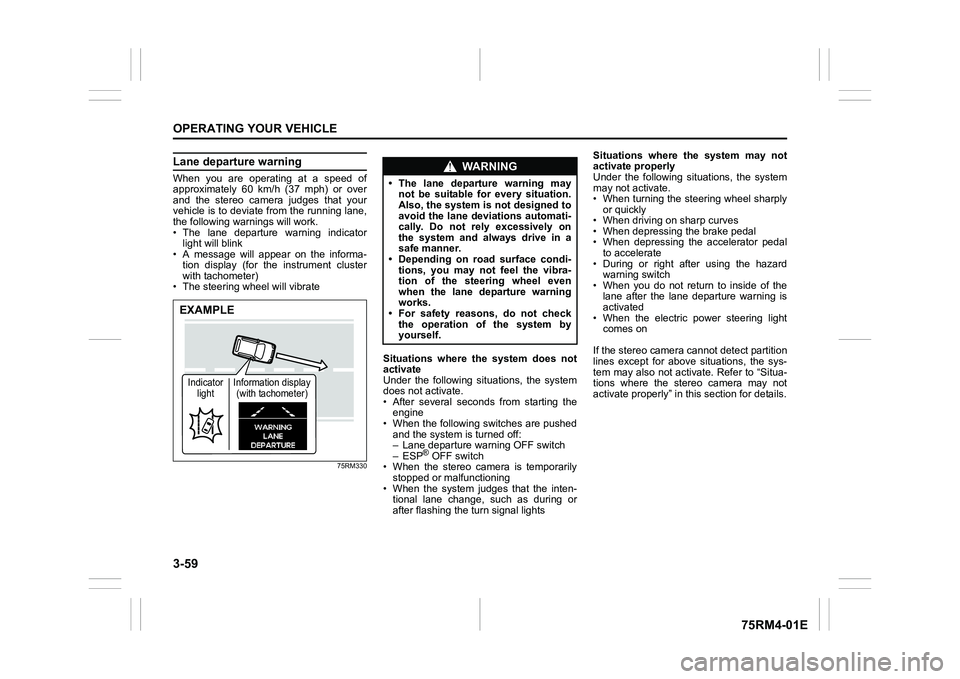
Lane departure warningWhen you are operating at a speed of
approximately 60 km/h (37 mph) or over
and the stereo camera judges that your
vehicle is to deviate from the running lane,
the following warnings will work.
• The lane departure warning indicatorlight will blink
• A message will appear on the informa-
tion display (for the instrument cluster
with tachometer)
• The steering wheel will vibrate
75RM330
Situations where the system does not
activate
Under the following situations, the system
does not activate.
• After several seconds from starting the engine
• When the following switches are pushed and the system is turned off:
– Lane departure warning OFF switch
– ESP
® OFF switch
• When the stereo camera is temporarily stopped or malfunctioning
• When the system judges that the inten- tional lane change, such as during or
after flashing the turn signal lights Situations where the system may not
activate properly
Under the following situations, the system
may not activate.
• When turning the steering wheel sharply
or quickly
• When driving on sharp curves
• When depressing the brake pedal
• When depressing the accelerator pedal to accelerate
• During or right after using the hazard warning switch
• When you do not return to inside of the lane after the lane departure warning is
activated
• When the electric power steering light comes on
If the stereo camera cannot detect partition
lines except for above situations, the sys-
tem may also not activ ate. Refer to “Situa-
tions where the stereo camera may not
activate properly” in this section for details.
EXAMPLEIndicator light Information display
(with tachometer)
WA R N I N G
• The lane departure warning may not be suitable for every situation.
Also, the system is not designed to
avoid the lane deviations automati-
cally. Do not rely excessively on
the system and always drive in a
safe manner.
• Depending on road surface condi-
tions, you may not feel the vibra-
tion of the steering wheel even
when the lane departure warning
works.
• For safety reasons, do not check
the operation of the system by
yourself.
Page 213 of 505
3-60
OPERATING YOUR VEHICLE
75RM4-01E
Situations where the system may acti-
vate by chance
Under the following situations, the system
may activate.
• When there is a shadow of guard rail
• When partition lines are drawn doubly
• When there is a liner paint on the road of a construction zone because the previ-
ous line has not been erased completely
• When there is repair marks on the road or a boundary between asphalt and
snow
• When there is tire marks on snow-cov- ered or wet road
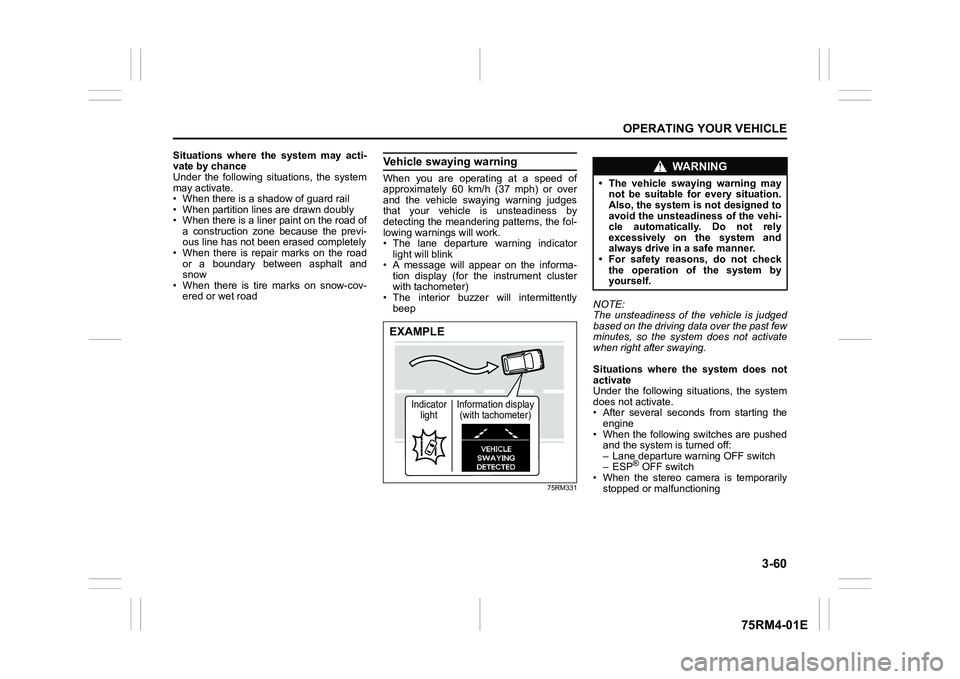
Vehicle swaying warningWhen you are operating at a speed of
approximately 60 km/h (37 mph) or over
and the vehicle swaying warning judges
that your vehicle is unsteadiness by
detecting the meandering patterns, the fol-
lowing warnings will work.
• The lane departure warning indicatorlight will blink
• A message will appear on the informa- tion display (for the instrument cluster
with tachometer)
• The interior buzzer will intermittently beep
75RM331
NOTE:
The unsteadiness of the vehicle is judged
based on the driving data over the past few
minutes, so the system does not activate
when right after swaying.
Situations where the system does not
activate
Under the following situations, the system
does not activate.
• After several seconds from starting the
engine
• When the following switches are pushed and the system is turned off:
– Lane departure warning OFF switch
– ESP
® OFF switch
• When the stereo camera is temporarily
stopped or malfunctioning
EXAMPLE
Indicator light Information display
(with tachometer)
WA R N I N G
• The vehicle swaying warning may not be suitable for every situation.
Also, the system is not designed to
avoid the unsteadiness of the vehi-
cle automatically. Do not rely
excessively on the system and
always drive in a safe manner.
• For safety reasons, do not check
the operation of the system by
yourself.
Page 214 of 505
3-61OPERATING YOUR VEHICLE
75RM4-01E
Situations where the system may not
activate properly
Under the following situations, the system
may not activate.
• When driving on continuous curves
• When the vehicle speed changes
extremely
• Right after lane changing
If the stereo camera cannot detect partition
lines except for above situations, the sys-
tem may also not activ ate. Refer to “Situa-
tions where the stereo camera may not
activate properly” in this section for details.
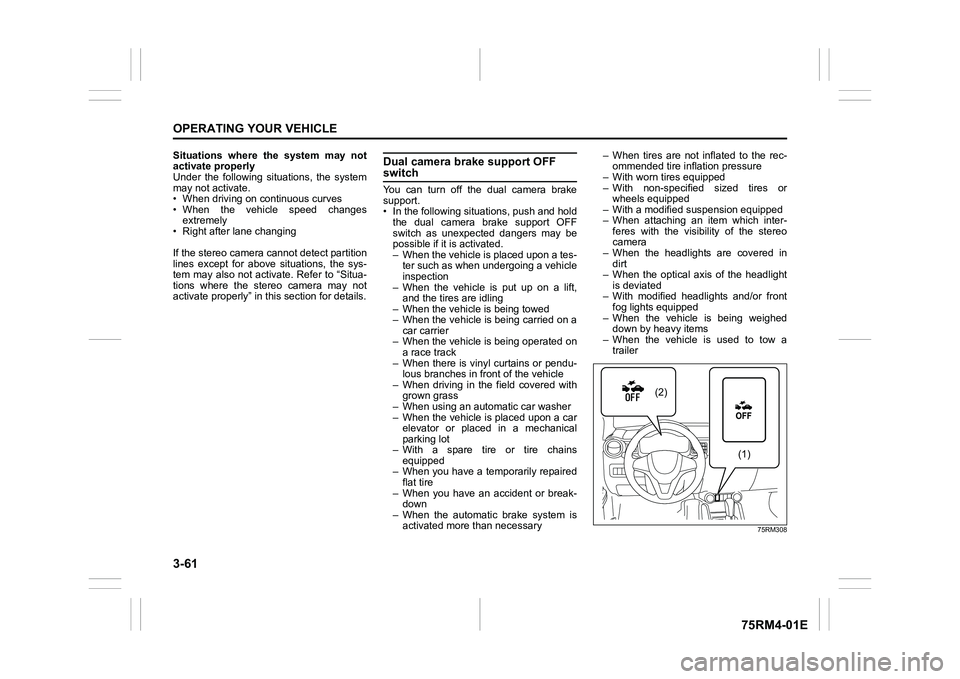
Dual camera brake support OFF switchYou can turn off the dual camera brake
support.
• In the following situations, push and hold the dual camera brake support OFF
switch as unexpected dangers may be
possible if it is activated.
– When the vehicle is placed upon a tes-ter such as when undergoing a vehicle
inspection
– When the vehicle is put up on a lift, and the tires are idling
– When the vehicle is being towed
– When the vehicle is being carried on a car carrier
– When the vehicle is being operated on
a race track
– When there is vinyl curtains or pendu- lous branches in front of the vehicle
– When driving in the field covered with grown grass
– When using an aut omatic car washer
– When the vehicle is placed upon a car elevator or placed in a mechanical
parking lot
– With a spare tire or tire chains equipped
– When you have a temporarily repaired
flat tire
– When you have an accident or break- down
– When the automatic brake system is activated more than necessary – When tires are not inflated to the rec-
ommended tire inflation pressure
– With worn tires equipped
– With non-specified sized tires or wheels equipped
– With a modified su spension equipped
– When attaching an item which inter- feres with the visibility of the stereo
camera
– When the headlights are covered in dirt
– When the optical axis of the headlight
is deviated
– With modified headlights and/or front fog lights equipped
– When the vehicle is being weighed down by heavy items
– When the vehicle is used to tow a trailer
75RM308
(2)
(1)
Page 216 of 505

3-63OPERATING YOUR VEHICLE
75RM4-01E
Handling stereo camera
62R0114
(1) Stereo camera
(1)
WA R N I N G
The detection performance of the ste-
reo camera has limits and the stereo
camera cannot detect all vehicles,
obstacles or partition lines. Do not
rely excessively on the system and
always drive in a safe manner.
• Observe the following instructionsin order to keep the stereo camera
functioning properly. If mishandled,
the stereo camera cannot accu-
rately detect an obstacle or parti-
tion lines in front of you, the
system will not fu nction properly
and unexpected accidents may
occur.
– Do not touch the lens of the ste- reo camera.
– Do not clean the lens of the ste- reo camera by yourself.
– Do not strike the body of, or any surrounding parts of the stereo
camera.
– Do not remove or disassemble the stereo camera.
– Do not stick or affix anything to
the lens of the stereo camera, not
even clear items. (Continued)
WA R N I N G
(Continued)
• When the surrounding parts of the
stereo camera are deformed or
damaged, or the windshield in front
of the stereo camera is cracked
because of an accident, the stereo
camera cannot detect the front
obstacles or partition lines prop-
erly. If driving with these damaged
parts, the dual camera brake sup-
port will not function properly and
unexpected accidents may occur.
Operate the dual camera brake
support OFF switch to turn off the
dual camera brake support, and
ask your SUZUKI dealer to have
them inspected. (Continued)
Page 217 of 505
3-64
OPERATING YOUR VEHICLE
75RM4-01E
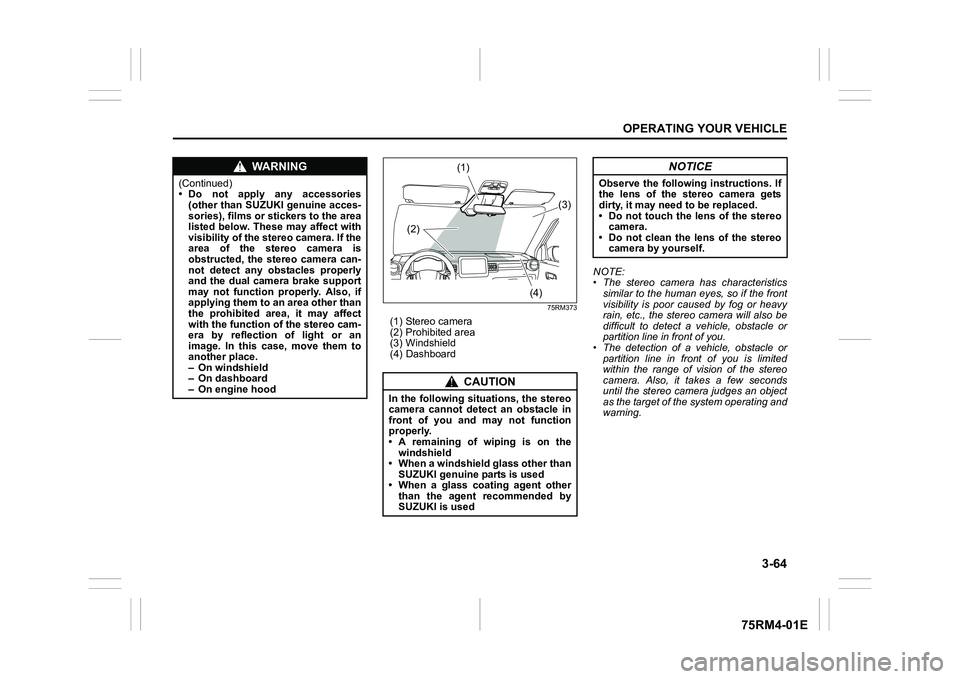
75RM373
(1) Stereo camera
(2) Prohibited area
(3) Windshield
(4) DashboardNOTE:
• The stereo camera has characteristics
similar to the human eyes, so if the front
visibility is poor caused by fog or heavy
rain, etc., the stereo camera will also be
difficult to detect a vehicle, obstacle or
partition line in front of you.
• The detection of a vehicle, obstacle or
partition line in front of you is limited
within the range of vision of the stereo
camera. Also, it takes a few seconds
until the stereo camera judges an object
as the target of the system operating and
warning.
WA R N I N G
(Continued)
• Do not apply any accessories(other than SUZUKI genuine acces-
sories), films or stickers to the area
listed below. These may affect with
visibility of the stereo camera. If the
area of the stereo camera is
obstructed, the stereo camera can-
not detect any obstacles properly
and the dual camera brake support
may not function properly. Also, if
applying them to an area other than
the prohibited area, it may affect
with the function o f the stereo cam-
era by reflection of light or an
image. In this case, move them to
another place.
– On windshield
– On dashboard
– On engine hood
CAUTION
In the following situations, the stereo
camera cannot detect an obstacle in
front of you and may not function
properly.
• A remaining of wiping is on the
windshield
• When a windshield glass other than SUZUKI genuine parts is used
• When a glass coating agent other than the agent recommended by
SUZUKI is used
(1)
(2) (3)
(4)
NOTICE
Observe the following instructions. If
the lens of the stereo camera gets
dirty, it may need to be replaced.
• Do not touch the lens of the stereo camera.
• Do not clean the lens of the stereo camera by yourself.