front camera SUZUKI IGNIS 2022 User Guide
[x] Cancel search | Manufacturer: SUZUKI, Model Year: 2022, Model line: IGNIS, Model: SUZUKI IGNIS 2022Pages: 505, PDF Size: 8.36 MB
Page 216 of 505

3-63OPERATING YOUR VEHICLE
75RM4-01E
Handling stereo camera
62R0114
(1) Stereo camera
(1)
WA R N I N G
The detection performance of the ste-
reo camera has limits and the stereo
camera cannot detect all vehicles,
obstacles or partition lines. Do not
rely excessively on the system and
always drive in a safe manner.
• Observe the following instructionsin order to keep the stereo camera
functioning properly. If mishandled,
the stereo camera cannot accu-
rately detect an obstacle or parti-
tion lines in front of you, the
system will not fu nction properly
and unexpected accidents may
occur.
– Do not touch the lens of the ste- reo camera.
– Do not clean the lens of the ste- reo camera by yourself.
– Do not strike the body of, or any surrounding parts of the stereo
camera.
– Do not remove or disassemble the stereo camera.
– Do not stick or affix anything to
the lens of the stereo camera, not
even clear items. (Continued)
WA R N I N G
(Continued)
• When the surrounding parts of the
stereo camera are deformed or
damaged, or the windshield in front
of the stereo camera is cracked
because of an accident, the stereo
camera cannot detect the front
obstacles or partition lines prop-
erly. If driving with these damaged
parts, the dual camera brake sup-
port will not function properly and
unexpected accidents may occur.
Operate the dual camera brake
support OFF switch to turn off the
dual camera brake support, and
ask your SUZUKI dealer to have
them inspected. (Continued)
Page 217 of 505
3-64
OPERATING YOUR VEHICLE
75RM4-01E
75RM373
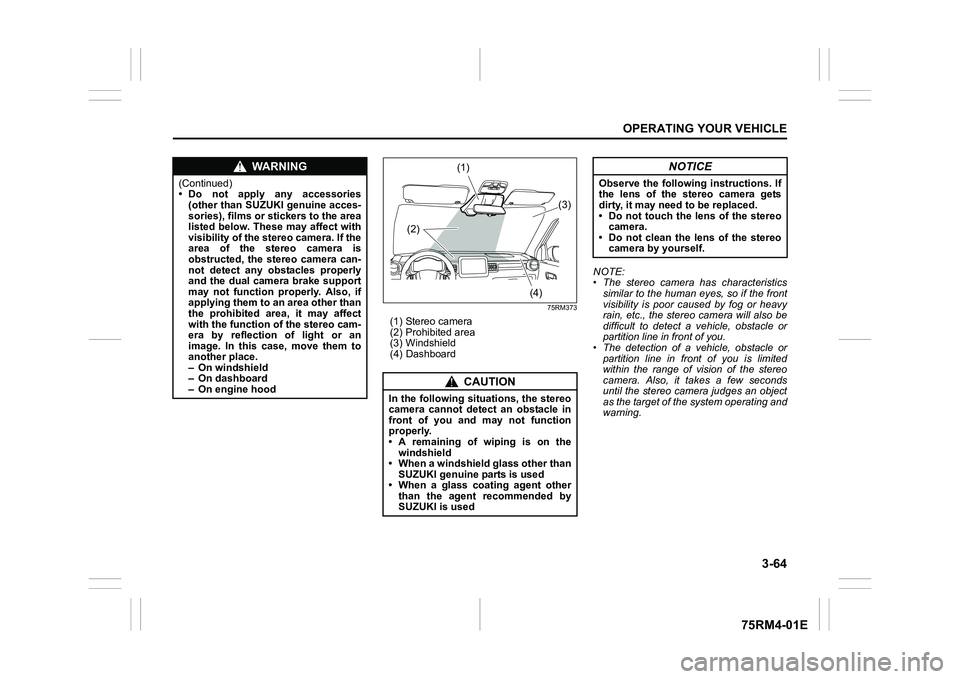
(1) Stereo camera
(2) Prohibited area
(3) Windshield
(4) DashboardNOTE:
• The stereo camera has characteristics
similar to the human eyes, so if the front
visibility is poor caused by fog or heavy
rain, etc., the stereo camera will also be
difficult to detect a vehicle, obstacle or
partition line in front of you.
• The detection of a vehicle, obstacle or
partition line in front of you is limited
within the range of vision of the stereo
camera. Also, it takes a few seconds
until the stereo camera judges an object
as the target of the system operating and
warning.
WA R N I N G
(Continued)
• Do not apply any accessories(other than SUZUKI genuine acces-
sories), films or stickers to the area
listed below. These may affect with
visibility of the stereo camera. If the
area of the stereo camera is
obstructed, the stereo camera can-
not detect any obstacles properly
and the dual camera brake support
may not function properly. Also, if
applying them to an area other than
the prohibited area, it may affect
with the function o f the stereo cam-
era by reflection of light or an
image. In this case, move them to
another place.
– On windshield
– On dashboard
– On engine hood
CAUTION
In the following situations, the stereo
camera cannot detect an obstacle in
front of you and may not function
properly.
• A remaining of wiping is on the
windshield
• When a windshield glass other than SUZUKI genuine parts is used
• When a glass coating agent other than the agent recommended by
SUZUKI is used
(1)
(2) (3)
(4)
NOTICE
Observe the following instructions. If
the lens of the stereo camera gets
dirty, it may need to be replaced.
• Do not touch the lens of the stereo camera.
• Do not clean the lens of the stereo camera by yourself.
Page 220 of 505
3-67OPERATING YOUR VEHICLE
75RM4-01E
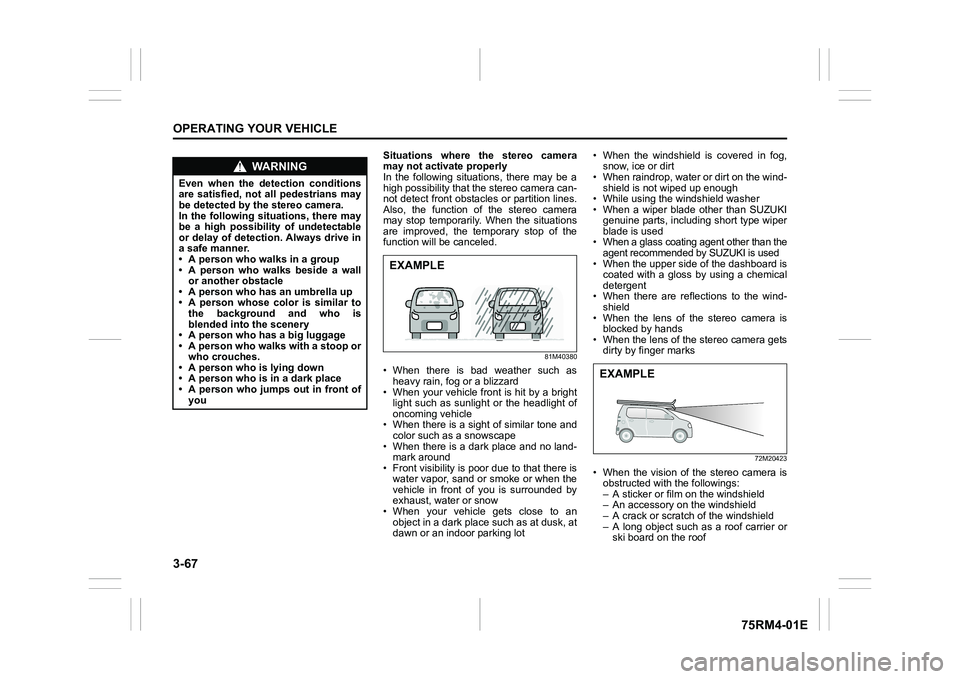
Situations where the stereo camera
may not activate properly
In the following situations, there may be a
high possibility that the stereo camera can-
not detect front obstacles or partition lines.
Also, the function of the stereo camera
may stop temporarily. When the situations
are improved, the temporary stop of the
function will be canceled.
81M40380
• When there is bad weather such as
heavy rain, fo g or a blizzard
• When your vehicle front is hit by a bright light such as sunlight or the headlight of
oncoming vehicle
• When there is a sight of similar tone and color such as a snowscape
• When there is a dark place and no land- mark around
• Front visibility is poor due to that there is
water vapor, sand or smoke or when the
vehicle in front of you is surrounded by
exhaust, water or snow
• When your vehicle gets close to an object in a dark place such as at dusk, at
dawn or an indoor parking lot • When the windshield is covered in fog,
snow, ice or dirt
• When raindrop, water or dirt on the wind-
shield is not wiped up enough
• While using the windshield washer
• When a wiper blade other than SUZUKI
genuine parts, including short type wiper
blade is used
• When a glass coating agent other than the
agent recommended by SUZUKI is used
• When the upper side of the dashboard is coated with a gloss by using a chemical
detergent
• When there are reflections to the wind- shield
• When the lens of the stereo camera is blocked by hands
• When the lens of the stereo camera gets dirty by finger marks
72M20423
• When the vision of the stereo camera isobstructed with the followings:
– A sticker or film on the windshield
– An accessory on the windshield
– A crack or scratch of the windshield
– A long object such as a roof carrier or ski board on the roof
WA R N I N G
Even when the detection conditions
are satisfied, not all pedestrians may
be detected by the stereo camera.
In the following situations, there may
be a high possibility of undetectable
or delay of detection. Always drive in
a safe manner.
• A person who walks in a group
• A person who walks beside a wallor another obstacle
• A person who has an umbrella up
• A person whose color is similar to the background and who is
blended into the scenery
• A person who has a big luggage
• A person who walks with a stoop or
who crouches.
• A person who is lying down
• A person who is in a dark place
• A person who jumps out in front of you
EXAMPLE
EXAMPLE
Page 221 of 505
3-68
OPERATING YOUR VEHICLE
75RM4-01E
72M20405
• When your vehicle is weighed down byheavy items in the luggage compartment
or rear seat
• When the tires are not inflated to the rec- ommended tire inflation pressure or the
tires are worn
• With tire chains or non-specified sized
tires equipped
• When you have a temporarily repaired flat tire
• With a modified suspension equipped
• When passing through the entrance or exit of the tunnel and the brightness is
changed extremely
• When driving without lighting the head- lights at night or in tunnels
• When driving on a steep slope or sharp curves
• When the optical axis of the headlight is
deviated
• With modified headlights and/or front fog lights equipped
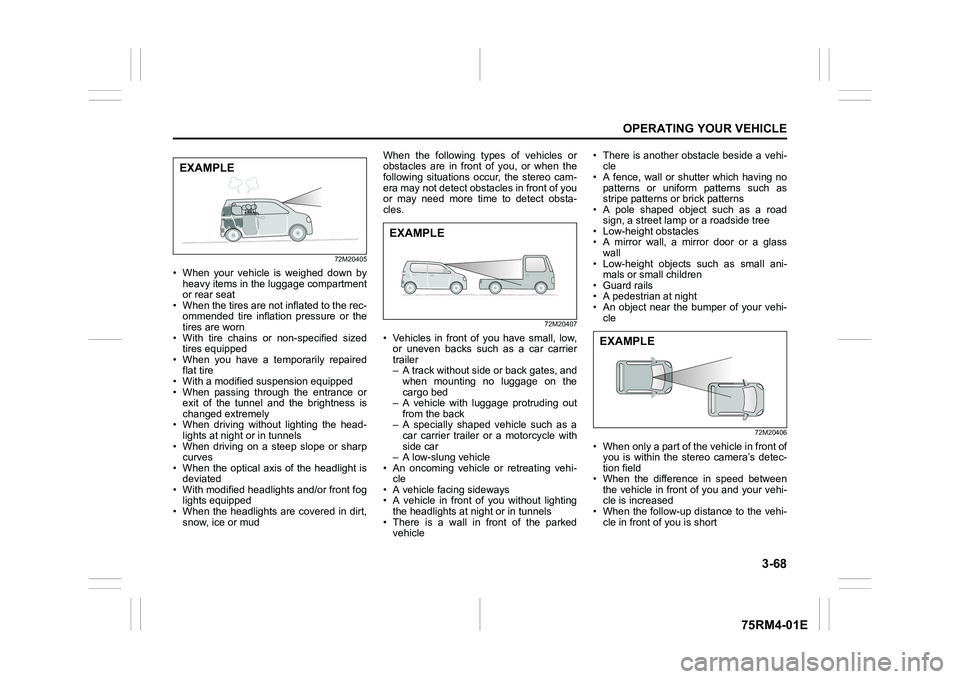
• When the headlights are covered in dirt, snow, ice or mud When the following types of vehicles or
obstacles are in front of you, or when the
following situations occur, the stereo cam-
era may not detect obstacles in front of you
or may need more time to detect obsta-
cles.
72M20407
• Vehicles in front of you have small, low,
or uneven backs such as a car carrier
trailer
– A track without side or back gates, andwhen mounting no luggage on the
cargo bed
– A vehicle with luggage protruding out
from the back
– A specially shaped vehicle such as a car carrier trailer or a motorcycle with
side car
– A low-slung vehicle
• An oncoming vehicle or retreating vehi-
cle
• A vehicle facing sideways
• A vehicle in front of you without lighting
the headlights at n ight or in tunnels
• There is a wall in front of the parked vehicle • There is another obstacle beside a vehi-
cle
• A fence, wall or shutter which having no
patterns or uniform patterns such as
stripe patterns or brick patterns
• A pole shaped object such as a road
sign, a street lamp or a roadside tree
• Low-height obstacles
• A mirror wall, a mirror door or a glass
wall
• Low-height objects such as small ani- mals or small children
• Guard rails
• A pedestrian at night
• An object near the bumper of your vehi- cle
72M20406
• When only a part of the vehicle in front ofyou is within the stereo camera’s detec-
tion field
• When the difference in speed between the vehicle in front of you and your vehi-
cle is increased
• When the follow-up distance to the vehi- cle in front of you is short
EXAMPLE
EXAMPLE
EXAMPLE
Page 222 of 505
3-69OPERATING YOUR VEHICLE
75RM4-01E
• When the vehicle in front of you turns,accelerates or decelerates suddenly
• An object outside of the irradiation range
of the headlights
• An object which jumps out in front of you
• When you change the lane and
approach the preceding vehicle
When the following types of partition lines
are in front of you, or when the following
situations occur, the stereo camera may
not detect the lines o r may need more time
to detect the lines.
• The narrow lane width
• When the lane is difficult to detect – No partition lines, or faded lines
– The Color of partition lines is similar tothe road
– The width of partition lines is narrow
• When the follow-up distance to the vehi-
cle in front of you is short
Page 450 of 505
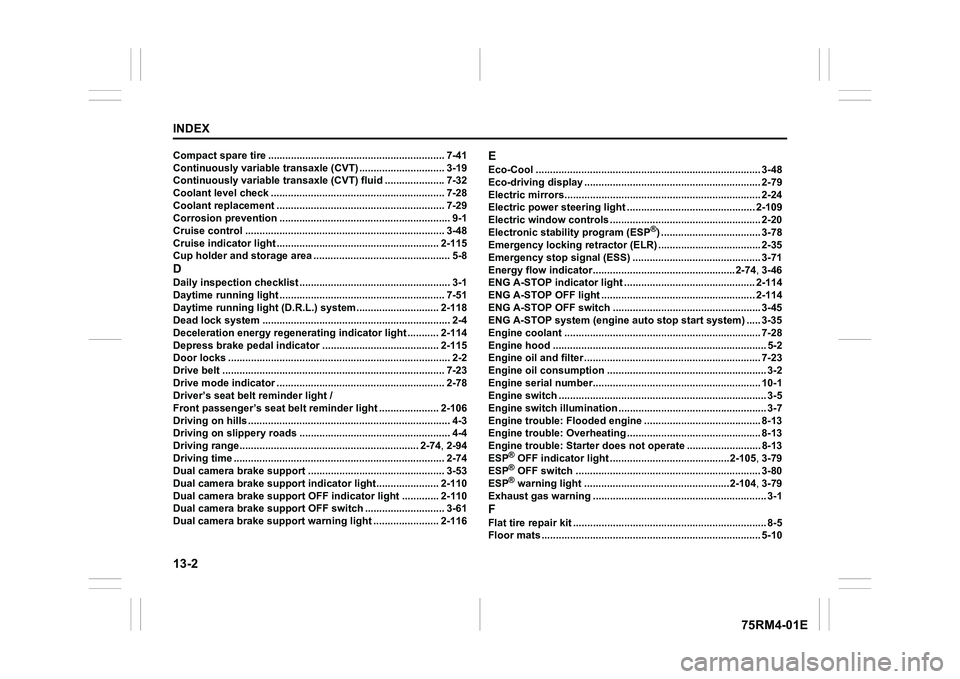
13-2INDEX
75RM4-01E
Compact spare tire .............................................................. 7-41
Continuously variable transaxle (CVT) .......................... .... 3-19
Continuously variable transaxle (CVT) fluid .................... .7-32
Coolant level check ............................................ ................. 7-28
Coolant replacement ............................................ ............... 7-29
Corrosion prevention .......... .................................................. 9-1
Cruise control ................................................. ..................... 3-48
Cruise indicator light ......................................... ................ 2-115
Cup holder and storage area . ............................................... 5-8DDaily inspection checklist ..................................... ................ 3-1
Daytime running light .......................................... ................ 7-51
Daytime running light (D.R.L.) system.......................... ... 2-118
Dead lock system ............................................... ................... 2-4
Deceleration energy regeneratin g indicator light ........... 2-114
Depress brake pedal indicator .................................. ....... 2-115
Door locks ..................................................... ......................... 2-2
Drive belt ..................................................... ......................... 7-23
Drive mode indicator ........................................... ................ 2-78
Driver’s seat belt reminder light /
Front passenger’s seat belt remi nder light .....................2-106
Driving on hills ............................................... ........................ 4-3
Driving on slippery roads ...................................... ............... 4-4
Driving range.................................................. ............. 2-74, 2-94
Driving time ................................................... ....................... 2-74
Dual camera brake support ...................................... .......... 3-53
Dual camera brake support indicator light...................... 2-110
Dual camera brake support OFF indicator light ............. 2-110
Dual camera brake support OFF switch ........................... .3-61
Dual camera brake support warn ing light ....................... 2-116
EEco-Cool ....................................................... ........................ 3-48
Eco-driving display ............................................ .................. 2-79
Electric mirrors............................................... ...................... 2-24
Electric power steering ligh t ............................................. 2-109
Electric window controls ... .................................................. 2-20
Electronic stabi lity program (ESP
®) ................................... 3-78
Emergency locking retractor ( ELR) .................................... 2-35
Emergency stop signal (ESS) . ............................................ 3-71
Energy flow indicator.......................................... ........2-74, 3-46
ENG A-STOP indicator light ..................................... ......... 2-114
ENG A-STOP OFF light ........................................... ........... 2-114
ENG A-STOP OFF switch .......................................... .......... 3-45
ENG A-STOP system (e ngine auto stop start system) ..... 3-35
Engine coolant ................................................. .................... 7-28
Engine hood .................................................... ....................... 5-2
Engine oil and filter .......................................... .................... 7-23
Engine oil consumption ......................................... ............... 3-2
Engine serial number........................................... ................ 10-1
Engine switch .................................................. ....................... 3-5
Engine switch illumination ..................................... ............... 3-7
Engine trouble: Flooded engine ................................. ........ 8-13
Engine trouble: Overheating .................................... ........... 8-13
Engine trouble: Starter does not operate ....................... ... 8-13
ESP
® OFF indicator light ..........................................2 -105, 3-79
ESP® OFF switch .................................................... ............. 3-80
ESP® warning light ................................................. ..2-104, 3-79
Exhaust gas warning ............................................ ................. 3-1
FFlat tire repair kit .................................................................... 8-5
Floor mats ..................................................... ........................ 5-10