Fuel SUZUKI IGNIS 2022 Owner's Manual
[x] Cancel search | Manufacturer: SUZUKI, Model Year: 2022, Model line: IGNIS, Model: SUZUKI IGNIS 2022Pages: 505, PDF Size: 8.36 MB
Page 117 of 505
2-94
BEFORE DRIVING
75RM4-01E
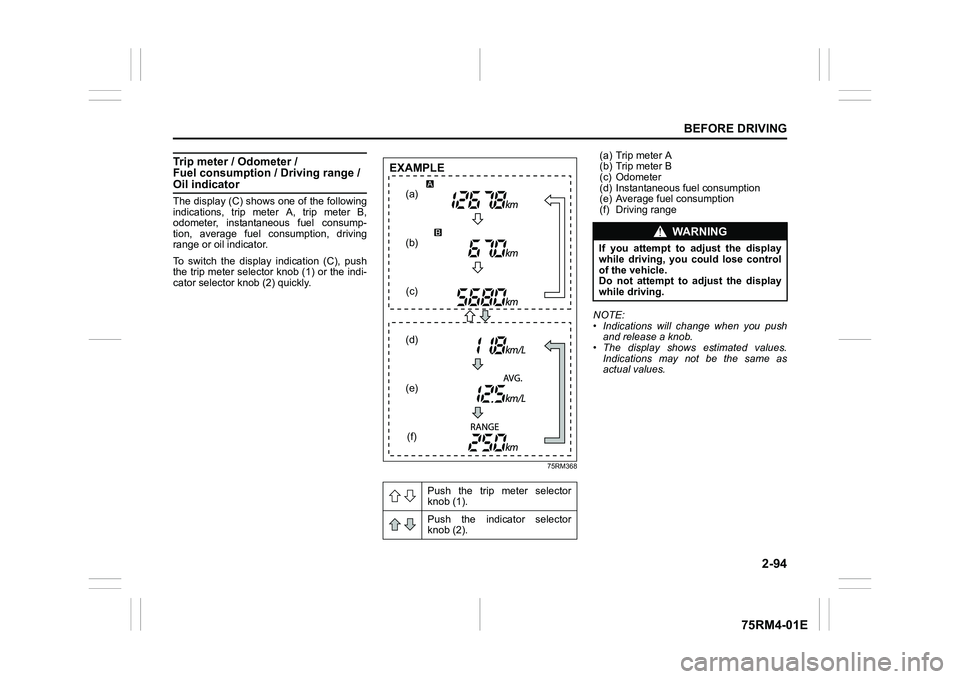
Trip meter / Odometer /
Fuel consumption / Driving range / Oil indicatorThe display (C) shows one of the following
indications, trip meter A, trip meter B,
odometer, instantaneous fuel consump-
tion, average fuel consumption, driving
range or oil indicator.
To switch the display indication (C), push
the trip meter selector knob (1) or the indi-
cator selector knob (2) quickly.
75RM368
(a) Trip meter A
(b) Trip meter B
(c) Odometer
(d) Instantaneous fuel consumption
(e) Average fuel consumption
(f) Driving range
NOTE:
• Indications will change when you push and release a knob.
• The display shows estimated values.
Indications may not be the same as
actual values.
Push the trip meter selector
knob (1).
Push the indicator selector
knob (2).
(a)
(b) (c)
(d)
(e) (f)
EXAMPLE
WA R N I N G
If you attempt to a djust the display
while driving, you could lose control
of the vehicle.
Do not attempt to adjust the display
while driving.
Page 118 of 505
2-95BEFORE DRIVING
75RM4-01E
Trip meter
The trip meter can be used to measure the
distance traveled on short trips or between
fuel stops.
You can use the trip meter A or trip meter B
independently.
To reset the trip meter to zero, push and
hold the trip meter selector knob (1) for a
while when the display shows the trip
meter.
NOTE:
The indicated maximum value of the trip
meter is 9999.9. When you run past the
maximum value, the indicated value will
return to 0.0.
Odometer
The odometer records the total distance
the vehicle has been driven. Instantaneous fuel consumption
The display shows the value of instanta-
neous fuel consumption only when the
vehicle is moving.
NOTE:
• The display does not show the value
unless the vehicle is moving.
• Depending on the vehicle’s specification,
the fuel consumption units of initial set-
ting are indicated as L/100km, km/L or
MPG.
• The indicated maximum value of instan- taneous fuel consumption is one of the
followings. No more than the maximum
value will be indicated on the display
even if the actual instantaneous fuel
consumption is higher.
– For L/100km setting: 30
– For km/L setting: 50
– For MPG setting: 99.9
• The indication on the display may be delayed if fuel consumption is greatly
affected by driving conditions.
• The display shows estimated values. Indications may not be the same as
actual values.
• For “L/100km” or “km/L” setting, you can change the units that instantaneous fuel
consumption is displayed in. Refer to
“Average fuel consumption” in this sec-
tion. Average fuel consumption
If you selected average fuel consumption
the last time you drove
the vehicle, the dis-
play shows the last value of average fuel
consumption from previous driving when
the ignition switch is turned to “ON” posi-
tion. Unless you reset the value of average
fuel consumption, the display indicates the
value of average fuel consumption which
includes average fuel consumption during
previous driving.
To reset the average fuel consumption to
zero, push and hold the indicator selector
knob (2) for a while when the display
shows the average fuel consumption.
NOTE:
When you reset the indication or reconnect
the negative (–) terminal to the lead-acid
battery, the value of average fuel con-
sumption will be shown after driving for a
while.
NOTICE
Keep track of your odometer reading
and check the maintenance sched-
ule regularly for required services.
Increased wear or damage to certain
parts can result from failure to per-
form required services at the proper
mileage intervals.
Page 119 of 505
2-96
BEFORE DRIVING
75RM4-01E
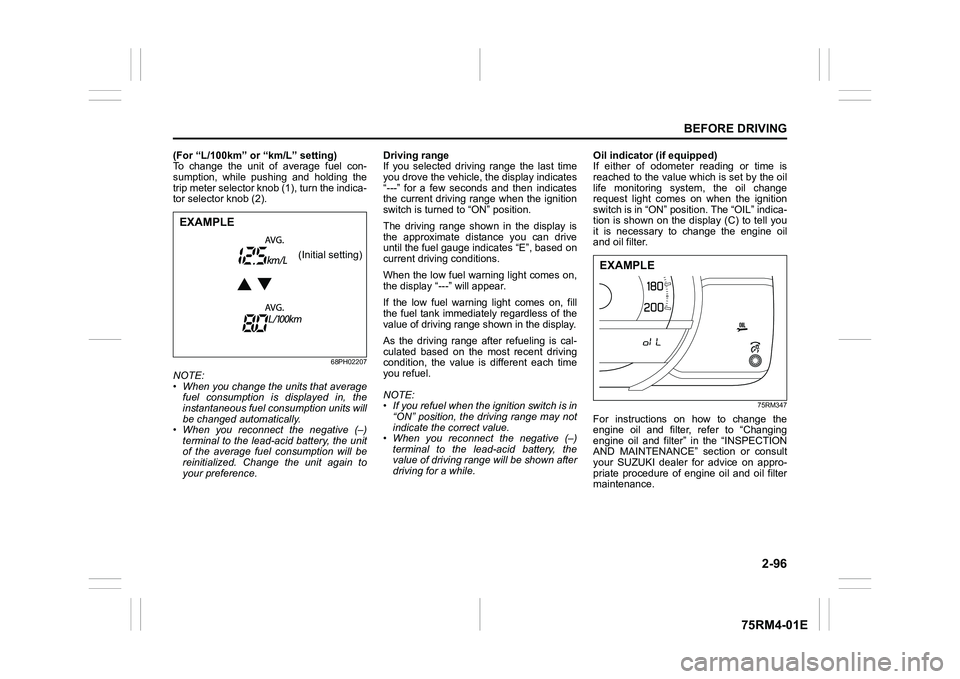
(For “L/100km” or “km/L” setting)
To change the unit of average fuel con-
sumption, while pushing and holding the
trip meter selector knob (1), turn the indica-
tor selector knob (2).
68PH02207
NOTE:
• When you change the units that averagefuel consumption is displayed in, the
instantaneous fuel consumption units will
be changed automatically.
• When you reconnect the negative (–)
terminal to the lead-acid battery, the unit
of the average fuel consumption will be
reinitialized. Change the unit again to
your preference. Driving range
If you selected driving range the last time
you drove the vehicle, the display indicates
“
--- ” for a few seconds and then indicates
the current driving range when the ignition
switch is turned to “ON” position.
The driving range shown in the display is
the approximate distance you can drive
until the fuel gauge indicates “E”, based on
current driving conditions.
When the low fuel warning light comes on,
the display “---” will appear.
If the low fuel warning light comes on, fill
the fuel tank immediately regardless of the
value of driving range shown in the display.As the driving range after refueling is cal-
culated based on the most recent driving
condition, the value is different each time
you refuel.
NOTE:
• If you refuel when the ignition switch is in
“ON” position, the driving range may not
indicate the correct value.
• When you reconnect the negative (–)
terminal to the lead-acid battery, the
value of driving range will be shown after
driving for a while. Oil indicator (if equipped)
If either of odometer reading or time is
reached to the value which is set by the oil
life monitoring system, the oil change
request light comes on when the ignition
switch is in “ON” position. The “OIL” indica-
tion is shown on the display (C) to tell you
it is necessary to change the engine oil
and oil filter.
75RM347
For instructions on how to change the
engine oil and filter, refer to “Changing
engine oil and filter” in the “INSPECTION
AND MAINTENANCE” section or consult
your SUZUKI dealer for advice on appro-
priate procedure of engine oil and oil filter
maintenance.
EXAMPLE
(Initial setting)
EXAMPLE
Page 124 of 505
2-101BEFORE DRIVING
75RM4-01E
Warning and indicator lightsNOTE:
If warning and indicator lights blink or
come on, the corresponding messages
may be shown on the information display.Low tire pressure warning light (if equipped)
52D305
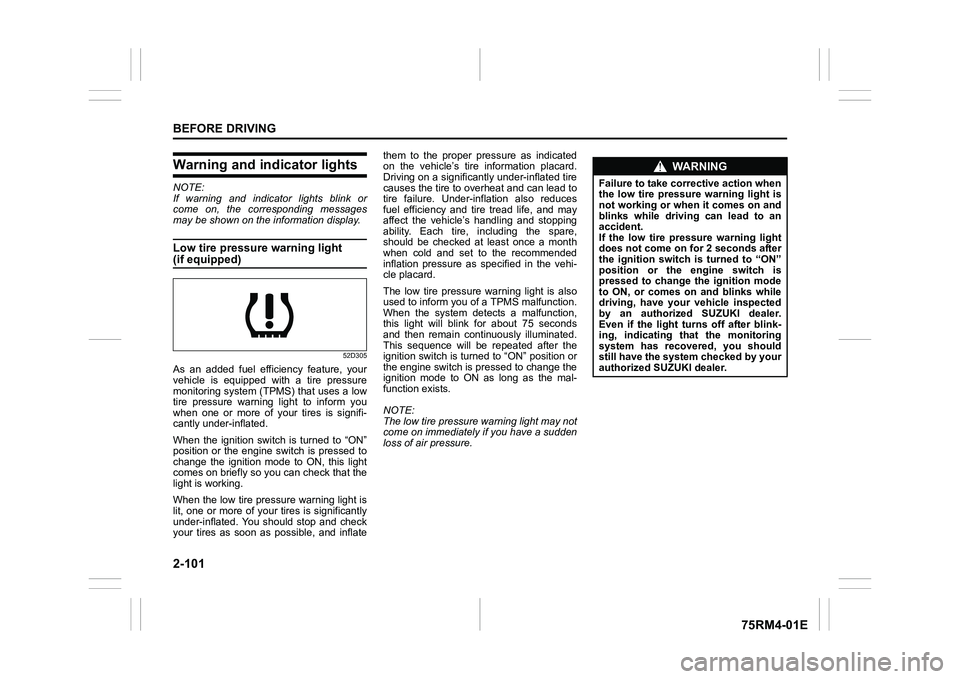
As an added fuel efficiency feature, your
vehicle is equipped with a tire pressure
monitoring system (TPMS) that uses a low
tire pressure warning light to inform you
when one or more of your tires is signifi-
cantly under-inflated.
When the ignition switch is turned to “ON”
position or the engine switch is pressed to
change the ignition mode to ON, this light
comes on briefly so you can check that the
light is working.
When the low tire pressure warning light is
lit, one or more of your tires is significantly
under-inflated. You should stop and check
your tires as soon as possible, and inflate them to the proper pressure as indicated
on the vehicle’s tire information placard.
Driving on a significantly under-inflated tire
causes the tire to overheat and can lead to
tire failure. Under-inf
lation also reduces
fuel efficiency and tire tread life, and may
affect the vehicle’s handling and stopping
ability. Each tire, including the spare,
should be checked at least once a month
when cold and set to the recommended
inflation pressure as specified in the vehi-
cle placard.
The low tire pressure warning light is also
used to inform you of a TPMS malfunction.
When the system detects a malfunction,
this light will blink for about 75 seconds
and then remain continuously illuminated.
This sequence will be repeated after the
ignition switch is turned to “ON” position or
the engine switch is pressed to change the
ignition mode to ON as long as the mal-
function exists.
NOTE:
The low tire pressure warning light may not
come on immediately if you have a sudden
loss of air pressure.
WA R N I N G
Failure to take corrective action when
the low tire pressure warning light is
not working or when it comes on and
blinks while driving can lead to an
accident.
If the low tire pressure warning light
does not come on for 2 seconds after
the ignition switch is turned to “ON”
position or the engine switch is
pressed to change the ignition mode
to ON, or comes on and blinks while
driving, have your vehicle inspected
by an authorized SUZUKI dealer.
Even if the light tu rns off after blink-
ing, indicating that the monitoring
system has recovered, you should
still have the system checked by your
authorized SUZUKI dealer.
Page 130 of 505
2-107BEFORE DRIVING
75RM4-01E
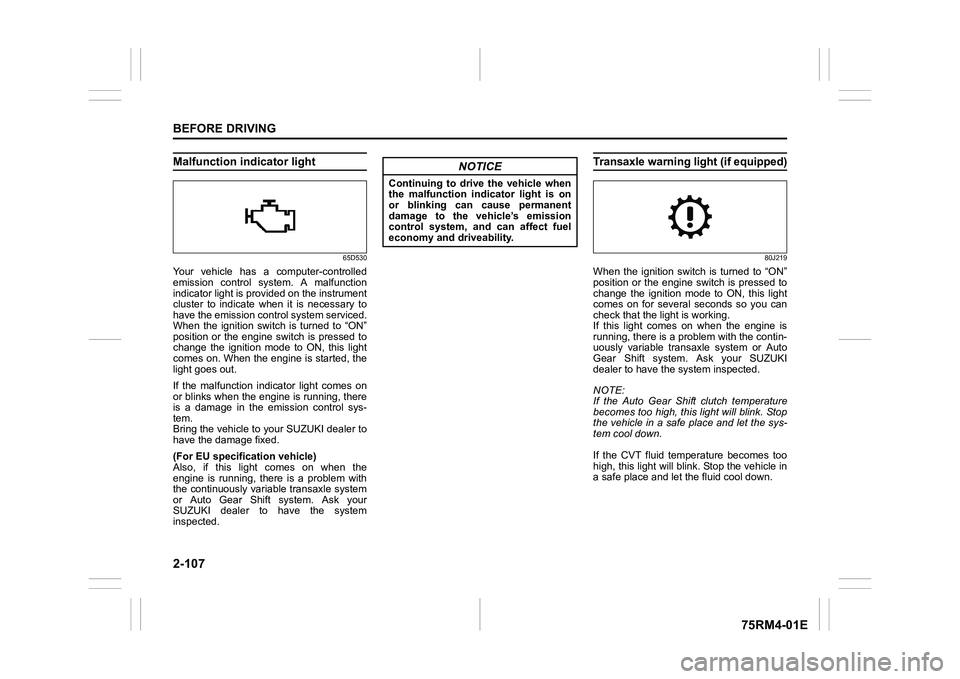
Malfunction indicator light
65D530
Your vehicle has a computer-controlled
emission control system. A malfunction
indicator light is provided on the instrument
cluster to indicate when it is necessary to
have the emission control system serviced.
When the ignition switch is turned to “ON”
position or the engine switch is pressed to
change the ignition mode to ON, this light
comes on. When the engine is started, the
light goes out.
If the malfunction indicator light comes on
or blinks when the engine is running, there
is a damage in the emission control sys-
tem.
Bring the vehicle to your SUZUKI dealer to
have the damage fixed.
(For EU specifi cation vehicle)
Also, if this light comes on when the
engine is running, there is a problem with
the continuously variable transaxle system
or Auto Gear Shift system. Ask your
SUZUKI dealer to have the system
inspected.
Transaxle warning light (if equipped)
80J219
When the ignition switch is turned to “ON”
position or the engine switch is pressed to
change the ignition mode to ON, this light
comes on for several seconds so you can
check that the light is working.
If this light comes on when the engine is
running, there is a problem with the contin-
uously variable transaxle system or Auto
Gear Shift system. Ask your SUZUKI
dealer to have t he system inspected.
NOTE:
If the Auto Gear Shift clutch temperature
becomes too high, this light will blink. Stop
the vehicle in a safe place and let the sys-
tem cool down.
If the CVT fluid temperature becomes too
high, this light will blink. Stop the vehicle in
a safe place and let the fluid cool down.
NOTICE
Continuing to drive the vehicle when
the malfunction indicator light is on
or blinking can cause permanent
damage to the vehicle’s emission
control system, and can affect fuel
economy and driveability.
Page 131 of 505
2-108
BEFORE DRIVING
75RM4-01E
Immobilizer/keyless push start sys-tem warning light
80JM122
When the ignition switch is turned to “ON”
position or the engine switch is pressed to
change the ignition mode to ON, this light
comes on briefly so you can check that the
light is working.
If this light stays on, there is a problem with
the system or the steering lock cannot be
released. If this happens, press the engine
switch, turning the steering wheel to the
right or left. If this light still stays on, ask
your SUZUKI dealer to have the system
inspected.
Open door warning light
54G391
This light remains on until all doors (includ-
ing the tailgate) are completely closed.
If any door (including the tailgate) is open
when the vehicle is moving, a ding sounds
to remind you to close all doors completely.
Low fuel warning light
54G343
If this light comes on, fill the fuel tank
immediately.
When this light comes on, a ding sounds
once to remind you to fill the fuel.
If you do not fill the fuel, a ding sounds
every time when the ignition switch is
turned to “ON” position or the engine
switch is pressed to change the ignition
mode to ON.
NOTE:
The activation point of this light varies
depending on road conditions (for exam-
ple, slope or curve) and driving conditions
because of fuel moving in the tank.
Page 155 of 505
3-2
OPERATING YOUR VEHICLE
75RM4-01E
NOTE:
It is normal for water to drip from the air
conditioning system after use.
4) Check that the hood is fully closed andlatched.
5) Check the headlights, turn signal lights, brake lights and horn for proper opera-
tion.
6) Adjust the seat and head restraint.
7) Check the brake pedal and the parking brake lever.
8) Adjust the mirrors.
9) Check that you and all passengers have properly fastened your seat belts.
10)Check that all warning lights come on as the ignition switch is turned to “ON”
position or the engine switch is pressed
to change the ignition mode to ON.
11)Check all gauges.
12)Check that the brake system warning light turns off when the parking brake is
released.
Once a week, or each time you fill your fuel
tank, perform the following under-hood
checks:
1) Engine oil level
2) Coolant level
3) Brake fluid level
4) Lead-acid battery solution level
5) Windshield washer fluid level
6) Hood latch operation Pull the hood release handle inside the
vehicle. Check that you cannot open the hood all the way without releasing
the secondary latch. Close the hood
securely after checking for proper latch
operation. See the item “All latches,
hinges and locks” of “Chassis, body
and others” in “Maintenance schedule”
in the “INSPECTION AND MAINTE-
NANCE” section for lubrication sched-
ule.
Once a month, or each time you fill your
fuel tank, check the tire pressure using a
tire pressure gauge. Also check the tire
pressure of the spare tire.
Engine oil consumptionIt is normal for the engine to consume
some engine oil during normal vehicle
operation.
The amount of engine oil consumption
depends on viscosity and quality of the oil
and your driving conditions.
More oil is consumed during high-speed
driving and when there is frequent acceler-
ation and deceleration. Under high loads,
your engine also will consume more oil.
A new engine also consumes more oil,
since its pistons, piston rings and cylinder
walls have not yet become conditioned.
New engines reach the normal level of oil
consumption only after approximately
5000 km (3000 miles) driving.
Oil consumption:
Max. 1.0 L per 1000 km
(1 Qt. per 600 miles)
When judging the amount of oil consump-
tion, note that the oil may become diluted
and it is difficult to judge the accurate oil
level.
As an example, if a vehicle is used for
repeated short trips, and consumes a nor-
mal amount of oil, the dipstick may not
show any drop in the oil level at all, even
after 1000 km (600 miles) or more of driv-
ing. This is because the oil gradually
becomes diluted with fuel or moisture,
WA R N I N G
Check that the hood is fully closed
and latched before d riving. If it is not,
it can fly up unexpectedly during
driving, obstructing your view and
resulting in an accident.
Page 158 of 505
3-5OPERATING YOUR VEHICLE
75RM4-01E
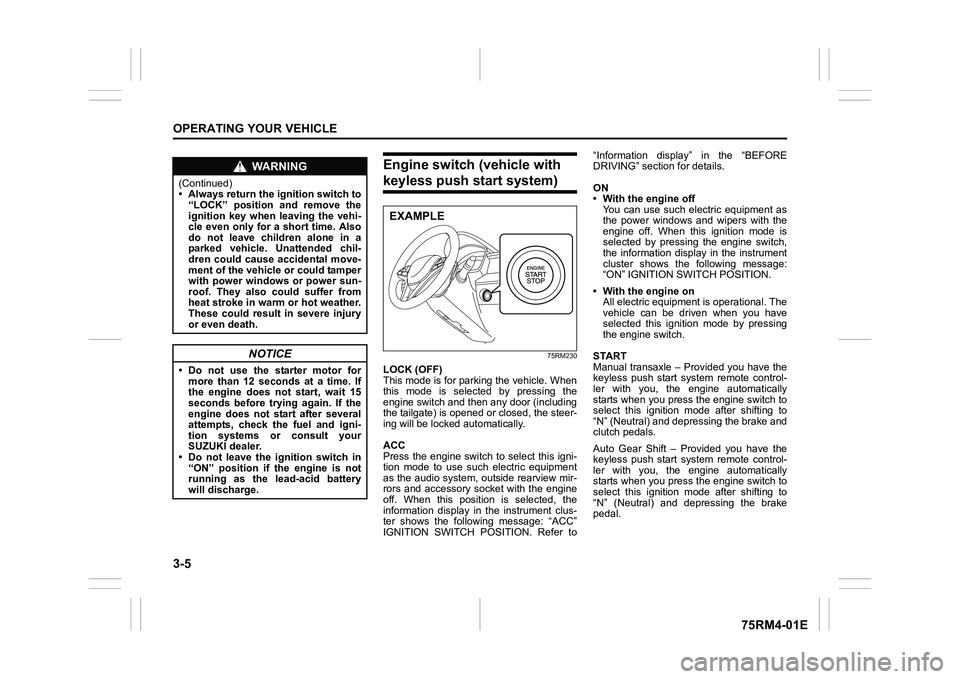
Engine switch (vehicle with keyless push start system)
75RM230
LOCK (OFF)
This mode is for parking the vehicle. When
this mode is selected by pressing the
engine switch and then any door (including
the tailgate) is opened or closed, the steer-
ing will be locked automatically.
ACC
Press the engine switch to select this igni-
tion mode to use such electric equipment
as the audio system, outside rearview mir-
rors and accessory socket with the engine
off. When this position is selected, the
information display in the instrument clus-
ter shows the following message: “ACC”
IGNITION SWITCH POSITION. Refer to“Information display” in the “BEFORE
DRIVING” section for details.
ON
• With the engine off
You can use such electric equipment as
the power windows and wipers with the
engine off. When this ignition mode is
selected by pressing the engine switch,
the information display in the instrument
cluster shows the following message:
“ON” IGNITION SWITCH POSITION.
• With the engine on All electric equipment is operational. The
vehicle can be driven when you have
selected this ignition mode by pressing
the engine switch.
START
Manual transaxle – Provided you have the
keyless push start system remote control-
ler with you, the engine automatically
starts when you press the engine switch to
select this ignition mode after shifting to
“N” (Neutral) and depressing the brake and
clutch pedals.
Auto Gear Shift – Provided you have the
keyless push start system remote control-
ler with you, the engine automatically
starts when you press the engine switch to
select this ignition mode after shifting to
“N” (Neutral) and depressing the brake
pedal.
WA R N I N G
(Continued)
• Always return the ignition switch to “LOCK” position and remove the
ignition key when leaving the vehi-
cle even only for a short time. Also
do not leave children alone in a
parked vehicle. Unattended chil-
dren could cause accidental move-
ment of the vehicle or could tamper
with power windows or power sun-
roof. They also could suffer from
heat stroke in warm or hot weather.
These could result in severe injury
or even death.
NOTICE
• Do not use the starter motor formore than 12 seconds at a time. If
the engine does not start, wait 15
seconds before try ing again. If the
engine does not start after several
attempts, check the fuel and igni-
tion systems or consult your
SUZUKI dealer.
• Do not leave the ignition switch in
“ON” position if the engine is not
running as the lead-acid battery
will discharge.
EXAMPLE
Page 174 of 505
3-21OPERATING YOUR VEHICLE
75RM4-01E
M (manual mode) (models with manual
mode)
Use this position for driving in the manual
mode.
Refer to “Manual mode” later in this section
for details on how to use the manual mode.
L (Low) (models with switch of S-mode)
Use this position to provide maximum
power when climbing steep hills or driving
through deep snow or mud, or to provide
maximum engine braking when going
down steep hills. Switch of S-mode (models with switch
of S-mode)
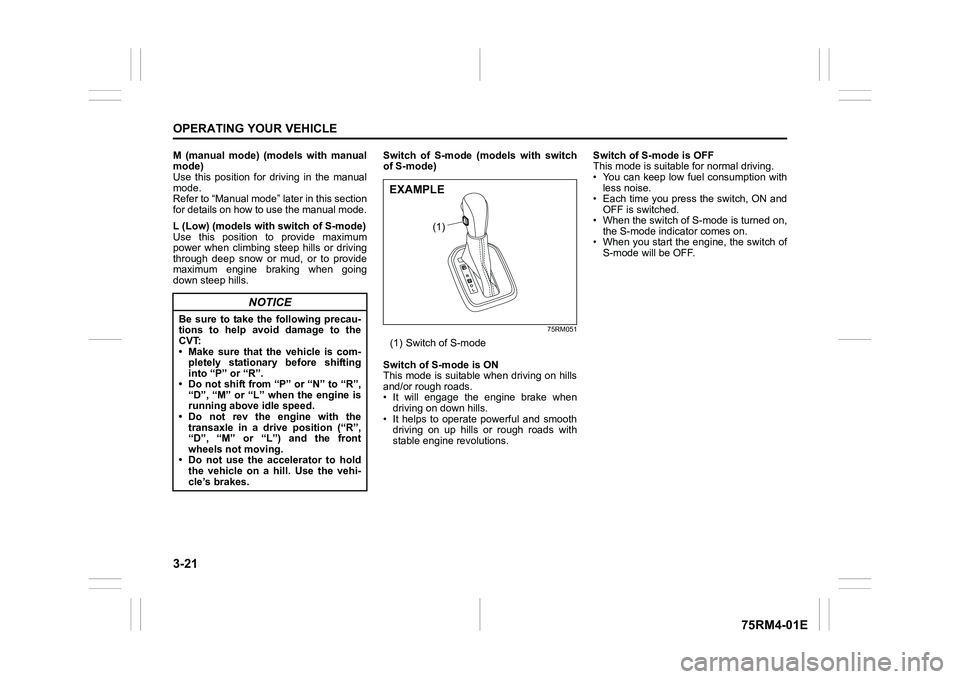
75RM051
(1) Switch of S-mode
Switch of S-mode is ON
This mode is suitable when driving on hills
and/or rough roads.
• It will engage the engine brake when driving on down hills.
• It helps to operate powerful and smooth driving on up hills or rough roads with
stable engine revolutions. Switch of S-mode is OFF
This mode is suitable for normal driving.
• You can keep low fuel consumption with
less noise.
• Each time you press the switch, ON and OFF is switched.
• When the switch of S-mode is turned on, the S-mode indicator comes on.
• When you start the engine, the switch of
S-mode will be OFF.
NOTICE
Be sure to take the following precau-
tions to help avoid damage to the
CVT:
• Make sure that the vehicle is com-pletely stationary before shifting
into “P” or “R”.
• Do not shift from “P” or “N” to “R”, “D”, “M” or “L” wh en the engine is
running above idle speed.
• Do not rev the engine with the transaxle in a drive position (“R”,
“D”, “M” or “L”) and the front
wheels not moving.
• Do not use the accelerator to hold the vehicle on a hill. Use the vehi-
cle’s brakes.
(1)
EXAMPLE
Page 186 of 505
3-33OPERATING YOUR VEHICLE
75RM4-01E
“N” indicator blinking
When the gear indicator lamp blinks “N”,
you should depress the brake pedal and
shift the gearshift lever to “N” position.
“1st” indicator blinking
When the gear indicator lamp blinks “1st”,
you should depress the brake pedal and
shift the gearshift lever to “N” position, then
shift to “D” or “M” position again a few sec-
onds later.
“R” indicator blinking
When the gear indicator lamp blinks “R”,
you should depress the brake pedal and
shift the gearshift lever to “N” position, then
shift to “R” position again a few seconds
later.
Gearshift indicator (if equipped)
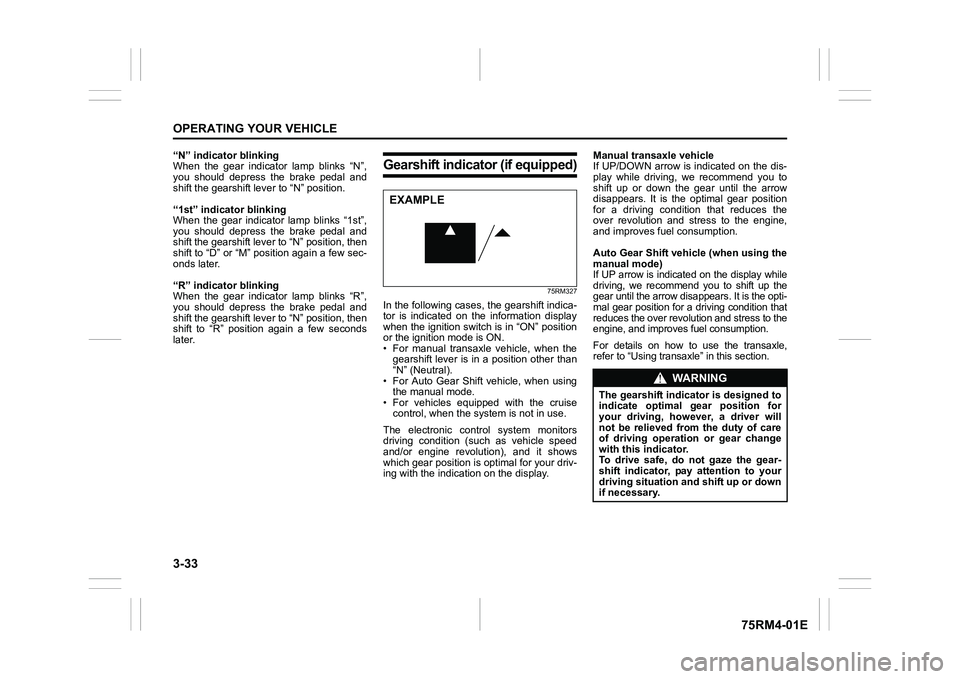
75RM327
In the following cases, the gearshift indica-
tor is indicated on the information display
when the ignition switch is in “ON” position
or the ignition mode is ON.
• For manual transaxle vehicle, when thegearshift lever is in a position other than
“N” (Neutral).
• For Auto Gear Shift vehicle, when using the manual mode.
• For vehicles equipped with the cruise control, when the syst em is not in use.
The electronic control system monitors
driving condition (such as vehicle speed
and/or engine revolution), and it shows
which gear position is optimal for your driv-
ing with the indicati on on the display. Manual transaxle vehicle
If UP/DOWN arrow is indicated on the dis-
play while driving, we recommend you to
shift up or down the gear until the arrow
disappears. It is the optimal gear position
for a driving condition that reduces the
over revolution and stress to the engine,
and improves fuel consumption.
Auto Gear Shift vehicle (when using the
manual mode)
If UP arrow is indicated on the display while
driving, we recommend you to shift up the
gear until the arrow disappears. It is the opti-
mal gear position for a driving condition that
reduces the over revolut
ion and stress to the
engine, and improves fuel consumption.For details on how to use the transaxle,
refer to “Using transa xle” in this section.
EXAMPLE
WA R N I N G
The gearshift indicator is designed to
indicate optimal gear position for
your driving, however, a driver will
not be relieved from the duty of care
of driving operation or gear change
with this indicator.
To drive safe, do not gaze the gear-
shift indicator, pay attention to your
driving situation and shift up or down
if necessary.