starting SUZUKI IGNIS 2022 Owner's Manual
[x] Cancel search | Manufacturer: SUZUKI, Model Year: 2022, Model line: IGNIS, Model: SUZUKI IGNIS 2022Pages: 505, PDF Size: 8.36 MB
Page 181 of 505

3-28
OPERATING YOUR VEHICLE
75RM4-01E
Downhill
1) Depress the brake pedal and shift thegearshift lever to the “D” position. Make
sure that the gear is in 1st by checking
the gear position indicator.
2) Release the brake pedal and depress
the accelerator pedal slowly. Even if the
accelerator pedal is not depressed, the
clutch will be engaged when the vehicle
speed increases.
Using engine braking:
When driving on a downhill slope, down-
shifting is recommended. So you can use
engine braking.
By placing the gearshift lever in the “M”
position, the Manual (M) mode is selected,
and you can shift to a lower gear manually.
For details of downshift operation, refer to
“Upshift and downshift” in the “Manual (M)
mode”. Manual (M) mode
The gears are not shifted automatically. To
shift the transaxle, the driver must operate
the gearshift lever to
the “+” or “–” direc-
tion. As for conventional manual transaxle
vehicles, releasing the accelerator pedal a
little may help the transaxle to shift
smoothly.
Upshift and downshift:
Upshifting
75RM258
Pull the gearshift lever to the “+” direction
and release it. Every time the lever is oper-
ated, the transaxle is upshifting 1 step in
the order of 1st 2nd 3rd 4th 5th
gear. Downshifting
75RM259
Push the gearshift lever to the “–” direction
and release it. Every time the lever is oper-
ated, the transaxle is downshifted in the
order 5th
4th 3rd 2nd 1st gear.
The gear position is displayed on the gear
position indicator. The gear position indica-
tor shows the transaxle gear position.
Before starting off, always check the gear
position indicator to make sure that the
transaxle is engaged in 1st or reverse,
then depress the accelerator pedal.
NOTE:
• To downshift smoothly, the engine runs fast in some cases. This is done inten-
tionally by the system and is not mal-
function.
• When driving down a hill, downshift and use the engine braking appropriately. If
necessary, continuous downshifting is
Page 182 of 505
3-29OPERATING YOUR VEHICLE
75RM4-01E
possible. However, if downshifting more
than 3 steps, gear shifting will take more
time.
• When the gear is shifting, a noise can be heard in some case. This is not malfunc-
tion. Starting off:
1) Start the engine as instructed in “Start-
ing the engine” in this section.
2) With your foot on the brake pedal, shift the gearshift lever to the “M” position.
When the gearshift lever is shifted to
the “M” position, the gear will be shifted
to 1st. Before starting off, always make
sure that the intended gear is engaged
by checking the gear position indicator,
then depress the accelerator pedal.
NOTE:
• If 1st gear cannot be engaged even though the gearshift lever has been
shifted from the “N” to the “M” position,
the system will re-try shifting automati-
cally. This will take some time, noise
may be heard from the gears, and shift-
ing gear shock may occur. However,
they do not indicate malfunction.
• The “N” indicator will flush, the depress brake pedal indicator will come on and a
warning buzzer (long pulse sound) will
sound if any of the following cases
occur;
– If you shift the gearshift lever from the “N” to the “M” position without
depressing the brake pedal
– If the system is unable to re-try shifting
You should depress the brake pedal and
shift the gearshift lever to “N” position,
then shift to “M” position again a few
seconds later.
WA R N I N G
• Be careful when accelerating, upshifting, downshifting or braking
on a slippery surface. Sudden
acceleration or engine braking
could cause the vehicle to spin or
skid.
• To drive down a long or steep hill,
reduce your speed and downshift.
Remember, if you ride the brakes
excessively, they may overheat and
fail.
• While driving the vehicle, do not shift the gearshift lever to “N” posi-
tion. The engine brake may not
work and you may get involved in
an unexpected accident. If you
return the gearshift lever from “N”
to “M” because of unintended shift-
ing, the gear position will be shifted
according to the current vehicle
speed.
• Do not apply the parking brake
while driving. Otherwise, it could
cause a skid and you may get
involved in an unexpected acci-
dent.
NOTICE
• If the gearshift lever cannot shiftinto any position, or the gear is
changed to “N” position automati-
cally when the vehicle speed
becomes less than 10 km/h (6
mph), there may be a systematic
malfunction. In this case, ask your
SUZUKI dealer to inspect the Auto
Gear Shift system as soon as pos-
sible.
• The manual (M) mode does not
upshift even if the engine speed
reaches the rev-limit.
• The system will not allow shifting up or down to a gear that would
cause engine over-revving or
under-revving.
• If frequently driving at low speed using a high gear position, the life
cycle of the clutch may be reduced.
• Frequent downshif ting (more than
3 positions consecutively) causes
the reduction of transaxle life.
Page 183 of 505
3-30
OPERATING YOUR VEHICLE
75RM4-01E
3) Release the parking brake and brakepedal. Depress the accelerator pedal
slowly for smooth starting. Starting off on an uphill/downhill slope:
Uphill
1) Apply the parking brake firmly so that
the vehicle does no t roll backwards.
2) Shift the gearshift lever to the “M” posi-
tion while depressing the brake pedal.
Make sure that the ge ar position indica-
tor in the instrumental cluster displays
1st gear.
3) Release the brake pedal and depress the accelerator pedal gradually, and
when the vehicle starts to move,
release the parking brake and depress
the accelerator pedal to start off.
Downhill
1) Depress the brake pedal and shift the gearshift lever to the “M” position.
Check the gear position indicator to
make sure that the gear is in 1st.
2) Release the brake pedal and depress the accelerator pedal slowly. Even
though the accelerator pedal is not
depressed, the clutch will be engaged
when the vehicle speed increases. Backing up
After the vehicle has stopped completely,
depress the brake pedal and shift the gear-
shift lever to the “R” position. Depress the
accelerator pedal slowly as when starting
off in 1st gear. Before backing up, make
sure that reverse gear is selected by
checking the gear position indicator.
NOTE:
• If reverse gear cannot be engaged even
though the gearshift lever has been
shifted from the “N” to the “R” position,
the system will re-try shifting automati-
cally. This will take some time, noise
may be heard from the gears, and shift-
ing gear shock may occur. However,
they do not indicate malfunction.
• The “N” indicator will flush, the depress brake pedal indicator will come on and a
warning buzzer (long pulse sound) will
sound if any of the following cases
occur;
– If you shift the gearshift lever from the “N” to the “R” position without depress-
ing the brake pedal
– If the system is unable to re-try shifting
You should depress the brake pedal and
shift the gearshift lever to “N” position,
then shift to “R” position again a few sec-
onds later.
WA R N I N G
Always keep your foot on the brake
pedal while stopped with the engine
running. These operations prevent
the vehicle from starting due to unin-
tended activation of the creeping
function.
NOTICE
Do not operate the system as
described below. The life cycle of the
clutch may be reduced.
• Using the accelerator pedal to hold the vehicle on an uphill slope oper-
ation with the gearshift lever in the
“M” or “D” position. If you perform
this operation for a certain period
of time, a warning buzzer will
sound.
• Shifting the gearshift lever to the
“M”, “D” or “R” po sition while rac-
ing the engine.
• Driving at low speed using a high
gear.
• Stopping on a slope using the creeping function. If you perform
this operation for a certain period
of time, a warning buzzer will
sound.
NOTICE
On an uphill slope, never hold the
vehicle at a stop using only the accel-
erator pedal or creeping function. If
you perform this operation for a cer-
tain period of time, a warning buzzer
will sound, and in some cases the
engine will stall. This can also cause
excessive damage to the clutch.
Page 188 of 505
3-35OPERATING YOUR VEHICLE
75RM4-01E
ENG A-STOP system
(engine auto stop start system) (if equipped)The ENG A-STOP system (engine auto
stop start system) automatically stops and
restarts the engine when decelerating
before stopping and when the vehicle is
stopped, such as at a traffic signal, in order
to reduce exhaust gases, fuel consumption
and engine noise.
• This system automatically stops the engine under certain conditions. When
the vehicle will be stopped for a long
time or when you will leave the vehicle
unattended, set the parking brake firmly,
and then turn the ignition switch or press
the engine switch to stop the engine.
• If certain conditions are met, the engine is stopped automatically when decelerat-
ing (approximately 15 km/h (9 mph) or
less for manual transaxle vehicles,
approximately 13 km/h (8 mph) or less
for CVT vehicles) before stopping. How-
ever, the engine will not be stopped
automatically during deceleration until
confirmation of the system function is fin-
ished. NOTE:
If your vehicle is equipped with the auto-
matic heating and ai
r conditioning system,
you can change the automatic engine stop
condition via the information display. Refer
to “Setting mode” in “Information display
(instrument cluster with tachometer)” in the
“BEFORE DRIVING” section.
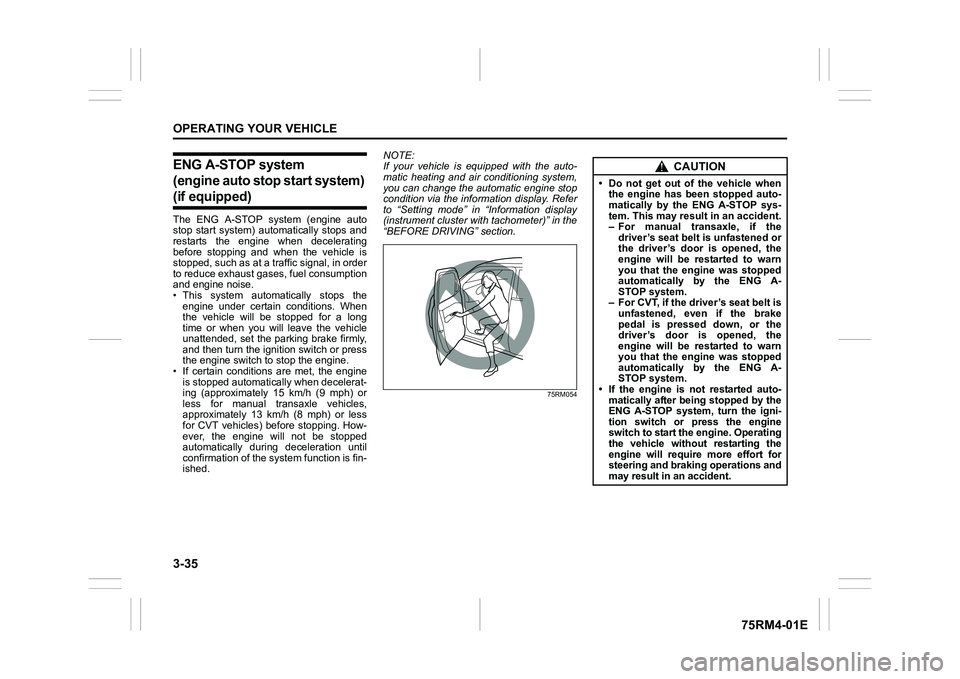
75RM054
CAUTION
• Do not get out of the vehicle when the engine has been stopped auto-
matically by the ENG A-STOP sys-
tem. This may result in an accident.
– For manual transaxle, if the
driver’s seat belt is unfastened or
the driver’s door is opened, the
engine will be restarted to warn
you that the engine was stopped
automatically by the ENG A-
STOP system.
– For CVT, if the driver’s seat belt is unfastened, even if the brake
pedal is pressed down, or the
driver’s door is opened, the
engine will be restarted to warn
you that the engine was stopped
automatically by the ENG A-
STOP system.
• If the engine is not restarted auto- matically after being stopped by the
ENG A-STOP system, turn the igni-
tion switch or press the engine
switch to start the engine. Operating
the vehicle without restarting the
engine will require more effort for
steering and braking operations and
may result in an accident.
Page 189 of 505
3-36
OPERATING YOUR VEHICLE
75RM4-01E
Automatically stopping/restarting of the engineManual transaxle vehicles
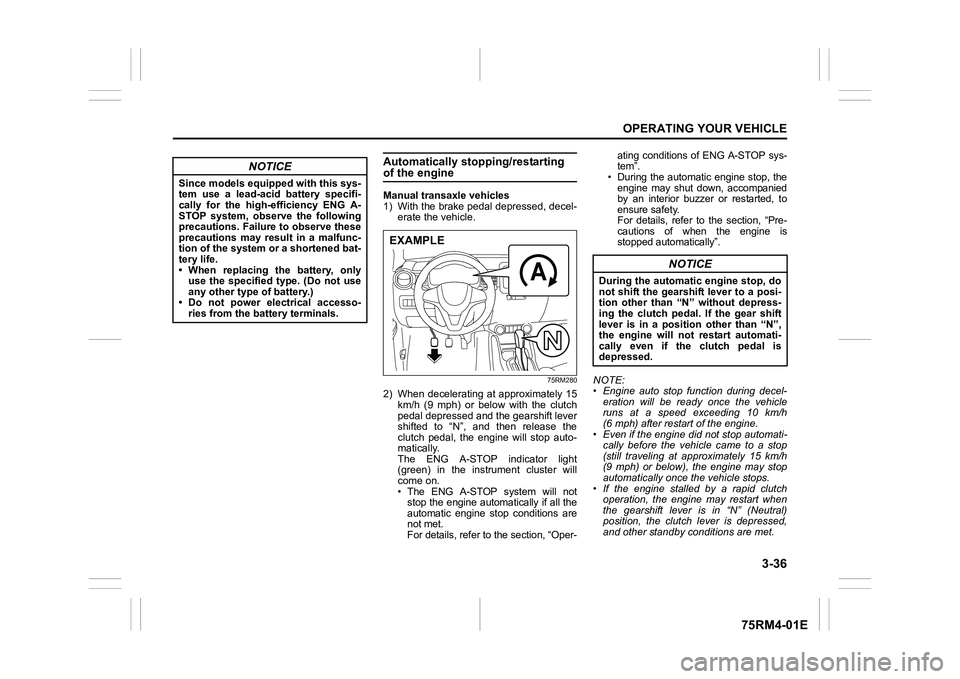
1) With the brake pedal depressed, decel-erate the vehicle.
75RM280
2) When decelerating at approximately 15km/h (9 mph) or below with the clutch
pedal depressed and the gearshift lever
shifted to “N”, and then release the
clutch pedal, the engine will stop auto-
matically.
The ENG A-STOP indicator light
(green) in the instrument cluster will
come on.
• The ENG A-STOP system will notstop the engine automatically if all the
automatic engine stop conditions are
not met.
For details, refer to the section, “Oper- ating conditions of ENG A-STOP sys-
tem”.
• During the automatic engine stop, the
engine may shut down, accompanied
by an interior buzzer or restarted, to
ensure safety.
For details, refer to the section, “Pre-
cautions of when the engine is
stopped automatically”.
NOTE:
• Engine auto stop function during decel- eration will be ready once the vehicle
runs at a speed exceeding 10 km/h
(6 mph) after restart of the engine.
• Even if the engine di d not stop automati-
cally before the vehicle came to a stop
(still traveling at approximately 15 km/h
(9 mph) or below), the engine may stop
automatically once the vehicle stops.
• If the engine stalled by a rapid clutch operation, the engine may restart when
the gearshift lever is in “N” (Neutral)
position, the clutch lever is depressed,
and other standby conditions are met.
NOTICE
Since models equipped with this sys-
tem use a lead-acid battery specifi-
cally for the high-efficiency ENG A-
STOP system, observe the following
precautions. Failure to observe these
precautions may result in a malfunc-
tion of the system or a shortened bat-
tery life.
• When replacing the battery, onlyuse the specified type. (Do not use
any other type of battery.)
• Do not power electrical accesso- ries from the battery terminals.
EXAMPLE
NOTICE
During the automatic engine stop, do
not shift the gearshift lever to a posi-
tion other than “N” without depress-
ing the clutch pedal. If the gear shift
lever is in a position other than “N”,
the engine will not restart automati-
cally even if the clutch pedal is
depressed.
Page 191 of 505
3-38
OPERATING YOUR VEHICLE
75RM4-01E
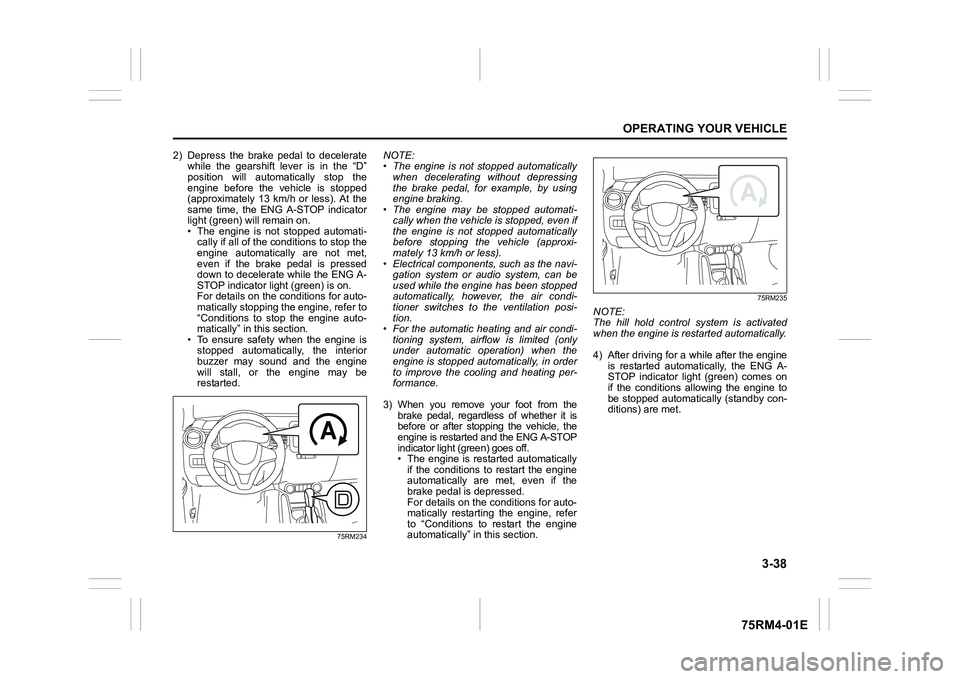
2) Depress the brake pedal to deceleratewhile the gearshift lever is in the “D”
position will automatically stop the
engine before the vehicle is stopped
(approximately 13 km/h or less). At the
same time, the ENG A-STOP indicator
light (green) will remain on.
• The engine is not stopped automati-cally if all of the c onditions to stop the
engine automatically are not met,
even if the brake pedal is pressed
down to decelerate while the ENG A-
STOP indicator light (green) is on.
For details on the conditions for auto-
matically stopping the engine, refer to
“Conditions to stop the engine auto-
matically” in this section.
• To ensure safety when the engine is stopped automatically, the interior
buzzer may sound and the engine
will stall, or the engine may be
restarted.
75RM234
NOTE:
• The engine is not stopped automatically when decelerating without depressing
the brake pedal, for example, by using
engine braking.
• The engine may be stopped automati-
cally when the vehicle is stopped, even if
the engine is not stopped automatically
before stopping the vehicle (approxi-
mately 13 km/h or less).
• Electrical components, such as the navi- gation system or audio system, can be
used while the engine has been stopped
automatically, however, the air condi-
tioner switches to the ventilation posi-
tion.
• For the automatic heating and air condi-
tioning system, airflow is limited (only
under automatic operation) when the
engine is stopped aut omatically, in order
to improve the cooling and heating per-
formance.
3) When you remove your foot from the brake pedal, regardless of whether it is
before or after stopping the vehicle, the
engine is restarted and the ENG A-STOP
indicator light (green) goes off.
• The engine is restarted automatically
if the conditions to restart the engine
automatically are met, even if the
brake pedal is depressed.
For details on the conditions for auto-
matically restarting the engine, refer
to “Conditions to restart the engine
automatically” in this section.
75RM235
NOTE:
The hill hold control system is activated
when the engine is restarted automatically.
4) After driving for a while after the engine is restarted automatically, the ENG A-
STOP indicator light (green) comes on
if the conditions allowing the engine to
be stopped automatically (standby con-
ditions) are met.
Page 200 of 505
3-47OPERATING YOUR VEHICLE
75RM4-01E
• The motor assistance function is func-tioning during moderate accelerating:
The ISG assists the engine.
81P40300
If all of the following conditions are met,
the motor assistance function is function-
ing.
• To accelerate, the accelerator pedal is a
bit more depressed.
• For manual transaxle, the gearshift lever is in a position other than “N” (Neutral).
• For CVT, the gearshift lever is in the “D” position.
• The brake pedal and/or clutch pedal (if
equipped) is(are) not depressed.
• For CVT, when driving with the vehicle speed from right after starting to about
100 km/h and the engine revolution is
lower than about 3900 rpm.
• The time has elapsed one second or
more from the previous operation of the
motor assistance function.
• The ABS or ESP
® system has not been
activated. • The lithium-ion battery is charged more
than a certain amount, and the tempera-
ture inside the battery is within the speci-
fied range.
• The engine coolant temperature is within the specified range.
NOTE:
When the accelerator pedal is depressed
all the way down for quickly accelerating,
the motor assistance function will not oper-
ate.
Battery indicator
The segments in the battery indicator (1)
give an approximate indication of the
charge of the lithium-ion battery.
81P40310
NOTE:
The energy flow indicator gives an approx-
imate indication. The indication may be
delayed or inaccurate under certain condi-
tions, for example, when the outside tem-
perature is low. Deceleration energy regenerating indi-
cator light
62R0361
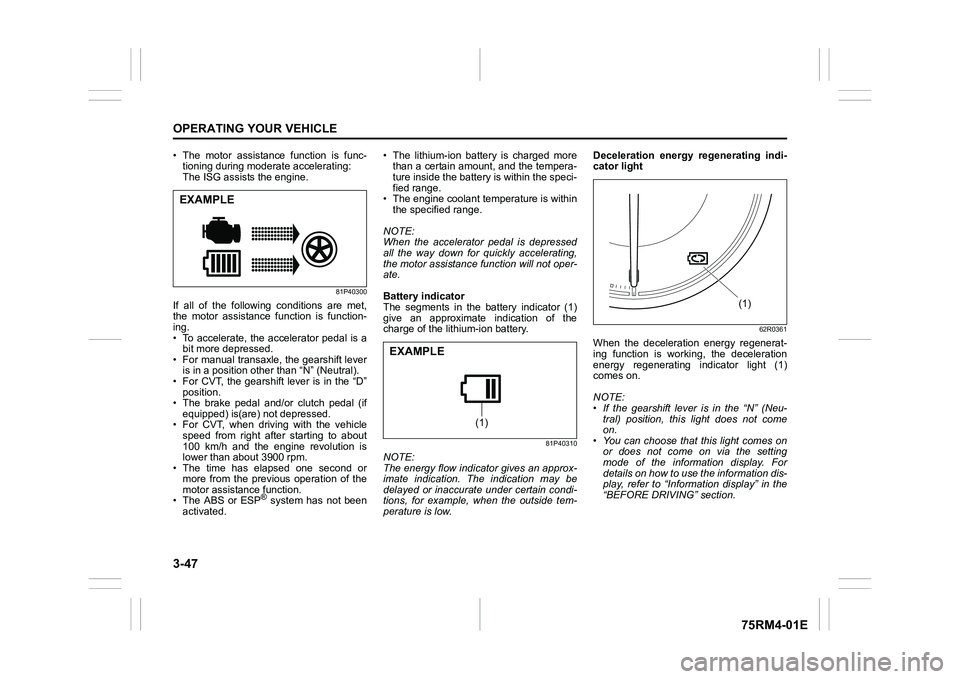
When the deceleration energy regenerat-
ing function is working, the deceleration
energy regenerating indicator light (1)
comes on.
NOTE:
• If the gearshift lever is in the “N” (Neu-
tral) position, this light does not come
on.
• You can choose that this light comes on or does not come on via the setting
mode of the information display. For
details on how to use the information dis-
play, refer to “Informa tion display” in the
“BEFORE DRIVING” section.
EXAMPLE
(1)
EXAMPLE
(1)
Page 209 of 505
3-56
OPERATING YOUR VEHICLE
75RM4-01E
Situations where the system does not activateUnder the following situations, the system
does not activate.
• When the engine is off (except when theengine is automatically stopped by the
ENG A-STOP system)
• After several seconds from starting the
engine
• When the gearshift lever is in reverse gear
• When the ESP
® system is activated
(except the frontal collision warning)
• When the following switches are pushed
and the system is turned off:
– Dual camera brake support OFFswitch
– ESP
® OFF switch
• When the stereo camera is temporarily stopped or malfunctioning
Situations where the system may not activate properlyUnder the following situations, the system
may not activate.
• When the stereo camera cannot detectobstacles in front of your vehicle
• When you take evasive action with the
steering wheel or a ccelerator pedal
Situations where the vehicle may not decelerate properlyUnder the following situations, the vehicle
may not decelerate properly even when
the system is activated.
• When the outside temperature is low, or
when the temperature of the brake is low
such as right after starting
• When the brake is overheating and the brake effect is deteriorated due to con-
tinuing to travel on a downhill road
• When the brake effect is deteriorated due to passing over puddles or washing
the vehicle
• When driving on the following roads – On sharp curves or extremely roughsurfaces
– On a steep slope
• When driving on the following slippery surfaces
– Frozen or snow-covered surfaces
– Over manholes or metal constructionplates
–Gravel
• When driving in a rainy day
Situations where the system may activate by chanceUnder the following situations, the stereo
camera may judge that there is an obstacle
in front of you, and the system may acti-
vate. Drive carefully and calmly.
• When passing through a toll booth with more than recommended speeds
• Before the parking lot gates or railroad crossing gates are opened fully
• When operating on hills that have vary-
ing slopes
• When you suddenly accelerate and approach the vehicle in front of you or on
neighboring lane
• Front visibility is poor due to that there is water vapor, sand or smoke or when the
vehicle in front of you or on oncoming
lane is surrounded by exhaust, water or
snow
• When passing through masses of water vapor or smoke
• When stopping close to an obstacle in
front of you
• When passing through near a vehicle or obstacle
Page 212 of 505
3-59OPERATING YOUR VEHICLE
75RM4-01E
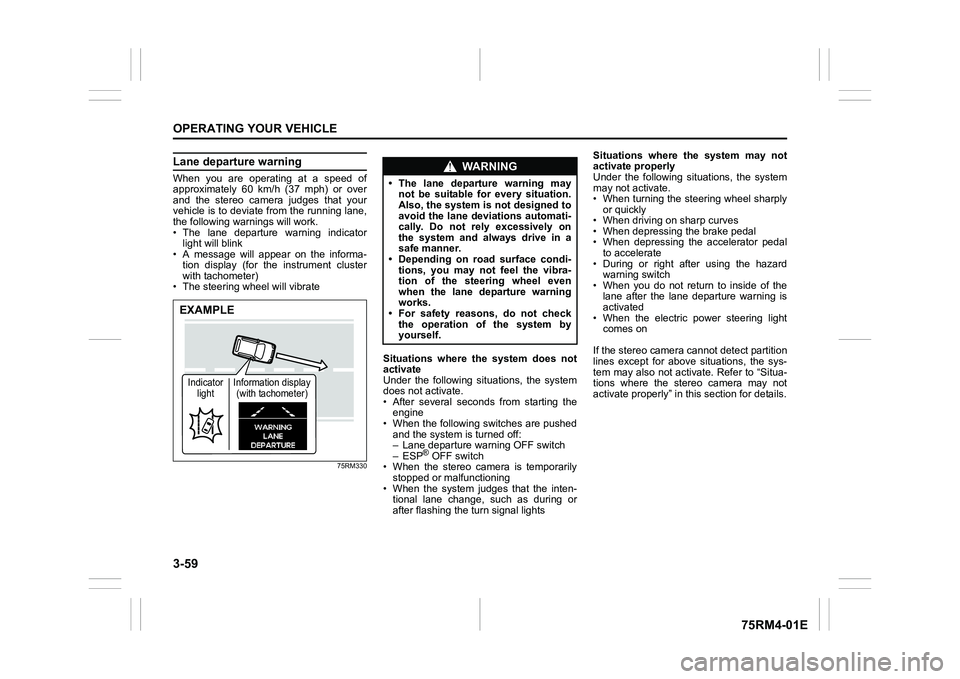
Lane departure warningWhen you are operating at a speed of
approximately 60 km/h (37 mph) or over
and the stereo camera judges that your
vehicle is to deviate from the running lane,
the following warnings will work.
• The lane departure warning indicatorlight will blink
• A message will appear on the informa-
tion display (for the instrument cluster
with tachometer)
• The steering wheel will vibrate
75RM330
Situations where the system does not
activate
Under the following situations, the system
does not activate.
• After several seconds from starting the engine
• When the following switches are pushed and the system is turned off:
– Lane departure warning OFF switch
– ESP
® OFF switch
• When the stereo camera is temporarily stopped or malfunctioning
• When the system judges that the inten- tional lane change, such as during or
after flashing the turn signal lights Situations where the system may not
activate properly
Under the following situations, the system
may not activate.
• When turning the steering wheel sharply
or quickly
• When driving on sharp curves
• When depressing the brake pedal
• When depressing the accelerator pedal to accelerate
• During or right after using the hazard warning switch
• When you do not return to inside of the lane after the lane departure warning is
activated
• When the electric power steering light comes on
If the stereo camera cannot detect partition
lines except for above situations, the sys-
tem may also not activ ate. Refer to “Situa-
tions where the stereo camera may not
activate properly” in this section for details.
EXAMPLEIndicator light Information display
(with tachometer)
WA R N I N G
• The lane departure warning may not be suitable for every situation.
Also, the system is not designed to
avoid the lane deviations automati-
cally. Do not rely excessively on
the system and always drive in a
safe manner.
• Depending on road surface condi-
tions, you may not feel the vibra-
tion of the steering wheel even
when the lane departure warning
works.
• For safety reasons, do not check
the operation of the system by
yourself.
Page 213 of 505
3-60
OPERATING YOUR VEHICLE
75RM4-01E
Situations where the system may acti-
vate by chance
Under the following situations, the system
may activate.
• When there is a shadow of guard rail
• When partition lines are drawn doubly
• When there is a liner paint on the road of a construction zone because the previ-
ous line has not been erased completely
• When there is repair marks on the road or a boundary between asphalt and
snow
• When there is tire marks on snow-cov- ered or wet road
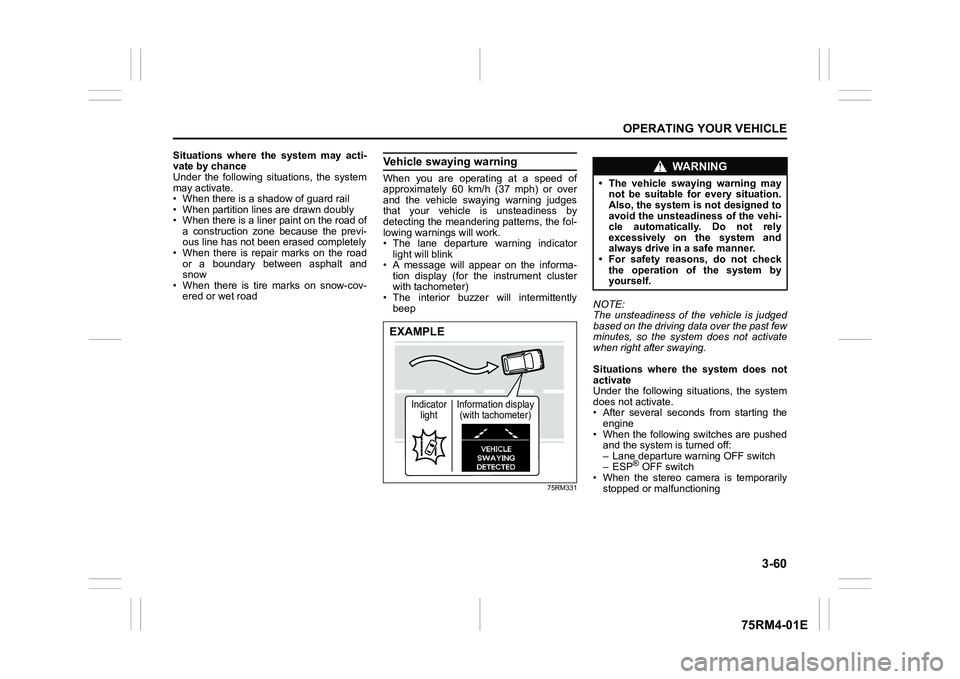
Vehicle swaying warningWhen you are operating at a speed of
approximately 60 km/h (37 mph) or over
and the vehicle swaying warning judges
that your vehicle is unsteadiness by
detecting the meandering patterns, the fol-
lowing warnings will work.
• The lane departure warning indicatorlight will blink
• A message will appear on the informa- tion display (for the instrument cluster
with tachometer)
• The interior buzzer will intermittently beep
75RM331
NOTE:
The unsteadiness of the vehicle is judged
based on the driving data over the past few
minutes, so the system does not activate
when right after swaying.
Situations where the system does not
activate
Under the following situations, the system
does not activate.
• After several seconds from starting the
engine
• When the following switches are pushed and the system is turned off:
– Lane departure warning OFF switch
– ESP
® OFF switch
• When the stereo camera is temporarily
stopped or malfunctioning
EXAMPLE
Indicator light Information display
(with tachometer)
WA R N I N G
• The vehicle swaying warning may not be suitable for every situation.
Also, the system is not designed to
avoid the unsteadiness of the vehi-
cle automatically. Do not rely
excessively on the system and
always drive in a safe manner.
• For safety reasons, do not check
the operation of the system by
yourself.