Automatic stop start SUZUKI IGNIS 2022 Owners Manual
[x] Cancel search | Manufacturer: SUZUKI, Model Year: 2022, Model line: IGNIS, Model: SUZUKI IGNIS 2022Pages: 505, PDF Size: 8.36 MB
Page 101 of 505
2-78
BEFORE DRIVING
75RM4-01E
Drive mode indicator
(for Auto Gear Shift models)
When the gearshift lever is in “D”, the dis-
play shows the drive mode indicator (9).
For details on how to use the transaxle,
refer to “Using transaxle” in the “OPERAT-
ING YOUR VEHICLE” section.
Gearshift indicator (if equipped)
Refer to “Gearshift indicator” in the
“OPERATING YOUR VEHICLE” section.
Trip meterThe display (E) shows the trip meter.
The trip meter can be used to measure the
distance traveled on short trips or between
fuel stops.
You can use trip meter A or trip meter B
independently.
To reset the trip meter to zero, push and
hold the trip meter swi tch (3) for a while.
NOTE:
The indicated maximum value of the trip
meter is 9999.9. When you run past the
maximum value, the indicated value will
return to 0.0.OdometerThe display (F) s hows the odometer.
The odometer records the total distance
the vehicle has been driven.
Fuel gaugeThe display (G) shows the fuel gauge.
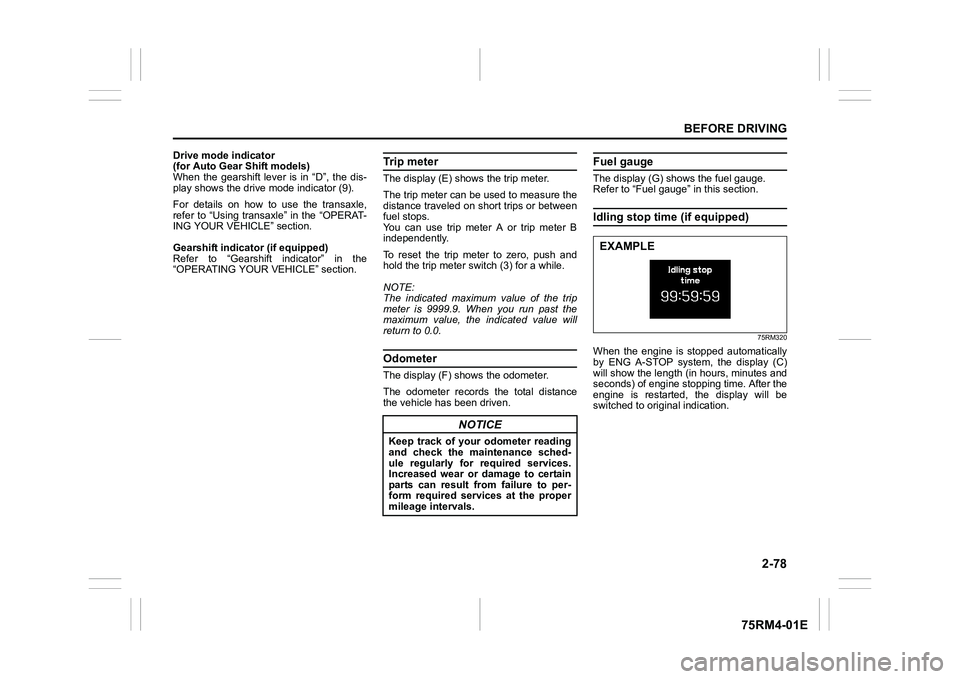
Refer to “Fuel gauge” in this section.Idling stop time (if equipped)
75RM320
When the engine is stopped automatically
by ENG A-STOP system, the display (C)
will show the length (in hours, minutes and
seconds) of engine stopping time. After the
engine is restarted, the display will be
switched to original indication.
NOTICE
Keep track of your odometer reading
and check the maintenance sched-
ule regularly for required services.
Increased wear or damage to certain
parts can result from failure to per-
form required services at the proper
mileage intervals.
EXAMPLE
Page 103 of 505
2-80
BEFORE DRIVING
75RM4-01E
NOTE:
• If you push and hold the informationswitch (2) to enter the setting mode
when the display (C) shows average fuel
consumption, average speed, driving
time, total idling stop time or total idling
fuel saved, the value will be reset simul-
taneously. If you do not want to reset the
value, push the information switch
quickly to switch the indication of the dis-
play.
• If you turn the ignition switch, press the
engine switch or start to move the vehi-
cle when the display is in the setting
mode, the setting mode will be canceled
automatically.
Distance unit (Odometer / trip meter distance unit setting)You can change the units in which odome-
ter / trip meter / driving range distance is
displayed.
Fuel economy
(Fuel consumption unit setting)
You can change the units that fuel con-
sumption is displayed in.
Language
You can change the language of the infor-
mation display.
Fuel reset
(Average fuel consumption reset setting)
You can change when the value of aver-
age fuel consumption is reset. Temperature (Tempera
ture unit setting)
You can change the units that temperature
is displayed in.
NOTE:
When you change the units that tempera-
ture is displayed in, the automatic heating
and air conditioning system (if equipped)
temperature display units will be changed
automatically.
Clock setting (Adjusting the clock)
• To change the hour indication, push the brightness control switch (4) up or down
repeatedly when the hour indication
appears as reversed color. To change
the hour indication quickly, push and
hold the brightness control switch (4). To
set the hour indication, push the informa-
tion switch (2) and the minute indication
appears as reversed color.
• To change the minute indication, push the brightness control switch (4) up or
down repeatedly when the minute indi-
cation appears as reversed color. To
change the minute indication quickly,
push and hold the brightness control
switch (4). To set the minute indication,
push the information switch (2).
You can also switch the time indication
between 12-hour and 24-hour format. Door lock (Door
unlock setting)
(if equipped)
You can choose either once or twice oper-
ation(s) to unlock all doors (including the
tailgate) by turning the key, or operating
the keyless entry syst em transmitter, key-
less push start system remote controller or
request switch.
If your vehicle is equip ped with the keyless
push start system, you can also turn off or
on the buzzer sound when the door(s)
is(are) locked or unlocked.
Lights (Light setting)
Lane change (Turn signal lights setting)
The turn signal and its indicator can be set
whether they flash three times even if you
return the turn signal control lever immedi-
ately after moving it.
Guide me light setting (Light setting)
(if equipped)
You can change the lighting time of “To
car” function or “To home” function.
Antitheft
(Theft deterrent alarm system setting)
(if equipped)
You can switch the theft deterrent alarm
system from the enabled state to the dis-
abled state, and vice versa.
The state of the theft deterrent alarm sys-
tem is shown on the information display as
follows:
• Mode A: Disabled state
• Mode D: Enabled state
Page 114 of 505
2-91BEFORE DRIVING
75RM4-01E
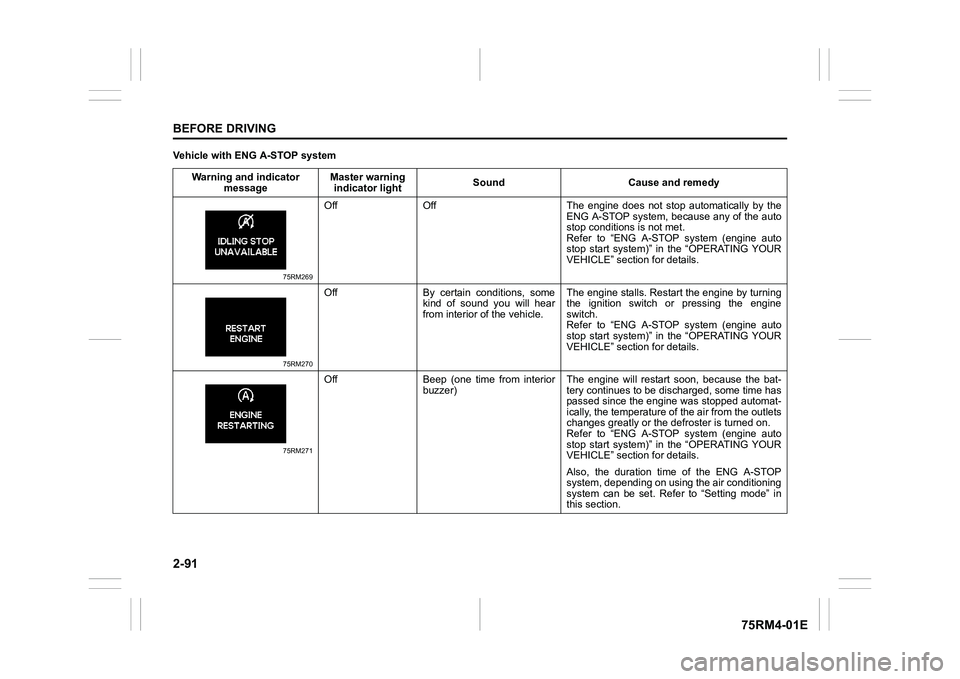
Vehicle with ENG A-STOP systemWarning and indicator message Master warning
indicator light Sound Cause and remedy
75RM269
Off Off The engine does not s
top automatically by the
ENG A-STOP system, because any of the auto
stop conditions is not met.
Refer to “ENG A-STOP system (engine auto
stop start system)” in the “OPERATING YOUR
VEHICLE” section for details.
75RM270
Off By certain conditions, some kind of sound you will hear
from interior of the vehicle. The engine stalls. Restar
t the engine by turning
the ignition switch or pressing the engine
switch.
Refer to “ENG A-STOP system (engine auto
stop start system)” in the “OPERATING YOUR
VEHICLE” section for details.
75RM271
Off Beep (one time from interior buzzer) The engine will restart soon, because the bat-
tery continues to be disc
harged, some time has
passed since the engin e was stopped automat-
ically, the temperature of the air from the outlets
changes greatly or the defroster is turned on.
Refer to “ENG A-STOP system (engine auto
stop start system)” in the “OPERATING YOUR
VEHICLE” section for details.
Also, the duration time of the ENG A-STOP
system, depending on using the air conditioning
system can be set. Refer to “Setting mode” in
this section.
Page 115 of 505
2-92
BEFORE DRIVING
75RM4-01E
NOTE:
If your vehicle is equipped with the dual camera brake support, the information display also indicates warning and indicator messages
related to the system. For information on these messages, refer to “Dual camera brake support” in the “OPERATING YOUR VEHICLE”
section.
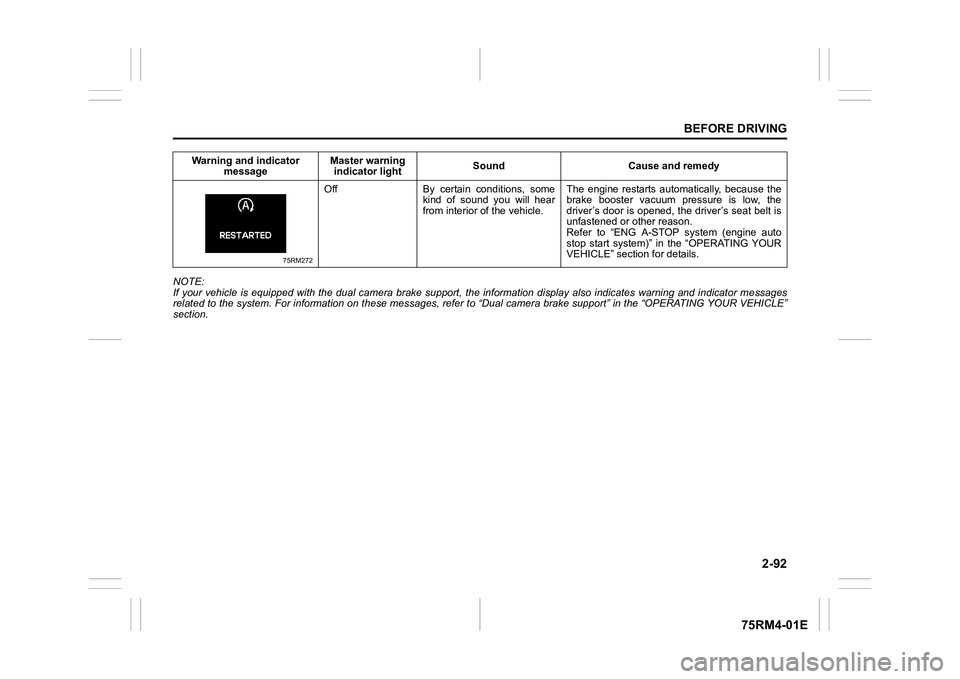
75RM272
Off By certain conditions, some kind of sound you will hear
from interior of the vehicle. The engine restarts automatically, because the
brake booster vacuum pressure is low, the
driver’s door is opened, the driver’s seat belt is
unfastened or other reason.
Refer to “ENG A-STOP system (engine auto
stop start system)” in the “OPERATING YOUR
VEHICLE” section for details.
Warning and indicator
message Master warning
indicator light Sound Cause and remedy
Page 137 of 505
2-114
BEFORE DRIVING
75RM4-01E
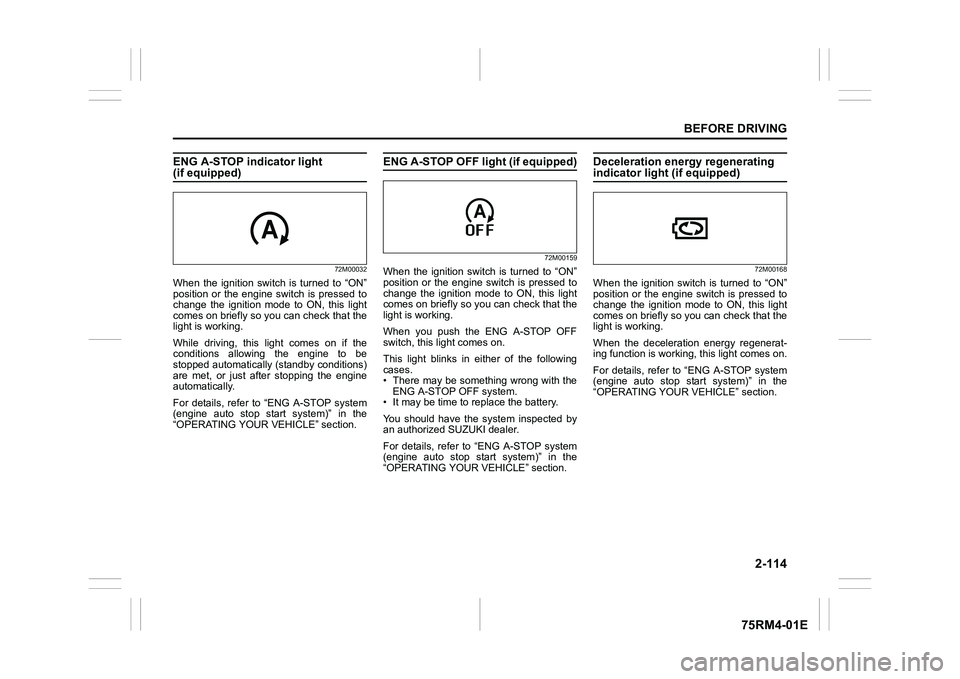
ENG A-STOP indicator light (if equipped)
72M00032
When the ignition switch is turned to “ON”
position or the engine switch is pressed to
change the ignition mode to ON, this light
comes on briefly so you can check that the
light is working.
While driving, this light comes on if the
conditions allowing the engine to be
stopped automatically (standby conditions)
are met, or just after stopping the engine
automatically.
For details, refer to “ENG A-STOP system
(engine auto stop start system)” in the
“OPERATING YOUR VEHICLE” section.
ENG A-STOP OFF light (if equipped)
72M00159
When the ignition switch is turned to “ON”
position or the engine switch is pressed to
change the ignition mode to ON, this light
comes on briefly so you can check that the
light is working.
When you push the ENG A-STOP OFF
switch, this light comes on.
This light blinks in either of the following
cases.
• There may be something wrong with theENG A-STOP OFF system.
• It may be time to replace the battery.
You should have the system inspected by
an authorized SUZUKI dealer.
For details, refer to “ENG A-STOP system
(engine auto stop start system)” in the
“OPERATING YOUR VEHICLE” section.
Deceleration energy regenerating indicator light (if equipped)
72M00168
When the ignition switch is turned to “ON”
position or the engine switch is pressed to
change the ignition mode to ON, this light
comes on briefly so you can check that the
light is working.
When the deceleration energy regenerat-
ing function is worki ng, this light comes on.
For details, refer to “ENG A-STOP system
(engine auto stop start system)” in the
“OPERATING YOUR VEHICLE” section.
Page 167 of 505
3-14
OPERATING YOUR VEHICLE
75RM4-01E
Starting engine
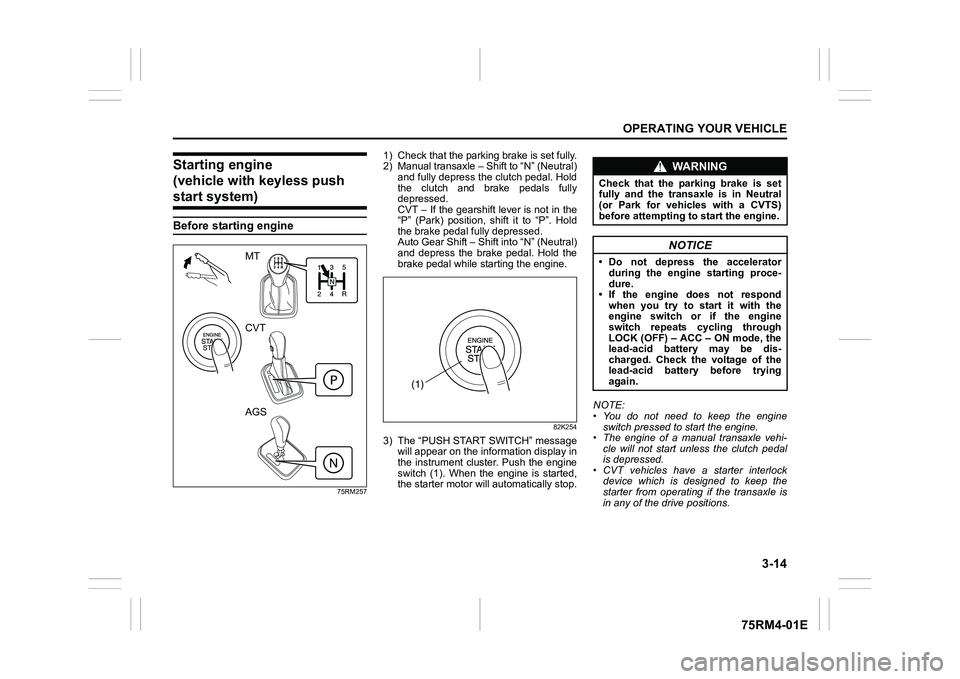
(vehicle with keyless push start system)Before starting engine
75RM257
1) Check that the parking brake is set fully.
2) Manual transaxle – Shift to “N” (Neutral) and fully depress the clutch pedal. Hold
the clutch and brake pedals fully
depressed.
CVT – If the gearshift lever is not in the
“P” (Park) position, shift it to “P”. Hold
the brake pedal fully depressed.
Auto Gear Shift – Shift into “N” (Neutral)
and depress the brake pedal. Hold the
brake pedal while starting the engine.
82K254
3) The “PUSH START SWITCH” messagewill appear on the information display in
the instrument cluster. Push the engine
switch (1). When the engine is started,
the starter motor will automatically stop. NOTE:
• You do not need to keep the engine
switch pressed to start the engine.
• The engine of a manual transaxle vehi- cle will not start unless the clutch pedal
is depressed.
• CVT vehicles have a starter interlock device which is designed to keep the
starter from operating if the transaxle is
in any of the drive positions.
MT
CVT
AGS
(1)
WA R N I N G
Check that the parking brake is set
fully and the transaxle is in Neutral
(or Park for vehicles with a CVTS)
before attempting to start the engine.
NOTICE
• Do not depress the accelerator
during the engine starting proce-
dure.
• If the engine does not respond when you try to start it with the
engine switch or if the engine
switch repeats cycling through
LOCK (OFF) – ACC – ON mode, the
lead-acid battery may be dis-
charged. Check the voltage of the
lead-acid battery before trying
again.
Page 173 of 505
3-20
OPERATING YOUR VEHICLE
75RM4-01E
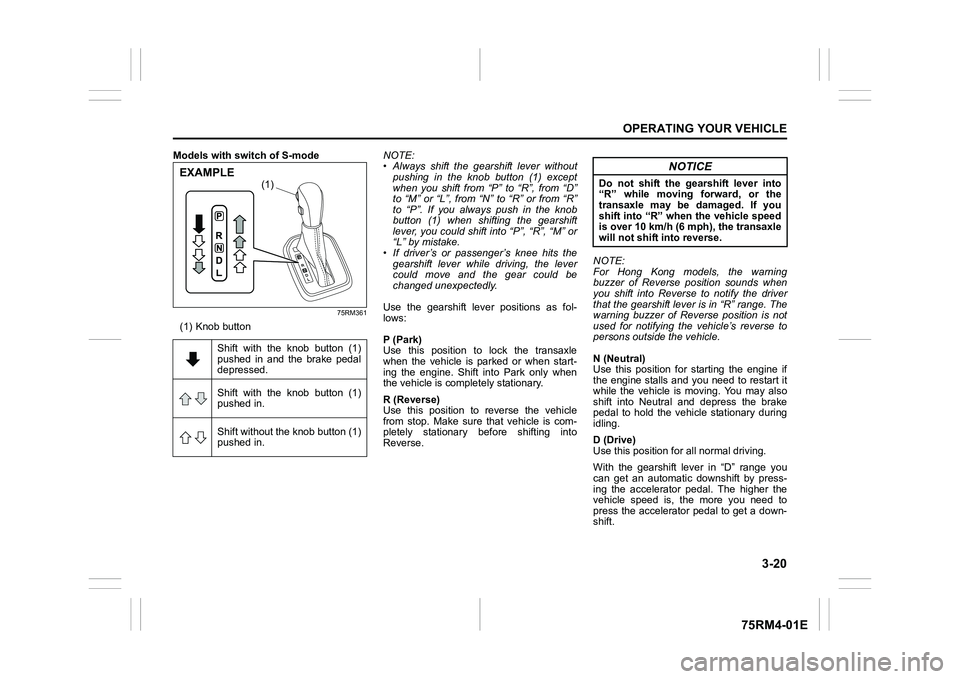
Models with switch of S-mode
75RM361
(1) Knob buttonNOTE:
• Always shift the gearshift lever without
pushing in the knob button (1) except
when you shift from “P” to “R”, from “D”
to “M” or “L”, from “N” to “R” or from “R”
to “P”. If you always push in the knob
button (1) when shifting the gearshift
lever, you could shift into “P”, “R”, “M” or
“L” by mistake.
• If driver’s or passenger’s knee hits the gearshift lever while driving, the lever
could move and the gear could be
changed unexpectedly.
Use the gearshift lever positions as fol-
lows:
P (Park)
Use this position to lock the transaxle
when the vehicle is parked or when start-
ing the engine. Shift into Park only when
the vehicle is completely stationary.
R (Reverse)
Use this position to reverse the vehicle
from stop. Make sure that vehicle is com-
pletely stationary before shifting into
Reverse. NOTE:
For Hong Kong models, the warning
buzzer of Reverse position sounds when
you shift into Reverse to notify the driver
that the gearshift lever is in “R” range. The
warning buzzer of Reverse position is not
used for notifying the vehicle’s reverse to
persons outside the vehicle.
N (Neutral)
Use this position for starting the engine if
the engine stalls and you need to restart it
while the vehicle is moving. You may also
shift into Neutral and depress the brake
pedal to hold the vehicle stationary during
idling.
D (Drive)
Use this position for all normal driving.
With the gearshift lever in “D” range you
can get an automatic downshift by press-
ing the accelerator pedal. The higher the
vehicle speed is, the more you need to
press the accelerator pedal to get a down-
shift.
Shift with the knob button (1)
pushed in and the brake pedal
depressed.
Shift with the knob button (1)
pushed in.
Shift without the knob button (1)
pushed in.
(1)
EXAMPLE
NOTICE
Do not shift the gearshift lever into
“R” while moving forward, or the
transaxle may be damaged. If you
shift into “R” when the vehicle speed
is over 10 km/h (6 mph), the transaxle
will not shift into reverse.
Page 188 of 505
3-35OPERATING YOUR VEHICLE
75RM4-01E
ENG A-STOP system
(engine auto stop start system) (if equipped)The ENG A-STOP system (engine auto
stop start system) automatically stops and
restarts the engine when decelerating
before stopping and when the vehicle is
stopped, such as at a traffic signal, in order
to reduce exhaust gases, fuel consumption
and engine noise.
• This system automatically stops the engine under certain conditions. When
the vehicle will be stopped for a long
time or when you will leave the vehicle
unattended, set the parking brake firmly,
and then turn the ignition switch or press
the engine switch to stop the engine.
• If certain conditions are met, the engine is stopped automatically when decelerat-
ing (approximately 15 km/h (9 mph) or
less for manual transaxle vehicles,
approximately 13 km/h (8 mph) or less
for CVT vehicles) before stopping. How-
ever, the engine will not be stopped
automatically during deceleration until
confirmation of the system function is fin-
ished. NOTE:
If your vehicle is equipped with the auto-
matic heating and ai
r conditioning system,
you can change the automatic engine stop
condition via the information display. Refer
to “Setting mode” in “Information display
(instrument cluster with tachometer)” in the
“BEFORE DRIVING” section.
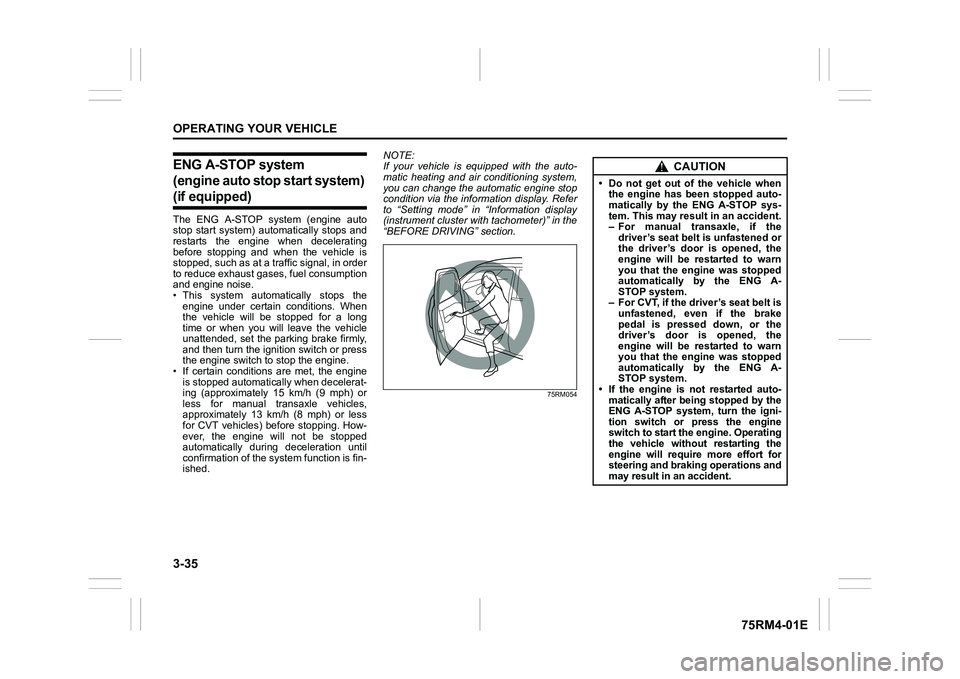
75RM054
CAUTION
• Do not get out of the vehicle when the engine has been stopped auto-
matically by the ENG A-STOP sys-
tem. This may result in an accident.
– For manual transaxle, if the
driver’s seat belt is unfastened or
the driver’s door is opened, the
engine will be restarted to warn
you that the engine was stopped
automatically by the ENG A-
STOP system.
– For CVT, if the driver’s seat belt is unfastened, even if the brake
pedal is pressed down, or the
driver’s door is opened, the
engine will be restarted to warn
you that the engine was stopped
automatically by the ENG A-
STOP system.
• If the engine is not restarted auto- matically after being stopped by the
ENG A-STOP system, turn the igni-
tion switch or press the engine
switch to start the engine. Operating
the vehicle without restarting the
engine will require more effort for
steering and braking operations and
may result in an accident.
Page 189 of 505
3-36
OPERATING YOUR VEHICLE
75RM4-01E
Automatically stopping/restarting of the engineManual transaxle vehicles
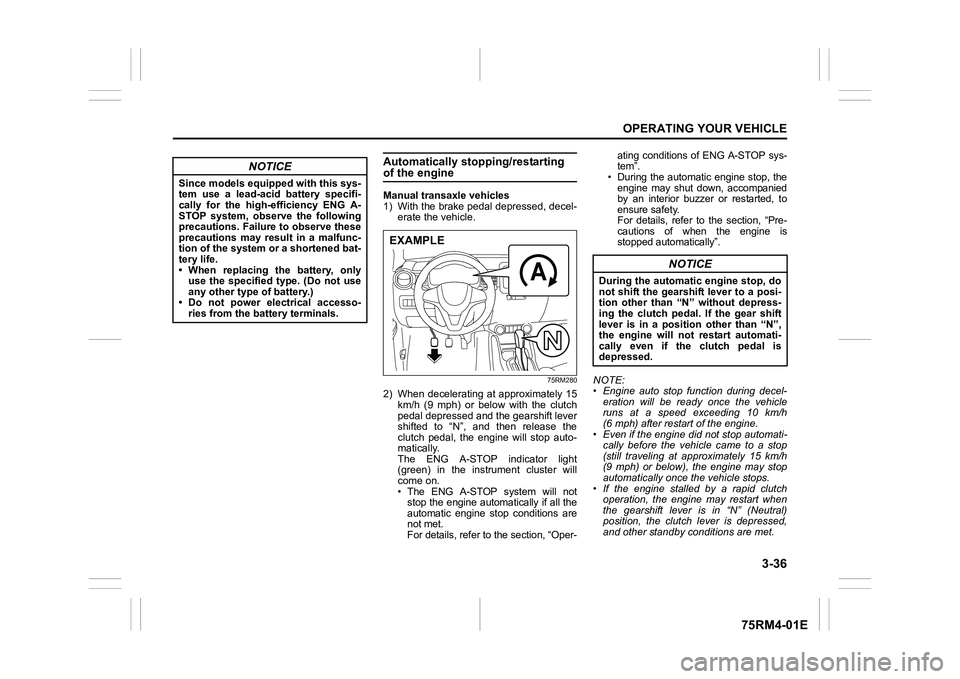
1) With the brake pedal depressed, decel-erate the vehicle.
75RM280
2) When decelerating at approximately 15km/h (9 mph) or below with the clutch
pedal depressed and the gearshift lever
shifted to “N”, and then release the
clutch pedal, the engine will stop auto-
matically.
The ENG A-STOP indicator light
(green) in the instrument cluster will
come on.
• The ENG A-STOP system will notstop the engine automatically if all the
automatic engine stop conditions are
not met.
For details, refer to the section, “Oper- ating conditions of ENG A-STOP sys-
tem”.
• During the automatic engine stop, the
engine may shut down, accompanied
by an interior buzzer or restarted, to
ensure safety.
For details, refer to the section, “Pre-
cautions of when the engine is
stopped automatically”.
NOTE:
• Engine auto stop function during decel- eration will be ready once the vehicle
runs at a speed exceeding 10 km/h
(6 mph) after restart of the engine.
• Even if the engine di d not stop automati-
cally before the vehicle came to a stop
(still traveling at approximately 15 km/h
(9 mph) or below), the engine may stop
automatically once the vehicle stops.
• If the engine stalled by a rapid clutch operation, the engine may restart when
the gearshift lever is in “N” (Neutral)
position, the clutch lever is depressed,
and other standby conditions are met.
NOTICE
Since models equipped with this sys-
tem use a lead-acid battery specifi-
cally for the high-efficiency ENG A-
STOP system, observe the following
precautions. Failure to observe these
precautions may result in a malfunc-
tion of the system or a shortened bat-
tery life.
• When replacing the battery, onlyuse the specified type. (Do not use
any other type of battery.)
• Do not power electrical accesso- ries from the battery terminals.
EXAMPLE
NOTICE
During the automatic engine stop, do
not shift the gearshift lever to a posi-
tion other than “N” without depress-
ing the clutch pedal. If the gear shift
lever is in a position other than “N”,
the engine will not restart automati-
cally even if the clutch pedal is
depressed.
Page 190 of 505
3-37OPERATING YOUR VEHICLE
75RM4-01E
• The audio and other electrical compo-nent can be used during the automatic
engine stop, but the air conditioner will
switch to the fan mode.
• If the vehicle is equipped with the auto- matic heating and air conditioning sys-
tem, the fan speed will be limited during
the automatic engine stop (only in the
auto control mode) to keep the cabin air-
conditioned for a longer time.
75RM281
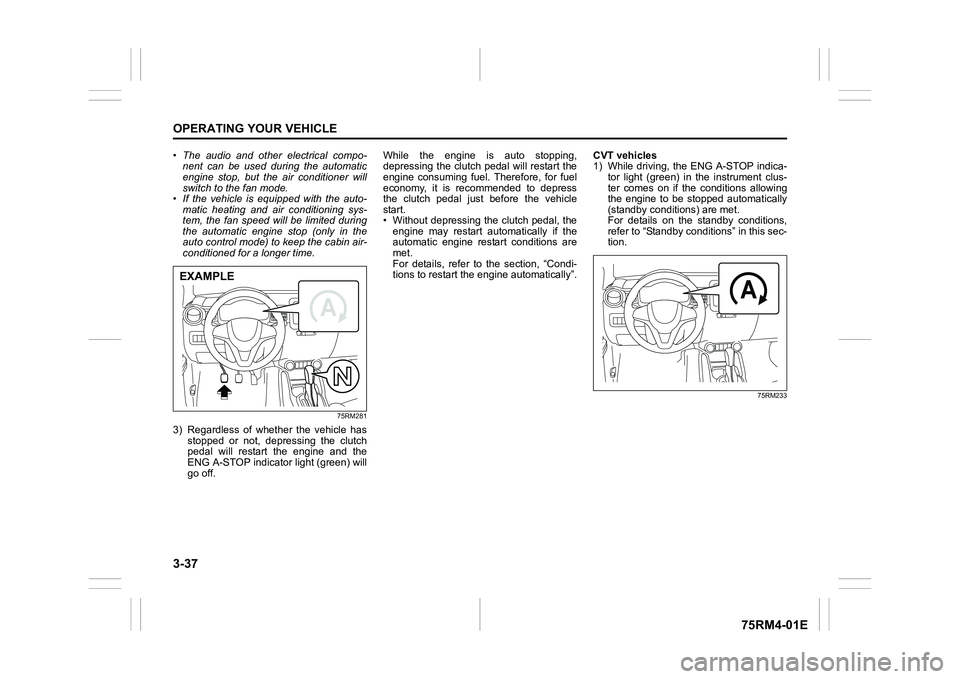
3) Regardless of whether the vehicle has
stopped or not, depressing the clutch
pedal will restart the engine and the
ENG A-STOP indicator light (green) will
go off. While the engine is auto stopping,
depressing the clutch pedal will restart the
engine consuming fuel. Therefore, for fuel
economy, it is recommended to depress
the clutch pedal just before the vehicle
start.
• Without depressing the clutch pedal, the
engine may restart automatically if the
automatic engine restart conditions are
met.
For details, refer to the section, “Condi-
tions to restart the engine automatically”. CVT vehicles
1) While driving, the ENG A-STOP indica-
tor light (green) in the instrument clus-
ter comes on if the conditions allowing
the engine to be stopped automatically
(standby conditions) are met.
For details on the standby conditions,
refer to “Standby conditions” in this sec-
tion.
75RM233
EXAMPLE