ECU SUZUKI JIMNY 2018 Owner's Manual
[x] Cancel search | Manufacturer: SUZUKI, Model Year: 2018, Model line: JIMNY, Model: SUZUKI JIMNY 2018Pages: 421, PDF Size: 6.35 MB
Page 244 of 421

OTHER CONTROLS AND EQUIPMENT
Glove box
0 0
78RB05015
To open the glove box, pull the latch lever. To close it, push the lid until it latches securely.
A WARNING
Never drive with the glove box lid open. It could cause injury if an accident occurs.
A WARNING
Do not leave cigarette lighters or spray cans in the glove box. If a cigarette lighter or spray can is in a place such as the glove box, it may light accidentally when luggage is loaded, causing a fire.
5-9
Page 304 of 421
OTHER CONTROLS AND EQUIPMENT
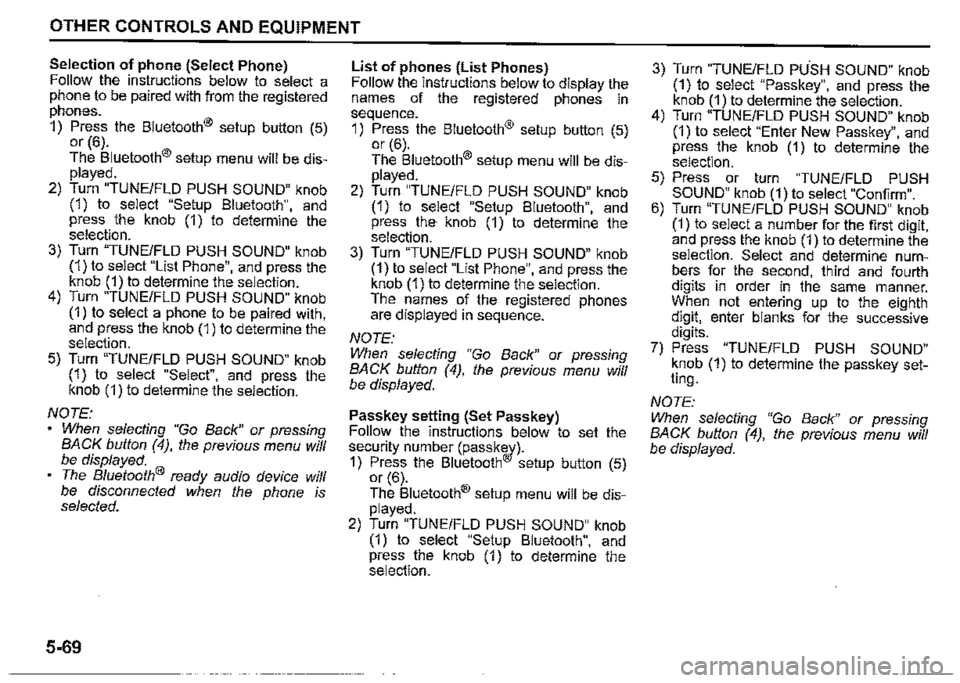
Selection of phone (Select Phone) Follow the instructions below to select a phone to be paired with from the registered phones.
1) Press the Bluetooth® setup button (5) or (6).
The Bluetooth® setup menu will be displayed.
2) Turn "TUNE/FLO PUSH SOUND" knob (1) to select "Setup Bluetooth", and press the knob (1) to determine the selection. 3) Turn "TUNE/FLD PUSH SOUND" knob (1) to select "List Phone", and press the knob (1) to determine the selection. 4) Turn "TUNE/FLD PUSH SOUND" knob (1) to select a phone to be paired with, and press the knob (1) to determine the selection.
5) Turn "TUNE/FLO PUSH SOUND" knob (1) to select "Select", and press the knob (1) to determine the selection.
NOTE: When selecting "Go Back" or pressing BACK button (4), the previous menu will be displayed. The Bluetooth® ready audio device will be disconnected when the phone is selected.
5-69
List of phones (List Phones) Follow the instructions below to display the names of the registered phones in sequence.
1) Press the Bluetooth® setup button (5) or (6). The Bluetooth® setup menu will be displayed. 2) Turn "TUNE/FLD PUSH SOUND" knob (1) to select "Setup Bluetooth", and press the· knob (1) to determine the selection. 3) Turn "TUNE/FLD PUSH SOUND" knob (1) to select "List Phone", and press the knob (1) to determine the selection. The names of the registered phones are displayed in sequence.
NOTE: When selecting "Go Back" or pressing BACK button (4), the previous menu will be displayed.
Passkey setting (Set Passkey) Follow the instructions below to set the security number (passkw)-1) Press the Bluetooth setup button (5) or (6).
The Bluetooth® setup menu will be displayed.
2) Turn "TUNE/FLD PUSH SOUND" knob (1) to select "Setup Bluetooth", and press the knob (1) to determine the selection.
3) Turn "TUNE/FLD PUSH SOUND" knob (1) to select "Passkey", and press the knob (1) to determine the selection. 4) Turn "TUNE/FLD PUSH SOUND" knob (1) to select "Enter New Passkey", and press the knob (1) to determine the selection.
5) Press or turn "TUNE/FLD PUSH SOUND" knob (1) to select "Confirm". 6) Turn "TUNE/FLO PUSH SOUND" knob (1) to select a number for the first digit, and press the knob (1) to determine the selection. Select and determine numbers for the second, third and fourth digits in order in the same manner. When not entering up to the eighth digit, enter blanks for the successive digits. 7) Press "TUNE/FLD PUSH SOUND" knob (1) to determine the passkey setting.
NOTE:
When selecting "Go Back" or pressing BACK button (4), the previous menu will be displayed.
Page 308 of 421
OTHER CONTROLS AND EQUIPMENT
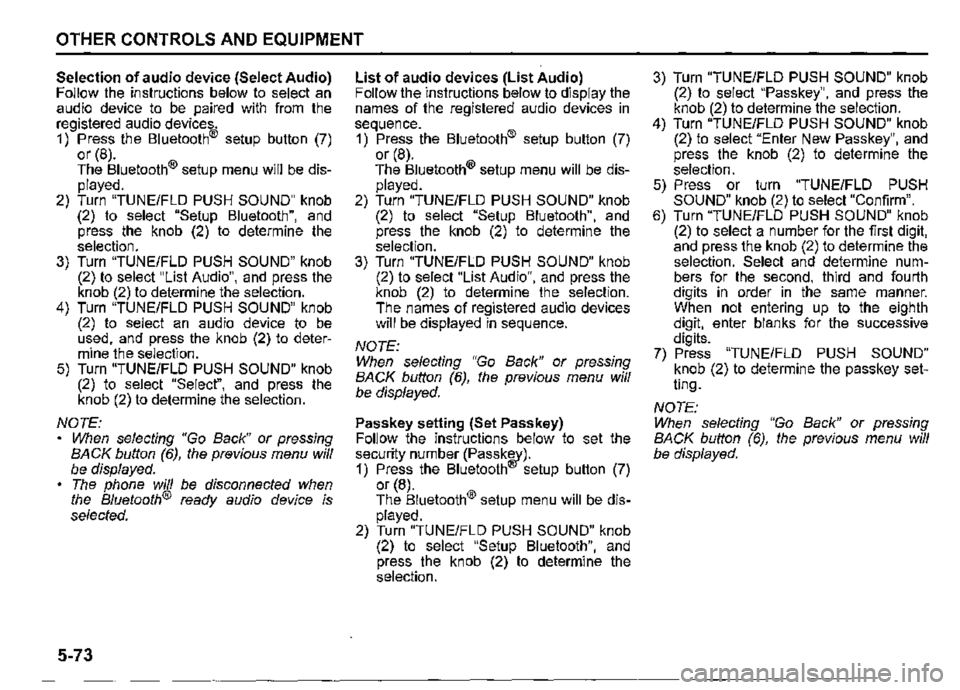
Selection of audio device (Select Audio) Follow the instructions below to select an audio device to be paired with from the registered audio devices. 1) Press the Bluetooth® setup button (7) or (8). The Bluetooth® setup menu will be displayed. 2) Turn "TUNE/FLO PUSH SOUND" knob (2) to select "Setup Bluetooth", and press the knob (2) to determine the selection. 3) Turn "TUNE/FLO PUSH SOUND" knob (2) to select "List Audio", and press the knob (2) to determine the selection. 4) Turn "TUNE/FLO PUSH SOUND" knob (2) to select an audio device to be used, and press the knob (2) to determine the selection. 5) Turn "TUNE/FLO PUSH SOUND" knob (2) to select "Select", and press the knob (2) to determine the selection.
NOTE: When selecting "Go Back" or pressing BACK button (6), the previous menu will be displayed. The phone will be disconnected when the Bluetooth® ready audio device is selected.
5-73
List of audio devices (List Audio) Follow the instructions below to display the names of the registered audio devices in sequence. 1) Press the Bluetooth® setup button (7) or (8). The Bluetooth® setup menu will be displayed. 2) Turn "TUNE/FLO PUSH SOUND" knob (2) to select "Setup Bluetooth", and press the knob (2) to determine the selection. 3) Turn "TUNE/FLO PUSH SOUND" knob (2) to select "List Audio", and press the knob (2) to determine the selection. The names of registered audio devices will be displayed in sequence.
NOTE: When selecting "Go Back" or pressing BACK button (6), the previous menu will be displayed.
Passkey setting (Set Passkey) Follow the instructions below to set the security number (Passkw)-1) Press the Bluetooth setup button (7) or (8). The Bluetooth® setup menu will be displayed. 2) Turn "TUNE/FLO PUSH SOUND" knob (2) to select "Setup Bluetooth", and press the knob (2) to determine the selection.
3) Turn "TUNE/FLO PUSH SOUND" knob (2) to select "Passkey", and press the knob (2) to determine the selection. 4) Turn "TUNE/FLO PUSH SOUND" knob (2) to select "Enter New Passkey", and press the knob (2) to determine the selection. 5) Press or turn "TUNE/FLO PUSH SOUND" knob (2) to select "Confirm". 6) Turn "TUNE/FLO PUSH SOUND" knob (2) to select a number for the first digit, and press the knob (2) to determine the selection. Select and determine numbers for the second, third and fourth digits in order in the same manner. When not entering up to the eighth digit, enter blanks for the successive digits. 7) Press "TUNE/FLO PUSH SOUND" knob (2) to determine the passkey setting.
NOTE: When selecting "Go Back" or pressing BACK button (6), the previous menu will be displayed.
Page 312 of 421
![SUZUKI JIMNY 2018 Owners Manual OTHER CONTROLS AND EQUIPMENT
Setting the anti-theft function
1) Press "VOL PUSH PWR" knob (1) to
power off.
2) Hold down the buttons numbered [1]
and [6] of PRESET buttons (2) and
press "VOL PUS](/img/20/43483/w960_43483-311.png "SUZUKI JIMNY 2018 Owners Manual OTHER CONTROLS AND EQUIPMENT
Setting the anti-theft function
1) Press \"VOL PUSH PWR\" knob (1) to
power off.
2) Hold down the buttons numbered [1]
and [6] of PRESET buttons (2) and
press \"VOL PUS")
OTHER CONTROLS AND EQUIPMENT
Setting the anti-theft function
1) Press "VOL PUSH PWR" knob (1) to
power off.
2) Hold down the buttons numbered [1]
and [6] of PRESET buttons (2) and
press "VOL PUSH PWR" knob (1).
"SECURITY" will be displayed.
3) Press UP button (3) and the button
numbered [1] of PRESET buttons (2)
simultaneously.
4) Enter a 4-digit number to be registered
as PIN using the buttons numbered [1]
-[4] of PRESET buttons (2).
5) Hold down "TUNE/FLO PUSH
SOUND" knob (4) for 1 second or lon
ger to set the anti-theft function.
NOTE:
Take a note of the registered PIN and keep
it for the future use.
5-77
Canceling the anti-theft feature
To cancel the anti-theft function, delete the
registered PIN.
1) Press "VOL PUSH PWR" knob (1) to
power off.
2) Hold down the buttons numbered [1]
and [6] of PRESET buttons (2) and
press "VOL PUSH PWR" knob (1).
"PIN ENTRY" will be displayed.
3) Press UP button (3) and the button
numbered [1] of PRESET buttons (2)
simultaneously.
4) Enter a 4-digit number to be registered
as PIN using the buttons numbered [1]
-[4] of PRESET buttons (2).
5) Hold down "TUNE/FLO PUSH
SOUND" knob (4) for 1 second or lon
ger to delete the registered PIN. The
indication "---" will be displayed and
the anti-theft function will be canceled.
NOTE:
To change your PIN, first delete your cur
rent PIN, and then set a new one.
Confirming the Personal Identification
Number (PIN)
When the main power source is discon
nected such as when the lead-acid battery
is replaced, etc. it is required to enter the
PIN to operate the unit again.
1) Set the ignition switch to "ACC" posi
tion.
"SECURITY" will be displayed.
2) Press UP button (3) and the button
numbered [1] of PRESET buttons (2)
simultaneously.
3) Enter a 4-digit number to be registered
as PIN using the buttons numbered [1]
-[4] of PRESET buttons (2).
4) Hold down "TUNE/FLO PUSH
SOUND" knob (4) for 1 second or lon
ger.
When the same PIN as registered is
entered, the power of the audio system
will be turned off automatically and it
will become operable again.
NOTE:
If an incorrect PIN is entered, "ERROR"
and the total number of incorrect entry
attempts will be displayed.
If an incorrect PIN is entered 10 times or
more, "HELP" will be displayed and the
audio system will become inoperable.
Page 313 of 421

OTHER CONTROLS AND EQUIPMENT
Troubleshooting
When encountering a problem, check and follow the instructions below.
If the described suggestions do not solve the problem, it is recommended to take the unit to your SUZUKI dealer.
Problem Possible cause Possible solution
Common
When "SECURITY" is displayed, enter
Unable to operate The security function is on. the PIN.
When "HELP" is displayed, contact your
SUZUKI dealer.
Unable to turn on the power Fuse is blown. Contact your SUZUKI dealer. (No sound is produced)
Radio
Much noise It may not be exactly tuned in to the sta-Tune it in exactly to the station. tion.
There rnay be no station emitting signals Pick up a station by manual tuning. powerful enough. Unable to receive by auto tuning If AF is on, the unit searches for RDS sta-
!ions only. Turn off AF.
CD
The disc is dirty. Wipe the disc with a soft cloth.
Sound skips or noise produced The disc has a major scratch or is Replace the disc with the one which has
warped. no scratch and warp.
5-78
Page 347 of 421

Air cleaner
If the air cleaner is clogged with dust, there will be greater intake resistance, resulting in decreased power output and increased fuel consumption.
(1)
78RB07044
1) Unclampthe clamps (1). 2) Hold up the air cleaner upper case. 3) Remove the element from the air cleaner case. If it appears to be dirty, clean or replace it with a new one. 4) If the element is installed on the air cleaner case, confirm the mark of "FRONT" on the element and fit the boss of the element in the groove of the front on the air cleaner case. 5) Clamp the clamps securely.
Spark plugs
Spark plug replacement and
inspection
(3)~
(1) 0
(2)
78RB07006
To access the spark plug: 1) Disconnect the coupler (1) while pushing the release lever. 2) Remove the bolt (2). 3) Pull out the ignition coil (3) straight.
INSPECTION AND MAINTENANCE
NOTE: During installation, check that the wires, couplers, sealing rubber of air cleaner chassis and washers, are correctly returned in place.
Correct Wrong
§7® ~
~~
78K179
NOTICE
When pulling out the ignition coils, do not pull on the cable. Pulling on the cable can damage it. • When servicing the iridium/platinum spark plugs (slender center electrode type plugs), do not touch the center electrode, as it is easy to be damaged.
6-30
Page 352 of 421

INSPECTION AND MAINTENANCE
With the engine running, measure the distance between the brake pedal and floor carpet when the pedal is depressed with approximately 30 kg (66 lbs) of force. The minimum distance required is as specified. Since your vehicle's brake system is selfadjusting, there is no need for pedal adjustment. If the pedal to floor carpet distance as measured above is less than the minimum distance required, have your vehicle inspected by a SUZUKI dealer.
NOTE: • When measuring the distance between the brake pedal and floor wall, be sure not to include the floor mat or rubber on the floor carpet in your measurement. Measure the distance at the brake pedal's side facing toward the passenger's door.
6-35
52RM70500
A WARNING
If you experience any of the following problems with your vehicle's brake system, have the vehicle inspected immediately by a SUZUKI dealer. Poor braking performance Uneven braking (brakes not working uniformly on all wheels.) Excessive pedal travel Brake dragging Excessive noise
Parking brake
~
54G109
Ratchet tooth specification 11b": 4th-9th Lever pull force (1 ): 200 N (20 kg, 45 lbs)
Check the parking brake for proper adjustment by counting the number of clicks made by the ratchet teeth as you slowly pull up on the parking brake lever to the point of full engagement. The parking brake lever should stop between the specified ratchet teeth and the rear wheels should be securely locked. If the parking brake is not properly adjusted or the brakes drag is suspected even after the lever has been fully released, have the parking brake inspected and/or adjusted by a SUZUKI dealer.
Page 357 of 421
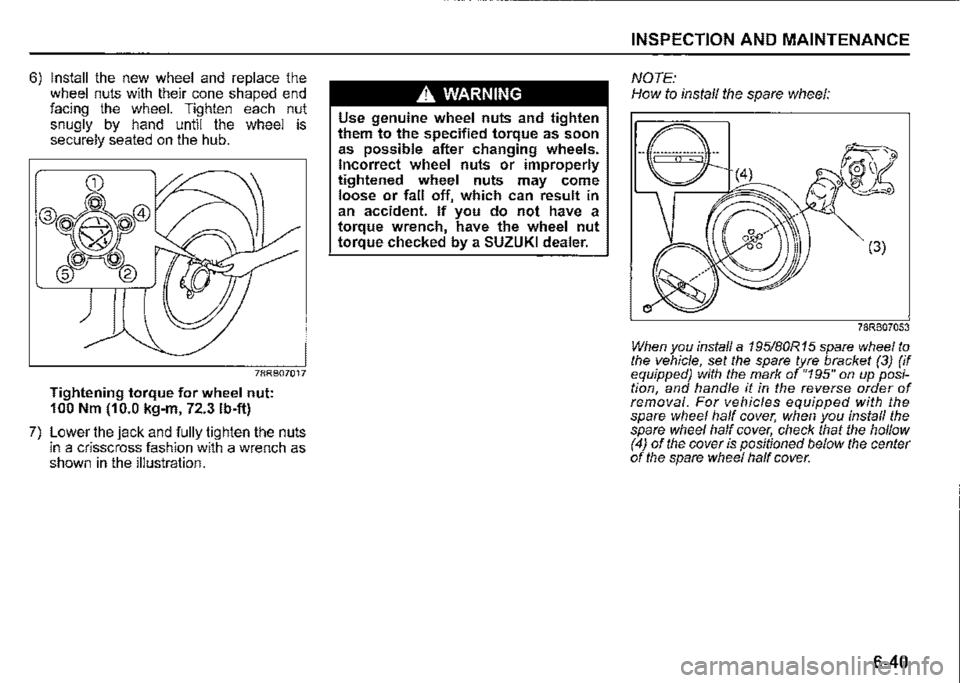
6) Install the new wheel and replace the wheel nuts with their cone shaped end facing the wheel. Tighten each nut snugly by hand until the wheel is securely seated on the hub.
78RB07017
Tightening torque for wheel nut: 100 Nm (10.0 kg-m, 72.3 lb-ft)
7) Lower the jack and fully tighten the nuts in a crisscross fashion with a wrench as shown in the illustration.
A WARNING
Use genuine wheel nuts and tighten them to the specified torque as soon as possible after changing wheels. Incorrect wheel nuts or improperly tightened wheel nuts may come loose or fall off, which can result in an accident. If you do not have a torque wrench, have the wheel nut torque checked by a SUZUKI dealer.
INSPECTION AND MAINTENANCE
NOTE: How to install the spare wheel:
(3)
78RB07053
When you install a 195/B0R 15 spare wheel to the vehicle, set the spare tyre bracket (3) (if equipped) with the mark of "195" on up position, and handle it in the reverse order of removal. For vehicles equipped with the spare wheel half cover; when you install the spare wheel half cover, check that the hollow (4) of the cover is positioned below the center of the spare wheel half cover.
6-40
Page 358 of 421
INSPECTION AND MAINTENANCE
Battery
A WARNING
• Batteries produce flammable hydrogen gas. Keep flames and sparks away from the battery or an explosion may occur. Never smoke when working near the battery. • When checking or servicing the battery, disconnect the negative cable. Be careful not to cause a short circuit by allowing metal objects to contact the battery posts and the vehicle at the same time. To avoid harm to yourself or damage to your vehicle or battery, follow the jump-starting instructions in "EMERGENCY SERVICE" section if it is necessary to jump-start your vehicle. • Diluted sulfuric acid spilled from battery can cause blindness or severe burns. Use proper eye protection and gloves. Flush eyes or bodi,: with ample water and get medical care immediately if suffered. Keep batteries out of reach of children.
6-41
~~,,_!s:./--(1)
~"1.L(2)
76MS006
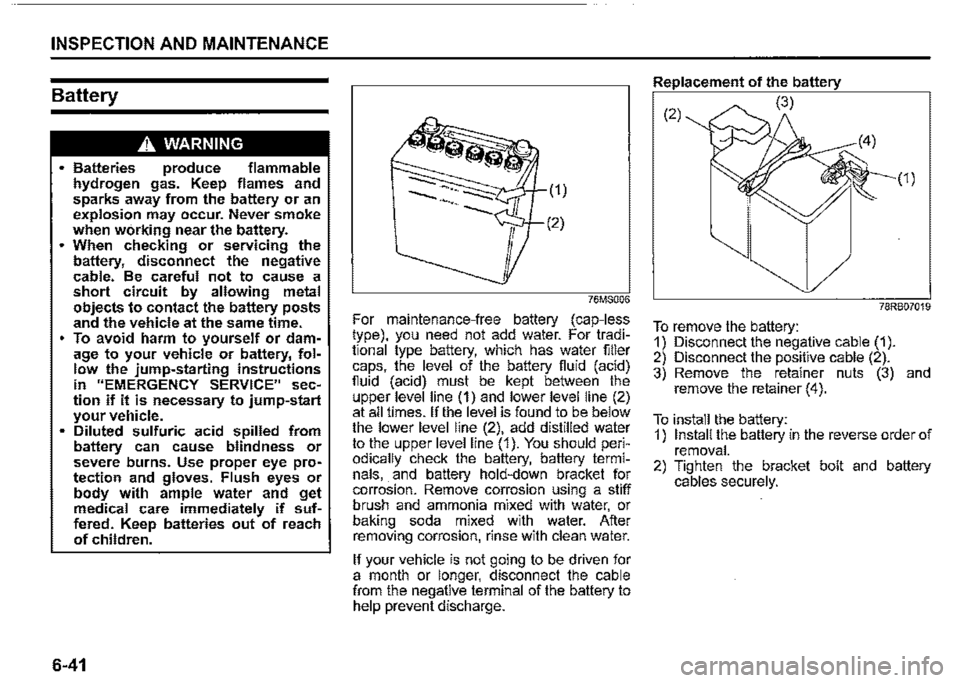
For maintenance-free battery (cap-less type), you need not add water. For traditional type battery, which has water filler caps, the level of the battery fluid (acid) fluid (acid) must be kept between the upper level line (1) and lower level line (2) at all times. If the level is found to be below the lower level line (2), add distilled water to the upper level line (1 ). You should periodically check the battery, battery terminals, . and battery hold-down bracket for corrosion. Remove corrosion using a stiff brush and ammonia mixed with water or baking soda mixed with water. After removing corrosion, rinse with clean water.
If your vehicle is not going to be driven for a month or longer, disconnect the cable from the negative terminal of the battery to help prevent discharge.
Replacement of the battery
(2) (3)
(1)
78RB07019
To remove the battery: 1) Disconnect the negative cable (1). 2) Disconnect the positive cable (2). 3) Remove the retainer nuts (3) and remove the retainer (4).
To install the battery: 1) Install the battery in the reverse order of removal. 2) Tighten the bracket bolt and battery cables securely.
Page 372 of 421
INSPECTION AND MAINTENANCE
(Removal)
78RB07045.
(Installation)
a
54G132
6-55
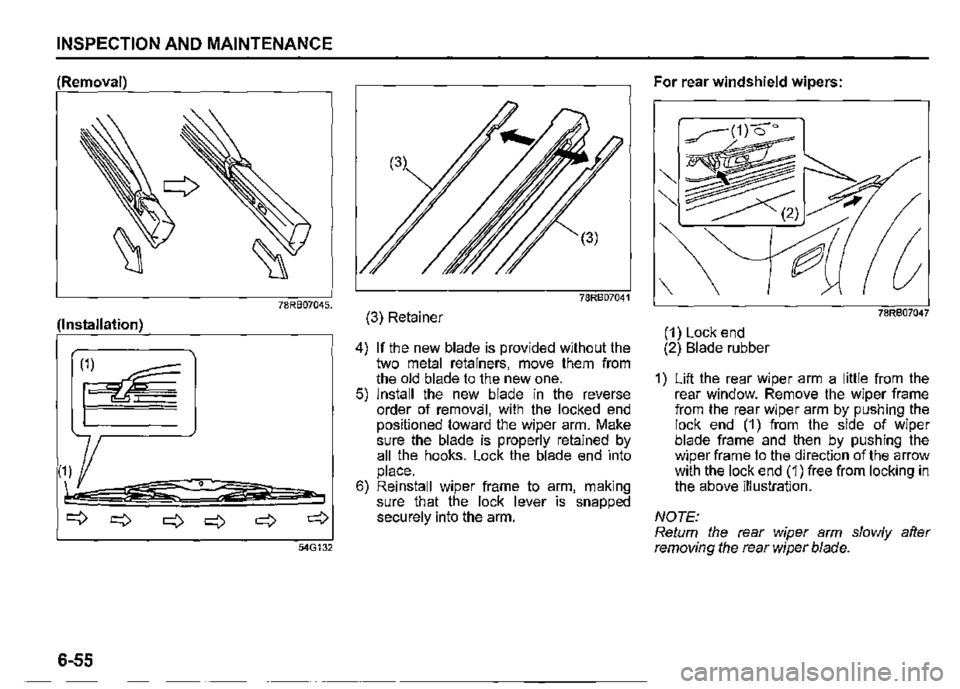
(3) Retainer
4) If the new blade is provided without the two metal retainers, move them from the old blade to the new one. 5) Install the new blade in the reverse order of removal, with the locked end positioned toward the wiper arm. Make sure the blade is properly retained by all the hooks. Lock the blade end into place. 6) Reinstall wiper frame to arm, making sure that the lock lever is snapped securely into the arm.
For rear windshield wipers:
78R807047
(1) Lock end (2) Blade rubber
1) Lift the rear wiper arm a little from the rear window. Remove the wiper frame from the rear wiper arm by pushing the lock end (1) from the side of wiper blade frame and then by pushing the wiper frame to the direction of the arrow with the lock end (1) free from locking in the above illustration.
NOTE: Return the rear wiper arm slowly after removing the rear wiper blade.