ignition SUZUKI JIMNY 2020 User Guide
[x] Cancel search | Manufacturer: SUZUKI, Model Year: 2020, Model line: JIMNY, Model: SUZUKI JIMNY 2020Pages: 421, PDF Size: 6.35 MB
Page 72 of 421
BEFORE DRIVING
Keys
54G489
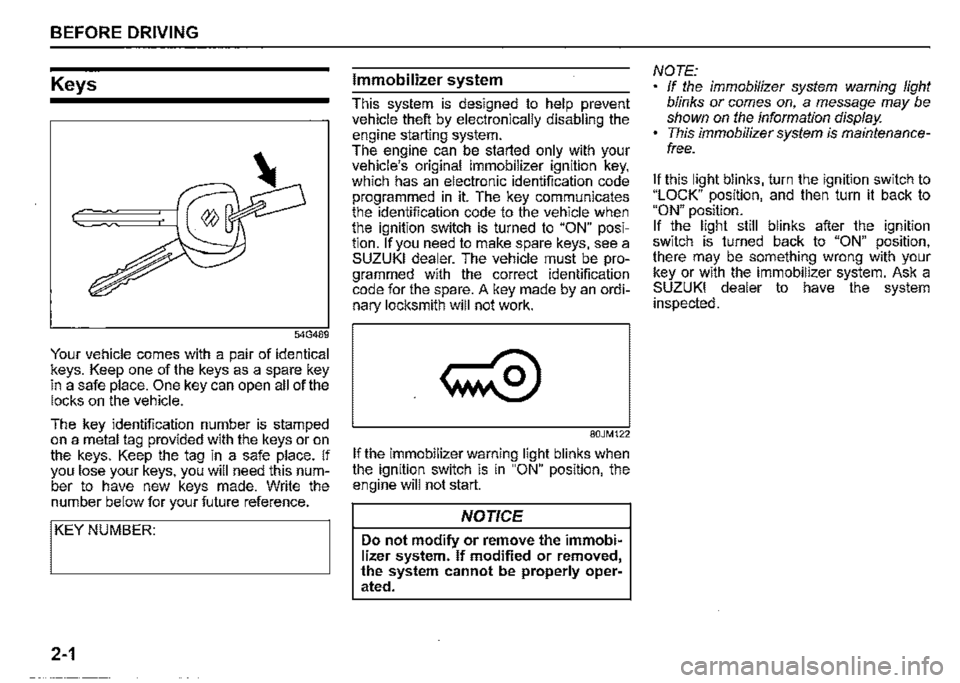
Your vehicle comes with a pair of identical keys. Keep one of the keys as a spare key in a safe place. One key can open all of the locks on the vehicle.
The key identification number is stamped on a metal tag provided with the keys or on the keys. Keep the tag in a safe place. If you lose your keys, you will need this number to have new keys made. Write the number below for your future reference.
I KEY NUMBER:
2-1
Immobilizer system
This system is designed to help prevent vehicle theft by electronically disabling the engine starting system. The engine can be started only with your vehicle's original immobilizer ignition key, which has an electronic identification code programmed in it. The key communicates the identification code to the vehicle when the ignition switch is turned to "ON" position. If you need to make spare keys, see a SUZUKI dealer. The vehicle must be programmed with the correct identification code for the spare. A key made by an ordinary locksmith will not work.
80JM122
If the immobilizer warning light blinks when the ignition switch is in "ON" position, the engine will not start.
NOTICE
Do not modify or remove the immobilizer system. If modified or removed, the system cannot be properly operated.
NOTE: If the immobilizer system warning light blinks or comes on, a message may be shown on the information display. This immobilizer system is maintenancefree.
It this light blinks, turn the ignition switch to "LOCK" position, and then turn it back to "ON" position. It the light still blinks after the ignition switch is turned back to "ON" position, there may be something wrong with your key or with the immobilizer system. Ask a SUZUKI dealer to have the system inspected.
Page 73 of 421
NOTE: If you lose your immobilizer ignition key, ask a SUZUKI dealer as soon as possible to deactivate the lost one, and to make a new key. If you own other vehicles with immobilizer keys, keep those keys away from the ignition switch when using your SUZUKI vehicle. Otherwise, the engine may not be started because they may interfere with your SUZUKI vehicle's immobilizer system. If you attach any metal objects to the immobilizer key, it may not start the engine.
NOTICE
The immobilizer key is sensitive electronic instruments. To avoid damaging them: Do not expose them to impacts, moisture or high temperature such as on the dashboard under direct sunlight. Keep them away from magnetic objects.
Ignition key reminder
A buzzer sounds intermittently to remind you to remove the ignition key if it is in the ignition keyhole when the driver's door is opened.
Door locks
Side door locks
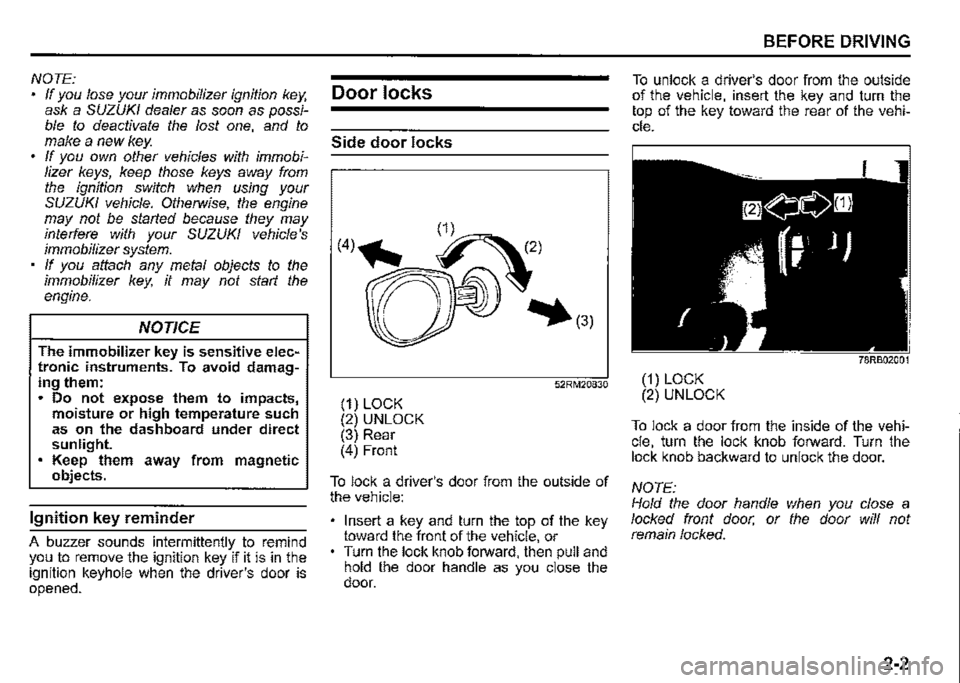
(1) LOCK (2) UNLOCK (3) Rear (4) Front
52RM20830
To lock a driver's door from the outside of the vehicle:
Insert a key and turn the top of the key toward the front of the vehicle, or Turn the lock knob forward, then pull and hold the door handle as you close the door.
BEFORE DRIVING
To unlock a driver's door from the outside of the vehicle, insert the key and turn the top of the key toward the rear of the vehicle.
78RB02001
(1) LOCK (2) UNLOCK
To lock a door from the inside of the vehicle, turn the lock knob forward. Turn the lock knob backward to unlock the door.
NOTE: Hold the door handle when you close a locked front door, or the door will not remain locked.
2-2
Page 77 of 421
Keyless entry system
transmitter (if equipped)
(2)
79MH0237
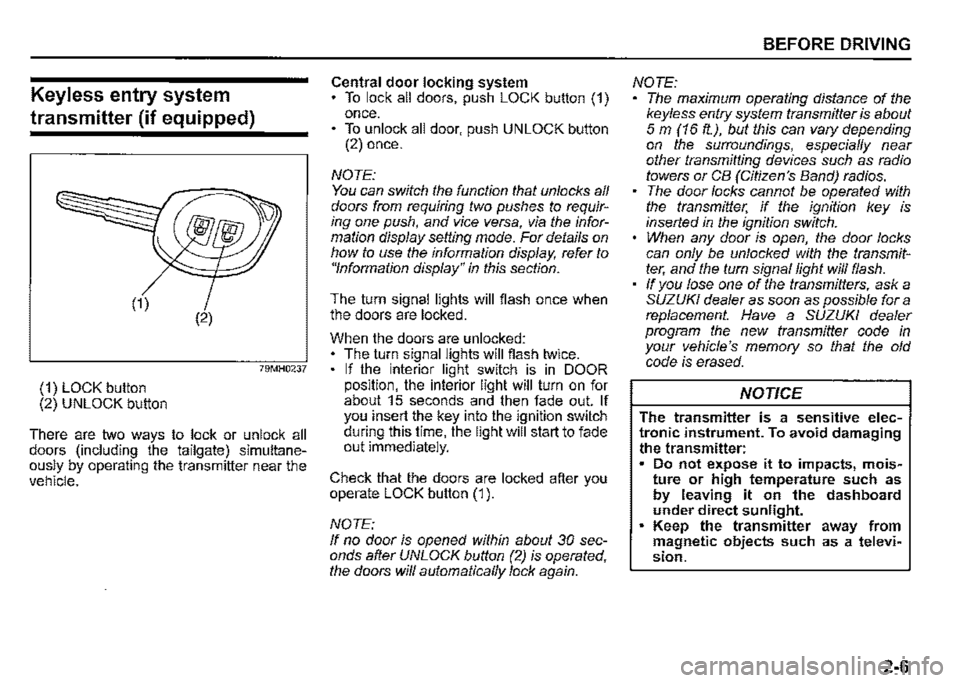
(1) LOCK button (2) UNLOCK button
There are two ways to lock or unlock all doors (including the tailgate) simultaneously by operating the transmitter near the vehicle.
Central door locking system To lock all doors, push LOCK button (1) once. • To unlock all door, push UNLOCK button (2) once.
NOTE: You can switch the function that unlocks all doors from requiring two pushes to requiring one push, and vice versa, via the information display setting mode. For details on how to use the information display, refer to "Information display" in this section.
The turn signal lights will flash once when the doors are locked.
When the doors are unlocked: The turn signal lights will flash twice. If the interior light switch is in DOOR position, the interior light will turn on for about 15 seconds and then fade out. If you insert the key into the ignition switch during this time, the light will start to fade out immediately.
Check that the doors are locked after you operate LOCK button (1 ).
NOTE: If no door is opened within about 30 seconds after UNLOCK button (2) is operated, the doors will automatically lock again.
BEFORE DRIVING
NOTE: The maximum operating distance of the keyless entry system transmitter is about 5 m (16 ft.), but this can vary depending on the surroundings, especially near other transmitting devices such as radio towers or CB (Citizen's Band) radios. The door locks cannot be operated with the transmitter, if the ignition key is inserted in the ignition switch. When any door is open, the door locks can only be unlocked with the transmitter, and the turn signal light will flash. If you lose one of the transmitters, ask a SUZUKI dealer as soon as possible for a replacement. Have a SUZUKI dealer program the new transmitter code in your vehicle's memory so that the old code is erased.
NOTICE
The transmitter is a sensitive electronic instrument. To avoid damaging the transmitter: Do not expose it to impacts, moisture or high temperature such as by leaving it on the dashboard under direct sunlight. Keep the transmitter away from magnetic objects such as a television.
2-6
Page 80 of 421
BEFORE DRIVING
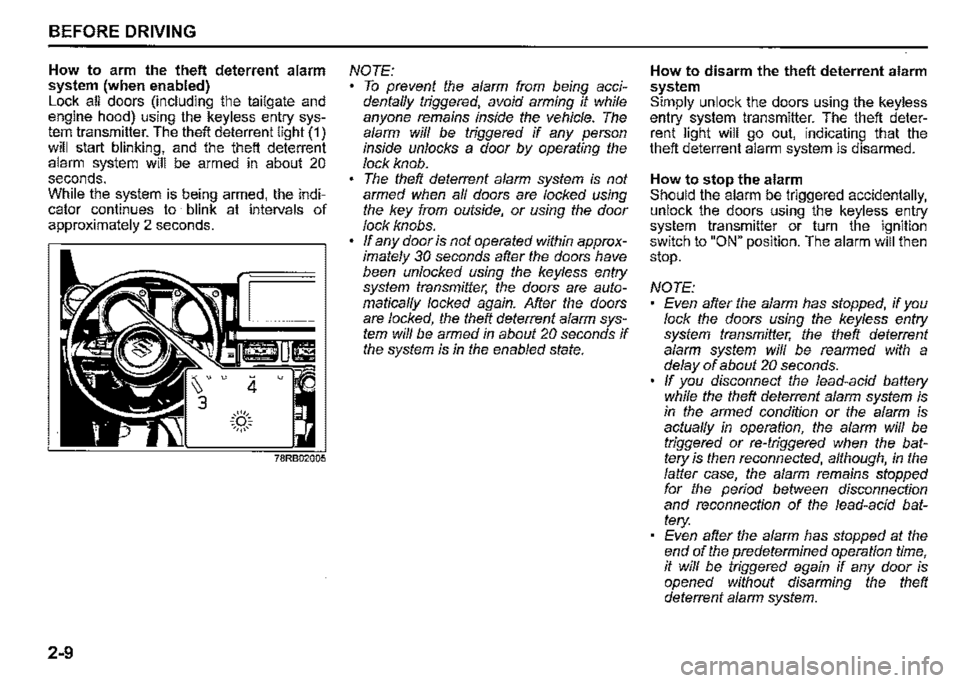
How to arm the theft deterrent alarm system (when enabled) Lock all doors (including the tailgate and engine hood) using the keyless entry system transmitter. The theft deterrent light (1) will start blinking, and the theft deterrent alarm system will be armed in about 20 seconds. While the system is being armed, the indicator continues to blink at intervals of approximately 2 seconds.
2-9
4 u
.::(')::. ~,,,,,~
NOTE: To prevent the alarm from being accidentaffy triggered, avoid arming it while anyone remains inside the vehicle. The alarm wiff be triggered if any person inside unlocks a door by operating the lock knob. The theft deterrent alarm system is not armed when af/ doors are locked using the key from outside, or using the door lock knobs. ff any door is not operated within approximately 30 seconds after the doors have been unlocked using the keyless entry system transmitter, the doors are automaticaf/y locked again. After the doors are locked, the theft deterrent alarm system wiff be armed in about 20 seconds if the system is in the enabled state.
How to disarm the theft deterrent alarm system Simply unlock the doors using the keyless entry system transmitter. The theft deterrent light will go out, indicating that the theft deterrent alarm system is disarmed.
How to stop the alarm Should the alarm be triggered accidentally, unlock the doors using the keyless entry system transmitter or turn the ignition switch to "ON" position. The alarm will then stop.
NOTE: Even after the alarm has stopped, if you lock the doors using the keyless entry system transmitter, the theft deterrent alarm system wiff be rearmed with a delay of about 20 seconds. ff you disconnect the lead-acid battery while the theft deterrent alarm system is in the armed condition or the alarm is actuaf/y in operation, the alarm will be triggered or re-triggered when the battery is then reconnected, although, in the falter case, the alarm remains stopped for the period between disconnection and reconnection of the lead-acid battery: Even after the alarm has stopped at the end of the predetermined operation time, it wiff be triggered again if any door is opened without disarming the theft deterrent alarm system.
Page 81 of 421

Checking whether the alarm has been triggered during parking If the alarm was triggered due to an unauthorized entry into the vehicle and you then turn the ignition switch to "ON" position, the theft deterrent light will blink rapidly for about 8 seconds and a buzzer will beep 4 times during this period. If this happens, check whether your vehicle has been broken into while you were away from it.
Theft deterrent light
(if equipped)
This light will blink with the ignition switch in "LOCK" or "ACC" position. The blinking light is intended to deter theft by leading others to believe that the vehicle is equipped with a security system.
BEFORE DRIVING
Windows
Manual window control
(if equipped)
~
{J
60G010A
Raise or lower the door windows by turning the handle located on the door panel.
2-10
Page 82 of 421

BEFORE DRIVING
Electric window controls
(if equipped)
The electric windows can only be operated when the ignition switch is in "ON" position.
(1)
The center console has a switch (1) to operate the driver's window, and a switch (2) to operate the front passenger's window.
2-11
OPEN CLOSE
78RB02007
To open a window, push the switch. To close the window, lift up the switch.
The driver's window has AUTO-DOWN and AUTO-UP (if equipped) features for greater convenience (at toll booths or drive-through restaurants, for example). These features allow the driver to open or close the window without holding the window switch in DOWN or UP position. Press down or lift up the driver's window switch completely and release it. To stop the window before it reaches the FULL-DOWN or FULL-UP position, pull up or push down the switch briefly.
A WARNING
• You should always prevent children from operating the electric window switches when there are children in the vehicle. Children can be seriously injured if they get part of their body caught by the window during operation. To avoid injuring an occupant by window entrapment, check that no part of the occupant's body such as hands or head is in the path of the electric windows when closing them. Always remove the ignition key when leaving the vehicle even only for a short time. Also do not leave children alone in a parked vehicle. Unattended children could use the electric window switches and get trapped by the window.
Page 83 of 421
Pinching prevention function
(if equipped)
The driver's window is equipped with a pinching prevention function. This function detects a foreign object that is caught in the window as it is being closed by AUTOUP feature, which allows you to close the window without holding the window switch in UP position, and stops the window from closing to prevent damage.
A. WARNING
To avoid injuring an occupant by window entrapment, check that no part of the occupant's body such as hands or head is in the path of the electric window when closing it. This function may not detect an object due to the size, hardness, or position of the object being caught in the closing window.
A.CAUTION
The pinching prevention function does not operate while you are holding the window switch in UP position. The pinching prevention function may not detect an object caught in the window just before the window is fully closed.
NOTE: Even if you cannot close the window by the AUTO-UP feature because there may be something wrong with the pinching prevention function, you can close the window by holding the window switch in UP position. If you drive in extreme off-road condition, the pinching prevention function may operate accidentally because the window reacts to vehicle jolting.
Pinching prevention function initialization When you disconnect and reconnect the lead-acid battery or replace the fuse, the function will be deactivated. In this condition, the AUTO-DOWN feature will be deactivated, while the AUTO-UP feature may remain activated. The pinching prevention function needs to be initialized.
BEFORE DRIVING
To initialize the pinching prevention function, use the following procedure: 1) Turn the ignition switch to "ON" posi
tion. 2) Open the driver's window fully by holding the window switch in DOWN position. 3) Close the driver's window by holding the switch in UP position, and keep holding the switch for 2 seconds after the window is fully closed. 4) Check the driver's window to see if the AUTO-DOWN/UP feature works.
A. WARNING
Whenever you disconnect and reconnect the lead-acid battery or replace the fuse, the pinching prevention function needs to be initialized. The pinching prevention function will not be activated until the initialization is completed.
If the AUTO-DOWN/UP feature will not work after initialization, there might be something wrong with the pinching prevention function. Have your vehicle inspected by a SUZUKI dealer.
2-12
Page 85 of 421
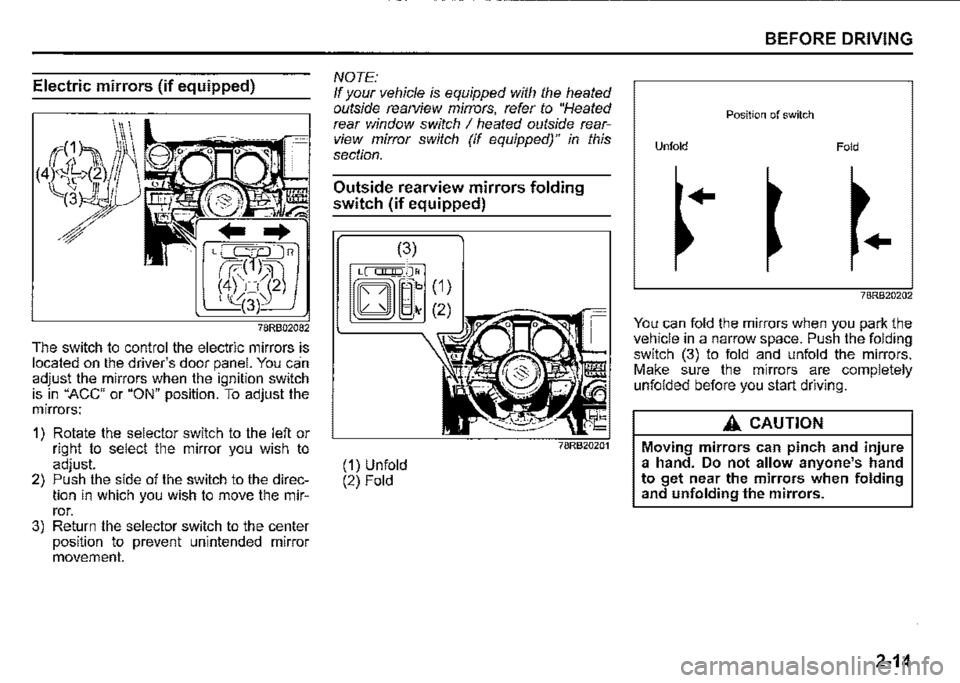
Electric mirrors (if equipped)
78RB02082
The switch to control the electric mirrors is located on the driver's door panel. You can adjust the mirrors when the ignition switch is in "ACC" or "ON" position. To adjust the mirrors:
1) Rotate the selector switch to the left or right to select the mirror you wish to adjust. 2) Push the side of the switch to the direction in which you wish to move the mirror. 3) Return the selector switch to the center position to prevent unintended mirror movement.
NOTE: If your vehicle is equipped with the heated outside rearview mirrors, refer to "Heated rear window switch I heated outside rearview mirror switch (if equipped)" in this section.
Outside rearview mirrors folding
switch (if equipped)
(1) Unfold (2) Fold
(1)
(2
BEFORE DRIVING
Position of switch
Unfold Fold
..
..
78RB20202
You can fold the mirrors when you park the vehicle in a narrow space. Push the folding switch (3) to fold and unfold the mirrors. Make sure the mirrors are completely unfolded before you start driving.
A_ CAUTION
Moving mirrors can pinch and injure a hand. Do not allow anyone's hand to get near the mirrors when folding and unfolding the mirrors.
2-14
Page 87 of 421

Speedometer
The speedometer indicates vehicle speed.
Tachometer
The tachometer indicates engine speed in revolutions per minute.
NOTICE
Never drive the vehicle with the engine revving in the red zone or severe engine damage can result. Keep the engine speed below the red zone even when downshifting to a lower gear position.
Refer to 11Downshifting maximum allowable speeds" in "OPERATING YOUR VEHICLE" section.
Fuel gauge
' (1)
"
~
I
)
ill•E-F
(2)
78RB02030
When the ignition switch is "ON", this gauge gives an approximate indication of the amount of fuel in the fuel tank. "F" stands for full and "E" stands for empty. If the indicator shows only one segment to "E", refill the tank as soon as possible.
BEFORE DRIVING
If the last segment blinks, it means that the fuel is almost empty. If the low fuel warning light (1) comes on, fill the fuel tank immediately. Refer to "Low fuel warning light" in "Warning and indicator lights" in this section for details. The mark (2) indicates that the fuel filler door is located on the right side of the vehicle.
2-16
Page 88 of 421
BEFORE DRIVING
Brightness control
000000_
78RB02091
,:!>J 100-16□ MPH ,.
(1)
78RB02031
2-17
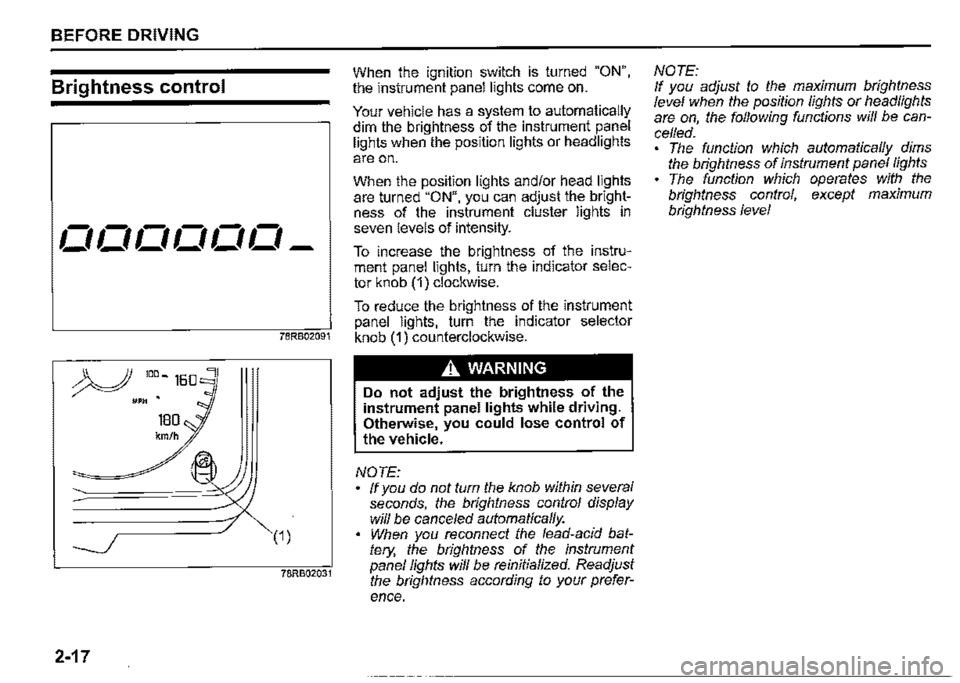
When the ignition switch is turned "ON", the instrument panel lights come on.
Your vehicle has a system to automatically dim the brightness of the instrument panel lights when the position lights or headlights
are on.
When the position lights and/or head lights are turned "ON", you can adjust the brightness of the instrument cluster lights in seven levels of intensity.
To increase the brightness of the instrument panel lights, turn the indicator selector knob (1) clockwise.
To reduce the brightness of the instrument panel lights, turn the indicator selector knob (1) counterclockwise.
A WARNING
Do not adjust the brightness of the instrument panel lights while driving. Otherwise, you could lose control of
the vehicle.
NOTE: ff you do not tum the knob within several seconds, the brightness control display will be cance/ed automatically. When you reconnect the lead-acid battery, the brightness of the instrument panel fights wi/1 be reinitialized. Readjust the brightness according to your prefer
ence.
NOTE: If you adjust to the maximum brightness level when the position fights or headlights are on, the following functions will be cancelled. The function which automatically dims the brightness of instrument panel fights The function which operates with the brightness control, except maximum brightness level