Electric SUZUKI JIMNY 2021 Owner's Manual
[x] Cancel search | Manufacturer: SUZUKI, Model Year: 2021, Model line: JIMNY, Model: SUZUKI JIMNY 2021Pages: 421, PDF Size: 6.35 MB
Page 265 of 421

Radio antenna
Type A
63J055
Type B
61MMOA113
OTHER CONTROLS AND EQUIPMENT
The radio antenna on the roof is removable. To remove the antenna, turn it counterclockwise. To reinstall the antenna, turn it clockwise firmly by hand.
NOTICE
To avoid damage to the radio antenna: Remove the antenna when using an automatic car wash. • Remove the antenna when the antenna hits anything such as a low ceiling in a parking garage or putting a car cover over your vehicle.
Installation of radio frequency
transmitters
NOTE: When you intend to use Radio Frequency (RF) transmitting equipment in your vehicle, refer to "Installation of Radio Frequency (RF) Transmitting Equipment" in the end of this book.
NOTICE
Improper installation of mobile communication equipment such as cellular telephones, CB (Citizen's Band) radios or any other wireless transmitters may cause electronic interference with your vehicle's ignition system or any other electrical systems resulting in vehicle performance problems. Consult a SUZUKI dealer or qualified service technician for advice.
5-30
Page 271 of 421

OTHER CONTROLS AND EQUIPMENT
Information on disposal for users of waste electrical & electronic equip
ment (private households)
68LM560
This symbol on the products and/or accompanying documents
means that used electrical and electronic products should not be
mixed with general household waste.
For proper treatment, recovery and recycling, please take these products to designated collection points, where they will be accepted
on a free of charge basis. Alternatively, in some countries you may
be able to return your products to your local retailer upon the pur
chase of an equivalent new product.
Disposing of this product correctly will help to save valuable
resources and prevent any potential negative effects on human health and the environment which could otherwise arise from inap
propriate waste handling. Please contact your local authority for fur
ther details of your nearest designated collection point.
Penalties may be applicable for incorrect disposal of this waste, in accordance with national legislation.
For business users in the European Union
If you wish to discard electrical and electronic equipment, please contact your dealer or
supplier for further information.
Information on disposal in other countries outside the European Union
This symbol is only valid in the European Union.
If you wish to discard this product, please contact your local authorities or dealer and ask
for the correct method of disposal.
5-36
Page 277 of 421
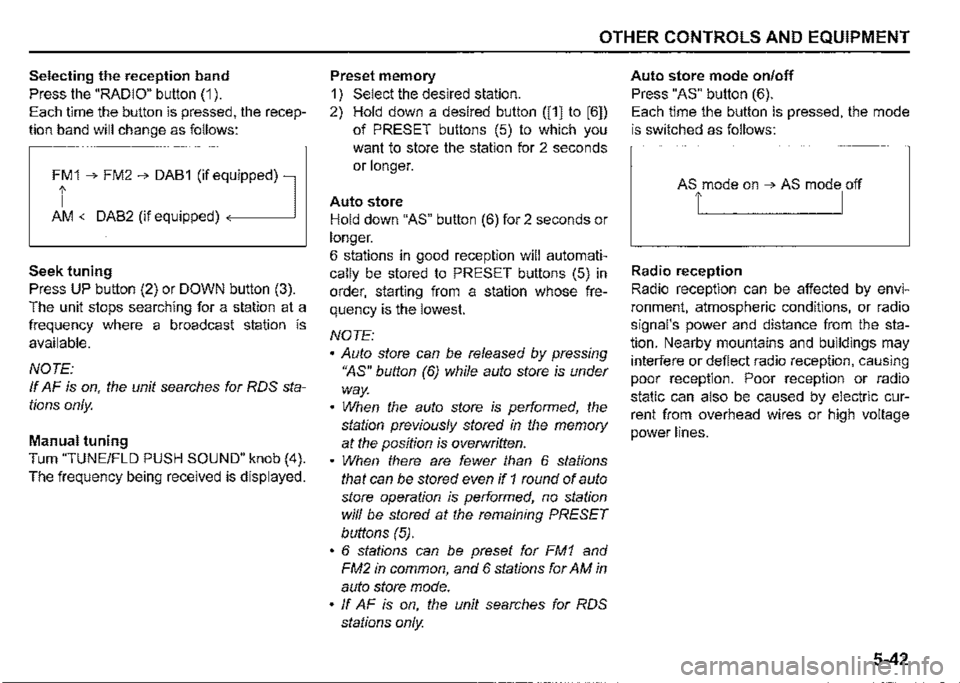
Selecting the reception band
Press the "RADIO" button (1 ).
Each time the button is pressed, the recep
tion band will change as follows:
Ff 1 ➔ FM2 ➔ DAB1 (if eq,uipped) l
AM <-DAB2 (if equipped)
Seek tuning
Press UP button (2) or DOWN button (3).
The unit stops searching for a station at a
frequency where a broadcast station is
available.
NOTE:
If AF is on, the unit searches for RDS sta
tions only.
Manual tuning
Turn "TUNE/FLO PUSH SOUND" knob (4).
The frequency being received is displayed.
OTHER CONTROLS AND EQUIPMENT
Preset memory
1) Select the desired station.
2) Hold down a desired button ([1] to [6])
of PRESET buttons (5) to which you
want to store the station for 2 seconds
or longer.
Auto store
Hold down "AS" button (6) for 2 seconds or
longer.
6 stations in good reception will automati
cally be stored to PRESET buttons (5) in
order, starting from a station whose fre
quency is the lowest.
NOTE:
• Auto store can be released by pressing
"AS" button (6) while auto store is under
way.
• When the auto store is performed, the
station previously stored in the memory
at the position is overwritten.
• When there are fewer than 6 stations
that can be stored even if 1 round of auto
store operation is performed, no station
will be stored at the remaining PRESET
buttons (5).
• 6 stations can be preset for FM1 and
FM2 in common, and 6 stations for AM in
auto store mode.
• ff AF is on, the unit searches for RDS
stations only.
Auto store mode on/off
Press "AS" button (6).
Each time the button is pressed, the mode
is switched as follows:
Radio reception
Radio reception can be affected by envi
ronment, atmospheric conditions, or radio
signal's power and distance from the sta
tion. Nearby mountains and buildings may
interfere or deflect radio reception, causing
poor reception. Poor reception or radio
static can also be caused by electric cur
rent from overhead wires or high voltage
power lines.
5-42
Page 279 of 421
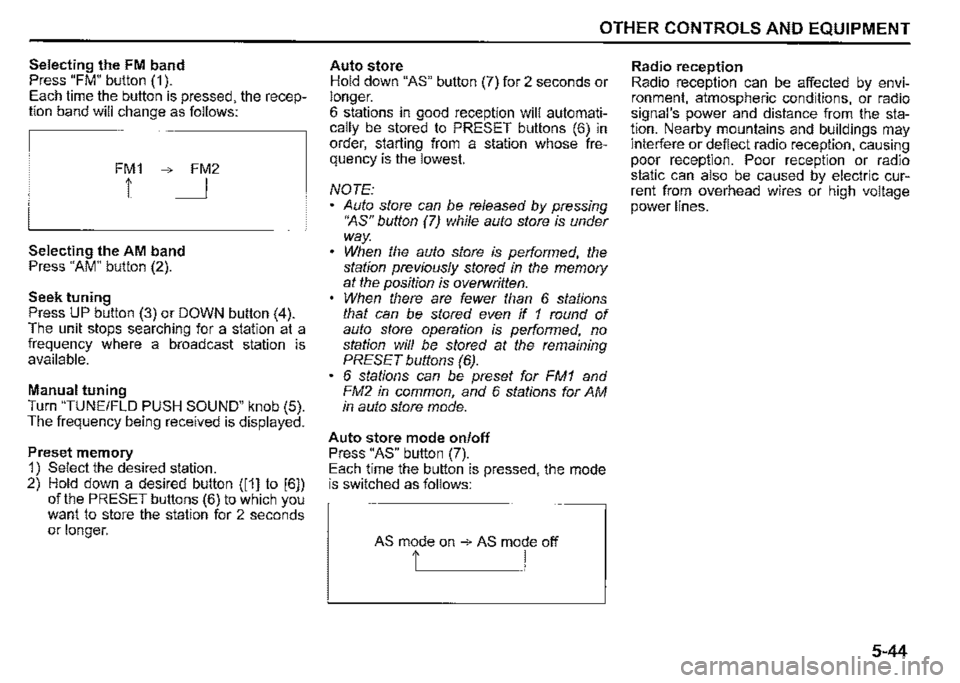
Selecting the FM band Press "FM" button (1 ). Each time the button is pressed, the reception band will change as follows:
FM1 ➔ FM2
1 I
Selecting the AM band Press "AM" button (2).
Seek tuning Press UP button (3) or DOWN button (4). The unit stops searching for a station at a frequency where a broadcast station is available.
Manual tuning Turn "TUNE/FLO PUSH SOUND" knob (5). The frequency being received is displayed.
Preset memory 1) Select the desired station. 2) Hold down a desired button ([1] to [6]) of the PRESET buttons (6) to which you want to store the station for 2 seconds or longer.
OTHER CONTROLS AND EQUIPMENT
Auto store Hold down "AS" button (7) for 2 seconds or longer. 6 stations in good reception will automatically be stored to PRESET buttons (6) in order, starting from a station whose frequency is the lowest.
NOTE: Auto store can be released by pressing •~s" button (7) while auto store is under way. When the auto store is performed, the station previously stored in the memory at the position is overwritten. When there are fewer than 6 stations that can be stored even if 1 round of auto store operation is performed, no station will be stored at the remaining PRESET buttons (6). 6 stations can be preset for FM1 and FM2 in common, and 6 stations for AM in auto store mode.
Auto store mode on/off Press "AS" button (7). Each time the button is pressed, the mode is switched as follows:
AS mode on ➔ AS mode off
t I
Radio reception Radio reception can be affected by environment, atmospheric conditions, or radio signal's power and distance from the station. Nearby mountains and buildings may interfere or deflect radio reception, causing poor reception. Poor reception or radio static can also be caused by electric current from overhead wires or high voltage power lines.
5-44
Page 318 of 421
INSPECTION AND MAINTENANCE
60B128S
.A. WARNING
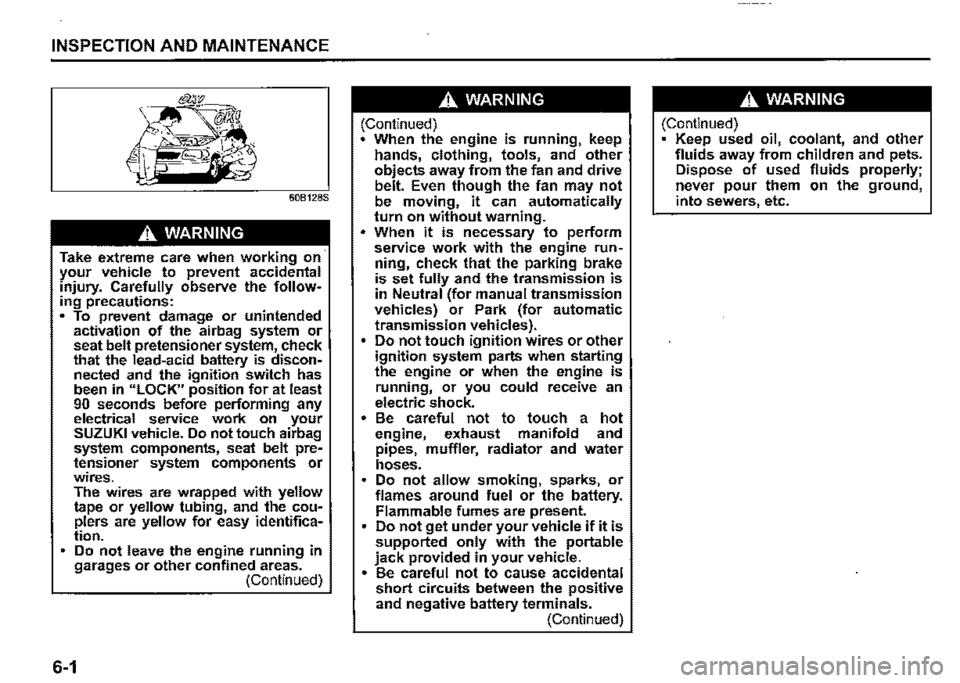
Take extreme care when working on· your vehicle to prevent accidental injury. Carefully observe the following precautions: • To prevent damage or unintended activation of the airbag system or seat belt pretensioner system, check that the lead-acid battery is disconnected and the ignition switch has been in "LOCK" position for at least 90 seconds before performing any electrical service work on your SUZUKI vehicle. Do not touch airbag system components, seat belt pretensioner system components or wires. The wires are wrapped with yellow tape or yellow tubing, and the couplers are yellow for easy identification. Do not leave the engine running in garages or other confined areas. (Continued)
6-1
.A. WARNING
(Continued) When the engine is running, keep hands, clothing, tools, and other objects away from the fan and drive belt. Even though the fan may not be moving, it can automatically turn on without warning . • When it is necessary to perform service work with the engine run~ ning, check that the parking brake is set fully and the transmission is in Neutral (for manual transmission vehicles) or Park (for automatic transmission vehicles). Do not touch ignition wires or other ignition system parts when starting the engine or when the engine is running, or you could receive an electric shock. • Be careful not to touch a hot engine, exhaust manifold and pipes, muffler, radiator and water hoses. Do not allow smoking, sparks, or flames around fuel or the battery. Flammable fumes are present. Do not get under your vehicle if it is supported only with the portable jack provided in your vehicle. • Be careful not to cause accidental short circuits between the positive and negative battery terminals. (Continued)
.A. WARNING
(Continued) Keep used oil, coolant, and other fluids away from children and pets. Dispose of used fluids properly; never pour them on the ground, into sewers, etc.
Page 359 of 421

NOTE: (Battery label) When the battery is disconnected, some i::::-==-=="---------
of the vehicle's functions will be initialized and/or deactivated. These functions must be required to reset after the battery is reconnected. Do not disconnect the battery terminals for at least one minute after the ignition switch is turned off.
A WARNING
Batteries contain toxic substances including sulfuric acid and lead. They could have potential negative consequences for the environment and human health. Used batteries must be disposed of or recycled according to applicable rules or regulations and must not be disposed of with ordinary household trash. Make sure not to tip over the battery when you remove it from the vehicle. Otherwise, sulfuric acid could run out and you might get injury.
NOTICE
After stopping the engine, controller and system are operated for a while. Therefore, before removing the battery, wait for more than one minute after turning the ignition switch to 110FF".
Pb>----(5)
51KM042
(5) Crossed-out wheeled bin symbol (6) Chemical symbol of "Pb"
The crossed-out wheeled bin symbol (5) located on the battery label indicates that the used battery should be collected separately from ordinary household trash. The chemical symbol of "Pb" (6) indicates the battery contains more than 0.004% lead.
By ensuring the used battery is disposed of or recycled correctly, you will help prevent potential negative consequences for the environment and human health, which could otherwise be caused by inappropriate trash handling of the battery. The recycling of materials will help to conserve natural resources. For more detailed information about disposing of or recycling the used battery, consult a SUZUKI dealer.
INSPECTION AND MAINTENANCE
Fuses
Your vehicle has three types of fuses, as described below:
Main fuse The main fuse takes current directly from the lead-acid battery.
Primary fuses These fuses are between the main fuse and individual fuses, and are for electrical load groups.
Individual fuses These fuses are for individual electrical cir
cuits.
To remove a fuse, use the fuse puller provided in the fuse box cover.
78R807020
6-42
Page 361 of 421
(21) 15A Transmission
(22) 50A Ignition sw2
(23) 10 A A/C compressor
(24) 10A 4WD
(25) 20A Front fog light
(26) -Blank
(27) 40A Power steering
(28) -Blank
(29) 40A Radiator fan
(30) -Blank
(31) 5A Starter motor
(32) 15A Headlight high (Left)
(33) 15A Headlight high (Right)
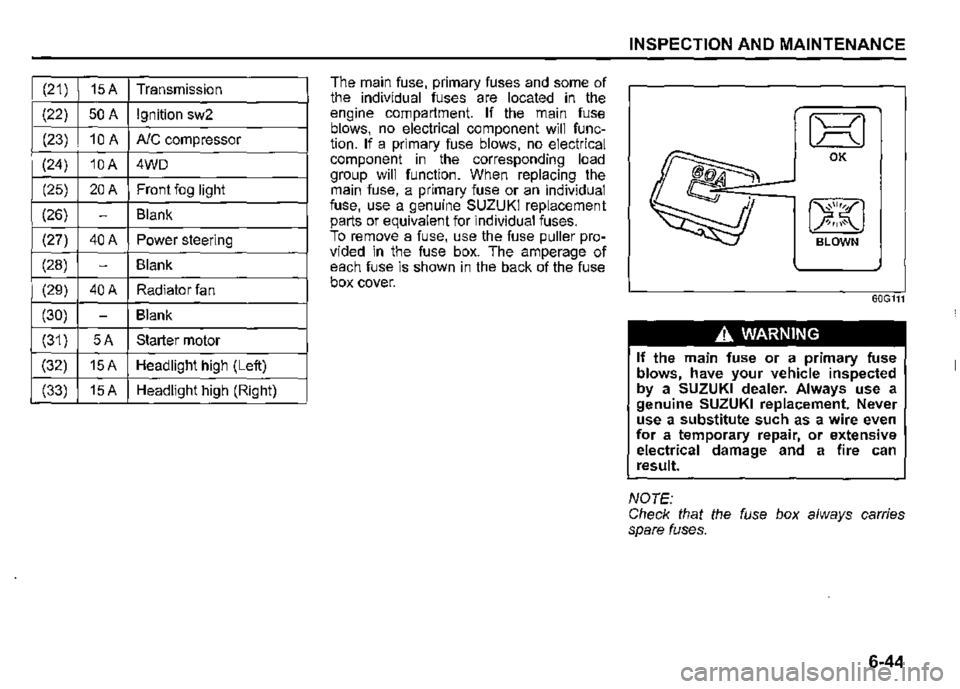
The main fuse, primary fuses and some of the individual fuses are located in the engine compartment. If the main fuse blows, no electrical component will function. If a primary fuse blows, no electrical component in the corresponding load group will function. When replacing the main fuse, a primary fuse or an individual fuse, use a genuine SUZUKI replacement parts or equivalent for individual fuses. To remove a fuse, use the fuse puller provided in the fuse box. The amperage of each fuse is shown in the back of the fuse box cover.
INSPECTION AND MAINTENANCE
IX! OK
BLOWN
60G111
A. WARNING
If the main fuse or a primary fuse blows, have your vehicle inspected by a SUZUKI dealer. Always use a genuine SUZUKI replacement. Never use a substitute such as a wire even for a temporary repair, or extensive electrical damage and a fire can result.
NOTE: Check that the fuse box always carries spare fuses.
6-44
Page 363 of 421
OK BLOWN
81A283
A WARNING
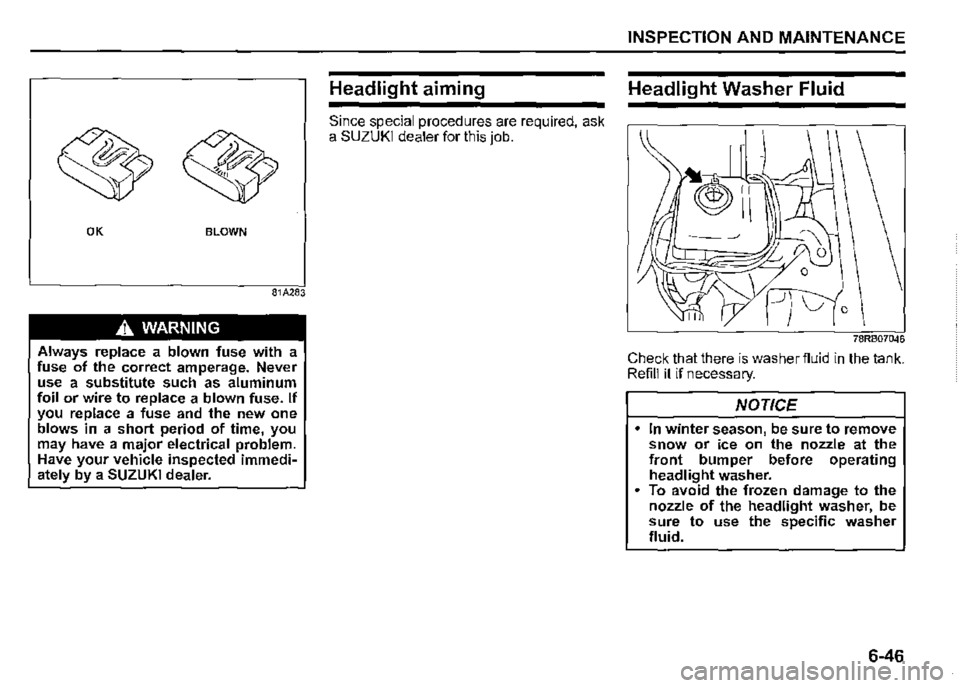
Always replace a blown fuse with a fuse of the correct amperage. Never use a substitute such as aluminum foil or wire to replace a blown fuse. If you replace a fuse and the new one blows in a short period of time, you may have a major electrical problem. Have your vehicle inspected immediately by a SUZUKI dealer.
Headlight aiming
Since special procedures are required, ask a SUZUKI dealer for this job.
INSPECTION AND MAINTENANCE
Headlight Washer Fluid
78RB07046
Check that there is washer fluid in the tank. Refill it if necessary.
NOTICE
In winter season, be sure to remove snow or ice on the nozzle at the front bumper before operating headlight washer. To avoid the frozen damage to the nozzle of the headlight washer, be sure to use the specific washer fluid.
6-46
Page 387 of 421
Engine trouble: Starter does
not operate
1) Try turning the ignition switch to "START" position with the headlights turned on to determine the lead-acid battery condition. If the headlights go excessively dim or go off, it usually means that either the lead-acid battery is discharged or the battery terminal contact is poor. Recharge the lead-acid battery or correct battery terminal contact as necessary. 2) If the headlights remain bright, check the fuses. If the reason for failure of the starter is not obvious, there may be a major electrical problem. Have the vehicle inspected by a SUZUKI dealer.
Engine trouble: Does not start
Make sure that your vehicle has enough · fuel and battery. If the engine does not start under very cold condition, press the accelerator pedal all the way to the fioor and hold it while cranking the engine. Refer to "Starting engine" in operating your vehicle section. If the engine still does not start have your vehicle inspected at a SUZUKI dealer. Do not operate the starter motor for more than 12 seconds.
EMERGENCY SERVICE
Engine trouble: Overheating
The engine could overheat temporarily under severe driving conditions. If the high engine coolant temperature warning light comes on as overheating or the engine coolant temperature gauge indicates overheating during driving:
1) Turn off the air conditioner. 2) Take the vehicle to a safe place and park. 3) Run the engine at a normal idle speed for a few minutes until the high engine coolant temperature warning light goes off or the indicator is within the normal, acceptable temperature range between "H" and "C".
A WARNING
If you see or hear escaping steam, stop the vehicle in a safe place and immediately turn off the engine to cool it. Do not open the hood when steam is present. When the steam can no longer be seen or heard, open the hood to see if the coolant is still boiling. If it is, you must wait until it stops boiling before you proceed.
7-10
Page 393 of 421

NOTICE
Do not use chemical products that contain silicon to wipe electrical components such as the air conditioning system, audio1 navigation system, or other switches. These will cause damage to the components.
NOTICE
Liquid such as liquid aromatics, soft drinks or juice may cause discoloration, wrinkles, and cracking to resin-based parts and textiles. Immediately wipe it dry with tissue paper or a soft cloth. Do not leave leather products with color, fur or vinyl products, etc. in your vehicle for long periods. It may cause discoloration or deterioration of interior.
Cleaning exterior
NOTICE
It is important that your vehicle be kept clean and free from dirt. Failure to keep your vehicle clean may result in fading of the paint or corrosion to various parts of the vehicle body.
Caring for aluminum wheels
NOTE: Do not use an acidic or alkaline detergent, or a cleaner containing petroleum solvent to wash aluminum wheels. These types of cleaner will cause permanent spots, disco/oration and cracks on finished surfaces and damage to center caps. Do not use a bristle brush and soap containing an abrasive material. These will damage finished surfaces.
APPEARANCE CARE
Washing
A WARNING
Never attempt to wash and wax your vehicle with the engine running. When cleaning the underside of the body and fender, where there may be sharp-edged parts, wear gloves and a long-sleeved shirt to protect your hands and arms from being cut. After washing your vehicle, care
fully test the brakes before driving to check that they have maintained their normal effectiveness.
8-4