100 SUZUKI JIMNY 2022 User Guide
[x] Cancel search | Manufacturer: SUZUKI, Model Year: 2022, Model line: JIMNY, Model: SUZUKI JIMNY 2022Pages: 421, PDF Size: 6.35 MB
Page 63 of 421

Side curtain airbags
SRS AIRBAG
78RB02026
Side curtain airbags are located in the roof lining. The words "SRS AIRBAG" are melded into the pillar to identify the location of the side curtain airbags.
A WARNING
If the airbag stored place is damaged or cracked, the airbag system may not work properly, which could result in serious injury in the event of a collision. Have your vehicle inspected by a SUZUKI dealer.
Conditions of side airbags and side curtain airbags deployment (inflation)
80J119
Impacts from the side at about a right angle by a general passenger car to your vehicle at more than about 30 km/h (19 mph) or in a greater impact
Side airbags and side curtain airbags may inflate in a strong impact Side airbags and side curtain airbags may inflate even in a frontal collision, if there is a strong impact to the lateral direction.
• Frontal collision
FOR SAFE DRIVING
52RM20730
• Hitting a curb or bump
80J100E
• Falling into a deep hole or ditch
1-42
Page 88 of 421
BEFORE DRIVING
Brightness control
000000_
78RB02091
,:!>J 100-16□ MPH ,.
(1)
78RB02031
2-17
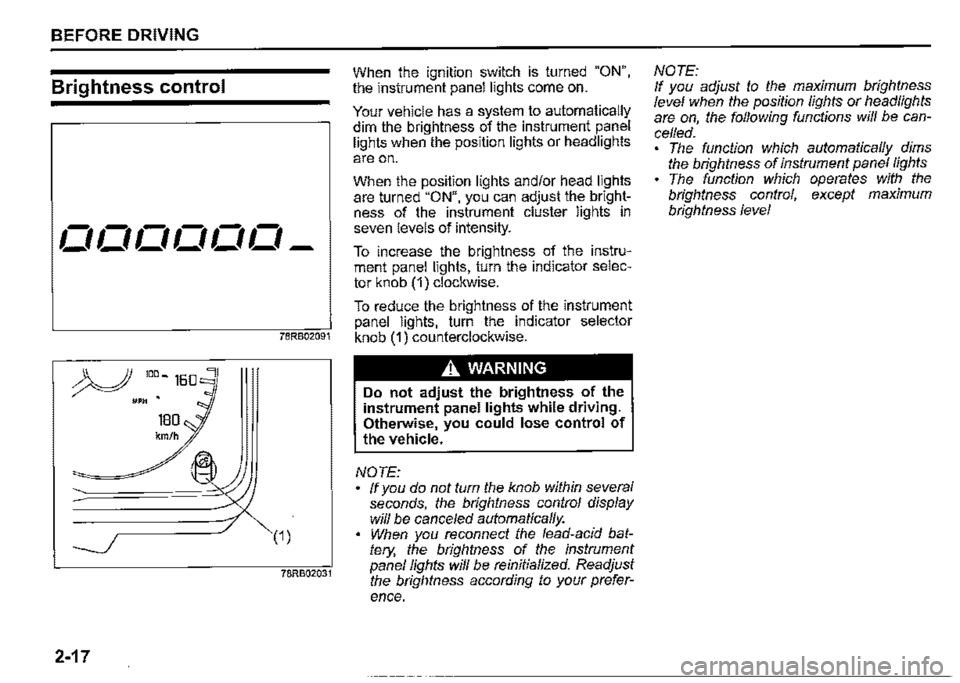
When the ignition switch is turned "ON", the instrument panel lights come on.
Your vehicle has a system to automatically dim the brightness of the instrument panel lights when the position lights or headlights
are on.
When the position lights and/or head lights are turned "ON", you can adjust the brightness of the instrument cluster lights in seven levels of intensity.
To increase the brightness of the instrument panel lights, turn the indicator selector knob (1) clockwise.
To reduce the brightness of the instrument panel lights, turn the indicator selector knob (1) counterclockwise.
A WARNING
Do not adjust the brightness of the instrument panel lights while driving. Otherwise, you could lose control of
the vehicle.
NOTE: ff you do not tum the knob within several seconds, the brightness control display will be cance/ed automatically. When you reconnect the lead-acid battery, the brightness of the instrument panel fights wi/1 be reinitialized. Readjust the brightness according to your prefer
ence.
NOTE: If you adjust to the maximum brightness level when the position fights or headlights are on, the following functions will be cancelled. The function which automatically dims the brightness of instrument panel fights The function which operates with the brightness control, except maximum brightness level
Page 92 of 421

BEFORE DRIVING
Trip meter The trip meter can be used to measure the distance traveled on short trips or between fuel stops. You can use the trip meter A or trip meter B independently.
To reset the trip meter, push and hold the trip meter selector knob (1) until the display shows a.a.
NOTE: The indicated maximum value of the trip meter is 9999.9. When you run past the maximum value, the indicated value will return to 0. 0. ·
Odometer The odometer records the total distance the vehicle has been driven.
NOTICE
Keep track of your odometer reading and check the maintenance schedule regularly for required services. Increased wear or damage to certain parts can result from failure to perform required services at the proper mileage intervals.
2-21
Instantaneous fuel consumption The display shows the value of instantaneous fuel consumption only when the vehicle is moving.
NOTE: The display does not show the value unless the vehicle is moving. Depending on the vehicle's specification, the fuel consumption units of initial setting are indicated as U100km or km/L. For "U100km" setting, the indicated maximum value of instantaneous fuel consumption is 30. No more than 30 will be indicated on the display even if the actual instantaneous fuel consumption is higher. For "km/L" setting, the indicated maximum value of instantaneous fuel consumption is 50. No more than 50 will be indicated on the display even if the actual instantaneous fuel consumption is higher. The indication on the display may be delayed if fuel consumption is greatly affected by driving conditions. The display shows estimated values. Indications may not be the same as actual values. For "U100km" or "km/L" setting, you can change the units that instantaneous fuel consumption is displayed in. Refer to ',<\verage fuel consumption" in this section.
Average fuel consumption If you previously selected average fuel consumption setting, the display shows average fuel consumption from the last reset to the present when the ignition switch is turned "ON".
To reset the average fuel consumption, push and hold the indicator selector knob (2) for a while when the display shows the average fuel consumption.
NOTE: When you reset the indication or reconnect the terminals to the lead-acid battery, the value of average fuel consumption will be shown after driving for a while.
Page 93 of 421

(For "L/100km" or 11km/L11 setting) To change the unit of average fuel consumption, while pushing and holding the trip meter selector knob (1 ), turn the indicator selector knob (2).
NOTE:
AVG.
i;11-iu1ookm I..U-1
(Initial setting)
68PH02207
When you change the units that average fuel consumption is displayed in, the instantaneous fuel consumption units will be changed automaticaf/y.
Driving range If you selected driving range the last time you drove the vehicle, the display indicates "---" for a few seconds and then indicates the current driving range when the ignition switch is turned "ON".
The driving range shown in the display is the approximate distance you can drive until the fuel gauge indicates "E", based on current driving conditions.
When the low fuel warning light comes on, the display"---" will appear.
If the low fuel warning light comes on, fill the fuel tank immediately regardless of the value of driving range shown in the display.
When you refuel, the driving range is updated. However, if you only add a small amount of fuel, the correct value will not be displayed.
NOTE: ff you refuel when the ignition switch is in "ON", the driving range may not indicate the correct value. When you reconnect the terminals to the lead-acid battery, the value of driving range will be shown after driving for a while.
BEFORE DRIVING
Fuel gauge
The display (F) shows the fuel gauge.
Refer to "Fuel gauge" in this section.
2-22
Page 102 of 421
BEFORE DRIVING
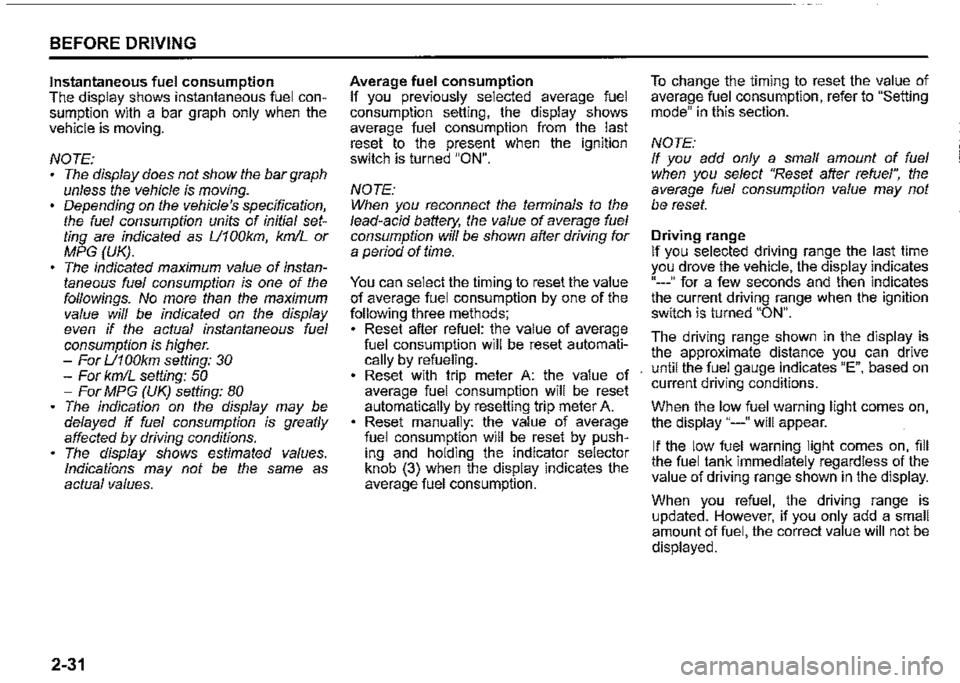
Instantaneous fuel consumption The display shows instantaneous fuel consumption with a bar graph only when the vehicle is moving.
NOTE: The display does not show the bar graph unless the vehicle is moving. Depending on the vehicle's specification, the fuel consumption units of initial setting are indicated as U100km, km/L or MPG (UK). The indicated maximum value of instantaneous fuel consumption is one of the followings. No more than the maximum value will be indicated on the display even if the actual instantaneous fuel consumption is higher. -For U100km setting: 30 -For km/L setting: 50 -For MPG (UK) setting: 80 The indication on the display may be delayed if fuel consumption is greatly affected by driving conditions. The display shows estimated values. Indications may not be the same as actual values.
2-31
Average fuel consumption If you previously selected average fuel consumption setting, the display shows average fuel consumption from the last reset to the present when the ignition switch is turned "ON".
NOTE: When you reconnect the terminals to the lead-acid battery, the value of average fuel consumption will be shown after driving for a period of time.
You can select the timing to reset the value of average fuel consumption by one of the following three methods; Reset after refuel: the value of average fuel consumption will be reset automatically by refueling. Reset with trip meter A: the value of average fuel consumption will be reset automatically by resetting trip meter A. Reset manually: the value of average fuel consumption will be reset by pushing and holding the indicator selector knob (3) when the display indicates the average fuel consumption.
To change the timing to reset the value of average fuel consumption, refer to "Setting mode" in this section.
NOTE: If you add only a small amount of fuel when you select "Reset after refuel", the average fuel consumption value may not be reset.
Driving range If you selected driving range the last time you drove the vehicle, the display indicates "---" for a few seconds and then indicates the current driving range when the ignition switch is turned "ON".
The driving range shown in the display is the approximate distance you can drive until the fuel gauge indicates "E", based on current driving conditions.
When the low fuel warning light comes on, the display "---" will appear.
If the low fuel warning light comes on, fill the fuel tank immediately regardless of the value of driving range shown in the display.
When you refuel, the driving range is updated. However, if you only add a small amount of fuel, the correct value will not be displayed.
Page 125 of 421

Master warning indicator light
(if equipped)
68PM00278
When the ignition switch is turned "ON", this light comes on briefiy so you can check that the light is working.
When the information display shows warning and indicator messages, this indicator light may also blink.
For details, refer to "Information display" in this section.
4WD indicator light
78RB02078
· This indicator light comes on when the transfer gear and the air locking hubs are switched to 4-wheel drive condition ("4H" or "4L").
When the ignition switch is turned "ON", this 4WD indicator light will come on for a while and then this light will turned on or off according to the drive condition.
If 4WD indicator light continues to blink, there may be a malfunction of the system. If so, have the system inspected by your SUZUKI dealer.
When you shift the transfer lever from "2H" position to "4H" position at a speed of 100 km/h (60 mph) or more, this indicator light blinks.
When you shift transfer lever again while changing the drive condition, this indicator blinks.
BEFORE DRIVING
NOTE: When the drive condition is 4-wheel drive condition and the engine is not running with the ignition switch turned "ON", this 4WD indicator light will come on for a while and then blink. In this situation, when you start the engine and this indicator light comes on, the system does not indicate a malfunction.
Cruise indicator light (if equipped)
81P40090
When the cruise control system is activated, this light comes on.
2-54
Page 144 of 421
BEFORE DRIVING
Maximum towing capacity (gross trailer weight; trailer with integrated drawbar, and cargo)
Braked trailer: 1300 kg (2866 lbs) Unbraked trailer: 350 kg (772 lbs)
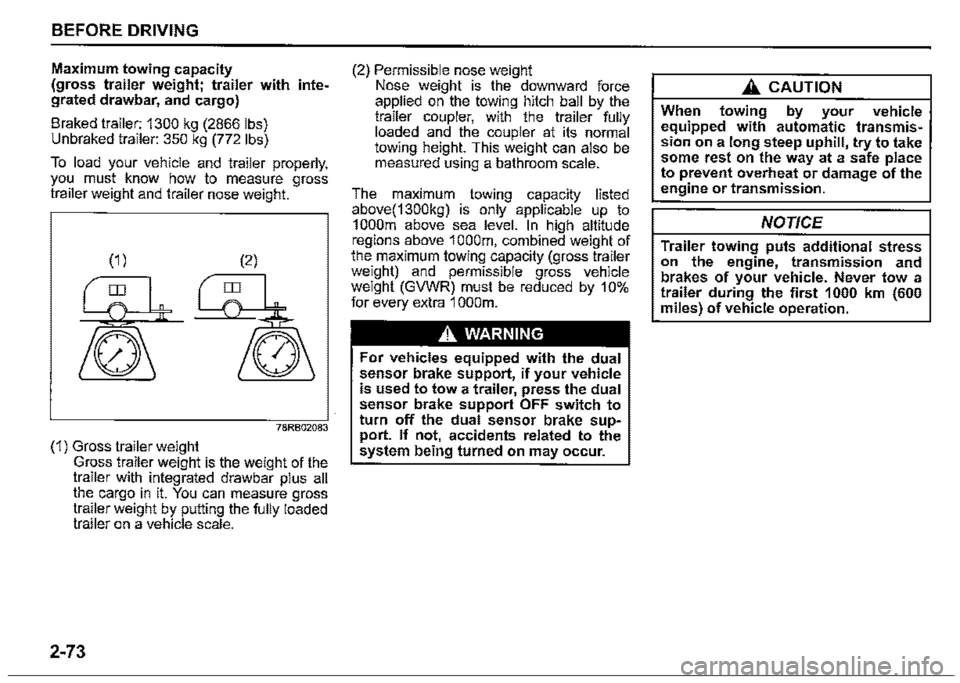
To load your vehicle and trailer properly, you must know how to measure gross trailer weight and trailer nose weight.
78RB02083
(1) Gross trailer weight Gross trailer weight is the weight of the trailer with integrated drawbar plus all the cargo in it. You can measure gross trailer weight by putting the fully loaded trailer on a vehicle scale.
2-73
(2) Permissible nose weight Nose weight is the downward force applied on the towing hitch ball by the trailer coupler, with the trailer fully loaded and the coupler at its normal towing height. This weight can also be measured using a bathroom scale.
The maximum towing capacity listed above(1300kg) is only applicable up to 1 000m above sea level. In high altitude regions above 1 000m, combined weight of the maximum towing capacity (gross trailer weight) and permissible gross vehicle weight (GVWR) must be reduced by 10% for every extra 1 000m.
A WARNING
For vehicles equipped with the dual sensor brake support, if your vehicle is used to tow a trailer, press the dual sensor brake support OFF switch to turn off the dual sensor brake support. If not, accidents related to the system being turned on may occur.
A CAUTION
When towing by your vehicle equipped with automatic transmission on a long steep uphill, try to take some rest on the way at a safe place to prevent overheat or damage of the engine or transmission.
NOTICE
Trailer towing puts additional stress on the engine, transmission and brakes of your vehicle. Never tow a trailer during the first 1000 km (600 miles) of vehicle operation.
Page 153 of 421
Engine oil consumption
It is normal for the engine to consume some engine oil during normal vehicle operation.
The amount of engine oil consumption depends on viscosity and quality of the oil and your driving conditions. More oil is consumed during high-speed driving and when there is frequent acceleration and deceleration. Under high loads, your engine also will consume more oil. A new engine also consumes more oil, since its pistons, piston rings and cylinder walls have not yet become conditioned. New engines reach the normal level of oil consumption only after approximately 5000 km (3000 miles) driving.
Oil consumption: Max. 1.0 L per 1000 km (1 Qt. per 600 miles)
When judging the amount of oil consumption, note that the oil may become diluted and it is difficult to judge the accurate oil level. As an example, if a vehicle is used for repeated short trips, and consumes a normal amount of oil, the dipstick may not show any drop in the oil level at all, even after 1000 km (600 miles) or more of driving. This is because the oil gradually becomes diluted with fuel or moisture,
making it appear that the oil level has not changed. You should also be aware that the diluting ingredients evaporate out when the vehicle is subsequently driven at high speeds, such as on an expressway, making it appear that oil is excessively consumed after high-speed driving.
OPERATING YOUR VEHICLE
Ignition switch
650611
A WARNING
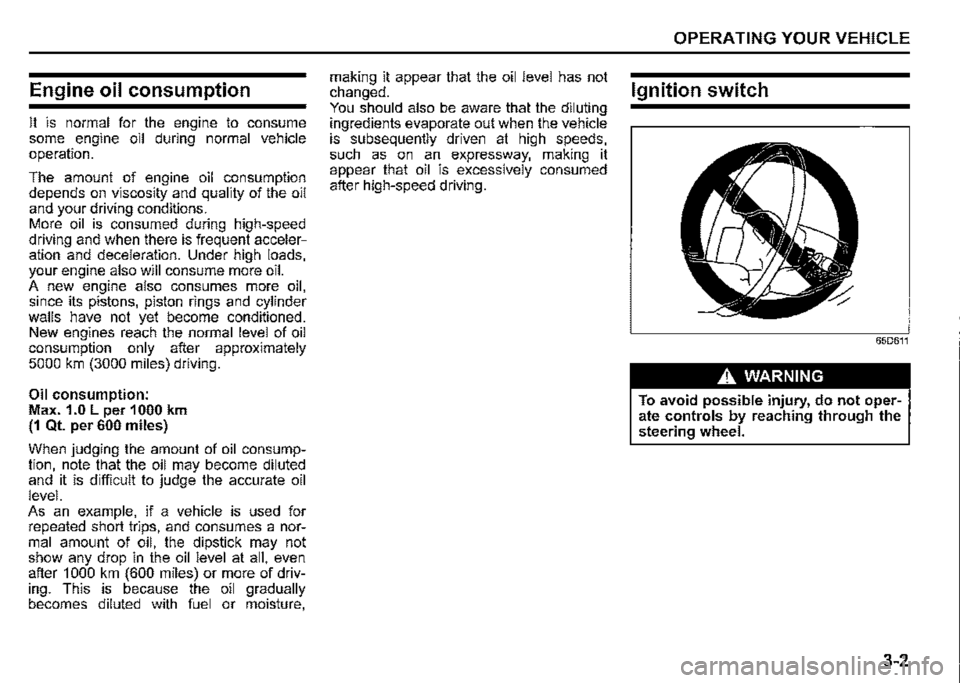
To avoid possible injury, do not operate controls by reaching through the steering wheel.
3-2
Page 167 of 421

Transfer lever
(1) Transfer lever
Your vehicle is equipped with the "ALL GRIP PRO" system that consists of a transfer case with a synchronizer (between 2WD-high and 4WD-high positions) and the air locking hubs. With this feature, you can shift the drive mode between 2-wheel drive high range and 4-wheel drive high range by shifting the "2H" or "4H" position. Stop the vehicle or reduce the speed to less than 100 km/h (60 mph) with the front wheels in the straight ahead position. Do not shift the transfer lever without depressing the accelerator pedal. Do not activate the cruise control system when shifting the transfer lever.
Free axle mechanism
"FREE"
Fixed axle mechanism
"LOCK"
(1) Air locking hubs (2) Transfer case
54G266
54G267
OPERATING YOUR VEHICLE
NOTE: The air locking hubs are activated by the vacuum of the engine and changed to shift the front wheel drive. The air locking hubs are not shifted when the engine is stopping. Several seconds are required from the operation of the transfer lever to the activation of air locking hubs. When the front tyres receive a big shock during running in 2-whee/ drive position on the road surface of the big irregularity, etc, some noise may occur inside the air locking hubs afterwards. In this situation, stop the vehicle and then shift the transfer lever into "4H" position. After that, shift the transfer lever into "2H" position
again.
3-16
Page 170 of 421
OPERATING YOUR VEHICLE
NOTE: When you select the "4L" position the ESF'® systems (other than ABS) w/11 be canceled to provide improved vehicle traction, and the ESF'® OFF indicator light, dual sensor brake support OFF indicator light and lane departure warning OFF indicator light will come on. When you select the "4L" position braketraction control can be activated'. Braketraction control brakes the spinning wheel to distribute drive power to the other wheels for increased climbing ability or for better performance on a rolling hill or a slippery surface. If dual sensor brake support OFF indicator light and lane departure warning OFF indicator light come on or go off, the intenor buzzer beeps. This is not a ma/function.
3-19
Transfer lever operation
NOTICE
Unevenly worn tyres can cause problems in the operation of the transfer lever. Be sure to rotate the tyres according to the maintenance schedule. Refer to "Tyres" and "Maintenance Schedule" in the "INSPECTION AND MAINTENANCE" section for proper tyre rotation procedures. If a problem exists during the shifting function, all lights of the 4WD indicator will blink continuously and the transfer lever operation will not work. If the shift function does not work after trying the shifting operation several times, it may be the result of a system failure. Have the system inspected by a SUZUKI dealer.
NOTE: When the temperature of 4-whee/ drive system or the transmission is not warm ':'nder the low temperature, you may feel ,t hard to shift the transfer lever or gear n01se may occur. Unless you can shift the transfer lever drive your vehicle for a while and the/2 shift the transfer lever again.
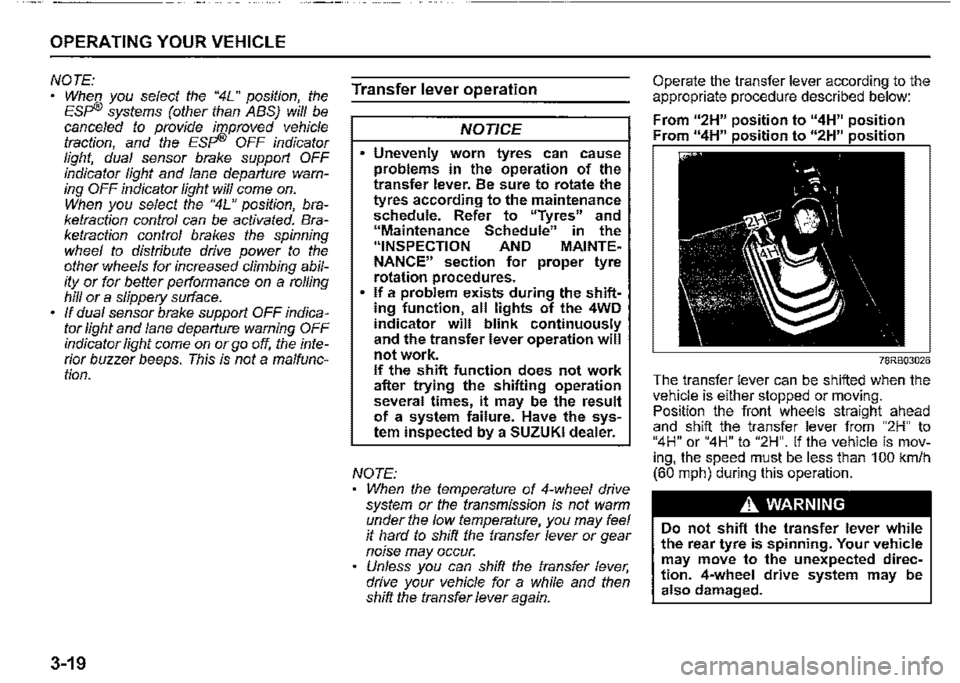
Operate the transfer lever according to the appropriate procedure described below:
From u2H" position to "4H" position Fr " 11 • • " " • •
78RB03026
The transfer lever can be shifted when the vehi_c_le is either stopped or moving. Pos1t1on the front wheels straight ahead and shift the transfer lever from "2H" to "4H" or "4H" to "2H". If the vehicle is moving, the speed must be less than 100 km/h (60 mph) during this operation.
A WARNING
Do not shift the transfer lever while the rear tyre is spinning. Your vehicle may move to the unexpected direction. 4-wheel drive system may be also damaged.