indicator lights SUZUKI JIMNY 2022 User Guide
[x] Cancel search | Manufacturer: SUZUKI, Model Year: 2022, Model line: JIMNY, Model: SUZUKI JIMNY 2022Pages: 421, PDF Size: 6.35 MB
Page 123 of 421
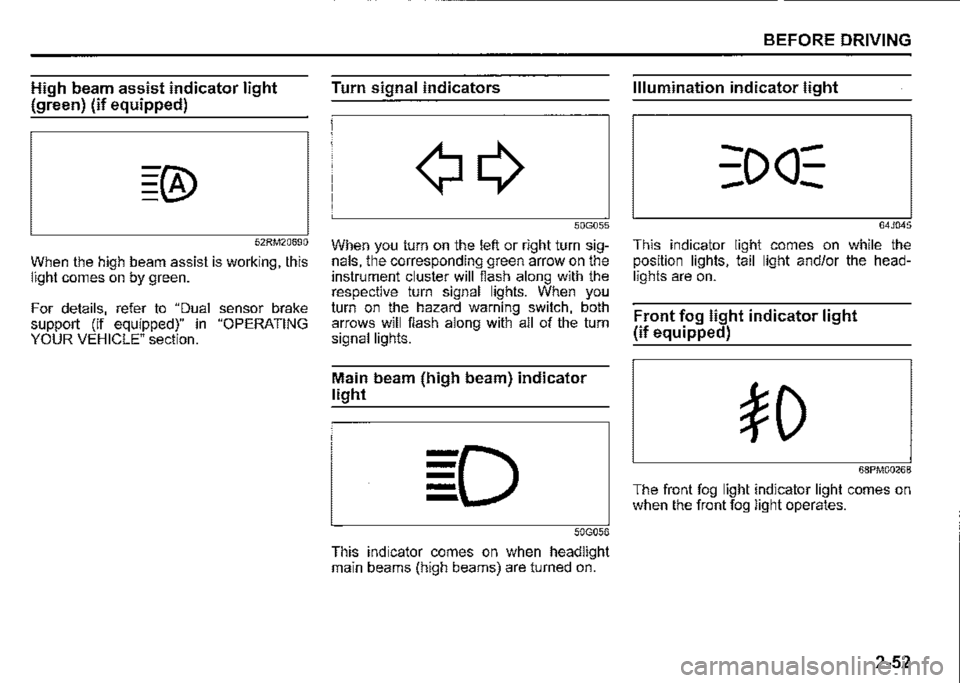
High beam assist indicator light
(green) (if equipped)
52RM20690
When the high beam assist is working, this light comes on by green.
For details, refer to "Dual sensor brake support (if equipped)" in "OPERATING YOUR VEHICLE" section.
Turn signal indicators
50G055
When you turn on the left or right turn signals, the corresponding green arrow on the instrument cluster will flash along with the respective turn signal lights. When you turn on the hazard warning switch, both arrows will flash along with all of the turn signal lights.
Main beam (high beam) indicator
light
50G056
This indicator comes on when headlight main beams (high beams) are turned on.
BEFORE DRIVING
Illumination indicator light
64J045
This indicator light comes on while the position lights, tail light and/or the headlights are on.
Front fog light indicator light
(if equipped)
68PM00268
The front fog light indicator light comes on when the front fog light operates.
2-52
Page 131 of 421

Front fog light switch
(if equipped)
68PM00232
To turn the front fog light on, twist the knob as shown in the illustration with the position lights, tail lights and/or the headlights are on. When the front fog light is on, an indicator light on the instrument cluster will come on.
NOTE: In some countries the lighting operation may be different from the above description according to local regulations.
Rear fog light switch
(if equipped)
68PM00233
To turn the rear fog light on, twist the knob as shown in the illustration with the headlights on. When the rear fog light is on, an indicator light on the instrument cluster will come on. If you twist the knob to the mark of rear fog light with the front fog light on, the rear fog light will turn on and an indicator light on the instrument cluster will come on.
BEFORE DRIVING
Adjusting headlight pattern
Headlight pattern, left hand traffic
:::OD
78RB02076
Headlight pattern, right hand traffic
I .·
::m
78RB02077
2-60
Page 138 of 421

BEFORE DRIVING
NOTE: You can customize the setting for the num-Hazard warning switch ber of flashing times of the turn signal and its indicator (1 to 4 times). Ask a SUZUKI deafer for the customization.
2-67
78RB02058
Push the hazard warning switch to activate the hazard warning lights. All turn signal lights and both turn signal indicators will flash simultaneously. To turn off the lights, push the switch again. Use the hazard warning lights to warn other drivers of possible risk of traffic hazard when you park your vehicle in case of emergency.
Windshield wiper and washer
lever
650611
A WARNING
To avoid possible injury, do not operate controls by reaching through the steering wheel.
Page 170 of 421
OPERATING YOUR VEHICLE
NOTE: When you select the "4L" position the ESF'® systems (other than ABS) w/11 be canceled to provide improved vehicle traction, and the ESF'® OFF indicator light, dual sensor brake support OFF indicator light and lane departure warning OFF indicator light will come on. When you select the "4L" position braketraction control can be activated'. Braketraction control brakes the spinning wheel to distribute drive power to the other wheels for increased climbing ability or for better performance on a rolling hill or a slippery surface. If dual sensor brake support OFF indicator light and lane departure warning OFF indicator light come on or go off, the intenor buzzer beeps. This is not a ma/function.
3-19
Transfer lever operation
NOTICE
Unevenly worn tyres can cause problems in the operation of the transfer lever. Be sure to rotate the tyres according to the maintenance schedule. Refer to "Tyres" and "Maintenance Schedule" in the "INSPECTION AND MAINTENANCE" section for proper tyre rotation procedures. If a problem exists during the shifting function, all lights of the 4WD indicator will blink continuously and the transfer lever operation will not work. If the shift function does not work after trying the shifting operation several times, it may be the result of a system failure. Have the system inspected by a SUZUKI dealer.
NOTE: When the temperature of 4-whee/ drive system or the transmission is not warm ':'nder the low temperature, you may feel ,t hard to shift the transfer lever or gear n01se may occur. Unless you can shift the transfer lever drive your vehicle for a while and the/2 shift the transfer lever again.
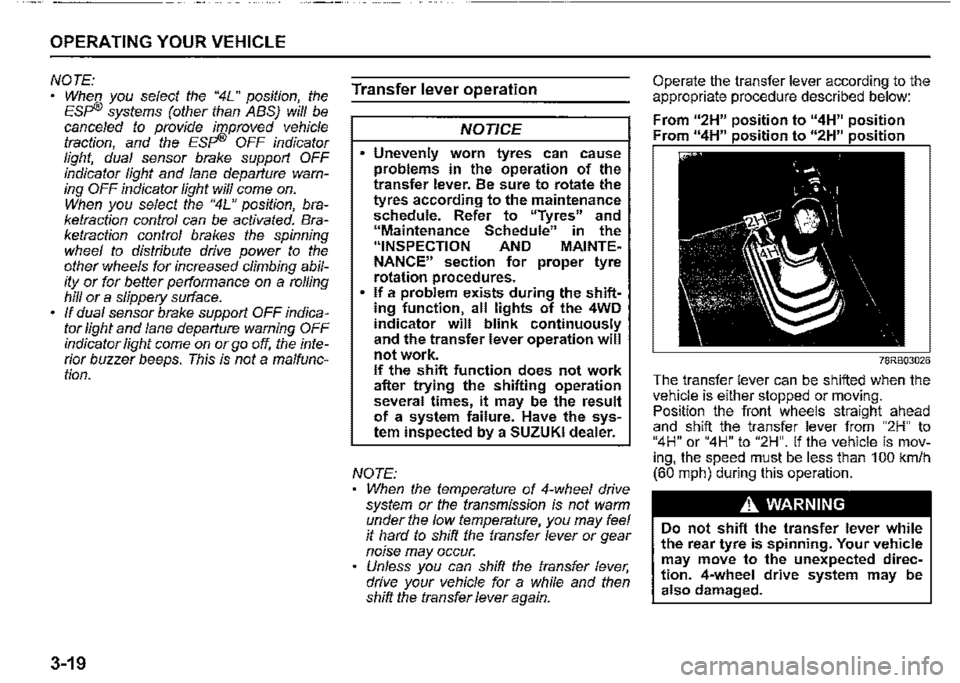
Operate the transfer lever according to the appropriate procedure described below:
From u2H" position to "4H" position Fr " 11 • • " " • •
78RB03026
The transfer lever can be shifted when the vehi_c_le is either stopped or moving. Pos1t1on the front wheels straight ahead and shift the transfer lever from "2H" to "4H" or "4H" to "2H". If the vehicle is moving, the speed must be less than 100 km/h (60 mph) during this operation.
A WARNING
Do not shift the transfer lever while the rear tyre is spinning. Your vehicle may move to the unexpected direction. 4-wheel drive system may be also damaged.
Page 184 of 421
OPERATING YOUR VEHICLE
Lane departure warning
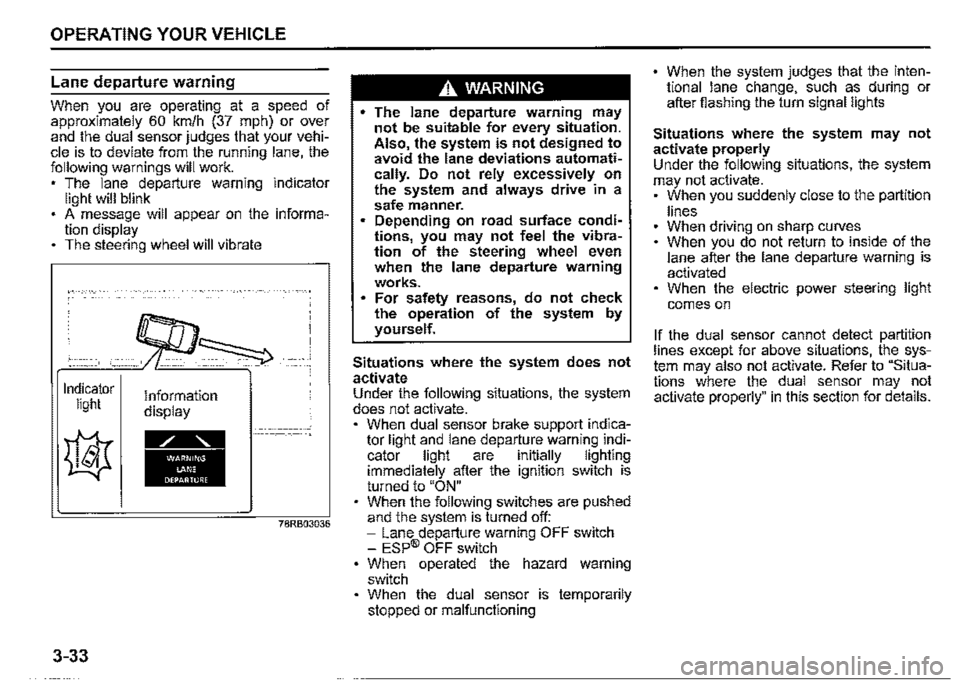
When you are operating at a speed of approximately 60 km/h (37 mph) or ov~r and the dual sensor judges that your vehicle is to deviate from the running lane, the following warnings will work. , The lane departure warning indicator light will blink . A message will appear on the information display The steering wheel will vibrate
Indicator light
3-33
Information display
78RB03036
A WARNING
• The lane departure warning may not be suitable for every situation. Also the system is not designed to avoid the lane deviations automati~ cally. Do not rely excessively on the system and always drive in a safe manner. Depending on road surface conditions, you may n~t feel the vibration of the steering wheel even when the lane departure warning works. For safety reasons, do not check the operation of the system by yourself.
Situations where the system does not activate Under the following situations, the system does not activate. , When dual sensor brake support indicator light and lane departu_re warni~g i~dicator light are 1nitially lighting immediately after the ignition switch is turned to "ON" When the following switches are pushed and the system is turned off: -Lane departure warning OFF switch -ESP® OFF switch When operated the hazard warning switch When the dual sensor is temporarily stopped or malfunctioning
When the system judges that the intentional lane change, such as during or after fiashing the turn signal lights
Situations where the system may not activate properly Under the following situations, the system may not activate. , When you suddenly close to the partition
lines When driving on sharp curves When you do not return to inside of th_e lane after the lane departure warning 1s activated When the electric power steering light
comes on
If the dual sensor cannot detect partition lines except for above situations, t~~ _system may also not activate. Refer to Situations where the dual sensor may not activate properly" in this section for details.
Page 186 of 421
OPERATING YOUR VEHICLE
Situations where the system may not activate properly Under the following situations, the system may not activate. • Right after lane changing
If the dual sensor cannot detect partition lines except for above situations, the system may also not activate. Refer to "Situations where the dual sensor may not activate properly" in this section for details.
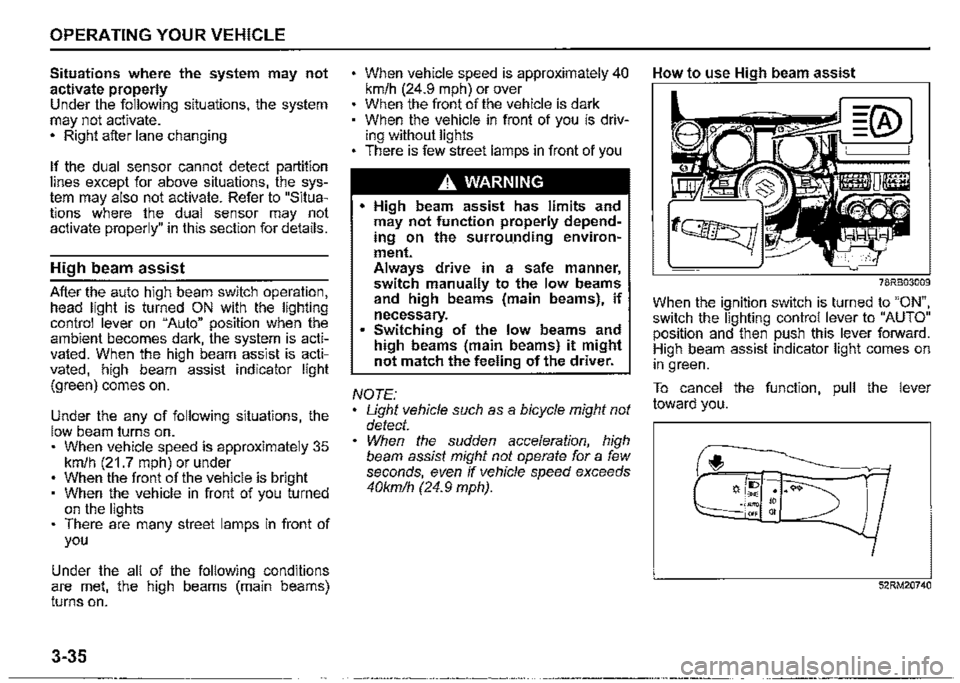
High beam assist
After the auto high beam switch operation, head light is turned ON with the lighting control lever on "Auto" position when the ambient becomes dark, the system is activated. When the high beam assist is activated, high beam assist indicator light (green) comes on.
Under the any of following situations, the low beam turns on. • When vehicle speed is approximately 35 km/h (21.7 mph) or under When the front of the vehicle is bright When the vehicle in front of you turned on the lights There are many street lamps in front of you
Under the all of the following conditions are met, the high beams (main beams) turns on.
3-35
When vehicle speed is approximately 40 km/h (24.9 mph) or over When the front of the vehicle is dark When the vehicle in front of you is driving without lights • There is few street lamps in front of you
A. WARNING
• High beam assist has limits and may not function properly depending on the surrou.nding environment. Always drive in a safe manner, switch manually to the low beams and high beams (main beams), if necessary. Switching of the low beams and high beams (main beams) it might not match the feeling of the driver.
NOTE: Light vehicle such as a bicycle might not detect. When the sudden acceleration, high beam assist might not operate for a few seconds, even if vehicle speed exceeds 40kmlh (24.9 mph).
How to use High beam assist
78RB03009
When the ignition switch is turned to "ON", switch the lighting control lever to "AUTO" position and then push this lever forward. High beam assist indicator light comes on in green.
To cancel the function, pull the lever toward you.
f,
52RM20740
Page 208 of 421
OPERATING YOUR VEHICLE
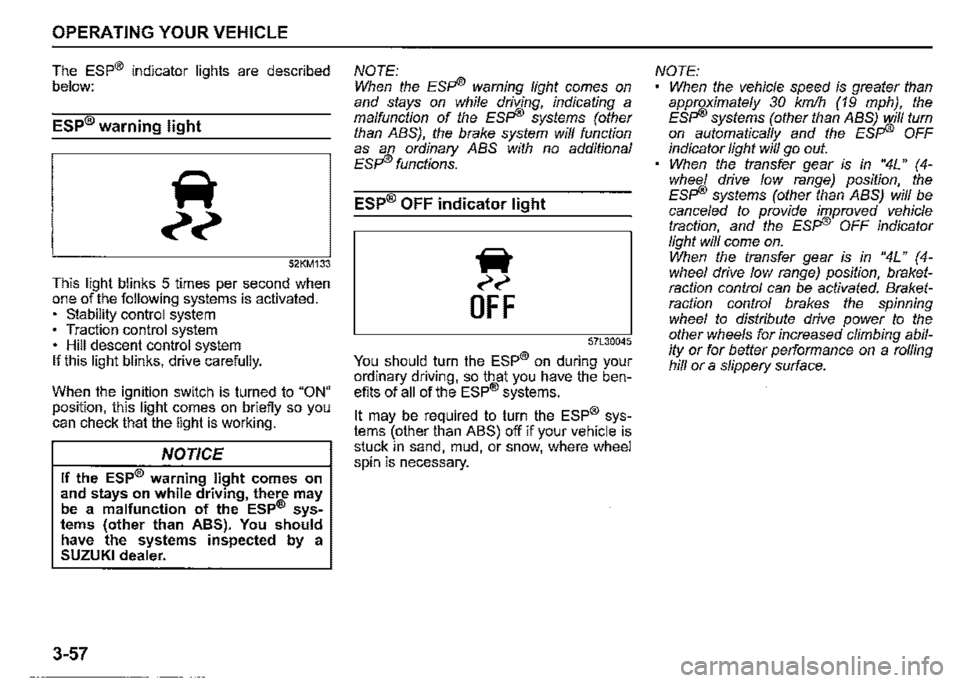
The ESP® indicator lights are described below:
ESP® warning light
52KM133
This light blinks 5 times per second when one of the following systems is activated. • stability control system • Traction control system • Hill descent control system If this light blinks, drive carefully.
When the ignition switch is turned to "ON" position, this light comes on briefly so you can check that the light is working.
NOTICE
If the ESP® warning light comes on and stays on while driving, there may be a malfunction of the ESP® sys• tems (other than ABS). You should have the systems inspected by a SUZUKI dealer.
3-57
NOTE: When the ESFi® warning light comes on and stays on while driving, indicating a malfunction of the ESFI® systems (other than ABS), the brake system will function as an ordinary ABS with no additional ESFI® functions.
ESP® OFF indicator light
iir
~~
OFF
57L30045
You should turn the ESP® on during your ordinary driving, so that you have the benefits of all of the ESP® systems.
It may be required to turn the ESP® systems (other than ABS) off if your vehicle is stuck in sand, mud, or snow, where wheel spin is necessary.
NOTE: When the vehicle speed is greater than approximately 30 km/h (19 mph), the ESFi® systems (other than ABS) will turn on automatically and the ESFI® OFF indicator light will go out. When the transfer gear is in "4L" (4-whee/ drive low range) position, the ESFI® systems (other than ABS) will be cance/ed to provide improved vehicle traction, and the ESFI® OFF indicator light will come on. When the transfer gear is in "4L" ( 4-whee/ drive low range) position, braketraction control can be activated. Braketraction control brakes the spinning wheel to distribute drive power to the other wheels for increased climbing ability or for better performance on a rolling hill or a slippery surface.
Page 210 of 421
OPERATING YOUR VEHICLE
ABS warning light/ brake system
warning light
See "Braking" in this section.
Hill descent control system
The hill descent control system is designed to reduce the driver's workload when going down steep, rough and/or slippery hills where the vehicle cannot decelerate enough by engine braking alone. The hill descent control system helps to control vehicle speed by automatically engaging the vehicle's brakes, as needed, so you can concentrate on steering the vehicle.
.A. WARNING
Do not rely excessively on the hill descent control system. The hill descent control system may not control the vehicle speed on a hill under all load or road conditions. Always be prepa!ed to control vehicle speed by applying the brakes. Failure to pay attention and control vehicle speed using the brakes when necessary may result in loss of control or an accident.
3-59
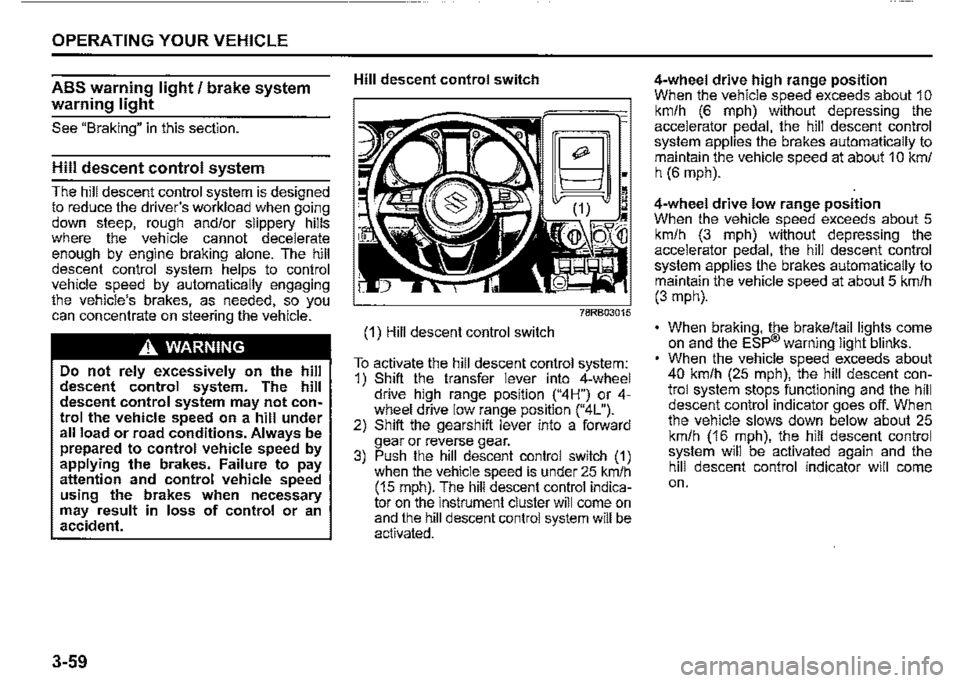
Hill descent control switch
(1) Hill descent control switch
~;
~~~:~M
To activate the hill descent control system: 1) Shift the transfer lever into 4-wheel drive hiQh range position ("4H") or 4-wh!"el drive low '.ange position ("4L"). 2) Shift the gearsh1ft lever into a forward gear or reverse gear. 3) Push the hill descent control switch (1) when the vehicle speed is under 25 km/h (15 mph). The hill descent control indicator on the instrument cluster will come on and the hill descent control system will be activated.
4-wheel drive high range position When the vehicle speed exceeds about 1 o km/h (6 mph) without depressing the accelerator pedal, the hill descent control system applies the brakes automatically to maintain the vehicle speed at about 1 O km/ h (6 mph).
4-wheel drive low range position When the vehicle speed exceeds about 5 km/h (3 mph) without depressing the accelerator pedal, the hill descent control system applies the brakes automatically to maintain the vehicle speed at about 5 km/h (3 mph).
• When braking, the brake/tail lights come on and the ESP® warning light blinks. When the vehicle speed exceeds about 40 km/h (25 mph), the hill descent control system stops functioning and the hill descent control indicator goes off. When the vehicle slows down below about 25 km/h (16 mph), the hill descent control system will be activated again and the hill descent control indicator will come on.
Page 281 of 421

TA (Traffic Announcement) on/off
Press "TA" button (1 ).
Each time it is pressed, TA adjustment is
changed as follows:
NOTE:
• For listening to only traffic information,
activate TA. Once traffic information
starts, the volume changes automati
cally.
• "TP" indicator lights up when TP (Traffic
Program) is on. It blinks when no TP data
is received.
• "TA" indicator lights while TA is activated.
On the other hand, "TA" indicator blinks if
the TP data cannot be received.
• If UP button (4) or DOWN button (5) is
pressed while TA or TP is set to on, the
unit searches for a TP station.
• If no TP station is received, the unit dis
plays "TP NOTHING".
OTHER CONTROLS AND EQUIPMENT
PTY (Program Type) search
1) Press "RDM/PTY" button (2) to select
PTY mode.
2) Press "RDM/PTY" button (2) while PTY
is displayed.
Each time it is pressed, PTY adjust
ment is changed as follows:
NEWS~-------
,!,
SPORTS
,I,
TALK
,I,
POP
,I,
CLASSICS-------'
3) Press UP button (4) or DOWN button
(5) while PTY is displayed.
Search begins.
NOTE:
If no PTY information is received, the unit
displays "NOPTY".
AF (Alternative Frequency) on/off
Press "RPT/AF" button (3).
Each time it is pressed, AF adjustment is
changed as follows:
AF-ON/REG-OFF , ··~ ,I,
AF-ONIREG-ON
AF-OtFIREG-OFF
AF: If the reception condition becomes
poor, the frequency of the same program
with good reception is automatically
searched.
REG: With regard to the automatically
searched frequency with AF activated, the
alternative frequency of the same program
is searched within the present region when
REG is activated.
NOTE:
''AF" indicator lights up when AF is on. In
addition, "REG" indicator lights up when
REG ison.
5-46
Page 282 of 421
OTHER CONTROLS AND EQUIPMENT
TA standby
At the moment traffic information is
received while the source is set to CD,
USB, iPod, DAB, or Bluetooth®audio with
TA activated, the source is automatically
changed to radio. After reception of traffic
information, the source, which was
selected before being changed to radio,
resumes.
NOTE:
If no TP station can be received while the
unit stands by for TA, it automatically
searches for a TP station.
EON (Enhanced Other Network)
When the EON data is received with TP or
TA activated, "EON" indicator lights up,
and the traffic information from a network
other than the currently received station is
allowed to be received.
Emergency announcement reception
Emergency announcements are automati
cally received and displayed.
5-47