reset SUZUKI JIMNY 2022 User Guide
[x] Cancel search | Manufacturer: SUZUKI, Model Year: 2022, Model line: JIMNY, Model: SUZUKI JIMNY 2022Pages: 421, PDF Size: 6.35 MB
Page 206 of 421
OPERATING YOUR VEHICLE
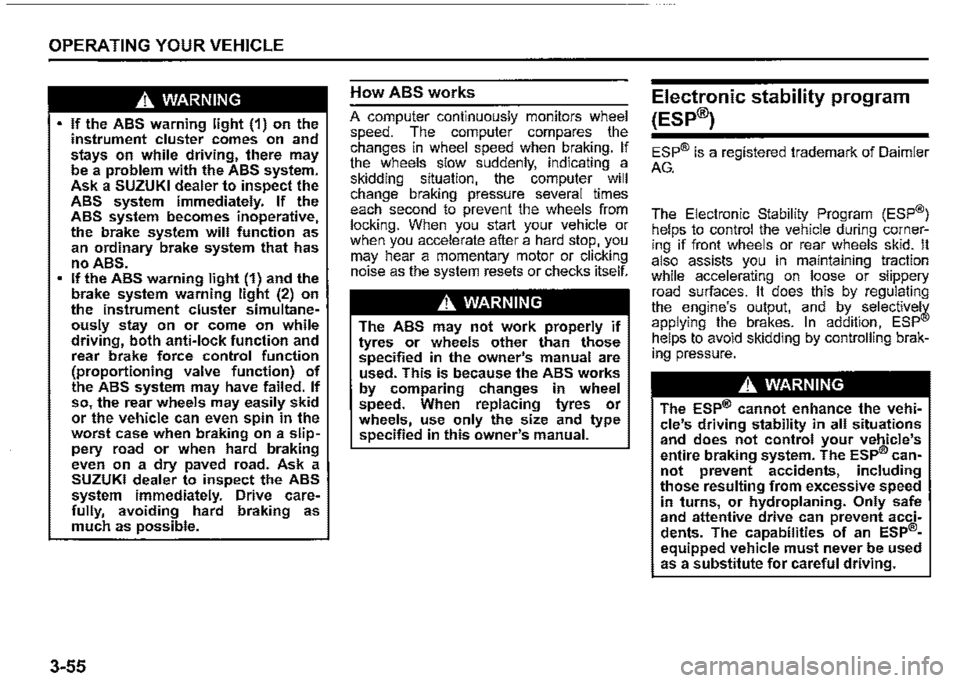
A WARNING
If the ABS warning light (1) on the instrument cluster comes on and stays on while driving, there may be a problem with the ABS system. Ask a SUZUKI dealer to inspect the ABS system immediately. If the ABS system becomes inoperative, the brake system will function as an ordinary brake system that has no ABS. If the ABS warning light (1) and the brake system warning light (2) on the instrument cluster simultaneously stay on or come on while driving, both anti-lock function and rear brake force control function (proportioning valve function) of the ABS system may have failed. If so, the rear wheels may easily skid or the vehicle can even spin in the worst case when braking on a slippery road or when hard braking even on a dry paved road. Ask a SUZUKI dealer to inspect the ABS system immediately. Drive carefully, avoiding hard braking as much as possible.
3-55
How ABS works
A computer continuously monitors wheel speed. The computer compares the changes in wheel speed when braking. If the wheels slow suddenly. indicating a skidding situation, the computer will change braking pressure several times each second to prevent the wheels from locking. When you start your vehicle or when you accelerate after a hard stop. you may hear a momentary motor or clicking noise as the system resets or checks itself.
A WARNING
The ABS may not work properly if tyres or wheels other than those specified in the owner's manual are used. This is because the ABS works by comparing changes in wheel speed. When replacing tyres or wheels, use only the size and type specified in this owner's manual.
Electronic stability program
(ESP®)
ESP® is a registered trademark of Daimler
AG.
The Electronic Stability Program (ESP®) helps to control the vehicle during cornering if front wheels or rear wheels skid. It also assists you in maintaining traction while accelerating on loose or slippery road surfaces. It does this by regulating the engine's output, and by_ . selective!¥ applying the brakes. In add1t1on, ESP helps to avoid skidding by controlling braking pressure.
A WARNING
The ESP® cannot enhance the vehicle's driving stability in all situations and does not control your vehicle's entire braking system. The ESP® cannot prevent accidents, including those resulting from excessive speed in turns, or hydroplaning. Only safe and attentive drive can prevent accidents. The capabilities of an ESP®
equipped vehicle must never be used as a substitute for careful driving.
Page 218 of 421
OPERATING YOUR VEHICLE
TPMS malfunction indicator
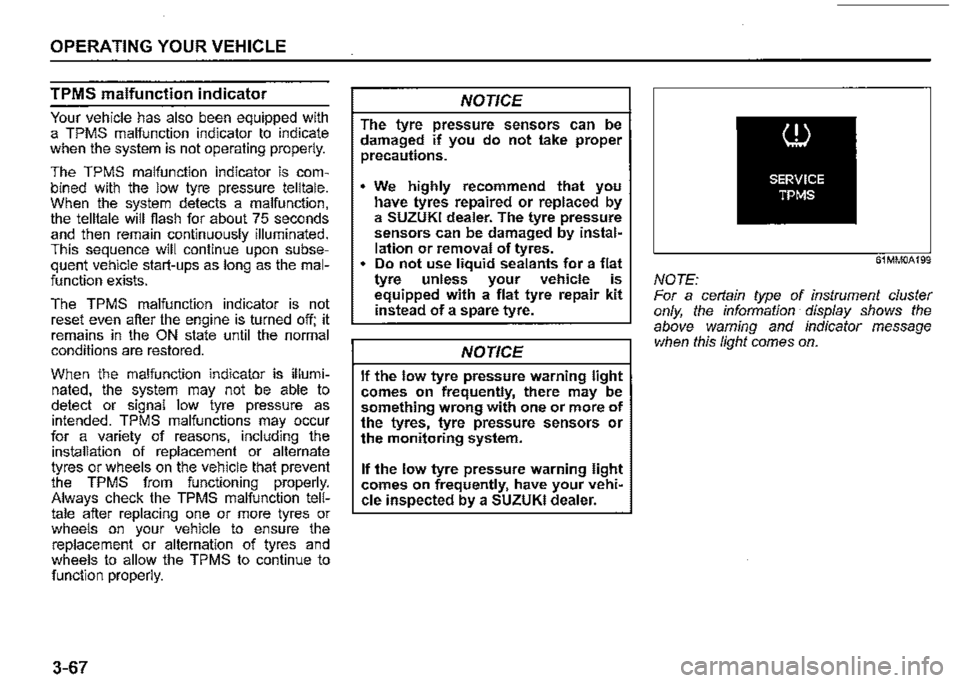
Your vehicle has also been equipped with a TPMS malfunction indicator to indicate when the system is not operating properly.
The TPMS malfunction indicator is combined with the low tyre pressure telltale. When the system detects a malfunction, the telltale will flash for about 75 seconds and then remain continuously illuminated. This sequence will continue upon subsequent vehicle start-ups as long as the malfunction exists.
The TPMS malfunction indicator is not reset even after the engine is turned off; it remains in the ON state until the normal conditions are restored.
When the malfunction indicator is illuminated, the system may not be able to detect or signal low tyre pressure as intended. TPMS malfunctions may occur for a variety of reasons, including the installation of replacement or alternate tyres or wheels on the vehicle that prevent the TPMS from functioning properly. Always check the TPMS malfunction telltale after replacing one or more tyres or wheels on your vehicle to ensure the replacement or alternation of tyres and wheels to allow the TPMS to continue to function properly.
3-67
NOTICE
The tyre pressure sensors can be damaged if you do not take proper precautions.
We highly recommend that you have tyres repaired or replaced by a SUZUKI dealer. The tyre pressure sensors can be damaged by installation or removal of tyres. • Do not use liquid sealants for a flat tyre unless your vehicle is equipped with a flat tyre repair kit instead of a spare tyre.
NOTICE
If the low tyre pressure warning light comes on frequently, there may be something wrong with one or more of the tyres, tyre pressure sensors or the monitoring system.
If the low tyre pressure warning light comes on frequently, have your vehi~ cle inspected by a SUZUKI dealer.
61MM0A199
NOTE: For a cerlain type of instrument cluster only, the information display shows the above warning and indicator message when this light comes on.
Page 221 of 421
If you stop the vehicle and turn the ignition switch to "LOCK" position, and leave it for 20 minutes or more, tyre pressure wi/1 be reset and will be indicated as 0 kPa when the engine is restarted. In this case, the current tyre pressure indication will recover after driving for a while. However, if any of tyre pressures has been detected as low pressure before stopping the engine, the tyre pressure indication may not recover and may be indicated as "---".
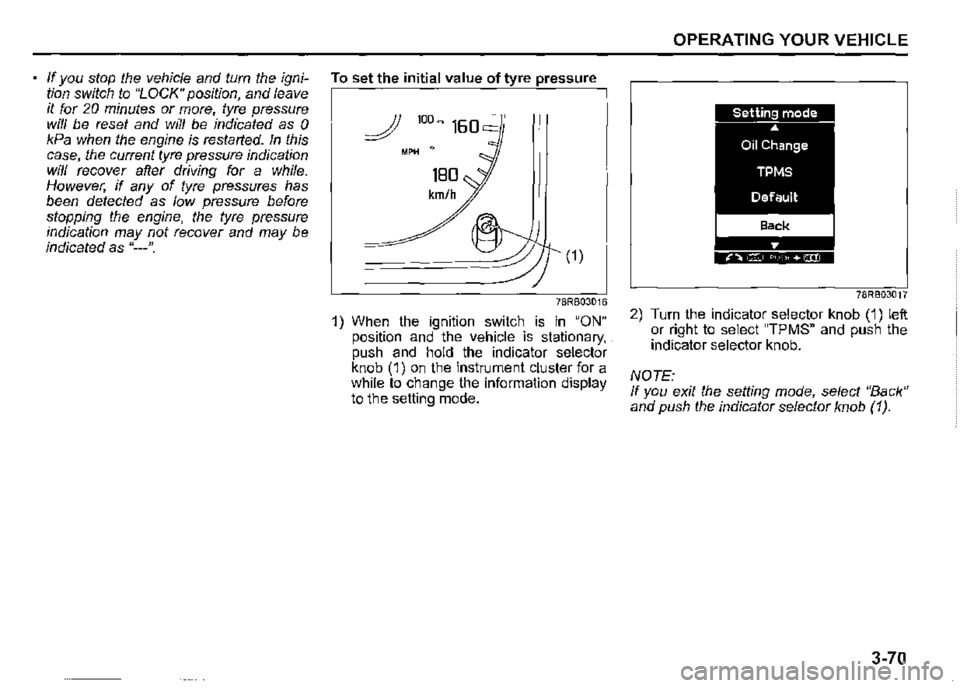
To set the initial value of tyre pressure
(1)
78RB03016
1) When the ignition switch is in "ON" position and the vehicle is stationary, . push and hold the indicator selector knob (1) on the instrument cluster for a while to change the information display to the setting mode.
OPERATING YOUR VEHICLE
78RB03017
2) Turn the indicator selector knob (1) left or right to select "TPMS" and push the indicator selector knob.
NOTE: If you exit the setting mode, select "Back" and push the indicator selector knob (1 ).
3-70
Page 267 of 421
Safety information
,A WARNING
If you pay too much attention to operating the audio system or viewing the audio system display while driving, an accident can occur. If you set the sound volume too loud, it could prevent you from being aware of road and traffic conditions. • Keep your eyes on the road and your mind on the drive. Avoid paying too much attention to operating the audio system or viewing the audio system display. Familiarize yourself with the audio system controls and operation of the audio system before driving. • Preset your favorite radio stations before driving so that you can quickly tune to them using the presets. Set the sound volume to a level that will allow you to continue to be aware of road and traffic conditions while driving.
OTHER CONTROLS AND EQUIPMENT
Notes on discs
Precautions
When the inside of the vehicle is very
cold and the player is used soon after
switching on the heater, condensation
may form on the disc or the optical
parts of the player and proper playback
may not be possible. If condensation
forms on the disc, wipe it off with a soft
cloth. If condensation forms on the opti
cal parts of the player, do not use the
player for about one hour. This will
allow the condensation to disappear
normally.
Driving on extremely bumpy roads
which cause severe vibrations may
cause sound to skip.
This unit uses a precision mechanism.
Even in the event that trouble arises,
never open the case, disassemble the
unit, or lubricate the rotating parts.
Bring the unit to a SUZUKI dealer.
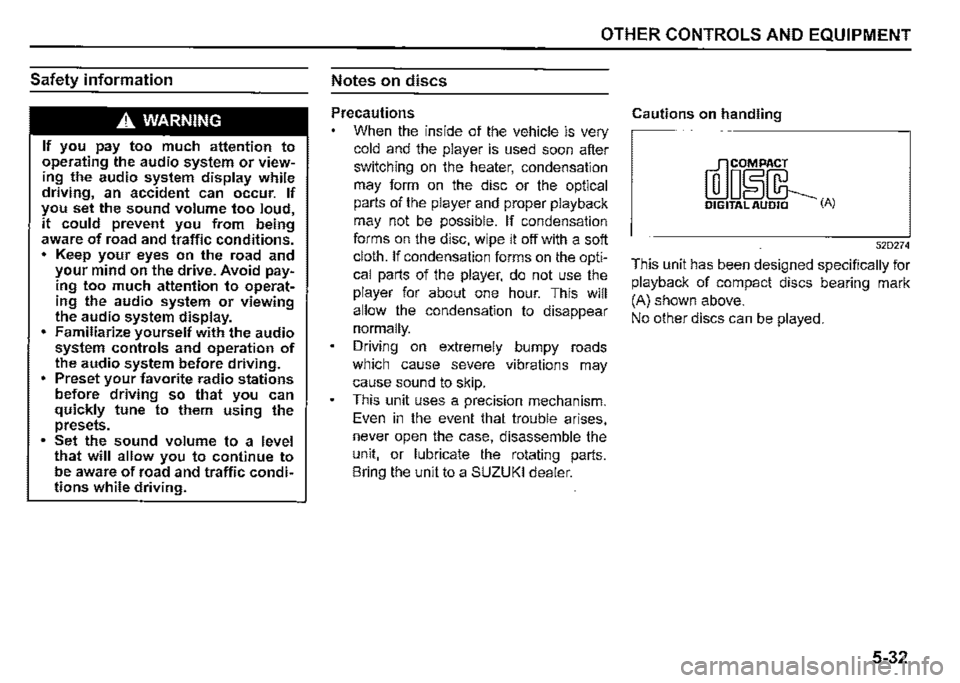
Cautions on handling
[rr]oiL DIGITAL AUDIO (A)
52D274
This unit has been designed specifically for
playback of compact discs bearing mark
(A) shown above.
No other discs can be played.
5-32
Page 275 of 421

Adjusting bass/treble/balance/fader 1) Press "TUNE/FLD PUSH SOUND" knob (2). Each time the knob is pressed, sound adjustment will change as follows:
Preset-EQ (EQ OFF) -!, Bass adjustment (BASS 0) -!, Treble adjustment (TREBLE 0) -!, Balance adjustment (BALANCE 0) -!, Fader adjustment (FADER 0) -!, AVC adjustment (AVC LEVEL 2) -
2) Turn "TUNE/FLD PUSH SOUND" knob (2) to adjust the sound.
OTHER CONTROLS AND EQUIPMENT
Adjusting the AVC (Auto volume control) The Auto Volume Control (AVC) function automatically adjusts (increases/ decreases) the sound volume in accordance with vehicle speed. The AVC control is provided with three selectable levels (LEVEL OFF, 1, 2, 3). The range of volume adjustment increases together with the LEVEL number. 1) Press "TUNEIFLD PUSH SOUND" knob (2) until the AVC adjustment mode is selected. 2) Turn "TUNEIFLD PUSH SOUND" knob (2) to select the desired AVC adjustment level. (Initial setting: LEVEL 2)
Preset-EQ Preset-EQ calls up various sound types in accordance with the listening music type. 1) Press "TUNEIFLD PUSH SOUND" knob (2) several times until "PRESETEQ" appears. 2) Turn "TUNEIFLD PUSH SOUND" knob (2). Each time the knob is turned, preset EQ mode will change as follows:
OFF (FLAT)
$ ROCK
$ POP
$ CLASSIC
$ HIP-HOP
5-40
Page 276 of 421
OTHER CONTROLS AND EQUIPMENT
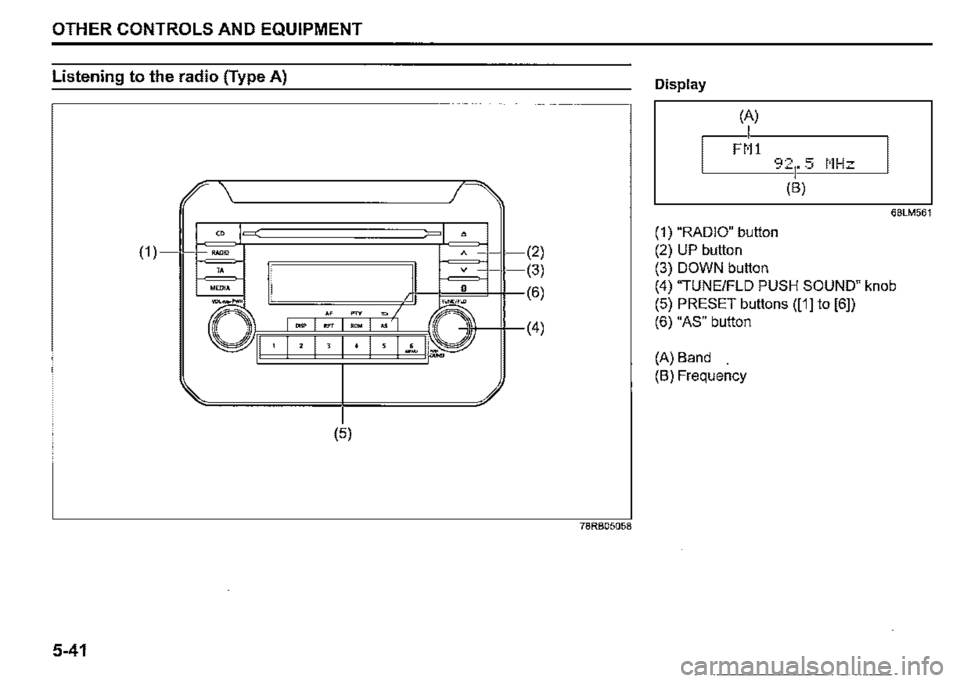
Listening to the radio (Type A)
" (1) =•
" MEDIA
" =
-"" """
' I ' I ' I "
(5)
5-41
• A (2)
(3)
(6)
~
•
I
(4)
78RB05058
Display
(A)
I FM!
68LM561
(1) "RADIO" button
(2) UP button
(3) DOWN button
(4) "TUNE/FLO PUSH SOUND" knob
(5) PRESET buttons ([1] to [6])
(6) "AS" button
(A) Band
(B) Frequency
Page 277 of 421
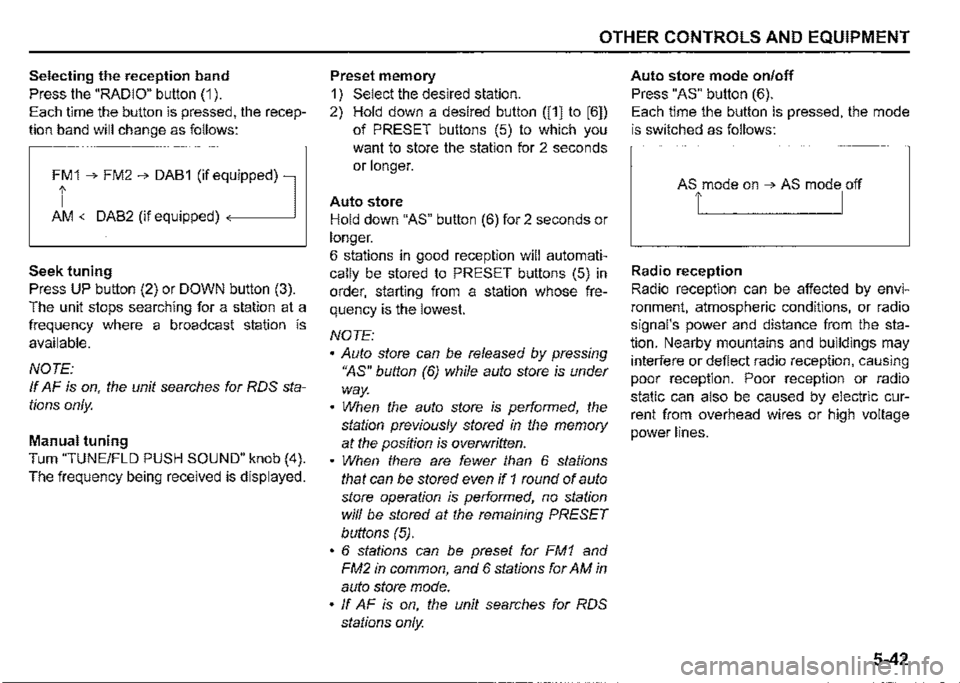
Selecting the reception band
Press the "RADIO" button (1 ).
Each time the button is pressed, the recep
tion band will change as follows:
Ff 1 ➔ FM2 ➔ DAB1 (if eq,uipped) l
AM <-DAB2 (if equipped)
Seek tuning
Press UP button (2) or DOWN button (3).
The unit stops searching for a station at a
frequency where a broadcast station is
available.
NOTE:
If AF is on, the unit searches for RDS sta
tions only.
Manual tuning
Turn "TUNE/FLO PUSH SOUND" knob (4).
The frequency being received is displayed.
OTHER CONTROLS AND EQUIPMENT
Preset memory
1) Select the desired station.
2) Hold down a desired button ([1] to [6])
of PRESET buttons (5) to which you
want to store the station for 2 seconds
or longer.
Auto store
Hold down "AS" button (6) for 2 seconds or
longer.
6 stations in good reception will automati
cally be stored to PRESET buttons (5) in
order, starting from a station whose fre
quency is the lowest.
NOTE:
• Auto store can be released by pressing
"AS" button (6) while auto store is under
way.
• When the auto store is performed, the
station previously stored in the memory
at the position is overwritten.
• When there are fewer than 6 stations
that can be stored even if 1 round of auto
store operation is performed, no station
will be stored at the remaining PRESET
buttons (5).
• 6 stations can be preset for FM1 and
FM2 in common, and 6 stations for AM in
auto store mode.
• ff AF is on, the unit searches for RDS
stations only.
Auto store mode on/off
Press "AS" button (6).
Each time the button is pressed, the mode
is switched as follows:
Radio reception
Radio reception can be affected by envi
ronment, atmospheric conditions, or radio
signal's power and distance from the sta
tion. Nearby mountains and buildings may
interfere or deflect radio reception, causing
poor reception. Poor reception or radio
static can also be caused by electric cur
rent from overhead wires or high voltage
power lines.
5-42
Page 278 of 421
OTHER CONTROLS AND EQUIPMENT
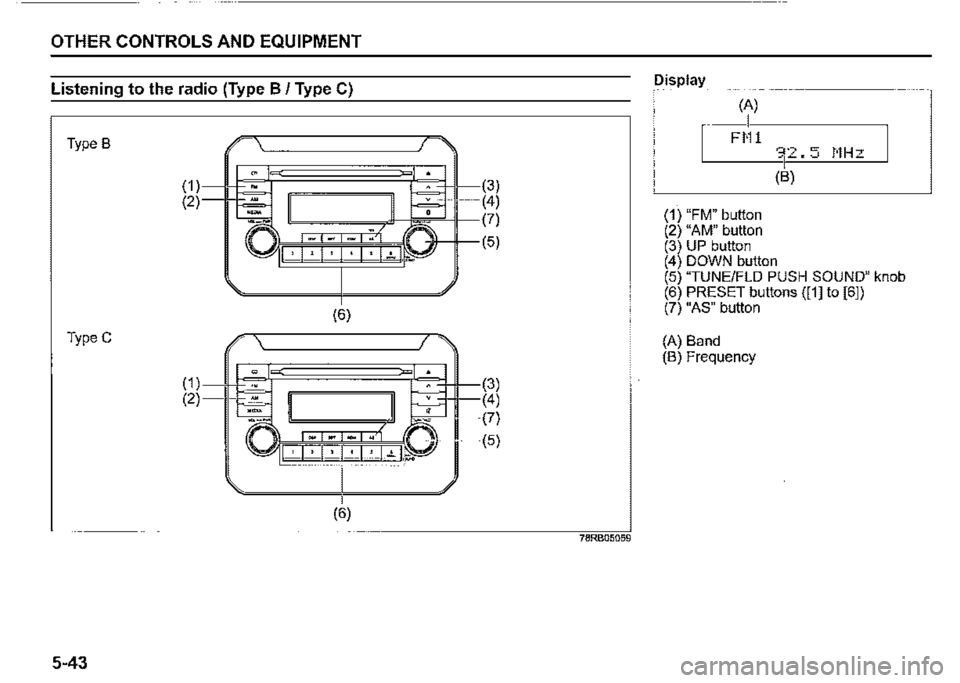
Listening to the radio (Type B / Type C)
Type B
TypeC
5-43
(1) (2)
(1) (2)
(6)
(3) (4)
~~~n~'M~(?)
I ' I ".' I 7 I ".' I : I ..,_ .P J (5)
(6)
78RB05059
Display
(A)
I FM1
(1) "FM" button (2) "AM" button (3) UP button
(B)
(4) DOWN button (5) "TUNE/FLO PUSH SOUND" knob (6) PRESET buttons ([1] to [61) (7) "AS" button
(A) Band (B) Frequency
Page 279 of 421
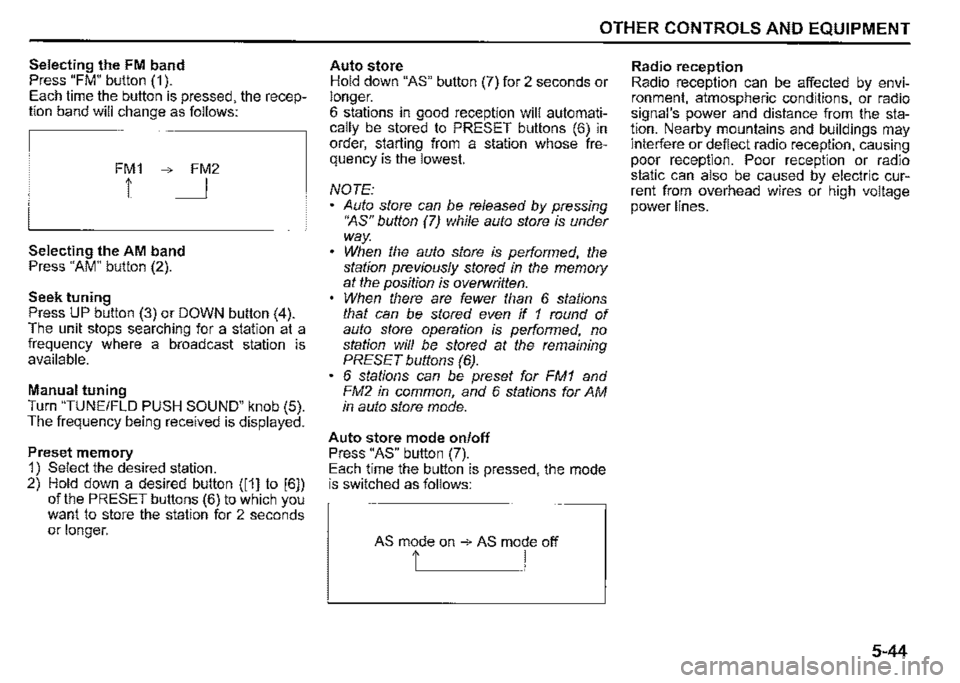
Selecting the FM band Press "FM" button (1 ). Each time the button is pressed, the reception band will change as follows:
FM1 ➔ FM2
1 I
Selecting the AM band Press "AM" button (2).
Seek tuning Press UP button (3) or DOWN button (4). The unit stops searching for a station at a frequency where a broadcast station is available.
Manual tuning Turn "TUNE/FLO PUSH SOUND" knob (5). The frequency being received is displayed.
Preset memory 1) Select the desired station. 2) Hold down a desired button ([1] to [6]) of the PRESET buttons (6) to which you want to store the station for 2 seconds or longer.
OTHER CONTROLS AND EQUIPMENT
Auto store Hold down "AS" button (7) for 2 seconds or longer. 6 stations in good reception will automatically be stored to PRESET buttons (6) in order, starting from a station whose frequency is the lowest.
NOTE: Auto store can be released by pressing •~s" button (7) while auto store is under way. When the auto store is performed, the station previously stored in the memory at the position is overwritten. When there are fewer than 6 stations that can be stored even if 1 round of auto store operation is performed, no station will be stored at the remaining PRESET buttons (6). 6 stations can be preset for FM1 and FM2 in common, and 6 stations for AM in auto store mode.
Auto store mode on/off Press "AS" button (7). Each time the button is pressed, the mode is switched as follows:
AS mode on ➔ AS mode off
t I
Radio reception Radio reception can be affected by environment, atmospheric conditions, or radio signal's power and distance from the station. Nearby mountains and buildings may interfere or deflect radio reception, causing poor reception. Poor reception or radio static can also be caused by electric current from overhead wires or high voltage power lines.
5-44
Page 293 of 421
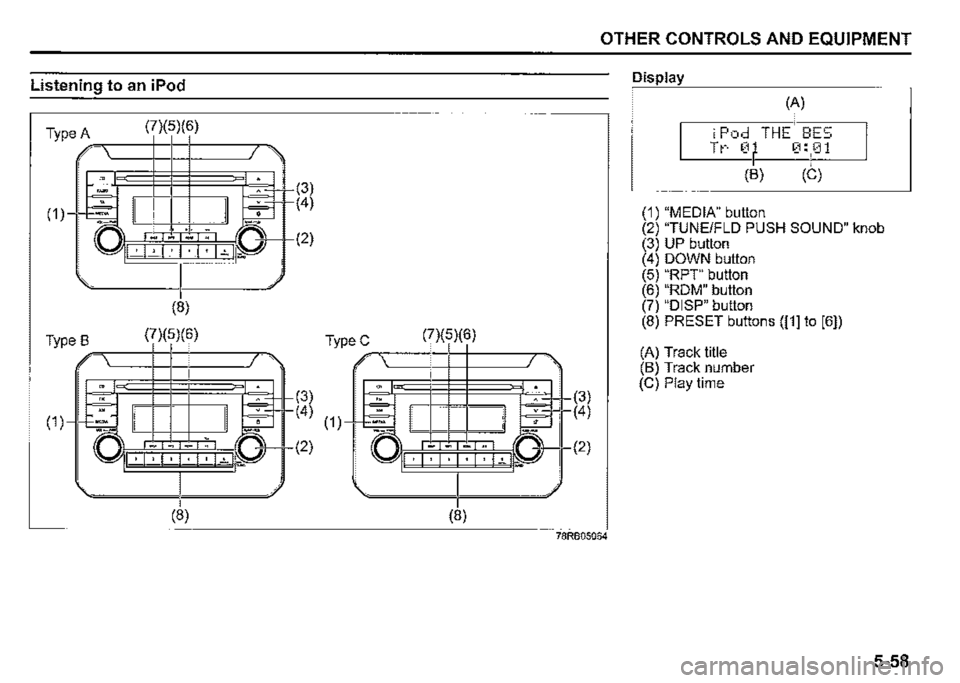
Listening to an iPod
(7)(5)(6) Type A ,,-,---+-t--t-------,=,,
'" ( □Sr~ , . ,.,.
(8)
(7)(5)(6) Type B -----+-+--+-------,=,.
(7)(5)(6) TypeC ,,-,-----+-t--t-------,-
(3)
~3+ ( 4) ( 1 )---l+=l
-....... -.,
l.iJ~I , I · I · I~ I ii.a
(8)
(2)
(8)
OTHER CONTROLS AND EQUIPMENT
(3)
r(4)
I (2)
78RB05064
Display
(A)
iPod THE BES Tt-· 0 0:01
(B) (C)
(1) "MEDIA" button (2) "TUNE/FLO PUSH SOUND" knob (3) UP button (4) DOWN button (5) "RPT" button (6) "ROM" button (7) "DISP" button (8) PRESET buttons ([1] to [6])
(A) Track title (B) Track number (C) Play time
5-58