Warning light SUZUKI KIZASHI 2010 1.G Owner's Manual
[x] Cancel search | Manufacturer: SUZUKI, Model Year: 2010, Model line: KIZASHI, Model: SUZUKI KIZASHI 2010 1.GPages: 388, PDF Size: 4.94 MB
Page 95 of 388
2-76
BEFORE DRIVING
57L20-03E
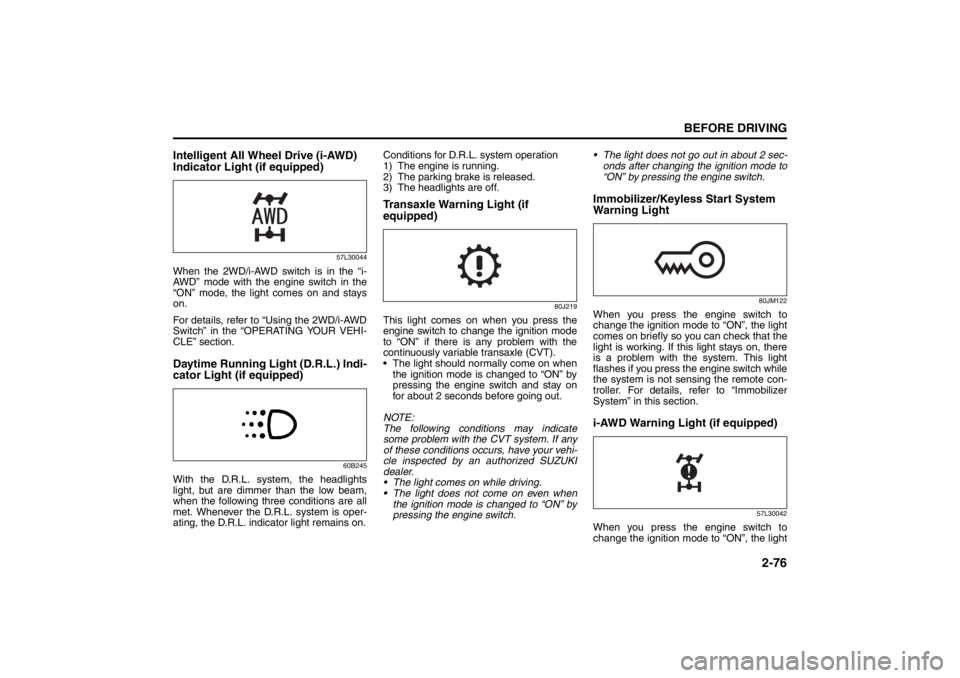
Intelligent All Wheel Drive (i-AWD)
Indicator Light (if equipped)
57L30044
When the 2WD/i-AWD switch is in the “i-
AWD” mode with the engine switch in the
“ON” mode, the light comes on and stays
on.
For details, refer to “Using the 2WD/i-AWD
Switch” in the “OPERATING YOUR VEHI-
CLE” section.Daytime Running Light (D.R.L.) Indi-
cator Light (if equipped)
60B245
With the D.R.L. system, the headlights
light, but are dimmer than the low beam,
when the following three conditions are all
met. Whenever the D.R.L. system is oper-
ating, the D.R.L. indicator light remains on.Conditions for D.R.L. system operation
1) The engine is running.
2) The parking brake is released.
3) The headlights are off.
Transaxle Warning Light (if
equipped)
80J219
This light comes on when you press the
engine switch to change the ignition mode
to “ON” if there is any problem with the
continuously variable transaxle (CVT).
The light should normally come on when
the ignition mode is changed to “ON” by
pressing the engine switch and stay on
for about 2 seconds before going out.
NOTE:
The following conditions may indicate
some problem with the CVT system. If any
of these conditions occurs, have your vehi-
cle inspected by an authorized SUZUKI
dealer.
The light comes on while driving.
The light does not come on even when
the ignition mode is changed to “ON” by
pressing the engine switch. The light does not go out in about 2 sec-
onds after changing the ignition mode to
“ON” by pressing the engine switch.
Immobilizer/Keyless Start System
Warning Light
80JM122
When you press the engine switch to
change the ignition mode to “ON”, the light
comes on briefly so you can check that the
light is working. If this light stays on, there
is a problem with the system. This light
flashes if you press the engine switch while
the system is not sensing the remote con-
troller. For details, refer to “Immobilizer
System” in this section.i-AWD Warning Light (if equipped)
57L30042
When you press the engine switch to
change the ignition mode to “ON”, the light
Page 96 of 388
2-77BEFORE DRIVING
57L20-03E
comes on briefly so you can check that the
light is working.
This light comes on if there is any prob-
lem with the intelligent all wheel drive (i-
AWD) system. The drive mode will then
automatically switch to the two-wheel
drive (2WD) mode.
The light flashes if the vehicle is in any of
the following conditions, and the drive
train mode will then automatically switch
to the 2WD mode.
– Wheels of different diameters are fitted
to the vehicle.
– Drive train components overheat as a
result of spinning of a drive wheel in
the mud or snow.
The light should normally come on when
you press the engine switch to change
the ignition mode to “ON” and continue
to light or go out depending on the drive
train mode engaged.
NOTE:
Should the light flash, immediately move
the vehicle to a safe place and park it there
to protect the drive train components. If
you let the engine run at idle for a while,
the light will stop flashing and then stay lit,
and the i-AWD mode will resume.
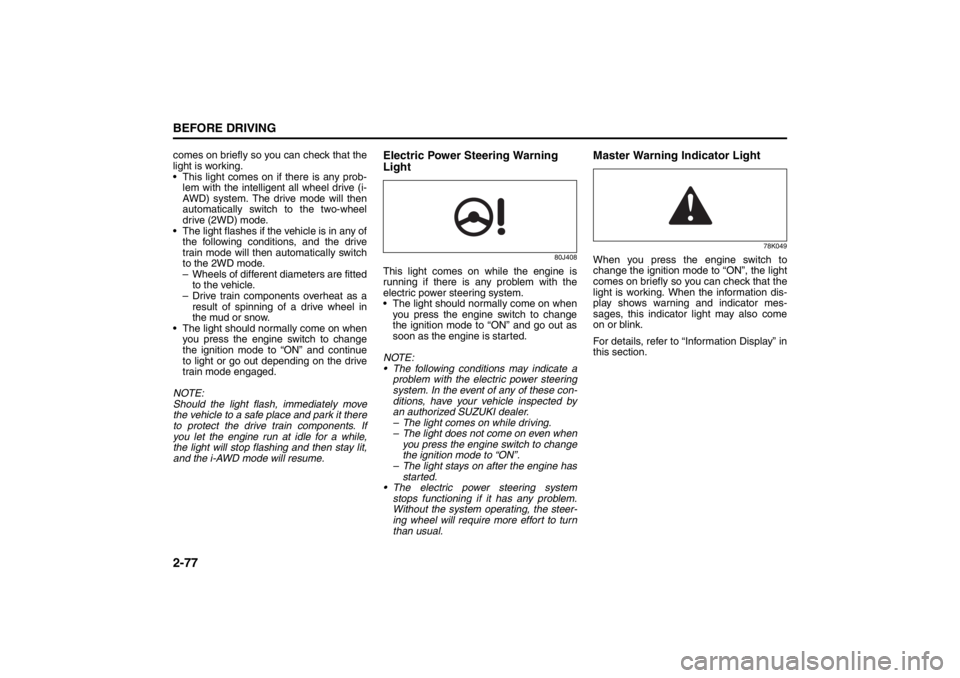
Electric Power Steering Warning
Light
80J408
This light comes on while the engine is
running if there is any problem with the
electric power steering system.
The light should normally come on when
you press the engine switch to change
the ignition mode to “ON” and go out as
soon as the engine is started.
NOTE:
The following conditions may indicate a
problem with the electric power steering
system. In the event of any of these con-
ditions, have your vehicle inspected by
an authorized SUZUKI dealer.
– The light comes on while driving.
– The light does not come on even when
you press the engine switch to change
the ignition mode to “ON”.
– The light stays on after the engine has
started.
The electric power steering system
stops functioning if it has any problem.
Without the system operating, the steer-
ing wheel will require more effort to turn
than usual.
Master Warning Indicator Light
78K049
When you press the engine switch to
change the ignition mode to “ON”, the light
comes on briefly so you can check that the
light is working. When the information dis-
play shows warning and indicator mes-
sages, this indicator light may also come
on or blink.
For details, refer to “Information Display” in
this section.
Page 98 of 388
2-79BEFORE DRIVING
57L20-03E
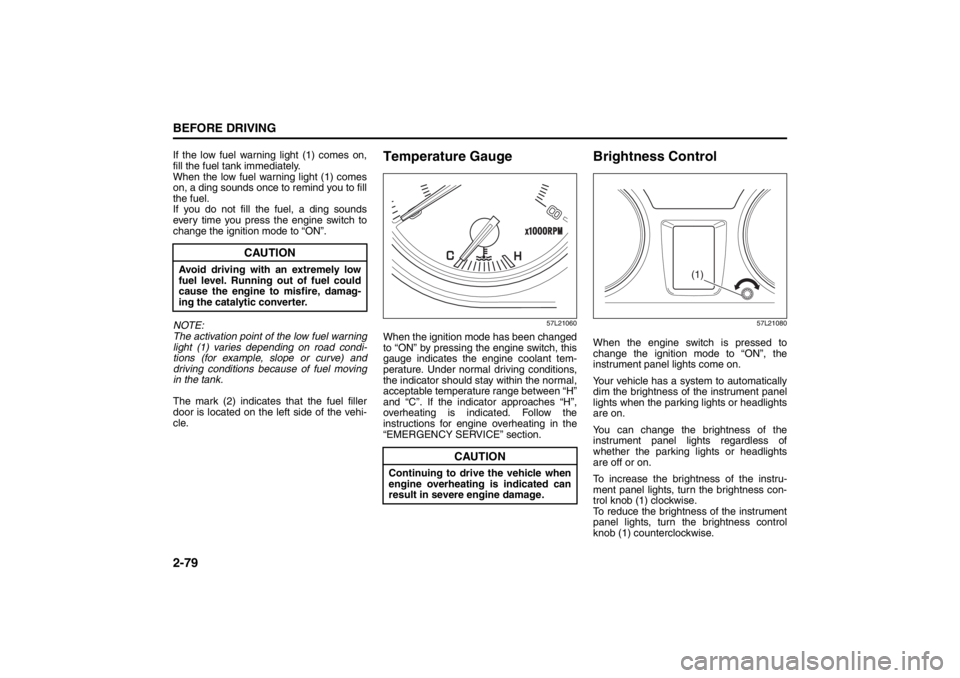
If the low fuel warning light (1) comes on,
fill the fuel tank immediately.
When the low fuel warning light (1) comes
on, a ding sounds once to remind you to fill
the fuel.
If you do not fill the fuel, a ding sounds
every time you press the engine switch to
change the ignition mode to “ON”.
NOTE:
The activation point of the low fuel warning
light (1) varies depending on road condi-
tions (for example, slope or curve) and
driving conditions because of fuel moving
in the tank.
The mark (2) indicates that the fuel filler
door is located on the left side of the vehi-
cle.
Temperature Gauge
57L21060
When the ignition mode has been changed
to “ON” by pressing the engine switch, this
gauge indicates the engine coolant tem-
perature. Under normal driving conditions,
the indicator should stay within the normal,
acceptable temperature range between “H”
and “C”. If the indicator approaches “H”,
overheating is indicated. Follow the
instructions for engine overheating in the
“EMERGENCY SERVICE” section.
Brightness Control
57L21080
When the engine switch is pressed to
change the ignition mode to “ON”, the
instrument panel lights come on.
Your vehicle has a system to automatically
dim the brightness of the instrument panel
lights when the parking lights or headlights
are on.
You can change the brightness of the
instrument panel lights regardless of
whether the parking lights or headlights
are off or on.
To increase the brightness of the instru-
ment panel lights, turn the brightness con-
trol knob (1) clockwise.
To reduce the brightness of the instrument
panel lights, turn the brightness control
knob (1) counterclockwise.
CAUTION
Avoid driving with an extremely low
fuel level. Running out of fuel could
cause the engine to misfire, damag-
ing the catalytic converter.
CAUTION
Continuing to drive the vehicle when
engine overheating is indicated can
result in severe engine damage.
(1)
Page 102 of 388

2-83BEFORE DRIVING
57L20-03E
Average fuel consumption
If you selected average fuel consumption
the last time you drove the vehicle, the dis-
play shows the last value of average fuel
consumption from previous driving when
the engine switch is pressed to change the
ignition mode to “ON”. Unless you reset
the value of average fuel consumption, the
display indicates the value of average fuel
consumption which includes average fuel
consumption during previous driving.
NOTE:
When you reconnect the negative (–) ter-
minal to the battery, the value of average
fuel consumption will be shown after driv-
ing for a period of time.
You can select when the value of average
fuel consumption is reset from among the
following three methods;
Reset after refuel: the value of averagefuel consumption will be reset automati-
cally by refueling.
Reset with trip A: the value of average fuel consumption will be reset automati-
cally by resetting trip meter A.
Reset manually: the value of average fuel consumption will be reset by pulling
and holding the DISP switch (2) when
the display indicates the average fuel
consumption. To change when the value of average fuel
consumption is reset, refer to “Setting
Mode” later in this section.
NOTE:
If you add only a small amount of fuel
when you select “Reset after refuel”, the
average fuel consumption value may not
be reset.
Driving range
If you selected driving range the last time
you drove the vehicle, the display indicates
“---” for a few seconds and then indicates
the current driving range when the engine
switch is pressed to change the ignition
mode to “ON”.
The driving range shown in the display is
the approximate distance you can drive
until the fuel gauge indicates “E”, based on
current driving conditions.
When the remaining fuel in fuel tank
reaches a low level, the display “---” will
appear.
If the low fuel warning light comes on, fill
the fuel tank immediately regardless of the
value of driving range shown in the display.
As the driving range after refueling is cal-
culated based on the most recent driving
condition, the value is different each time
you refuel. NOTE:
If you refuel when the ignition mode is
changed to “ON” by pressing the engine
switch, the driving range may not indi-
cate the correct value.
When you reconnect the negative (–) ter- minal to the battery, the value of driving
range will be shown after driving for a
period of time.
Average Speed
If you selected average speed the last time
you drove the vehicle, the display indicates
the last value of average speed from previ-
ous driving when the engine switch is
pressed to change the ignition mode to
“ON”. Unless you reset the value of aver-
age speed, the display indicates the value
of average speed which includes average
speed during previous driving.
To reset the value of average speed, pull
and hold the DISP switch (2) for about 2
seconds when the display indicates an
average speed. The display shows “---”
and then indicates a new average speed
after driving for a short time.
NOTE:
When you reconnect the negative (–) ter-
minal to the battery, the value of average
speed will be shown after driving for a
period of time.
Page 111 of 388
2-92
BEFORE DRIVING
57L20-03E
(#1) This message will disappear for a while even if the problem that caused the message to appear is not corrected.Warning and Indicator
MessageMaster Warning
IndicatorSound Cause and Remedy
57L21095
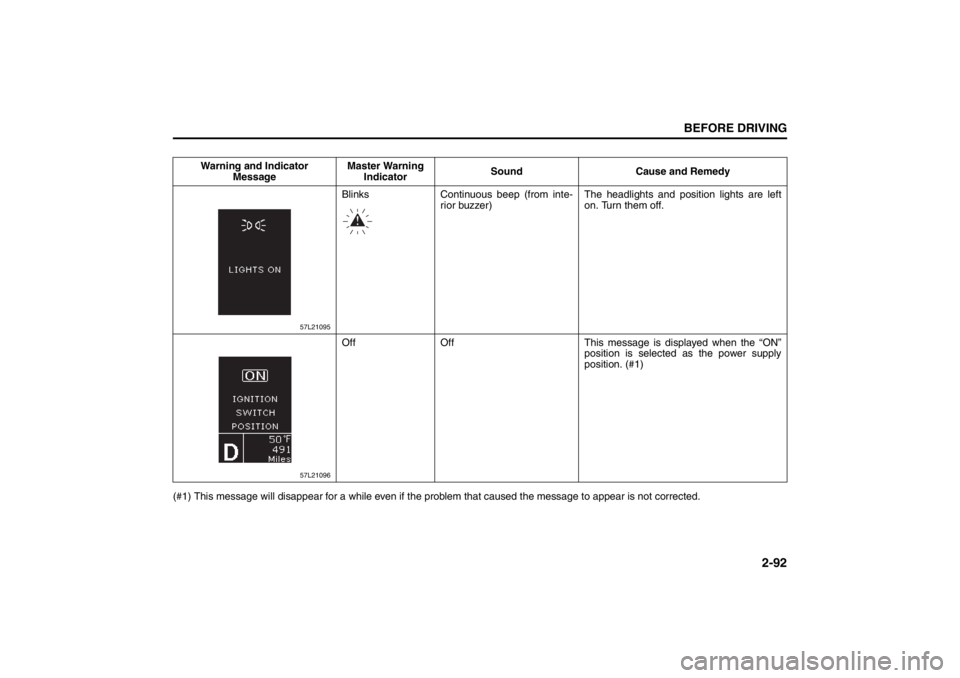
Blinks Continuous beep (from inte-
rior buzzer)The headlights and position lights are left
on. Turn them off.
57L21096
Off Off This message is displayed when the “ON”
position is selected as the power supply
position. (#1)
Page 112 of 388
2-93BEFORE DRIVING
57L20-03E
(#1) This message will disappear for a while even if the problem that caused the message to appear is not corrected.Warning and Indicator
MessageMaster Warning
IndicatorSound Cause and Remedy
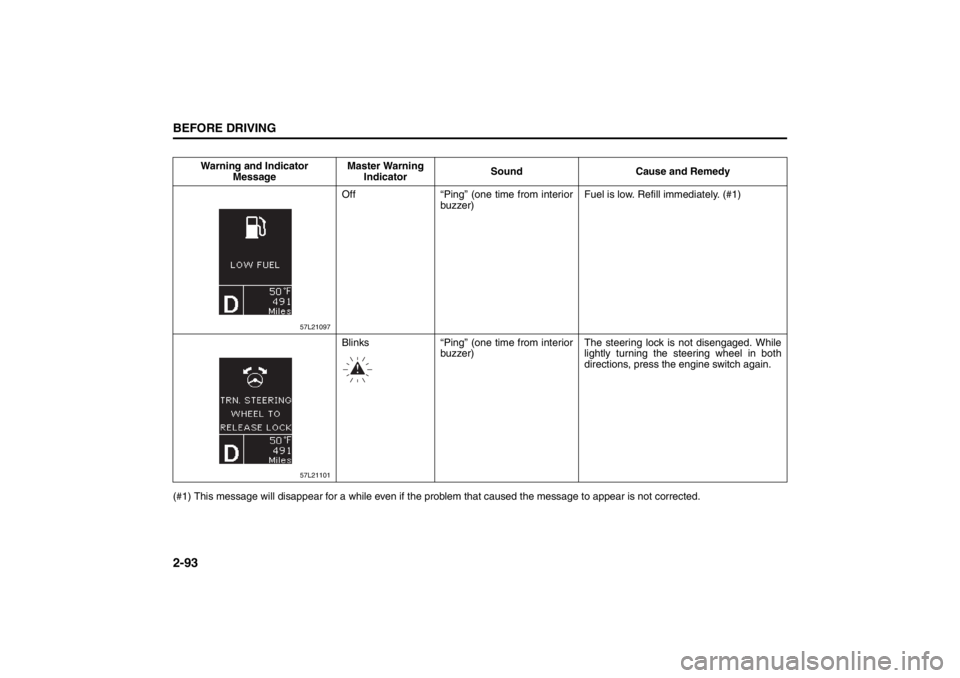
57L21097
Off “Ping” (one time from interior
buzzer)Fuel is low. Refill immediately. (#1)
57L21101
Blinks “Ping” (one time from interior
buzzer)The steering lock is not disengaged. While
lightly turning the steering wheel in both
directions, press the engine switch again.
Page 119 of 388
2-100
BEFORE DRIVING
57L20-03E
Lighting Control Lever
57L21128
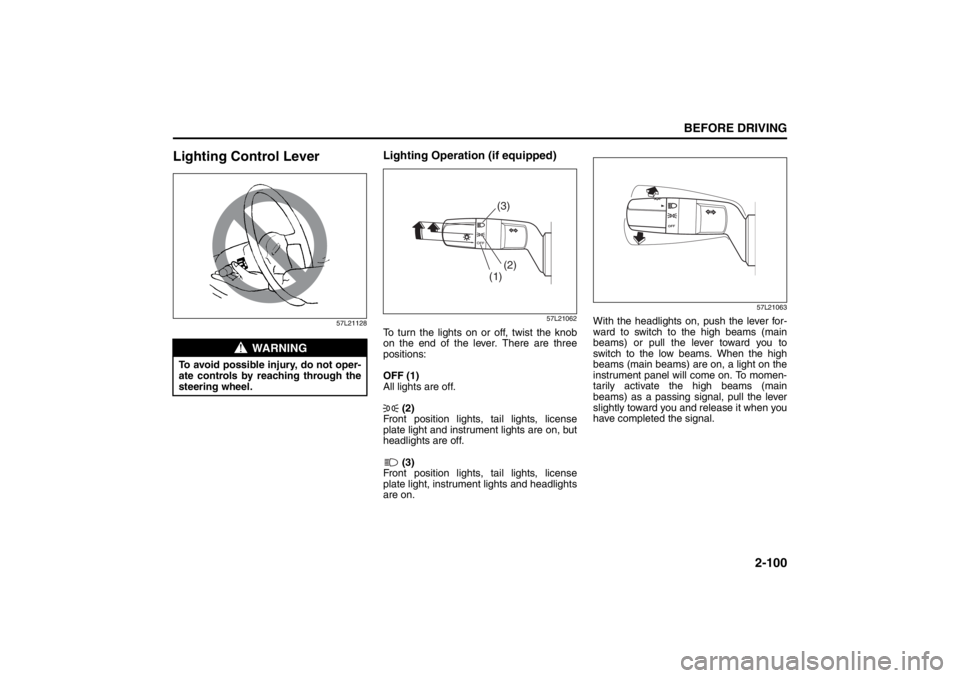
Lighting Operation (if equipped)
57L21062
To turn the lights on or off, twist the knob
on the end of the lever. There are three
positions:
OFF (1)
All lights are off.
(2)
Front position lights, tail lights, license
plate light and instrument lights are on, but
headlights are off.
(3)
Front position lights, tail lights, license
plate light, instrument lights and headlights
are on.
57L21063
With the headlights on, push the lever for-
ward to switch to the high beams (main
beams) or pull the lever toward you to
switch to the low beams. When the high
beams (main beams) are on, a light on the
instrument panel will come on. To momen-
tarily activate the high beams (main
beams) as a passing signal, pull the lever
slightly toward you and release it when you
have completed the signal.
WARNING
To avoid possible injury, do not oper-
ate controls by reaching through the
steering wheel.
(1)(2)(3)
Page 122 of 388
2-103BEFORE DRIVING
57L20-03E
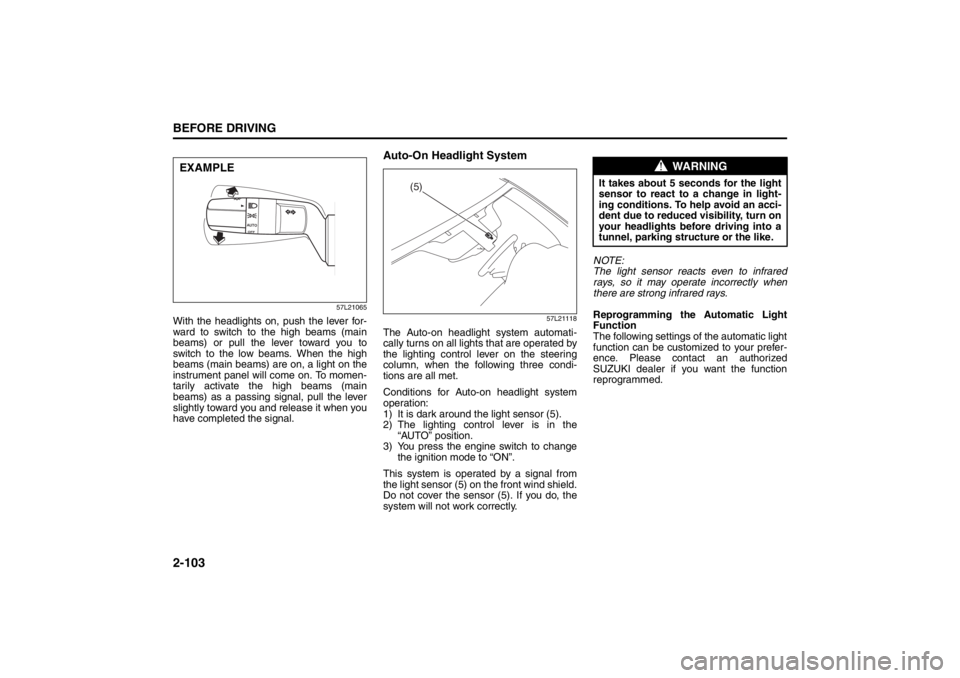
57L21065
With the headlights on, push the lever for-
ward to switch to the high beams (main
beams) or pull the lever toward you to
switch to the low beams. When the high
beams (main beams) are on, a light on the
instrument panel will come on. To momen-
tarily activate the high beams (main
beams) as a passing signal, pull the lever
slightly toward you and release it when you
have completed the signal.
Auto-On Headlight System
57L21118
The Auto-on headlight system automati-
cally turns on all lights that are operated by
the lighting control lever on the steering
column, when the following three condi-
tions are all met.
Conditions for Auto-on headlight system
operation:
1) It is dark around the light sensor (5).
2) The lighting control lever is in the
“AUTO” position.
3) You press the engine switch to change
the ignition mode to “ON”.
This system is operated by a signal from
the light sensor (5) on the front wind shield.
Do not cover the sensor (5). If you do, the
system will not work correctly.NOTE:
The light sensor reacts even to infrared
rays, so it may operate incorrectly when
there are strong infrared rays.
Reprogramming the Automatic Light
Function
The following settings of the automatic light
function can be customized to your prefer-
ence. Please contact an authorized
SUZUKI dealer if you want the function
reprogrammed.
EXAMPLE
(5)
WARNING
It takes about 5 seconds for the light
sensor to react to a change in light-
ing conditions. To help avoid an acci-
dent due to reduced visibility, turn on
your headlights before driving into a
tunnel, parking structure or the like.
Page 124 of 388
2-105BEFORE DRIVING
57L20-03E
NOTE:
Be sure to turn the headlights on at night
or at any time of the day when driving or
weather conditions require the headlights
to operate at full brightness and the tail-
lights to be on.
Lights “On” reminder
A buzzer sounds to remind you to turn off
the lights if they are left on when you press
the engine switch to change the ignition
mode to “LOCK” (OFF) and the driver’s
door is opened.
NOTE:
The warning and indicator message and
the illumination indicator light (2) will be
shown on the information display when this
reminder is activated.
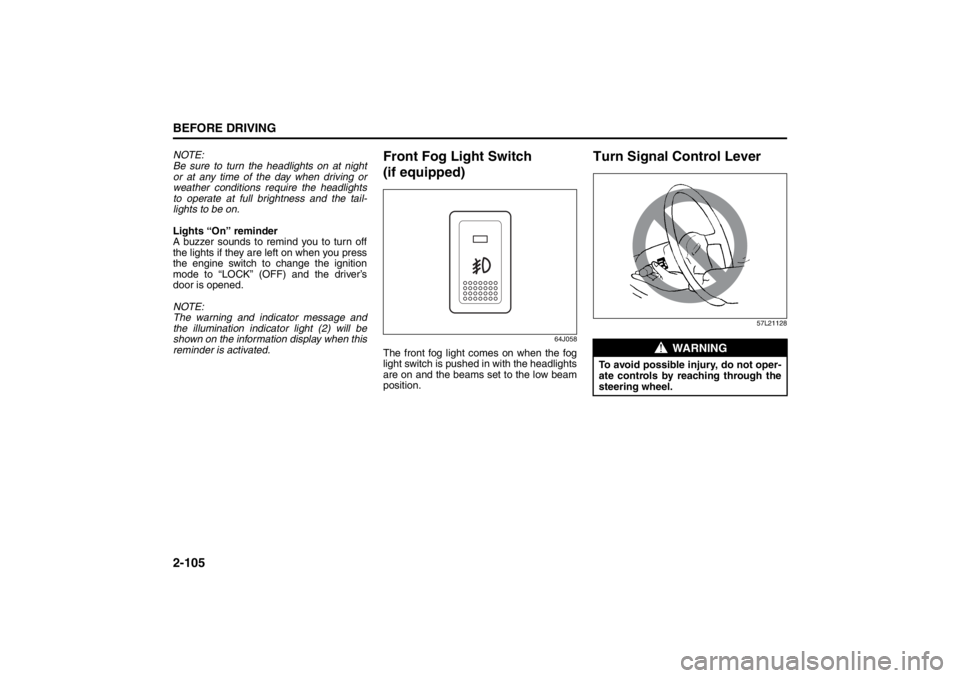
Front Fog Light Switch
(if equipped)
64J058
The front fog light comes on when the fog
light switch is pushed in with the headlights
are on and the beams set to the low beam
position.
Turn Signal Control Lever
57L21128
WARNING
To avoid possible injury, do not oper-
ate controls by reaching through the
steering wheel.
Page 125 of 388
2-106
BEFORE DRIVING
57L20-03E
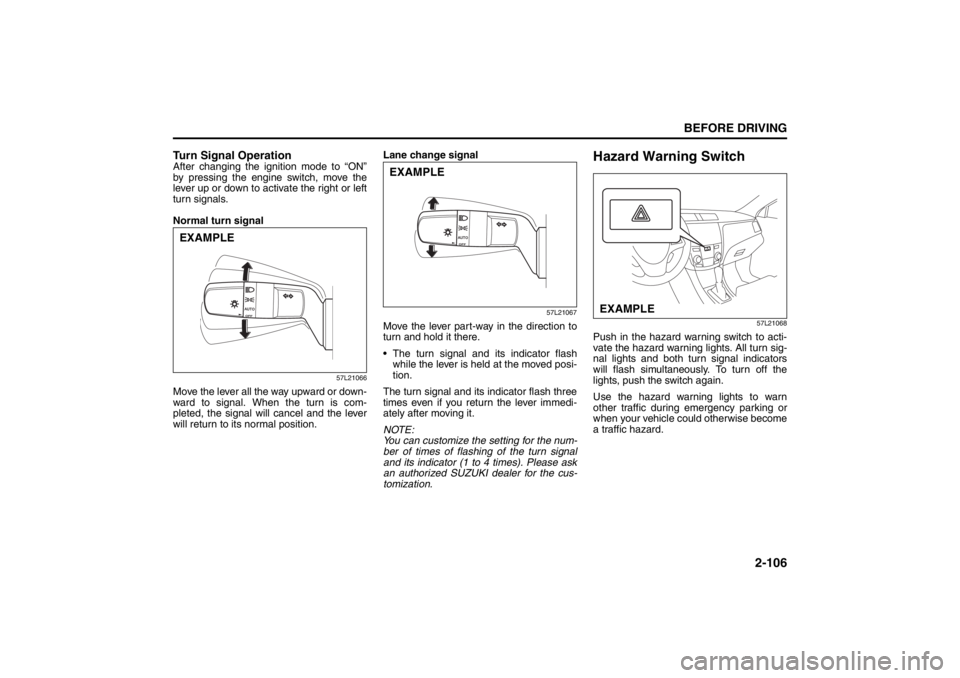
Turn Signal OperationAfter changing the ignition mode to “ON”
by pressing the engine switch, move the
lever up or down to activate the right or left
turn signals.
Normal turn signal
57L21066
Move the lever all the way upward or down-
ward to signal. When the turn is com-
pleted, the signal will cancel and the lever
will return to its normal position.Lane change signal
57L21067
Move the lever part-way in the direction to
turn and hold it there.
The turn signal and its indicator flash
while the lever is held at the moved posi-
tion.
The turn signal and its indicator flash three
times even if you return the lever immedi-
ately after moving it.
NOTE:
You can customize the setting for the num-
ber of times of flashing of the turn signal
and its indicator (1 to 4 times). Please ask
an authorized SUZUKI dealer for the cus-
tomization.
Hazard Warning Switch
57L21068
Push in the hazard warning switch to acti-
vate the hazard warning lights. All turn sig-
nal lights and both turn signal indicators
will flash simultaneously. To turn off the
lights, push the switch again.
Use the hazard warning lights to warn
other traffic during emergency parking or
when your vehicle could otherwise become
a traffic hazard.
EXAMPLE
EXAMPLE
EXAMPLE