clock SUZUKI RENO 2008 1.G User Guide
[x] Cancel search | Manufacturer: SUZUKI, Model Year: 2008, Model line: RENO, Model: SUZUKI RENO 2008 1.GPages: 226, PDF Size: 4.98 MB
Page 110 of 226
3-36
INSTRUMENT PANEL
85Z14-03E
tion such as: Song Title, Album Title, Artist,
and Bit rate may appear.
When information is not available, “No Info”
will appear on the display.
Press and hold this button to change the
display mode.
Scroll:
Press and hold the sound button [in MP3/
WMA mode]
The song title or other information of a
song will scroll on/off. The default mode is
scroll on.
Scroll mode can be changed only when
you press and hold the sound button.
CD Messages
CHECK CD:
If this message appears on the display
and/or the CD comes out, it could be for
one of the following reasons:
It is very hot. When the temperature
returns to normal, the CD will play.
You are driving on a very rough road.
When the road becomes smoother, the
CD will play.
The CD is dirty, scratched, wet, or
upside down.
The air is very humid. If so, wait about an
hour and try again.
The format of the CD may not be com-
patible. See “MP3/WMA Format” earlier
in this section. There may have been a problem while
burning the CD.
The label may be caught in the CD
player.
If the CD is not playing correctly, for any
other reason, try a known good CD.
If any error occurs repeatedly or if an error
cannot be corrected, contact your SUZUKI
dealer. If the radio displays an error mes-
sage, write it down and provide it to your
SUZUKI dealer when reporting the prob-
lem.
AUX Mod e
Press this button to listen to the audio con-
tents from other devices; Walkman, Porta-
ble CD Player, Portable MP3 Player, i-pod,
XM receiver, etc.
1) Connect the output port of the device to
the aux jack of the head unit with an
aux connector.
2) Turn the device on.
3) Press this button.
If you want to control the volume level, use
the volume buttons of the head unit or the
device.
Using the Auxiliary Input Jack
Your radio system has an auxiliary input
jack located on the lower right side of the
faceplate. This is not an audio output; do
not plug a headphone set into the front
auxiliary input jack. You can however, con-
nect an external audio device such as aniPod, laptop computer, MP3 player, CD
changer, or cassette tape player, etc. to the
auxiliary input jack for use as another
source for audio listening.
The auxiliary input jack will also accept cell
phone connectors. Plug the cell phone
connector into the auxiliary input jack to
hear the other side of a cell phone’s con-
versation through the vehicle sound sys-
tem.
Drivers are encouraged to set up their por-
table audio player while the vehicle is
parked. See Defensive Driving for more
information on driver distraction.
To use a portable audio player, connect a
3.5 mm (1/8 inch) cable to the radio’s front
auxiliary input jack. When a device is con-
nected, press the radio CD/AUX button as
needed to begin playing audio from the
device over the car speakers.
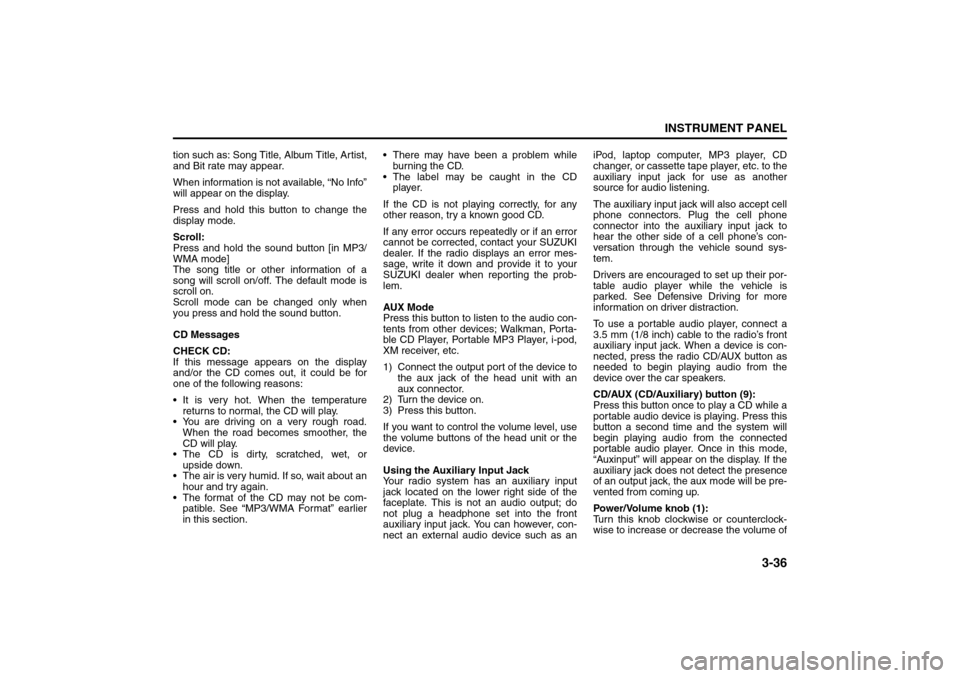
CD/AUX (CD/Auxiliary) button (9):
Press this button once to play a CD while a
portable audio device is playing. Press this
button a second time and the system will
begin playing audio from the connected
portable audio player. Once in this mode,
“Auxinput” will appear on the display. If the
auxiliary jack does not detect the presence
of an output jack, the aux mode will be pre-
vented from coming up.
Power/Volume knob (1):
Turn this knob clockwise or counterclock-
wise to increase or decrease the volume of
Page 112 of 226
3-38
INSTRUMENT PANEL
85Z14-03E
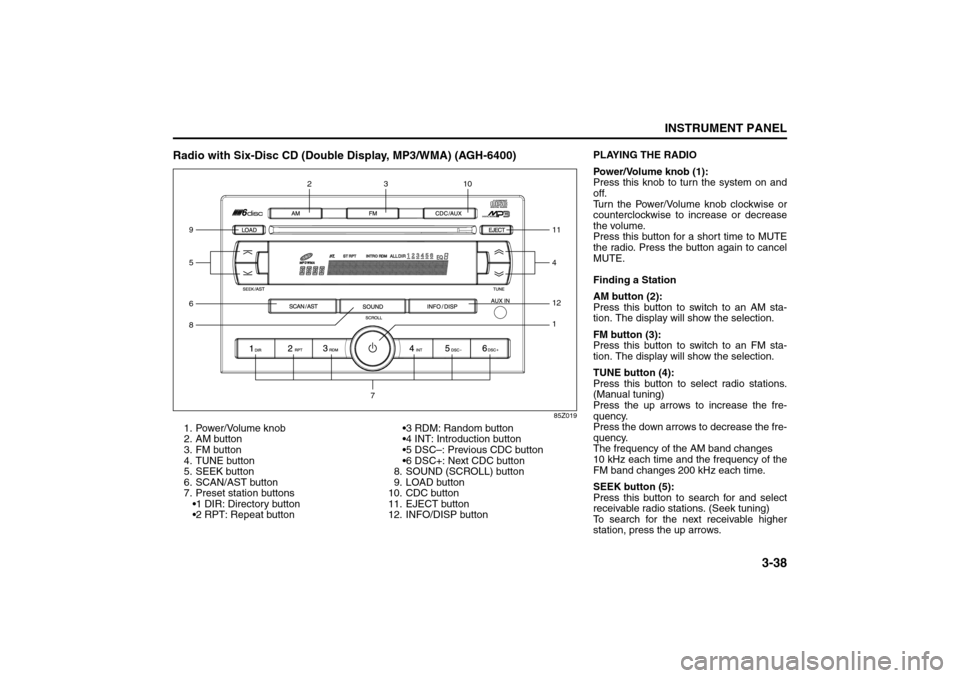
Radio with Six-Disc CD (Double Display, MP3/WMA) (AGH-6400)
85Z019
1. Power/Volume knob
2. AM button
3. FM button
4. TUNE button
5. SEEK button
6. SCAN/AST button
7. Preset station buttons
1 DIR: Directory button
2 RPT: Repeat button3 RDM: Random button
4 INT: Introduction button
5 DSC–: Previous CDC button
6 DSC+: Next CDC button
8. SOUND (SCROLL) button
9. LOAD button
10. CDC button
11. EJECT button
12. INFO/DISP button6812
1
5 910
411
3
2
7
PLAYING THE RADIO
Power/Volume knob (1):
Press this knob to turn the system on and
off.
Turn the Power/Volume knob clockwise or
counterclockwise to increase or decrease
the volume.
Press this button for a short time to MUTE
the radio. Press the button again to cancel
MUTE.
Finding a Station
AM button (2):
Press this button to switch to an AM sta-
tion. The display will show the selection.
FM button (3):
Press this button to switch to an FM sta-
tion. The display will show the selection.
TUNE button (4):
Press this button to select radio stations.
(Manual tuning)
Press the up arrows to increase the fre-
quency.
Press the down arrows to decrease the fre-
quency.
The frequency of the AM band changes
10 kHz each time and the frequency of the
FM band changes 200 kHz each time.
SEEK button (5):
Press this button to search for and select
receivable radio stations. (Seek tuning)
To search for the next receivable higher
station, press the up arrows.
Page 117 of 226
3-43INSTRUMENT PANEL
85Z14-03E
tion such as: Song Title, Album Title, Artist,
and Bit rate may appear.
When information is not available, “No Info”
will appear on the display.
Press and hold this button to change the
display mode.
Scroll:
Press and hold the sound button [in MP3/
WMA mode]
The song title or other information of a
song will scroll on/off. The default mode is
scroll on.
Scroll mode can be changed only when
you press and hold the sound button.
CD Messages
CHECK CD:
If this message appears on the display
and/or the CD comes out, it could be for
one of the following reasons:
It is very hot. When the temperature
returns to normal, the CD will play.
You are driving on a very rough road.
When the road becomes smoother, the
CD will play.
The CD is dirty, scratched, wet, or
upside down.
The air is very humid. If so, wait about an
hour and try again.
The format of the CD may not be com-
patible. See “MP3/WMA Format” earlier
in this section. There may have been a problem while
burning the CD.
The label may be caught in the CD
player.
If the CD is not playing correctly, for any
other reason, try a known good CD.
If any error occurs repeatedly or if an error
cannot be corrected, contact your SUZUKI
dealer. If the radio displays an error mes-
sage, write it down and provide it to your
SUZUKI dealer when reporting the prob-
lem.
AUX Mod e
Press this button to listen to the audio con-
tents from other devices; Walkman, Porta-
ble CD Player, Portable MP3 Player, i-pod,
XM receiver, etc.
1) Connect the output port of the device to
the aux jack of the head unit with an
aux connector.
2) Turn the device on.
3) Press this button.
If you want to control the volume level, use
the volume buttons of the head unit or the
device.
Using the Auxiliary Input Jack
Your radio system has an auxiliary input
jack located on the lower right side of the
faceplate. This is not an audio output; do
not plug a headphone set into the front
auxiliary input jack. You can however, con-
nect an external audio device such as aniPod, laptop computer, MP3 player, CD
changer, or cassette tape player, etc. to the
auxiliary input jack for use as another
source for audio listening.
The auxiliary input jack will also accept cell
phone connectors. Plug the cell phone
connector into the auxiliary input jack to
hear the other side of a cell phone’s con-
versation through the vehicle sound sys-
tem.
Drivers are encouraged to set up their por-
table audio player while the vehicle is
parked. See Defensive Driving for more
information on driver distraction.
To use a portable audio player, connect a
3.5 mm (1/8 inch) cable to the radio’s front
auxiliary input jack. When a device is con-
nected, press the radio CD/AUX button as
needed to begin playing audio from the
device over the car speakers.
CD/AUX (CD/Auxiliary) button (9):
Press this button once to play a CD while a
portable audio device is playing. Press this
button a second time and the system will
begin playing audio from the connected
portable audio player. Once in this mode,
“Auxinput” will appear on the display. If the
auxiliary jack does not detect the presence
of an output jack, the aux mode will be pre-
vented from coming up.
Power/Volume knob (1):
Turn this knob clockwise or counterclock-
wise to increase or decrease the volume of
Page 121 of 226
3-47INSTRUMENT PANEL
85Z14-03E
86Z016
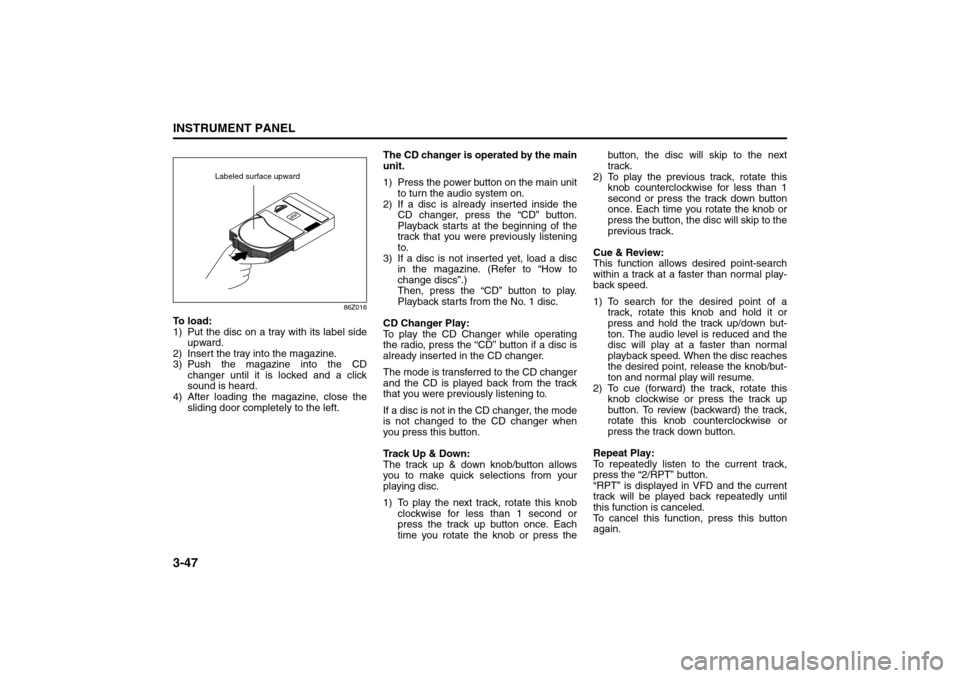
To load:
1) Put the disc on a tray with its label side
upward.
2) Insert the tray into the magazine.
3) Push the magazine into the CD
changer until it is locked and a click
sound is heard.
4) After loading the magazine, close the
sliding door completely to the left.The CD changer is operated by the main
unit.
1) Press the power button on the main unit
to turn the audio system on.
2) If a disc is already inserted inside the
CD changer, press the “CD” button.
Playback starts at the beginning of the
track that you were previously listening
to.
3) If a disc is not inserted yet, load a disc
in the magazine. (Refer to “How to
change discs”.)
Then, press the “CD” button to play.
Playback starts from the No. 1 disc.
CD Changer Play:
To play the CD Changer while operating
the radio, press the “CD” button if a disc is
already inserted in the CD changer.
The mode is transferred to the CD changer
and the CD is played back from the track
that you were previously listening to.
If a disc is not in the CD changer, the mode
is not changed to the CD changer when
you press this button.
Track Up & Down:
The track up & down knob/button allows
you to make quick selections from your
playing disc.
1) To play the next track, rotate this knob
clockwise for less than 1 second or
press the track up button once. Each
time you rotate the knob or press thebutton, the disc will skip to the next
track.
2) To play the previous track, rotate this
knob counterclockwise for less than 1
second or press the track down button
once. Each time you rotate the knob or
press the button, the disc will skip to the
previous track.
Cue & Review:
This function allows desired point-search
within a track at a faster than normal play-
back speed.
1) To search for the desired point of a
track, rotate this knob and hold it or
press and hold the track up/down but-
ton. The audio level is reduced and the
disc will play at a faster than normal
playback speed. When the disc reaches
the desired point, release the knob/but-
ton and normal play will resume.
2) To cue (forward) the track, rotate this
knob clockwise or press the track up
button. To review (backward) the track,
rotate this knob counterclockwise or
press the track down button.
Repeat Play:
To repeatedly listen to the current track,
press the “2/RPT” button.
“RPT” is displayed in VFD and the current
track will be played back repeatedly until
this function is canceled.
To cancel this function, press this button
again.
Labeled surface upward
Page 130 of 226
4-6
DRIVING YOUR VEHICLE
85Z14-03E
Steering in Emergencies
There are times when steering can be
more effective than braking. For example,
you come over a hill and find a truck
stopped in your lane, or a car suddenly
pulls out from nowhere, or a child darts out
from between parked cars and stops right
in front of you. You can avoid these prob-
lems by braking – if you can stop in time.
But sometimes you can’t; there isn’t room.
That’s the time for evasive action – steer-
ing around the problem.
Your vehicle can perform very well in emer-
gencies like these. First apply your brakes
but, unless you have anti-lock, not enough
to lock your wheels.
See “Braking” in this section. It is better to
remove as much speed as you can from a
possible collision. Then steer around the
problem, to the left or right depending on
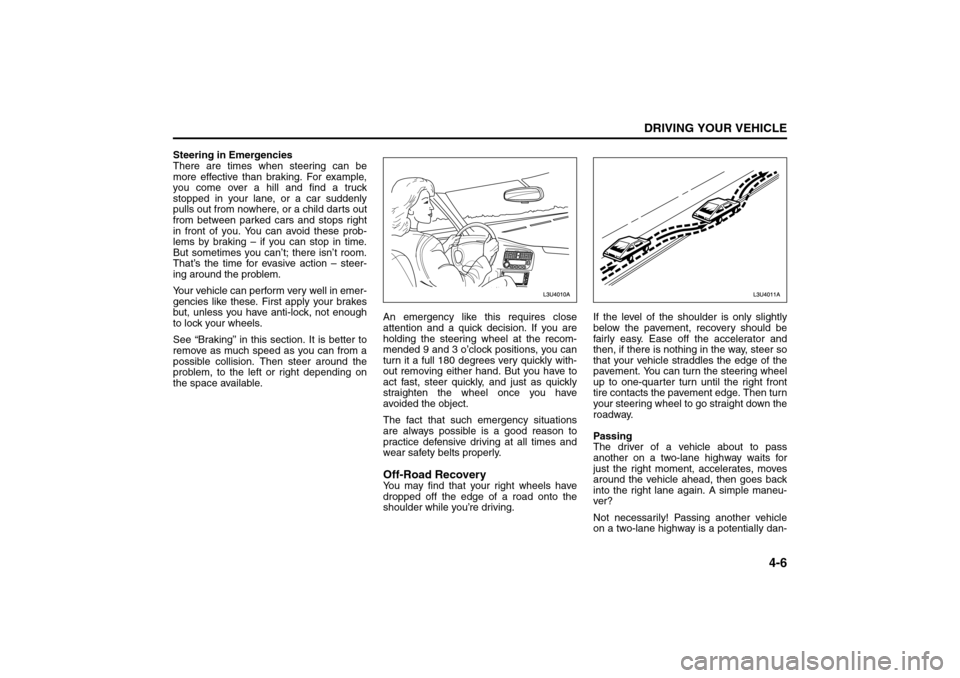
the space available.An emergency like this requires close
attention and a quick decision. If you are
holding the steering wheel at the recom-
mended 9 and 3 o’clock positions, you can
turn it a full 180 degrees very quickly with-
out removing either hand. But you have to
act fast, steer quickly, and just as quickly
straighten the wheel once you have
avoided the object.
The fact that such emergency situations
are always possible is a good reason to
practice defensive driving at all times and
wear safety belts properly.
Off-Road RecoveryYou may find that your right wheels have
dropped off the edge of a road onto the
shoulder while you’re driving.If the level of the shoulder is only slightly
below the pavement, recovery should be
fairly easy. Ease off the accelerator and
then, if there is nothing in the way, steer so
that your vehicle straddles the edge of the
pavement. You can turn the steering wheel
up to one-quarter turn until the right front
tire contacts the pavement edge. Then turn
your steering wheel to go straight down the
roadway.
Passing
The driver of a vehicle about to pass
another on a two-lane highway waits for
just the right moment, accelerates, moves
around the vehicle ahead, then goes back
into the right lane again. A simple maneu-
ver?
Not necessarily! Passing another vehicle
on a two-lane highway is a potentially dan-
Your Driving, the Road, and Your Vehicle:
Page 147 of 226
5-3SERVICE AND APPEARANCE CARE
85Z14-03E
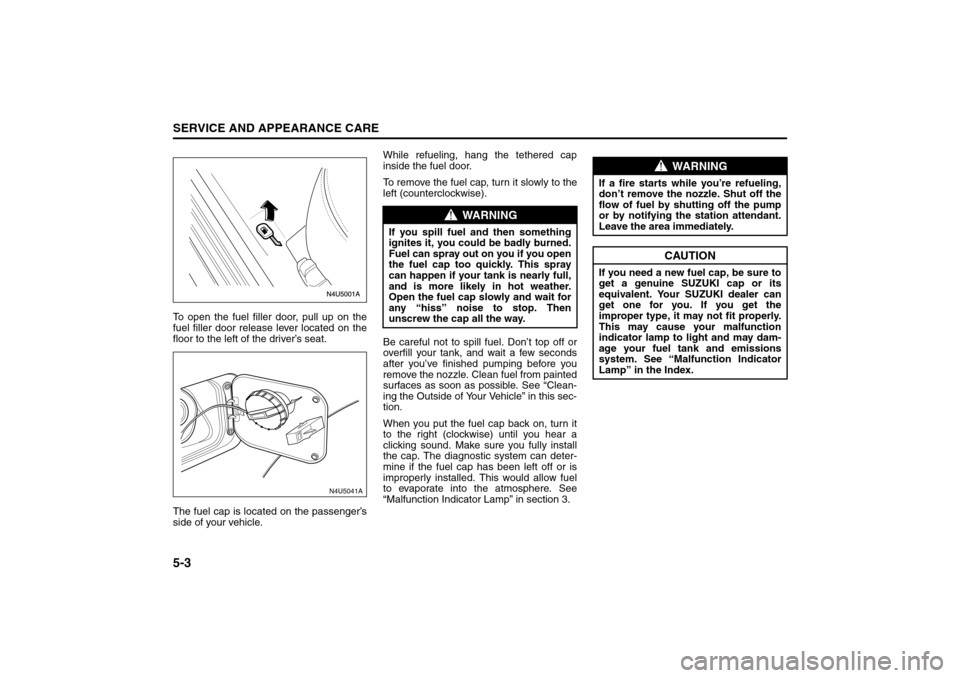
To open the fuel filler door, pull up on the
fuel filler door release lever located on the
floor to the left of the driver’s seat.
The fuel cap is located on the passenger’s
side of your vehicle.While refueling, hang the tethered cap
inside the fuel door.
To remove the fuel cap, turn it slowly to the
left (counterclockwise).
Be careful not to spill fuel. Don’t top off or
overfill your tank, and wait a few seconds
after you’ve finished pumping before you
remove the nozzle. Clean fuel from painted
surfaces as soon as possible. See “Clean-
ing the Outside of Your Vehicle” in this sec-
tion.
When you put the fuel cap back on, turn it
to the right (clockwise) until you hear a
clicking sound. Make sure you fully install
the cap. The diagnostic system can deter-
mine if the fuel cap has been left off or is
improperly installed. This would allow fuel
to evaporate into the atmosphere. See
“Malfunction Indicator Lamp” in section 3.
N4U5041A
WARNING
If you spill fuel and then something
ignites it, you could be badly burned.
Fuel can spray out on you if you open
the fuel cap too quickly. This spray
can happen if your tank is nearly full,
and is more likely in hot weather.
Open the fuel cap slowly and wait for
any “hiss” noise to stop. Then
unscrew the cap all the way.
WARNING
If a fire starts while you’re refueling,
don’t remove the nozzle. Shut off the
flow of fuel by shutting off the pump
or by notifying the station attendant.
Leave the area immediately.
CAUTION
If you need a new fuel cap, be sure to
get a genuine SUZUKI cap or its
equivalent. Your SUZUKI dealer can
get one for you. If you get the
improper type, it may not fit properly.
This may cause your malfunction
indicator lamp to light and may dam-
age your fuel tank and emissions
system. See “Malfunction Indicator
Lamp” in the Index.
Fuel:
Page 160 of 226
5-16
SERVICE AND APPEARANCE CARE
85Z14-03E
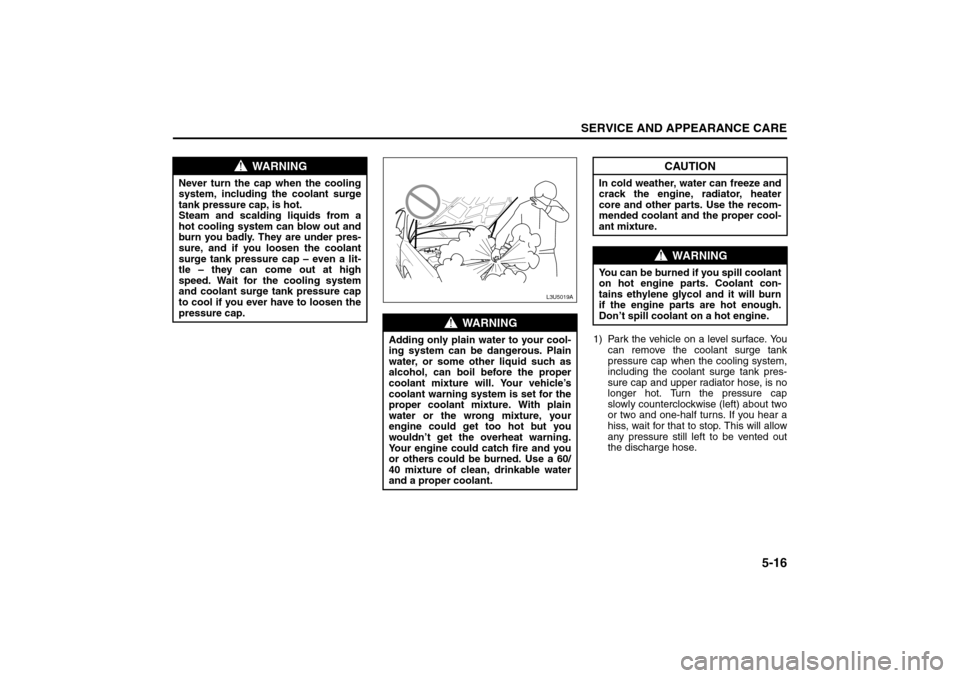
1) Park the vehicle on a level surface. You
can remove the coolant surge tank
pressure cap when the cooling system,
including the coolant surge tank pres-
sure cap and upper radiator hose, is no
longer hot. Turn the pressure cap
slowly counterclockwise (left) about two
or two and one-half turns. If you hear a
hiss, wait for that to stop. This will allow
any pressure still left to be vented out
the discharge hose.
WARNING
Never turn the cap when the cooling
system, including the coolant surge
tank pressure cap, is hot.
Steam and scalding liquids from a
hot cooling system can blow out and
burn you badly. They are under pres-
sure, and if you loosen the coolant
surge tank pressure cap – even a lit-
tle – they can come out at high
speed. Wait for the cooling system
and coolant surge tank pressure cap
to cool if you ever have to loosen the
pressure cap.
WARNING
Adding only plain water to your cool-
ing system can be dangerous. Plain
water, or some other liquid such as
alcohol, can boil before the proper
coolant mixture will. Your vehicle’s
coolant warning system is set for the
proper coolant mixture. With plain
water or the wrong mixture, your
engine could get too hot but you
wouldn’t get the overheat warning.
Your engine could catch fire and you
or others could be burned. Use a 60/
40 mixture of clean, drinkable water
and a proper coolant.
L3U5019A
CAUTION
In cold weather, water can freeze and
crack the engine, radiator, heater
core and other parts. Use the recom-
mended coolant and the proper cool-
ant mixture.
WARNING
You can be burned if you spill coolant
on hot engine parts. Coolant con-
tains ethylene glycol and it will burn
if the engine parts are hot enough.
Don’t spill coolant on a hot engine.
Checking Things Under the Hood:
Page 168 of 226
5-24
SERVICE AND APPEARANCE CARE
85Z14-03E
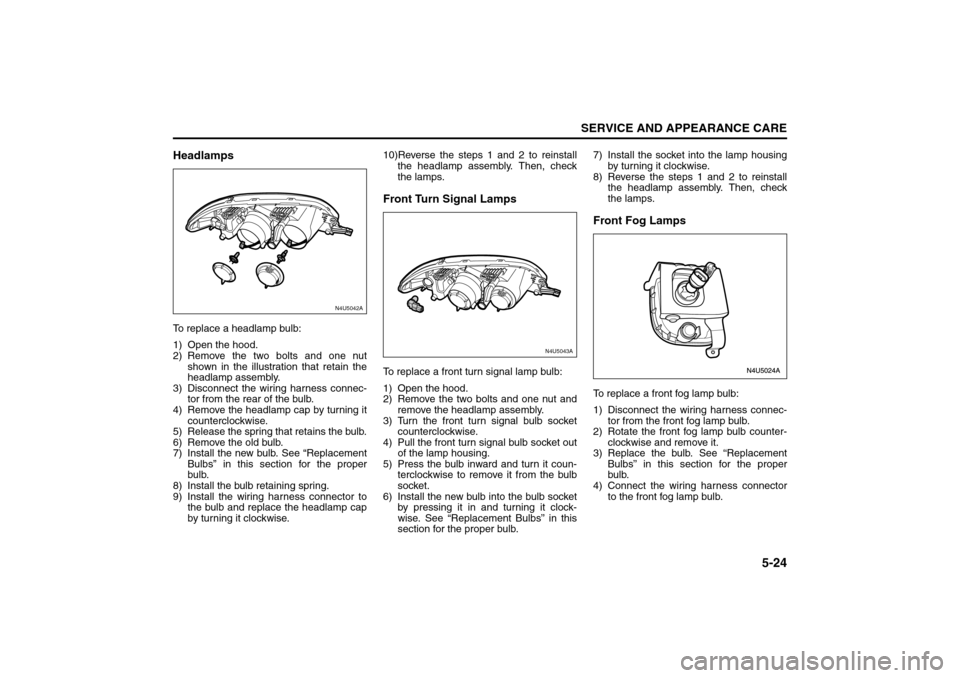
HeadlampsTo replace a headlamp bulb:
1) Open the hood.
2) Remove the two bolts and one nut
shown in the illustration that retain the
headlamp assembly.
3) Disconnect the wiring harness connec-
tor from the rear of the bulb.
4) Remove the headlamp cap by turning it
counterclockwise.
5) Release the spring that retains the bulb.
6) Remove the old bulb.
7) Install the new bulb. See “Replacement
Bulbs” in this section for the proper
bulb.
8) Install the bulb retaining spring.
9) Install the wiring harness connector to
the bulb and replace the headlamp cap
by turning it clockwise.10)Reverse the steps 1 and 2 to reinstall
the headlamp assembly. Then, check
the lamps.
Front Turn Signal LampsTo replace a front turn signal lamp bulb:
1) Open the hood.
2) Remove the two bolts and one nut and
remove the headlamp assembly.
3) Turn the front turn signal bulb socket
counterclockwise.
4) Pull the front turn signal bulb socket out
of the lamp housing.
5) Press the bulb inward and turn it coun-
terclockwise to remove it from the bulb
socket.
6) Install the new bulb into the bulb socket
by pressing it in and turning it clock-
wise. See “Replacement Bulbs” in this
section for the proper bulb.7) Install the socket into the lamp housing
by turning it clockwise.
8) Reverse the steps 1 and 2 to reinstall
the headlamp assembly. Then, check
the lamps.
Front Fog LampsTo replace a front fog lamp bulb:
1) Disconnect the wiring harness connec-
tor from the front fog lamp bulb.
2) Rotate the front fog lamp bulb counter-
clockwise and remove it.
3) Replace the bulb. See “Replacement
Bulbs” in this section for the proper
bulb.
4) Connect the wiring harness connector
to the front fog lamp bulb.
N4U5042A
N4U5043A
Bulb Replacement:
Page 169 of 226
5-25SERVICE AND APPEARANCE CARE
85Z14-03E
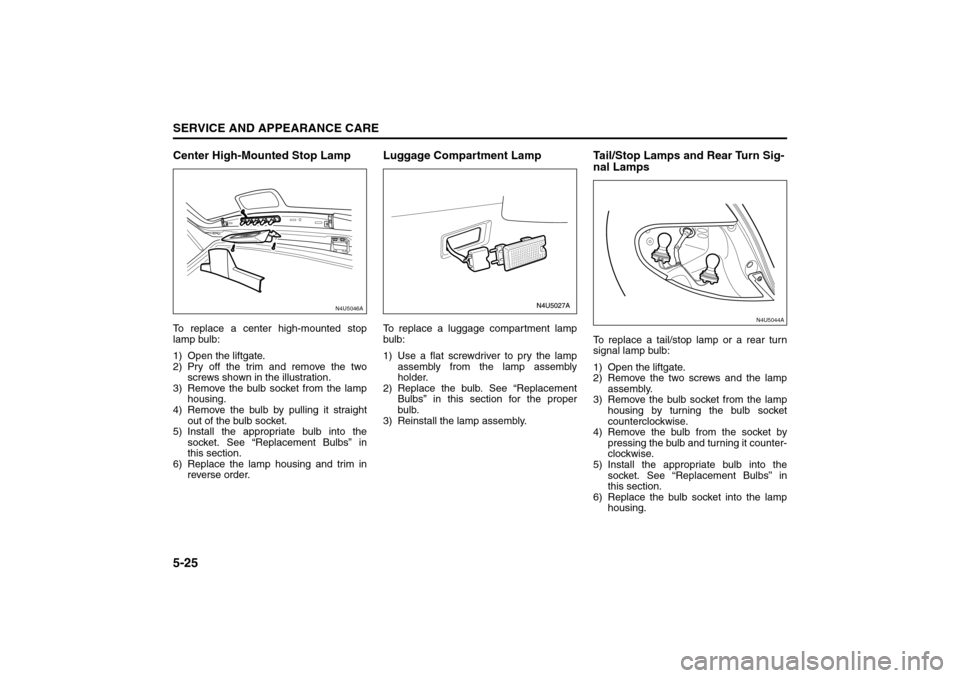
Center High-Mounted Stop LampTo replace a center high-mounted stop
lamp bulb:
1) Open the liftgate.
2) Pry off the trim and remove the two
screws shown in the illustration.
3) Remove the bulb socket from the lamp
housing.
4) Remove the bulb by pulling it straight
out of the bulb socket.
5) Install the appropriate bulb into the
socket. See “Replacement Bulbs” in
this section.
6) Replace the lamp housing and trim in
reverse order.
Luggage Compartment LampTo replace a luggage compartment lamp
bulb:
1) Use a flat screwdriver to pry the lamp
assembly from the lamp assembly
holder.
2) Replace the bulb. See “Replacement
Bulbs” in this section for the proper
bulb.
3) Reinstall the lamp assembly.
Tail/Stop Lamps and Rear Turn Sig-
nal LampsTo replace a tail/stop lamp or a rear turn
signal lamp bulb:
1) Open the liftgate.
2) Remove the two screws and the lamp
assembly.
3) Remove the bulb socket from the lamp
housing by turning the bulb socket
counterclockwise.
4) Remove the bulb from the socket by
pressing the bulb and turning it counter-
clockwise.
5) Install the appropriate bulb into the
socket. See “Replacement Bulbs” in
this section.
6) Replace the bulb socket into the lamp
housing.
N4U5046A
N4U5044A
Bulb Replacement:
Page 170 of 226
5-26
SERVICE AND APPEARANCE CARE
85Z14-03E
7) Replace the lamp housing into the vehi-
cle using the two screws removed ear-
lier.
8) Close the liftgate.
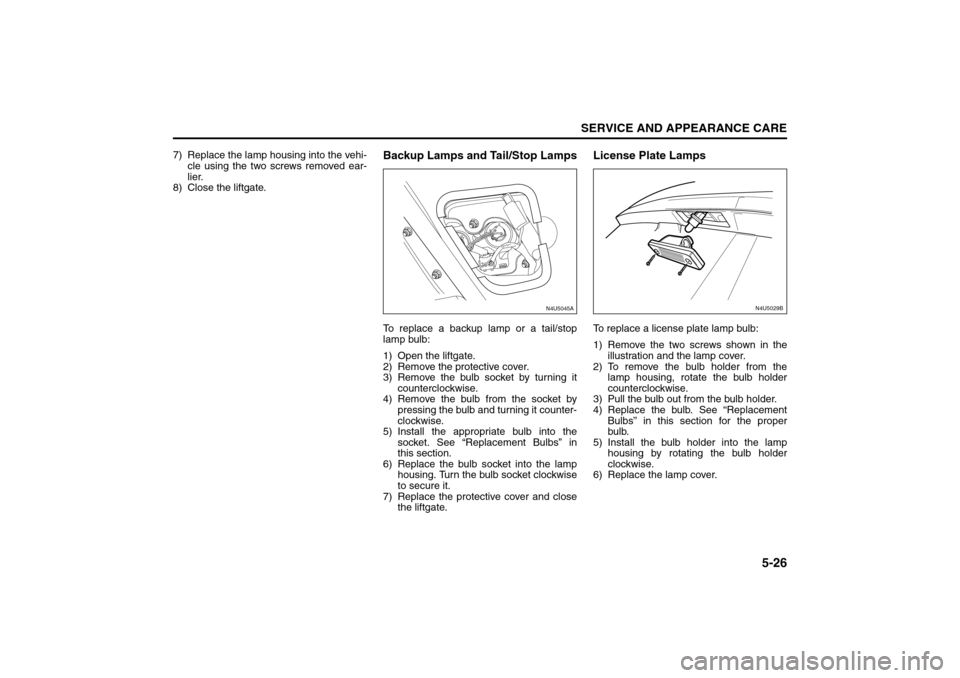
Backup Lamps and Tail/Stop LampsTo replace a backup lamp or a tail/stop
lamp bulb:
1) Open the liftgate.
2) Remove the protective cover.
3) Remove the bulb socket by turning it
counterclockwise.
4) Remove the bulb from the socket by
pressing the bulb and turning it counter-
clockwise.
5) Install the appropriate bulb into the
socket. See “Replacement Bulbs” in
this section.
6) Replace the bulb socket into the lamp
housing. Turn the bulb socket clockwise
to secure it.
7) Replace the protective cover and close
the liftgate.
License Plate LampsTo replace a license plate lamp bulb:
1) Remove the two screws shown in the
illustration and the lamp cover.
2) To remove the bulb holder from the
lamp housing, rotate the bulb holder
counterclockwise.
3) Pull the bulb out from the bulb holder.
4) Replace the bulb. See “Replacement
Bulbs” in this section for the proper
bulb.
5) Install the bulb holder into the lamp
housing by rotating the bulb holder
clockwise.
6) Replace the lamp cover.
N4U5045A
N4U5029B
Bulb Replacement: