ignition SUZUKI RENO 2008 1.G User Guide
[x] Cancel search | Manufacturer: SUZUKI, Model Year: 2008, Model line: RENO, Model: SUZUKI RENO 2008 1.GPages: 226, PDF Size: 4.98 MB
Page 64 of 226
2-16
FEATURES AND CONTROLS
85Z14-03E
OND (2). Slowly let up on the clutch pedal
as you press the accelerator pedal.
To stop, let up on the accelerator pedal and
press the brake pedal. Just before the
vehicle stops, press the clutch pedal and
brake pedal, and shift to NEUTRAL.
NEUTRAL:
Use this position when you start or idle
your engine.
REVERSE (R):
To back up, press down the clutch pedal,
lift up the ring on the shift lever and shift
into REVERSE (R). Let up on the clutch
pedal slowly while pressing the accelerator
pedal.
Also, use REVERSE (R), along with the
parking brake, for parking your vehicle.Shift Speed
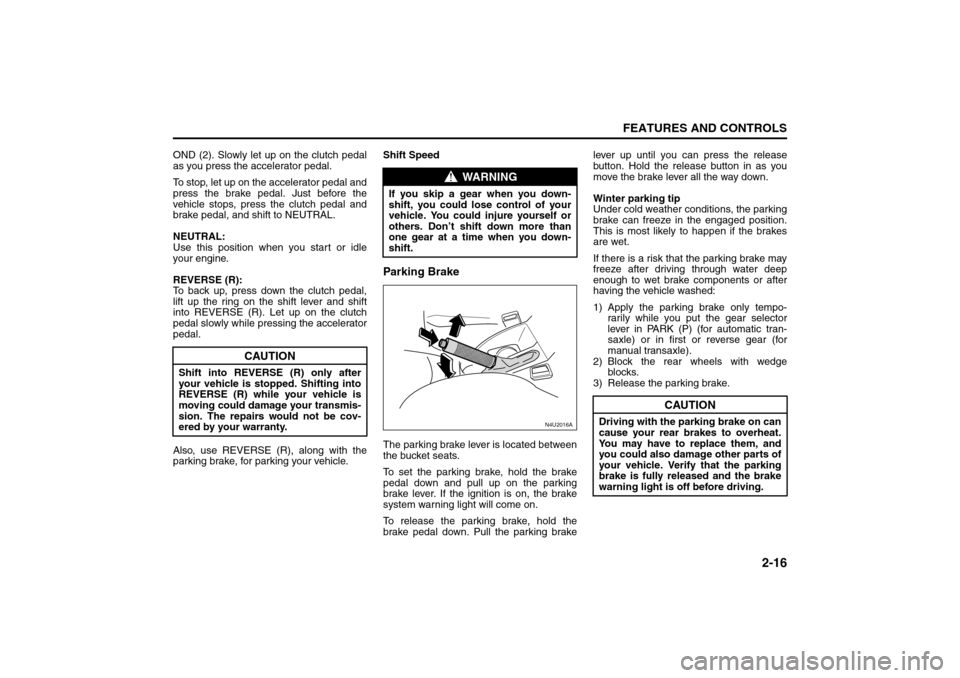
Parking BrakeThe parking brake lever is located between
the bucket seats.
To set the parking brake, hold the brake
pedal down and pull up on the parking
brake lever. If the ignition is on, the brake
system warning light will come on.
To release the parking brake, hold the
brake pedal down. Pull the parking brakelever up until you can press the release
button. Hold the release button in as you
move the brake lever all the way down.
Winter parking tip
Under cold weather conditions, the parking
brake can freeze in the engaged position.
This is most likely to happen if the brakes
are wet.
If there is a risk that the parking brake may
freeze after driving through water deep
enough to wet brake components or after
having the vehicle washed:
1) Apply the parking brake only tempo-
rarily while you put the gear selector
lever in PARK (P) (for automatic tran-
saxle) or in first or reverse gear (for
manual transaxle).
2) Block the rear wheels with wedge
blocks.
3) Release the parking brake.
CAUTION
Shift into REVERSE (R) only after
your vehicle is stopped. Shifting into
REVERSE (R) while your vehicle is
moving could damage your transmis-
sion. The repairs would not be cov-
ered by your warranty.
WARNING
If you skip a gear when you down-
shift, you could lose control of your
vehicle. You could injure yourself or
others. Don’t shift down more than
one gear at a time when you down-
shift.
N4U2016A
CAUTION
Driving with the parking brake on can
cause your rear brakes to overheat.
You may have to replace them, and
you could also damage other parts of
your vehicle. Verify that the parking
brake is fully released and the brake
warning light is off before driving.
Starting and Operating Your Vehicle:
Page 65 of 226
2-17FEATURES AND CONTROLS
85Z14-03E
Shifting Into Park (P)
(Automatic Transmission)1) Hold the brake pedal down and set the
parking brake.
2) Move the shift lever into the PARK (P)
position.
3) Turn the ignition key to LOCK.
4) Remove the key and take it with you. If
you can leave your vehicle with the igni-
tion key in your hand, your vehicle is in
PA R K ( P ) .Leaving Your Vehicle with the Engine
Running
If you have to leave your vehicle with the
engine running, be sure your vehicle is in
PARK (P) and your parking brake is firmly
set before you leave it. After you’ve moved
the shift lever into PARK (P), hold the regu-
lar brake pedal down. Then, see if you can
move the shift lever away from PARK (P)
without first pushing the button. If you can,
it means that the shift lever wasn’t fully
locked into PARK (P).To r q u e L o c k
If you are parking on a hill and you don’t
shift your transmission into PARK (P) prop-
erly, the weight of the vehicle may put too
much force on the parking pawl in the
transmission. You may find it difficult to pull
the shift lever out of PARK (P). This is
called “torque lock.” To prevent torque lock,
set the parking brake and then shift into
PARK (P) properly before you leave the
driver’s seat. To find out how, see “Shifting
Into Park (P)” in this section.
When you are ready to drive, move the
shift lever out of PARK (P) before you
release the parking brake.
If torque lock does occur, you may need to
have another vehicle push yours a little
uphill to take some of the pressure from
the parking pawl in the transmission, so
you can pull the shift lever out of PARK (P).
Shifting Out of Park (P)
(Automatic Transmission)Your vehicle has a brake transmission shift
interlock system which locks the shift lever
in PARK (P) when the ignition is in the
LOCK position. You have to apply your reg-
ular brakes before you can shift from PARK
(P) when the ignition is in the ON position.
See “Automatic Transmission Operation” in
this section.
If you cannot shift out of PARK (P) while
you hold the brake pedal down, try this:
1) Set the parking brake fully.
WARNING
It is dangerous to get out of your
vehicle if the shift lever is not fully in
PARK (P) with the parking brake
firmly set. Your vehicle can roll. Don’t
leave your vehicle when the engine is
running unless you have to. If you
have left the engine running, the
vehicle can move suddenly. You or
others could be injured. To be sure
your vehicle won’t move, even when
you’re on fairly level ground, use the
steps that follow.
WARNING
It can be dangerous to leave your
vehicle with the engine running. Your
vehicle could move suddenly if the
shift lever is not fully in PARK (P)
with the parking brake firmly set.
And, if you leave the vehicle with the
engine running, it could overheat and
even catch fire. You or others could
be injured. Don’t leave your vehicle
with the engine running.
Starting and Operating Your Vehicle:
Page 66 of 226
2-18
FEATURES AND CONTROLS
85Z14-03E
2) Turn the key to LOCK and remove the
key from the ignition switch.
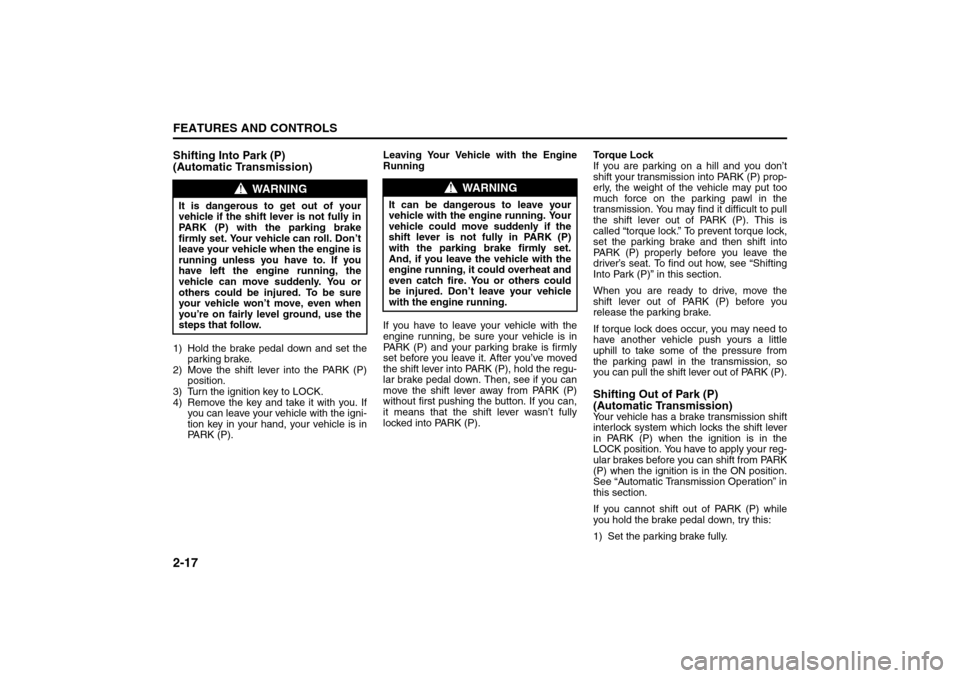
3) Remove the hole cover from the shift
lock slot with a screwdriver
4) Insert the key into the shift lock slot and
press and hold it.
5) Shift to NEUTRAL (N).
6) Remove the key from the slot, insert it
into the ignition switch and start the
engine.
7) Apply and hold the regular brake fully
and release the parking brake.
8) Shift to the drive gear you want.
9) Have your vehicle fixed as soon as you
can.
Parking Your Vehicle
(Manual Transmission)Before leaving your vehicle, do the follow-
ing:
1) Hold the brake pedal down and firmly
apply the parking brake.
2) Fully press in the clutch pedal and
place the shift lever into the appropriate
position as stated below:
– When parking on level ground, place
the shift lever into FIRST(1) or
REVERSE(R).
– When parking downhill, place the shift
lever in REVERSE (R).
– When parking uphill, place the shift
lever in FIRST (1).
3) After shifting to the appropriate posi-
tion, turn the ignition key to LOCK,
remove the key and release the clutch.
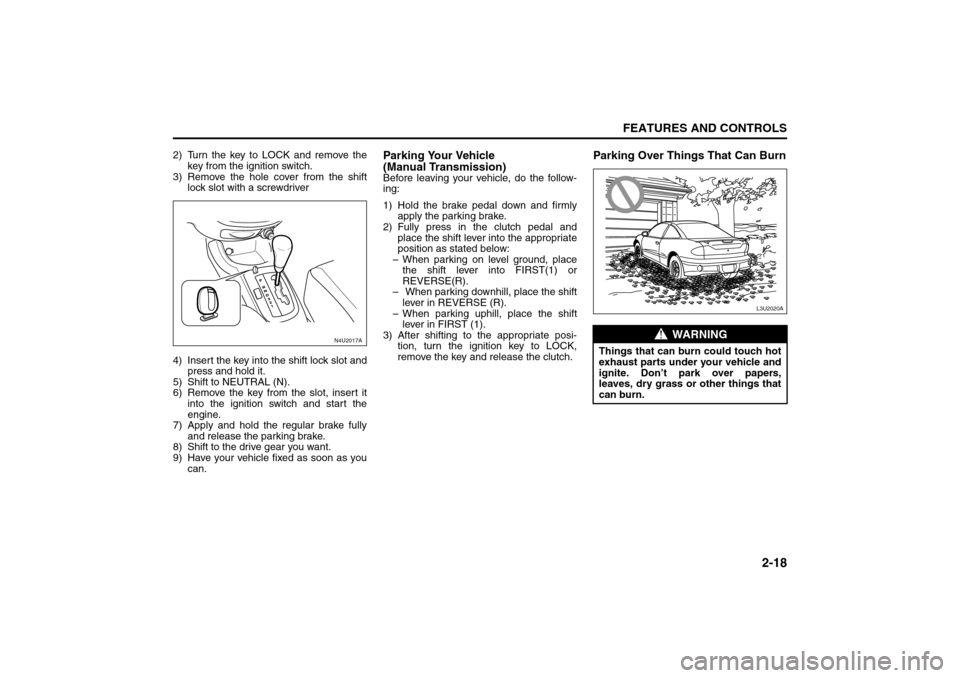
Parking Over Things That Can Burn
N4U2017A
WARNING
Things that can burn could touch hot
exhaust parts under your vehicle and
ignite. Don’t park over papers,
leaves, dry grass or other things that
can burn.
L3U2020A
Starting and Operating Your Vehicle:
Page 68 of 226
2-20
FEATURES AND CONTROLS
85Z14-03E
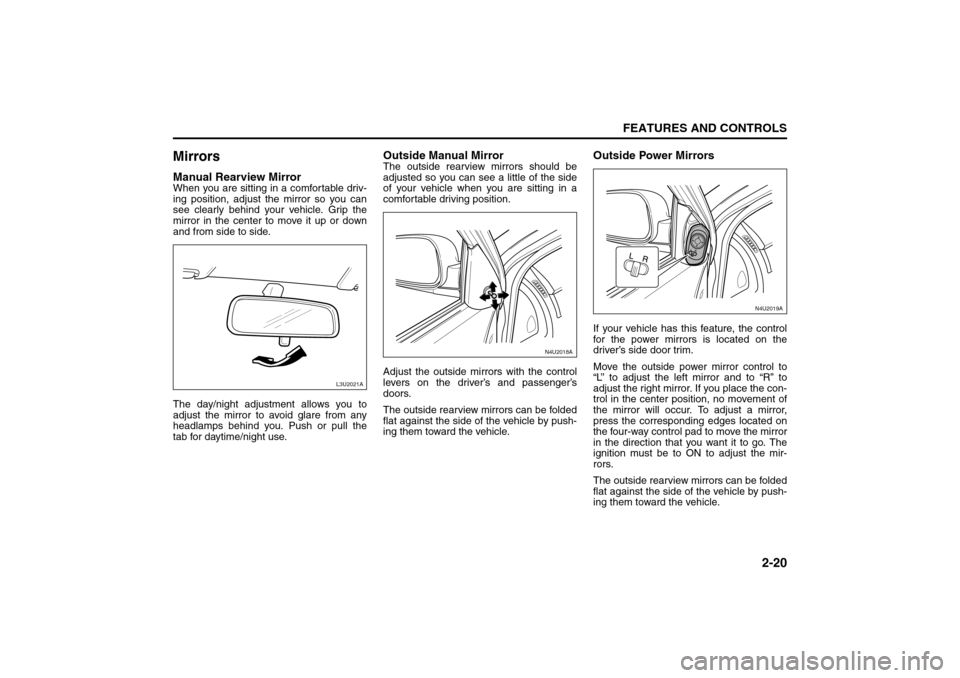
MirrorsManual Rearview MirrorWhen you are sitting in a comfortable driv-
ing position, adjust the mirror so you can
see clearly behind your vehicle. Grip the
mirror in the center to move it up or down
and from side to side.
The day/night adjustment allows you to
adjust the mirror to avoid glare from any
headlamps behind you. Push or pull the
tab for daytime/night use.
Outside Manual MirrorThe outside rearview mirrors should be
adjusted so you can see a little of the side
of your vehicle when you are sitting in a
comfortable driving position.
Adjust the outside mirrors with the control
levers on the driver’s and passenger’s
doors.
The outside rearview mirrors can be folded
flat against the side of the vehicle by push-
ing them toward the vehicle.
Outside Power MirrorsIf your vehicle has this feature, the control
for the power mirrors is located on the
driver’s side door trim.
Move the outside power mirror control to
“L” to adjust the left mirror and to “R” to
adjust the right mirror. If you place the con-
trol in the center position, no movement of
the mirror will occur. To adjust a mirror,
press the corresponding edges located on
the four-way control pad to move the mirror
in the direction that you want it to go. The
ignition must be to ON to adjust the mir-
rors.
The outside rearview mirrors can be folded
flat against the side of the vehicle by push-
ing them toward the vehicle.
L3U2021A
N4U2018A
N4U2019A
Mirrors:
Page 71 of 226
2-23FEATURES AND CONTROLS
85Z14-03E
Rear Seat ArmrestYour vehicle’s rear seat armrest may con-
tain two cupholders. To access the cup-
holders, pull the armrest down from the
rear seatback.AntennaThe antenna is located in the windshield
glass. Be sure that the inside surface of the
windshield glass is not scratched and that
the lines on the glass are not damaged. If
the inside surface is damaged, it could
interfere with radio reception.
Because this antenna is built into your
windshield glass, there is a reduced risk of
damage caused by car washes and van-
dals.If you choose to add a cellular telephone to
your vehicle, and the antenna needs to be
attached to the glass, be sure that you do
not damage the grid lines for the antenna.
There is enough space between the lines
to attach a cellular telephone antenna with-
out interfering with radio reception.
Do not apply aftermarket glass tinting to
the back glass. The metallic film in some
tinting materials will interfere with or distort
the incoming radio reception. Care must
be taken when cleaning the rear window or
windshield glass to avoid causing breaks in
the resistive material heating element
which can adversely affect radio and
defogger performance. See your SUZUKI
dealer for details.
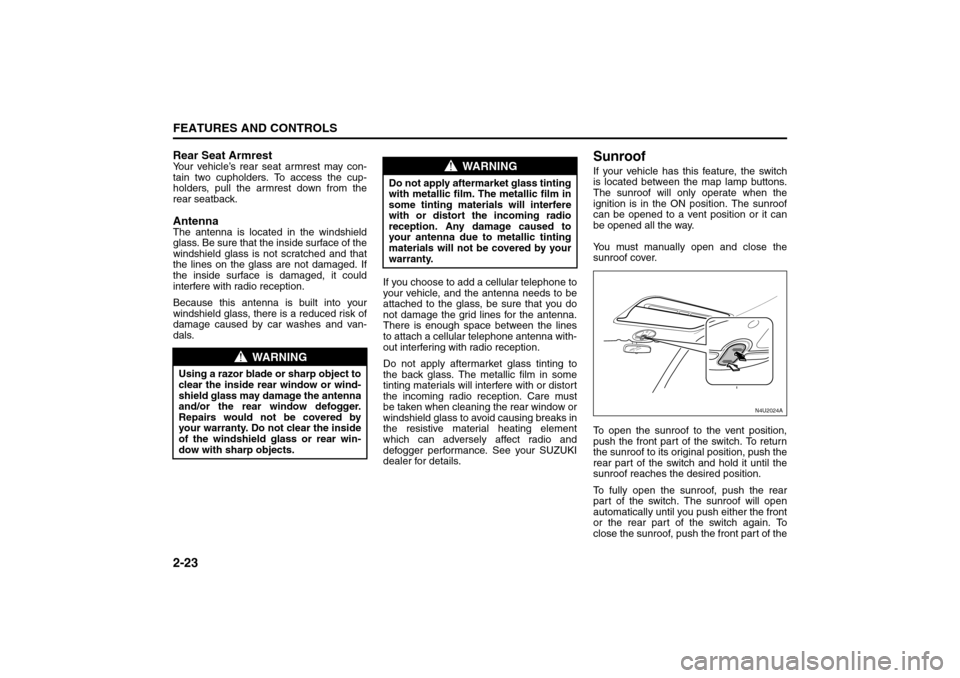
SunroofIf your vehicle has this feature, the switch
is located between the map lamp buttons.
The sunroof will only operate when the
ignition is in the ON position. The sunroof
can be opened to a vent position or it can
be opened all the way.
You must manually open and close the
sunroof cover.
To open the sunroof to the vent position,
push the front part of the switch. To return
the sunroof to its original position, push the
rear part of the switch and hold it until the
sunroof reaches the desired position.
To fully open the sunroof, push the rear
part of the switch. The sunroof will open
automatically until you push either the front
or the rear part of the switch again. To
close the sunroof, push the front part of the
WARNING
Using a razor blade or sharp object to
clear the inside rear window or wind-
shield glass may damage the antenna
and/or the rear window defogger.
Repairs would not be covered by
your warranty. Do not clear the inside
of the windshield glass or rear win-
dow with sharp objects.
WARNING
Do not apply aftermarket glass tinting
with metallic film. The metallic film in
some tinting materials will interfere
with or distort the incoming radio
reception. Any damage caused to
your antenna due to metallic tinting
materials will not be covered by your
warranty.
N4U2024A
Storage Areas:
Sunroof:
Page 72 of 226
2-24
FEATURES AND CONTROLS
85Z14-03E
switch and hold it until the sunroof is
closed. The sunroof will stop if the switch is
released during operation.
In both the vent and fully open positions,
the air flow can be adjusted for driving
comfort by pushing and holding the switch
until the sunroof moves to the desired posi-
tion.
The sunroof glass panel cannot be opened
or closed if your vehicle has an electrical
failure.
WARNING
Never allow any part of your body
such as hands or head to stick out
of the sunroof opening while the
vehicle is moving.
Be sure there are no hands or other
obstructions in the path of the sun-
roof when you close the sunroof.
Always remove the ignition key
when leaving the vehicle even if for
a short time. Also do not leave chil-
dren alone in a parked vehicle.
Unattended children could use the
sunroof switches and get trapped
by the sunroof.
Do not put your body weight on the
roof around the sunroof such as by
sitting on it.
When leaving the vehicle unat-
tended, close the sunroof fully.
Page 78 of 226
3-4
INSTRUMENT PANEL
85Z14-03E
As you signal a turn or a lane change, if
the arrows flash rapidly, a signal bulb may
be burned out and other drivers won’t see
your turn signal.
If a bulb is burned out, replace it to help
avoid an accident. If the arrows don’t go on
at all when you signal a turn, check for
burned-out bulbs and then check the fuse.
See “Fuses and Circuit Breakers” in sec-
tion 5.
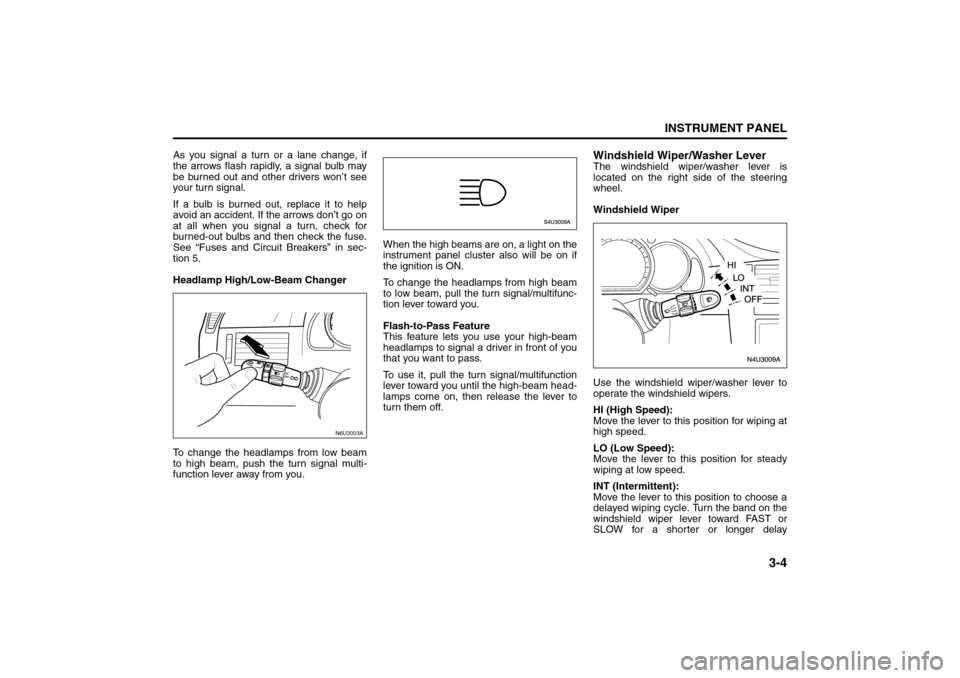
Headlamp High/Low-Beam Changer
To change the headlamps from low beam
to high beam, push the turn signal multi-
function lever away from you.When the high beams are on, a light on the
instrument panel cluster also will be on if
the ignition is ON.
To change the headlamps from high beam
to low beam, pull the turn signal/multifunc-
tion lever toward you.
Flash-to-Pass Feature
This feature lets you use your high-beam
headlamps to signal a driver in front of you
that you want to pass.
To use it, pull the turn signal/multifunction
lever toward you until the high-beam head-
lamps come on, then release the lever to
turn them off.
Windshield Wiper/Washer LeverThe windshield wiper/washer lever is
located on the right side of the steering
wheel.
Windshield Wiper
Use the windshield wiper/washer lever to
operate the windshield wipers.
HI (High Speed):
Move the lever to this position for wiping at
high speed.
LO (Low Speed):
Move the lever to this position for steady
wiping at low speed.
INT (Intermittent):
Move the lever to this position to choose a
delayed wiping cycle. Turn the band on the
windshield wiper lever toward FAST or
SLOW for a shorter or longer delay
N6U3003A
Instrument Panel Overview:
Page 79 of 226
3-5INSTRUMENT PANEL
85Z14-03E
between wipes. The wiper speed can only
be adjusted when the lever is in the INT
position.
OFF (Off):
Move the lever to this position to turn off
the windshield wipers.
Misting Function
Move the lever toward, but not completely
in, the INT position for a single wiping
cycle. Hold it there until the windshield wip-
ers start; then let go. The windshield wip-
ers will stop after one cycle. If you want
more wipes, hold the lever toward the INT
position longer.
Remember that damaged wiper blades
may prevent you from seeing well enough
to drive safely. To avoid damage, be sure to
clear ice and snow from the wiper blades
before using them.
If they’re frozen to the windshield, carefully
loosen or thaw them. If your blades do
become damaged, get new blades or
blade inserts.
Heavy snow or ice can overload the wiper
motor. A circuit breaker will stop the motor
until it cools. Clear away snow or ice to
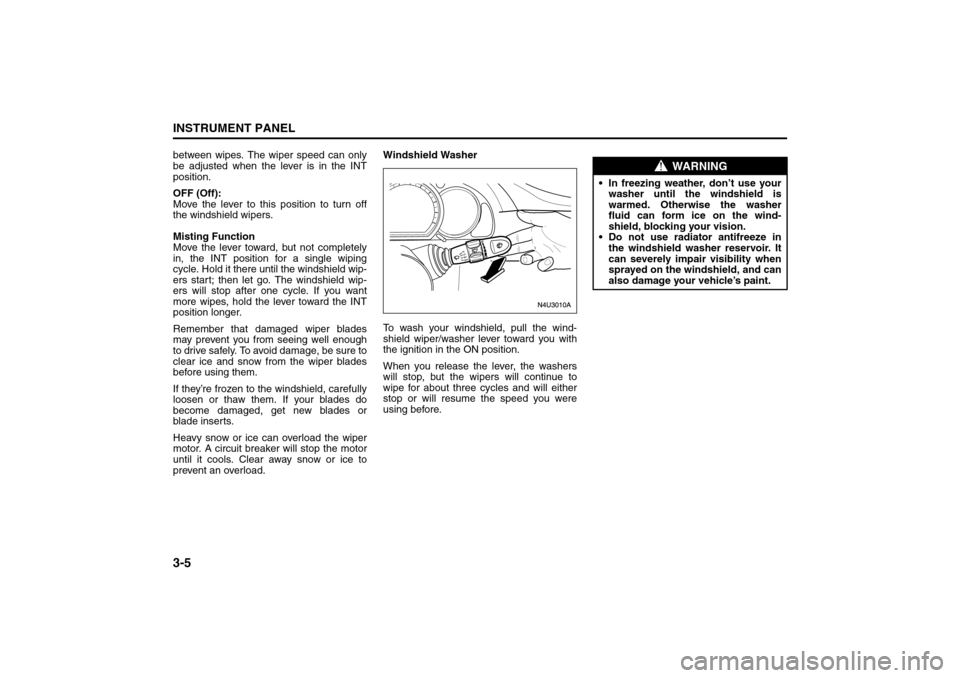
prevent an overload.Windshield Washer
To wash your windshield, pull the wind-
shield wiper/washer lever toward you with
the ignition in the ON position.
When you release the lever, the washers
will stop, but the wipers will continue to
wipe for about three cycles and will either
stop or will resume the speed you were
using before.
WARNING
In freezing weather, don’t use your
washer until the windshield is
warmed. Otherwise the washer
fluid can form ice on the wind-
shield, blocking your vision.
Do not use radiator antifreeze in
the windshield washer reservoir. It
can severely impair visibility when
sprayed on the windshield, and can
also damage your vehicle’s paint.
Instrument Panel Overview:
Page 82 of 226
3-8
INSTRUMENT PANEL
85Z14-03E
drivers find this to be too much trouble and
do not use cruise control on steep hills.
Disengaging Cruise Control
There are two ways to turn off the cruise
control:
Step lightly on the brake pedal, or
depress the clutch pedal, if you have a
manual transmission.
Press the ON/OFF button on the cruise
control pad.
Erasing Speed Memory
When you turn off the cruise control or the
ignition, your cruise control set speed
memory is erased.
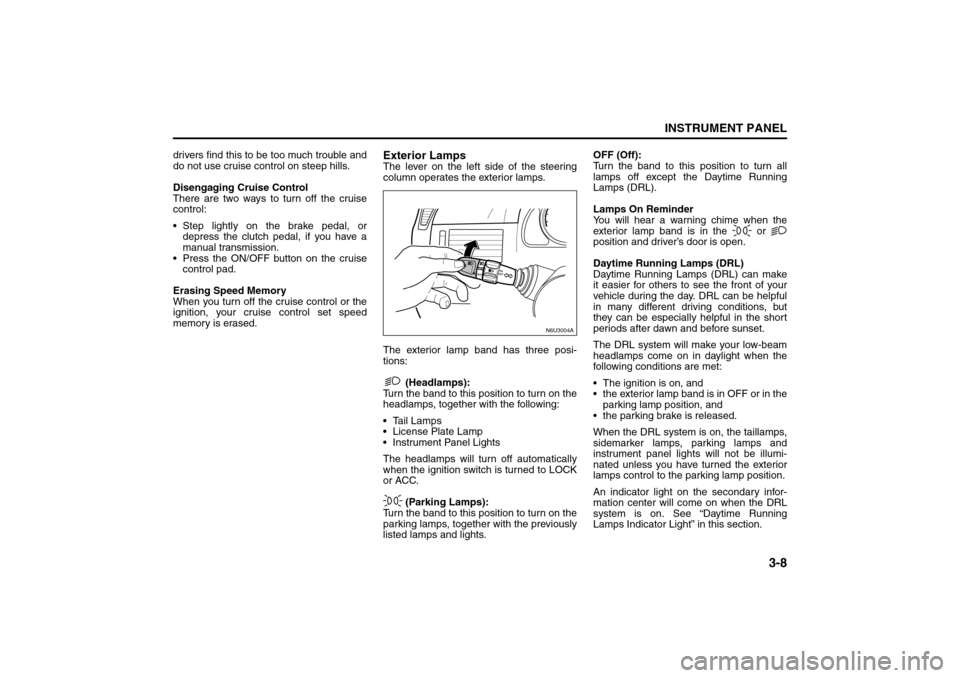
Exterior LampsThe lever on the left side of the steering
column operates the exterior lamps.
The exterior lamp band has three posi-
tions:
(Headlamps):
Turn the band to this position to turn on the
headlamps, together with the following:
Tail Lamps
License Plate Lamp
Instrument Panel Lights
The headlamps will turn off automatically
when the ignition switch is turned to LOCK
or ACC.
(Parking Lamps):
Turn the band to this position to turn on the
parking lamps, together with the previously
listed lamps and lights.OFF (Off):
Turn the band to this position to turn all
lamps off except the Daytime Running
Lamps (DRL).
Lamps On Reminder
You will hear a warning chime when the
exterior lamp band is in the or
position and driver’s door is open.
Daytime Running Lamps (DRL)
Daytime Running Lamps (DRL) can make
it easier for others to see the front of your
vehicle during the day. DRL can be helpful
in many different driving conditions, but
they can be especially helpful in the short
periods after dawn and before sunset.
The DRL system will make your low-beam
headlamps come on in daylight when the
following conditions are met:
The ignition is on, and
the exterior lamp band is in OFF or in the
parking lamp position, and
the parking brake is released.
When the DRL system is on, the taillamps,
sidemarker lamps, parking lamps and
instrument panel lights will not be illumi-
nated unless you have turned the exterior
lamps control to the parking lamp position.
An indicator light on the secondary infor-
mation center will come on when the DRL
system is on. See “Daytime Running
Lamps Indicator Light” in this section.
N6U3004A
Instrument Panel Overview:
Page 83 of 226
3-9INSTRUMENT PANEL
85Z14-03E
The DRL system will turn off under the fol-
lowing conditions:
The ignition is off, or
the parking brakes are on, or
the high-beam headlamps are on, or
the low-beam headlamps are on, or
flash-to-pass is used.
As with any vehicle, you should turn on the
regular headlamp system when you need
it.
Fog Lamps
If your vehicle has this feature, use your
fog lamps for better visibility in foggy or
misty conditions.
The control for your front fog lamps is
located on the middle of the turn signal/
multifunction lever. To turn on front fog
lamps, turn the fog lamp band to ON. To
turn off the front fog lamps, turn the fog
lamp band to OFF.An indicator light on the secondary infor-
mation center will come on when the fog
lamps are on. See “Fog Lamp Light” in this
section.
When using fog lamps, the ignition must be
on as well as the parking lamps or low-
beam headlamps.
The fog lamps will turn off whenever the
high-beam headlamps are turned on.
When the high beams are turned off, the
fog lamps will come on again.
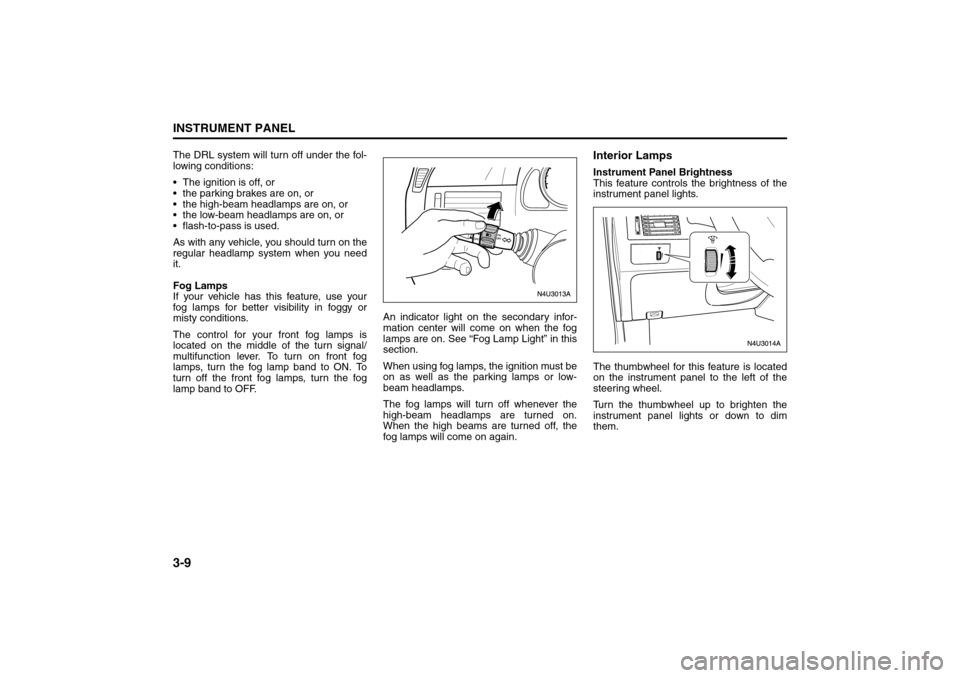
Interior LampsInstrument Panel Brightness
This feature controls the brightness of the
instrument panel lights.
The thumbwheel for this feature is located
on the instrument panel to the left of the
steering wheel.
Turn the thumbwheel up to brighten the
instrument panel lights or down to dim
them.
Instrument Panel Overview: