change wheel SUZUKI RENO 2008 1.G Owners Manual
[x] Cancel search | Manufacturer: SUZUKI, Model Year: 2008, Model line: RENO, Model: SUZUKI RENO 2008 1.GPages: 226, PDF Size: 4.98 MB
Page 60 of 226
2-12
FEATURES AND CONTROLS
85Z14-03E
2) If it doesn’t start, wait about 15 seconds
and try again to start the engine by
turning the ignition key to START. Wait
about 15 seconds between each try.
When your engine has run about 10
seconds to warm up, your vehicle is
ready to be driven. Don’t “race” your
engine when it’s cold. If the weather is
below freezing (32°F or 0°C), let the
engine run for a few minutes to warm
up.
3) If your engine still won’t start (or starts
but then stops), it could be flooded with
too much gasoline. Try pushing your
accelerator pedal all the way to the floor
and holding it there as you hold the key
in START for about three seconds. If
the vehicle starts briefly but then stops
again, do the same thing, but this time
keep the pedal down for five or six sec-
onds. This clears the extra gasoline
from the engine.
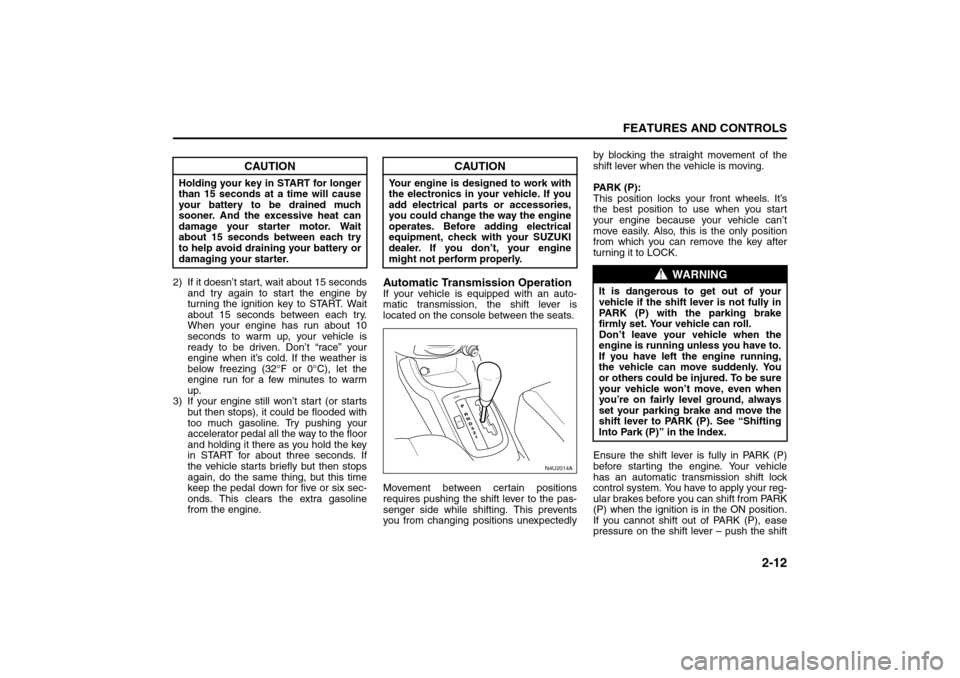
Automatic Transmission OperationIf your vehicle is equipped with an auto-
matic transmission, the shift lever is
located on the console between the seats.
Movement between certain positions
requires pushing the shift lever to the pas-
senger side while shifting. This prevents
you from changing positions unexpectedlyby blocking the straight movement of the
shift lever when the vehicle is moving.
PARK (P):
This position locks your front wheels. It’s
the best position to use when you start
your engine because your vehicle can’t
move easily. Also, this is the only position
from which you can remove the key after
turning it to LOCK.
Ensure the shift lever is fully in PARK (P)
before starting the engine. Your vehicle
has an automatic transmission shift lock
control system. You have to apply your reg-
ular brakes before you can shift from PARK
(P) when the ignition is in the ON position.
If you cannot shift out of PARK (P), ease
pressure on the shift lever – push the shift
CAUTION
Holding your key in START for longer
than 15 seconds at a time will cause
your battery to be drained much
sooner. And the excessive heat can
damage your starter motor. Wait
about 15 seconds between each try
to help avoid draining your battery or
damaging your starter.
CAUTION
Your engine is designed to work with
the electronics in your vehicle. If you
add electrical parts or accessories,
you could change the way the engine
operates. Before adding electrical
equipment, check with your SUZUKI
dealer. If you don’t, your engine
might not perform properly.
N4U2014A
H
O
L
D
WARNING
It is dangerous to get out of your
vehicle if the shift lever is not fully in
PARK (P) with the parking brake
firmly set. Your vehicle can roll.
Don’t leave your vehicle when the
engine is running unless you have to.
If you have left the engine running,
the vehicle can move suddenly. You
or others could be injured. To be sure
your vehicle won’t move, even when
you’re on fairly level ground, always
set your parking brake and move the
shift lever to PARK (P). See “Shifting
Into Park (P)” in the Index.
Starting and Operating Your Vehicle:
Page 77 of 226
3-3INSTRUMENT PANEL
85Z14-03E
Tilt WheelYour vehicle has a tilt wheel which allows
you to adjust the steering wheel before you
drive. You can raise it to the highest level to
give your legs more room when you exit
and enter the vehicle.
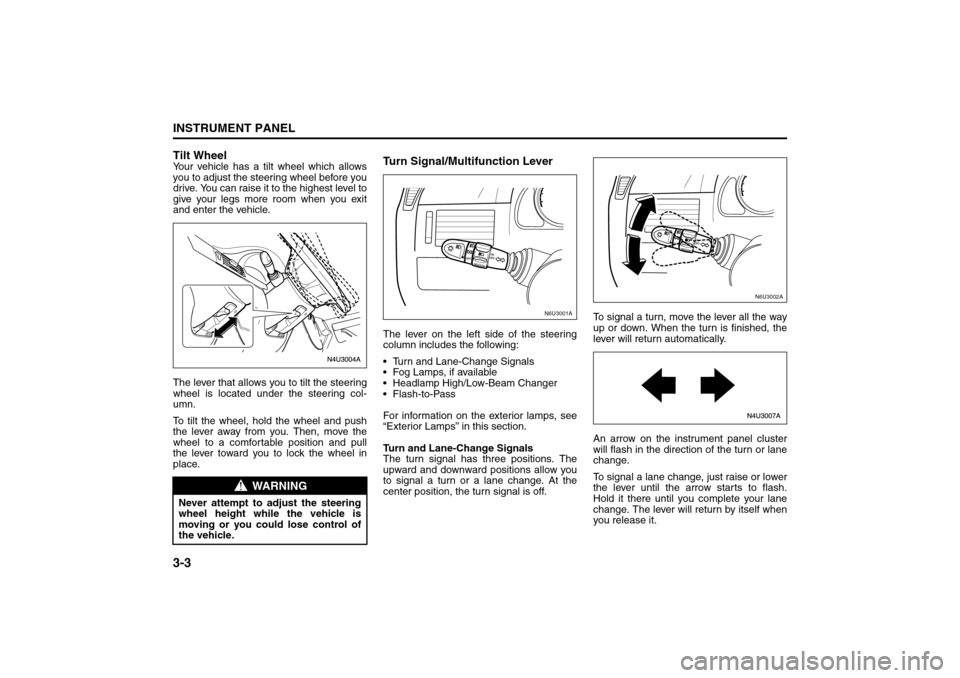
The lever that allows you to tilt the steering
wheel is located under the steering col-
umn.
To tilt the wheel, hold the wheel and push
the lever away from you. Then, move the
wheel to a comfortable position and pull
the lever toward you to lock the wheel in
place.
Turn Signal/Multifunction LeverThe lever on the left side of the steering
column includes the following:
Turn and Lane-Change Signals
Fog Lamps, if available
Headlamp High/Low-Beam Changer
Flash-to-Pass
For information on the exterior lamps, see
“Exterior Lamps” in this section.
Turn and Lane-Change Signals
The turn signal has three positions. The
upward and downward positions allow you
to signal a turn or a lane change. At the
center position, the turn signal is off.To signal a turn, move the lever all the way
up or down. When the turn is finished, the
lever will return automatically.
An arrow on the instrument panel cluster
will flash in the direction of the turn or lane
change.
To signal a lane change, just raise or lower
the lever until the arrow starts to flash.
Hold it there until you complete your lane
change. The lever will return by itself when
you release it.
WARNING
Never attempt to adjust the steering
wheel height while the vehicle is
moving or you could lose control of
the vehicle.
N6U3001A
N6U3002A
Instrument Panel Overview:
Page 78 of 226
3-4
INSTRUMENT PANEL
85Z14-03E
As you signal a turn or a lane change, if
the arrows flash rapidly, a signal bulb may
be burned out and other drivers won’t see
your turn signal.
If a bulb is burned out, replace it to help
avoid an accident. If the arrows don’t go on
at all when you signal a turn, check for
burned-out bulbs and then check the fuse.
See “Fuses and Circuit Breakers” in sec-
tion 5.
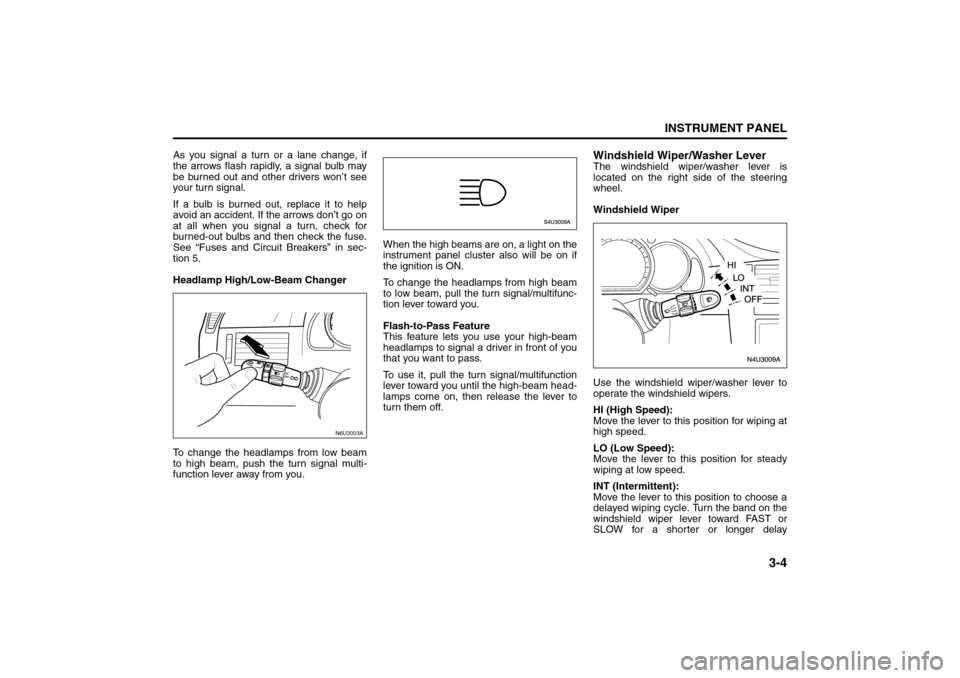
Headlamp High/Low-Beam Changer
To change the headlamps from low beam
to high beam, push the turn signal multi-
function lever away from you.When the high beams are on, a light on the
instrument panel cluster also will be on if
the ignition is ON.
To change the headlamps from high beam
to low beam, pull the turn signal/multifunc-
tion lever toward you.
Flash-to-Pass Feature
This feature lets you use your high-beam
headlamps to signal a driver in front of you
that you want to pass.
To use it, pull the turn signal/multifunction
lever toward you until the high-beam head-
lamps come on, then release the lever to
turn them off.
Windshield Wiper/Washer LeverThe windshield wiper/washer lever is
located on the right side of the steering
wheel.
Windshield Wiper
Use the windshield wiper/washer lever to
operate the windshield wipers.
HI (High Speed):
Move the lever to this position for wiping at
high speed.
LO (Low Speed):
Move the lever to this position for steady
wiping at low speed.
INT (Intermittent):
Move the lever to this position to choose a
delayed wiping cycle. Turn the band on the
windshield wiper lever toward FAST or
SLOW for a shorter or longer delay
N6U3003A
Instrument Panel Overview:
Page 80 of 226
3-6
INSTRUMENT PANEL
85Z14-03E
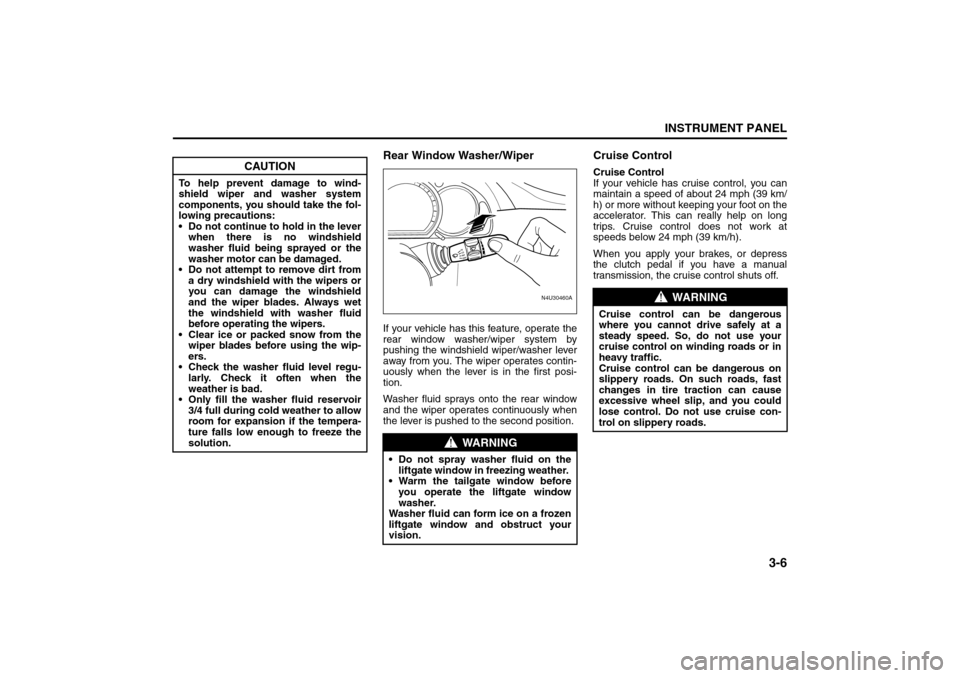
Rear Window Washer/WiperIf your vehicle has this feature, operate the
rear window washer/wiper system by
pushing the windshield wiper/washer lever
away from you. The wiper operates contin-
uously when the lever is in the first posi-
tion.
Washer fluid sprays onto the rear window
and the wiper operates continuously when
the lever is pushed to the second position.
Cruise ControlCruise Control
If your vehicle has cruise control, you can
maintain a speed of about 24 mph (39 km/
h) or more without keeping your foot on the
accelerator. This can really help on long
trips. Cruise control does not work at
speeds below 24 mph (39 km/h).
When you apply your brakes, or depress
the clutch pedal if you have a manual
transmission, the cruise control shuts off.
CAUTION
To help prevent damage to wind-
shield wiper and washer system
components, you should take the fol-
lowing precautions:
Do not continue to hold in the lever
when there is no windshield
washer fluid being sprayed or the
washer motor can be damaged.
Do not attempt to remove dirt from
a dry windshield with the wipers or
you can damage the windshield
and the wiper blades. Always wet
the windshield with washer fluid
before operating the wipers.
Clear ice or packed snow from the
wiper blades before using the wip-
ers.
Check the washer fluid level regu-
larly. Check it often when the
weather is bad.
Only fill the washer fluid reservoir
3/4 full during cold weather to allow
room for expansion if the tempera-
ture falls low enough to freeze the
solution.
WARNING
Do not spray washer fluid on the
liftgate window in freezing weather.
Warm the tailgate window before
you operate the liftgate window
washer.
Washer fluid can form ice on a frozen
liftgate window and obstruct your
vision.
N4U30460A
FASTSLOW
WARNING
Cruise control can be dangerous
where you cannot drive safely at a
steady speed. So, do not use your
cruise control on winding roads or in
heavy traffic.
Cruise control can be dangerous on
slippery roads. On such roads, fast
changes in tire traction can cause
excessive wheel slip, and you could
lose control. Do not use cruise con-
trol on slippery roads.
Instrument Panel Overview:
Page 91 of 226
3-17INSTRUMENT PANEL
85Z14-03E
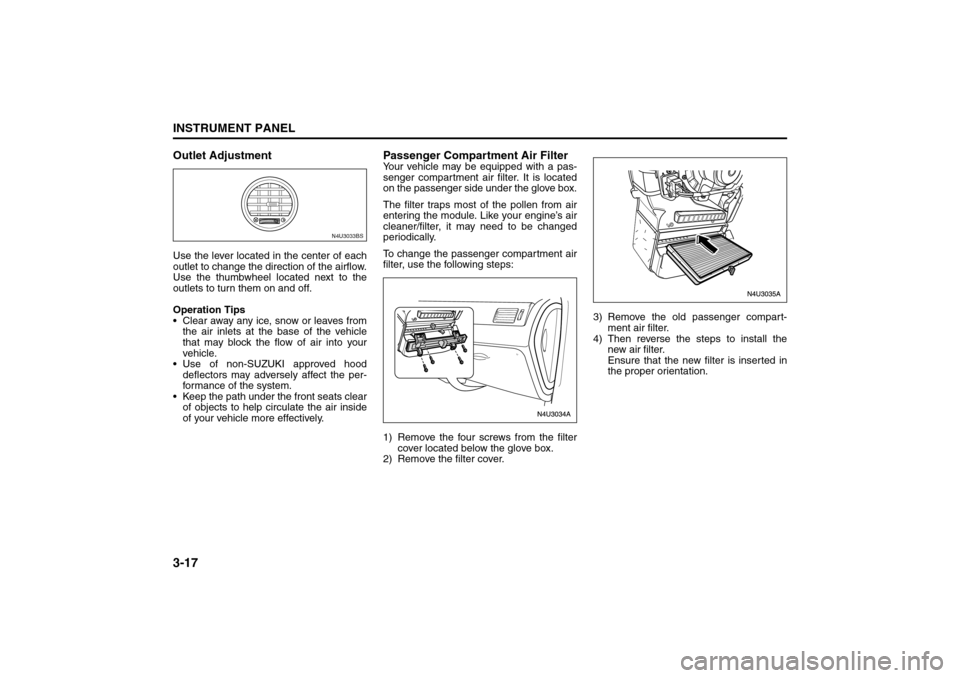
Outlet AdjustmentUse the lever located in the center of each
outlet to change the direction of the airflow.
Use the thumbwheel located next to the
outlets to turn them on and off.
Operation Tips
Clear away any ice, snow or leaves from
the air inlets at the base of the vehicle
that may block the flow of air into your
vehicle.
Use of non-SUZUKI approved hood
deflectors may adversely affect the per-
formance of the system.
Keep the path under the front seats clear
of objects to help circulate the air inside
of your vehicle more effectively.
Passenger Compartment Air FilterYour vehicle may be equipped with a pas-
senger compartment air filter. It is located
on the passenger side under the glove box.
The filter traps most of the pollen from air
entering the module. Like your engine’s air
cleaner/filter, it may need to be changed
periodically.
To change the passenger compartment air
filter, use the following steps:
1) Remove the four screws from the filter
cover located below the glove box.
2) Remove the filter cover.3) Remove the old passenger compart-
ment air filter.
4) Then reverse the steps to install the
new air filter.
Ensure that the new filter is inserted in
the proper orientation.
N4U3033BS
Climate Controls:
Warning Lights, Gauges and Indicators:
Page 111 of 226
3-37INSTRUMENT PANEL
85Z14-03E
the portable player. You may need to make
additional volume adjustments from the
portable device if the volume does not go
loud or soft enough.
STEERING WHEEL REMOTE OPER-
ATION (if equipped in the vehicle)Power Button
Press this button to turn the system on and
off. Press this button for a short time to
MUTE the sound. To cancel MUTE, press
this button again.
Volume Up Button
Press this button to increase the volume
level.
Volume Down Button
Press this button to decrease the volume
level.
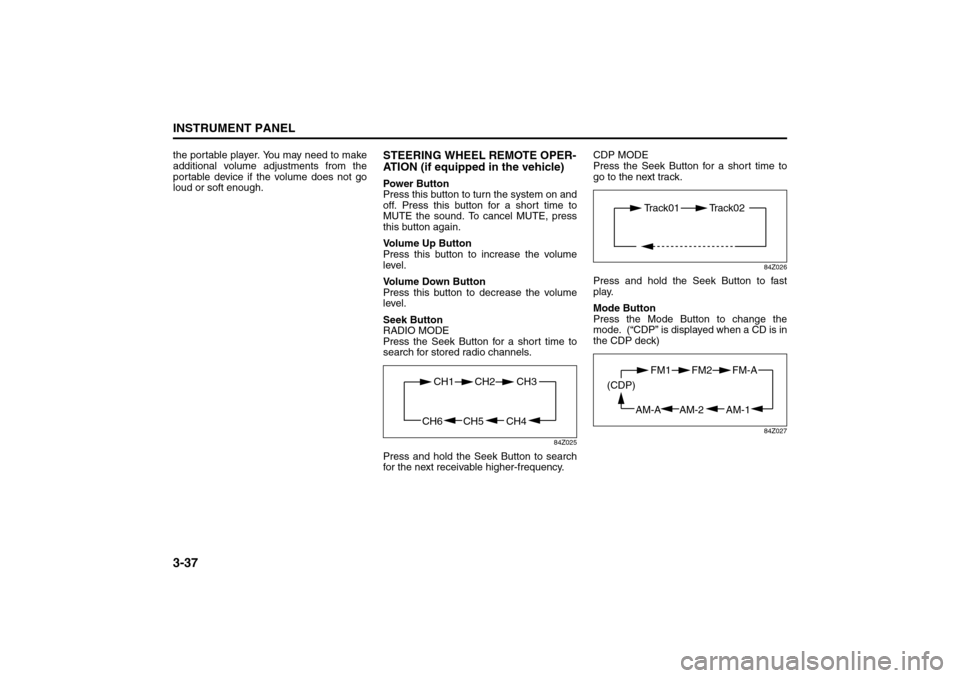
Seek Button
RADIO MODE
Press the Seek Button for a short time to
search for stored radio channels.
84Z025
Press and hold the Seek Button to search
for the next receivable higher-frequency.CDP MODE
Press the Seek Button for a short time to
go to the next track.
84Z026
Press and hold the Seek Button to fast
play.
Mode Button
Press the Mode Button to change the
mode. (“CDP” is displayed when a CD is in
the CDP deck)
84Z027
CH4 CH5
CH1 CH2
CH6
CH3
Track01 Track02
AM-1 AM-2
FM1 FM2
AM-A (CDP)
FM-A
Page 118 of 226
3-44
INSTRUMENT PANEL
85Z14-03E
the portable player. You may need to make
additional volume adjustments from the
portable device if the volume does not go
loud or soft enough.
STEERING WHEEL REMOTE OPER-
ATION (if equipped in the vehicle)Power Button
Press this button to turn the system on and
off. Press this button for a short time to
MUTE the sound. To cancel MUTE, press
this button again.
Volume Up Button
Press this button to increase the volume
level.
Volume Down Button
Press this button to decrease the volume
level.
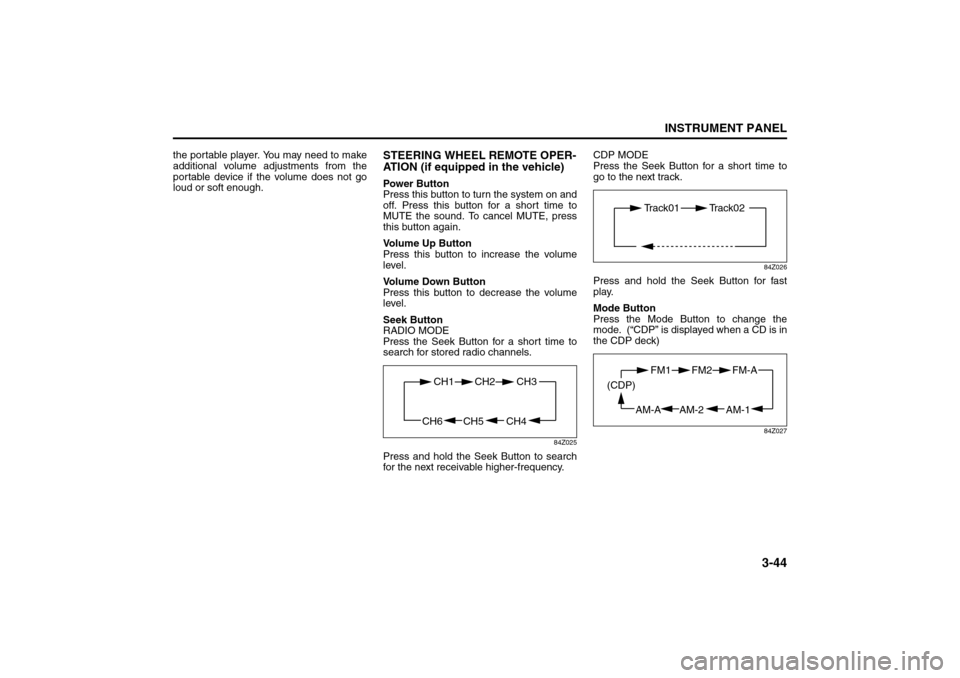
Seek Button
RADIO MODE
Press the Seek Button for a short time to
search for stored radio channels.
84Z025
Press and hold the Seek Button to search
for the next receivable higher-frequency.CDP MODE
Press the Seek Button for a short time to
go to the next track.
84Z026
Press and hold the Seek Button for fast
play.
Mode Button
Press the Mode Button to change the
mode. (“CDP” is displayed when a CD is in
the CDP deck)
84Z027
CH4 CH5
CH1 CH2
CH6
CH3
Track01 Track02
AM-1 AM-2
FM1 FM2
AM-A (CDP)
FM-A
Page 128 of 226
4-4
DRIVING YOUR VEHICLE
85Z14-03E
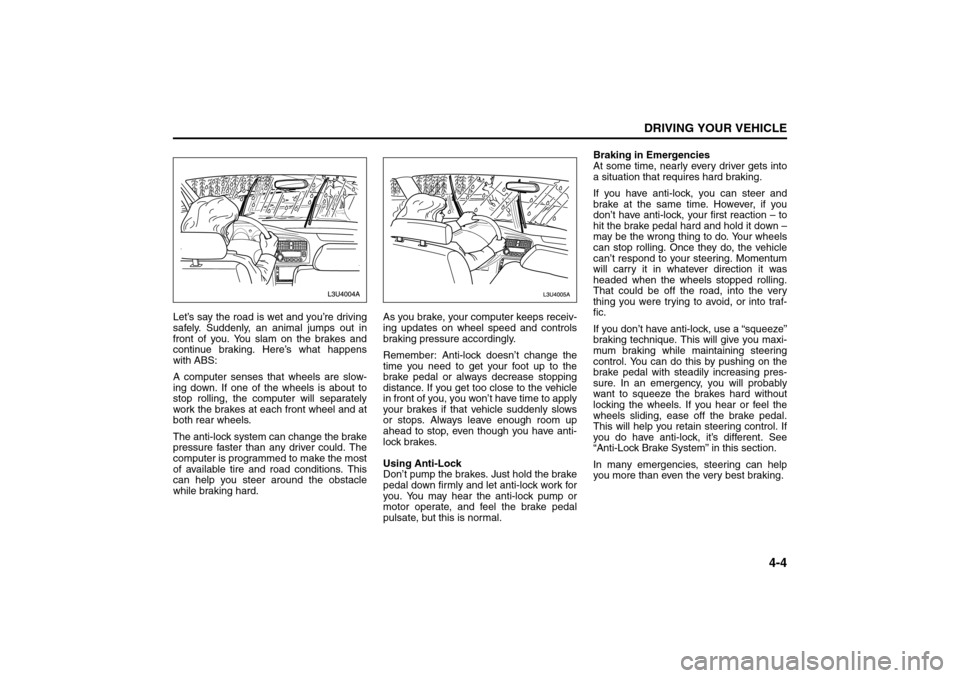
Let’s say the road is wet and you’re driving
safely. Suddenly, an animal jumps out in
front of you. You slam on the brakes and
continue braking. Here’s what happens
with ABS:
A computer senses that wheels are slow-
ing down. If one of the wheels is about to
stop rolling, the computer will separately
work the brakes at each front wheel and at
both rear wheels.
The anti-lock system can change the brake
pressure faster than any driver could. The
computer is programmed to make the most
of available tire and road conditions. This
can help you steer around the obstacle
while braking hard.As you brake, your computer keeps receiv-
ing updates on wheel speed and controls
braking pressure accordingly.
Remember: Anti-lock doesn’t change the
time you need to get your foot up to the
brake pedal or always decrease stopping
distance. If you get too close to the vehicle
in front of you, you won’t have time to apply
your brakes if that vehicle suddenly slows
or stops. Always leave enough room up
ahead to stop, even though you have anti-
lock brakes.
Using Anti-Lock
Don’t pump the brakes. Just hold the brake
pedal down firmly and let anti-lock work for
you. You may hear the anti-lock pump or
motor operate, and feel the brake pedal
pulsate, but this is normal.Braking in Emergencies
At some time, nearly every driver gets into
a situation that requires hard braking.
If you have anti-lock, you can steer and
brake at the same time. However, if you
don’t have anti-lock, your first reaction – to
hit the brake pedal hard and hold it down –
may be the wrong thing to do. Your wheels
can stop rolling. Once they do, the vehicle
can’t respond to your steering. Momentum
will carry it in whatever direction it was
headed when the wheels stopped rolling.
That could be off the road, into the very
thing you were trying to avoid, or into traf-
fic.
If you don’t have anti-lock, use a “squeeze”
braking technique. This will give you maxi-
mum braking while maintaining steering
control. You can do this by pushing on the
brake pedal with steadily increasing pres-
sure. In an emergency, you will probably
want to squeeze the brakes hard without
locking the wheels. If you hear or feel the
wheels sliding, ease off the brake pedal.
This will help you retain steering control. If
you do have anti-lock, it’s different. See
“Anti-Lock Brake System” in this section.
In many emergencies, steering can help
you more than even the very best braking.
Your Driving, the Road, and Your Vehicle:
Page 129 of 226
4-5DRIVING YOUR VEHICLE
85Z14-03E
SteeringPower Steering
If you lose power steering assist because
the engine stops or the system is not func-
tioning, you can steer but it will take much
more effort.
Speed Sensitive Power Steering
System
This system continuously adjusts the effort
you feel when steering at all vehicle
speeds. It provides ease when parking, yet
a firm, solid feel at highway speeds.
If your vehicle has this system, it varies the
amount of effort required to steer the vehi-
cle in relation to the speed of the vehicle.
The amount of steering effort required is
less at slower speeds to make the vehicle
more maneuverable and easier to park. At
faster speeds, the steering effort increases
to provide a sport-like feel to the steering.
This provides maximum control and stabil-
ity.
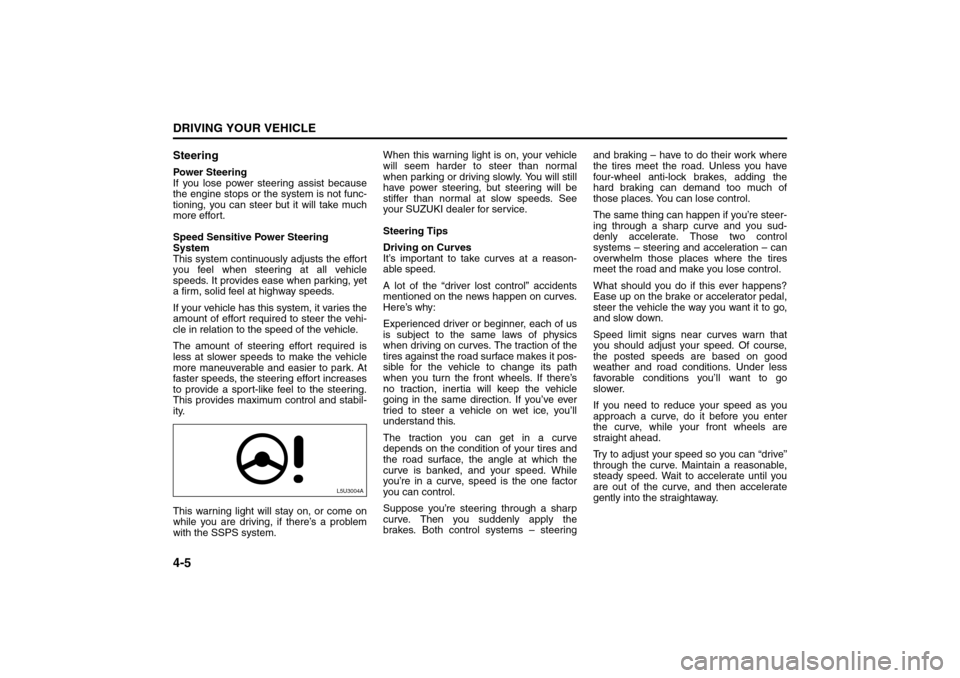
This warning light will stay on, or come on
while you are driving, if there’s a problem
with the SSPS system.When this warning light is on, your vehicle
will seem harder to steer than normal
when parking or driving slowly. You will still
have power steering, but steering will be
stiffer than normal at slow speeds. See
your SUZUKI dealer for service.
Steering Tips
Driving on Curves
It’s important to take curves at a reason-
able speed.
A lot of the “driver lost control” accidents
mentioned on the news happen on curves.
Here’s why:
Experienced driver or beginner, each of us
is subject to the same laws of physics
when driving on curves. The traction of the
tires against the road surface makes it pos-
sible for the vehicle to change its path
when you turn the front wheels. If there’s
no traction, inertia will keep the vehicle
going in the same direction. If you’ve ever
tried to steer a vehicle on wet ice, you’ll
understand this.
The traction you can get in a curve
depends on the condition of your tires and
the road surface, the angle at which the
curve is banked, and your speed. While
you’re in a curve, speed is the one factor
you can control.
Suppose you’re steering through a sharp
curve. Then you suddenly apply the
brakes. Both control systems – steeringand braking – have to do their work where
the tires meet the road. Unless you have
four-wheel anti-lock brakes, adding the
hard braking can demand too much of
those places. You can lose control.
The same thing can happen if you’re steer-
ing through a sharp curve and you sud-
denly accelerate. Those two control
systems – steering and acceleration – can
overwhelm those places where the tires
meet the road and make you lose control.
What should you do if this ever happens?
Ease up on the brake or accelerator pedal,
steer the vehicle the way you want it to go,
and slow down.
Speed limit signs near curves warn that
you should adjust your speed. Of course,
the posted speeds are based on good
weather and road conditions. Under less
favorable conditions you’ll want to go
slower.
If you need to reduce your speed as you
approach a curve, do it before you enter
the curve, while your front wheels are
straight ahead.
Try to adjust your speed so you can “drive”
through the curve. Maintain a reasonable,
steady speed. Wait to accelerate until you
are out of the curve, and then accelerate
gently into the straightaway.
L5U3004A
Your Driving, the Road, and Your Vehicle:
Page 131 of 226
4-7DRIVING YOUR VEHICLE
85Z14-03E
gerous move, since the passing vehicle
occupies the same lane as oncoming traf-
fic for several seconds. A miscalculation,
an error in judgment, or a brief surrender to
frustration or anger can suddenly put the
passing driver face to face with the worst of
all traffic accidents – the head-on collision.
So here are some tips for passing:
“Drive ahead.” Look down the road, to
the sides and to crossroads for situa-
tions that might affect your passing pat-
terns. If you have any doubt whatsoever
about making a successful pass, wait for
a better time.
Watch for traffic signs, pavement mark-
ings and lines. If you can see a sign up
ahead that might indicate a turn or an
intersection, delay your pass. A broken
center line usually indicates it’s all right
to pass (providing the road ahead is
clear). Never cross a solid line on your
side of the lane or a double solid line,
even if the road seems empty of
approaching traffic.
Do not get too close to the vehicle you
want to pass while you’re awaiting an
opportunity. For one thing, following too
closely reduces your area of vision,
especially if you’re following a larger
vehicle. Also, you won’t have adequate
space if the vehicle ahead suddenly
slows or stops. Keep back a reasonable
distance.
When it looks like a chance to pass is
coming up, start to accelerate but stay inthe right lane and don’t get too close.
Time your move so you will be increas-
ing speed as the time comes to move
into the other lane. If the way is clear to
pass, you will have a “running start” that
more than makes up for the distance you
would lose by dropping back. And if
something happens to cause you to can-
cel your pass, you need only slow down
and drop back again and wait for another
opportunity.
If other vehicles are lined up to pass a
slow vehicle, wait your turn. But take
care that someone isn’t trying to pass
you as you pull out to pass the slow vehi-
cle. Remember to glance over your
shoulder and check the blind spot.
Check your mirrors, glance over your
shoulder, and start your left lane change
signal before moving out of the right lane
to pass. When you are far enough ahead
of the passed vehicle to see its front in
your inside mirror, activate your right
lane change signal and move back into
the right lane. (Remember that your right
outside mirror is convex. The vehicle you
just passed may seem to be farther away
from you than it really is.)
Try not to pass more than one vehicle at
a time on two-lane roads. Reconsider
before passing the next vehicle.
Don’t overtake a slowly moving vehicle
too rapidly. Even though the brake lamps
are not flashing, it may be slowing down
or starting to turn. If you’re being passed, make it easy for
the following driver to get ahead of you.
Perhaps you can ease a little to the right.
Loss of ControlLet’s review what driving experts say about
what happens when the three control sys-
tems (brakes, steering and acceleration)
don’t have enough friction where the tires
meet the road to do what the driver has
asked.
In any emergency, don’t give up. Keep try-
ing to steer and constantly seek an escape
route or area of less danger.
Skidding
In a skid, a driver can lose control of the
vehicle. Defensive drivers avoid most skids
by taking reasonable care suited to exist-
ing conditions, and by not “overdriving”
those conditions. But skids are always pos-
sible.
The three types of skids correspond to
your vehicle’s three control systems. In the
braking skid, your wheels aren’t rolling. In
the steering or cornering skid, too much
speed or steering in a curve causes tires to
slip and lose cornering force. And in the
acceleration skid, too much throttle causes
the driving wheels to spin.
A cornering skid is best handled by easing
your foot off the accelerator pedal.
If your vehicle starts to slide, ease your
foot off the accelerator pedal and quickly
Your Driving, the Road, and Your Vehicle: