clock setting SUZUKI RENO 2008 1.G Owners Manual
[x] Cancel search | Manufacturer: SUZUKI, Model Year: 2008, Model line: RENO, Model: SUZUKI RENO 2008 1.GPages: 226, PDF Size: 4.98 MB
Page 86 of 226
3-12
INSTRUMENT PANEL
85Z14-03E
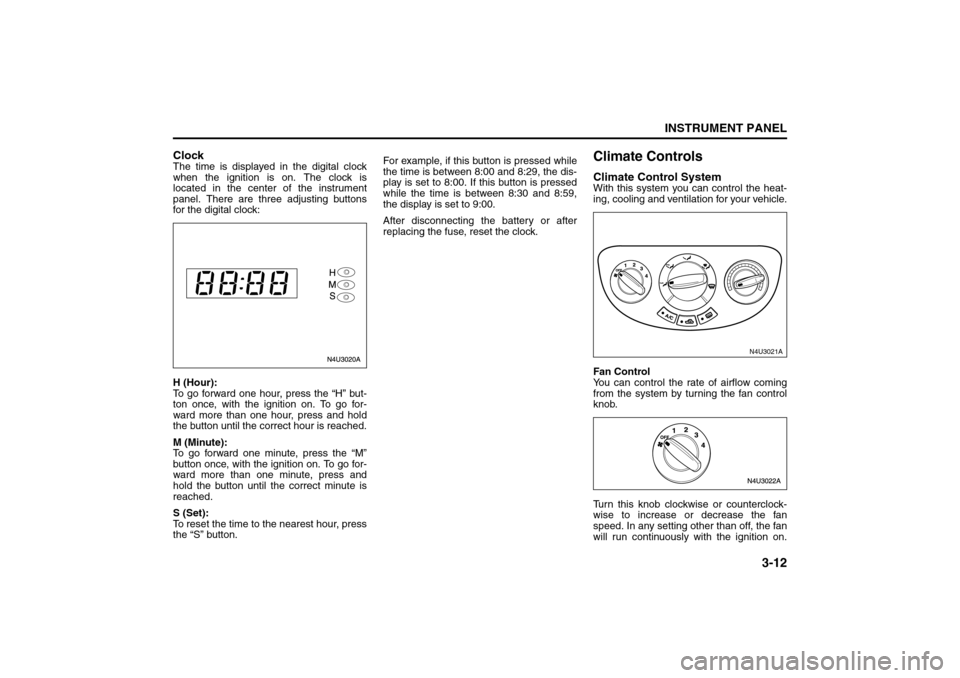
ClockThe time is displayed in the digital clock
when the ignition is on. The clock is
located in the center of the instrument
panel. There are three adjusting buttons
for the digital clock:
H (Hour):
To go forward one hour, press the “H” but-
ton once, with the ignition on. To go for-
ward more than one hour, press and hold
the button until the correct hour is reached.
M (Minute):
To go forward one minute, press the “M”
button once, with the ignition on. To go for-
ward more than one minute, press and
hold the button until the correct minute is
reached.
S (Set):
To reset the time to the nearest hour, press
the “S” button.For example, if this button is pressed while
the time is between 8:00 and 8:29, the dis-
play is set to 8:00. If this button is pressed
while the time is between 8:30 and 8:59,
the display is set to 9:00.
After disconnecting the battery or after
replacing the fuse, reset the clock.
Climate ControlsClimate Control SystemWith this system you can control the heat-
ing, cooling and ventilation for your vehicle.
Fan Control
You can control the rate of airflow coming
from the system by turning the fan control
knob.
Turn this knob clockwise or counterclock-
wise to increase or decrease the fan
speed. In any setting other than off, the fan
will run continuously with the ignition on.
N4U3021A
Instrument Panel Overview:
Climate Controls:
Page 89 of 226
3-15INSTRUMENT PANEL
85Z14-03E
vehicle to cool down. It also helps the sys-
tem to operate more efficiently.
For quick cool down on hot days, do the
following:
1) Press the recirculation button.
2) Press the A/C button.
3) Select the coolest temperature on the
temperature control knob.
4) Select the highest fan speed on the fan
control knob.
Using these settings together for long peri-
ods of time may cause the air inside of
your vehicle to become too dry. To prevent
this from happening, after the air in your
vehicle has cooled, turn off the recircula-
tion mode by pressing the button again.
The air-conditioning system removes mois-
ture from the air, so you may sometimes
notice a small amount of water dripping
underneath your vehicle while idling or
after turning off the engine. This is normal.Defogging and Defrosting
Fog on the inside of windows is a result of
high humidity (moisture) condensing on
the cool window glass. This can be mini-
mized if the climate control system is used
properly. There are two modes to clear fog
or frost from your windshield and side win-
dows. Use the defog mode to clear the
windows of fog or moisture and warm the
passengers. Use the defrost mode to
remove fog or frost from the windshield
more quickly. For best results, clear all
snow and ice from the windshield before
defrosting. Turn the air distribution knob to
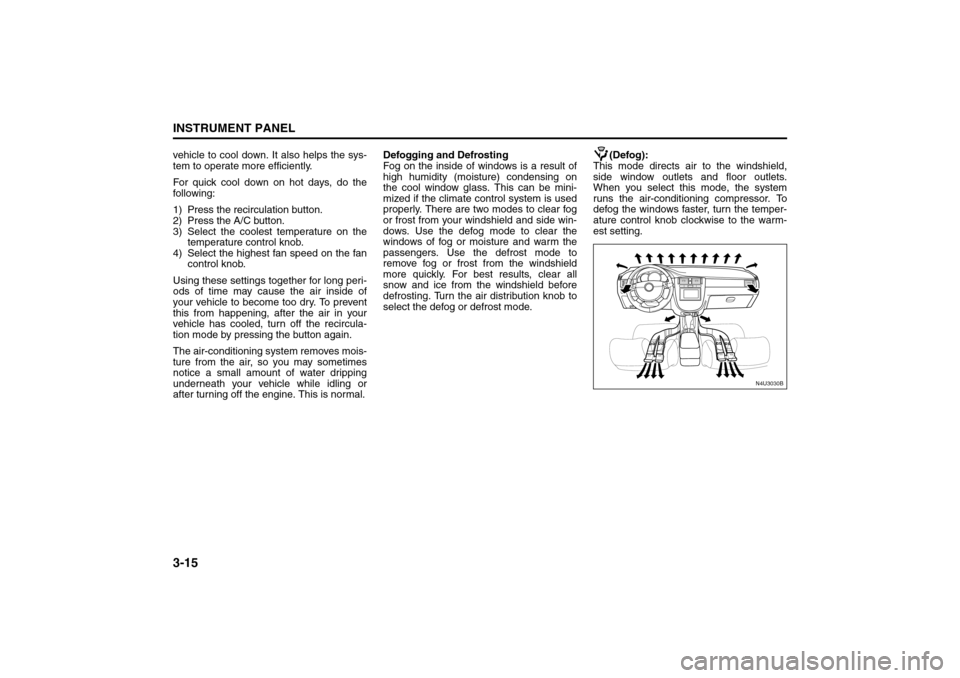
select the defog or defrost mode.(Defog):
This mode directs air to the windshield,
side window outlets and floor outlets.
When you select this mode, the system
runs the air-conditioning compressor. To
defog the windows faster, turn the temper-
ature control knob clockwise to the warm-
est setting.
N4U3030B
Climate Controls:
Page 90 of 226
3-16
INSTRUMENT PANEL
85Z14-03E
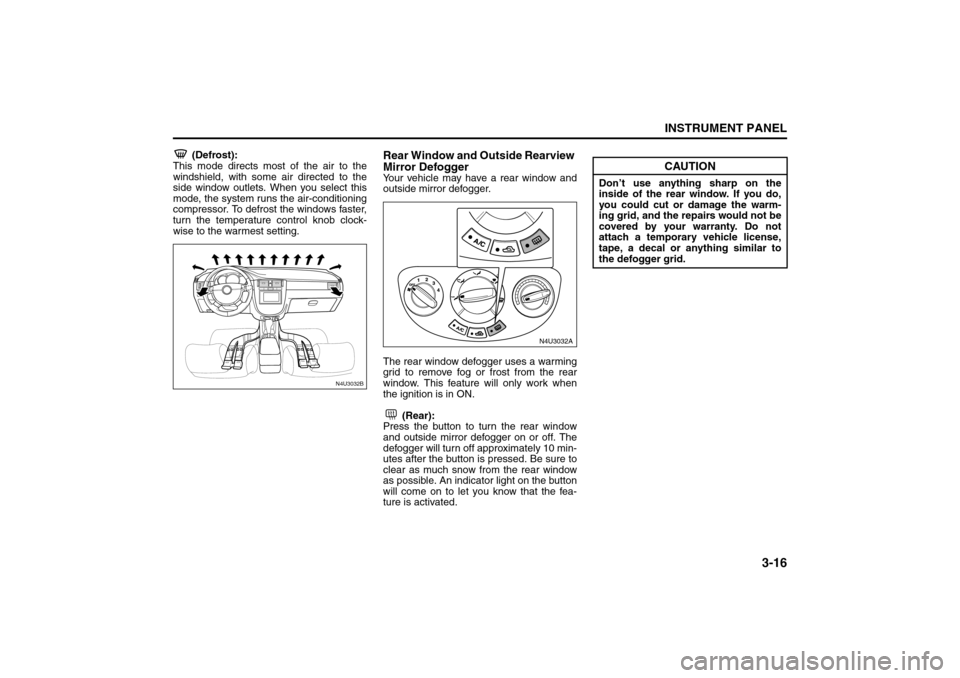
(Defrost):
This mode directs most of the air to the
windshield, with some air directed to the
side window outlets. When you select this
mode, the system runs the air-conditioning
compressor. To defrost the windows faster,
turn the temperature control knob clock-
wise to the warmest setting.
Rear Window and Outside Rearview
Mirror DefoggerYour vehicle may have a rear window and
outside mirror defogger.
The rear window defogger uses a warming
grid to remove fog or frost from the rear
window. This feature will only work when
the ignition is in ON.
(Rear):
Press the button to turn the rear window
and outside mirror defogger on or off. The
defogger will turn off approximately 10 min-
utes after the button is pressed. Be sure to
clear as much snow from the rear window
as possible. An indicator light on the button
will come on to let you know that the fea-
ture is activated.
N4U3032B
N4U3032AN4U3032A
CAUTION
Don’t use anything sharp on the
inside of the rear window. If you do,
you could cut or damage the warm-
ing grid, and the repairs would not be
covered by your warranty. Do not
attach a temporary vehicle license,
tape, a decal or anything similar to
the defogger grid.
Climate Controls: