manual transmission SUZUKI RENO 2008 1.G Owners Manual
[x] Cancel search | Manufacturer: SUZUKI, Model Year: 2008, Model line: RENO, Model: SUZUKI RENO 2008 1.GPages: 226, PDF Size: 4.98 MB
Page 1 of 226
Part No. 99011-85Z14-03E
July, 2007
OWNER’S MANUAL
99011-85Z14-03E RENO
Printed in U.S.A.
For further details, see “Engine Oil” in the
“SERVICE AND APPEARANCE CARE” section.See page 5-1
Engine oil with “Starburst” symbolDOT3
ESSO LT71141 or TOTAL ATF H50235
See the “Tire Information Label” located on the driver’s
door lock pillar.
10.0 mm
2008
Made from 100% recycled paper,
except for cover.
Keep With Vehicle At All Times.
Contains Important Information
On Safety, Operation & Maintenance.
SERVICE STATION INFORMATION
Fuel recommendation: Brake and clutch fluid:
Engine oil recommendation: Automatic transmission fluid:
Tire cold pressure:
ENGLISH
Suzuki Red: Magenta 100%, Yellow 100%
Suzuki Blue: Cyan 100%, Magenta 70%
Page 59 of 226
2-11FEATURES AND CONTROLS
85Z14-03E
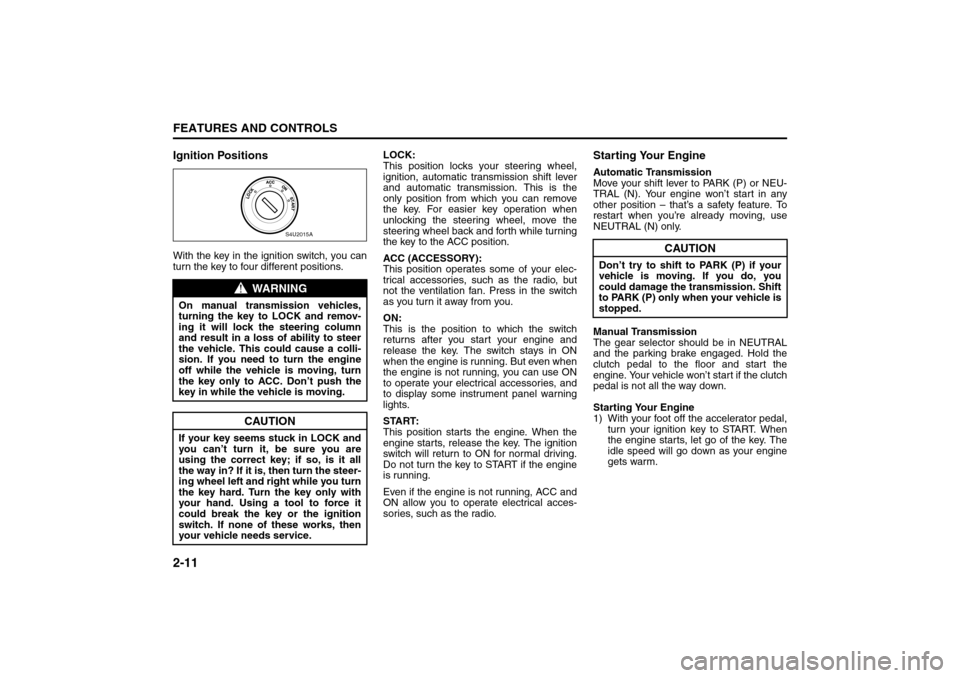
Ignition PositionsWith the key in the ignition switch, you can
turn the key to four different positions.LOCK:
This position locks your steering wheel,
ignition, automatic transmission shift lever
and automatic transmission. This is the
only position from which you can remove
the key. For easier key operation when
unlocking the steering wheel, move the
steering wheel back and forth while turning
the key to the ACC position.
ACC (ACCESSORY):
This position operates some of your elec-
trical accessories, such as the radio, but
not the ventilation fan. Press in the switch
as you turn it away from you.
ON:
This is the position to which the switch
returns after you start your engine and
release the key. The switch stays in ON
when the engine is running. But even when
the engine is not running, you can use ON
to operate your electrical accessories, and
to display some instrument panel warning
lights.
START:
This position starts the engine. When the
engine starts, release the key. The ignition
switch will return to ON for normal driving.
Do not turn the key to START if the engine
is running.
Even if the engine is not running, ACC and
ON allow you to operate electrical acces-
sories, such as the radio.
Starting Your EngineAutomatic Transmission
Move your shift lever to PARK (P) or NEU-
TRAL (N). Your engine won’t start in any
other position – that’s a safety feature. To
restart when you’re already moving, use
NEUTRAL (N) only.
Manual Transmission
The gear selector should be in NEUTRAL
and the parking brake engaged. Hold the
clutch pedal to the floor and start the
engine. Your vehicle won’t start if the clutch
pedal is not all the way down.
Starting Your Engine
1) With your foot off the accelerator pedal,
turn your ignition key to START. When
the engine starts, let go of the key. The
idle speed will go down as your engine
gets warm.
WARNING
On manual transmission vehicles,
turning the key to LOCK and remov-
ing it will lock the steering column
and result in a loss of ability to steer
the vehicle. This could cause a colli-
sion. If you need to turn the engine
off while the vehicle is moving, turn
the key only to ACC. Don’t push the
key in while the vehicle is moving.
CAUTION
If your key seems stuck in LOCK and
you can’t turn it, be sure you are
using the correct key; if so, is it all
the way in? If it is, then turn the steer-
ing wheel left and right while you turn
the key hard. Turn the key only with
your hand. Using a tool to force it
could break the key or the ignition
switch. If none of these works, then
your vehicle needs service.
S4U2015A
CAUTION
Don’t try to shift to PARK (P) if your
vehicle is moving. If you do, you
could damage the transmission. Shift
to PARK (P) only when your vehicle is
stopped.
Starting and Operating Your Vehicle:
Page 62 of 226
2-14
FEATURES AND CONTROLS
85Z14-03E
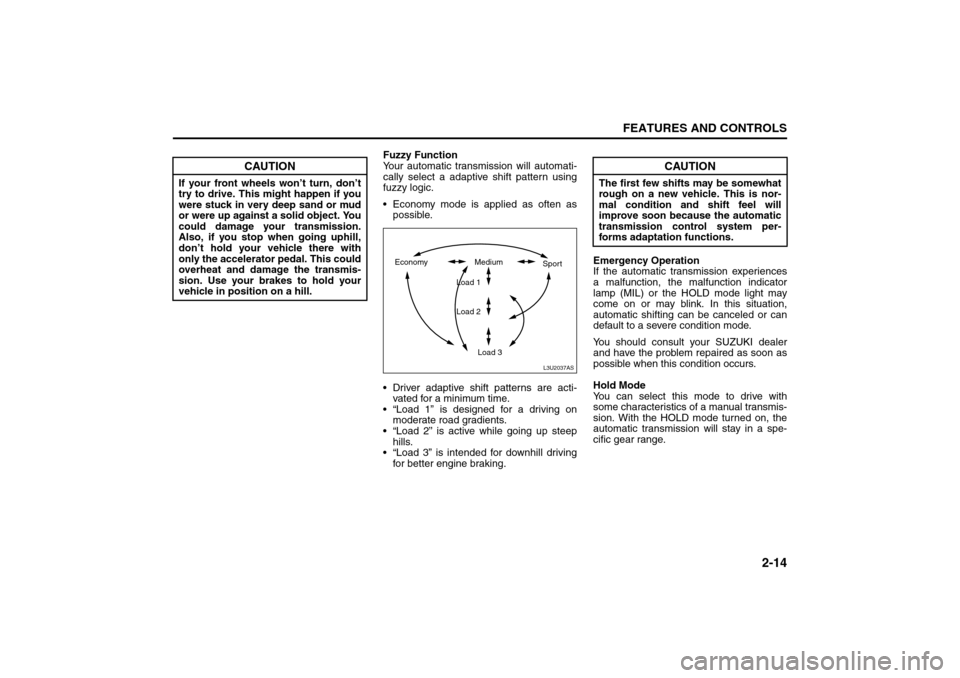
Fuzzy Function
Your automatic transmission will automati-
cally select a adaptive shift pattern using
fuzzy logic.
Economy mode is applied as often as
possible.
Driver adaptive shift patterns are acti-
vated for a minimum time.
“Load 1” is designed for a driving on
moderate road gradients.
“Load 2” is active while going up steep
hills.
“Load 3” is intended for downhill driving
for better engine braking.Emergency Operation
If the automatic transmission experiences
a malfunction, the malfunction indicator
lamp (MIL) or the HOLD mode light may
come on or may blink. In this situation,
automatic shifting can be canceled or can
default to a severe condition mode.
You should consult your SUZUKI dealer
and have the problem repaired as soon as
possible when this condition occurs.
Hold Mode
You can select this mode to drive with
some characteristics of a manual transmis-
sion. With the HOLD mode turned on, the
automatic transmission will stay in a spe-
cific gear range.
CAUTION
If your front wheels won’t turn, don’t
try to drive. This might happen if you
were stuck in very deep sand or mud
or were up against a solid object. You
could damage your transmission.
Also, if you stop when going uphill,
don’t hold your vehicle there with
only the accelerator pedal. This could
overheat and damage the transmis-
sion. Use your brakes to hold your
vehicle in position on a hill.
L3U2037AS
Economy Medium
Load 1
Load 2
Load 3Sport
CAUTION
The first few shifts may be somewhat
rough on a new vehicle. This is nor-
mal condition and shift feel will
improve soon because the automatic
transmission control system per-
forms adaptation functions.
Starting and Operating Your Vehicle:
Page 63 of 226
2-15FEATURES AND CONTROLS
85Z14-03E
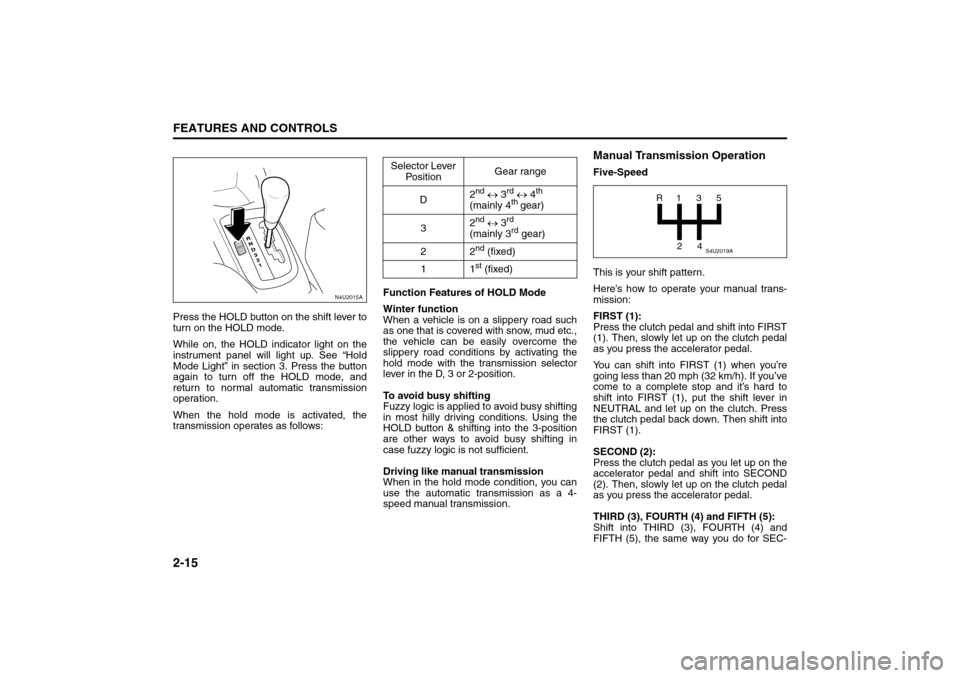
Press the HOLD button on the shift lever to
turn on the HOLD mode.
While on, the HOLD indicator light on the
instrument panel will light up. See “Hold
Mode Light” in section 3. Press the button
again to turn off the HOLD mode, and
return to normal automatic transmission
operation.
When the hold mode is activated, the
transmission operates as follows:Function Features of HOLD Mode
Winter function
When a vehicle is on a slippery road such
as one that is covered with snow, mud etc.,
the vehicle can be easily overcome the
slippery road conditions by activating the
hold mode with the transmission selector
lever in the D, 3 or 2-position.
To avoid busy shifting
Fuzzy logic is applied to avoid busy shifting
in most hilly driving conditions. Using the
HOLD button & shifting into the 3-position
are other ways to avoid busy shifting in
case fuzzy logic is not sufficient.
Driving like manual transmission
When in the hold mode condition, you can
use the automatic transmission as a 4-
speed manual transmission.
Manual Transmission OperationFive-Speed
This is your shift pattern.
Here’s how to operate your manual trans-
mission:
FIRST (1):
Press the clutch pedal and shift into FIRST
(1). Then, slowly let up on the clutch pedal
as you press the accelerator pedal.
You can shift into FIRST (1) when you’re
going less than 20 mph (32 km/h). If you’ve
come to a complete stop and it’s hard to
shift into FIRST (1), put the shift lever in
NEUTRAL and let up on the clutch. Press
the clutch pedal back down. Then shift into
FIRST (1).
SECOND (2):
Press the clutch pedal as you let up on the
accelerator pedal and shift into SECOND
(2). Then, slowly let up on the clutch pedal
as you press the accelerator pedal.
THIRD (3), FOURTH (4) and FIFTH (5):
Shift into THIRD (3), FOURTH (4) and
FIFTH (5), the same way you do for SEC-
N4U2015A
HOLD
Selector Lever
PositionGear range
D2
nd ↔ 3
rd ↔ 4
th
(mainly 4
th gear)
32
nd ↔ 3
rd
(mainly 3rd gear)
22
nd (fixed)
11st (fixed)
S4U2019A
R1
2435
Starting and Operating Your Vehicle:
Page 66 of 226
2-18
FEATURES AND CONTROLS
85Z14-03E
2) Turn the key to LOCK and remove the
key from the ignition switch.
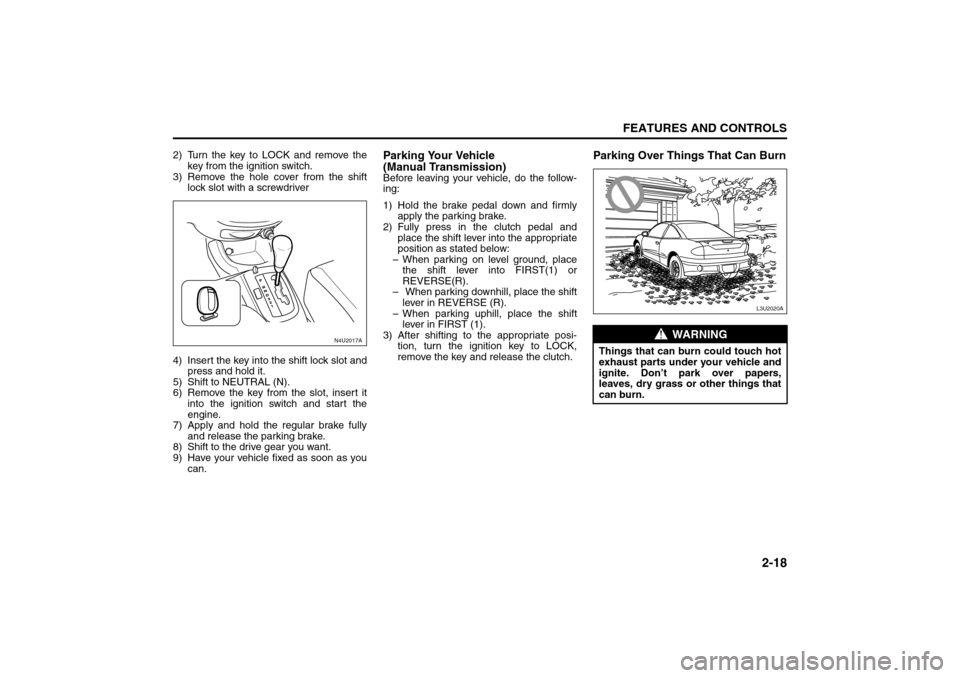
3) Remove the hole cover from the shift
lock slot with a screwdriver
4) Insert the key into the shift lock slot and
press and hold it.
5) Shift to NEUTRAL (N).
6) Remove the key from the slot, insert it
into the ignition switch and start the
engine.
7) Apply and hold the regular brake fully
and release the parking brake.
8) Shift to the drive gear you want.
9) Have your vehicle fixed as soon as you
can.
Parking Your Vehicle
(Manual Transmission)Before leaving your vehicle, do the follow-
ing:
1) Hold the brake pedal down and firmly
apply the parking brake.
2) Fully press in the clutch pedal and
place the shift lever into the appropriate
position as stated below:
– When parking on level ground, place
the shift lever into FIRST(1) or
REVERSE(R).
– When parking downhill, place the shift
lever in REVERSE (R).
– When parking uphill, place the shift
lever in FIRST (1).
3) After shifting to the appropriate posi-
tion, turn the ignition key to LOCK,
remove the key and release the clutch.
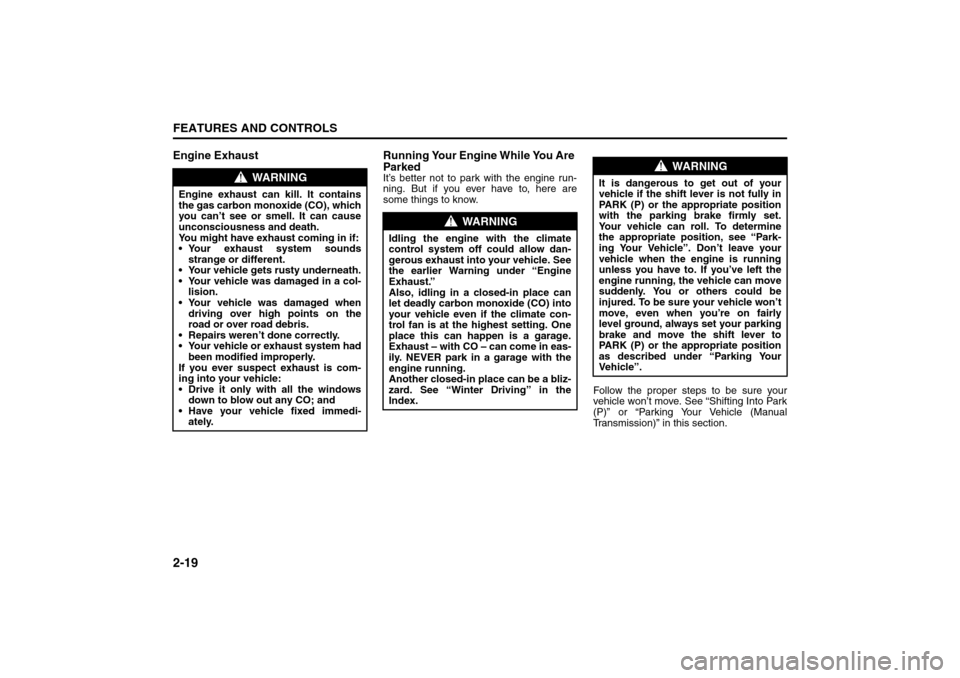
Parking Over Things That Can Burn
N4U2017A
WARNING
Things that can burn could touch hot
exhaust parts under your vehicle and
ignite. Don’t park over papers,
leaves, dry grass or other things that
can burn.
L3U2020A
Starting and Operating Your Vehicle:
Page 67 of 226
2-19FEATURES AND CONTROLS
85Z14-03E
Engine Exhaust Running Your Engine While You Are
Parked
It’s better not to park with the engine run-
ning. But if you ever have to, here are
some things to know.
Follow the proper steps to be sure your
vehicle won’t move. See “Shifting Into Park
(P)” or “Parking Your Vehicle (Manual
Transmission)” in this section.
WARNING
Engine exhaust can kill. It contains
the gas carbon monoxide (CO), which
you can’t see or smell. It can cause
unconsciousness and death.
You might have exhaust coming in if:
Your exhaust system sounds
strange or different.
Your vehicle gets rusty underneath.
Your vehicle was damaged in a col-
lision.
Your vehicle was damaged when
driving over high points on the
road or over road debris.
Repairs weren’t done correctly.
Your vehicle or exhaust system had
been modified improperly.
If you ever suspect exhaust is com-
ing into your vehicle:
Drive it only with all the windows
down to blow out any CO; and
Have your vehicle fixed immedi-
ately.
WARNING
Idling the engine with the climate
control system off could allow dan-
gerous exhaust into your vehicle. See
the earlier Warning under “Engine
Exhaust.”
Also, idling in a closed-in place can
let deadly carbon monoxide (CO) into
your vehicle even if the climate con-
trol fan is at the highest setting. One
place this can happen is a garage.
Exhaust – with CO – can come in eas-
ily. NEVER park in a garage with the
engine running.
Another closed-in place can be a bliz-
zard. See “Winter Driving” in the
Index.
WARNING
It is dangerous to get out of your
vehicle if the shift lever is not fully in
PARK (P) or the appropriate position
with the parking brake firmly set.
Your vehicle can roll. To determine
the appropriate position, see “Park-
ing Your Vehicle”. Don’t leave your
vehicle when the engine is running
unless you have to. If you’ve left the
engine running, the vehicle can move
suddenly. You or others could be
injured. To be sure your vehicle won’t
move, even when you’re on fairly
level ground, always set your parking
brake and move the shift lever to
PARK (P) or the appropriate position
as described under “Parking Your
Ve h i cl e ” .
Starting and Operating Your Vehicle:
Mirrors:
Page 80 of 226
3-6
INSTRUMENT PANEL
85Z14-03E
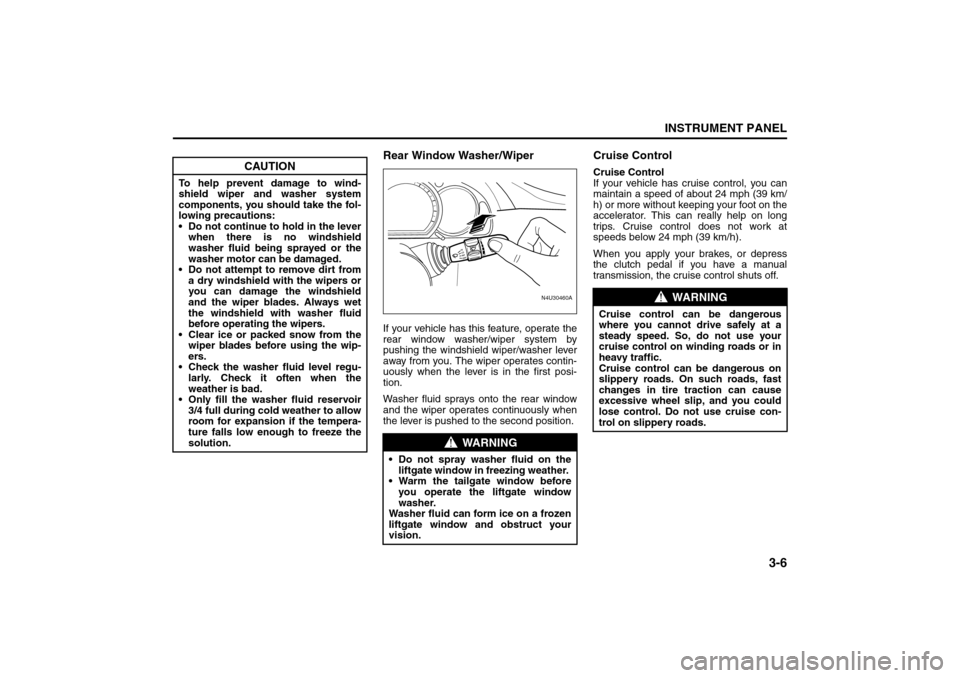
Rear Window Washer/WiperIf your vehicle has this feature, operate the
rear window washer/wiper system by
pushing the windshield wiper/washer lever
away from you. The wiper operates contin-
uously when the lever is in the first posi-
tion.
Washer fluid sprays onto the rear window
and the wiper operates continuously when
the lever is pushed to the second position.
Cruise ControlCruise Control
If your vehicle has cruise control, you can
maintain a speed of about 24 mph (39 km/
h) or more without keeping your foot on the
accelerator. This can really help on long
trips. Cruise control does not work at
speeds below 24 mph (39 km/h).
When you apply your brakes, or depress
the clutch pedal if you have a manual
transmission, the cruise control shuts off.
CAUTION
To help prevent damage to wind-
shield wiper and washer system
components, you should take the fol-
lowing precautions:
Do not continue to hold in the lever
when there is no windshield
washer fluid being sprayed or the
washer motor can be damaged.
Do not attempt to remove dirt from
a dry windshield with the wipers or
you can damage the windshield
and the wiper blades. Always wet
the windshield with washer fluid
before operating the wipers.
Clear ice or packed snow from the
wiper blades before using the wip-
ers.
Check the washer fluid level regu-
larly. Check it often when the
weather is bad.
Only fill the washer fluid reservoir
3/4 full during cold weather to allow
room for expansion if the tempera-
ture falls low enough to freeze the
solution.
WARNING
Do not spray washer fluid on the
liftgate window in freezing weather.
Warm the tailgate window before
you operate the liftgate window
washer.
Washer fluid can form ice on a frozen
liftgate window and obstruct your
vision.
N4U30460A
FASTSLOW
WARNING
Cruise control can be dangerous
where you cannot drive safely at a
steady speed. So, do not use your
cruise control on winding roads or in
heavy traffic.
Cruise control can be dangerous on
slippery roads. On such roads, fast
changes in tire traction can cause
excessive wheel slip, and you could
lose control. Do not use cruise con-
trol on slippery roads.
Instrument Panel Overview:
Page 81 of 226
3-7INSTRUMENT PANEL
85Z14-03E
Setting Cruise Control
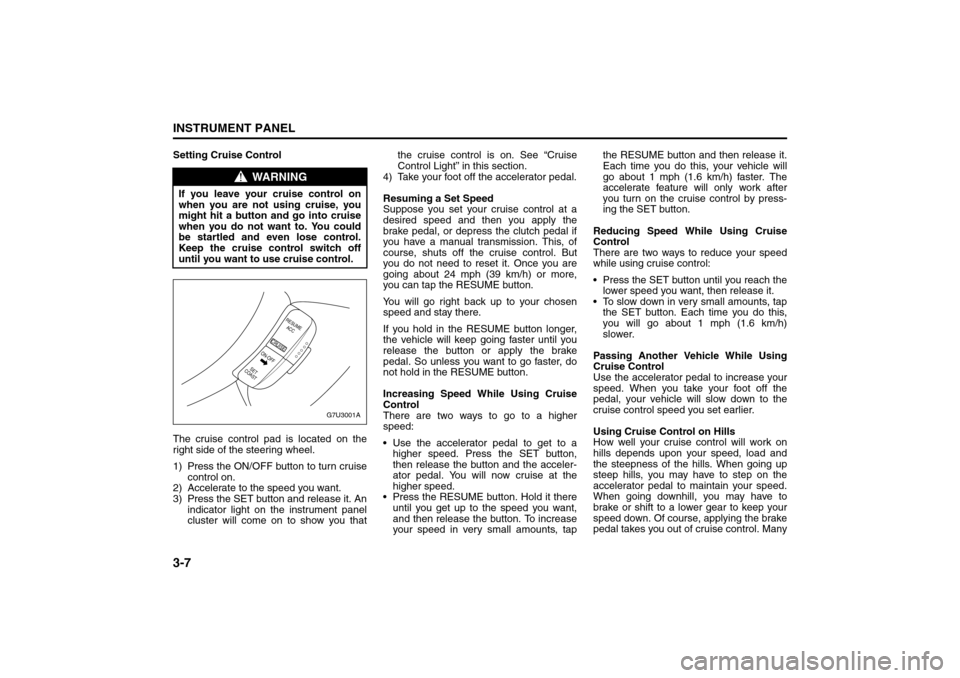
The cruise control pad is located on the
right side of the steering wheel.
1) Press the ON/OFF button to turn cruise
control on.
2) Accelerate to the speed you want.
3) Press the SET button and release it. An
indicator light on the instrument panel
cluster will come on to show you thatthe cruise control is on. See “Cruise
Control Light” in this section.
4) Take your foot off the accelerator pedal.
Resuming a Set Speed
Suppose you set your cruise control at a
desired speed and then you apply the
brake pedal, or depress the clutch pedal if
you have a manual transmission. This, of
course, shuts off the cruise control. But
you do not need to reset it. Once you are
going about 24 mph (39 km/h) or more,
you can tap the RESUME button.
You will go right back up to your chosen
speed and stay there.
If you hold in the RESUME button longer,
the vehicle will keep going faster until you
release the button or apply the brake
pedal. So unless you want to go faster, do
not hold in the RESUME button.
Increasing Speed While Using Cruise
Control
There are two ways to go to a higher
speed:
Use the accelerator pedal to get to a
higher speed. Press the SET button,
then release the button and the acceler-
ator pedal. You will now cruise at the
higher speed.
Press the RESUME button. Hold it there
until you get up to the speed you want,
and then release the button. To increase
your speed in very small amounts, tapthe RESUME button and then release it.
Each time you do this, your vehicle will
go about 1 mph (1.6 km/h) faster. The
accelerate feature will only work after
you turn on the cruise control by press-
ing the SET button.
Reducing Speed While Using Cruise
Control
There are two ways to reduce your speed
while using cruise control:
Press the SET button until you reach the
lower speed you want, then release it.
To slow down in very small amounts, tap
the SET button. Each time you do this,
you will go about 1 mph (1.6 km/h)
slower.
Passing Another Vehicle While Using
Cruise Control
Use the accelerator pedal to increase your
speed. When you take your foot off the
pedal, your vehicle will slow down to the
cruise control speed you set earlier.
Using Cruise Control on Hills
How well your cruise control will work on
hills depends upon your speed, load and
the steepness of the hills. When going up
steep hills, you may have to step on the
accelerator pedal to maintain your speed.
When going downhill, you may have to
brake or shift to a lower gear to keep your
speed down. Of course, applying the brake
pedal takes you out of cruise control. Many
WARNING
If you leave your cruise control on
when you are not using cruise, you
might hit a button and go into cruise
when you do not want to. You could
be startled and even lose control.
Keep the cruise control switch off
until you want to use cruise control.
G7U3001A
RESUME
ACC
CRUISE
SET
COASTON-OFF
Instrument Panel Overview:
Page 82 of 226
3-8
INSTRUMENT PANEL
85Z14-03E
drivers find this to be too much trouble and
do not use cruise control on steep hills.
Disengaging Cruise Control
There are two ways to turn off the cruise
control:
Step lightly on the brake pedal, or
depress the clutch pedal, if you have a
manual transmission.
Press the ON/OFF button on the cruise
control pad.
Erasing Speed Memory
When you turn off the cruise control or the
ignition, your cruise control set speed
memory is erased.
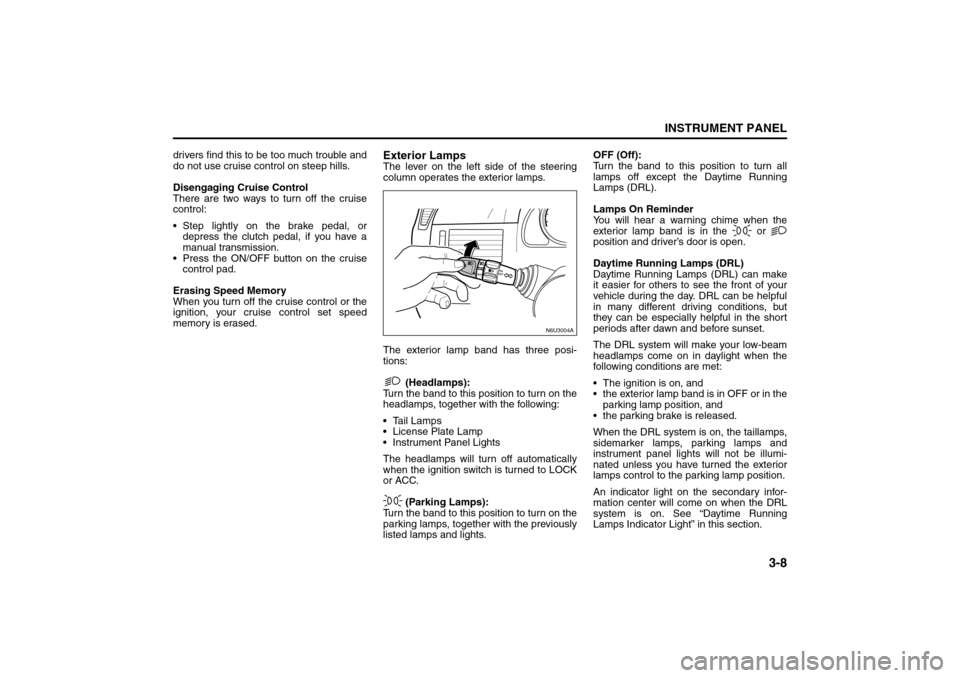
Exterior LampsThe lever on the left side of the steering
column operates the exterior lamps.
The exterior lamp band has three posi-
tions:
(Headlamps):
Turn the band to this position to turn on the
headlamps, together with the following:
Tail Lamps
License Plate Lamp
Instrument Panel Lights
The headlamps will turn off automatically
when the ignition switch is turned to LOCK
or ACC.
(Parking Lamps):
Turn the band to this position to turn on the
parking lamps, together with the previously
listed lamps and lights.OFF (Off):
Turn the band to this position to turn all
lamps off except the Daytime Running
Lamps (DRL).
Lamps On Reminder
You will hear a warning chime when the
exterior lamp band is in the or
position and driver’s door is open.
Daytime Running Lamps (DRL)
Daytime Running Lamps (DRL) can make
it easier for others to see the front of your
vehicle during the day. DRL can be helpful
in many different driving conditions, but
they can be especially helpful in the short
periods after dawn and before sunset.
The DRL system will make your low-beam
headlamps come on in daylight when the
following conditions are met:
The ignition is on, and
the exterior lamp band is in OFF or in the
parking lamp position, and
the parking brake is released.
When the DRL system is on, the taillamps,
sidemarker lamps, parking lamps and
instrument panel lights will not be illumi-
nated unless you have turned the exterior
lamps control to the parking lamp position.
An indicator light on the secondary infor-
mation center will come on when the DRL
system is on. See “Daytime Running
Lamps Indicator Light” in this section.
N6U3004A
Instrument Panel Overview:
Page 139 of 226
4-15DRIVING YOUR VEHICLE
85Z14-03E
Run your engine only as long as you must.
This saves fuel. When you run the engine,
make it go a little faster than just idle. That
is, push the accelerator slightly. This uses
less fuel for the heat that you get and it
keeps the battery charged. You will need a
well-charged battery to restart the vehicle,
and possibly for signaling later on with your
headlamps. Let the heater run for a while.
Then, shut the engine off and close the
window almost all the way to preserve the
heat. Start the engine again and repeat
this only when you feel really uncomfort-
able from the cold. But do it as little as pos-
sible. Preserve the fuel as long as you can.
To help keep warm, you can get out of the
vehicle and do some fairly vigorous exer-
cises every half hour or so until help
comes.
If You Are Stuck: In Sand, Mud, Ice or
Snow
In order to free your vehicle when it is
stuck, you will need to spin the wheels, but
you don’t want to spin your wheels too fast.
The method known as “rocking” can help
you get out when you’re stuck, but you
must use caution.For information about using tire chains on
your vehicle, see “Tire Chains” in section 5.Rocking Your Vehicle To Get It Out
First, turn your steering wheel left and
right. That will clear the area around your
front wheels. Then shift back and forth
between REVERSE (R) and a forward
gear (or with a manual transmission,
between FIRST (1) or SECOND (2) and
REVERSE (R)), spinning the wheels as lit-
tle as possible. Release the accelerator
pedal while you shift, and press lightly on
the accelerator pedal when the transmis-
sion is in gear. By slowly spinning your
wheels in the forward and reverse direc-
tions, you will cause a rocking motion that
may free your vehicle. If that doesn’t get
you out after a few tries, you may need to
be towed out. If you do need to be towed
out, see “Towing Your Vehicle” in the fol-
lowing section.
WARNING
If you let your tires spin at high
speed, they can explode, and you or
others could be injured. And, the
transmission or other parts of the
vehicle can overheat. That could
cause an engine compartment fire or
other damage. When you’re stuck,
spin the wheels as little as possible.
Don’t spin the wheels above 35 mph
(55 km/h) as shown on the speedom-
eter.
CAUTION
Spinning your wheels can destroy
parts of your vehicle as well as the
tires. If you spin the wheels too fast
while shifting your transmission back
and forth, you can destroy your trans-
mission. See “Rocking Your Vehicle
To Get It Out.”
Your Driving, the Road, and Your Vehicle: