Door SUZUKI SWIFT 2017 5.G Owner's Manual
[x] Cancel search | Manufacturer: SUZUKI, Model Year: 2017, Model line: SWIFT, Model: SUZUKI SWIFT 2017 5.GPages: 336, PDF Size: 6.24 MB
Page 39 of 336
2-20
BEFORE DRIVING
74LH0-74E
Security System (Vehicle with Key-
less push start system)
The security system is armed after you
lock all doors (including engine hood and
trunk/tailgate) by using the keyless push
start system remote controller or request
switch.
Once the system is armed, any attempt to
open a door by using any other means (*)
than the keyless push start system remote
controller or open the engine hood, will
cause the alarm to be triggered.
* These means include the following:
–The key
– The lock knob on a door
– The central door locking switch
– The tailgate unlatch button (if
equipped)
– The trunk lid unlatch button (if
equipped)
Also, in case that you have set the shock
sensor to enabled state and set sensitivity
of the pre-warning function and full blast
warning function to a level other than 0, the
warning will be triggered in case of any
attempt to tamper with the vehicle. The
shock sensor can be selected enabled or
disabled state, and sensitivity of each
warning can be adjusted as desired. To set
the shock sensor, ask your MARUTI
SUZUKI dealer or use the setting mode of
the information display.NOTE:
• The default setting of the shock sensor
is in the disabled state. Set to the
enabled state and adjust sensitivity of
each warning according to your prefer-
ence. For details on how to use the infor-
mation display, refer to “Information
Display” in this section.
• Your dealer may have already set the
shock sensor of the vehicle to the
enabled state before you purchase it.
Consult your dealer for further informa-
tion.
NOTE:
• The security system generates alarms
when any of the predetermined condi-
tions is met. However, the system does
not have any function of blocking unau-
thorized entry into the vehicle.
• Always use the keyless push start system
remote controller to unlock the doors when
the security system has been armed.
Using a key instead will trigger the alarm.
• If a person who does not know the secu-
rity system is going to drive the vehicle,
we recommend you explain the system
and its operation to the person. Mistak-
enly triggering the alarm may cause a
nuisance to others.
• Even if the security system is armed,
you should still be careful to guard
against theft. Do not leave money or
things of value in the vehicle.How to arm the security system
Lock all doors (including engine hood and
trunk/tailgate) using the keyless push start
system remote controller or request switch.
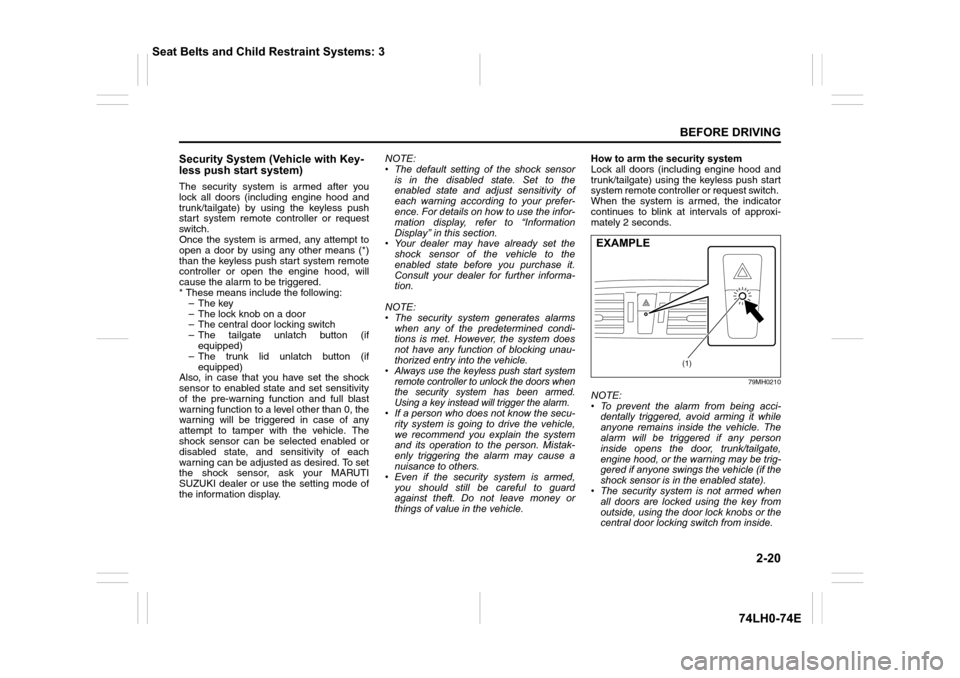
When the system is armed, the indicator
continues to blink at intervals of approxi-
mately 2 seconds.
79MH0210
NOTE:
• To prevent the alarm from being acci-
dentally triggered, avoid arming it while
anyone remains inside the vehicle. The
alarm will be triggered if any person
inside opens the door, trunk/tailgate,
engine hood, or the warning may be trig-
gered if anyone swings the vehicle (if the
shock sensor is in the enabled state).
• The security system is not armed when
all doors are locked using the key from
outside, using the door lock knobs or the
central door locking switch from inside.
(1)
EXAMPLE
Seat Belts and Child Restraint Systems: 3
Page 40 of 336
2-21
BEFORE DRIVING
74LH0-74E
• If any door is not operated within approx-
imately 30 seconds after the doors have
been unlocked using the keyless push
start system remote controller, the doors
are automatically locked again. When
the doors are locked, the security sys-
tem will be armed.
• If the security system indicator (1) blinks
when the ignition mode is “ON”, there
may be something wrong with the secu-
rity system. Ask your MARUTI SUZUKI
dealer to inspect the system.
How to disarm the security system
Simply unlock the doors using the keyless
push start system remote controller. The
security system indicator will go out, indi-
cating that the security system is dis-
armed.
How to stop the alarm
Should the alarm be triggered accidentally,
unlock the doors using the keyless push
start system remote controller or request
switch, or in case of emergency, press the
engine switch to change the ignition mode
to “ON”.
NOTE:
• Even after the alarm has stopped, if you
lock the doors using the keyless push
start system remote controller, the secu-
rity system will be rearmed.
• If you disconnect the battery while the
security system is in the armed condition
or the alarm is actually in operation, thealarm will be re-triggered when the bat-
tery is then reconnected.
• Even after the alarm has stopped at the
end of the predetermined operation time,
it will be triggered again if any of the
doors, trunk/tailgate or engine hood is
opened, or the warning may be triggered
if the vehicle feels a shock (if the shock
sensor is in the enabled state), without
disarming the security system.
Checking whether the alarm has been
triggered during parking
If the alarm was triggered and you then
turn the ignition mode is “ON”, the security
system indicator will blink rapidly for about
8 seconds and a buzzer will beep 4 times
during this period. If this happens, check
whether the vehicle has been broken into
while you were away from it.
Security system indication
• If any of the doors or trunk/tailgate are
opened without unlocking by the keyless
push start system remote controller, all
turn signal lights start to blink and the
interior buzzer beeps intermittently. After
5 seconds, the siren will sound for about
27.5 seconds. The security system indi-
cator continues to blink during this time.
• If the engine hood is opened, all turn sig-
nal lights blink, and the siren sounds for
about 27.5 seconds. The security sys-
tem indicator continues to blink during
this time.• If the shock sensor is in the enabled
state and the vehicle feels a shock
higher than the pre-warning sensitivity,
the siren sounds for about 2 seconds
(pre-warning). If the vehicle feel a shock
higher than the full blast warning sensi-
tivity, siren will sound for about 4.5 sec-
onds (full blast warning). The security
system indicator continues to blink
during this time.
NOTE:
If you set the full blast warning sensitivity
higher than the pre-warning sensitivity in
the setting mode of the information display,
or the vehicle feels such shock as to be
able to trigger the full blast warning, the full
blast warning will be triggered preferen-
tially. In this case, the pre-warning will not
be triggered.
Seat Belts and Child Restraint Systems: 3
Page 41 of 336
2-22
BEFORE DRIVING
74LH0-74E
Windows
Manual Window Control
(if equipped)
60G010
Raise or lower the door windows by turning
the handle located on the door panel.
Electric Window Controls
(if equipped)
The electric windows can only be operated
when the ignition switch is in the “ON” posi-
tion.
Driver’s door
74LHT0204
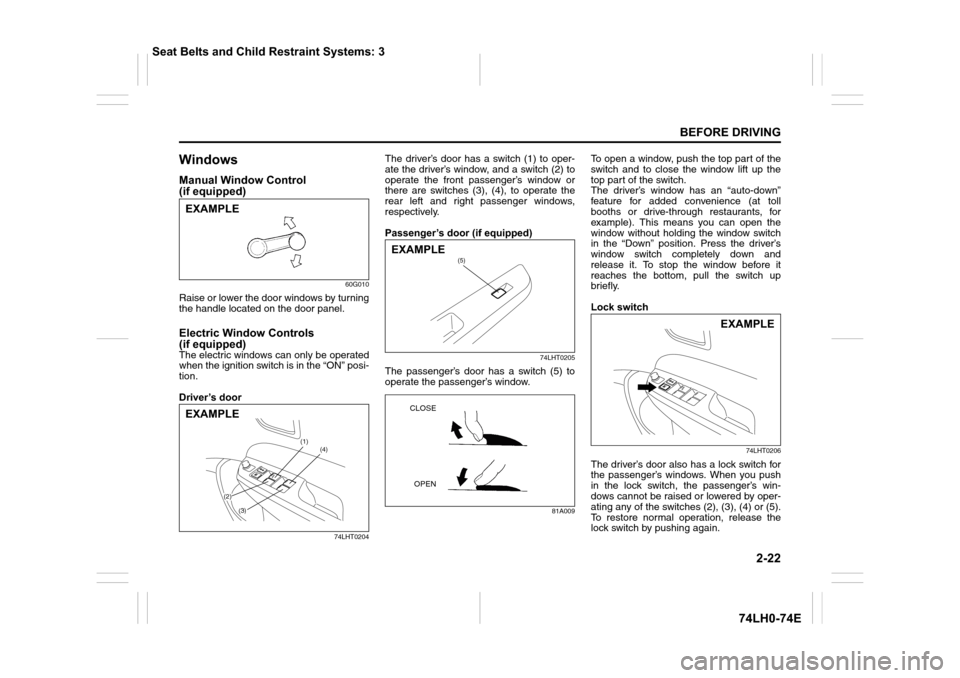
The driver’s door has a switch (1) to oper-
ate the driver’s window, and a switch (2) to
operate the front passenger’s window or
there are switches (3), (4), to operate the
rear left and right passenger windows,
respectively.
Passenger’s door (if equipped)
74LHT0205
The passenger’s door has a switch (5) to
operate the passenger’s window.
81A009
To open a window, push the top part of the
switch and to close the window lift up the
top part of the switch.
The driver’s window has an “auto-down”
feature for added convenience (at toll
booths or drive-through restaurants, for
example). This means you can open the
window without holding the window switch
in the “Down” position. Press the driver’s
window switch completely down and
release it. To stop the window before it
reaches the bottom, pull the switch up
briefly.
Lock switch
74LHT0206
The driver’s door also has a lock switch for
the passenger’s windows. When you push
in the lock switch, the passenger’s win-
dows cannot be raised or lowered by oper-
ating any of the switches (2), (3), (4) or (5).
To restore normal operation, release the
lock switch by pushing again.
EXAMPLE
(1)
(2)
(3)
(4)
EXAMPLE
(5)EXAMPLE
CLOSE
OPEN
EXAMPLE
Seat Belts and Child Restraint Systems: 3
Page 43 of 336
2-24
BEFORE DRIVING
74LH0-74E
Ty p e 1
75J003
You can adjust the outside rearview mir-
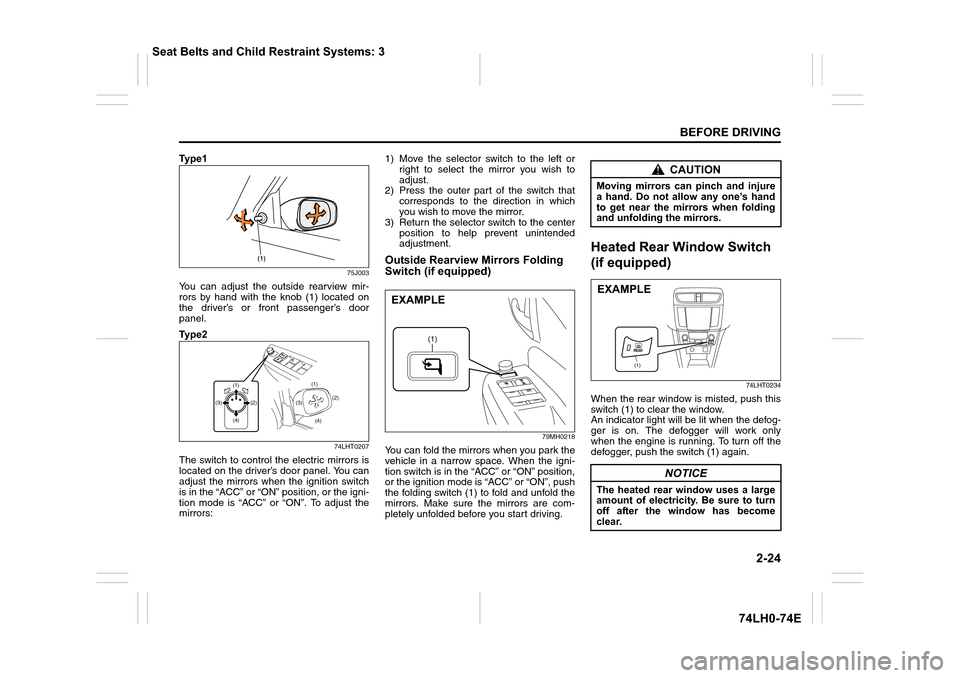
rors by hand with the knob (1) located on
the driver’s or front passenger’s door
panel.
Ty p e 2
74LHT0207
The switch to control the electric mirrors is
located on the driver’s door panel. You can
adjust the mirrors when the ignition switch
is in the “ACC” or “ON” position, or the igni-
tion mode is “ACC” or “ON”. To adjust the
mirrors:1) Move the selector switch to the left or
right to select the mirror you wish to
adjust.
2) Press the outer part of the switch that
corresponds to the direction in which
you wish to move the mirror.
3) Return the selector switch to the center
position to help prevent unintended
adjustment.
Outside Rearview Mirrors Folding
Switch (if equipped)
79MH0218
You can fold the mirrors when you park the
vehicle in a narrow space. When the igni-
tion switch is in the “ACC” or “ON” position,
or the ignition mode is “ACC” or “ON”, push
the folding switch (1) to fold and unfold the
mirrors. Make sure the mirrors are com-
pletely unfolded before you start driving.
Heated Rear Window Switch
(if equipped)
74LHT0234
When the rear window is misted, push this
switch (1) to clear the window.
An indicator light will be lit when the defog-
ger is on. The defogger will work only
when the engine is running. To turn off the
defogger, push the switch (1) again.
(1)(1)
(4) (4)(2)(2)
(3)(3)
(1)
EXAMPLE
CAUTION
Moving mirrors can pinch and injure
a hand. Do not allow any one’s hand
to get near the mirrors when folding
and unfolding the mirrors.
NOTICE
The heated rear window uses a large
amount of electricity. Be sure to turn
off after the window has become
clear.
(1)
EXAMPLE
Seat Belts and Child Restraint Systems: 3
Page 61 of 336
2-42
BEFORE DRIVING
74LH0-74E
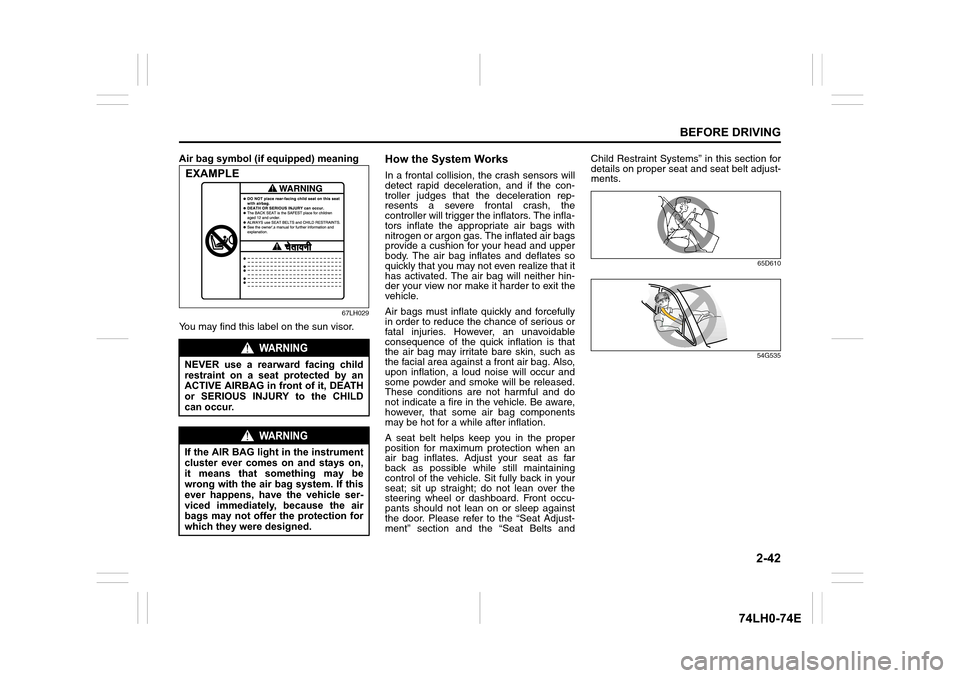
Air bag symbol (if equipped) meaning
67LH029
You may find this label on the sun visor.
How the System Works
In a frontal collision, the crash sensors will
detect rapid deceleration, and if the con-
troller judges that the deceleration rep-
resents a severe frontal crash, the
controller will trigger the inflators. The infla-
tors inflate the appropriate air bags with
nitrogen or argon gas. The inflated air bags
provide a cushion for your head and upper
body. The air bag inflates and deflates so
quickly that you may not even realize that it
has activated. The air bag will neither hin-
der your view nor make it harder to exit the
vehicle.
Air bags must inflate quickly and forcefully
in order to reduce the chance of serious or
fatal injuries. However, an unavoidable
consequence of the quick inflation is that
the air bag may irritate bare skin, such as
the facial area against a front air bag. Also,
upon inflation, a loud noise will occur and
some powder and smoke will be released.
These conditions are not harmful and do
not indicate a fire in the vehicle. Be aware,
however, that some air bag components
may be hot for a while after inflation.
A seat belt helps keep you in the proper
position for maximum protection when an
air bag inflates. Adjust your seat as far
back as possible while still maintaining
control of the vehicle. Sit fully back in your
seat; sit up straight; do not lean over the
steering wheel or dashboard. Front occu-
pants should not lean on or sleep against
the door. Please refer to the “Seat Adjust-
ment” section and the “Seat Belts andChild Restraint Systems” in this section for
details on proper seat and seat belt adjust-
ments.
65D610
54G535
WARNING
NEVER use a rearward facing child
restraint on a seat protected by an
ACTIVE AIRBAG in front of it, DEATH
or SERIOUS INJURY to the CHILD
can occur.
WARNING
If the AIR BAG light in the instrument
cluster ever comes on and stays on,
it means that something may be
wrong with the air bag system. If this
ever happens, have the vehicle ser-
viced immediately, because the air
bags may not offer the protection for
which they were designed.
EXAMPLE
Page 68 of 336
2-49
BEFORE DRIVING
74LH0-74E
SUZUKI dealer to have the system
inspected.
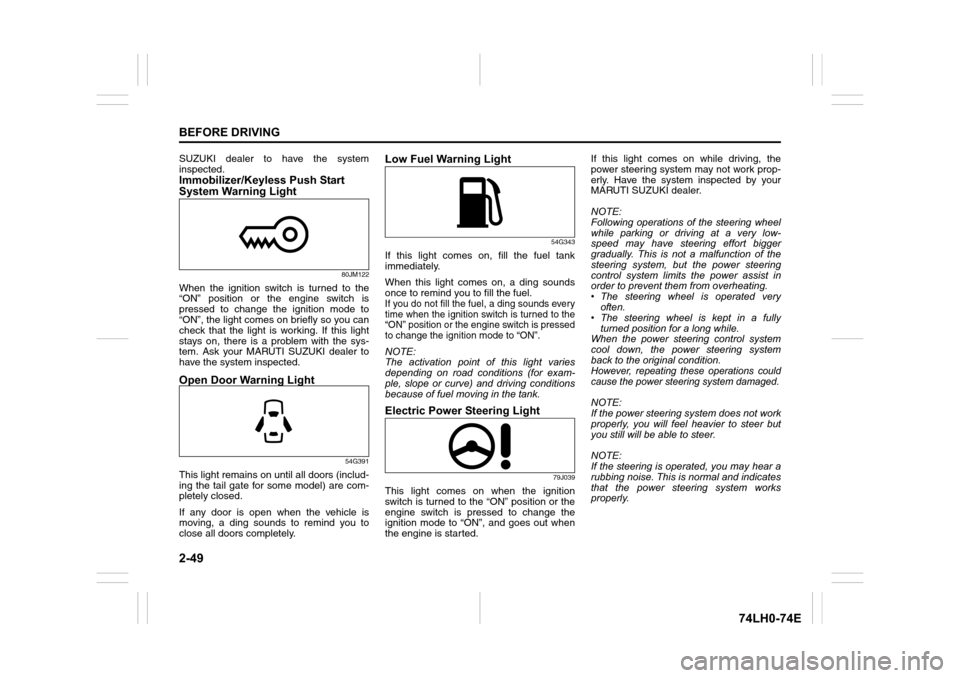
Immobilizer/Keyless Push Start
System Warning Light
80JM122
When the ignition switch is turned to the
“ON” position or the engine switch is
pressed to change the ignition mode to
“ON”, the light comes on briefly so you can
check that the light is working. If this light
stays on, there is a problem with the sys-
tem. Ask your MARUTI SUZUKI dealer to
have the system inspected.
Open Door Warning Light
54G391
This light remains on until all doors (includ-
ing the tail gate for some model) are com-
pletely closed.
If any door is open when the vehicle is
moving, a ding sounds to remind you to
close all doors completely.
Low Fuel Warning Light
54G343
If this light comes on, fill the fuel tank
immediately.
When this light comes on, a ding sounds
once to remind you to fill the fuel.
If you do not fill the fuel, a ding sounds every
time when the ignition switch is turned to the
“ON” position or the engine switch is pressed
to change the ignition mode to “ON”.
NOTE:
The activation point of this light varies
depending on road conditions (for exam-
ple, slope or curve) and driving conditions
because of fuel moving in the tank.
Electric Power Steering Light
79J039
This light comes on when the ignition
switch is turned to the “ON” position or the
engine switch is pressed to change the
ignition mode to “ON”, and goes out when
the engine is started.If this light comes on while driving, the
power steering system may not work prop-
erly. Have the system inspected by your
MARUTI SUZUKI dealer.
NOTE:
Following operations of the steering wheel
while parking or driving at a very low-
speed may have steering effort bigger
gradually. This is not a malfunction of the
steering system, but the power steering
control system limits the power assist in
order to prevent them from overheating.
• The steering wheel is operated very
often.
• The steering wheel is kept in a fully
turned position for a long while.
When the power steering control system
cool down, the power steering system
back to the original condition.
However, repeating these operations could
cause the power steering system damaged.
NOTE:
If the power steering system does not work
properly, you will feel heavier to steer but
you still will be able to steer.
NOTE:
If the steering is operated, you may hear a
rubbing noise. This is normal and indicates
that the power steering system works
properly.
Page 71 of 336
2-52
BEFORE DRIVING
74LH0-74E
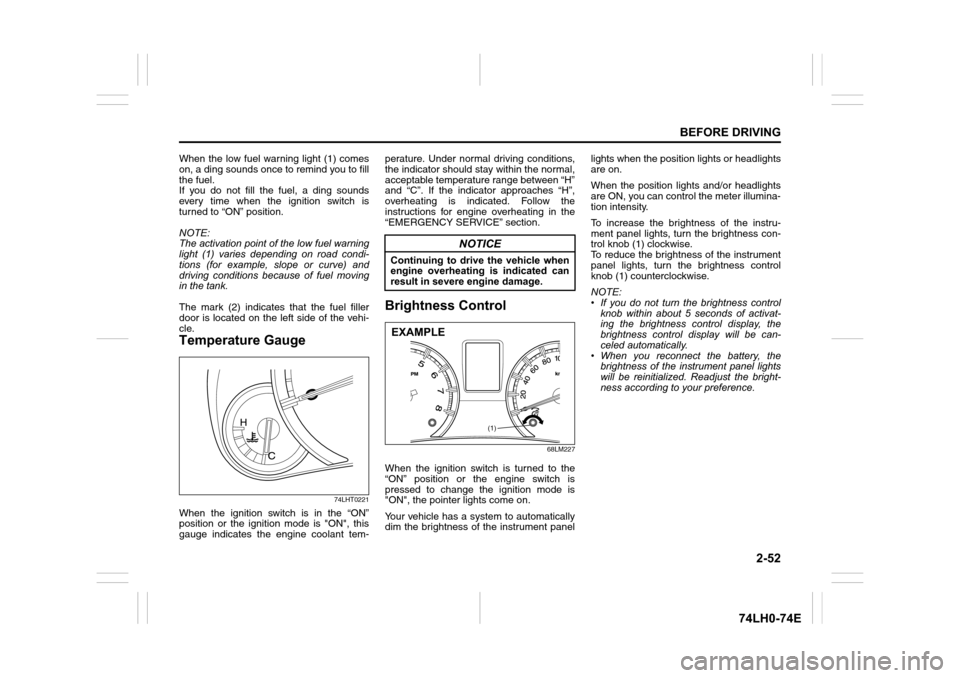
When the low fuel warning light (1) comes
on, a ding sounds once to remind you to fill
the fuel.
If you do not fill the fuel, a ding sounds
every time when the ignition switch is
turned to “ON” position.
NOTE:
The activation point of the low fuel warning
light (1) varies depending on road condi-
tions (for example, slope or curve) and
driving conditions because of fuel moving
in the tank.
The mark (2) indicates that the fuel filler
door is located on the left side of the vehi-
cle.
Temperature Gauge
74LHT0221
When the ignition switch is in the “ON”
position or the ignition mode is "ON", this
gauge indicates the engine coolant tem-perature. Under normal driving conditions,
the indicator should stay within the normal,
acceptable temperature range between “H”
and “C”. If the indicator approaches “H”,
overheating is indicated. Follow the
instructions for engine overheating in the
“EMERGENCY SERVICE” section.
Brightness Control
68LM227
When the ignition switch is turned to the
“ON” position or the engine switch is
pressed to change the ignition mode is
"ON", the pointer lights come on.
Your vehicle has a system to automatically
dim the brightness of the instrument panellights when the position lights or headlights
are on.
When the position lights and/or headlights
are ON, you can control the meter illumina-
tion intensity.
To increase the brightness of the instru-
ment panel lights, turn the brightness con-
trol knob (1) clockwise.
To reduce the brightness of the instrument
panel lights, turn the brightness control
knob (1) counterclockwise.
NOTE:
• If you do not turn the brightness control
knob within about 5 seconds of activat-
ing the brightness control display, the
brightness control display will be can-
celed automatically.
• When you reconnect the battery, the
brightness of the instrument panel lights
will be reinitialized. Readjust the bright-
ness according to your preference.
NOTICE
Continuing to drive the vehicle when
engine overheating is indicated can
result in severe engine damage.
(1)
EXAMPLE
Page 76 of 336
2-57
BEFORE DRIVING
74LH0-74E
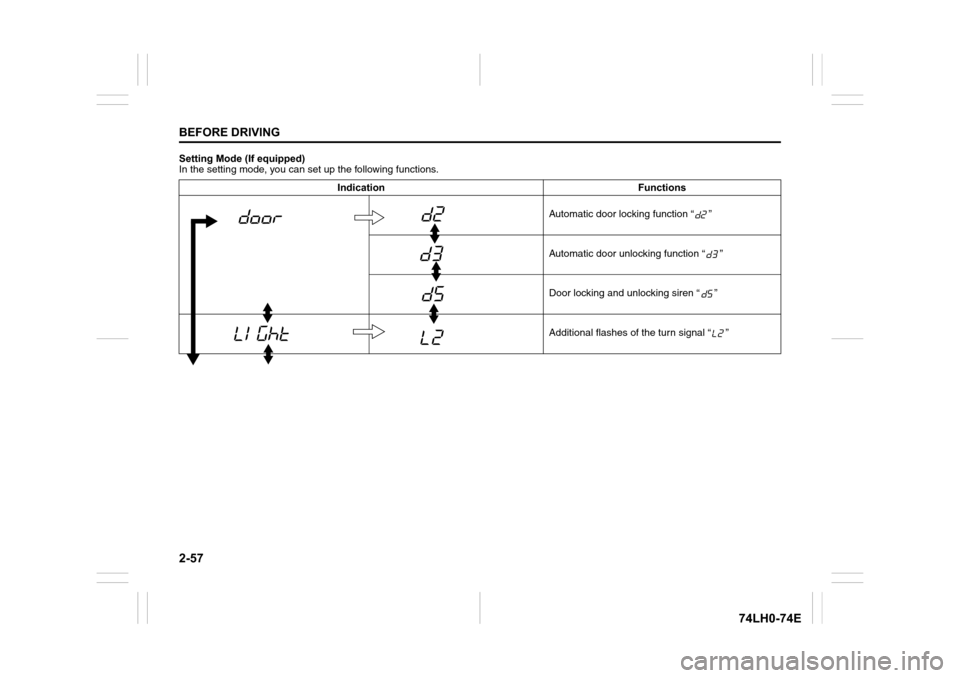
Setting Mode (If equipped)
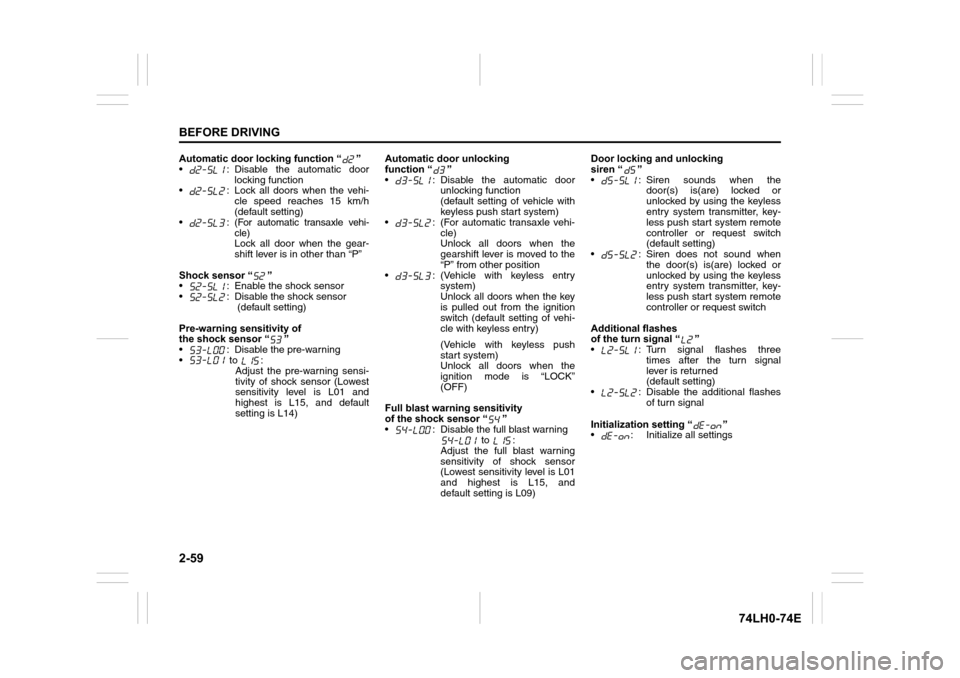
In the setting mode, you can set up the following functions.
Indication Functions
Automatic door locking function “ ”
Automatic door unlocking function “ ”
Door locking and unlocking siren “ ”
Additional flashes of the turn signal “ ”
Page 78 of 336
2-59
BEFORE DRIVING
74LH0-74E
Automatic door locking function “ ”
• : Disable the automatic door
locking function
• : Lock all doors when the vehi-
cle speed reaches 15 km/h
(default setting)
•:
(For automatic transaxle vehi-
cle)
Lock all door when the gear-
shift lever is in other than “P”
Shock sensor “ ”
• : Enable the shock sensor
• : Disable the shock sensor
(default setting)
Pre-warning sensitivity of
the shock sensor “ ”
• : Disable the pre-warning
• to :
Adjust the pre-warning sensi-
tivity of shock sensor (Lowest
sensitivity level is L01 and
highest is L15, and default
setting is L14)Automatic door unlocking
function “ ”
• : Disable the automatic door
unlocking function
(default setting of vehicle with
keyless push start system)
• : (For automatic transaxle vehi-
cle)
Unlock all doors when the
gearshift lever is moved to the
“P” from other position
• : (Vehicle with keyless entry
system)
Unlock all doors when the key
is pulled out from the ignition
switch (default setting of vehi-
cle with keyless entry)
(Vehicle with keyless push
start system)
Unlock all doors when the
ignition mode is “LOCK”
(OFF)
Full blast warning sensitivity
of the shock sensor “ ”
• : Disable the full blast warning
to :
Adjust the full blast warning
sensitivity of shock sensor
(Lowest sensitivity level is L01
and highest is L15, and
default setting is L09)Door locking and unlocking
siren “ ”
• : Siren sounds when the
door(s) is(are) locked or
unlocked by using the keyless
entry system transmitter, key-
less push start system remote
controller or request switch
(default setting)
• : Siren does not sound when
the door(s) is(are) locked or
unlocked by using the keyless
entry system transmitter, key-
less push start system remote
controller or request switch
Additional flashes
of the turn signal “ ”
• : Turn signal flashes three
times after the turn signal
lever is returned
(default setting)
• : Disable the additional flashes
of turn signal
Initialization setting “ ”
• : Initialize all settings
Page 80 of 336
2-61
BEFORE DRIVING
74LH0-74E
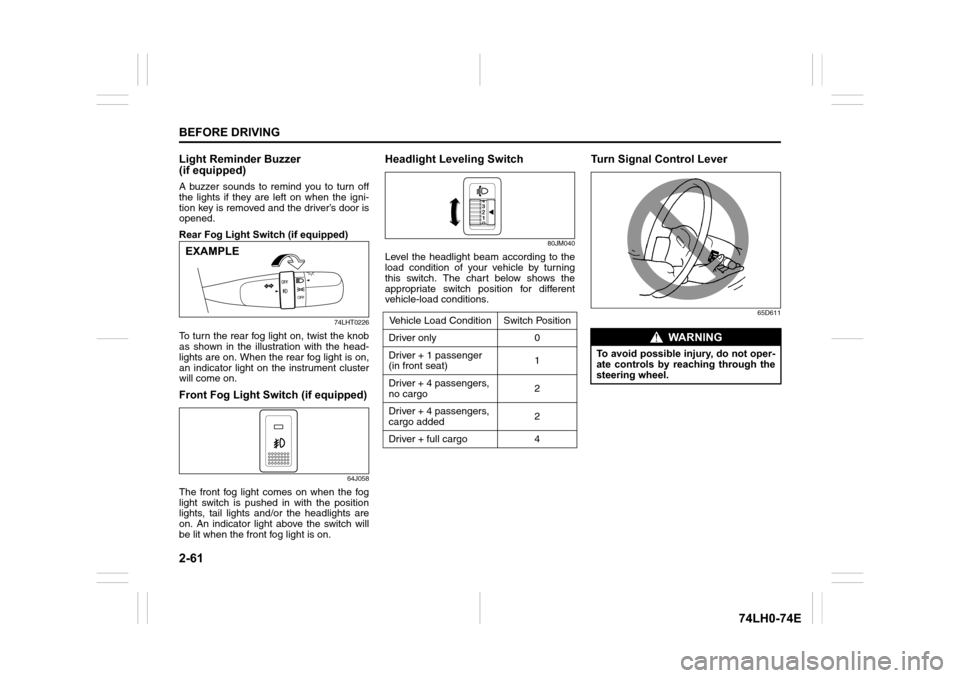
Light Reminder Buzzer
(if equipped)
A buzzer sounds to remind you to turn off
the lights if they are left on when the igni-
tion key is removed and the driver’s door is
opened.
Rear Fog Light Switch (if equipped)
74LHT0226
To turn the rear fog light on, twist the knob
as shown in the illustration with the head-
lights are on. When the rear fog light is on,
an indicator light on the instrument cluster
will come on.
Front Fog Light Switch (if equipped)
64J058
The front fog light comes on when the fog
light switch is pushed in with the position
lights, tail lights and/or the headlights are
on. An indicator light above the switch will
be lit when the front fog light is on.
Headlight Leveling Switch
80JM040
Level the headlight beam according to the
load condition of your vehicle by turning
this switch. The chart below shows the
appropriate switch position for different
vehicle-load conditions.
Turn Signal Control Lever
65D611
EXAMPLE
Vehicle Load Condition Switch Position
Driver only 0
Driver + 1 passenger
(in front seat)1
Driver + 4 passengers,
no cargo2
Driver + 4 passengers,
cargo added2
Driver + full cargo 4
WA R N I N G
To avoid possible injury, do not oper-
ate controls by reaching through the
steering wheel.