Eco SUZUKI SWIFT 2017 5.G Workshop Manual
[x] Cancel search | Manufacturer: SUZUKI, Model Year: 2017, Model line: SWIFT, Model: SUZUKI SWIFT 2017 5.GPages: 336, PDF Size: 6.24 MB
Page 113 of 336
3-28
OPERATING YOUR VEHICLE
74LH0-74E
NOTE: Thin poles or obstacles lower than the sen-
sors may become undetectable as the
vehicle moves closer to them even if they
have been detected from longer distances.
The system may calculate the distance to
a road sign or similar obstacle to be shorter
than the actual dist
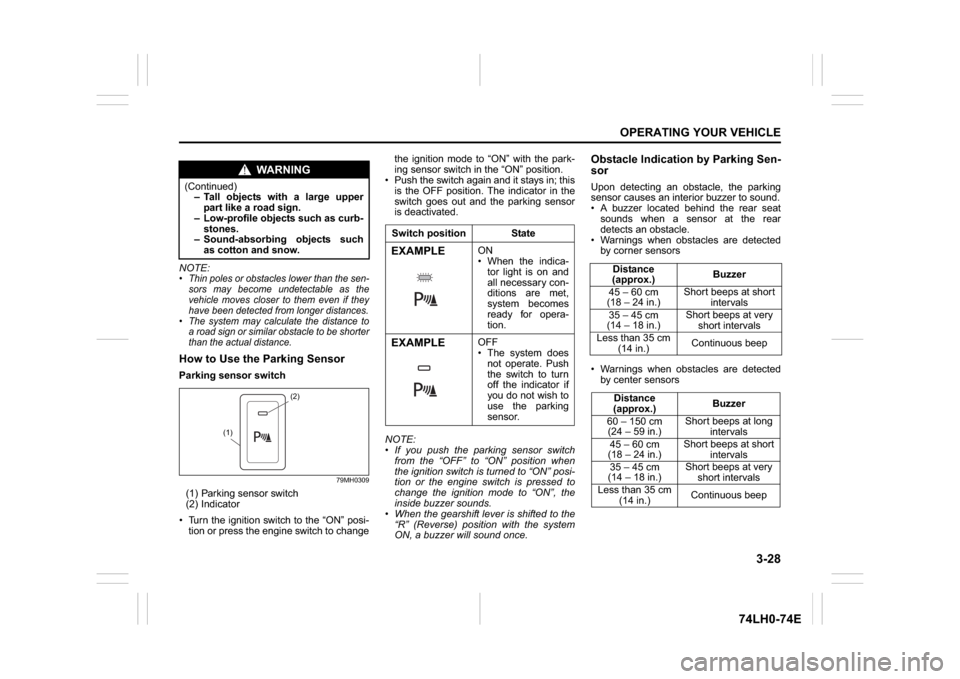
ance.How to Use the Parking SensorParking sensor switch
79MH0309
(1) Parking sensor switch
(2) Indicator
Turn the ignition switch to the “ON” posi-
tion or press the engine switch to changethe ignition mode to “ON” with the park-
ing sensor switch in the “ON” position.
Push the switch again and it stays in; this
is the OFF position. The indicator in the
switch goes out and the parking sensor
is deactivated.
NOTE:
If you push the parking sensor switch
from the “OFF” to “ON” position when
the ignition switch is turned to “ON” posi-
tion or the engine switch is pressed to
change the ignition mode to “ON”, the
inside buzzer sounds.
When the gearshift lever is shifted to the
“R” (Reverse) position with the system
ON, a buzzer will sound once.
Obstacle Indication by Parking Sen-
sorUpon detecting an obstacle, the parking
sensor causes an interior buzzer to sound.
A buzzer located behind the rear seat
sounds when a sensor at the rear
detects an obstacle.
Warnings when obstacles are detected
by corner sensors
Warnings when obstacles are detected
by center sensors
WA R N I N G
(Continued)
– Tall objects with a large upper
part like a road sign.
– Low-profile objects such as curb-
stones.
– Sound-absorbing objects such
as cotton and snow.
(2)
(1)
Switch position StateEXAMPLE
ON
When the indica-
tor light is on and
all necessary con-
ditions are met,
system becomes
ready for opera-
tion.
EXAMPLE
OFF
The system does
not operate. Push
the switch to turn
off the indicator if
you do not wish to
use the parking
sensor.
Distance
(approx.)Buzzer
45 – 60 cm
(18 – 24 in.)Short beeps at short
intervals
35 – 45 cm
(14 – 18 in.)Short beeps at very
short intervals
Less than 35 cm
(14 in.)Continuous beep
Distance
(approx.)Buzzer
60 – 150 cm
(24 – 59 in.)Short beeps at long
intervals
45 – 60 cm
(18 – 24 in.)Short beeps at short
intervals
35 – 45 cm
(14 – 18 in.)Short beeps at very
short intervals
Less than 35 cm
(14 in.)Continuous beep
Page 114 of 336
3-29OPERATING YOUR VEHICLE
74LH0-74E
Warning and Indicator MessagesIf there is a problem or warning regarding
the parking sensor system, a buzzer and
the status of the indicator on the parking
sensor inform it. Follow its instruction.
The buzzer sounds intermittently. The
indicated sensor is contaminated. Wipe
it clean with a soft cloth. If the buzzer
does not stop after wiping, there may be
problem with the parking sensor system.
Have your vehicle inspected by an
authorized MARUTI SUZUKI dealer.The indicator does not come on when the
parking sensor switch is pressed. The indica-
tor goes off while operating. There may be a
problem with the parking sensor system,
Have your vehicle inspected by an authorized
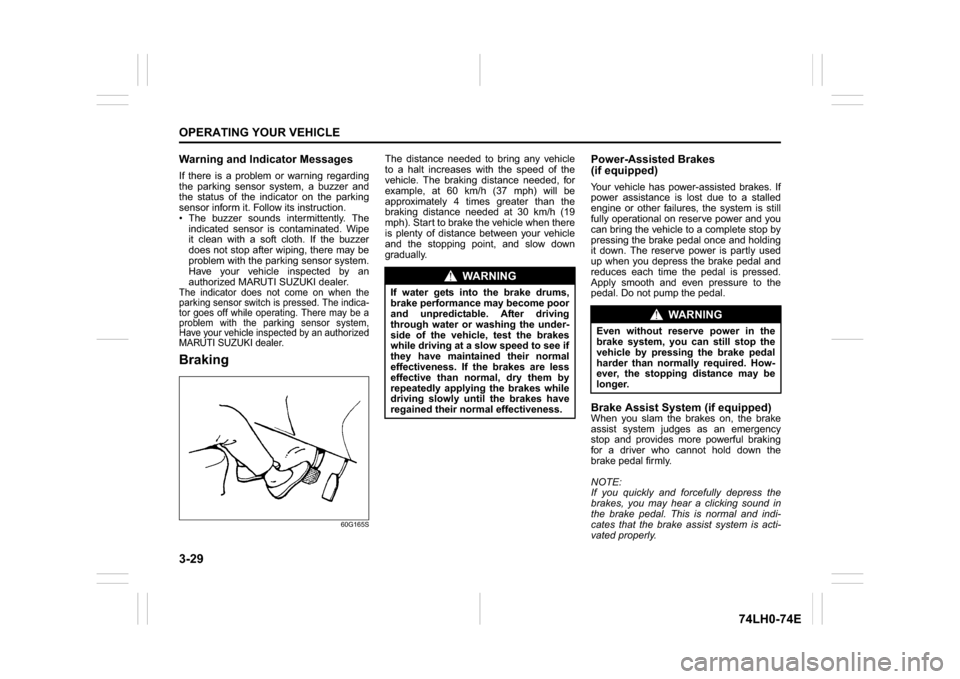
MARUTI SUZUKI dealer.Braking
60G165S
The distance needed to bring any vehicle
to a halt increases with the speed of the
vehicle. The braking distance needed, for
example, at 60 km/h (37 mph) will be
approximately 4 times greater than the
braking distance needed at 30 km/h (19
mph). Start to brake the vehicle when there
is plenty of distance between your vehicle
and the stopping point, and slow down
gradually.
Power-Assisted Brakes
(if equipped)Your vehicle has power-assisted brakes. If
power assistance is lost due to a stalled
engine or other failures, the system is still
fully operational on reserve power and you
can bring the vehicle to a complete stop by
pressing the brake pedal once and holding
it down. The reserve power is partly used
up when you depress the brake pedal and
reduces each time the pedal is pressed.
Apply smooth and even pressure to the
pedal. Do not pump the pedal.Brake Assist System (if equipped)When you slam the brakes on, the brake
assist system judges as an emergency
stop and provides more powerful braking
for a driver who cannot hold down the
brake pedal firmly.
NOTE:
If you quickly and forcefully depress the
brakes, you may hear a clicking sound in
the brake pedal. This is normal and indi-
cates that the brake assist system is acti-
vated properly.
WA R N I N G
If water gets into the brake drums,
brake performance may become poor
and unpredictable. After driving
through water or washing the under-
side of the vehicle, test the brakes
while driving at a slow speed to see if
they have maintained their normal
effectiveness. If the brakes are less
effective than normal, dry them by
repeatedly applying the brakes while
driving slowly until the brakes have
regained their normal effectiveness.
WA R N I N G
Even without reserve power in the
brake system, you can still stop the
vehicle by pressing the brake pedal
harder than normally required. How-
ever, the stopping distance may be
longer.
Page 115 of 336
3-30
OPERATING YOUR VEHICLE
74LH0-74E
Anti-Lock Brake System (ABS)
(if equipped)ABS will help you avoid skidding by elec-
tronically controlling braking pressure. It
will also help you maintain steering control
when braking on slippery surfaces or when
braking hard.
The ABS works automatically, so you do
not need any special braking technique.
Just push the brake pedal down without
pumping. The ABS will operate whenever it
senses that the wheels are locking up. You
may feel the brake pedal moves a little
while the ABS is operating.
NOTE:
The ABS will not work if vehicle speed is
under about 10 km/h (6mph).
63J081
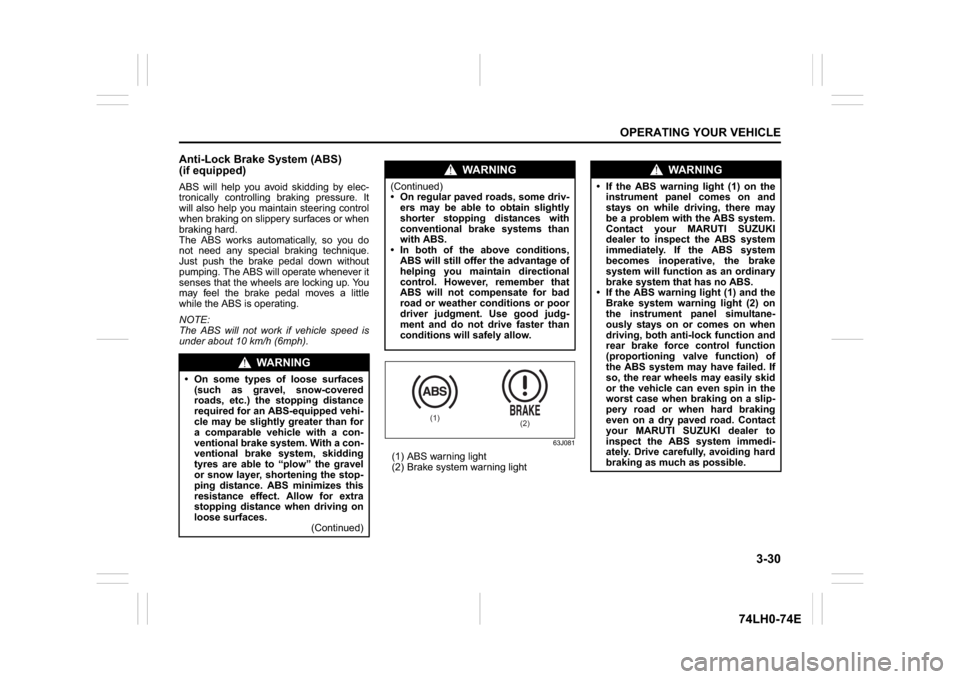
(1) ABS warning light
(2) Brake system warning light
WA R N I N G
On some types of loose surfaces
(such as gravel, snow-covered
roads, etc.) the stopping distance
required for an ABS-equipped vehi-
cle may be slightly greater than for
a comparable vehicle with a con-
ventional brake system. With a con-
ventional brake system, skidding
tyres are able to “plow” the gravel
or snow layer, shortening the stop-
ping distance. ABS minimizes this
resistance effect. Allow for extra
stopping distance when driving on
loose surfaces.
(Continued)
WA R N I N G
(Continued)
On regular paved roads, some driv-
ers may be able to obtain slightly
shorter stopping distances with
conventional brake systems than
with ABS.
In both of the above conditions,
ABS will still offer the advantage of
helping you maintain directional
control. However, remember that
ABS will not compensate for bad
road or weather conditions or poor
driver judgment. Use good judg-
ment and do not drive faster than
conditions will safely allow.
(1)
(2)
WA R N I N G
If the ABS warning light (1) on the
instrument panel comes on and
stays on while driving, there may
be a problem with the ABS system.
Contact your MARUTI SUZUKI
dealer to inspect the ABS system
immediately. If the ABS system
becomes inoperative, the brake
system will function as an ordinary
brake system that has no ABS.
If the ABS warning light (1) and the
Brake system warning light (2) on
the instrument panel simultane-
ously stays on or comes on when
driving, both anti-lock function and
rear brake force control function
(proportioning valve function) of
the ABS system may have failed. If
so, the rear wheels may easily skid
or the vehicle can even spin in the
worst case when braking on a slip-
pery road or when hard braking
even on a dry paved road. Contact
your MARUTI SUZUKI dealer to
inspect the ABS system immedi-
ately. Drive carefully, avoiding hard
braking as much as possible.
Page 116 of 336
3-31OPERATING YOUR VEHICLE
74LH0-74E
How the ABS WorksA computer continuously monitors wheel
speed. The computer compares the
changes in wheel speed when braking. If
the wheels slow suddenly, indicating a
skidding situation, the computer will
change braking pressure several times
each second to prevent the wheels from
locking. When you start your vehicle after a
stop, you may hear a momentary motor or
clicking noise as the system resets or
checks itself.
WA R N I N G
The ABS may not work properly if
tyres or wheels other than those
specified in the owner’s manual are
used. This is because the ABS works
by comparing changes in wheel
speed. When replacing tyres or
wheels, use only the size and type
specified in this owner’s manual.
Page 117 of 336
DRIVING TIPS
4
74LH0-74E
60G409
DRIVING TIPSRunning-in ........................................................................... 4-1
Catalytic Converter ............................................................. 4-1
Improving Fuel Economy ................................................... 4-2
Highway Driving .................................................................. 4-3
Driving on Hills .................................................................... 4-3
Driving on Slippery Roads ................................................. 4-4
Driving on Wet Roads ......................................................... 4-5
Do’s & Don’ts for Safe Driving ........................................... 4-6
Margin for Safety ................................................................. 4-8
Page 119 of 336
4-2
DRIVING TIPS
67LH3-74E
74LHM0403
Improving Fuel EconomyThe following instructions will help you
improve fuel economy.
Avoid excessive idling
If you are to wait for more than a minute
while you are parked, stop the engine and
start it again later. When warming up a
cold engine, do not allow the engine to idle
or apply full throttle until the engine has
reached operating temperature. Allow the
engine to warm up by driving.
Avoid sudden acceleration
Sudden acceleration starting from rest or
while driving will consume fuel unneces-
sarily and shorten engine life. Start off
slowly.
Avoid unnecessary stops
Avoid unnecessary deceleration and stop-
ping. Try to maintain a slow, steady speed
whenever possible. Slowing down and
then accelerating again uses more fuel.
Keep a steady cruising speed
Keep as constant a speed as road and
traffic conditions will permit.
NOTICE
To minimize the possibility of catalyst
or other vehicle damage:
Maintain the engine in the properoperating condition.
In the event of an engine malfunc- tion, particularly one involving
engine misfire or other apparent
loss of performance, have the vehi-
cle serviced promptly.
Do not turn off the engine or inter- rupt the ignition when the transaxle
is in gear and the vehicle is in
motion.
Do not try to start the engine by pushing or towing the vehicle, or
coasting down a hill.
Do not idle the engine with any spark plug wires disconnected or
removed, such as during diagnos-
tic testing.
Do not idle the vehicle for pro-
longed periods if idling seems
rough or there are other malfunc-
tions.
Do not allow the fuel tank to get near the empty level.
Avoid driving your vehicle at
excessively high engine speeds, in
or around the red zone of the
tachometer (if equipped).
WA R N I N G
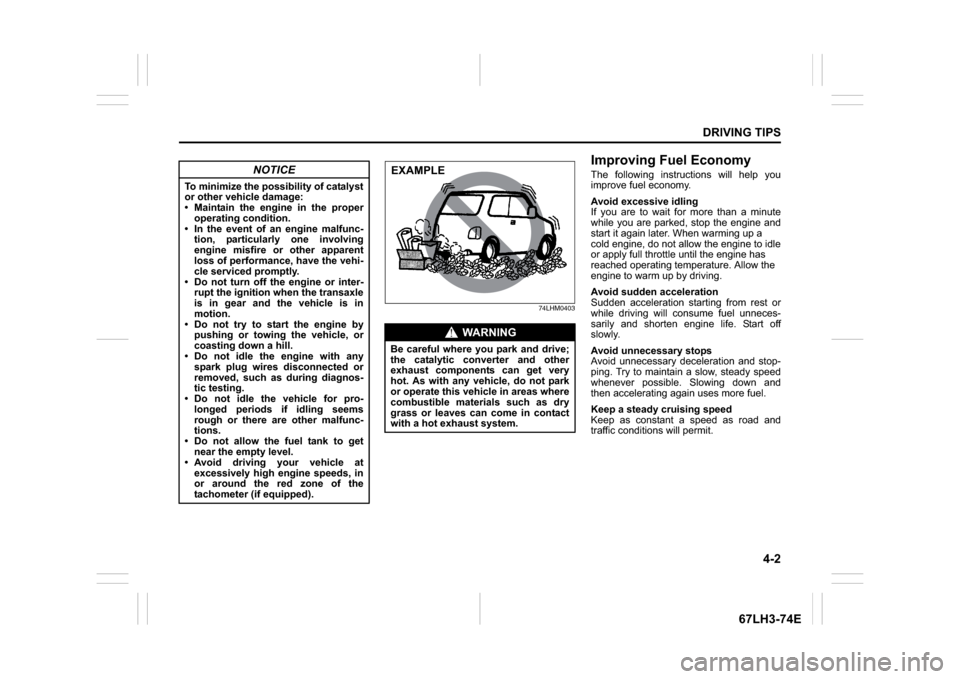
Be careful where you park and drive;
the catalytic converter and other
exhaust components can get very
hot. As with any vehicle, do not park
or operate this vehicle in areas where
combustible materials such as dry
grass or leaves can come in contact
with a hot exhaust system.EXAMPLE
Page 122 of 336
4-5DRIVING TIPS
67LH3-74E
If Your Vehicle Gets StuckIf your vehicle gets stuck in snow, mud, or
sand, follow the directions below:
1) Shift the transaxle back and forthbetween a forward range (or first gear
for manual transaxle) and reverse. This
will create a rocking motion which may
give you enough momentum to free the
vehicle. Press gently on the accelerator
to keep wheel spinning to a minimum
wheel rpm. Remove your foot from the
accelerator while shifting.
Do not race the engine. Excessive
wheel spin will cause the tires to dig
deeper, making it more difficult to free
the vehicle.
2) If your vehicle remains stuck after a few
minutes of rocking, we recommend you
to consult your authorised Maruti
Suzuki workshop or a roadside assis-
tance service. If a towing service is not
available in an emergency, your vehicle
may be temporarily towed by a towing
cable or chain secured to the towing
hook either on the front of the vehicle or
on the rear of the vehicle. Refer to
“Frame Hooks” in the “OTHER CON-
TROLS AND EQUIPMENT” section.
Driving on Wet Roads
WA R N I N G
Do not allow anyone to stand near
the vehicle when you are rocking it,
and do not spin the wheels faster
than an indicated 40 km/h on the
speedometer. Perso nal injury and/or
vehicle damage may result from spin-
ning the wheels too fast.
NOTICE
Do not continue rocking the vehicle
for more than a few minutes. Pro-
longed rocking can cause engine
overheating or transaxle damage.
NOTICE
When driving on wet roads, avoid driving through large amount of
standing water on the road. Large
amount of water entering the
engine compartment may cause
damage to the engine and or elec-
trical components.
If stuck in deep water, do not start the engine.
Water is incompressible substance, water inside engine is harmful to
the engine.
WA R N I N G
In addition to following the driving
tips in this section, it is important to
observe the following precautions.
Make sure your tires are in good
condition and always maintain the
specified tire pressure. Refer to
“Tires” in the “INSPECTION AND
MAINTENANCE” section for
details.
Do not use tires other than those
specified by MARUTI SUZUKI.
Never use different sizes or types
of tires on the front and rear
wheels. For information regarding
the specified tires, refer to the Tire
Information Label located on the
driver’s door lock pillar.
Never use oversized tires or spe- cial shock absorbers and springs
to raise (jack up) your vehicle. This
will change the handling character-
istics. Oversized tires may also rub
against the vehicle body over
bumps, causing vehicle damage or
tire failure.
After driving through water, test the brakes while driving at a slow
speed to see if they have main-
tained their normal effectiveness. If
they are less effective than normal,
dry them by repeatedly applying
the brakes while driving slowly
until the brakes have regained their
normal effectiveness.
Page 123 of 336
4-6
DRIVING TIPS
67LH3-74E
74LHM0408
Do’s and Dont’s for Safe
DrivingExercise care in handling your vehicle. Be
conscious of not only your own safety but
also the safety of others on the road, and
thus enjoy the best and most comfortable
driving experience.
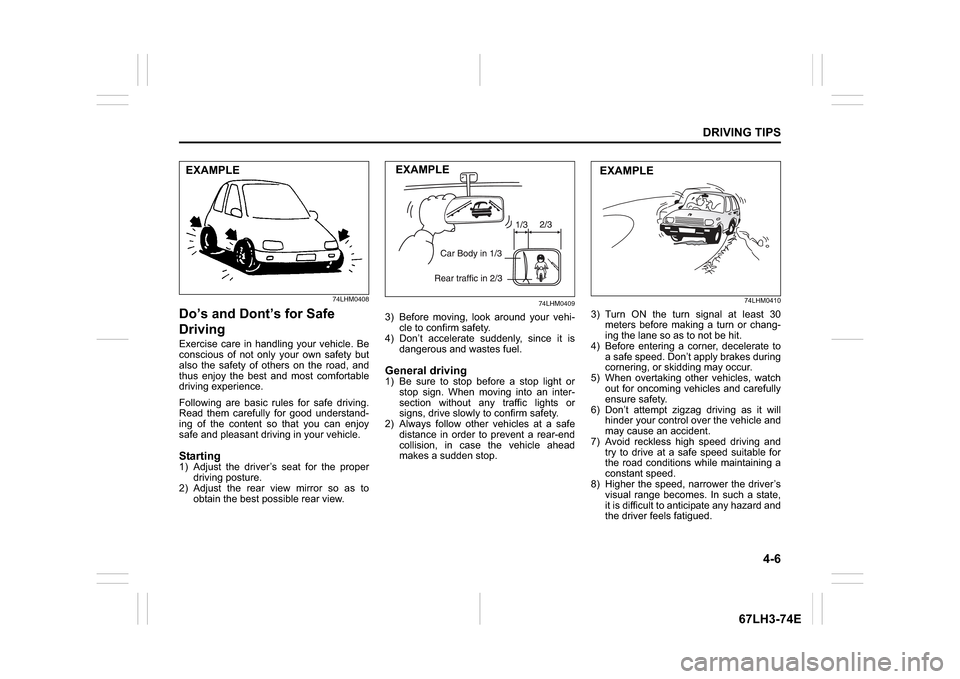
Following are basic rules for safe driving.
Read them carefully for good understand-
ing of the content so that you can enjoy
safe and pleasant driving in your vehicle.Starting1) Adjust the driver’s seat for the proper driving posture.
2) Adjust the rear view mirror so as to obtain the best po ssible rear view.
74LHM0409
3) Before moving, look around your vehi-
cle to confirm safety.
4) Don’t accelerate suddenly, since it is
dangerous and wastes fuel.General driving1) Be sure to stop before a stop light orstop sign. When moving into an inter-
section without any traffic lights or
signs, drive slowly to confirm safety.
2) Always follow other vehicles at a safe
distance in order to prevent a rear-end
collision, in case the vehicle ahead
makes a sudden stop.
74LHM0410
3) Turn ON the turn signal at least 30meters before making a turn or chang-
ing the lane so as to not be hit.
4) Before entering a corner, decelerate to a safe speed. Don’t apply brakes during
cornering, or skidding may occur.
5) When overtaking other vehicles, watch out for oncoming vehicles and carefully
ensure safety.
6) Don’t attempt zigzag driving as it will hinder your control over the vehicle and
may cause an accident.
7) Avoid reckless high speed driving and try to drive at a safe speed suitable for
the road conditions while maintaining a
constant speed.
8) Higher the speed, narrower the driver’s visual range becomes. In such a state,
it is difficult to anticipate any hazard and
the driver feels fatigued.
EXAMPLE
EXAMPLE
EXAMPLE
Page 130 of 336
5-3OTHER CONTROLS AND EQUIPMENT
74LH0-74E
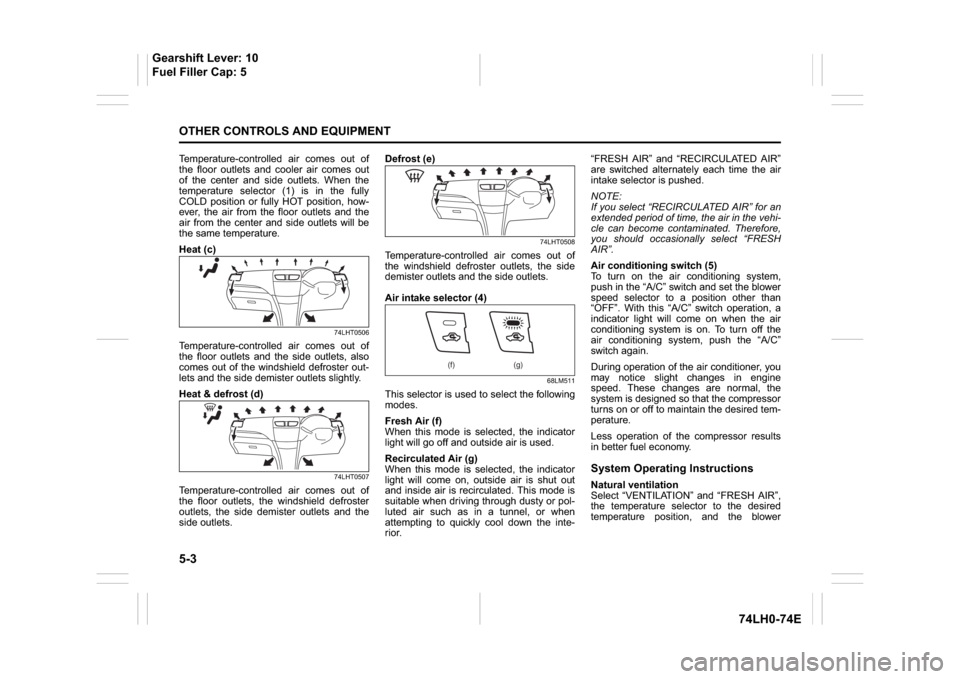
Temperature-controlled air comes out of
the floor outlets and cooler air comes out
of the center and side outlets. When the
temperature selector (1) is in the fully
COLD position or fully HOT position, how-
ever, the air from the floor outlets and the
air from the center and side outlets will be
the same temperature.
Heat (c)
74LHT0506
Temperature-controlled air comes out of
the floor outlets and the side outlets, also
comes out of the windshield defroster out-
lets and the side demister outlets slightly.
Heat & defrost (d)
74LHT0507
Temperature-controlled air comes out of
the floor outlets, the windshield defroster
outlets, the side demister outlets and the
side outlets.Defrost (e)
74LHT0508
Temperature-controlled air comes out of
the windshield defroster outlets, the side
demister outlets and the side outlets.
Air intake selector (4)
68LM511
This selector is used to select the following
modes.
Fresh Air (f)
When this mode is selected, the indicator
light will go off and outside air is used.
Recirculated Air (g)
When this mode is selected, the indicator
light will come on, outside air is shut out
and inside air is recirculated. This mode is
suitable when driving through dusty or pol-
luted air such as in a tunnel, or when
attempting to quickly cool down the inte-
rior.“FRESH AIR” and “RECIRCULATED AIR”
are switched alternately each time the air
intake selector is pushed.
NOTE:
If you select “RECIRCULATED AIR” for an
extended period of time, the air in the vehi-
cle can become contaminated. Therefore,
you should occasionally select “FRESH
AIR”.
Air conditioning switch (5)
To turn on the air conditioning system,
push in the “A/C” switch and set the blower
speed selector to a position other than
“OFF”. With this “A/C” switch operation, a
indicator light will come on when the air
conditioning system is on. To turn off the
air conditioning system, push the “A/C”
switch again.
During operation of the air conditioner, you
may notice slight changes in engine
speed. These changes are normal, the
system is designed so that the compressor
turns on or off to maintain the desired tem-
perature.
Less operation of the compressor results
in better fuel economy.
System Operating InstructionsNatural ventilation
Select “VENTILATION” and “FRESH AIR”,
the temperature selector to the desired
temperature position, and the blower
(f) (g)
Gearshift Lever: 10
Fuel Filler Cap: 5
Page 131 of 336
5-4
OTHER CONTROLS AND EQUIPMENT
74LH0-74E
speed selector to “OFF”. Fresh air will flow
through the vehicle during driving.
Forced ventilation
The control settings are the same as for
natural ventilation except you set the
blower speed selector to a position other
than “OFF”.
Normal heating (using outside air)
Select “HEAT” and “FRESH AIR”, the tem-
perature selector to the desired tempera-
ture position and the blower speed selector
to the desired blower speed position. Set-
ting the blower speed selector to a higher
blower speed position increases heating
efficiency.
Quick heating (using recirculated air)
The control settings are the same as for
normal heating except you select “RECIR-
CULATED AIR”. If you use this heating
method for an extended period of time, the
air in the vehicle can become contami-
nated and the windows can become misty.
Therefore, use this method only for quick
heating and change to the normal heating
method as soon as possible.
Cool face/warm feet
Select “BI-LEVEL” and “FRESH AIR”, the
temperature selector to the desired tem-
perature position, and the blower speed
selector to the desired blower speed posi-
tion. Unless the temperature selector is in
the fully COLD position or fully HOT posi-
tion, the air that comes out of the centerand side outlets will be cooler than the air
that comes out of the floor outlets.
Normal cooling
Turn on the “A/C” switch, set the air flow
selector to “VENTILATION”, the tempera-
ture selector to the desired temperature
position and the blower speed selector to
the desired blower speed position. Setting
the blower speed selector to a higher
blower speed position increases cooling
efficiency.
You can switch the air intake selector to
either “FRESH AIR” or “RECIRCULATED
AIR” as you desire. Choosing “RECIRCU-
LATED AIR” increases cooling efficiency.
Quick cooling (using recirculated air)
The control settings are the same as for
normal cooling except you select “RECIR-
CULATED AIR” and the highest blower
speed.
NOTE:
If you select “RECIRCULATED AIR” for
an extended period of time, the air in the
vehicle can become contaminated.
Therefore, you should occasionally
select “FRESH AIR”.
If your vehicle has been left in the sun
with the windows closed, it will cool
faster if you open the windows briefly
while you operate the air conditioner with
the air intake selector at “FRESH AIR”
and the blower at high speed.Dehumidifying
Turn on the “A/C” switch, set the air flow
selector to a desired air flow selector posi-
tion, and select “FRESH AIR”, the tem-
perature selector to the desired
temperature position, and the blower
speed selector to the desired blower speed
position.
NOTE:
Because the air conditioner dehumidifies
the air, turning it on will help keep the win-
dows clear, even when blowing heated air
using the “DEMIST” or “HEAT & DEMIST”
functions.
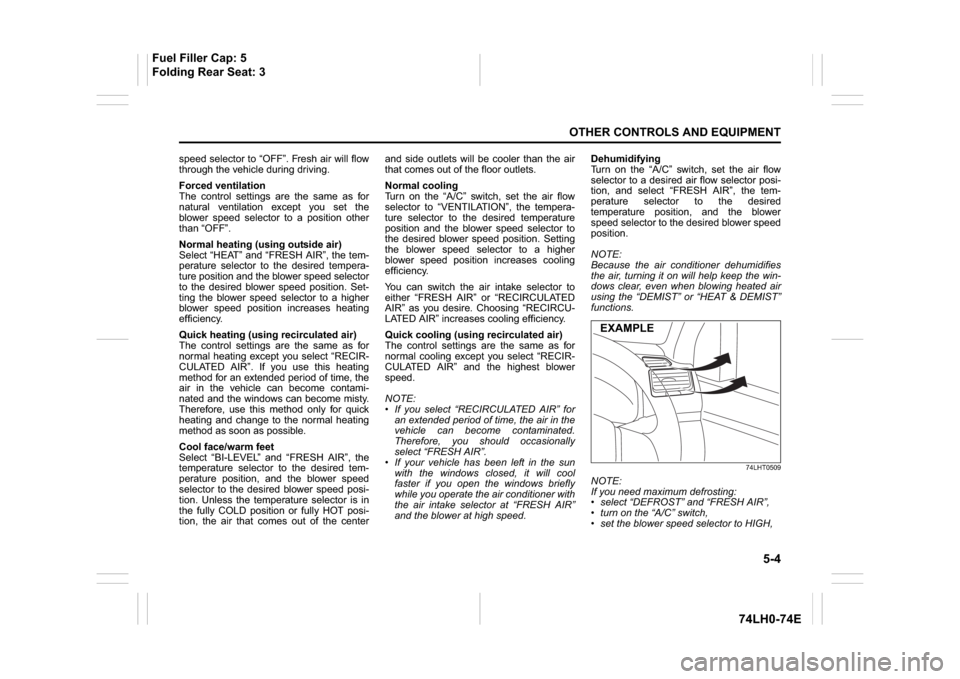
74LHT0509
NOTE:
If you need maximum defrosting:
select “DEFROST” and “FRESH AIR”,
turn on the “A/C” switch,
set the blower speed selector to HIGH,EXAMPLE
Fuel Filler Cap: 5
Folding Rear Seat: 3