Low SUZUKI SWIFT 2017 5.G Workshop Manual
[x] Cancel search | Manufacturer: SUZUKI, Model Year: 2017, Model line: SWIFT, Model: SUZUKI SWIFT 2017 5.GPages: 336, PDF Size: 6.24 MB
Page 82 of 336
2-63
BEFORE DRIVING
74LH0-74E
mist or light rain. In the “LO” position, the
wipers operate at a steady low speed. In
the “HI” position, the wipers operate at a
steady high speed. To turn off the wipers,
move the lever back to the “OFF” position.
Move the lever up and hold it to the “MIST”
position, the windshield wipers will turn on
continuously at low speed.
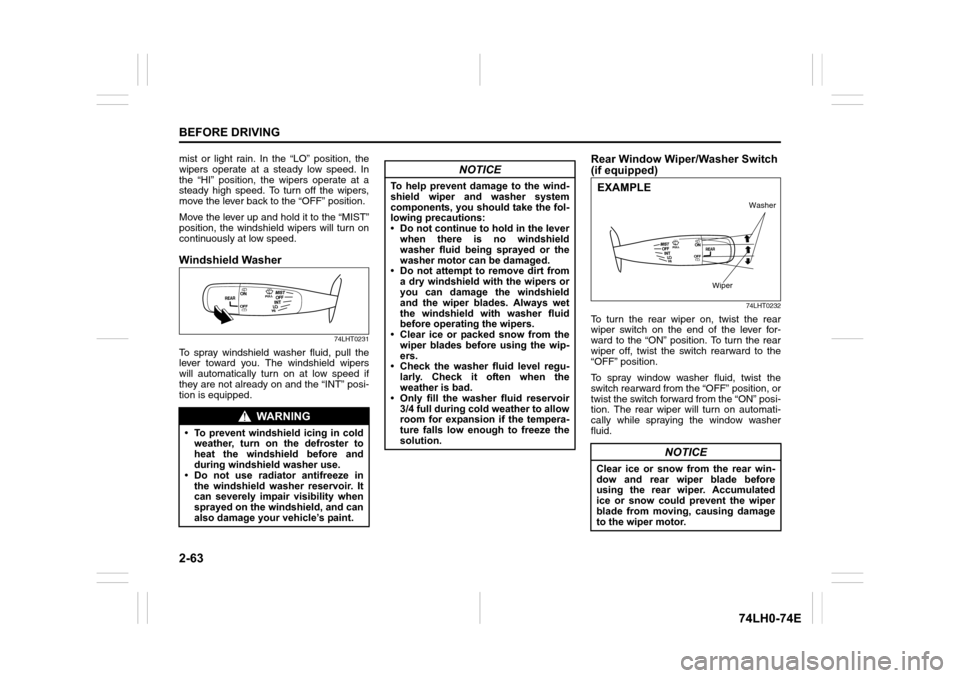
Windshield Washer
74LHT0231
To spray windshield washer fluid, pull the
lever toward you. The windshield wipers
will automatically turn on at low speed if
they are not already on and the “INT” posi-
tion is equipped.
Rear Window Wiper/Washer Switch
(if equipped)
74LHT0232
To turn the rear wiper on, twist the rear
wiper switch on the end of the lever for-
ward to the “ON” position. To turn the rear
wiper off, twist the switch rearward to the
“OFF” position.
To spray window washer fluid, twist the
switch rearward from the “OFF” position, or
twist the switch forward from the “ON” posi-
tion. The rear wiper will turn on automati-
cally while spraying the window washer
fluid.
WA R N I N G
• To prevent windshield icing in cold
weather, turn on the defroster to
heat the windshield before and
during windshield washer use.
• Do not use radiator antifreeze in
the windshield washer reservoir. It
can severely impair visibility when
sprayed on the windshield, and can
also damage your vehicle’s paint.
NOTICE
To help prevent damage to the wind-
shield wiper and washer system
components, you should take the fol-
lowing precautions:
• Do not continue to hold in the lever
when there is no windshield
washer fluid being sprayed or the
washer motor can be damaged.
• Do not attempt to remove dirt from
a dry windshield with the wipers or
you can damage the windshield
and the wiper blades. Always wet
the windshield with washer fluid
before operating the wipers.
• Clear ice or packed snow from the
wiper blades before using the wip-
ers.
• Check the washer fluid level regu-
larly. Check it often when the
weather is bad.
• Only fill the washer fluid reservoir
3/4 full during cold weather to allow
room for expansion if the tempera-
ture falls low enough to freeze the
solution.
NOTICE
Clear ice or snow from the rear win-
dow and rear wiper blade before
using the rear wiper. Accumulated
ice or snow could prevent the wiper
blade from moving, causing damage
to the wiper motor.
Washer
Wiper
EXAMPLE
Page 86 of 336
3-1OPERATING YOUR VEHICLE
74LH0-74E
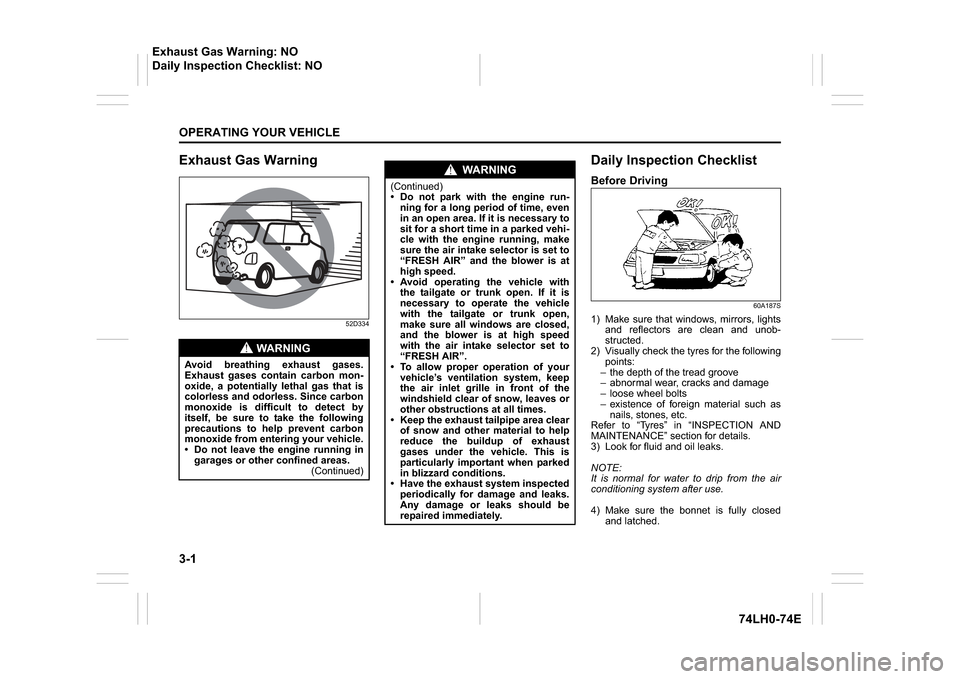
Exhaust Gas Warning
52D334
Daily Inspection ChecklistBefore Driving
60A187S
1) Make sure that windows, mirrors, lightsand reflectors are clean and unob-
structed.
2) Visually check the tyres for the following points:
– the depth of the tread groove
– abnormal wear, cracks and damage
– loose wheel bolts
– existence of foreign material such as nails, stones, etc.
Refer to “Tyres” in “INSPECTION AND
MAINTENANCE” section for details.
3) Look for fluid and oil leaks.
NOTE:
It is normal for water to drip from the air
conditioning system after use.
4) Make sure the bonnet is fully closed and latched.
WA R N I N G
Avoid breathing exhaust gases.
Exhaust gases contain carbon mon-
oxide, a potentially lethal gas that is
colorless and odorless. Since carbon
monoxide is difficult to detect by
itself, be sure to take the following
precautions to help prevent carbon
monoxide from entering your vehicle.
Do not leave the engine running in garages or other confined areas. (Continued)
WA R N I N G
(Continued)
Do not park with the engine run-ning for a long period of time, even
in an open area. If it is necessary to
sit for a short time in a parked vehi-
cle with the engine running, make
sure the air intake selector is set to
“FRESH AIR” and the blower is at
high speed.
Avoid operating the vehicle with the tailgate or trunk open. If it is
necessary to operate the vehicle
with the tailgate or trunk open,
make sure all windows are closed,
and the blower is at high speed
with the air intake selector set to
“FRESH AIR”.
To allow proper operation of your
vehicle’s ventilation system, keep
the air inlet grille in front of the
windshield clear of snow, leaves or
other obstructions at all times.
Keep the exhaust tailpipe area clear of snow and other material to help
reduce the buildup of exhaust
gases under the vehicle. This is
particularly important when parked
in blizzard conditions.
Have the exhaust system inspected periodically for damage and leaks.
Any damage or leaks should be
repaired immediately.
Exhaust Gas Warning: NO
Daily Inspection Checklist: NO
Page 87 of 336
3-2
OPERATING YOUR VEHICLE
74LH0-74E
5) Check the headlights, turn signal lights,
brake lights and horn for proper opera-
tion.
6) Adjust the seat and adjustable head
restraint (if equipped).
7) Check the brake pedal and the parking
brake lever.
8) Adjust the mirrors.
9) Make sure that you and all passengers
have properly fastened your seat belts.
10)Make sure that all warning lights come
on as the key is turned to the “ON” posi-
tion or the engine is pressed to change
the ignition mode to “ON”.
11)Check all gauges.
12)Make sure that the BRAKE SYSTEM
WARNING light turns off when the
parking brake is released.
Once a week, or each time you fill your fuel
tank, perform the following under-hood
checks:
1) Engine oil level
2) Coolant level
3) Brake fluid level
4) Battery solution level
5) Windshield washer fluid level
6) Hood latch operation
Pull the bonnet hood release handle
inside the vehicle. Make sure that you
cannot open the hood all the way with-
out releasing the secondary latch. Be
sure to close the hood securely after
checking for proper latch operation.
See “All latches, hinges and locks” of“CHASSIS AND BODY” in the “Periodic
Maintenance Schedule” in the
“INSPECTION AND MAINTENANCE”
section for lubrication schedule.
Once a month, or each time you fill your
fuel tank, check the tire pressure using a
tire pressure gauge. Also check the tire
pressure of the spare tire.
Engine Oil ConsumptionIt is normal for the engine to consume
some engine oil during normal vehicle
operation.
The amount of engine oil consumed
depends on the viscosity of the oil, the
quality of the oil and the conditions the
vehicle is driven under.
More oil is consumed during high-speed
driving and when there is frequent acceler-
ation and deceleration. Under high loads,
your engine also will consume more oil.
A new engine also consumes more oil,
since its pistons, piston rings and cylinder
walls have not yet become conditioned.
New engines reach the normal level of oilconsumption only after approximately 5000
km driving.
Oil consumption:
Max. 1.0 L per 1000 km When judging the amount of oil consump-
tion, note that the oil may become diluted
and make it difficult to accurately judge the
true oil level.
As an example, if a vehicle is used for
repeated short trips, and consumes a nor-
mal amount of oil, the dipstick may not
show any drop in the oil level at all, even
after 1000 km or more of driving. This is
because the oil is gradually becoming
diluted with fuel or moisture, making it
appear that the oil level has not changed.
You should also be aware that the diluting
ingredients evaporate out when the vehicle
is subsequently driven at high speeds,
such as on an expressway, making it
appear that oil is excessively consumed
after high-speed driving.
WA R N I N G
Make sure the hood is fully closed
and latched before driving. If it is not,
it can fly up unexpectedly during
driving, obstructing your view and
resulting in an accident.
Daily Inspection Checklist: NO
Engine Oil Consumption:
Page 88 of 336
3-3OPERATING YOUR VEHICLE
74LH0-74E
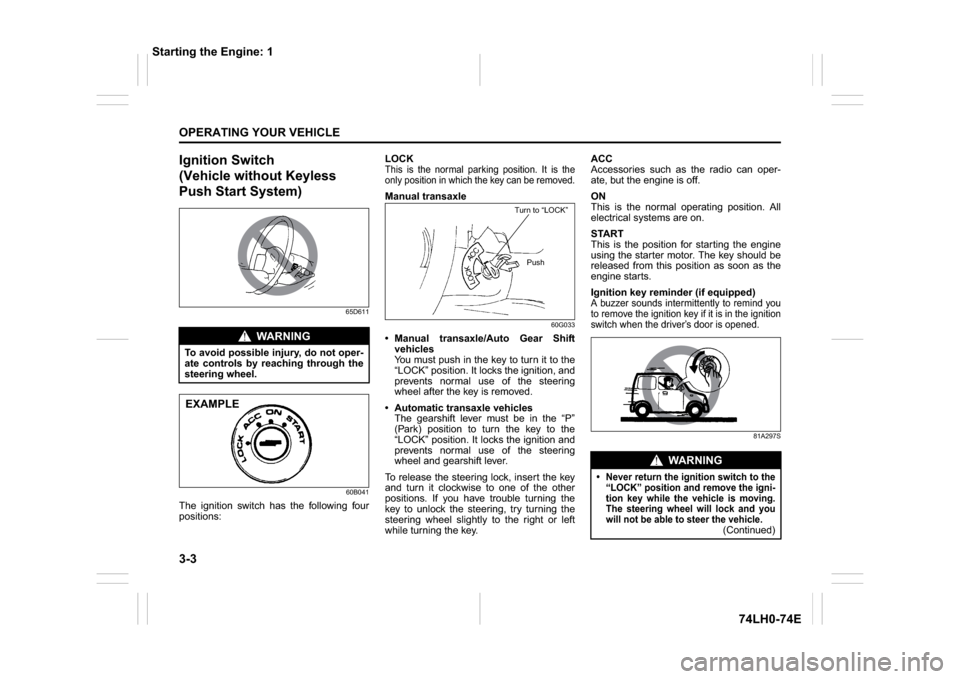
Ignition Switch
(Vehicle without Keyless
Push Start System)
65D611
60B041
The ignition switch has the following four
positions:LOCK
This is the normal parking position. It is the
only position in which the key can be removed.Manual transaxle
60G033
Manual transaxle/Auto Gear Shift
vehicles
You must push in the key to turn it to the
“LOCK” position. It locks the ignition, and
prevents normal use of the steering
wheel after the key is removed.
Automatic transaxle vehicles
The gearshift lever must be in the “P”
(Park) position to turn the key to the
“LOCK” position. It locks the ignition and
prevents normal use of the steering
wheel and gearshift lever.
To release the steering lock, insert the key
and turn it clockwise to one of the other
positions. If you have trouble turning the
key to unlock the steering, try turning the
steering wheel slightly to the right or left
while turning the key.ACC
Accessories such as the radio can oper-
ate, but the engine is off.
ON
This is the normal operating position. All
electrical systems are on.
START
This is the position for starting the engine
using the starter motor. The key should be
released from this position as soon as the
engine starts.
Ignition key reminder (if equipped)
A buzzer sounds intermittently to remind you
to remove the ignition key if it is in the ignition
switch when the driver’s door is opened.
81A297S
WA R N I N G
To avoid possible injury, do not oper-
ate controls by reaching through the
steering wheel.EXAMPLE
Turn to “LOCK”
Push
WA R N I N G
Never return the ignition switch to the
“LOCK” position and remove the igni-
tion key while the vehicle is moving.
The steering wheel will lock and you
will not be able to steer the vehicle.
(Continued)
Starting the Engine: 1
Page 90 of 336
3-5OPERATING YOUR VEHICLE
74LH0-74E
Manual transaxle – Provided you have the
keyless push start system remote control-
ler with you, the engine automatically
starts when you press the engine switch to
select this ignition mode after shifting to
“N” (Neutral) and depressing the brake and
clutch pedals.
Auto Gear Shift – Provided you have the
keyless push start system remote control-
ler with you, the engine automatically
starts when you press the engine switch to
select this ignition mode after placing the
gearshift lever in the “N” position and
depressing the brake pedal.
NOTE:
You do not need to keep the engine switch
pressed to start the engine.
NOTE:
The steering lock may not be released if
some load is acting on the steering
wheel. If this happens, turn the steering
wheel to the right or left to relieve it from
the load before you press the engineswitch again to change to the desired
ignition mode.
In the presence of strong radio signals or
noise, you may not be able to change
the ignition mode to “ACC” or “ON” or to
start the engine using the engine switch.
Keyless Push Start System
(if equipped)Provided the keyless push start system
remote controller is within the “interior work-
able area” (refer to the related explanation
in this section), you can use the engine
switch for starting the engine and selecting
an ignition mode (“ACC” or “ON”). In addi-
tion, the following functions can be used: Keyless entry function. Refer to “Keyless
Push Start System Remote Controller” in the
“BEFORE DRIVING” section for details. Locking and unlocking doors using a
request switch. Refer to “Keyless Push
Start System Remote Controller” in the
“BEFORE DRIVING” section for details.
Immobilizer (anti-theft) function. Refer to
“Immobilizer System” in the “BEFORE
DRIVING” section for details.
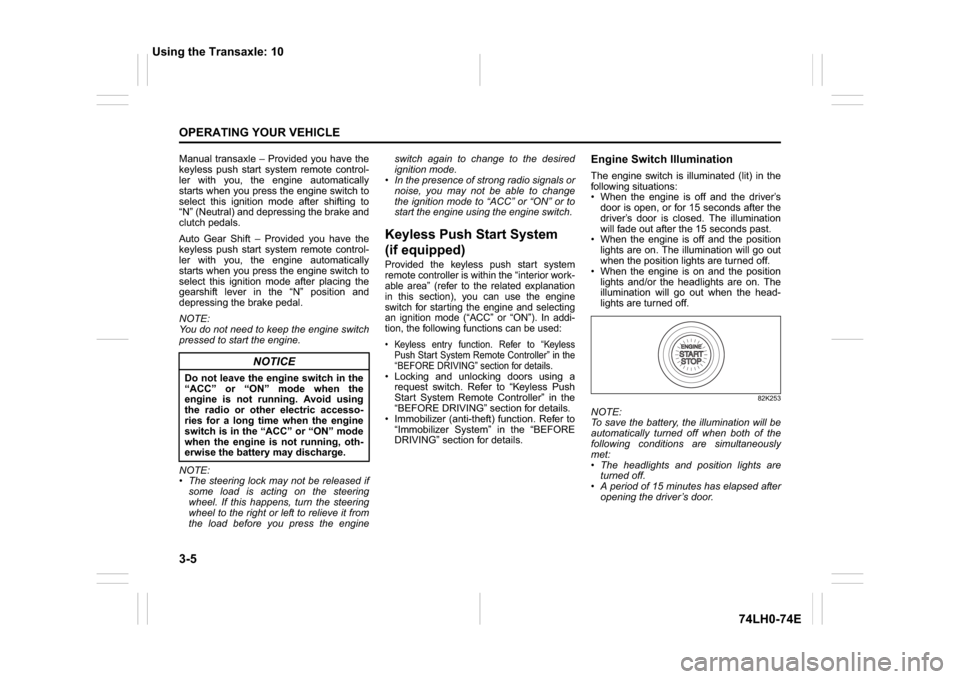
Engine Switch IlluminationThe engine switch is illuminated (lit) in the
following situations:
When the engine is off and the driver’s
door is open, or for 15 seconds after the
driver’s door is closed. The illumination
will fade out after the 15 seconds past.
When the engine is off and the position
lights are on. The illumination will go out
when the position lights are turned off.
When the engine is on and the position
lights and/or the headlights are on. The
illumination will go out when the head-
lights are turned off.
82K253
NOTE:
To save the battery, the illumination will be
automatically turned off when both of the
following conditions are simultaneously
met:
The headlights and position lights are
turned off.
A period of 15 minutes has elapsed after
opening the driver’s door.
NOTICE
Do not leave the engine switch in the
“ACC” or “ON” mode when the
engine is not running. Avoid using
the radio or other electric accesso-
ries for a long time when the engine
switch is in the “ACC” or “ON” mode
when the engine is not running, oth-
erwise the battery may discharge.
Using the Transaxle: 10
Page 91 of 336
3-6
OPERATING YOUR VEHICLE
74LH0-74E
Selection of Ignition ModesPress the engine switch to select the
“ACC” or “ON” mode as follows when you
use an electric accessory or check the
operation of instruments without running
the engine.
1) Bring the keyless push start system
remote controller with you and sit in the
driver’s seat.
2) Without depressing the clutch pedal,
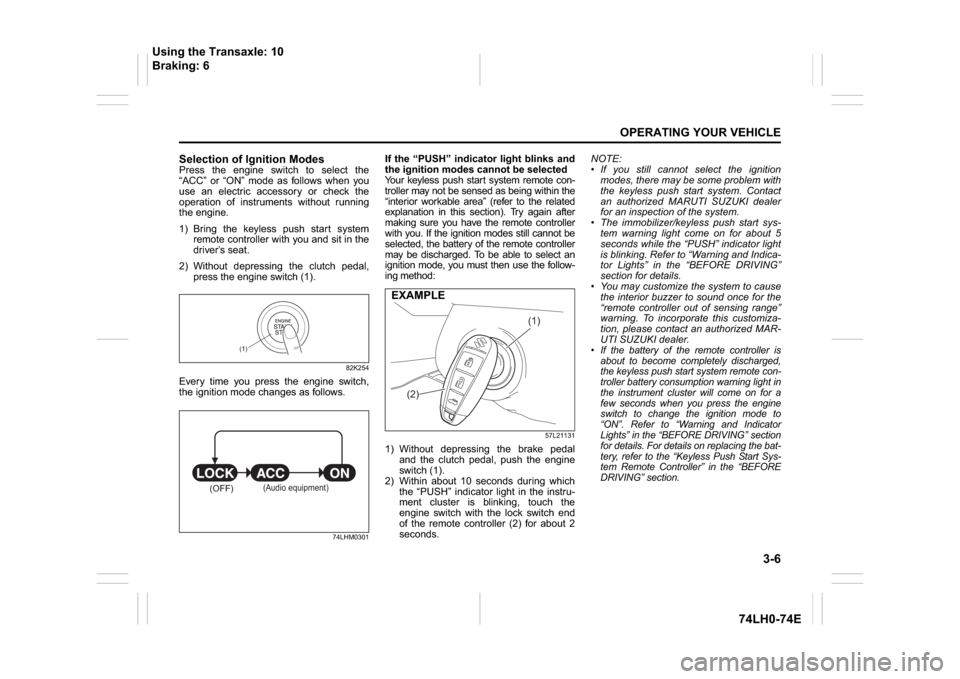
press the engine switch (1).
82K254
Every time you press the engine switch,
the ignition mode changes as follows.
74LHM0301
If the “PUSH” indicator light blinks and
the ignition modes cannot be selected
Your keyless push start system remote con-
troller may not be sensed as being within the
“interior workable area” (refer to the related
explanation in this section). Try again after
making sure you have the remote controller
with you. If the ignition modes still cannot be
selected, the battery of the remote controller
may be discharged. To be able to select an
ignition mode, you must then use the follow-
ing method:
57L21131
1) Without depressing the brake pedal
and the clutch pedal, push the engine
switch (1).
2) Within about 10 seconds during which
the “PUSH” indicator light in the instru-
ment cluster is blinking, touch the
engine switch with the lock switch end
of the remote controller (2) for about 2
seconds.NOTE:
If you still cannot select the ignition
modes, there may be some problem with
the keyless push start system. Contact
an authorized MARUTI SUZUKI dealer
for an inspection of the system.
The immobilizer/keyless push start sys-
tem warning light come on for about 5
seconds while the “PUSH” indicator light
is blinking. Refer to “Warning and Indica-
tor Lights” in the “BEFORE DRIVING”
section for details.
You may customize the system to cause
the interior buzzer to sound once for the
“remote controller out of sensing range”
warning. To incorporate this customiza-
tion, please contact an authorized MAR-
UTI SUZUKI dealer.
If the battery of the remote controller is
about to become completely discharged,
the keyless push start system remote con-
troller battery consumption warning light in
the instrument cluster will come on for a
few seconds when you press the engine
switch to change the ignition mode to
“ON”. Refer to “Warning and Indicator
Lights” in the “BEFORE DRIVING” section
for details. For details on replacing the bat-
tery, refer to the “Keyless Push Start Sys-
tem Remote Controller” in the “BEFORE
DRIVING” section.
(1)
(OFF)
(Audio equipment)
(1)
(2)
EXAMPLE
Using the Transaxle: 10
Braking: 6
Page 92 of 336
3-7OPERATING YOUR VEHICLE
74LH0-74E
“Remote Controller Outside” Warn-
ingWhen the conditions described below are
met, the system gives a “remote controller
outside” warning by sounding the interior
and exterior buzzers and blinking the
immobilizer/keyless push start system
warning light.
Any door is opened and then closed
while the remote controller is not inside
the vehicle and the engine is running or
the ignition mode has been changed to
“ACC” or “ON” by pressing the engine
switch.
The remote controller is not inside the
vehicle when you attempt to start the
engine after changing the ignition mode
to “ACC” or “ON” by pressing the engine
switch.
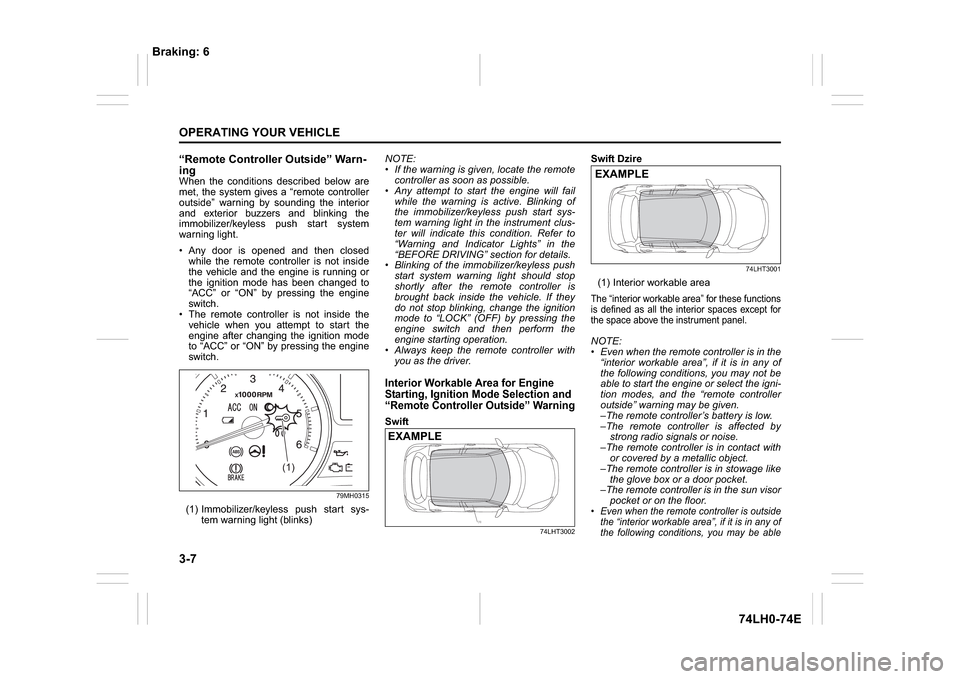
79MH0315
(1) Immobilizer/keyless push start sys-
tem warning light (blinks)NOTE:
If the warning is given, locate the remote
controller as soon as possible.
Any attempt to start the engine will fail
while the warning is active. Blinking of
the immobilizer/keyless push start sys-
tem warning light in the instrument clus-
ter will indicate this condition. Refer to
“Warning and Indicator Lights” in the
“BEFORE DRIVING” section for details.
Blinking of the immobilizer/keyless push
start system warning light should stop
shortly after the remote controller is
brought back inside the vehicle. If they
do not stop blinking, change the ignition
mode to “LOCK” (OFF) by pressing the
engine switch and then perform the
engine starting operation.
Always keep the remote controller with
you as the driver.
Interior Workable Area for Engine
Starting, Ignition Mode Selection and
“Remote Controller Outside” WarningSwift
74LHT3002
Swift Dzire
74LHT3001
(1) Interior workable areaThe “interior workable area” for these functions
is defined as all the interior spaces except for
the space above the instrument panel.NOTE:
Even when the remote controller is in the
“interior workable area”, if it is in any of
the following conditions, you may not be
able to start the engine or select the igni-
tion modes, and the “remote controller
outside” warning may be given.
–The remote controller’s battery is low.
–The remote controller is affected by
strong radio signals or noise.
–The remote controller is in contact with
or covered by a metallic object.
–The remote controller is in stowage like
the glove box or a door pocket.
–The remote controller is in the sun visor
pocket or on the floor. Even when the remote controller is outside
the “interior workable area”, if it is in any of
the following conditions, you may be able
(1)
(1)
EXAMPLE
EXAMPLE
Braking: 6
Page 93 of 336
3-8
OPERATING YOUR VEHICLE
74LH0-74E
to start the engine or select the ignition
mode. The “remote controller outside”
warning may not be given at that time.–The remote controller is outside the
vehicle but very close to a door.
–The remote controller is on the instru-
ment panel.Parking Brake Lever
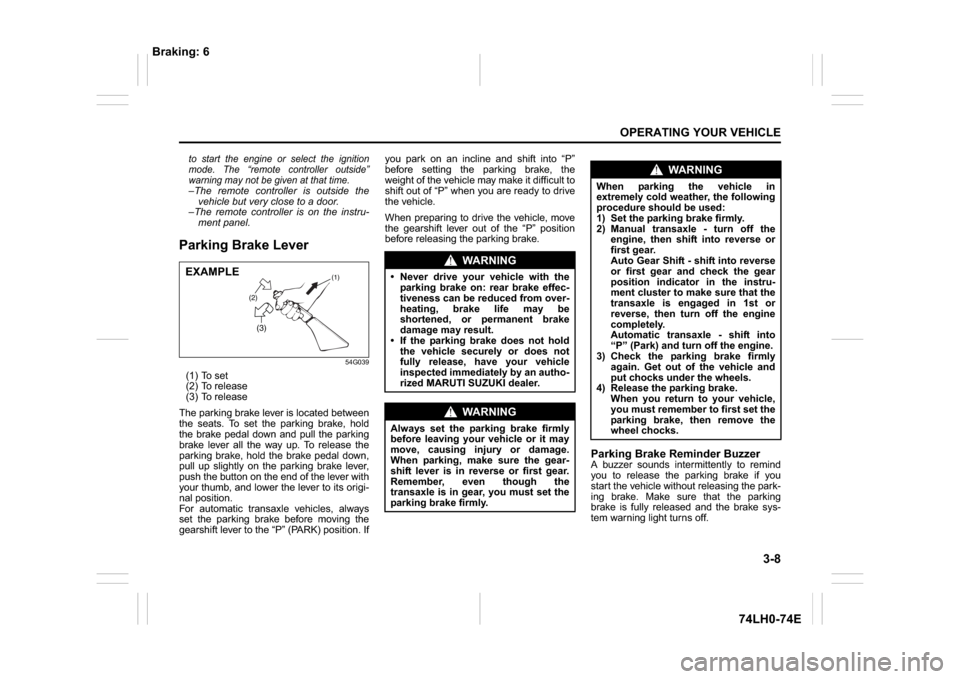
54G039
(1) To set
(2) To release
(3) To release
The parking brake lever is located between
the seats. To set the parking brake, hold
the brake pedal down and pull the parking
brake lever all the way up. To release the
parking brake, hold the brake pedal down,
pull up slightly on the parking brake lever,
push the button on the end of the lever with
your thumb, and lower the lever to its origi-
nal position.
For automatic transaxle vehicles, always
set the parking brake before moving the
gearshift lever to the “P” (PARK) position. Ifyou park on an incline and shift into “P”
before setting the parking brake, the
weight of the vehicle may make it difficult to
shift out of “P” when you are ready to drive
the vehicle.
When preparing to drive the vehicle, move
the gearshift lever out of the “P” position
before releasing the parking brake.
Parking Brake Reminder BuzzerA buzzer sounds intermittently to remind
you to release the parking brake if you
start the vehicle without releasing the park-
ing brake. Make sure that the parking
brake is fully released and the brake sys-
tem warning light turns off.
(2)(3)
(1)
EXAMPLE
WA R N I N G
Never drive your vehicle with the
parking brake on: rear brake effec-
tiveness can be reduced from over-
heating, brake life may be
shortened, or permanent brake
damage may result.
If the parking brake does not hold
the vehicle securely or does not
fully release, have your vehicle
inspected immediately by an autho-
rized MARUTI SUZUKI dealer.
WA R N I N G
Always set the parking brake firmly
before leaving your vehicle or it may
move, causing injury or damage.
When parking, make sure the gear-
shift lever is in reverse or first gear.
Remember, even though the
transaxle is in gear, you must set the
parking brake firmly.
WA R N I N G
When parking the vehicle in
extremely cold weather, the following
procedure should be used:
1) Set the parking brake firmly.
2) Manual transaxle - turn off the
engine, then shift into reverse or
first gear.
Auto Gear Shift - shift into reverse
or first gear and check the gear
position indicator in the instru-
ment cluster to make sure that the
transaxle is engaged in 1st or
reverse, then turn off the engine
completely.
Automatic transaxle - shift into
“P” (Park) and turn off the engine.
3) Check the parking brake firmly
again. Get out of the vehicle and
put chocks under the wheels.
4) Release the parking brake.
When you return to your vehicle,
you must remember to first set the
parking brake, then remove the
wheel chocks.
Braking: 6
Page 95 of 336
3-10
OPERATING YOUR VEHICLE
74LH0-74E
Starting the Engine
(Vehicle without Keyless
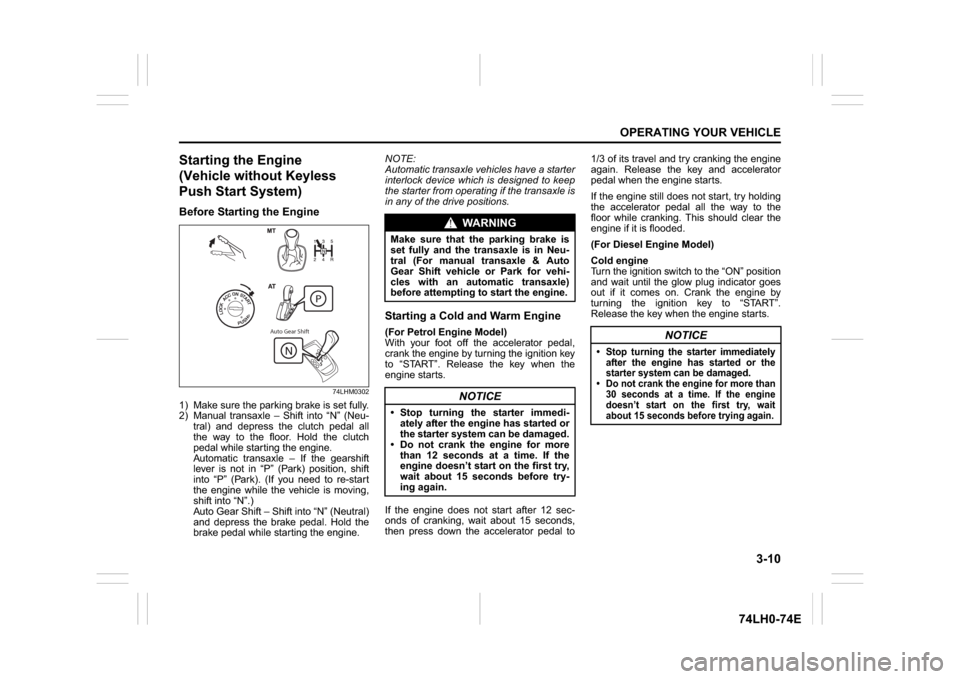
Push Start System)Before Starting the Engine
74LHM0302
1) Make sure the parking brake is set fully.
2) Manual transaxle – Shift into “N” (Neu-
tral) and depress the clutch pedal all
the way to the floor. Hold the clutch
pedal while starting the engine.
Automatic transaxle – If the gearshift
lever is not in “P” (Park) position, shift
into “P” (Park). (If you need to re-start
the engine while the vehicle is moving,
shift into “N”.)
Auto Gear Shift – Shift into “N” (Neutral)
and depress the brake pedal. Hold the
brake pedal while starting the engine.NOTE:
Automatic transaxle vehicles have a starter
interlock device which is designed to keep
the starter from operating if the transaxle is
in any of the drive positions.
Starting a Cold and Warm Engine(For Petrol Engine Model)
With your foot off the accelerator pedal,
crank the engine by turning the ignition key
to “START”. Release the key when the
engine starts.
If the engine does not start after 12 sec-
onds of cranking, wait about 15 seconds,
then press down the accelerator pedal to1/3 of its travel and try cranking the engine
again. Release the key and accelerator
pedal when the engine starts.
If the engine still does not start, try holding
the accelerator pedal all the way to the
floor while cranking. This should clear the
engine if it is flooded.
(For Diesel Engine Model)
Cold engine
Turn the ignition switch to the “ON” position
and wait until the glow plug indicator goes
out if it comes on. Crank the engine by
turning the ignition key to “START”.
Release the key when the engine starts.
Auto Gear Shift
WA R N I N G
Make sure that the parking brake is
set fully and the transaxle is in Neu-
tral (For manual transaxle & Auto
Gear Shift vehicle or Park for vehi-
cles with an automatic transaxle)
before attempting to start the engine.
NOTICE
Stop turning the starter immedi-
ately after the engine has started or
the starter system can be damaged.
Do not crank the engine for more
than 12 seconds at a time. If the
engine doesn’t start on the first try,
wait about 15 seconds before try-
ing again.
NOTICE
Stop turning the starter immediately
after the engine has started or the
starter system can be damaged. Do not crank the engine for more than
30 seconds at a time. If the engine
doesn’t start on the first try, wait
about 15 seconds before trying again.
Page 96 of 336
3-11OPERATING YOUR VEHICLE
74LH0-74E
Warm engine
Crank the engine by turning the ignition
key to “START”. Release the key when the
engine starts.
Caution when stopping the engine with
turbocharger
When stopping the engine after climbing or
high speed driving, let the engine idle for
about one minute or more (if it is not pro-
hibited) to cool down the turbocharger and
engine oil. This is to prevent the engine oil
from over-deteriorating. Deteriorated
engine oil will damage the bearings of the
turbocharger.
Restarting diesel engine after fuel-
empty stop
If the engine stops and the low fuel warn-
ing light and the malfunction indicator light
come on, use the following procedure:
1) Fill the fuel tank.
2) Hold the ignition key in “ON” position for
5-10 seconds to feed fuel.
3) Perform above engine starting proce-
dure to start the engine.
If the malfunction indicator light still comes
on after the engine started, there may be
some problem with the engine. Ask your
MARUTI SUZUKI dealer to have the
engine inspected.
Starting the Engine
(Vehicle with Keyless Push
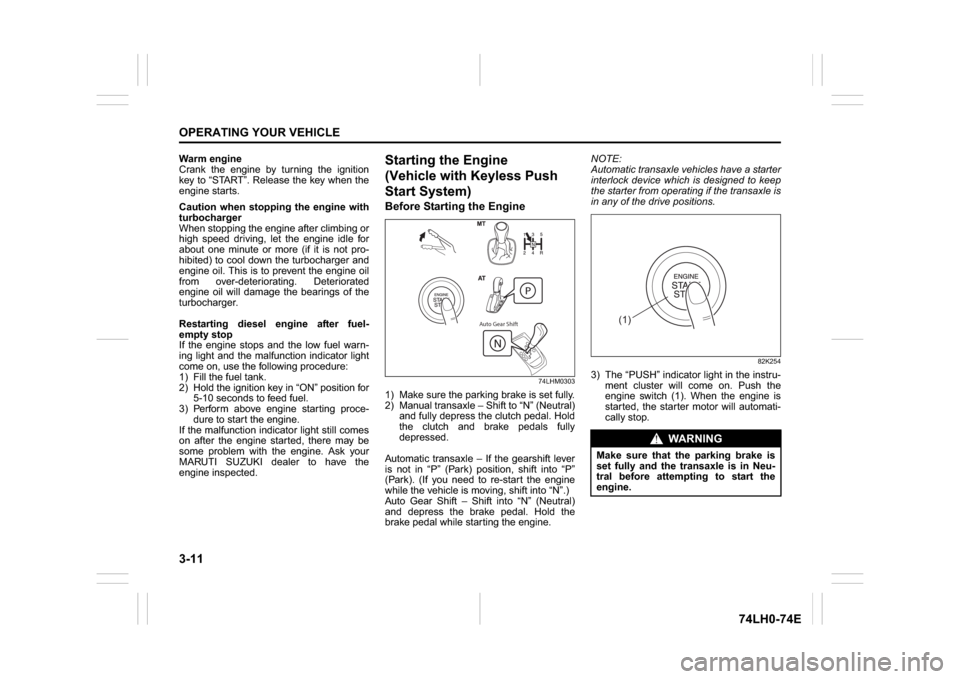
Start System)Before Starting the Engine
74LHM0303
1) Make sure the parking brake is set fully.
2) Manual transaxle – Shift to “N” (Neutral)
and fully depress the clutch pedal. Hold
the clutch and brake pedals fully
depressed.
Automatic transaxle – If the gearshift lever
is not in “P” (Park) position, shift into “P”
(Park). (If you need to re-start the engine
while the vehicle is moving, shift into “N”.)
Auto Gear Shift – Shift into “N” (Neutral)
and depress the brake pedal. Hold the
brake pedal while starting the engine.NOTE:
Automatic transaxle vehicles have a starter
interlock device which is designed to keep
the starter from operating if the transaxle is
in any of the drive positions.
82K254
3) The “PUSH” indicator light in the instru-
ment cluster will come on. Push the
engine switch (1). When the engine is
started, the starter motor will automati-
cally stop.
Auto Gear Shift
WA R N I N G
Make sure that the parking brake is
set fully and the transaxle is in Neu-
tral before attempting to start the
engine.
(1)