Key SUZUKI SX4 2010 1.G User Guide
[x] Cancel search | Manufacturer: SUZUKI, Model Year: 2010, Model line: SX4, Model: SUZUKI SX4 2010 1.GPages: 297, PDF Size: 4.51 MB
Page 27 of 297
2-10
BEFORE DRIVING
80J23-03E
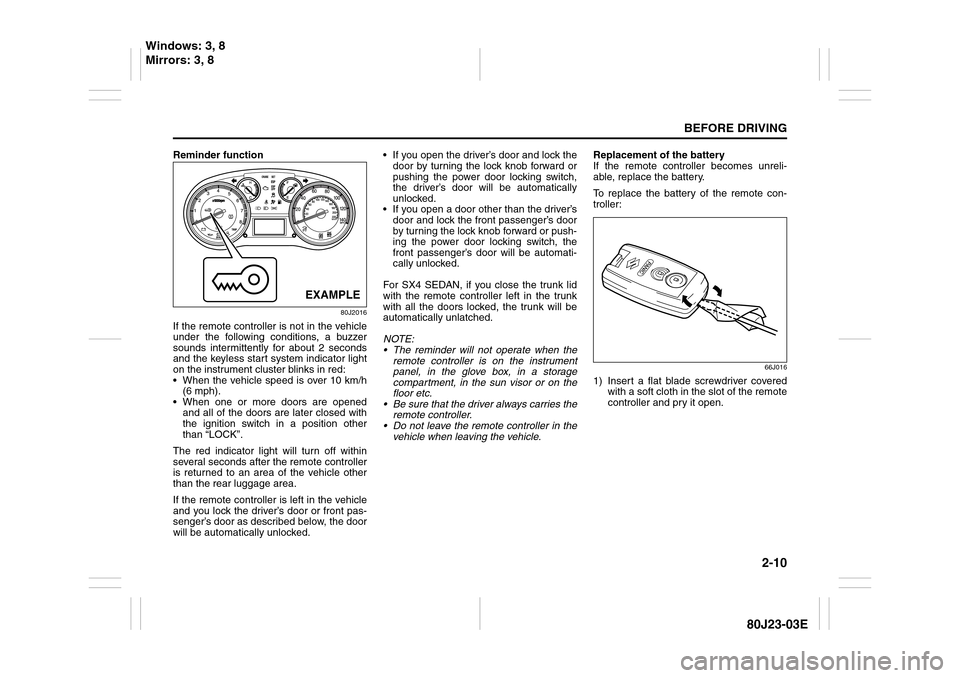
Reminder function
80J2016
If the remote controller is not in the vehicle
under the following conditions, a buzzer
sounds intermittently for about 2 seconds
and the keyless start system indicator light
on the instrument cluster blinks in red:
When the vehicle speed is over 10 km/h
(6 mph).
When one or more doors are opened
and all of the doors are later closed with
the ignition switch in a position other
than “LOCK”.
The red indicator light will turn off within
several seconds after the remote controller
is returned to an area of the vehicle other
than the rear luggage area.
If the remote controller is left in the vehicle
and you lock the driver’s door or front pas-
senger’s door as described below, the door
will be automatically unlocked. If you open the driver’s door and lock the
door by turning the lock knob forward or
pushing the power door locking switch,
the driver’s door will be automatically
unlocked.
If you open a door other than the driver’s
door and lock the front passenger’s door
by turning the lock knob forward or push-
ing the power door locking switch, the
front passenger’s door will be automati-
cally unlocked.
For SX4 SEDAN, if you close the trunk lid
with the remote controller left in the trunk
with all the doors locked, the trunk will be
automatically unlatched.
NOTE:
The reminder will not operate when the
remote controller is on the instrument
panel, in the glove box, in a storage
compartment, in the sun visor or on the
floor etc.
Be sure that the driver always carries the
remote controller.
Do not leave the remote controller in the
vehicle when leaving the vehicle.Replacement of the battery
If the remote controller becomes unreli-
able, replace the battery.
To replace the battery of the remote con-
troller:
66J016
1) Insert a flat blade screwdriver covered
with a soft cloth in the slot of the remote
controller and pry it open.
EXAMPLE
Windows: 3, 8
Mirrors: 3, 8
Page 29 of 297
2-12
BEFORE DRIVING
80J23-03E
To program a new remote controller
1) Close all the doors of the vehicle.
2) Sit in the driver’s seat and confirm that
the driver’s door is unlocked.
3) Insert the key into the ignition switch.
4) Complete steps 1 through 6 described
below within 25 seconds after step 3).
80JC093
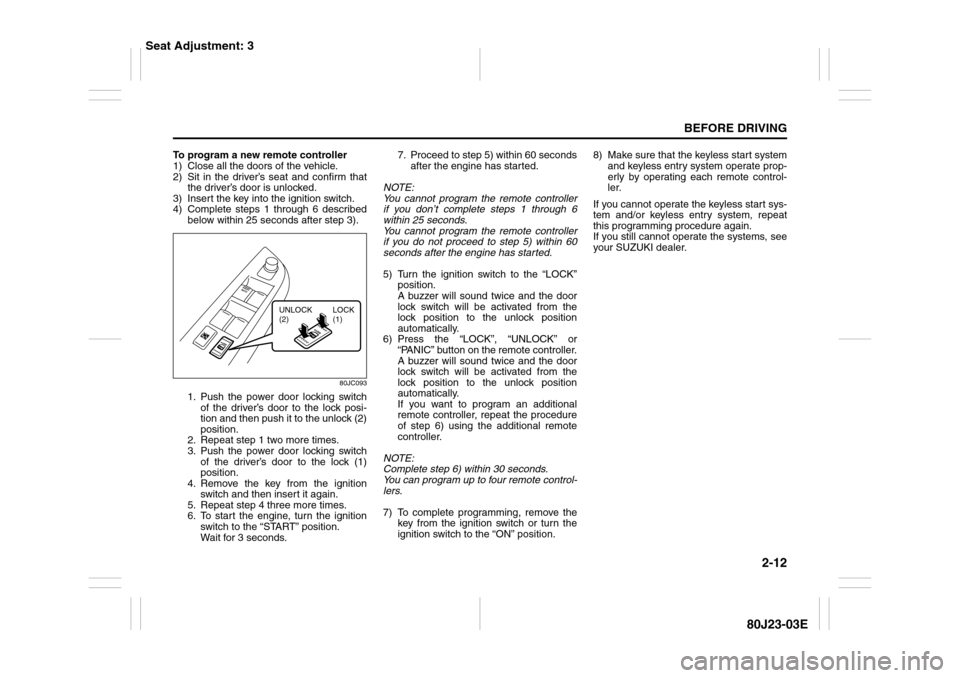
1. Push the power door locking switch
of the driver’s door to the lock posi-
tion and then push it to the unlock (2)
position.
2. Repeat step 1 two more times.
3. Push the power door locking switch
of the driver’s door to the lock (1)
position.
4. Remove the key from the ignition
switch and then insert it again.
5. Repeat step 4 three more times.
6. To start the engine, turn the ignition
switch to the “START” position.
Wait for 3 seconds.7. Proceed to step 5) within 60 seconds
after the engine has started.
NOTE:
You cannot program the remote controller
if you don’t complete steps 1 through 6
within 25 seconds.
You cannot program the remote controller
if you do not proceed to step 5) within 60
seconds after the engine has started.
5) Turn the ignition switch to the “LOCK”
position.
A buzzer will sound twice and the door
lock switch will be activated from the
lock position to the unlock position
automatically.
6) Press the “LOCK”, “UNLOCK” or
“PANIC” button on the remote controller.
A buzzer will sound twice and the door
lock switch will be activated from the
lock position to the unlock position
automatically.
If you want to program an additional
remote controller, repeat the procedure
of step 6) using the additional remote
controller.
NOTE:
Complete step 6) within 30 seconds.
You can program up to four remote control-
lers.
7) To complete programming, remove the
key from the ignition switch or turn the
ignition switch to the “ON” position.8) Make sure that the keyless start system
and keyless entry system operate prop-
erly by operating each remote control-
ler.
If you cannot operate the keyless start sys-
tem and/or keyless entry system, repeat
this programming procedure again.
If you still cannot operate the systems, see
your SUZUKI dealer.
UNLOCK
(2)LOCK
(1)
Seat Adjustment: 3
Page 30 of 297
2-13BEFORE DRIVING
80J23-03E
To change the old remote controller
codes in your vehicle’s memory
If you have lost one of the remote control-
lers, you should change the remote con-
troller codes in your vehicle’s memory as
soon as possible for security.
To erase the remote controller code(s) in
your vehicle’s memory, you should pro-
gram the new remote controller code. The
old codes in your vehicle’s memory will be
erased automatically. If you have more
remote controller(s), you must program all
of the remote controller codes at the same
time. You cannot operate the keyless start
system and keyless entry system using
any remote controller that is not pro-
grammed at the same time.
For details on how to program, refer to the
programming procedure in this section.
When you complete programming, make
sure that the keyless start system and key-
less entry system operate properly by
operating each remote controller.1. For USA
This device complies with Part 15 of the
FCC Rules. Operation is subject to the fol-
lowing two conditions:
1) This device may not cause harmful
interference, and
2) This device must accept any interfer-
ence received, including interference
that may cause undesired operation.
NOTE:
Changes or modifications not expressly
approved by the party responsible for com-
pliance could void the user’s authority to
operate the equipment.
2. For Canada
This device complies with Industry Canada
Standard RSS-210. Operation is subject to
the following two conditions:
1) This device may not cause interference,
and
2) This device must accept any interfer-
ence, including interference that may
cause undesired operation of the
device.
The term “IC:” before the certification/reg-
istration number only signifies that the
Industry Canada technical specifications
were met.Keyless Entry System Transmitter
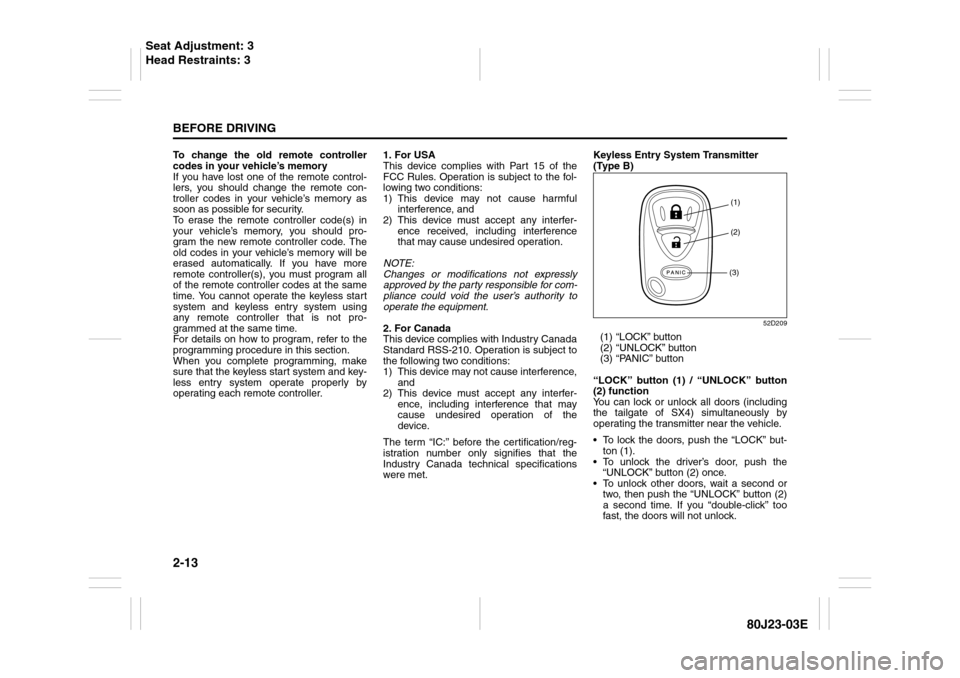
(Type B)
52D209
(1) “LOCK” button
(2) “UNLOCK” button
(3) “PANIC” button
“LOCK” button (1) / “UNLOCK” button
(2) function
You can lock or unlock all doors (including
the tailgate of SX4) simultaneously by
operating the transmitter near the vehicle.
To lock the doors, push the “LOCK” but-
ton (1).
To unlock the driver’s door, push the
“UNLOCK” button (2) once.
To unlock other doors, wait a second or
two, then push the “UNLOCK” button (2)
a second time. If you “double-click” too
fast, the doors will not unlock.
(1)
(2)
(3)
Seat Adjustment: 3
Head Restraints: 3
Page 31 of 297
2-14
BEFORE DRIVING
80J23-03E
The turn signal lights will flash once when
the doors are locked.
When the doors are unlocked:
The turn signal lights will flash twice.
If the interior light switch is in the
“DOOR” position, the interior light will
turn on for about 15 seconds and then
fade out. If you insert the key into the
ignition switch during this time, the light
will start to fade out immediately.
Be sure the doors are locked after you
operate the “LOCK” button (1).
If no door is opened within about 30 sec-
onds after the “UNLOCK” button (2) is
operated, the doors will automatically lock
again.
NOTE:
The maximum operating distance of the
keyless entry system transmitter is about
5 m (16 ft.), but this can vary depending
on the surroundings, especially near
other transmitting devices such as radio
towers or CB (Citizen’s Band) radios.
The door locks cannot be operated with
the transmitter, if the ignition key is
inserted in the ignition switch.
If you lose one of the transmitters, ask
your SUZUKI dealer as soon as possible
for a replacement. Be sure to have your
dealer program the new transmitter code
in your vehicle’s memory so that the old
code is erased, or perform the program-
ming procedure yourself according to the
instructions in this section.“PANIC” button (3) function
This function is to get the attention of oth-
ers.
Press the “PANIC” button (3) for more than
1 second. The headlights and taillights will
blink for about 30 seconds. Also, the horn
will sound intermittently for about 30 sec-
onds at the same time.
To cancel the “PANIC” mode, press any
button (PANIC, LOCK or UNLOCK) on the
transmitter. You can also insert the key in
the ignition switch and turn to the “ON”
position to cancel the “PANIC” mode.
NOTE:
The “PANIC” button function will not acti-
vate when the key is in the ignition switch.Replacement of the battery
If the transmitter becomes unreliable,
replace the battery.
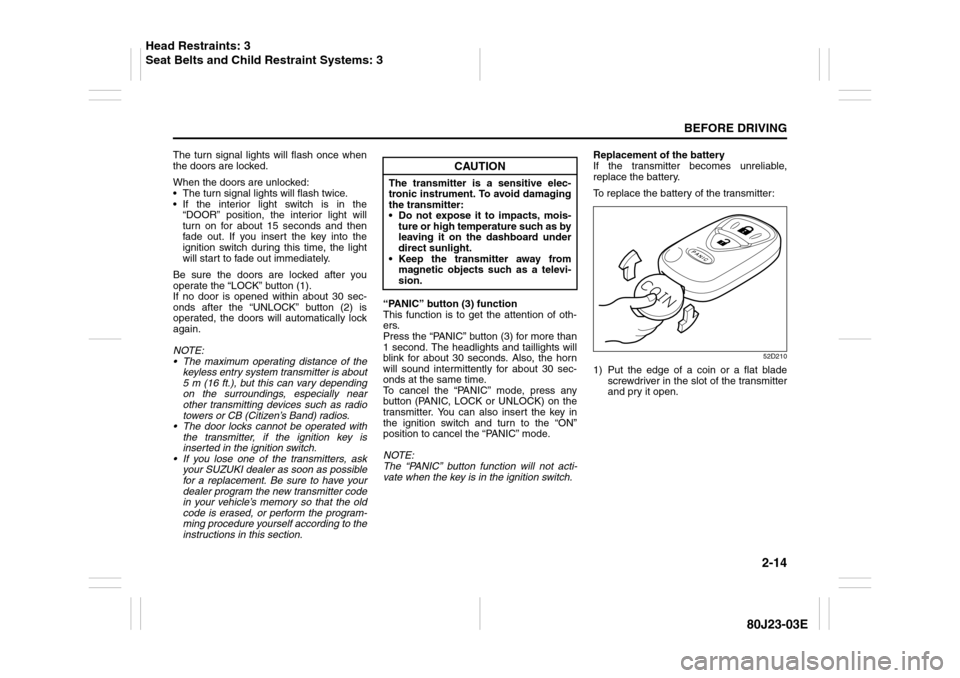
To replace the battery of the transmitter:
52D210
1) Put the edge of a coin or a flat blade
screwdriver in the slot of the transmitter
and pry it open.
CAUTION
The transmitter is a sensitive elec-
tronic instrument. To avoid damaging
the transmitter:
Do not expose it to impacts, mois-
ture or high temperature such as by
leaving it on the dashboard under
direct sunlight.
Keep the transmitter away from
magnetic objects such as a televi-
sion.
Head Restraints: 3
Seat Belts and Child Restraint Systems: 3
Page 32 of 297
2-15BEFORE DRIVING
80J23-03E
80J2077
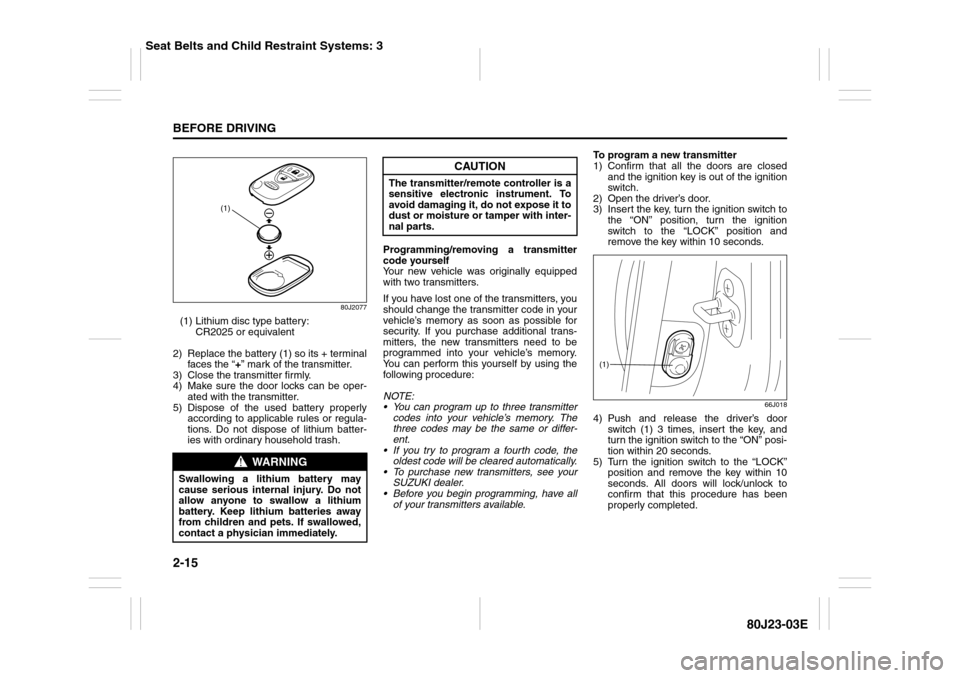
(1) Lithium disc type battery:
CR2025 or equivalent
2) Replace the battery (1) so its + terminal
faces the “+” mark of the transmitter.
3) Close the transmitter firmly.
4) Make sure the door locks can be oper-
ated with the transmitter.
5) Dispose of the used battery properly
according to applicable rules or regula-
tions. Do not dispose of lithium batter-
ies with ordinary household trash.Programming/removing a transmitter
code yourself
Your new vehicle was originally equipped
with two transmitters.
If you have lost one of the transmitters, you
should change the transmitter code in your
vehicle’s memory as soon as possible for
security. If you purchase additional trans-
mitters, the new transmitters need to be
programmed into your vehicle’s memory.
You can perform this yourself by using the
following procedure:
NOTE:
You can program up to three transmitter
codes into your vehicle’s memory. The
three codes may be the same or differ-
ent.
If you try to program a fourth code, the
oldest code will be cleared automatically.
To purchase new transmitters, see your
SUZUKI dealer.
Before you begin programming, have all
of your transmitters available.To program a new transmitter
1) Confirm that all the doors are closed
and the ignition key is out of the ignition
switch.
2) Open the driver’s door.
3) Insert the key, turn the ignition switch to
the “ON” position, turn the ignition
switch to the “LOCK” position and
remove the key within 10 seconds.
66J018
4) Push and release the driver’s door
switch (1) 3 times, insert the key, and
turn the ignition switch to the “ON” posi-
tion within 20 seconds.
5) Turn the ignition switch to the “LOCK”
position and remove the key within 10
seconds. All doors will lock/unlock to
confirm that this procedure has been
properly completed.
WARNING
Swallowing a lithium battery may
cause serious internal injury. Do not
allow anyone to swallow a lithium
battery. Keep lithium batteries away
from children and pets. If swallowed,
contact a physician immediately.
(1)
CAUTION
The transmitter/remote controller is a
sensitive electronic instrument. To
avoid damaging it, do not expose it to
dust or moisture or tamper with inter-
nal parts.
(1)
Seat Belts and Child Restraint Systems: 3
Page 33 of 297
2-16
BEFORE DRIVING
80J23-03E
52D212
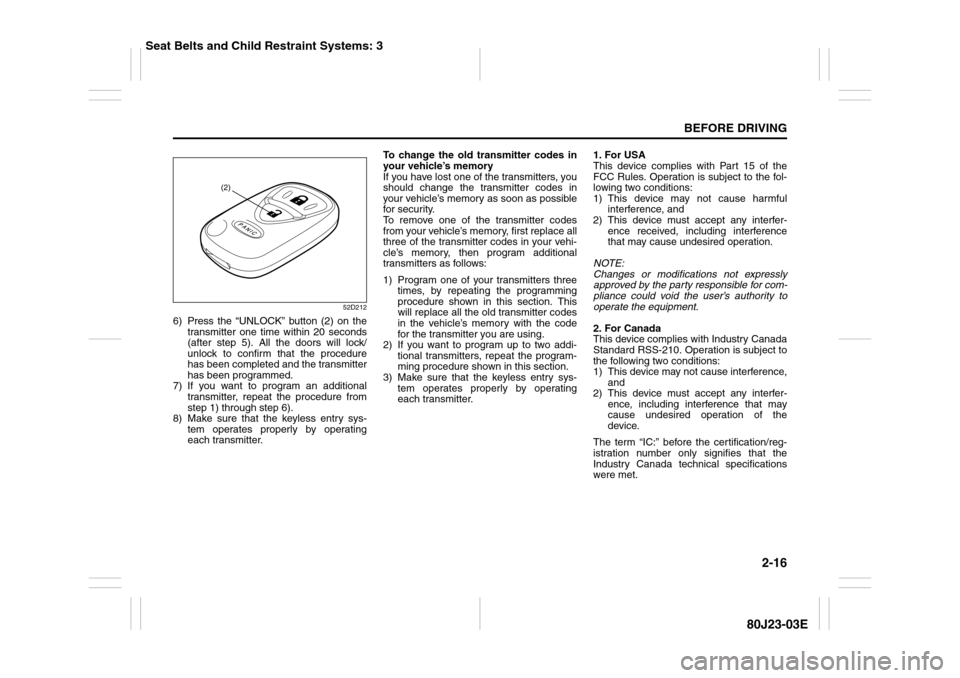
6) Press the “UNLOCK” button (2) on the
transmitter one time within 20 seconds
(after step 5). All the doors will lock/
unlock to confirm that the procedure
has been completed and the transmitter
has been programmed.
7) If you want to program an additional
transmitter, repeat the procedure from
step 1) through step 6).
8) Make sure that the keyless entry sys-
tem operates properly by operating
each transmitter.To change the old transmitter codes in
your vehicle’s memory
If you have lost one of the transmitters, you
should change the transmitter codes in
your vehicle’s memory as soon as possible
for security.
To remove one of the transmitter codes
from your vehicle’s memory, first replace all
three of the transmitter codes in your vehi-
cle’s memory, then program additional
transmitters as follows:
1) Program one of your transmitters three
times, by repeating the programming
procedure shown in this section. This
will replace all the old transmitter codes
in the vehicle’s memory with the code
for the transmitter you are using.
2) If you want to program up to two addi-
tional transmitters, repeat the program-
ming procedure shown in this section.
3) Make sure that the keyless entry sys-
tem operates properly by operating
each transmitter.1. For USA
This device complies with Part 15 of the
FCC Rules. Operation is subject to the fol-
lowing two conditions:
1) This device may not cause harmful
interference, and
2) This device must accept any interfer-
ence received, including interference
that may cause undesired operation.
NOTE:
Changes or modifications not expressly
approved by the party responsible for com-
pliance could void the user’s authority to
operate the equipment.
2. For Canada
This device complies with Industry Canada
Standard RSS-210. Operation is subject to
the following two conditions:
1) This device may not cause interference,
and
2) This device must accept any interfer-
ence, including interference that may
cause undesired operation of the
device.
The term “IC:” before the certification/reg-
istration number only signifies that the
Industry Canada technical specifications
were met.
(2)
Seat Belts and Child Restraint Systems: 3
Page 35 of 297
2-18
BEFORE DRIVING
80J23-03E
81A009
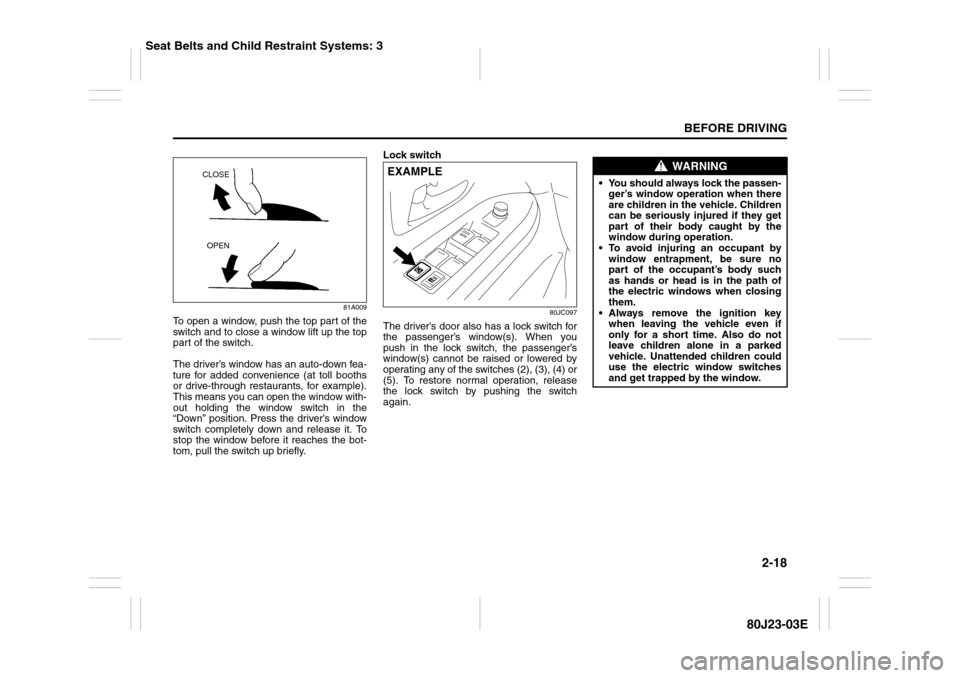
To open a window, push the top part of the
switch and to close a window lift up the top
part of the switch.
The driver’s window has an auto-down fea-
ture for added convenience (at toll booths
or drive-through restaurants, for example).
This means you can open the window with-
out holding the window switch in the
“Down” position. Press the driver’s window
switch completely down and release it. To
stop the window before it reaches the bot-
tom, pull the switch up briefly.Lock switch
80JC097
The driver’s door also has a lock switch for
the passenger’s window(s). When you
push in the lock switch, the passenger’s
window(s) cannot be raised or lowered by
operating any of the switches (2), (3), (4) or
(5). To restore normal operation, release
the lock switch by pushing the switch
again.
CLOSE
OPEN
EXAMPLE
WARNING
You should always lock the passen-
ger’s window operation when there
are children in the vehicle. Children
can be seriously injured if they get
part of their body caught by the
window during operation.
To avoid injuring an occupant by
window entrapment, be sure no
part of the occupant’s body such
as hands or head is in the path of
the electric windows when closing
them.
Always remove the ignition key
when leaving the vehicle even if
only for a short time. Also do not
leave children alone in a parked
vehicle. Unattended children could
use the electric window switches
and get trapped by the window.
Seat Belts and Child Restraint Systems: 3
Page 49 of 297
2-32
BEFORE DRIVING
80J23-03E
60A039
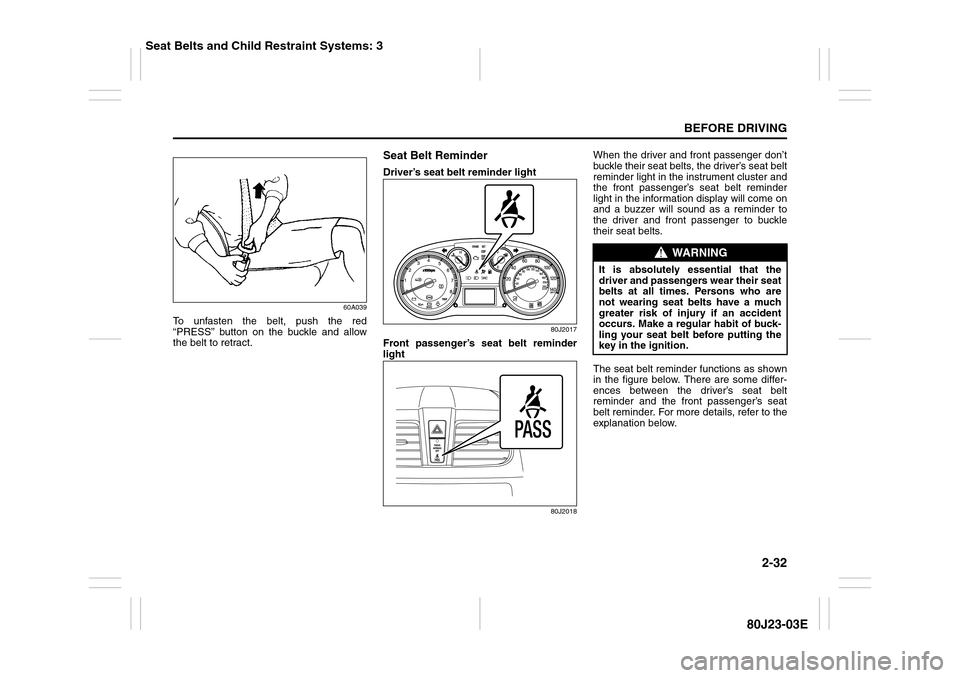
To unfasten the belt, push the red
“PRESS” button on the buckle and allow
the belt to retract.
Seat Belt ReminderDriver’s seat belt reminder light
80J2017
Front passenger’s seat belt reminder
light
80J2018
When the driver and front passenger don’t
buckle their seat belts, the driver’s seat belt
reminder light in the instrument cluster and
the front passenger’s seat belt reminder
light in the information display will come on
and a buzzer will sound as a reminder to
the driver and front passenger to buckle
their seat belts.
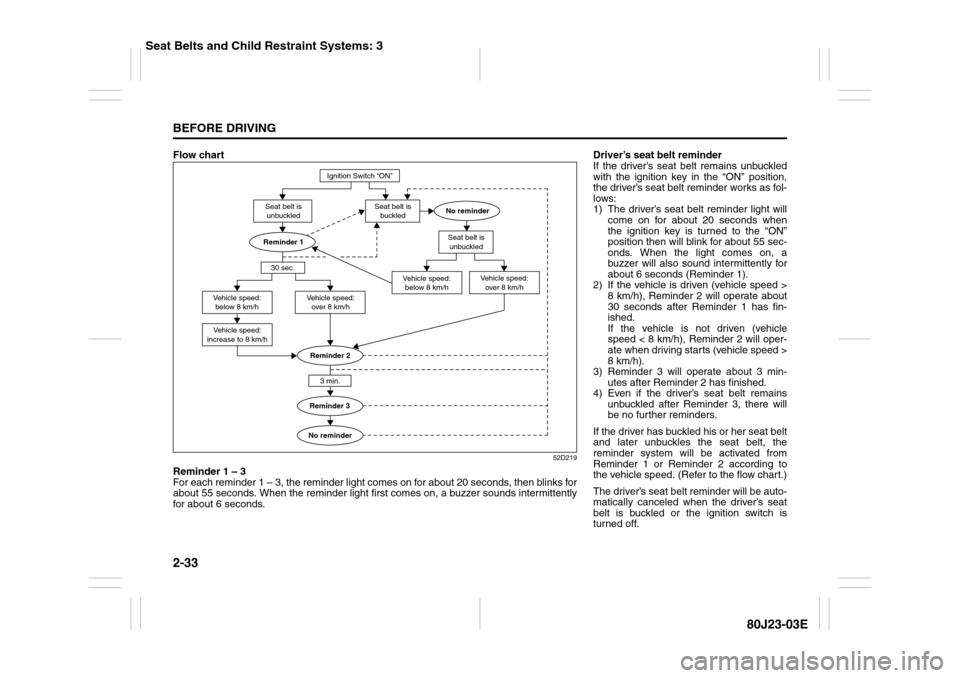
The seat belt reminder functions as shown
in the figure below. There are some differ-
ences between the driver’s seat belt
reminder and the front passenger’s seat
belt reminder. For more details, refer to the
explanation below.
WARNING
It is absolutely essential that the
driver and passengers wear their seat
belts at all times. Persons who are
not wearing seat belts have a much
greater risk of injury if an accident
occurs. Make a regular habit of buck-
ling your seat belt before putting the
key in the ignition.
Seat Belts and Child Restraint Systems: 3
Page 50 of 297
2-33BEFORE DRIVING
80J23-03E
Flow chart
52D219
Reminder 1 – 3
For each reminder 1 – 3, the reminder light comes on for about 20 seconds, then blinks for
about 55 seconds. When the reminder light first comes on, a buzzer sounds intermittently
for about 6 seconds.
Ignition Switch “ON”
Seat belt is
buckled
30 sec.
Vehicle speed:
increase to 8 km/hSeat belt is
unbuckled
Vehicle speed:
below 8 km/hVehicle speed:
over 8 km/h
Reminder 33 min.
No reminder Seat belt is
unbuckled
Vehicle speed:
below 8 km/hVehicle speed:
over 8 km/h
No reminderReminder 2
Reminder 1
Driver’s seat belt reminder
If the driver’s seat belt remains unbuckled
with the ignition key in the “ON” position,
the driver’s seat belt reminder works as fol-
lows:
1) The driver’s seat belt reminder light will
come on for about 20 seconds when
the ignition key is turned to the “ON”
position then will blink for about 55 sec-
onds. When the light comes on, a
buzzer will also sound intermittently for
about 6 seconds (Reminder 1).
2) If the vehicle is driven (vehicle speed >
8 km/h), Reminder 2 will operate about
30 seconds after Reminder 1 has fin-
ished.
If the vehicle is not driven (vehicle
speed < 8 km/h), Reminder 2 will oper-
ate when driving starts (vehicle speed >
8 km/h).
3) Reminder 3 will operate about 3 min-
utes after Reminder 2 has finished.
4) Even if the driver’s seat belt remains
unbuckled after Reminder 3, there will
be no further reminders.
If the driver has buckled his or her seat belt
and later unbuckles the seat belt, the
reminder system will be activated from
Reminder 1 or Reminder 2 according to
the vehicle speed. (Refer to the flow chart.)
The driver’s seat belt reminder will be auto-
matically canceled when the driver’s seat
belt is buckled or the ignition switch is
turned off.
Seat Belts and Child Restraint Systems: 3
Page 81 of 297
2-64
BEFORE DRIVING
80J23-03E
Oil Pressure Light
50G051
This light comes on when the ignition
switch is turned to the “ON” position, and
goes out when the engine is started. The
light will come on and remain on if there is
insufficient oil pressure. If the light comes
on when driving, pull off the road as soon
as you can and stop the engine. Check the
oil level and add oil if necessary. If there is
enough oil, the lubrication system should
be inspected by your SUZUKI dealer
before you drive the vehicle again.
Charging Light
50G052
This light comes on when the ignition
switch is turned to the “ON” position, and
goes out when the engine is started. The
light will come on and remain on if there is
something wrong with the battery charging
system. If the light comes on when the
engine is running, the charging system
should be inspected immediately by your
SUZUKI dealer.
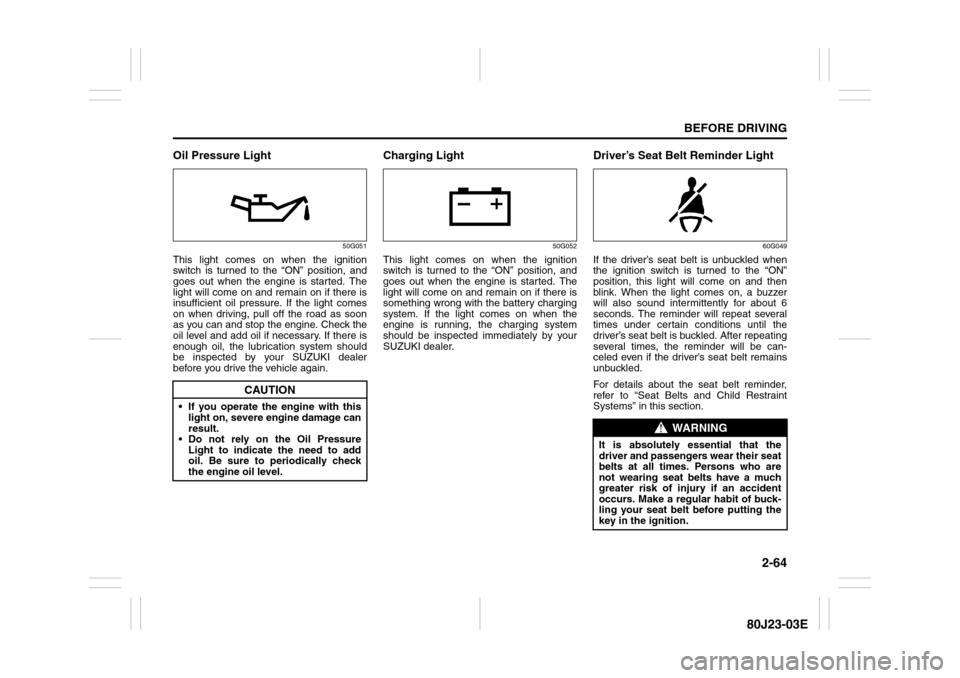
Driver’s Seat Belt Reminder Light
60G049
If the driver’s seat belt is unbuckled when
the ignition switch is turned to the “ON”
position, this light will come on and then
blink. When the light comes on, a buzzer
will also sound intermittently for about 6
seconds. The reminder will repeat several
times under certain conditions until the
driver’s seat belt is buckled. After repeating
several times, the reminder will be can-
celed even if the driver’s seat belt remains
unbuckled.
For details about the seat belt reminder,
refer to “Seat Belts and Child Restraint
Systems” in this section.
CAUTION
If you operate the engine with this
light on, severe engine damage can
result.
Do not rely on the Oil Pressure
Light to indicate the need to add
oil. Be sure to periodically check
the engine oil level.
WARNING
It is absolutely essential that the
driver and passengers wear their seat
belts at all times. Persons who are
not wearing seat belts have a much
greater risk of injury if an accident
occurs. Make a regular habit of buck-
ling your seat belt before putting the
key in the ignition.