clock SUZUKI XL7 2007 2.G User Guide
[x] Cancel search | Manufacturer: SUZUKI, Model Year: 2007, Model line: XL7, Model: SUZUKI XL7 2007 2.GPages: 274, PDF Size: 6.12 MB
Page 137 of 274
3-55 INSTRUMENT PANEL
78J00-03E
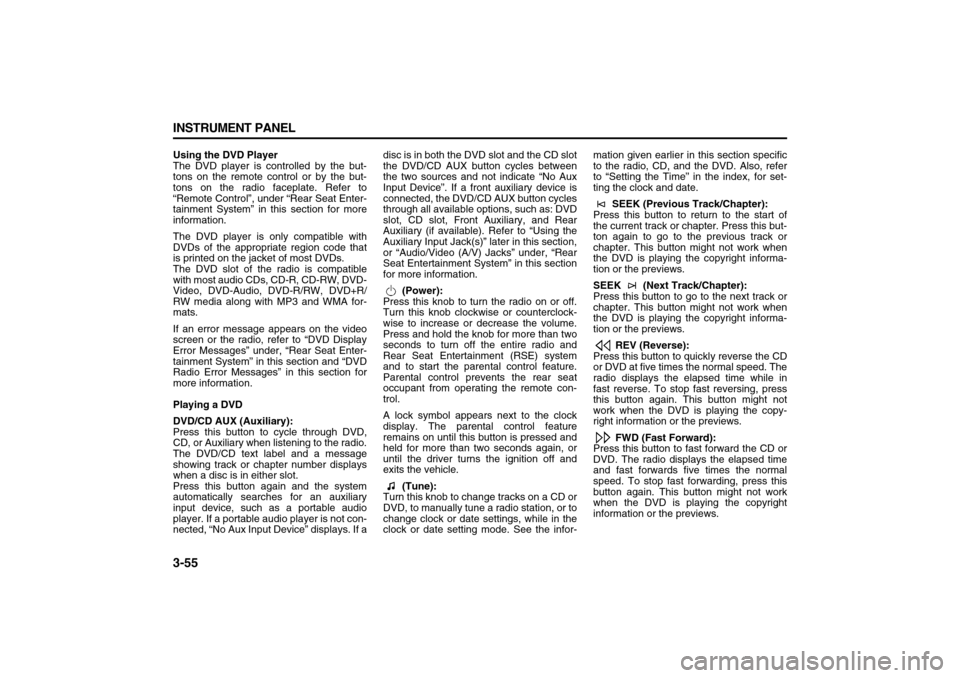
Using the DVD Player
The DVD player is controlled by the but-
tons on the remote control or by the but-
tons on the radio faceplate. Refer to
“Remote Control”, under “Rear Seat Enter-
tainment System” in this section for more
information.
The DVD player is only compatible with
DVDs of the appropriate region code that
is printed on the jacket of most DVDs.
The DVD slot of the radio is compatible
with most audio CDs, CD-R, CD-RW, DVD-
Video, DVD-Audio, DVD-R/RW, DVD+R/
RW media along with MP3 and WMA for-
mats.
If an error message appears on the video
screen or the radio, refer to “DVD Display
Error Messages” under, “Rear Seat Enter-
tainment System” in this section and “DVD
Radio Error Messages” in this section for
more information.
Playing a DVD
DVD/CD AUX (Auxiliary):
Press this button to cycle through DVD,
CD, or Auxiliary when listening to the radio.
The DVD/CD text label and a message
showing track or chapter number displays
when a disc is in either slot.
Press this button again and the system
automatically searches for an auxiliary
input device, such as a portable audio
player. If a portable audio player is not con-
nected, “No Aux Input Device” displays. If adisc is in both the DVD slot and the CD slot
the DVD/CD AUX button cycles between
the two sources and not indicate “No Aux
Input Device”. If a front auxiliary device is
connected, the DVD/CD AUX button cycles
through all available options, such as: DVD
slot, CD slot, Front Auxiliary, and Rear
Auxiliary (if available). Refer to “Using the
Auxiliary Input Jack(s)” later in this section,
or “Audio/Video (A/V) Jacks” under, “Rear
Seat Entertainment System” in this section
for more information.
(Power):
Press this knob to turn the radio on or off.
Turn this knob clockwise or counterclock-
wise to increase or decrease the volume.
Press and hold the knob for more than two
seconds to turn off the entire radio and
Rear Seat Entertainment (RSE) system
and to start the parental control feature.
Parental control prevents the rear seat
occupant from operating the remote con-
trol.
A lock symbol appears next to the clock
display. The parental control feature
remains on until this button is pressed and
held for more than two seconds again, or
until the driver turns the ignition off and
exits the vehicle.
(Tune):
Turn this knob to change tracks on a CD or
DVD, to manually tune a radio station, or to
change clock or date settings, while in the
clock or date setting mode. See the infor-mation given earlier in this section specific
to the radio, CD, and the DVD. Also, refer
to “Setting the Time” in the index, for set-
ting the clock and date.
SEEK (Previous Track/Chapter):
Press this button to return to the start of
the current track or chapter. Press this but-
ton again to go to the previous track or
chapter. This button might not work when
the DVD is playing the copyright informa-
tion or the previews.
SEEK (Next Track/Chapter):
Press this button to go to the next track or
chapter. This button might not work when
the DVD is playing the copyright informa-
tion or the previews.
REV (Reverse):
Press this button to quickly reverse the CD
or DVD at five times the normal speed. The
radio displays the elapsed time while in
fast reverse. To stop fast reversing, press
this button again. This button might not
work when the DVD is playing the copy-
right information or the previews.
FWD (Fast Forward):
Press this button to fast forward the CD or
DVD. The radio displays the elapsed time
and fast forwards five times the normal
speed. To stop fast forwarding, press this
button again. This button might not work
when the DVD is playing the copyright
information or the previews.
Page 140 of 274

3-58 INSTRUMENT PANEL
78J00-03E
To listen to a device through the rear auxil-
iary input over the speakers, cycle the
DVD/CD Aux button on the radio faceplate
until “Rear Aux Input” displays on the radio.
The RSA or DVD Screen must be on in
order for the radio to source to rear auxil-
iary.
(Power/Volume):
Turn this knob clockwise or counterclock-
wise to increase or decrease the volume of
the portable player. Additional volume
adjustments might be needed from the
portable device if the volume is not loud or
soft enough.
BAND:
Press this button to listen to the radio when
a portable audio device is playing. The por-
table audio device continues playing, so
you might want to stop it or power it off.
DVD/CD AUX (CD/Auxiliary):
Press this button to cycle through DVD,
CD, or Auxiliary when listening to the radio.
The DVD/CD text label and a message
showing track or chapter number displays
when a disc is in either slot. Press this but-
ton again and the system automatically
searches for an auxiliary input device, such
as a portable audio player. If a portable
audio player is not connected, “No Aux
Input Device” displays. If a disc is in both
the DVD slot and the CD slot the DVD/CD
AUX button cycles between the two
sources and not indicate “No Aux Input
Device”. If a front auxiliary device is con-nected, the DVD/CD AUX button cycles
through all available options, such as: DVD
slot, CD slot, Front Auxiliary, and Rear
Auxiliary (if available). Refer to “Using the
Auxiliary Input Jack(s)” later in this section,
or “Audio/Video (A/V) Jacks” under, “Rear
Seat Entertainment System” in this section
for more information.
Using an MP3
(Radio with Single CD Player)
MP3 CD-R or CD-RW Disc
The radio plays MP3 files that were
recorded on a CD-R or CD-RW disc. The
files can be recorded with the following
fixed bit rates: 32 kbps, 40 kbps, 56 kbps,
64 kbps, 80 kbps, 96 kbps, 112 kbps, 128
kbps, 160 kbps, 192 kbps, 224 kbps, 256
kbps, and 320 kbps or a variable bit rate.
Song title, artist name, and album are
available for display by the radio when
recorded using ID3 tags version 1 and 2.
Compressed Audio
The radio will also play discs that contain
both uncompressed CD audio (.CDA files)
and MP3 files. By default the radio shows
the MP3 label on the left side of the screen
but plays both file formats in the order in
which they were recorded to the disc.
MP3 Format
If you burn your own MP3 disc on a per-
sonal computer:
Make sure the MP3 files are recorded on
a CD-R or CD-RW disc. Do not mix standard audio and MP3 files
on one disc.
The CD player is able to read and play a
maximum of 50 folders, 15 playlists, and
512 folders and files.
Create a folder structure that makes it
easy to find songs while driving. Orga-
nize songs by albums using one folder
for each album. Each folder or album
should contain 18 songs or less.
Avoid subfolders. The system can sup-
port up to eight subfolders deep, how-
ever, keep the total number of folders to
a minimum in order to reduce the com-
plexity and confusion in trying to locate a
particular folder during playback.
Make sure playlists have a .mp3 or .wpl
extension (other file extensions may not
work).
Minimize the length of the file, folder, or
playlist names. Long file, folder, or playl-
ist names, or a combination of a large
number of files and folders, or playlists
may cause the player to be unable to
play up to the maximum number of files,
folders, playlists, or sessions. If you wish
to play a large number of files, folders,
playlists or sessions, minimize the length
of the file, folder, or playlist name. Long
names also take up more space on the
display, potentially getting cut off.
Finalize the audio disc before you burn it.
Trying to add music to an existing disc
may cause the disc not to function in the
player.
Page 165 of 274
4-7 DRIVING YOUR VEHICLE
78J00-03E
favorable conditions you will want to go
slower.
If you need to reduce your speed as you
approach a curve, do it before you enter
the curve, while your front wheels are
straight ahead.
Try to adjust your speed so you can “drive”
through the curve. Maintain a reasonable,
steady speed. Wait to accelerate until you
are out of the curve, and then accelerate
gently into the straightaway.
Adding non-Suzuki accessories can affect
your vehicle’s performance. Refer to
“Accessories and Modifications” in “Ser-
vice” in the “Service and Appearance
Care” section.
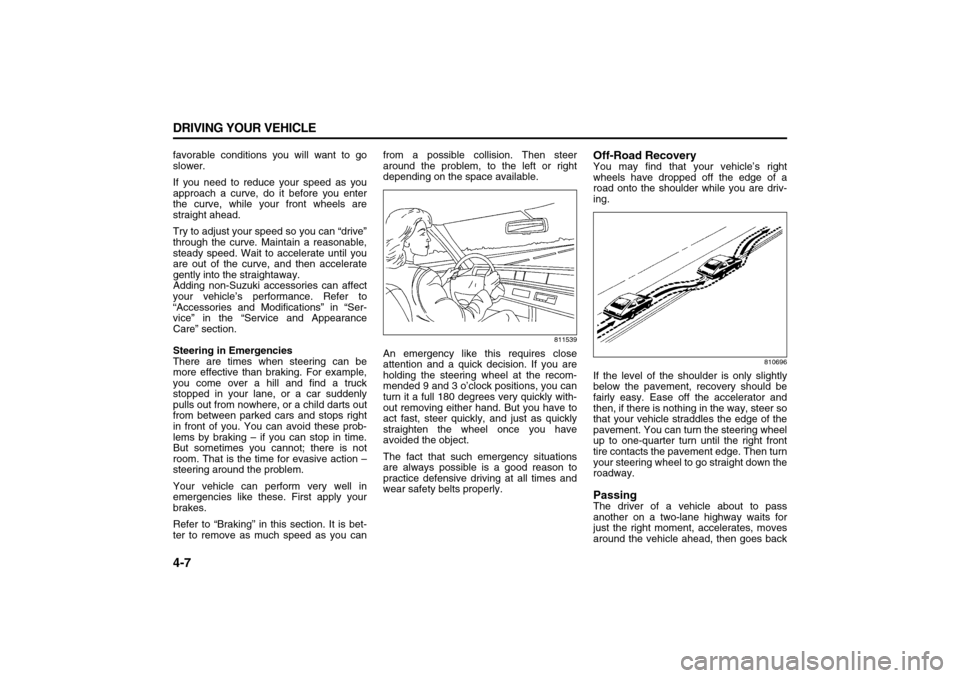
Steering in Emergencies
There are times when steering can be
more effective than braking. For example,
you come over a hill and find a truck
stopped in your lane, or a car suddenly
pulls out from nowhere, or a child darts out
from between parked cars and stops right
in front of you. You can avoid these prob-
lems by braking – if you can stop in time.
But sometimes you cannot; there is not
room. That is the time for evasive action –
steering around the problem.
Your vehicle can perform very well in
emergencies like these. First apply your
brakes.
Refer to “Braking” in this section. It is bet-
ter to remove as much speed as you canfrom a possible collision. Then steer
around the problem, to the left or right
depending on the space available.
811539
An emergency like this requires close
attention and a quick decision. If you are
holding the steering wheel at the recom-
mended 9 and 3 o’clock positions, you can
turn it a full 180 degrees very quickly with-
out removing either hand. But you have to
act fast, steer quickly, and just as quickly
straighten the wheel once you have
avoided the object.
The fact that such emergency situations
are always possible is a good reason to
practice defensive driving at all times and
wear safety belts properly.
Off-Road RecoveryYou may find that your vehicle’s right
wheels have dropped off the edge of a
road onto the shoulder while you are driv-
ing.
810696
If the level of the shoulder is only slightly
below the pavement, recovery should be
fairly easy. Ease off the accelerator and
then, if there is nothing in the way, steer so
that your vehicle straddles the edge of the
pavement. You can turn the steering wheel
up to one-quarter turn until the right front
tire contacts the pavement edge. Then turn
your steering wheel to go straight down the
roadway.PassingThe driver of a vehicle about to pass
another on a two-lane highway waits for
just the right moment, accelerates, moves
around the vehicle ahead, then goes back
Page 187 of 274
5-3 SERVICE AND APPEARANCE CARE
78J00-03E
Some gasolines that are not reformulated
for low emissions may contain an octane-
enhancing additive called methylcyclopen-
tadienyl manganese tricarbonyl (MMT);
ask the attendant where you buy gasoline
whether the fuel contains MMT. We rec-
ommend against the use of such gaso-
lines. Fuels containing MMT can reduce
the life of spark plugs and the performance
of the emission control system may be
affected. The malfunction indicator lamp
may turn on. If this occurs, return to your
dealer for service.
Fuels in Foreign CountriesIf you plan on driving in another country
outside the United States or Canada, the
proper fuel might be hard to find. Never
use leaded gasoline or any other fuel not
recommended in the previous text on fuel.
Costly repairs caused by use of improper
fuel would not be covered by your war-
ranty.
To check the fuel availability, ask an auto
club, or contact a major oil company that
does business in the country where you
will be driving.Filling the Tank
1733916
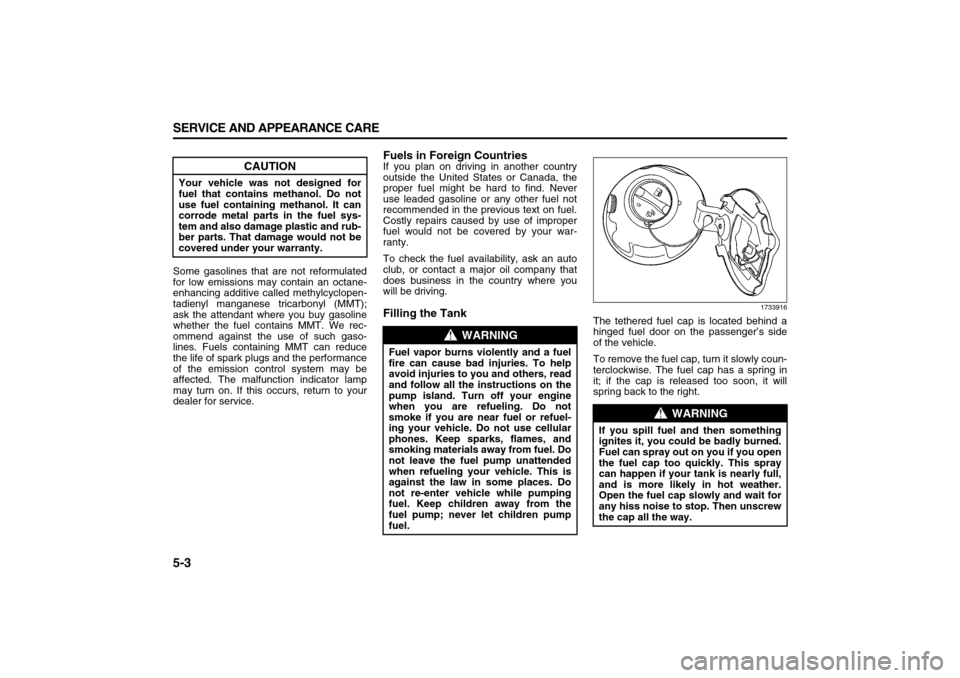
The tethered fuel cap is located behind a
hinged fuel door on the passenger’s side
of the vehicle.
To remove the fuel cap, turn it slowly coun-
terclockwise. The fuel cap has a spring in
it; if the cap is released too soon, it will
spring back to the right.
CAUTION
Your vehicle was not designed for
fuel that contains methanol. Do not
use fuel containing methanol. It can
corrode metal parts in the fuel sys-
tem and also damage plastic and rub-
ber parts. That damage would not be
covered under your warranty.
WARNING
Fuel vapor burns violently and a fuel
fire can cause bad injuries. To help
avoid injuries to you and others, read
and follow all the instructions on the
pump island. Turn off your engine
when you are refueling. Do not
smoke if you are near fuel or refuel-
ing your vehicle. Do not use cellular
phones. Keep sparks, flames, and
smoking materials away from fuel. Do
not leave the fuel pump unattended
when refueling your vehicle. This is
against the law in some places. Do
not re-enter vehicle while pumping
fuel. Keep children away from the
fuel pump; never let children pump
fuel.
WARNING
If you spill fuel and then something
ignites it, you could be badly burned.
Fuel can spray out on you if you open
the fuel cap too quickly. This spray
can happen if your tank is nearly full,
and is more likely in hot weather.
Open the fuel cap slowly and wait for
any hiss noise to stop. Then unscrew
the cap all the way.
Page 188 of 274
5-4 SERVICE AND APPEARANCE CARE
78J00-03E
Be careful not to spill fuel. Do not top off or
overfill the tank and wait a few seconds
after you have finished pumping before
removing the nozzle. Clean fuel from
painted surfaces as soon as possible.
Refer to “Washing Your Vehicle” in this
section.
When replacing the fuel cap, turn it clock-
wise until it clicks. Make sure the cap is
fully installed. The diagnostic system can
determine if the fuel cap has been left off
or improperly installed. This would allow
fuel to evaporate into the atmosphere.
Refer to “Malfunction Indicator Lamp” in
“Warning Lights, Gages, and Indicators” in
the “Instrument Panel” section.
Filling a Portable Fuel Container
WARNING
If a fire starts while you are refueling,
do not remove the nozzle. Shut off
the flow of fuel by shutting off the
pump or by notifying the station
attendant. Leave the area immedi-
ately.
CAUTION
If you need a new fuel cap, be sure to
get the right type. Your dealer can get
one for you. If you get the wrong
type, it may not fit properly. This may
cause your malfunction indicator
lamp to light and may damage your
fuel tank and emissions system.
Refer to “Malfunction Indicator
Lamp” in “Warning Lights, Gages,
and Indicators” in the “Instrument
Panel” section.
WARNING
Never fill a portable fuel container
while it is in your vehicle. Static elec-
tricity discharge from the container
can ignite the gasoline vapor. You
can be badly burned and your vehicle
damaged if this occurs. To help avoid
injury to you and others:
Dispense gasoline only into
approved containers.
Do not fill a container while it is
inside a vehicle, in a vehicle’s
trunk, pickup bed, or on any sur-
face other than the ground.
Bring the fill nozzle in contact with
the inside of the fill opening before
operating the nozzle. Contact
should be maintained until the fill-
ing is complete.
Do not smoke while pumping gaso-
line.
Do not use a cellular phone while
pumping gasoline.
Page 199 of 274
5-15 SERVICE AND APPEARANCE CARE
78J00-03E
When the coolant level in the coolant
recovery tank is at the cold fill line, start the
vehicle.
If the overheat warning continues, there is
one more thing you can try. You can add
the proper coolant mixture directly to the
radiator, but be sure the system is cool
before you do it.How to Add Coolant to the Cooling Sys-
tem
809006
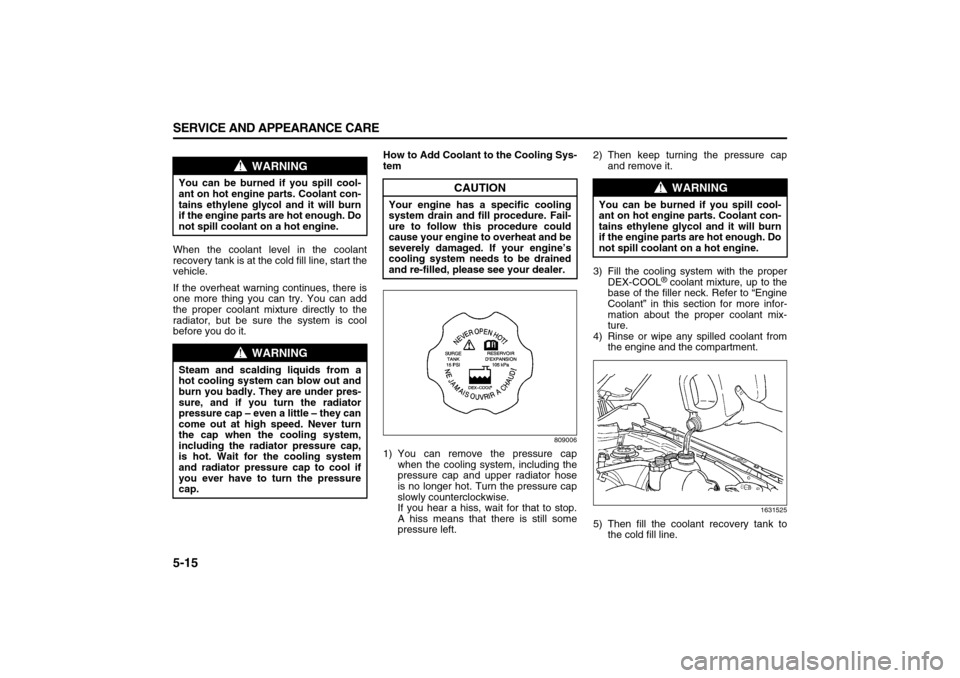
1) You can remove the pressure cap
when the cooling system, including the
pressure cap and upper radiator hose
is no longer hot. Turn the pressure cap
slowly counterclockwise.
If you hear a hiss, wait for that to stop.
A hiss means that there is still some
pressure left.2) Then keep turning the pressure cap
and remove it.
3) Fill the cooling system with the proper
DEX-COOL
® coolant mixture, up to the
base of the filler neck. Refer to “Engine
Coolant” in this section for more infor-
mation about the proper coolant mix-
ture.
4) Rinse or wipe any spilled coolant from
the engine and the compartment.
1631525
5) Then fill the coolant recovery tank to
the cold fill line.
WARNING
You can be burned if you spill cool-
ant on hot engine parts. Coolant con-
tains ethylene glycol and it will burn
if the engine parts are hot enough. Do
not spill coolant on a hot engine.
WARNING
Steam and scalding liquids from a
hot cooling system can blow out and
burn you badly. They are under pres-
sure, and if you turn the radiator
pressure cap – even a little – they can
come out at high speed. Never turn
the cap when the cooling system,
including the radiator pressure cap,
is hot. Wait for the cooling system
and radiator pressure cap to cool if
you ever have to turn the pressure
cap.
CAUTION
Your engine has a specific cooling
system drain and fill procedure. Fail-
ure to follow this procedure could
cause your engine to overheat and be
severely damaged. If your engine’s
cooling system needs to be drained
and re-filled, please see your dealer.
WARNING
You can be burned if you spill cool-
ant on hot engine parts. Coolant con-
tains ethylene glycol and it will burn
if the engine parts are hot enough. Do
not spill coolant on a hot engine.
Page 208 of 274
5-24 SERVICE AND APPEARANCE CARE
78J00-03E
1802297
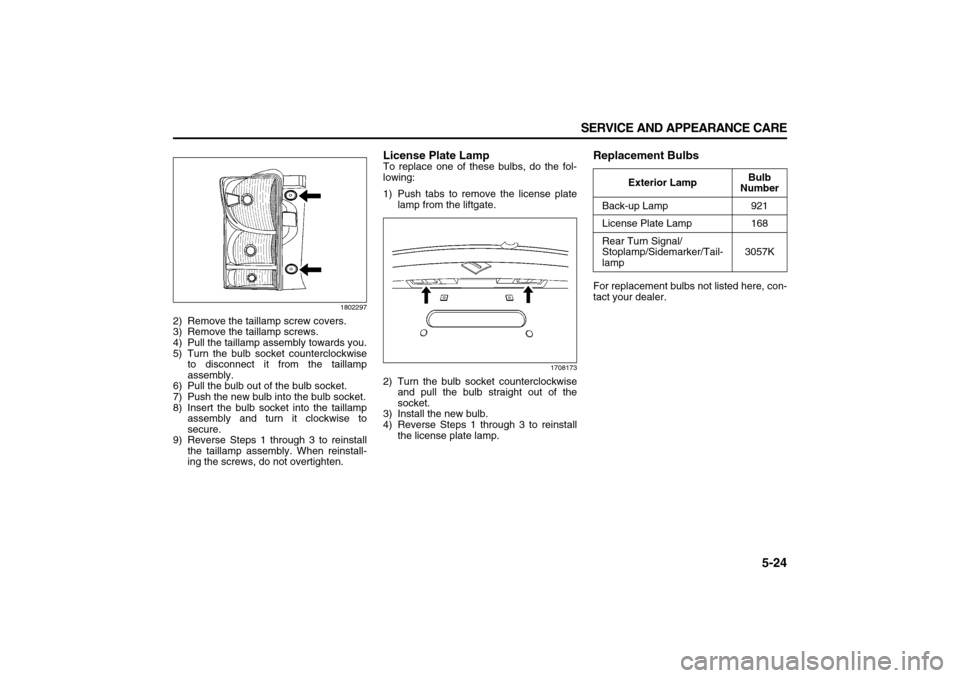
2) Remove the taillamp screw covers.
3) Remove the taillamp screws.
4) Pull the taillamp assembly towards you.
5) Turn the bulb socket counterclockwise
to disconnect it from the taillamp
assembly.
6) Pull the bulb out of the bulb socket.
7) Push the new bulb into the bulb socket.
8) Insert the bulb socket into the taillamp
assembly and turn it clockwise to
secure.
9) Reverse Steps 1 through 3 to reinstall
the taillamp assembly. When reinstall-
ing the screws, do not overtighten.
License Plate LampTo replace one of these bulbs, do the fol-
lowing:
1) Push tabs to remove the license plate
lamp from the liftgate.
1708173
2) Turn the bulb socket counterclockwise
and pull the bulb straight out of the
socket.
3) Install the new bulb.
4) Reverse Steps 1 through 3 to reinstall
the license plate lamp.
Replacement BulbsFor replacement bulbs not listed here, con-
tact your dealer.
Exterior LampBulb
Number
Back-up Lamp 921
License Plate Lamp 168
Rear Turn Signal/
Stoplamp/Sidemarker/Tail-
lamp3057K
Page 223 of 274
5-39 SERVICE AND APPEARANCE CARE
78J00-03E
1399885
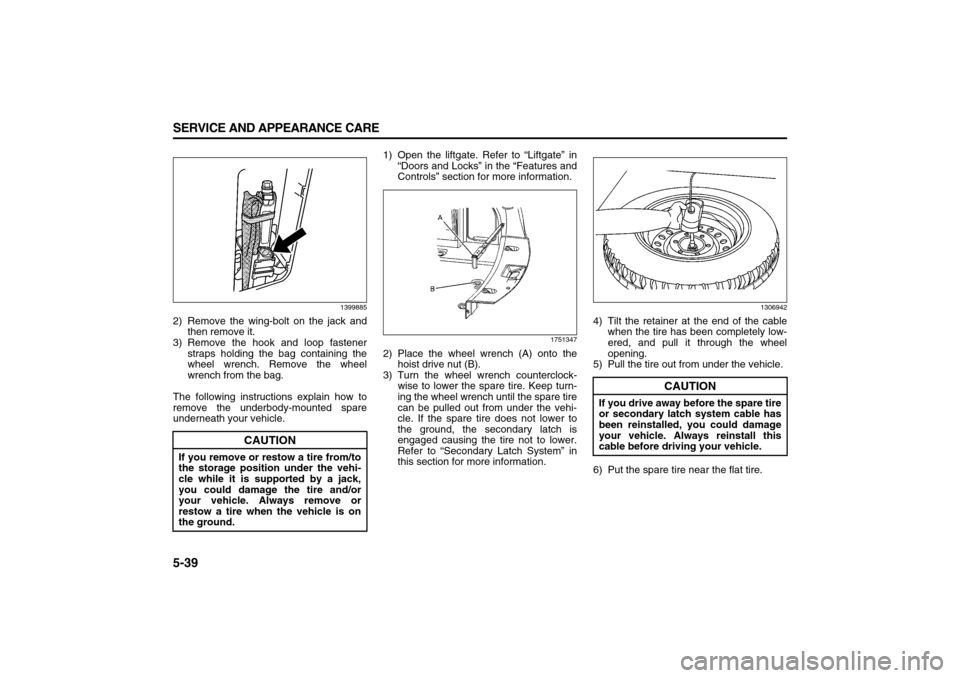
2) Remove the wing-bolt on the jack and
then remove it.
3) Remove the hook and loop fastener
straps holding the bag containing the
wheel wrench. Remove the wheel
wrench from the bag.
The following instructions explain how to
remove the underbody-mounted spare
underneath your vehicle.1) Open the liftgate. Refer to “Liftgate” in
“Doors and Locks” in the “Features and
Controls” section for more information.
1751347
2) Place the wheel wrench (A) onto the
hoist drive nut (B).
3) Turn the wheel wrench counterclock-
wise to lower the spare tire. Keep turn-
ing the wheel wrench until the spare tire
can be pulled out from under the vehi-
cle. If the spare tire does not lower to
the ground, the secondary latch is
engaged causing the tire not to lower.
Refer to “Secondary Latch System” in
this section for more information.
1306942
4) Tilt the retainer at the end of the cable
when the tire has been completely low-
ered, and pull it through the wheel
opening.
5) Pull the tire out from under the vehicle.
6) Put the spare tire near the flat tire.
CAUTION
If you remove or restow a tire from/to
the storage position under the vehi-
cle while it is supported by a jack,
you could damage the tire and/or
your vehicle. Always remove or
restow a tire when the vehicle is on
the ground.
CAUTION
If you drive away before the spare tire
or secondary latch system cable has
been reinstalled, you could damage
your vehicle. Always reinstall this
cable before driving your vehicle.
Page 224 of 274
5-40 SERVICE AND APPEARANCE CARE
78J00-03E
Removing the Flat Tire and Installing
the Spare Tire
809981
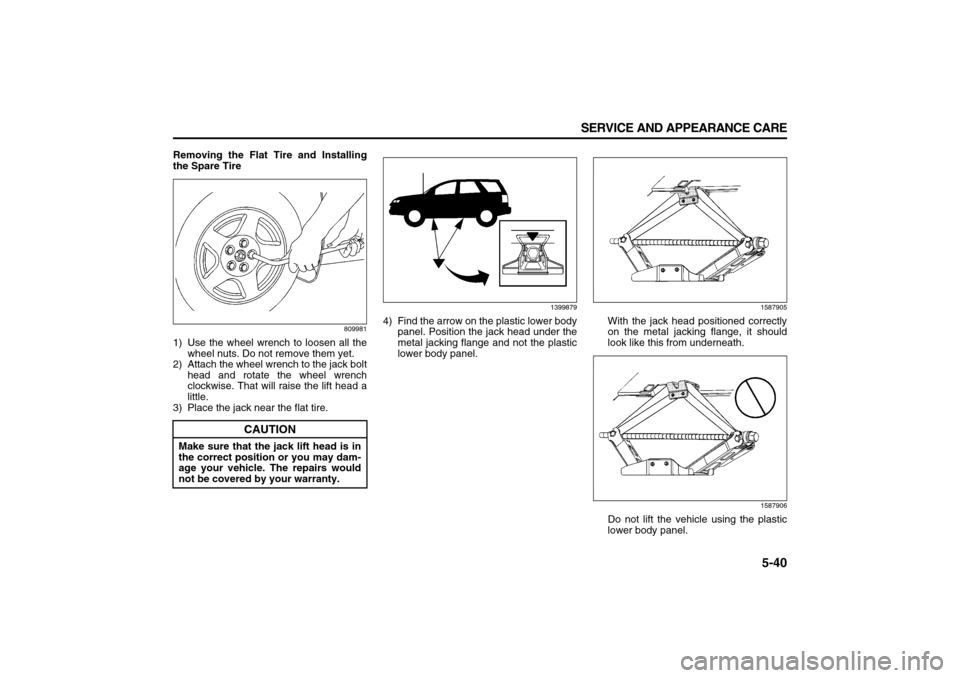
1) Use the wheel wrench to loosen all the
wheel nuts. Do not remove them yet.
2) Attach the wheel wrench to the jack bolt
head and rotate the wheel wrench
clockwise. That will raise the lift head a
little.
3) Place the jack near the flat tire.
1399879
4) Find the arrow on the plastic lower body
panel. Position the jack head under the
metal jacking flange and not the plastic
lower body panel.
1587905
With the jack head positioned correctly
on the metal jacking flange, it should
look like this from underneath.
1587906
Do not lift the vehicle using the plastic
lower body panel.
CAUTION
Make sure that the jack lift head is in
the correct position or you may dam-
age your vehicle. The repairs would
not be covered by your warranty.
Page 225 of 274
5-41 SERVICE AND APPEARANCE CARE
78J00-03E
5) Put the compact spare tire near the flat
tire.
988777
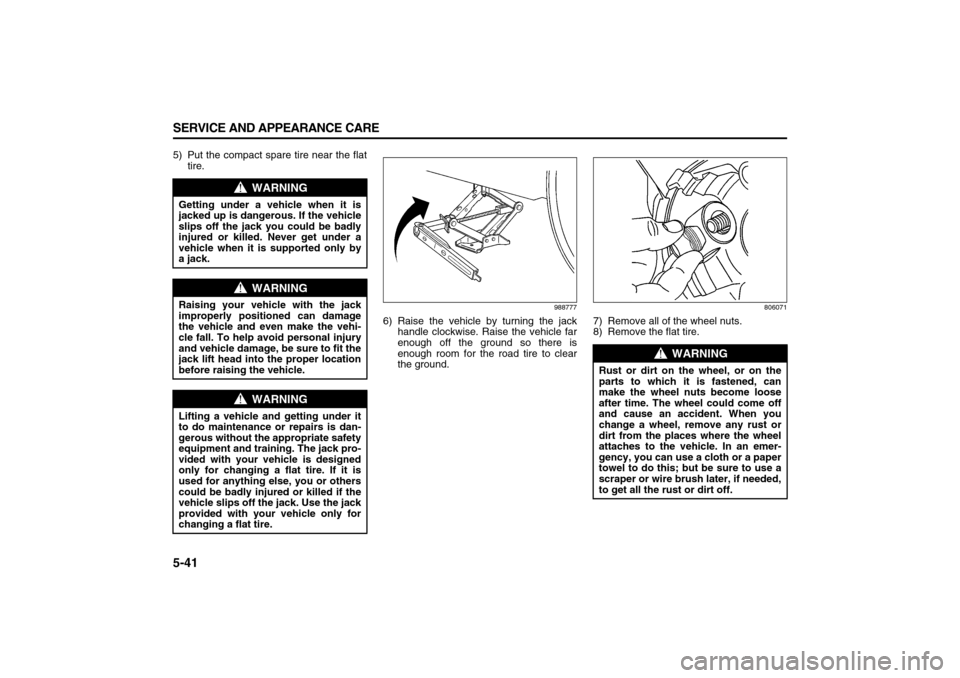
6) Raise the vehicle by turning the jack
handle clockwise. Raise the vehicle far
enough off the ground so there is
enough room for the road tire to clear
the ground.
806071
7) Remove all of the wheel nuts.
8) Remove the flat tire.
WARNING
Getting under a vehicle when it is
jacked up is dangerous. If the vehicle
slips off the jack you could be badly
injured or killed. Never get under a
vehicle when it is supported only by
a jack.
WARNING
Raising your vehicle with the jack
improperly positioned can damage
the vehicle and even make the vehi-
cle fall. To help avoid personal injury
and vehicle damage, be sure to fit the
jack lift head into the proper location
before raising the vehicle.
WARNING
Lifting a vehicle and getting under it
to do maintenance or repairs is dan-
gerous without the appropriate safety
equipment and training. The jack pro-
vided with your vehicle is designed
only for changing a flat tire. If it is
used for anything else, you or others
could be badly injured or killed if the
vehicle slips off the jack. Use the jack
provided with your vehicle only for
changing a flat tire.
WARNING
Rust or dirt on the wheel, or on the
parts to which it is fastened, can
make the wheel nuts become loose
after time. The wheel could come off
and cause an accident. When you
change a wheel, remove any rust or
dirt from the places where the wheel
attaches to the vehicle. In an emer-
gency, you can use a cloth or a paper
towel to do this; but be sure to use a
scraper or wire brush later, if needed,
to get all the rust or dirt off.