light SUZUKI XL7 2007 2.G Owner's Manual
[x] Cancel search | Manufacturer: SUZUKI, Model Year: 2007, Model line: XL7, Model: SUZUKI XL7 2007 2.GPages: 274, PDF Size: 6.12 MB
Page 76 of 274
2-20 FEATURES AND CONTROLS
78J00-03E
MirrorsManual Rearview MirrorTo adjust the angle of the mirror, move the
mirror to a position that allows you see to
out of the back window. To adjust the
height of the mirror, adjust the arm that
connects the mirror to the windshield.
To reduce glare from lights behind you,
move the lever toward you to the night
position.Automatic Dimming Rearview
MirrorIf the vehicle has this feature, the auto-
matic dimming mirror automatically dims to
the proper level to minimize glare at night
from lights behind your vehicle.
On/Off:
This is the on/off button. A light near the
on/off button will come on to indicate the
automatic dimming is on.
If the automatic dimming function is off,
press and hold the on/off button for four
seconds to manually turn the system back
on.
Cleaning the Mirror
When cleaning the mirror, use a paper
towel or similar material dampened with
glass cleaner. Do not spray glass cleaner
directly on the mirror as that may cause
the liquid cleaner to enter the mirror hous-
ing.
Automatic Dimming Rearview
Mirror with CompassYour vehicle may have an automatic-dim-
ming rearview mirror with a compass.
Mirror Operation
When turned on, this mirror automatically
dims to the proper level to minimize glare
from any headlamps behind you after dark.
On/Off:
This is the on/off button for the automatic
dimming feature and compass. Press the
far left button, located below the mirror
face, for up to four seconds to turn the fea-
ture on and off. A light on the mirror will be
lit while the feature is turned on.
Compass Operation
Press the on/off button once to turn the
compass on or off.
There is a compass display in the window
in the upper right corner of the mirror face.
The compass displays a maximum of two
characters. For example, “NE” is displayed
for north-east.
Compass Calibration
Press and hold the on/off button down for
nine seconds to activate the compass cali-
bration mode. CAL will be displayed in the
compass window on the mirror.
The compass can be calibrated by driving
the vehicle in circles at 5 mph (8 km/h) or
less until the display reads a direction.Compass Variance
Compass variance is the difference
between earth’s magnetic north and true
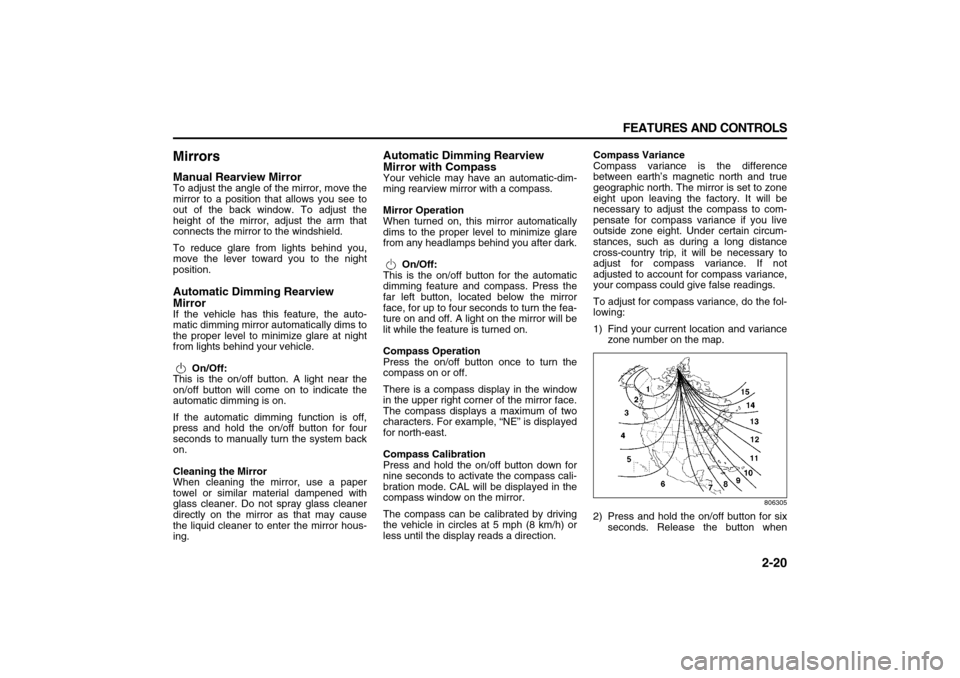
geographic north. The mirror is set to zone
eight upon leaving the factory. It will be
necessary to adjust the compass to com-
pensate for compass variance if you live
outside zone eight. Under certain circum-
stances, such as during a long distance
cross-country trip, it will be necessary to
adjust for compass variance. If not
adjusted to account for compass variance,
your compass could give false readings.
To adjust for compass variance, do the fol-
lowing:
1) Find your current location and variance
zone number on the map.
806305
2) Press and hold the on/off button for six
seconds. Release the button when
Page 82 of 274

INSTRUMENT PANEL
3
78J00-03E
INSTRUMENT PANELInstrument Panel Overview ................................................ 3-1
Climate Controls ................................................................. 3-10
Warning Lights, Gages, and Indicators ............................ 3-15
Driver Information Center (DIC) ......................................... 3-27
Audio System(s) .................................................................. 3-39
Page 86 of 274
3-4 INSTRUMENT PANEL
78J00-03E
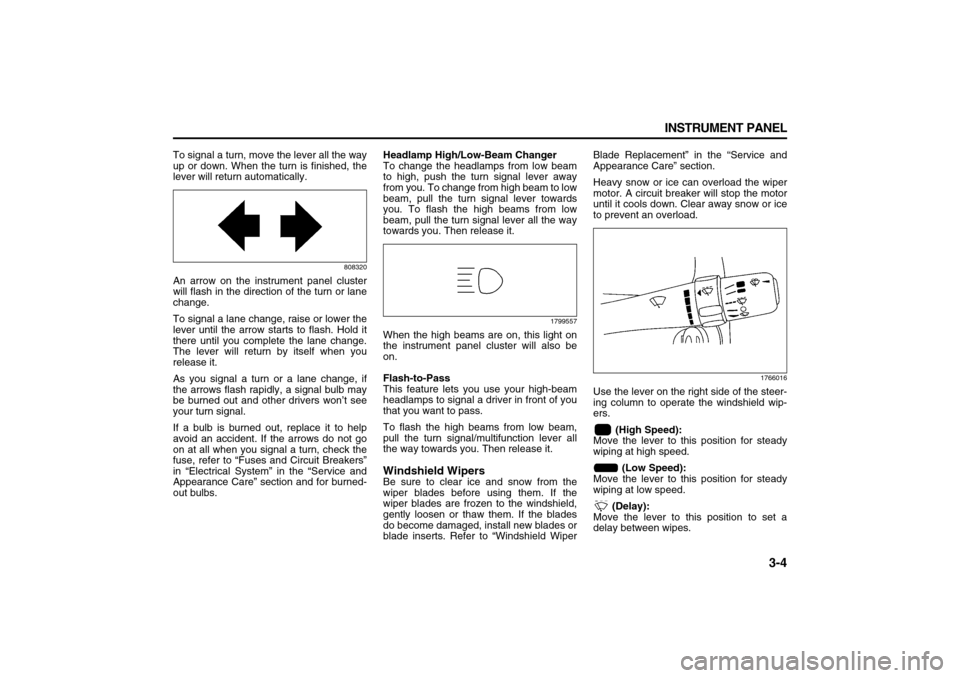
To signal a turn, move the lever all the way
up or down. When the turn is finished, the
lever will return automatically.
808320
An arrow on the instrument panel cluster
will flash in the direction of the turn or lane
change.
To signal a lane change, raise or lower the
lever until the arrow starts to flash. Hold it
there until you complete the lane change.
The lever will return by itself when you
release it.
As you signal a turn or a lane change, if
the arrows flash rapidly, a signal bulb may
be burned out and other drivers won’t see
your turn signal.
If a bulb is burned out, replace it to help
avoid an accident. If the arrows do not go
on at all when you signal a turn, check the
fuse, refer to “Fuses and Circuit Breakers”
in “Electrical System” in the “Service and
Appearance Care” section and for burned-
out bulbs.Headlamp High/Low-Beam Changer
To change the headlamps from low beam
to high, push the turn signal lever away
from you. To change from high beam to low
beam, pull the turn signal lever towards
you. To flash the high beams from low
beam, pull the turn signal lever all the way
towards you. Then release it.
1799557
When the high beams are on, this light on
the instrument panel cluster will also be
on.
Flash-to-Pass
This feature lets you use your high-beam
headlamps to signal a driver in front of you
that you want to pass.
To flash the high beams from low beam,
pull the turn signal/multifunction lever all
the way towards you. Then release it.Windshield WipersBe sure to clear ice and snow from the
wiper blades before using them. If the
wiper blades are frozen to the windshield,
gently loosen or thaw them. If the blades
do become damaged, install new blades or
blade inserts. Refer to “Windshield WiperBlade Replacement” in the “Service and
Appearance Care” section.
Heavy snow or ice can overload the wiper
motor. A circuit breaker will stop the motor
until it cools down. Clear away snow or ice
to prevent an overload.
1766016
Use the lever on the right side of the steer-
ing column to operate the windshield wip-
ers.
(High Speed):
Move the lever to this position for steady
wiping at high speed.
(Low Speed):
Move the lever to this position for steady
wiping at low speed.
(Delay):
Move the lever to this position to set a
delay between wipes.
Page 88 of 274
3-6 INSTRUMENT PANEL
78J00-03E
1541871
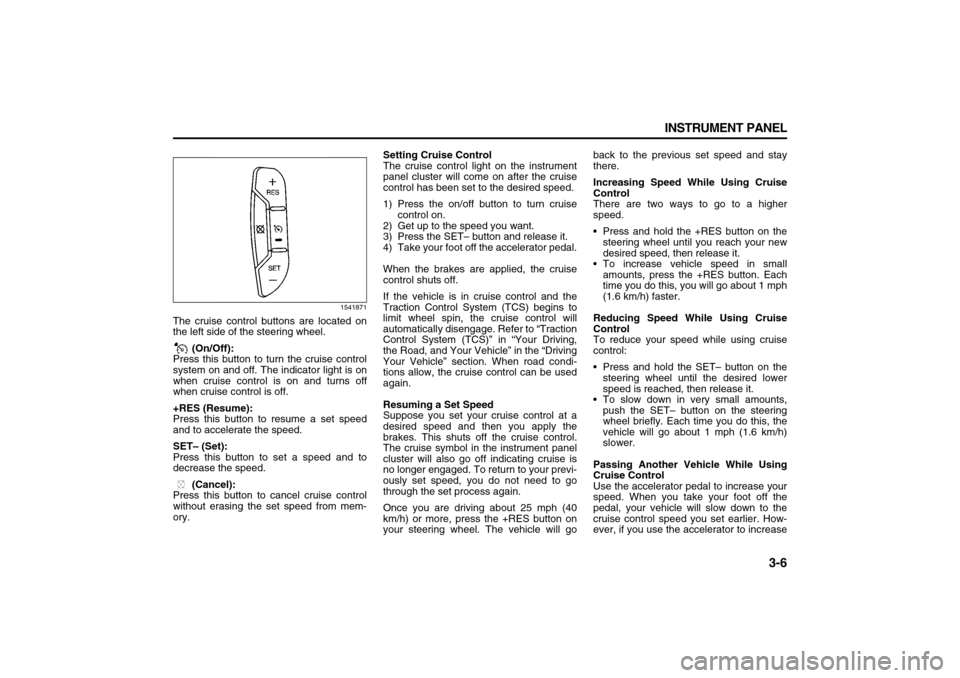
The cruise control buttons are located on
the left side of the steering wheel.
(On/Off):
Press this button to turn the cruise control
system on and off. The indicator light is on
when cruise control is on and turns off
when cruise control is off.
+RES (Resume):
Press this button to resume a set speed
and to accelerate the speed.
SET– (Set):
Press this button to set a speed and to
decrease the speed.
(Cancel):
Press this button to cancel cruise control
without erasing the set speed from mem-
ory.Setting Cruise Control
The cruise control light on the instrument
panel cluster will come on after the cruise
control has been set to the desired speed.
1) Press the on/off button to turn cruise
control on.
2) Get up to the speed you want.
3) Press the SET– button and release it.
4) Take your foot off the accelerator pedal.
When the brakes are applied, the cruise
control shuts off.
If the vehicle is in cruise control and the
Traction Control System (TCS) begins to
limit wheel spin, the cruise control will
automatically disengage. Refer to “Traction
Control System (TCS)” in “Your Driving,
the Road, and Your Vehicle” in the “Driving
Your Vehicle” section. When road condi-
tions allow, the cruise control can be used
again.
Resuming a Set Speed
Suppose you set your cruise control at a
desired speed and then you apply the
brakes. This shuts off the cruise control.
The cruise symbol in the instrument panel
cluster will also go off indicating cruise is
no longer engaged. To return to your previ-
ously set speed, you do not need to go
through the set process again.
Once you are driving about 25 mph (40
km/h) or more, press the +RES button on
your steering wheel. The vehicle will goback to the previous set speed and stay
there.
Increasing Speed While Using Cruise
Control
There are two ways to go to a higher
speed.
Press and hold the +RES button on the
steering wheel until you reach your new
desired speed, then release it.
To increase vehicle speed in small
amounts, press the +RES button. Each
time you do this, you will go about 1 mph
(1.6 km/h) faster.
Reducing Speed While Using Cruise
Control
To reduce your speed while using cruise
control:
Press and hold the SET– button on the
steering wheel until the desired lower
speed is reached, then release it.
To slow down in very small amounts,
push the SET– button on the steering
wheel briefly. Each time you do this, the
vehicle will go about 1 mph (1.6 km/h)
slower.
Passing Another Vehicle While Using
Cruise Control
Use the accelerator pedal to increase your
speed. When you take your foot off the
pedal, your vehicle will slow down to the
cruise control speed you set earlier. How-
ever, if you use the accelerator to increase
Page 89 of 274
3-7 INSTRUMENT PANEL
78J00-03E
the vehicle’s speed for approximately 60
seconds, cruise control will disengage.
Using Cruise Control on Hills
How well your cruise control will work on
hills depends upon your speed, load, and
the steepness of the hills. When going up
steep hills, you may have to step on the
accelerator pedal to maintain your vehi-
cle’s speed. When going downhill, you may
have to brake or shift to a lower gear to
limit the vehicle’s speed. Of course, apply-
ing the brakes ends cruise control. Many
drivers find this to be too much trouble and
do not use cruise control on steep hills.
Ending Cruise Control
There are three ways to end cruise control:
Step lightly on the brake pedal.
Press the cancel button on the steering
wheel.
Press the On/Off button on the steering
wheel.
Erasing Speed Memory
When the cruise control or the ignition is
turned off, the cruise control set speed
memory is erased.
HeadlampsThe exterior lamp control is located on the
turn signal/multifunction lever.
(Exterior Lamp Control):
Turn the control with this symbol on it to
operate the exterior lamps.
The exterior lamp control has the following
positions:
AUTO (Off/Automatic Headlamps):
Turn the control to this position to put the
headlamps in automatic mode. Automatic
mode will turn the exterior lamps on and off
depending upon how much light is avail-
able outside of the vehicle.
(Parking Lamps):
Turn the control to this position to turn on
the parking lamps together with the follow-
ing:
Sidemarker Lamps
Taillamps
License Plate Lamps
Instrument Panel Lights
(Headlamps):
Turning the control to this position turns on
the headlamps, together with the previ-
ously listed lamps and lights.
Headlamps on Reminder
If you open the driver’s door with the igni-
tion off and the lamps on, you will hear a
warning chime.Daytime Running Lamps (DRL)
Daytime Running Lamps (DRL) can make
it easier for others to see the front of your
vehicle during the day. DRL can be helpful
in many different driving conditions, but
they can be especially helpful in the short
periods after dawn and before sunset.
Fully functional daytime running lamps are
required on all vehicles first sold in Can-
ada.
A light sensor on top of the instrument
panel makes the DRL work, so be sure it is
not covered.
The DRL system’s automatic headlamp
control will make the low-beam headlamps
come on at a reduced brightness when the
following conditions are met:
The ignition is in RUN.
The exterior lamps control is in AUTO.
The engine is running.
When the DRL are on, only the low-beam
headlamps, at a reduced level of bright-
ness, will be on. The headlamps, taillamps,
sidemarker, and other lamps will not be on.
The instrument panel and cluster will also
not be lit.
When it is dark enough outside, the DRL
will turn off and the headlamps and parking
lamps will turn on. The other lamps that
come on with the headlamps will also
come on.
Page 90 of 274
3-8 INSTRUMENT PANEL
78J00-03E
When it is bright enough outside, the head-
lamps will go off and the DRL will come on.
As with any vehicle, you should turn on the
regular headlamp system when you need
it.
Automatic Headlamp System
When it is dark enough outside and the
exterior lamps control is in the automatic
position, the headlamps will come on auto-
matically. Refer to “Headlamps” in this sec-
tion.
Your vehicle has a light sensor located on
top of the instrument panel. Make sure it is
not covered, or the headlamps will be on
when you do not need them.
The system may also turn on the head-
lamps when driving through a parking
garage or tunnel.
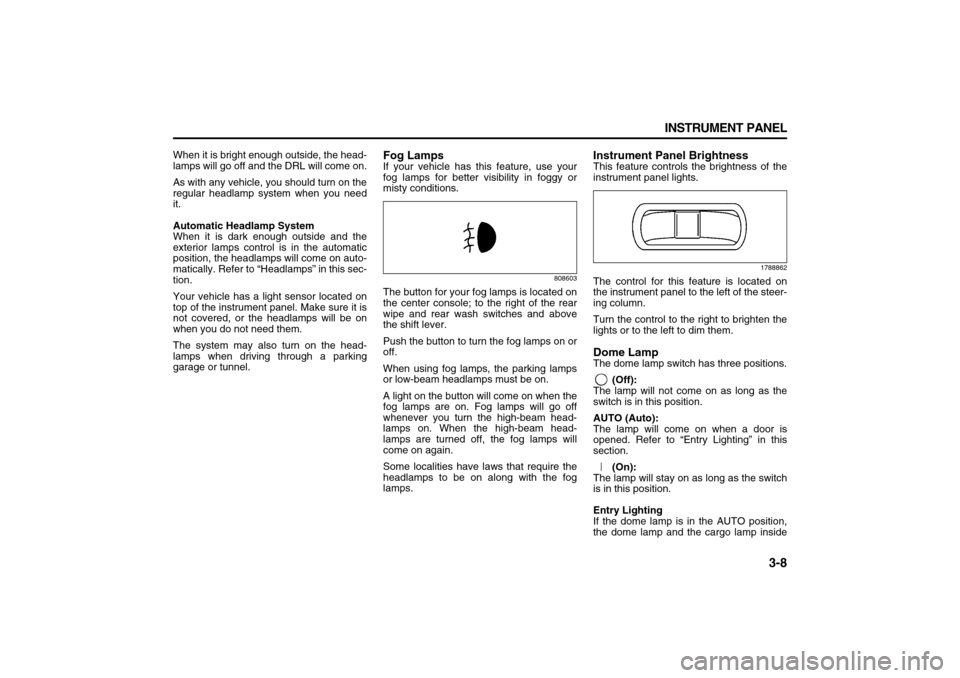
Fog LampsIf your vehicle has this feature, use your
fog lamps for better visibility in foggy or
misty conditions.
808603
The button for your fog lamps is located on
the center console; to the right of the rear
wipe and rear wash switches and above
the shift lever.
Push the button to turn the fog lamps on or
off.
When using fog lamps, the parking lamps
or low-beam headlamps must be on.
A light on the button will come on when the
fog lamps are on. Fog lamps will go off
whenever you turn the high-beam head-
lamps on. When the high-beam head-
lamps are turned off, the fog lamps will
come on again.
Some localities have laws that require the
headlamps to be on along with the fog
lamps.
Instrument Panel BrightnessThis feature controls the brightness of the
instrument panel lights.
1788862
The control for this feature is located on
the instrument panel to the left of the steer-
ing column.
Turn the control to the right to brighten the
lights or to the left to dim them.Dome LampThe dome lamp switch has three positions.
(Off):
The lamp will not come on as long as the
switch is in this position.
AUTO (Auto):
The lamp will come on when a door is
opened. Refer to “Entry Lighting” in this
section.
(On):
The lamp will stay on as long as the switch
is in this position.
Entry Lighting
If the dome lamp is in the AUTO position,
the dome lamp and the cargo lamp inside
Page 91 of 274
3-9 INSTRUMENT PANEL
78J00-03E
your vehicle will come on when any door is
opened. In addition, the light will come on
when the remote keyless entry unlock but-
ton is pressed. It will stay on for 20 sec-
onds or until a door is opened. After the
door is opened the light will remain on and
stay on for 20 seconds after the doors are
closed, or until you put the key in the igni-
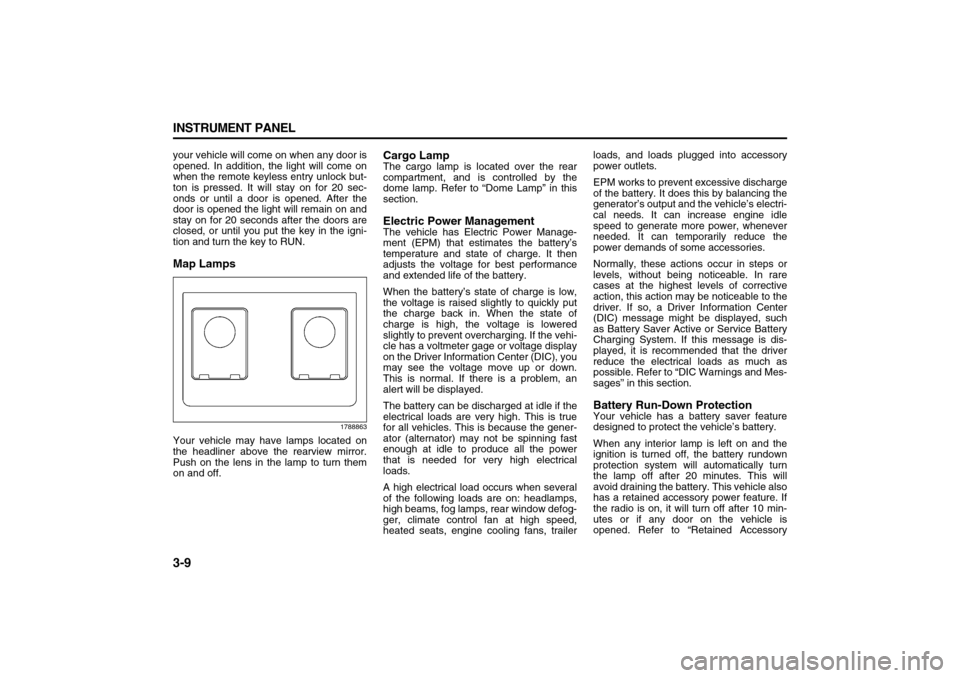
tion and turn the key to RUN.Map Lamps
1788863
Your vehicle may have lamps located on
the headliner above the rearview mirror.
Push on the lens in the lamp to turn them
on and off.
Cargo LampThe cargo lamp is located over the rear
compartment, and is controlled by the
dome lamp. Refer to “Dome Lamp” in this
section.Electric Power ManagementThe vehicle has Electric Power Manage-
ment (EPM) that estimates the battery’s
temperature and state of charge. It then
adjusts the voltage for best performance
and extended life of the battery.
When the battery’s state of charge is low,
the voltage is raised slightly to quickly put
the charge back in. When the state of
charge is high, the voltage is lowered
slightly to prevent overcharging. If the vehi-
cle has a voltmeter gage or voltage display
on the Driver Information Center (DIC), you
may see the voltage move up or down.
This is normal. If there is a problem, an
alert will be displayed.
The battery can be discharged at idle if the
electrical loads are very high. This is true
for all vehicles. This is because the gener-
ator (alternator) may not be spinning fast
enough at idle to produce all the power
that is needed for very high electrical
loads.
A high electrical load occurs when several
of the following loads are on: headlamps,
high beams, fog lamps, rear window defog-
ger, climate control fan at high speed,
heated seats, engine cooling fans, trailerloads, and loads plugged into accessory
power outlets.
EPM works to prevent excessive discharge
of the battery. It does this by balancing the
generator’s output and the vehicle’s electri-
cal needs. It can increase engine idle
speed to generate more power, whenever
needed. It can temporarily reduce the
power demands of some accessories.
Normally, these actions occur in steps or
levels, without being noticeable. In rare
cases at the highest levels of corrective
action, this action may be noticeable to the
driver. If so, a Driver Information Center
(DIC) message might be displayed, such
as Battery Saver Active or Service Battery
Charging System. If this message is dis-
played, it is recommended that the driver
reduce the electrical loads as much as
possible. Refer to “DIC Warnings and Mes-
sages” in this section.
Battery Run-Down ProtectionYour vehicle has a battery saver feature
designed to protect the vehicle’s battery.
When any interior lamp is left on and the
ignition is turned off, the battery rundown
protection system will automatically turn
the lamp off after 20 minutes. This will
avoid draining the battery. This vehicle also
has a retained accessory power feature. If
the radio is on, it will turn off after 10 min-
utes or if any door on the vehicle is
opened. Refer to “Retained Accessory
Page 93 of 274
3-11 INSTRUMENT PANEL
78J00-03E
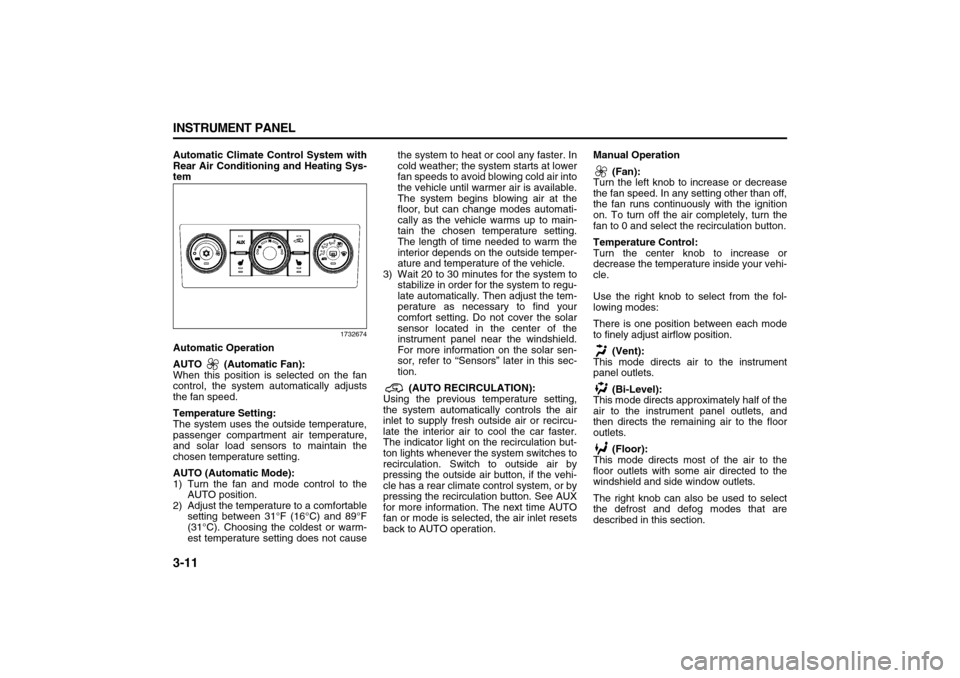
Automatic Climate Control System with
Rear Air Conditioning and Heating Sys-
tem
1732674
Automatic Operation
AUTO (Automatic Fan):
When this position is selected on the fan
control, the system automatically adjusts
the fan speed.
Temperature Setting:
The system uses the outside temperature,
passenger compartment air temperature,
and solar load sensors to maintain the
chosen temperature setting.
AUTO (Automatic Mode):
1) Turn the fan and mode control to the
AUTO position.
2) Adjust the temperature to a comfortable
setting between 31°F (16°C) and 89°F
(31°C). Choosing the coldest or warm-
est temperature setting does not causethe system to heat or cool any faster. In
cold weather; the system starts at lower
fan speeds to avoid blowing cold air into
the vehicle until warmer air is available.
The system begins blowing air at the
floor, but can change modes automati-
cally as the vehicle warms up to main-
tain the chosen temperature setting.
The length of time needed to warm the
interior depends on the outside temper-
ature and temperature of the vehicle.
3) Wait 20 to 30 minutes for the system to
stabilize in order for the system to regu-
late automatically. Then adjust the tem-
perature as necessary to find your
comfort setting. Do not cover the solar
sensor located in the center of the
instrument panel near the windshield.
For more information on the solar sen-
sor, refer to “Sensors” later in this sec-
tion.
(AUTO RECIRCULATION):
Using the previous temperature setting,
the system automatically controls the air
inlet to supply fresh outside air or recircu-
late the interior air to cool the car faster.
The indicator light on the recirculation but-
ton lights whenever the system switches to
recirculation. Switch to outside air by
pressing the outside air button, if the vehi-
cle has a rear climate control system, or by
pressing the recirculation button. See AUX
for more information. The next time AUTO
fan or mode is selected, the air inlet resets
back to AUTO operation.Manual Operation
(Fan):
Turn the left knob to increase or decrease
the fan speed. In any setting other than off,
the fan runs continuously with the ignition
on. To turn off the air completely, turn the
fan to 0 and select the recirculation button.
Temperature Control:
Turn the center knob to increase or
decrease the temperature inside your vehi-
cle.
Use the right knob to select from the fol-
lowing modes:
There is one position between each mode
to finely adjust airflow position.
(Vent):
This mode directs air to the instrument
panel outlets.
(Bi-Level):
This mode directs approximately half of the
air to the instrument panel outlets, and
then directs the remaining air to the floor
outlets.
(Floor):
This mode directs most of the air to the
floor outlets with some air directed to the
windshield and side window outlets.
The right knob can also be used to select
the defrost and defog modes that are
described in this section.
Page 94 of 274
3-12 INSTRUMENT PANEL
78J00-03E
The modes can also be selected by press-
ing the following buttons:
AUX (Auxiliary):
This button is on a vehicle that has the
Rear Climate Control System. Press it to
turn on the rear heating and air condition-
ing. Refer to “Rear Air Conditioning and
Heating System” in this section for more
information.
(Outside Air):
Press this button to turn on the outside air
mode. While this mode is on, outside air
circulates throughout the vehicle. An indi-
cator light in the button comes on when
this button is pressed. The outside air
mode can be used with all modes, but it
cannot be used with the recirculation
mode.
(Recirculation):
Press this button to recirculate cabin air
through the vehicle. It can be used to pre-
vent outside air and odors from entering
the vehicle or to help heat or cool the air
inside the vehicle more quickly. An indica-
tor light above the symbol comes on in this
mode. Operation in this mode during peri-
ods of high humidity and cool outside tem-
peratures can result in increased window
fogging. If window fogging is experienced,
select the defrost mode.
The recirculation mode cannot be used
with outside air, floor, defog, or defrost
modes.If your vehicle has a Rear Climate Control
System, use this button to switch between
outside air and recirculation.
(Air Conditioning):
Press this button to turn the air condition-
ing system on or off. When this button is
pressed, an indicator light on the button
comes on to let you know the air condition-
ing is activated.
On hot days, open the windows to let hot
inside air escape, then close them. This
helps to reduce the time it takes for the
vehicle to cool down. It also helps the sys-
tem to operate more efficiently.
The air conditioning system removes mois-
ture from the air, so you might notice a
small amount of water dripping underneath
the vehicle while idling or after turning off
the engine. This is normal.
(Heated Seats):
If your vehicle has heated seats, refer to
“Heated Seats” in the “Seats and Restraint
Systems” section for more information.
Defogging and Defrosting
Fog or frost on the inside of windows is a
result of high humidity (moisture) condens-
ing on the cool window glass. This can be
minimized if the climate control system is
used properly. To avoid fogging windows
on rainy and humid days at temperatures
above freezing, run the air conditioning
compressor. It is best to avoid the use of
the recirculation mode, except when maxi-mum A/C performance is needed or for
short times to avoid exterior odors.
Use the floor/defog mode to clear the win-
dows of fog or moisture and warm the pas-
sengers. Use the defrost mode to remove
fog or frost from the windshield more
quickly.
When either of these modes or the floor
mode is selected, the system runs the air
conditioning compressor and cancels recir-
culation mode to dry the air; however, the
recirculation light stays on. For best
results, clear all snow and ice from the
windshield before defrosting.
Turn the right knob to select the defog or
defrost mode.
(Floor/Defog):
This mode directs about half of the air to
the floor outlets and the remaining air to
the windshield and the side window out-
lets.
(Defrost):
This mode directs most of the air to the
windshield and the side window outlets.
Rear Window Defogger
The rear window defogger uses a warming
grid to remove fog from the rear window.
The rear window defogger only works
when the ignition is in RUN.
Page 95 of 274
3-13 INSTRUMENT PANEL
78J00-03E
(Rear):
Press this button to turn the rear window
defogger on or off. An indicator light on the
button comes on to let you know that the
rear window defogger is activated.
The rear window defogger only works
when the ignition is in RUN. The rear win-
dow defogger stays on for approximately
15 minutes after the button is pressed,
unless the ignition is turned to ACC or
LOCK. If turned on again, the defogger
only runs for about five minutes before
turning off. The defogger can also be
turned off by pressing the button again or
by turning off the engine.
Outlet AdjustmentUse the louvers located on the air outlets
to change the direction of the airflow.
Operation Tips
Clear away any ice, snow, or leaves from
the air inlets at the base of the vehicle
that may block the flow of air into your
vehicle.
Do not use any non-SUZUKI approved
hood deflectors that could adversely
affect the performance of the system.
Keep the path under the front seats clear
of objects to help circulate the air inside
of your vehicle more effectively.Rear Air Conditioning and Heating
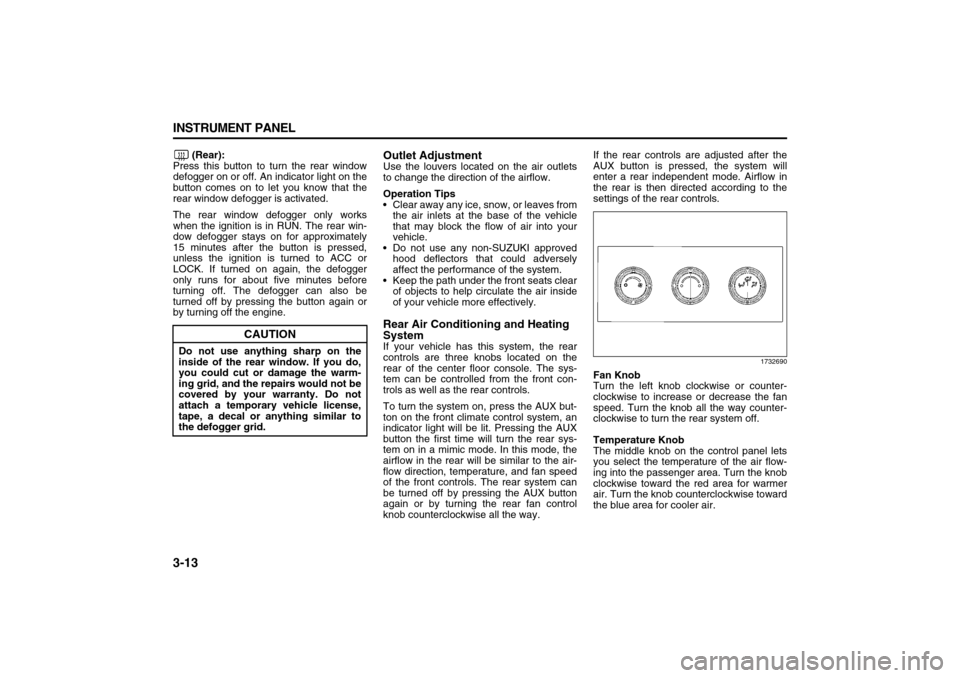
SystemIf your vehicle has this system, the rear
controls are three knobs located on the
rear of the center floor console. The sys-
tem can be controlled from the front con-
trols as well as the rear controls.
To turn the system on, press the AUX but-
ton on the front climate control system, an
indicator light will be lit. Pressing the AUX
button the first time will turn the rear sys-
tem on in a mimic mode. In this mode, the
airflow in the rear will be similar to the air-
flow direction, temperature, and fan speed
of the front controls. The rear system can
be turned off by pressing the AUX button
again or by turning the rear fan control
knob counterclockwise all the way.If the rear controls are adjusted after the
AUX button is pressed, the system will
enter a rear independent mode. Airflow in
the rear is then directed according to the
settings of the rear controls.
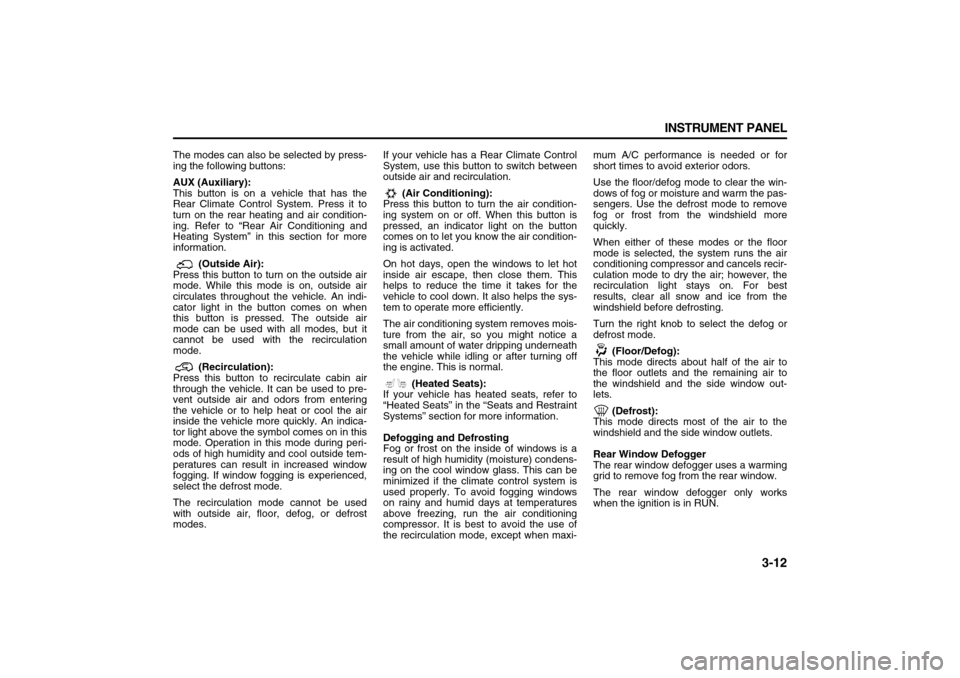
1732690
Fan Knob
Turn the left knob clockwise or counter-
clockwise to increase or decrease the fan
speed. Turn the knob all the way counter-
clockwise to turn the rear system off.
Temperature Knob
The middle knob on the control panel lets
you select the temperature of the air flow-
ing into the passenger area. Turn the knob
clockwise toward the red area for warmer
air. Turn the knob counterclockwise toward
the blue area for cooler air.
CAUTION
Do not use anything sharp on the
inside of the rear window. If you do,
you could cut or damage the warm-
ing grid, and the repairs would not be
covered by your warranty. Do not
attach a temporary vehicle license,
tape, a decal or anything similar to
the defogger grid.