lights TESLA MODEL 3 2018 User Guide
[x] Cancel search | Manufacturer: TESLA, Model Year: 2018, Model line: MODEL 3, Model: TESLA MODEL 3 2018Pages: 165, PDF Size: 8.63 MB
Page 79 of 165
Warning: Forward Collision Warning may
provide a warning in situations where the
likelihood of collision may not exist. Stay
alert and always pay attention to the area
in front of Model 3 so you can anticipate whether any action is required.Warning: Forward Collision Warning
operates only when driving between
approximately 7 mph (10 km/h) and 90
mph (150 km/h).Warning: Forward Collision Warning does
not provide a warning when the driver is
already applying the brake.
Automatic Emergency Braking
The forward looking camera(s) and the radar
sensor are designed to determine the distance
from an object (vehicle, motorcycle, bicycle, or
pedestrian) traveling in front of Model 3.
When a frontal collision is considered
unavoidable, Automatic Emergency Braking is
designed to apply the brakes to reduce the
severity of the impact.
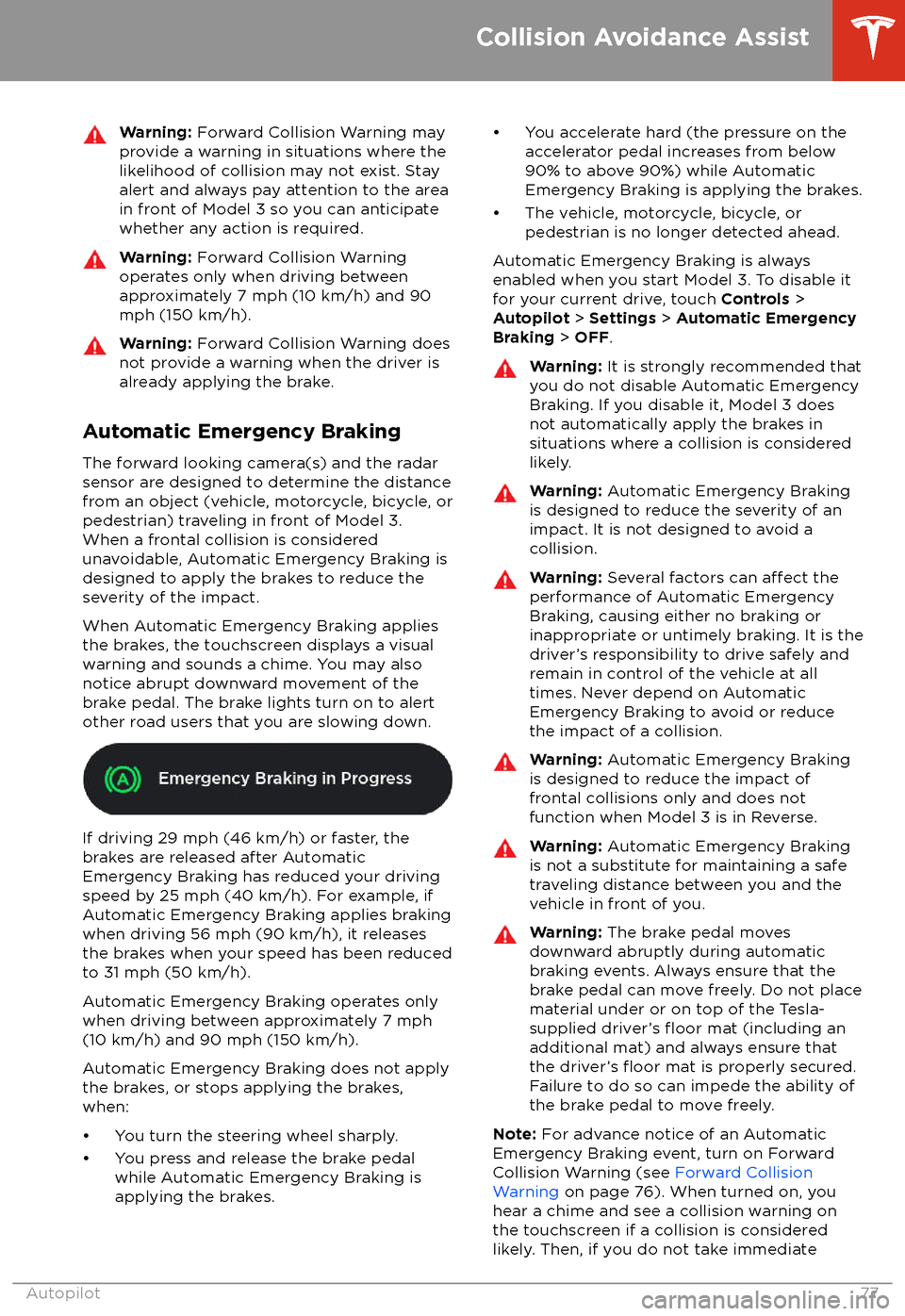
When Automatic Emergency Braking applies
the brakes, the touchscreen displays a visual
warning and sounds a chime. You may also
notice abrupt downward movement of the
brake pedal. The brake lights turn on to alert
other road users that you are slowing down.
If driving 29 mph (46 km/h) or faster, the
brakes are released after Automatic
Emergency Braking has reduced your driving
speed by 25 mph (40 km/h). For example, if
Automatic Emergency Braking applies braking
when driving 56 mph (90 km/h), it releases
the brakes when your speed has been reduced to 31 mph (50 km/h).
Automatic Emergency Braking operates only
when driving between approximately 7 mph (10 km/h) and 90 mph (150 km/h).
Automatic Emergency Braking does not apply the brakes, or stops applying the brakes,when:
Page 87 of 165
ServiceWiper Service Mode: Make wiper blades easy to access (see Wiper Blades
and Washer Jets on page 122).
Adjust Headlights : Make adjustments to the level of the headlights to
accommodate a load you are carrying (see Headlight Adjustments on page
46).Caution: Headlights should only be adjusted by Tesla Service.
Towing: Prepare Model 3 for towing by keeping it in Neutral (which
disengages the parking brake and prevents damage to the rear motor that is
caused by wheels turning as Model 3 is pulled onto a
flatbed truck). See
Instructions for Transporters on page 146.
Owner
Page 102 of 165
About the Security SystemIf Model 3 does not detect an authenticated
phone or the key card and a locked door or
trunk is opened, an alarm sounds and the
headlights and turn signals
flash. To deactivate
the alarm, press any button on the mobile app
or tap your key card against the card reader
located below the Autopilot camera on the
driver
Page 104 of 165
1.Model 3 records the signal from the
remote. The touchscreen instructs you to
stand in front of the vehicle, point the
remote at the front bumper and press and
hold the button until the headlights
flash.When the headlights flash, Model 3 has
learned the remote and you can touch
Continue on the touchscreen. If the
headlights do not
flash, refer to the
following guidelines.
2. The device
Page 160 of 165
AABS (Anti-lock Braking System) 49
absolute speed limit 79
access panel, removing 124accessoriesplugging into power socket 17
aero covers 115
air circulation 87
air conditioning 86
air distribution 87
air
filter 89
air vents 88
airbags 30
alarm 100
all-season tires 116
Always Show Estimated Round Trip Energy 97
ambient lights 45
anti-lock braking (ABS) 49
audioequalizer 90
immersive sound 90
playing
files 90
steering wheel scroll button 36
volume control 90
auto fold
38
Auto Lane Change 70
auto tilt 38
AUTO wipers 48
automatic emergency braking 77
Autopark 72
Autopilotautomatic emergency braking 76
Autopark 72
Autosteer 67
blind spot warning 74
collision avoidance assist 76
forward collision warning 76
overtake acceleration 61
overview 58
side collision warning 74
speed assist 79
speed limit warning 79
staying within speed limits 79
Traffic-Aware Cruise Control 61
Autopilot components 58
Autosteer 67
B backup camera 56
battery (12V)complete discharge 107specifications 136Battery (high voltage)care of 107
coolant 124
specifications 136
Battery (high voltage) (continued)temperature limits 107
blind spot warning 74
Bluetoothdevices, playing audio files from 92
general information 93
phone, pairing and using 93
body repairs 129
body touch up 120
brake
fluid replacement 112
brakesautomatic in emergencies 77fluid level 124
overview of 49
specifications 136
C
cabin camera 57
cabin temperature control 86
California Proposition 65 153
camera (rear view) 56
cameras (autopilot) 58
car cover 121
car washes 119
card 7
cargo area 12
cargo volume 135
carpets, cleaning 120
CE
certifications 155
CHAdeMO 106
chains 117
charge port 108
charge port light 109
chargingcharge settings 109
charging status 109
components and equipment 105
instructions 108
public charging stations 106
scheduling 109
charging locations, finding 96
child protectiondisabling rear window switches 11
child protection locks 10
child seatsinstalling and using 24
cleaning 119
climate controls 86
coat hangers 17
collision avoidance assist 76
console12V power socket 17
opening (premium package) 16
rear 17
USB ports 16contact informationroadside assistance 145
Index
158Model 3 Owner
Page 161 of 165
contact information (continued)Tesla 154coolantBattery, checking level of 124
Battery, replacement interval 112
copyrights 151
cruise control 61
D
dashboard overview 2
data recording 152
data sharing 152
declarations of conformity 155
delivery mileage 153
devicesBluetooth, playing audio files 92
connecting 16
playing audio
files from 92
dimensions 134
dome (map) lights 45
door handles 9
door labels 131
doorsChild Lock 10
exterior door handles 9
interior locking and unlocking 10
keyless entry 9
locking 9
opening from exterior 9
opening from interior 9
Unlock on Park 10
unlocking 9
Walk Away Lock 10
Drive gear 41
driverprofiles 34
seat adjustment 18drivingseating position 18
starting 39
E
Easter Eggs 150
easy entry, driver
profile 34
EDR (event data recorder) 152
electric parking brake 50
emergency braking 76
emergency
flashers 47
emission label 130
energygained from regenerative braking 49
range information 42
energy use predictions (navigating) 97
event data recording 152
exteriorexterior (continued)car cover 121
cleaning 119
dimensions 134
lights 45
overview 3
polishing, touch up, & repair 120
F
fan speed, interior 87
favorite destinations 98
Favorites (Media Player) 91
Favorites (navigation) 95
FCC
certifications 155
features, downloading new 104
firmware (software) updates 104flash drives, playing audio files from 92flashers, warning 47floor mats 121
fluidsreplacement intervals 112
reservoirs, checking 124
fog lights 45
forward collision warning 76
front passenger detection 32
front trunk 14
G
garage doors, opening 101
gates, opening 101
GAWR 131
gears 41
glovebox 16
Gross Axle Weight Rating 131
Gross Vehicle Weight Rating 131
ground clearance 134
GVWR 131
H hazard warning
flashers 47
head supports 19
headlightsafter exit 46
controlling 45
high beams 45
heating 86
high beam headlights 45
high voltageBattery specifications 136
components 105
safety 112
hills, stopping on 54
hitches 132
Index
Index159
Page 162 of 165
Home location 98HomeLinkFCC certification 156
programming and using 101
hood 14
horn 37
hub caps 115
I
IC
certifications 155identification labels 130
interiorcleaning 120
dimensions 134
lights 45
overview 2
temperature control 86
Internet radio 91
J
J1772 106
jacking 126
jump starting 148
K
keyFCC and IC certifications 155
key card 7
keyless entry 9
keysdeleting phone authenticated phones 7
displaying a list of 7
overview 6
L
labelTire and Loading Information 131
vehicle certification 131
lane assist 74
lane change, automatic 70
lane departure warning 74
LATCH child seats, installing 26
lifting 126
lightshazard warning 47
headlights after exit 46
turn signals 46
load limits 131
location tracking 95
locking 9
lug nut covers 116
lumbar adjustment (premium)
18
Mmaintenancebrake fluid, checking 124
cleaning 119
daily and monthly checks 112
fluid replacement intervals 112
panel, removing 124
replacing wiper blades 122
service intervals 112
tires 113
washer
fluid, topping up 125
washer jets, cleaning 122
map orientation 95
map updates 98
mats 121
media 90
mileage upon delivery 153
mirrors 38
mobile app 7
Mobile Connectordescription 106
using 108
modifications 127
my car does what? 150
N naming 85
navigating 95
NCC
certifications 155
Neutral gear 41
NHTSA, contacting 154
O occupancy sensor 32
odometer 5
offset from speed limit 79
Online Routing 97
opening hood without power 148
overhang dimensions 134
overtake acceleration 61
Owner Information, about 151
P Park Assist 52
Park gear 41
parking brake 50
parking, automatic 72
parts replacement 127
passenger detection 32
Index
160Model 3 Owner
Page 163 of 165
passenger front airbag 32phoneauthenticating as a key 6
pairing and using 93
removing as a key 7
phone key 6
PIN 34
power socket 17
power windows 11
powering on and
off 39
Proposition 65 153
public charging stations 106
R radar 58
radio 90
Radio Frequency information 155
rangeregenerative braking 49
range assurance 55
Re-route 97
rear seats, folding and raising 19
rear view camera 56
rear window switches, disabling 11
Recent (Media Player) 91
Recents (navigation) 95
regenerative braking 49
relative speed limit 79
release notes 104
restarting the touchscreen 39
Reverse gear 41
RFID transponders 127
roadside assistance 145
roof racks 133
rotating tires 114
Round Trip Energy (navigating) 97
Routing Preferences 97
S safety defects, reporting 154
safety informationairbags 33
child seats 28
seat belts 23seat beltscleaning 120
in a collision 22
overview of 21
pre-tensioners 22
wearing when pregnant 22
seat covers 20
seat heaters 86, 89
seating capacity 131
seatsadjusting 18seats (continued)heaters 86
security settings 100
sensors 58
service data recording 152
service intervals 112
shifting gears 41
side collision warning 74
slip start 51
smartphoneauthenticating as a key 6
removing as a key 7
software updates 104
software version 5
specificationscargo volume 135
dimensions 134
exterior 134
interior 134
tires 138
weights 135
wheels 138
speed assist 79
speed limit warning 79
stability control 51
starting 39
steering wheeladjusting position 36
adjusting sensitivity 36
buttons 36
lights, controlling 45
scroll buttons 36
steering, automatic 67
Streaming radio 91
summer tires 116
superchargingdescribed 111
idle fees 111
pay-per-use fees 111
suspension specifications 136
T telematics 152
temperatureBattery (high voltage), limits 107
cabin, controls for 86
outside 42
tires 141
tie-down straps 147
Tire and Loading Information label 131
tire noise 116
Tire Pressure Monitoring SystemFCC certification 156
overview of 117
tire pressures, checking 113
tiresall-season 116
Index
Index161