lock TESLA MODEL 3 2018 User Guide
[x] Cancel search | Manufacturer: TESLA, Model Year: 2018, Model line: MODEL 3, Model: TESLA MODEL 3 2018Pages: 165, PDF Size: 8.63 MB
Page 48 of 165
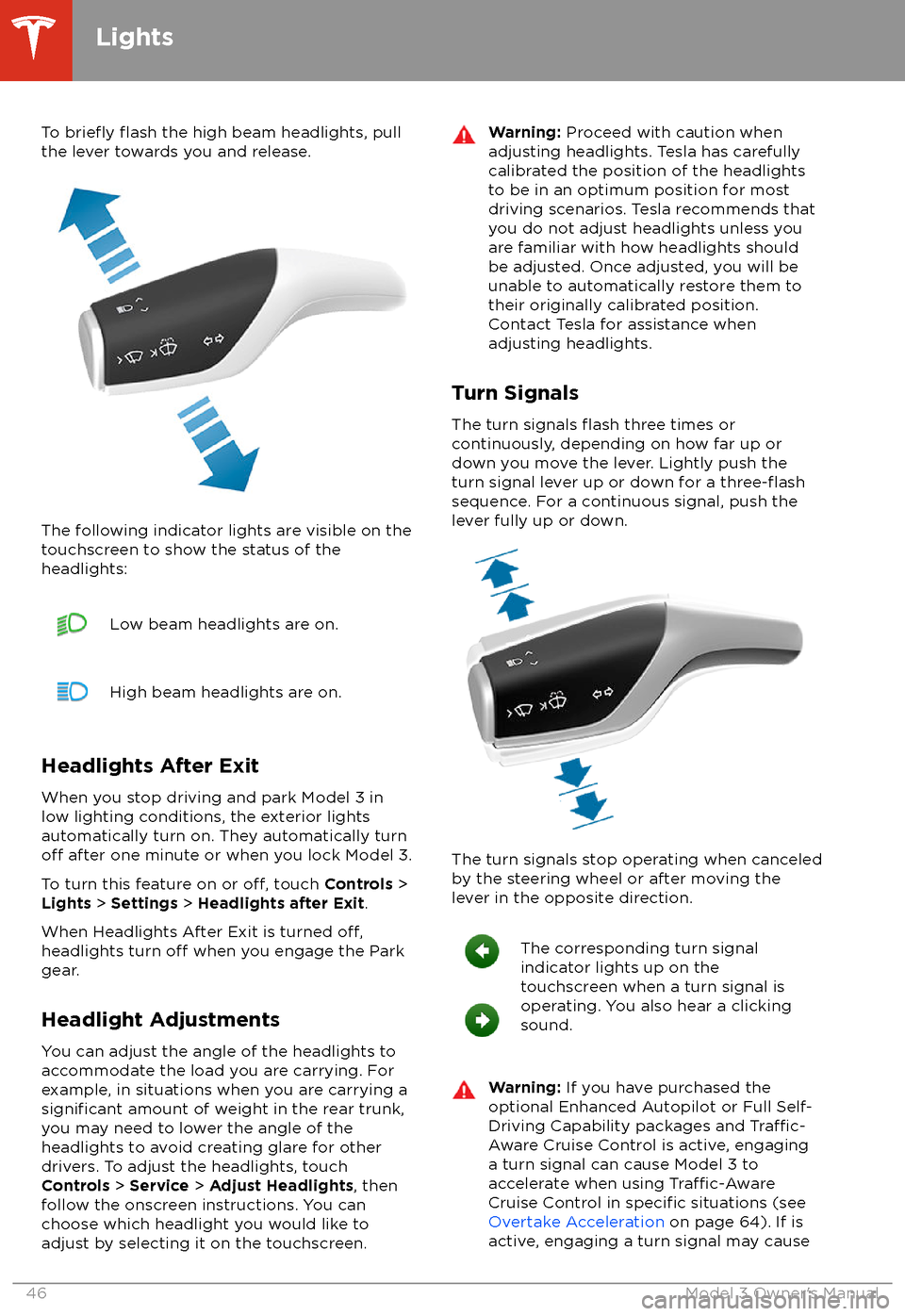
To briefly flash the high beam headlights, pull
the lever towards you and release.
The following indicator lights are visible on the
touchscreen to show the status of the
headlights:
Low beam headlights are on.High beam headlights are on.
Headlights After Exit
When you stop driving and park Model 3 in
low lighting conditions, the exterior lights
automatically turn on. They automatically turn
off after one minute or when you lock Model 3.
To turn this feature on or
off, touch Controls >
Lights > Settings > Headlights after Exit .
When Headlights After Exit is turned
off,headlights turn off when you engage the Park
gear.
Headlight Adjustments You can adjust the angle of the headlights toaccommodate the load you are carrying. For
example, in situations when you are carrying a
significant amount of weight in the rear trunk,
you may need to lower the angle of the
headlights to avoid creating glare for other
drivers. To adjust the headlights, touch
Controls > Service > Adjust Headlights , then
follow the onscreen instructions. You can
choose which headlight you would like to adjust by selecting it on the touchscreen.
Warning: Proceed with caution when
adjusting headlights. Tesla has carefully
calibrated the position of the headlights
to be in an optimum position for most
driving scenarios. Tesla recommends that
you do not adjust headlights unless you
are familiar with how headlights should
be adjusted. Once adjusted, you will be
unable to automatically restore them to their originally calibrated position.
Contact Tesla for assistance when
adjusting headlights.
Turn Signals
The turn signals
flash three times or
continuously, depending on how far up or
down you move the lever. Lightly push the
turn signal lever up or down for a
three-flashsequence. For a continuous signal, push the lever fully up or down.
The turn signals stop operating when canceled
by the steering wheel or after moving the
lever in the opposite direction.
The corresponding turn signal
indicator lights up on the
touchscreen when a turn signal is
operating. You also hear a clicking
sound.Warning: If you have purchased the
optional Enhanced Autopilot or Full Self-
Driving Capability packages and
Traffic-
Aware Cruise Control is active, engaging
a turn signal can cause Model 3 to accelerate when using
Traffic-AwareCruise Control in specific situations (see
Overtake Acceleration on page 64). If is
active, engaging a turn signal may cause
Lights
46Model 3 Owner
Page 51 of 165
Braking SystemsWarning: Properly functioning braking
systems are critical to ensure safety. If you experience a problem with the brake
pedal, brake caliper, or any component of
a Model 3 braking system, contact Tesla
immediately.
Model 3 has an anti-lock braking system (ABS)
that prevents the wheels from locking when
you apply maximum brake pressure. This improves steering control during heavy
braking in most road conditions.
During emergency braking conditions, the
ABS constantly monitors the speed of each
wheel and varies the brake pressure according to the grip available.
The alteration of brake pressure can be felt as
a pulsing sensation through the brake pedal.
This demonstrates that the ABS is operating
and is not a cause for concern. Keep
firm and
steady pressure on the brake pedal while
experiencing the pulsing.
The ABS indicator flashes briefly on
the touchscreen when you first start
Model 3. If this indicator lights up at
any other time, an ABS fault has
occurred and the ABS is not
operating. Contact Tesla. The braking system remains fully operational and
is not
affected by an ABS failure.
However, braking distances may increase.
If the touchscreen displays this
indicator at any time other than
displaying
briefly when you first start
Model 3, a brake system fault is
detected or the brake
fluid level is
low. Contact Tesla immediately.
Emergency Braking
In an emergency, fully press the brake pedal and maintain
firm pressure, even on low
traction surfaces. The ABS varies the braking
pressure to each wheel according to the
amount of traction available. This prevents
wheels from locking and ensures that you stop
as safely as possible.
Warning: Do not pump the brake pedal.
Doing so interrupts operation of the ABS
and can increase braking distance.Warning: Always maintain a safe distance
from the vehicle in front of you and beaware of hazardous driving conditions.
While the ABS can improve stopping
distance, it cannot overcome the laws of physics. It also does not prevent the
danger of hydroplaning (where a layer of
water prevents direct contact between the tires and the road).
Automatic Emergency Braking automatically
applies full braking in situations where a
collision is considered imminent (see Automatic Emergency Braking on page 77).
Warning: Automatic Emergency Braking
is not designed to prevent a collision. At best, it can minimize the impact of a
frontal collision by attempting to reduce
your driving speed. Depending on Automatic Emergency Braking to avoid a
collision can result in serious injury or death.
Brake Wear
Model 3 brake pads are equipped with wear
indicators. A wear indicator is a thin metal
strip attached to the brake pad that squeals as
it rubs against the rotor when the pad wears
down. This squealing sound indicates that the
brake pads have reached the end of their service life and require replacement. To
replace the brake pads, contact Tesla Service.
Warning: Neglecting to replace worn
brake pads damages the braking system
and can result in a braking hazard.
Regenerative Braking
Whenever Model 3 is moving and your foot is
off the accelerator, regenerative braking slows
down Model 3 and feeds any surplus energy back to the Battery.
By anticipating your stops and reducing or
removing pressure from the accelerator pedal
to slow down, you can take advantage of regenerative braking to increase driving range.
Of course, this is no substitute for regular
braking when needed for safety.
Note: If regenerative braking is aggressively
slowing Model 3 (such as when your foot is
completely
off the accelerator pedal at
highway speeds), the brake lights turn on to
alert others that you are slowing down.
Warning: In snowy or icy conditions
Model 3 may experience traction loss
during regenerative braking, particularly
when in the Standard setting and/or not
using winter tires. Tesla recommends
Brakes
Driving49
Page 102 of 165

About the Security SystemIf Model 3 does not detect an authenticated
phone or the key card and a locked door or
trunk is opened, an alarm sounds and the
headlights and turn signals
flash. To deactivate
the alarm, press any button on the mobile app
or tap your key card against the card reader
located below the Autopilot camera on the
driver
Page 106 of 165
Loading New Software
Model 3 updates its software wirelessly,
providing new features throughout your term of ownership. Tesla recommends that you
install software updates as soon as they are
available. The
first time you enter Model 3
after an update is made available, a scheduling window displays on the touchscreen. The
scheduling window displays again at the end
of your
first driving session.
Note: Some software updates can take up to
three hours to complete. Model 3 must be in
Park while the new software is being installed.
To ensure the fastest and most reliable
delivery of software updates, leave the Wi-Fi
turned on and connected whenever possible
(see Connecting to Wi-Fi on page 103).
When a software update is available, a yellow
clock icon appears on the touchscreen
Page 110 of 165
Opening the Charge Port
The charge port is located on the left side of
Model 3, behind a door that is part of the rear
tail light assembly. Park so that the charge
cable easily reaches the charge port.
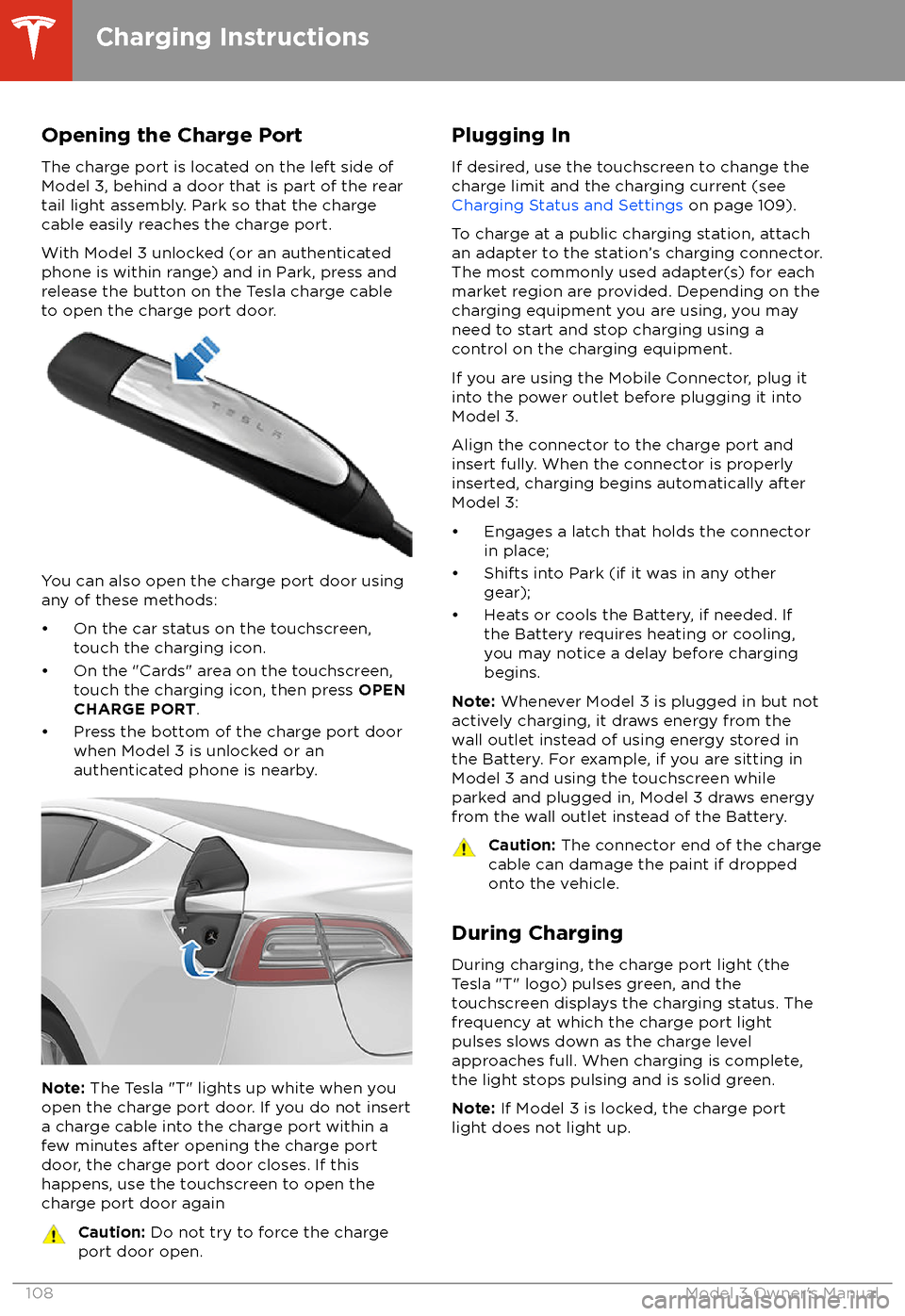
With Model 3 unlocked (or an authenticated phone is within range) and in Park, press and
release the button on the Tesla charge cable
to open the charge port door.
You can also open the charge port door using
any of these methods:
Page 111 of 165
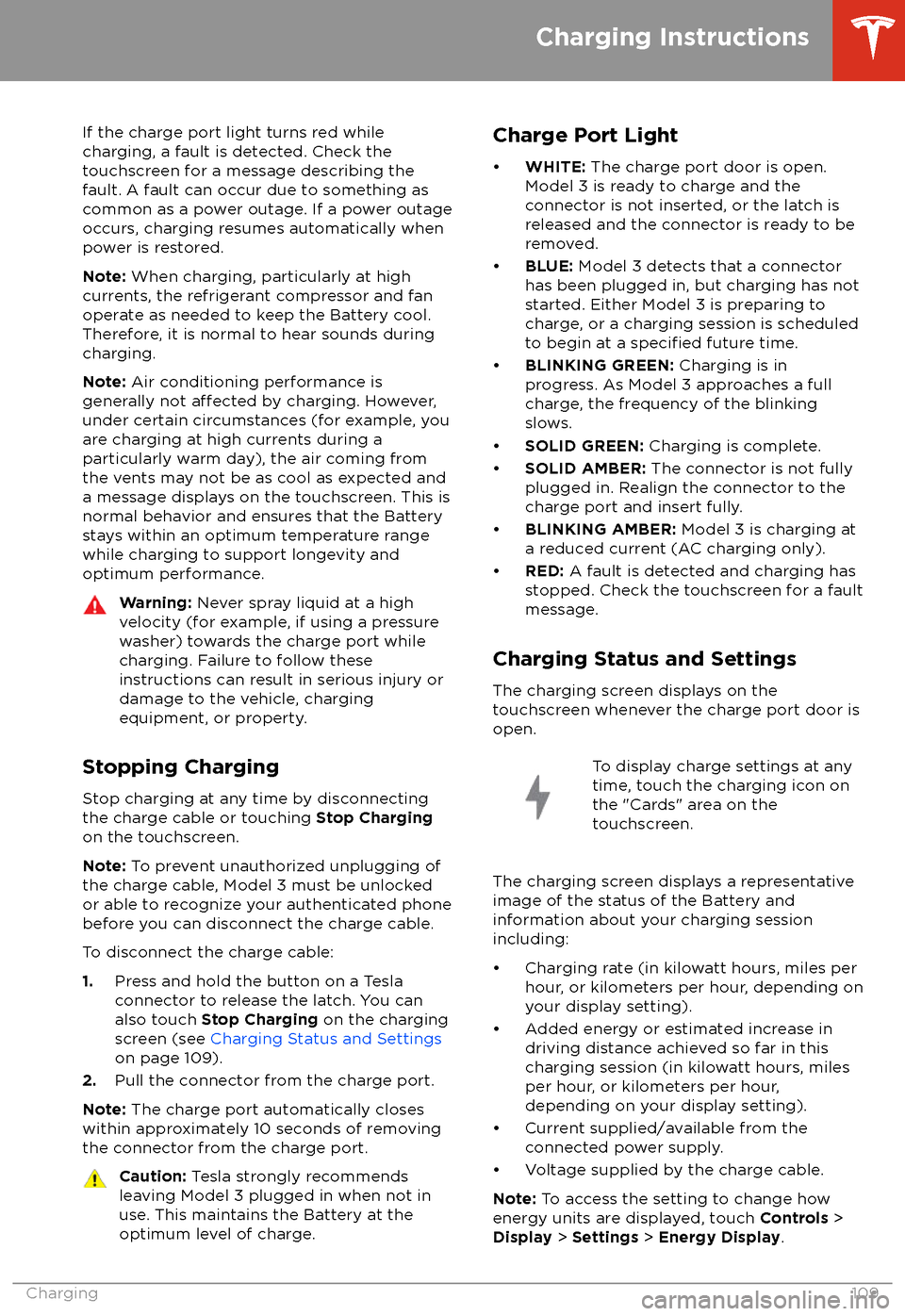
If the charge port light turns red while
charging, a fault is detected. Check the touchscreen for a message describing the
fault. A fault can occur due to something as
common as a power outage. If a power outage
occurs, charging resumes automatically when power is restored.
Note: When charging, particularly at high
currents, the refrigerant compressor and fan
operate as needed to keep the Battery cool.
Therefore, it is normal to hear sounds during charging.
Note: Air conditioning performance is
generally not
affected by charging. However,
under certain circumstances (for example, you
are charging at high currents during a
particularly warm day), the air coming from
the vents may not be as cool as expected and
a message displays on the touchscreen. This is
normal behavior and ensures that the Battery stays within an optimum temperature range
while charging to support longevity and optimum performance.
Warning: Never spray liquid at a high
velocity (for example, if using a pressure
washer) towards the charge port while
charging. Failure to follow these
instructions can result in serious injury or
damage to the vehicle, charging
equipment, or property.
Stopping Charging
Stop charging at any time by disconnecting
the charge cable or touching Stop Charging
on the touchscreen.
Note: To prevent unauthorized unplugging of
the charge cable, Model 3 must be unlocked
or able to recognize your authenticated phone before you can disconnect the charge cable.
To disconnect the charge cable:
1. Press and hold the button on a Tesla
connector to release the latch. You can
also touch Stop Charging on the charging
screen (see Charging Status and Settings
on page 109).
2. Pull the connector from the charge port.
Note: The charge port automatically closes
within approximately 10 seconds of removing
the connector from the charge port.
Caution: Tesla strongly recommends
leaving Model 3 plugged in when not in use. This maintains the Battery at the
optimum level of charge.Charge Port Light
Page 124 of 165
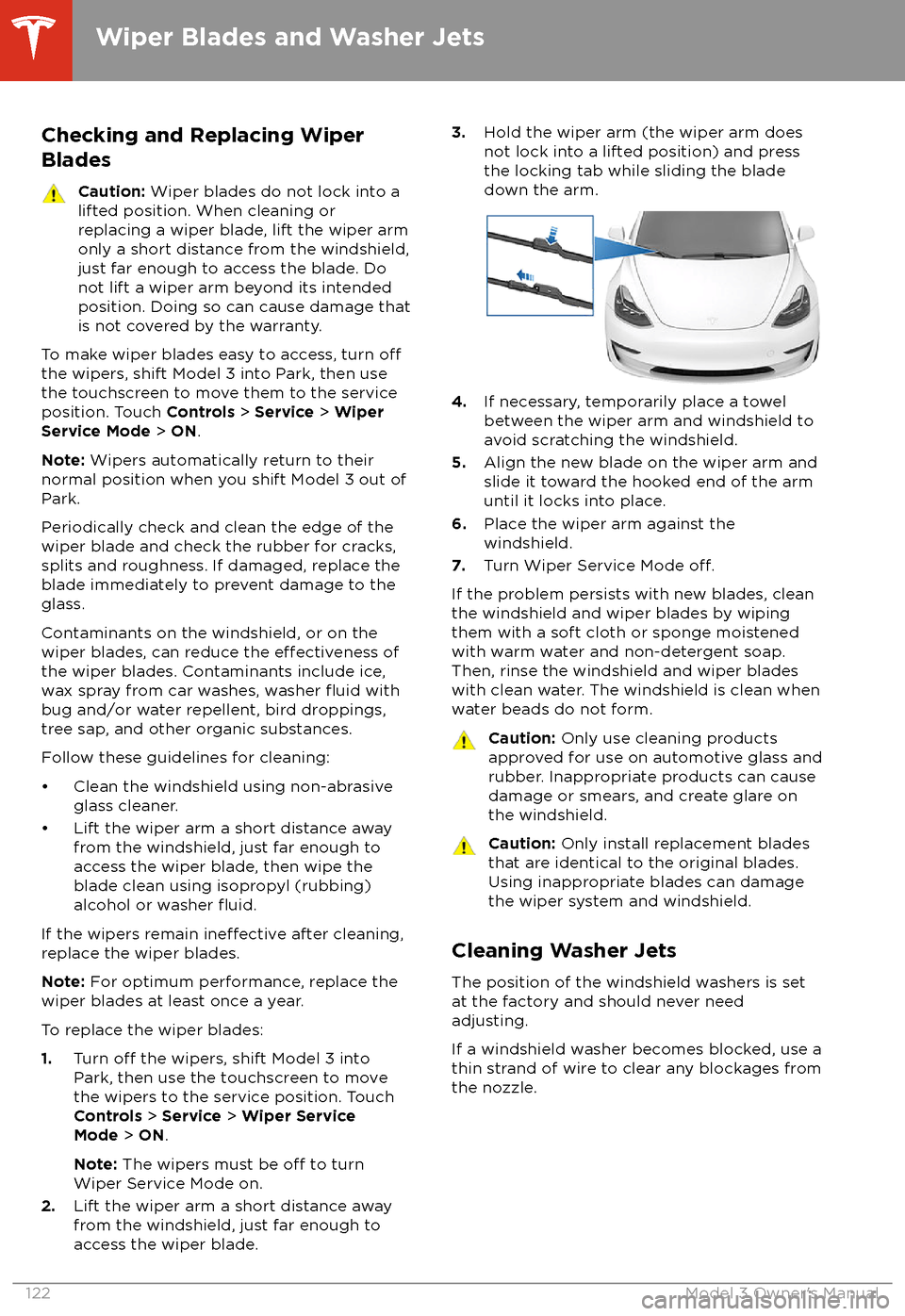
Checking and Replacing WiperBladesCaution: Wiper blades do not lock into a
lifted position. When cleaning or
replacing a wiper blade, lift the wiper arm
only a short distance from the windshield,
just far enough to access the blade. Do
not lift a wiper arm beyond its intended
position. Doing so can cause damage that
is not covered by the warranty.
To make wiper blades easy to access, turn offthe wipers, shift Model 3 into Park, then use the touchscreen to move them to the service
position. Touch Controls > Service > Wiper
Service Mode > ON .
Note: Wipers automatically return to their
normal position when you shift Model 3 out of Park.
Periodically check and clean the edge of the wiper blade and check the rubber for cracks,
splits and roughness. If damaged, replace the blade immediately to prevent damage to the
glass.
Contaminants on the windshield, or on the wiper blades, can reduce the
effectiveness of
the wiper blades. Contaminants include ice,
wax spray from car washes, washer
fluid with
bug and/or water repellent, bird droppings,
tree sap, and other organic substances.
Follow these guidelines for cleaning:
Page 138 of 165
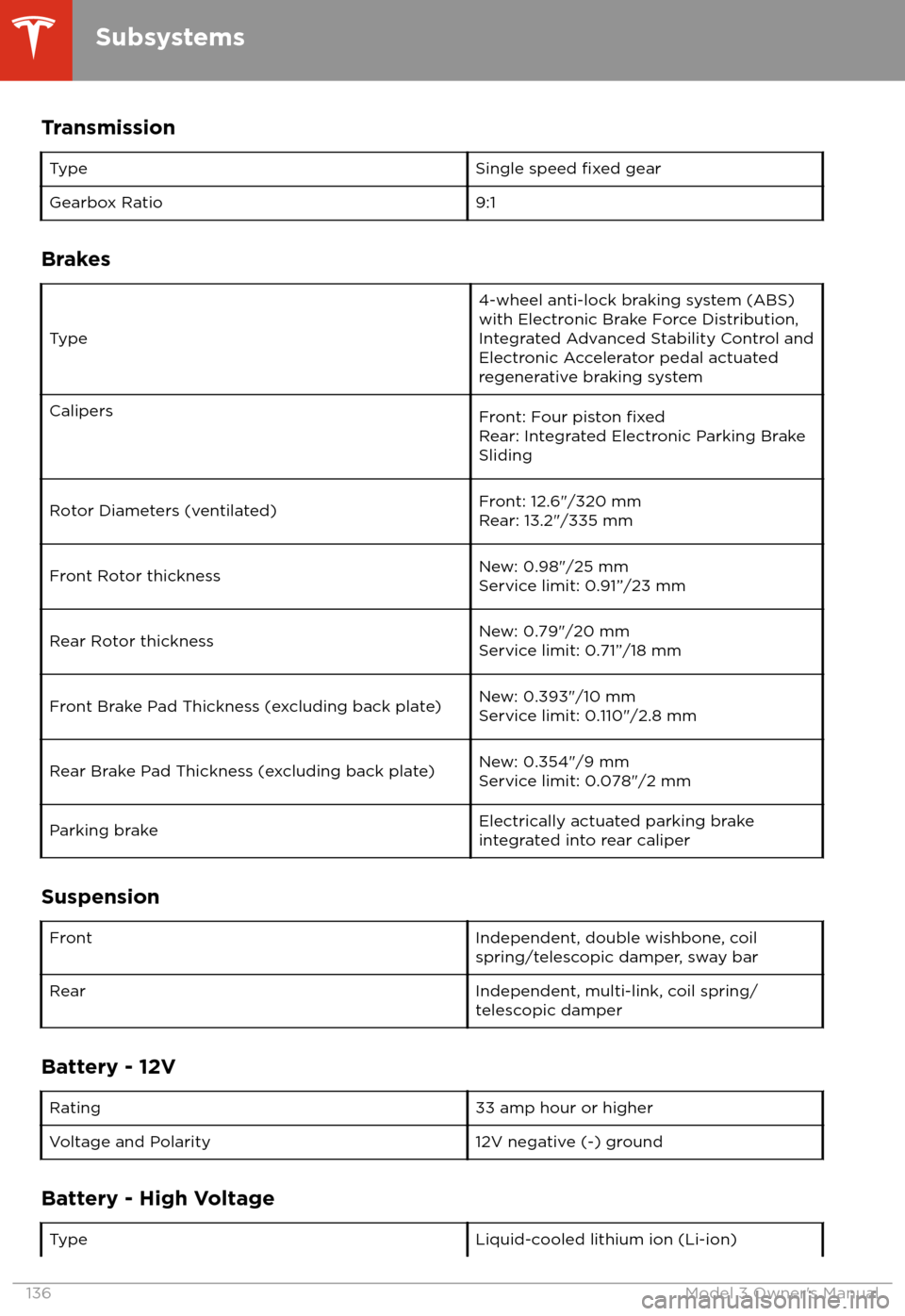
TransmissionTypeSingle speed fixed gearGearbox Ratio9:1
Brakes
Type
4-wheel anti-lock braking system (ABS)
with Electronic Brake Force Distribution,
Integrated Advanced Stability Control and
Electronic Accelerator pedal actuated
regenerative braking systemCalipersFront: Four piston fixedRear: Integrated Electronic Parking Brake
SlidingRotor Diameters (ventilated)Front: 12.6"/320 mm
Rear: 13.2"/335 mmFront Rotor thicknessNew: 0.98"/25 mm
Service limit: 0.91”/23 mmRear Rotor thicknessNew: 0.79"/20 mm
Service limit: 0.71”/18 mmFront Brake Pad Thickness (excluding back plate)New: 0.393"/10 mm
Service limit: 0.110"/2.8 mmRear Brake Pad Thickness (excluding back plate)New: 0.354"/9 mm
Service limit: 0.078"/2 mmParking brakeElectrically actuated parking brake
integrated into rear caliper
Suspension
FrontIndependent, double wishbone, coil
spring/telescopic damper, sway barRearIndependent, multi-link, coil spring/
telescopic damper
Battery - 12V
Rating33 amp hour or higherVoltage and Polarity12V negative (-) ground
Battery - High Voltage
TypeLiquid-cooled lithium ion (Li-ion)
Subsystems
136Model 3 Owner
Page 160 of 165
AABS (Anti-lock Braking System) 49
absolute speed limit 79
access panel, removing 124accessoriesplugging into power socket 17
aero covers 115
air circulation 87
air conditioning 86
air distribution 87
air
filter 89
air vents 88
airbags 30
alarm 100
all-season tires 116
Always Show Estimated Round Trip Energy 97
ambient lights 45
anti-lock braking (ABS) 49
audioequalizer 90
immersive sound 90
playing
files 90
steering wheel scroll button 36
volume control 90
auto fold
38
Auto Lane Change 70
auto tilt 38
AUTO wipers 48
automatic emergency braking 77
Autopark 72
Autopilotautomatic emergency braking 76
Autopark 72
Autosteer 67
blind spot warning 74
collision avoidance assist 76
forward collision warning 76
overtake acceleration 61
overview 58
side collision warning 74
speed assist 79
speed limit warning 79
staying within speed limits 79
Traffic-Aware Cruise Control 61
Autopilot components 58
Autosteer 67
B backup camera 56
battery (12V)complete discharge 107specifications 136Battery (high voltage)care of 107
coolant 124
specifications 136
Battery (high voltage) (continued)temperature limits 107
blind spot warning 74
Bluetoothdevices, playing audio files from 92
general information 93
phone, pairing and using 93
body repairs 129
body touch up 120
brake
fluid replacement 112
brakesautomatic in emergencies 77fluid level 124
overview of 49
specifications 136
C
cabin camera 57
cabin temperature control 86
California Proposition 65 153
camera (rear view) 56
cameras (autopilot) 58
car cover 121
car washes 119
card 7
cargo area 12
cargo volume 135
carpets, cleaning 120
CE
certifications 155
CHAdeMO 106
chains 117
charge port 108
charge port light 109
chargingcharge settings 109
charging status 109
components and equipment 105
instructions 108
public charging stations 106
scheduling 109
charging locations, finding 96
child protectiondisabling rear window switches 11
child protection locks 10
child seatsinstalling and using 24
cleaning 119
climate controls 86
coat hangers 17
collision avoidance assist 76
console12V power socket 17
opening (premium package) 16
rear 17
USB ports 16contact informationroadside assistance 145
Index
158Model 3 Owner
Page 161 of 165
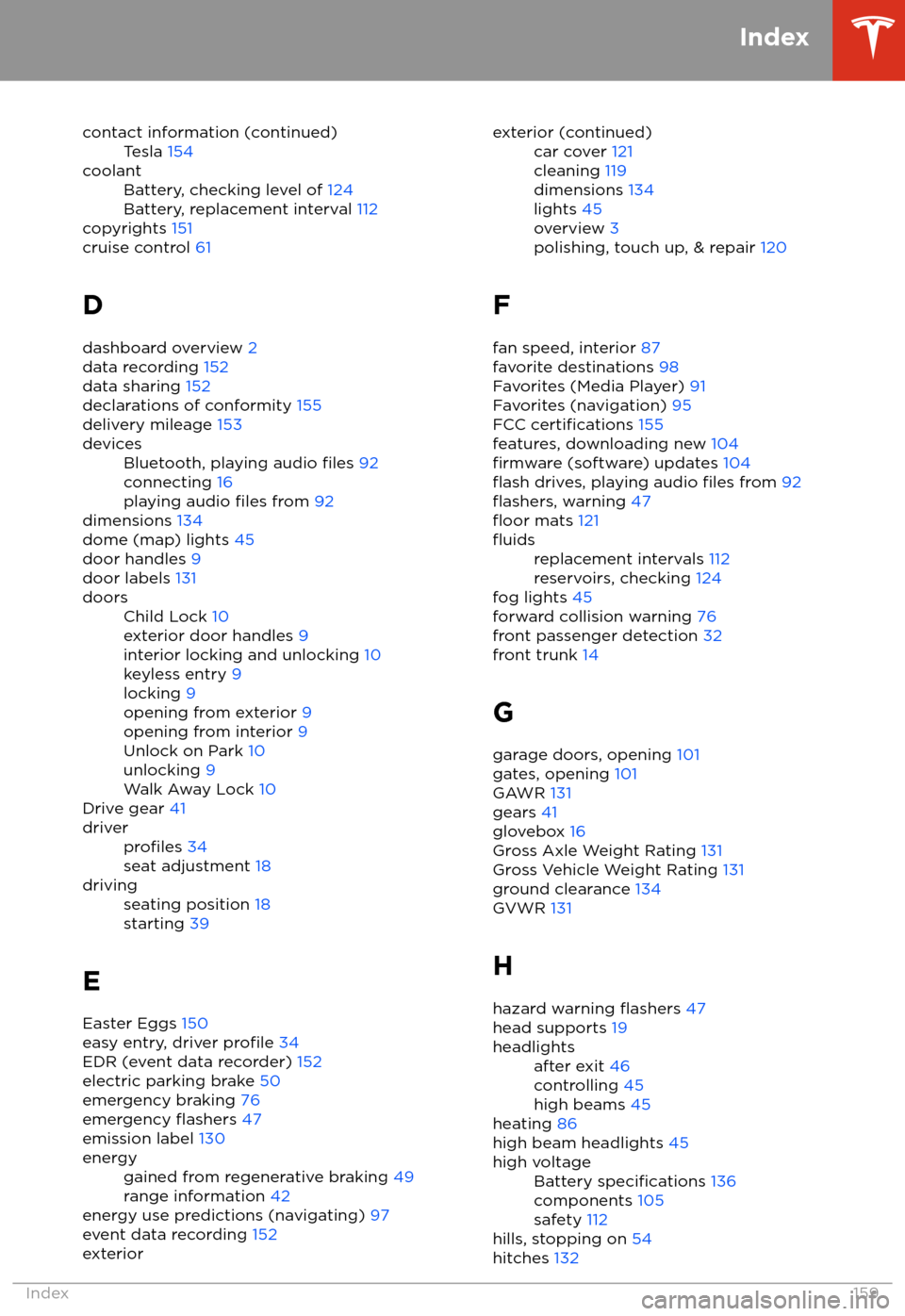
contact information (continued)Tesla 154coolantBattery, checking level of 124
Battery, replacement interval 112
copyrights 151
cruise control 61
D
dashboard overview 2
data recording 152
data sharing 152
declarations of conformity 155
delivery mileage 153
devicesBluetooth, playing audio files 92
connecting 16
playing audio
files from 92
dimensions 134
dome (map) lights 45
door handles 9
door labels 131
doorsChild Lock 10
exterior door handles 9
interior locking and unlocking 10
keyless entry 9
locking 9
opening from exterior 9
opening from interior 9
Unlock on Park 10
unlocking 9
Walk Away Lock 10
Drive gear 41
driverprofiles 34
seat adjustment 18drivingseating position 18
starting 39
E
Easter Eggs 150
easy entry, driver
profile 34
EDR (event data recorder) 152
electric parking brake 50
emergency braking 76
emergency
flashers 47
emission label 130
energygained from regenerative braking 49
range information 42
energy use predictions (navigating) 97
event data recording 152
exteriorexterior (continued)car cover 121
cleaning 119
dimensions 134
lights 45
overview 3
polishing, touch up, & repair 120
F
fan speed, interior 87
favorite destinations 98
Favorites (Media Player) 91
Favorites (navigation) 95
FCC
certifications 155
features, downloading new 104
firmware (software) updates 104flash drives, playing audio files from 92flashers, warning 47floor mats 121
fluidsreplacement intervals 112
reservoirs, checking 124
fog lights 45
forward collision warning 76
front passenger detection 32
front trunk 14
G
garage doors, opening 101
gates, opening 101
GAWR 131
gears 41
glovebox 16
Gross Axle Weight Rating 131
Gross Vehicle Weight Rating 131
ground clearance 134
GVWR 131
H hazard warning
flashers 47
head supports 19
headlightsafter exit 46
controlling 45
high beams 45
heating 86
high beam headlights 45
high voltageBattery specifications 136
components 105
safety 112
hills, stopping on 54
hitches 132
Index
Index159