airbag TESLA MODEL 3 2018 Owner's Manual
[x] Cancel search | Manufacturer: TESLA, Model Year: 2018, Model line: MODEL 3, Model: TESLA MODEL 3 2018Pages: 165, PDF Size: 8.63 MB
Page 3 of 165
Overview............................................................. 2
Interior Overview.........................................................................2
Exterior Overview....................................................................... 3
Touchscreen Overview..............................................................4
Opening and Closing..................................... 6
Keys.................................................................................................. 6 Doors............................................................................................... 9Windows........................................................................................ 11 Rear Trunk.................................................................................... 12 Front Trunk.................................................................................. 14Interior Storage and Electronics.......................................... 16
Seating and Safety Restraints................... 18 Front and Rear Seats............................................................... 18Seat Belts...................................................................................... 21 Child Safety Seats.................................................................... 24
Airbags......................................................................................... 30
Driving...............................................................34 Driver
Profiles............................................................................ 34
Steering Wheel.......................................................................... 36 Mirrors........................................................................................... 38Starting and Powering
Off.................................................... 39
Gears.............................................................................................. 41 Car Status.................................................................................... 42Lights............................................................................................ 45 Wipers and Washers............................................................... 48Brakes........................................................................................... 49 Traction Control......................................................................... 51Park Assist................................................................................... 52 Vehicle Hold............................................................................... 54Getting Maximum Range....................................................... 55Rear View Camera....................................................................56
Cabin Camera.............................................................................57
Autopilot.......................................................... 58 About Autopilot........................................................................ 58
Traffic-Aware Cruise Control.................................................61
Autosteer..................................................................................... 67 Auto Lane Change................................................................... 70Autopark...................................................................................... 72Lane Assist.................................................................................. 74 Collision Avoidance Assist.................................................... 76Speed Assist............................................................................... 79
Using the Touchscreen.................................81 Controls and Settings.............................................................. 81Climate Controls....................................................................... 86Media and Audio...................................................................... 90 Phone............................................................................................ 93Maps and Navigation.............................................................. 95Using Voice Commands......................................................... 99Security Settings.................................................................... 100HomeLink
Page 20 of 165
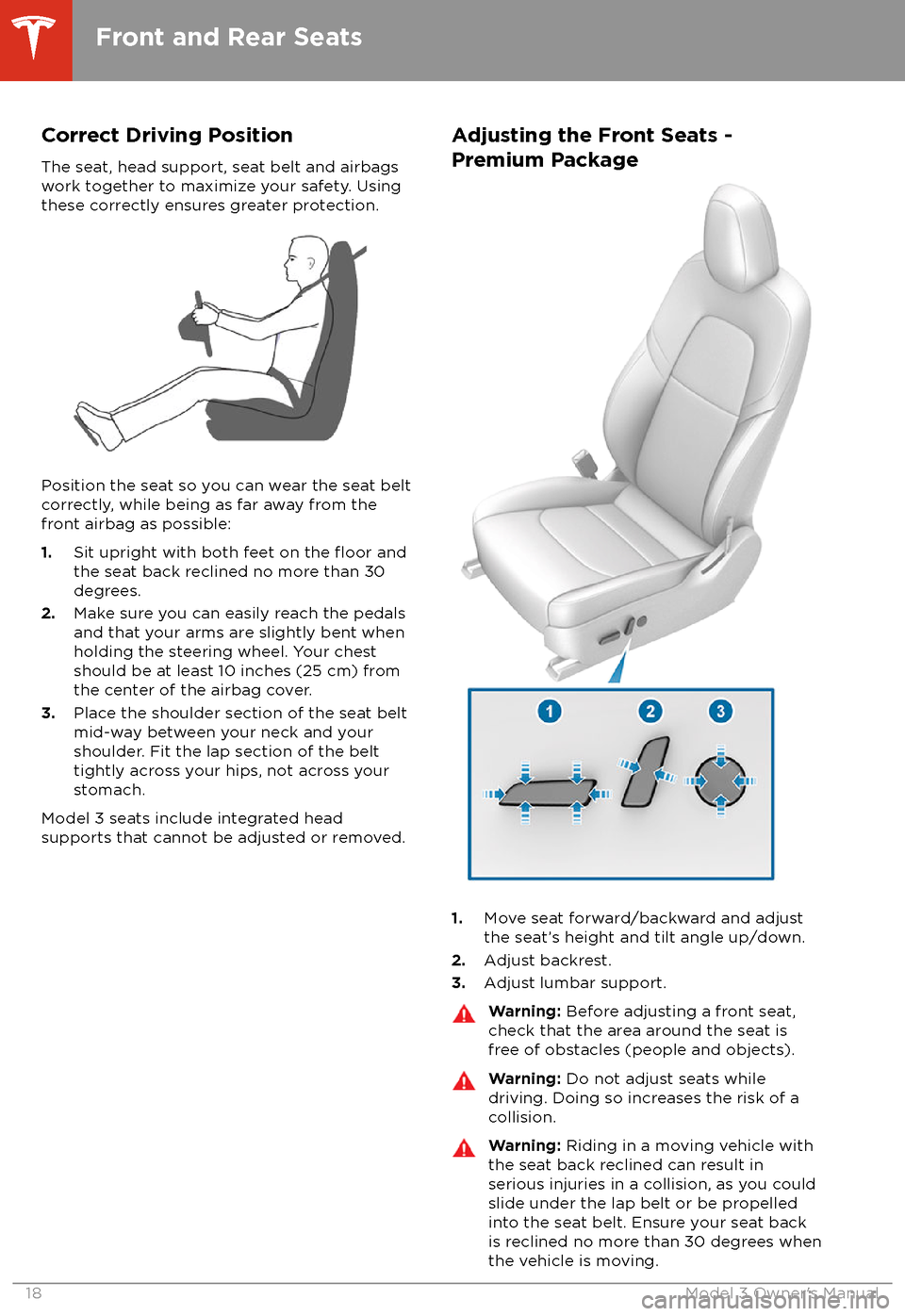
Correct Driving Position
The seat, head support, seat belt and airbags
work together to maximize your safety. Using
these correctly ensures greater protection.
Position the seat so you can wear the seat belt correctly, while being as far away from the
front airbag as possible:
1. Sit upright with both feet on the
floor and
the seat back reclined no more than 30
degrees.
2. Make sure you can easily reach the pedals
and that your arms are slightly bent when
holding the steering wheel. Your chest
should be at least 10 inches (25 cm) from the center of the airbag cover.
3. Place the shoulder section of the seat belt
mid-way between your neck and your
shoulder. Fit the lap section of the belt tightly across your hips, not across your
stomach.
Model 3 seats include integrated head
supports that cannot be adjusted or removed.
Adjusting the Front Seats -
Premium Package
1. Move seat forward/backward and adjust
the seat
Page 30 of 165
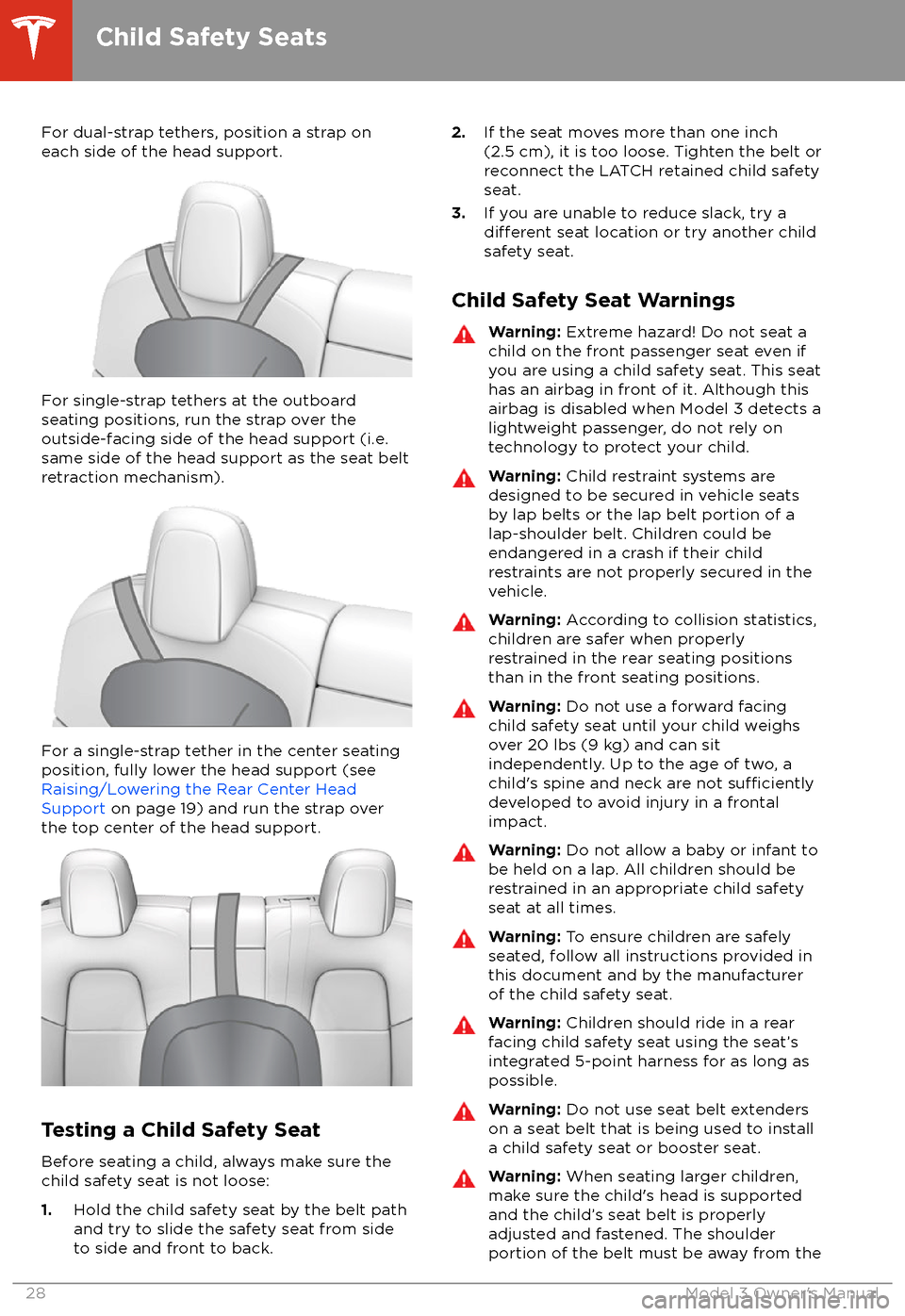
For dual-strap tethers, position a strap oneach side of the head support.
For single-strap tethers at the outboard
seating positions, run the strap over the outside-facing side of the head support (i.e.
same side of the head support as the seat belt
retraction mechanism).
For a single-strap tether in the center seating
position, fully lower the head support (see Raising/Lowering the Rear Center HeadSupport on page 19) and run the strap over
the top center of the head support.
Testing a Child Safety Seat
Before seating a child, always make sure the
child safety seat is not loose:
1. Hold the child safety seat by the belt path
and try to slide the safety seat from side
to side and front to back.
2. If the seat moves more than one inch
(2.5 cm), it is too loose. Tighten the belt or
reconnect the LATCH retained child safety
seat.
3. If you are unable to reduce slack, try a
different seat location or try another child
safety seat.
Child Safety Seat Warnings
Warning: Extreme hazard! Do not seat a
child on the front passenger seat even if
you are using a child safety seat. This seat
has an airbag in front of it. Although this airbag is disabled when Model 3 detects a
lightweight passenger, do not rely on
technology to protect your child.Warning: Child restraint systems are
designed to be secured in vehicle seats
by lap belts or the lap belt portion of a lap-shoulder belt. Children could be
endangered in a crash if their child restraints are not properly secured in the
vehicle.Warning: According to collision statistics,
children are safer when properly
restrained in the rear seating positions
than in the front seating positions.Warning: Do not use a forward facing
child safety seat until your child weighs
over 20 lbs (9 kg) and can sit
independently. Up to the age of two, a
child
Page 32 of 165
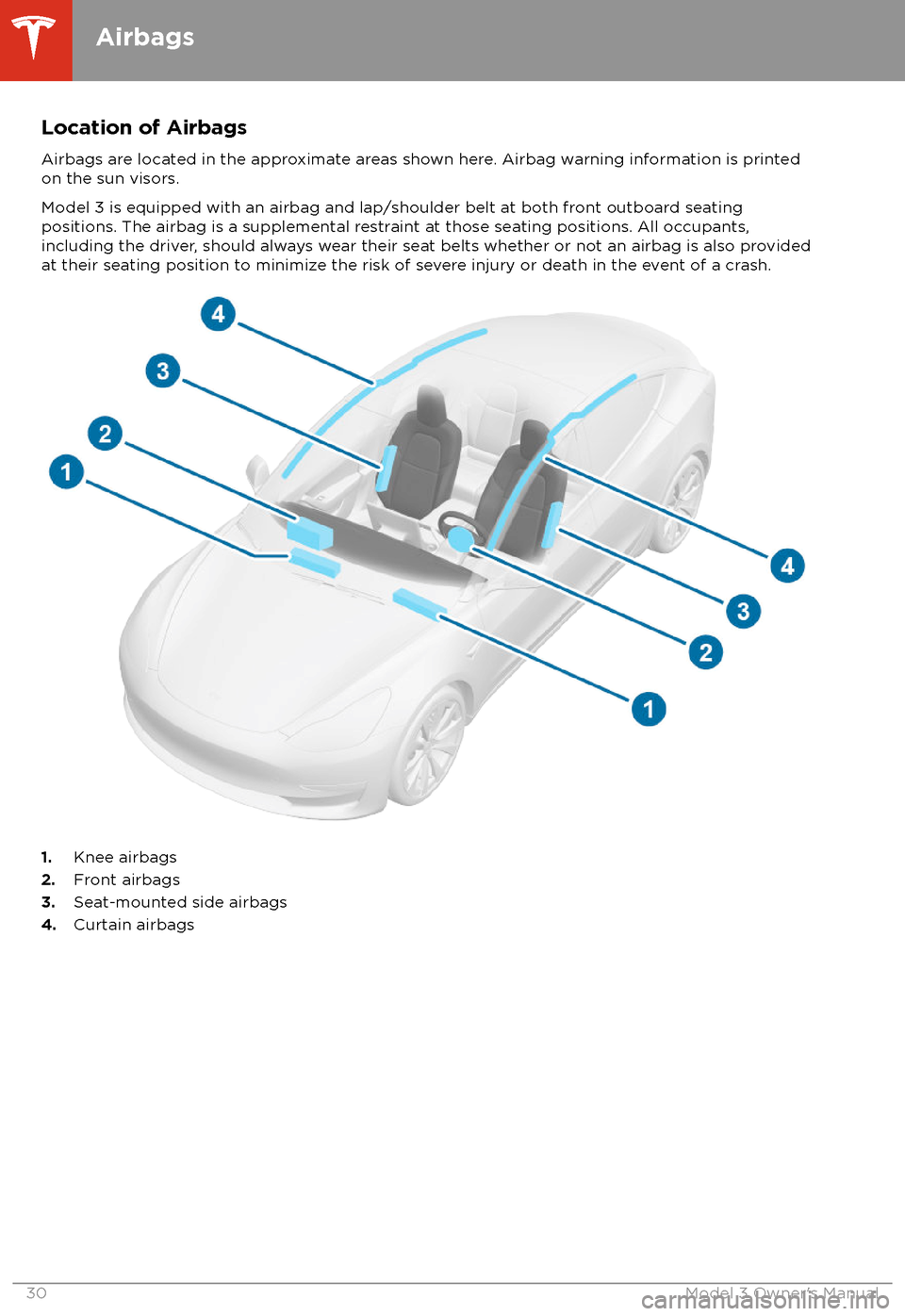
Location of AirbagsAirbags are located in the approximate areas shown here. Airbag warning information is printed
on the sun visors.
Model 3 is equipped with an airbag and lap/shoulder belt at both front outboard seating
positions. The airbag is a supplemental restraint at those seating positions. All occupants,
including the driver, should always wear their seat belts whether or not an airbag is also provided at their seating position to minimize the risk of severe injury or death in the event of a crash.
1. Knee airbags
2. Front airbags
3. Seat-mounted side airbags
4. Curtain airbags
Airbags
30Model 3 Owner
Page 33 of 165
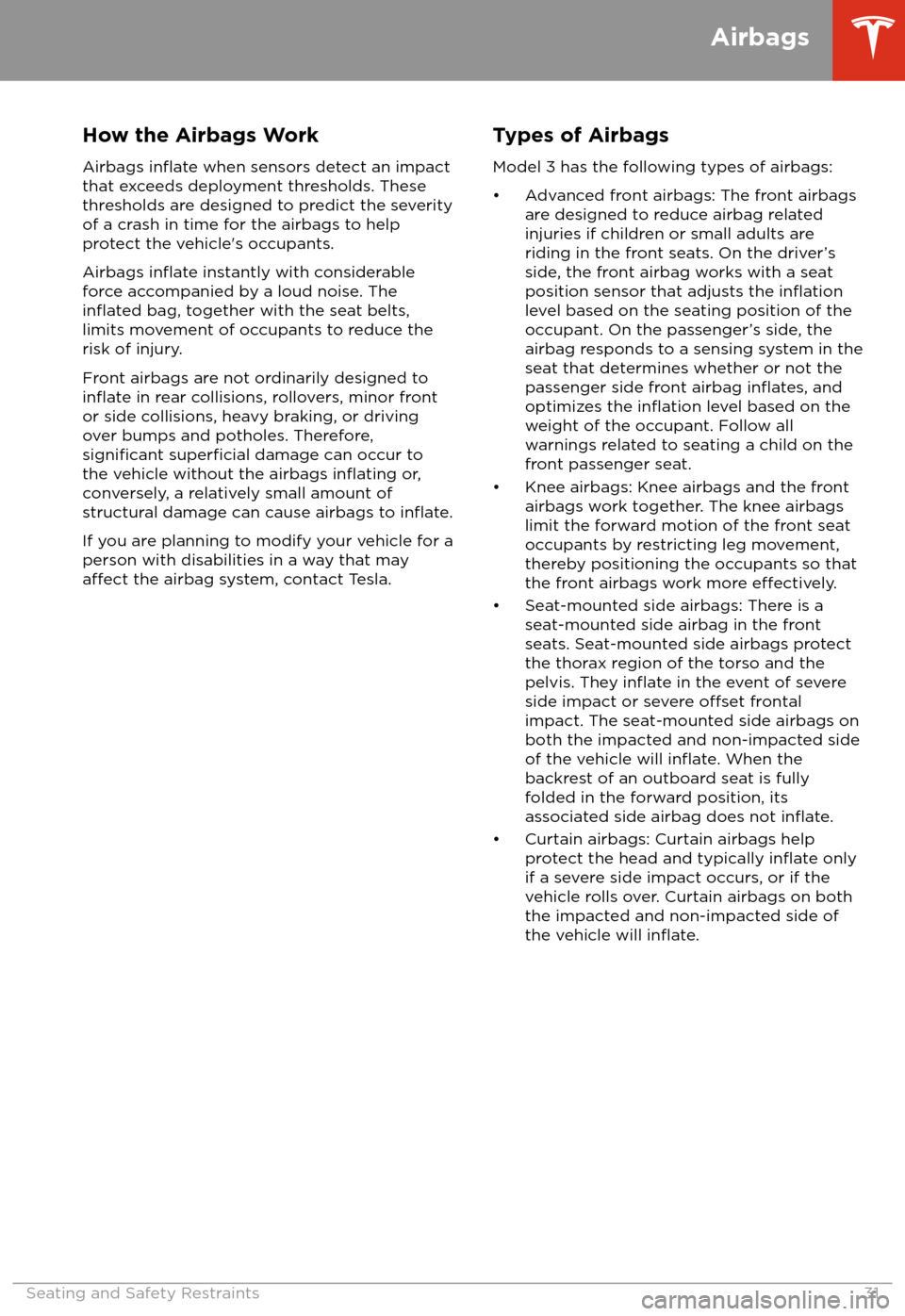
How the Airbags Work
Airbags
inflate when sensors detect an impact
that exceeds deployment thresholds. These
thresholds are designed to predict the severity
of a crash in time for the airbags to help
protect the vehicle
Page 34 of 165
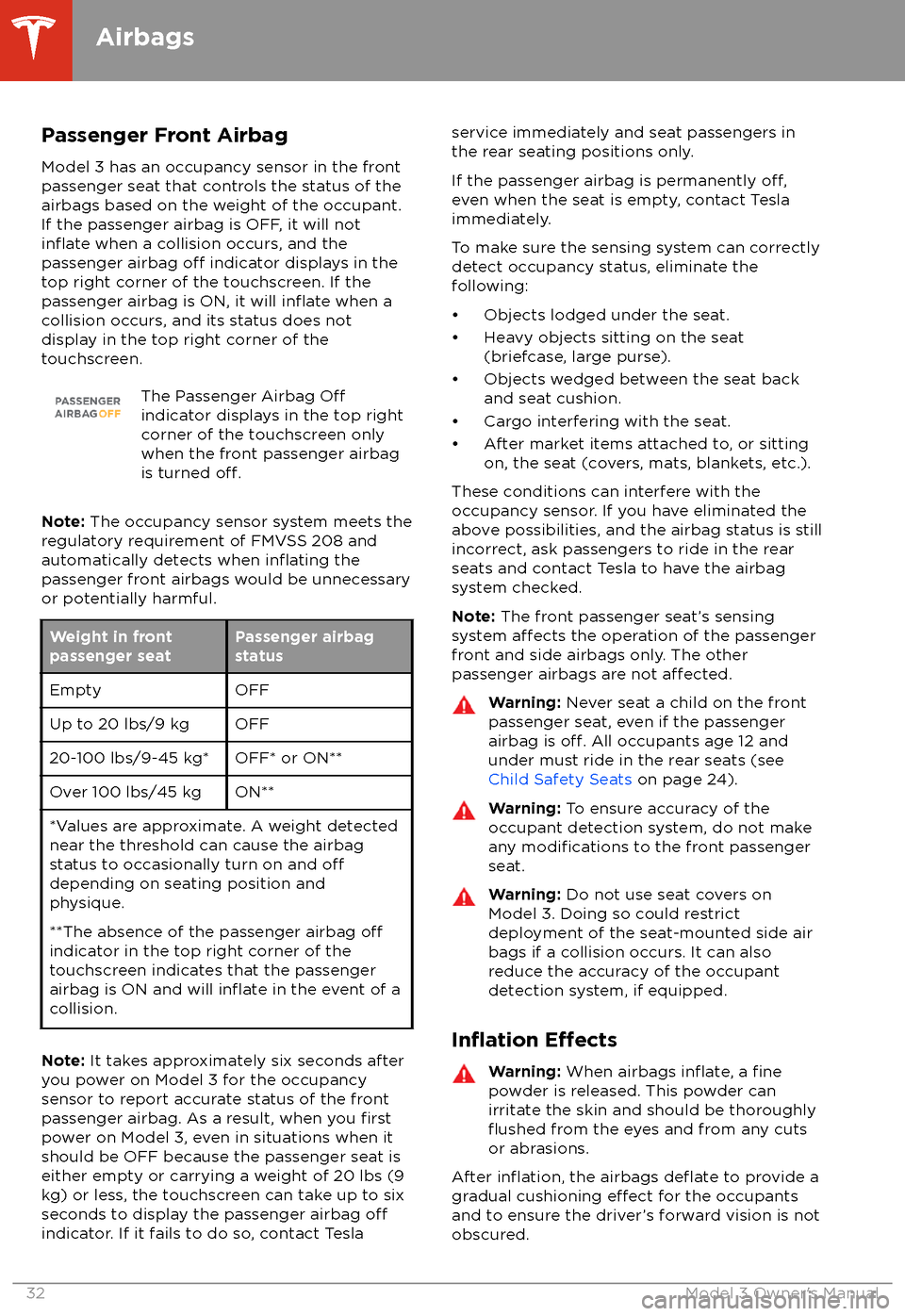
Passenger Front AirbagModel 3 has an occupancy sensor in the front
passenger seat that controls the status of the
airbags based on the weight of the occupant. If the passenger airbag is OFF, it will not
inflate when a collision occurs, and the
passenger airbag off indicator displays in the
top right corner of the touchscreen. If the
passenger airbag is ON, it will
inflate when a
collision occurs, and its status does not
display in the top right corner of the
touchscreen.
The Passenger Airbag Offindicator displays in the top right
corner of the touchscreen only
when the front passenger airbag
is turned
off.
Note: The occupancy sensor system meets the
regulatory requirement of FMVSS 208 and
automatically detects when
inflating the
passenger front airbags would be unnecessary
or potentially harmful.
Weight in front
passenger seatPassenger airbag
statusEmptyOFFUp to 20 lbs/9 kgOFF20-100 lbs/9-45 kg*OFF* or ON**Over 100 lbs/45 kgON***Values are approximate. A weight detected
near the threshold can cause the airbag
status to occasionally turn on and
offdepending on seating position and
physique.
**The absence of the passenger airbag
offindicator in the top right corner of the
touchscreen indicates that the passenger
airbag is ON and will
inflate in the event of a
collision.
Note: It takes approximately six seconds after
you power on Model 3 for the occupancy
sensor to report accurate status of the front
passenger airbag. As a result, when you
firstpower on Model 3, even in situations when it
should be OFF because the passenger seat is
either empty or carrying a weight of 20 lbs (9
kg) or less, the touchscreen can take up to six seconds to display the passenger airbag
offindicator. If it fails to do so, contact Tesla
service immediately and seat passengers in
the rear seating positions only.
If the passenger airbag is permanently
off,even when the seat is empty, contact Tesla
immediately.
To make sure the sensing system can correctly detect occupancy status, eliminate the
following:
Page 35 of 165
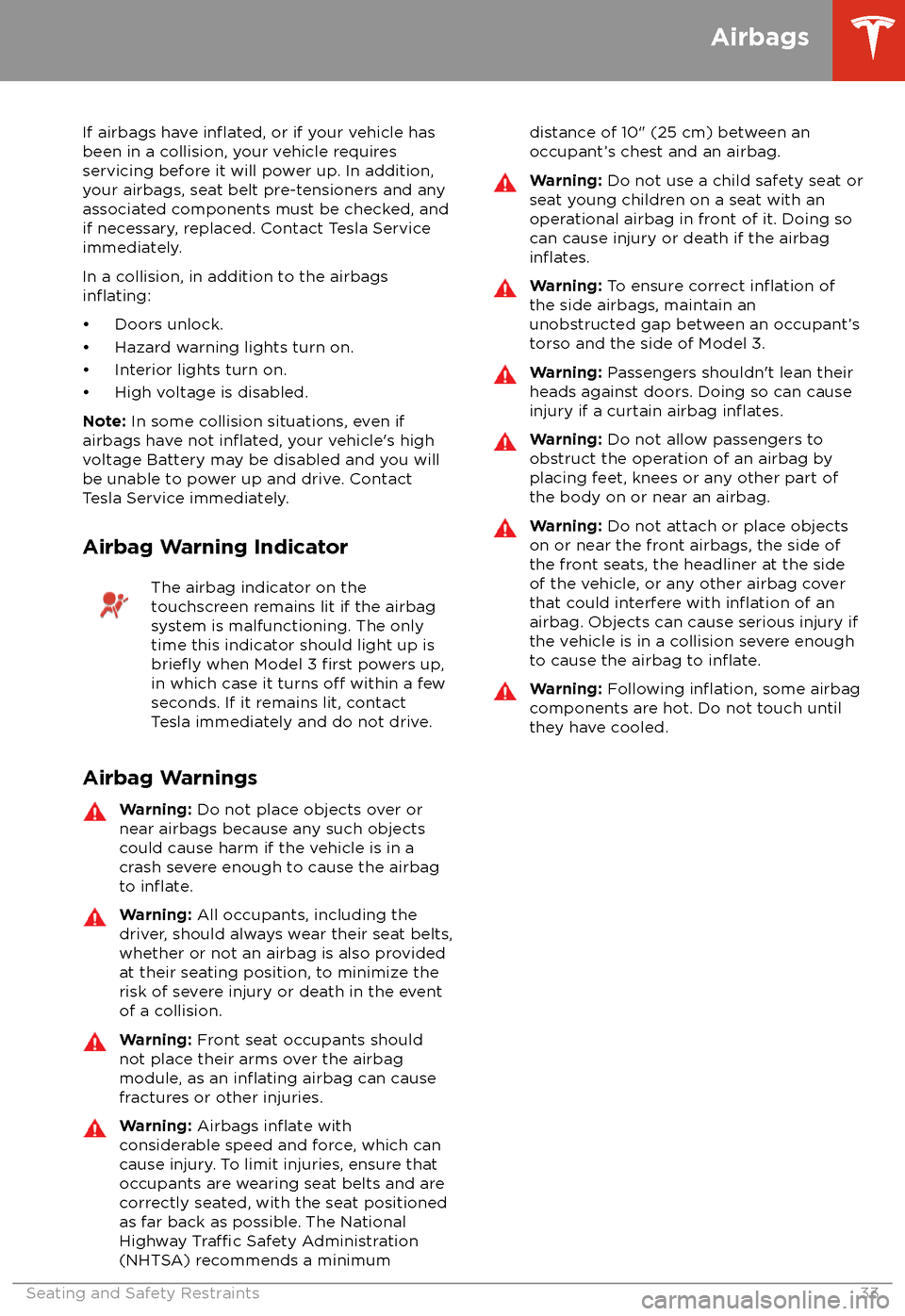
If airbags have inflated, or if your vehicle has
been in a collision, your vehicle requires
servicing before it will power up. In addition,
your airbags, seat belt pre-tensioners and any associated components must be checked, and
if necessary, replaced. Contact Tesla Service
immediately.
In a collision, in addition to the airbags
inflating:
Page 122 of 165
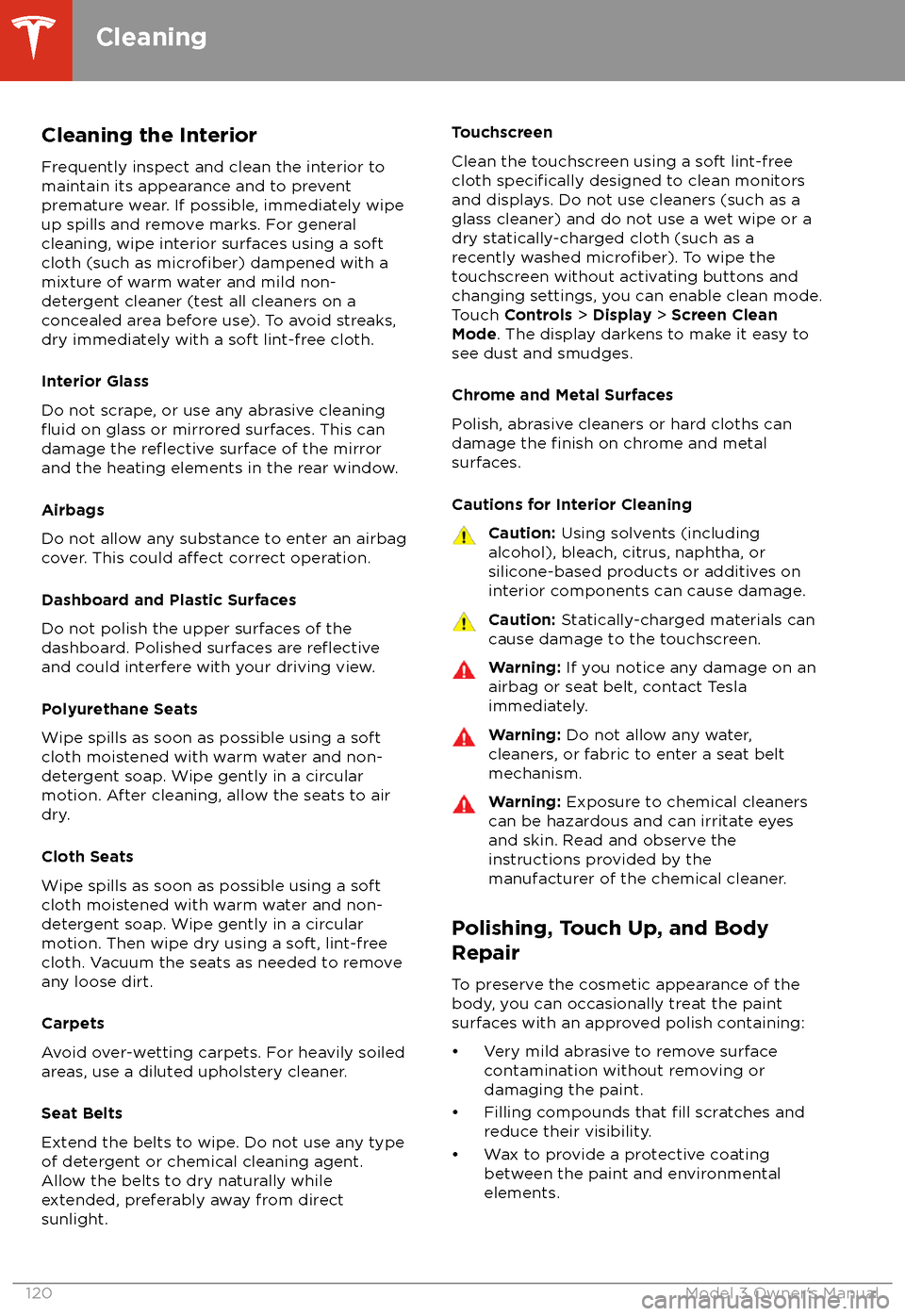
Cleaning the Interior
Frequently inspect and clean the interior to maintain its appearance and to prevent
premature wear. If possible, immediately wipe up spills and remove marks. For general
cleaning, wipe interior surfaces using a soft
cloth (such as
microfiber) dampened with a
mixture of warm water and mild non-
detergent cleaner (test all cleaners on a
concealed area before use). To avoid streaks,
dry immediately with a soft lint-free cloth.
Interior Glass
Do not scrape, or use any abrasive cleaning
fluid on glass or mirrored surfaces. This can
damage the reflective surface of the mirror
and the heating elements in the rear window.
Airbags
Do not allow any substance to enter an airbag
cover. This could
affect correct operation.
Dashboard and Plastic Surfaces
Do not polish the upper surfaces of the
dashboard. Polished surfaces are
reflectiveand could interfere with your driving view.
Polyurethane Seats
Wipe spills as soon as possible using a soft
cloth moistened with warm water and non-
detergent soap. Wipe gently in a circular
motion. After cleaning, allow the seats to air
dry.
Cloth Seats
Wipe spills as soon as possible using a soft
cloth moistened with warm water and non-
detergent soap. Wipe gently in a circular
motion. Then wipe dry using a soft, lint-free
cloth. Vacuum the seats as needed to remove
any loose dirt.
Carpets
Avoid over-wetting carpets. For heavily soiled
areas, use a diluted upholstery cleaner.
Seat Belts
Extend the belts to wipe. Do not use any type
of detergent or chemical cleaning agent.
Allow the belts to dry naturally while
extended, preferably away from direct
sunlight.
Touchscreen
Clean the touchscreen using a soft lint-free
cloth
specifically designed to clean monitors
and displays. Do not use cleaners (such as a glass cleaner) and do not use a wet wipe or a
dry statically-charged cloth (such as a recently washed
microfiber). To wipe the
touchscreen without activating buttons and
changing settings, you can enable clean mode.
Touch Controls > Display > Screen Clean
Mode . The display darkens to make it easy to
see dust and smudges.
Chrome and Metal Surfaces
Polish, abrasive cleaners or hard cloths can
damage the
finish on chrome and metal
surfaces.
Cautions for Interior Cleaning
Caution: Using solvents (including
alcohol), bleach, citrus, naphtha, or silicone-based products or additives on
interior components can cause damage.Caution: Statically-charged materials can
cause damage to the touchscreen.Warning: If you notice any damage on an
airbag or seat belt, contact Tesla
immediately.Warning: Do not allow any water,
cleaners, or fabric to enter a seat belt
mechanism.Warning: Exposure to chemical cleaners
can be hazardous and can irritate eyes
and skin. Read and observe the
instructions provided by the
manufacturer of the chemical cleaner.
Polishing, Touch Up, and Body
Repair
To preserve the cosmetic appearance of the
body, you can occasionally treat the paint
surfaces with an approved polish containing:
Page 160 of 165
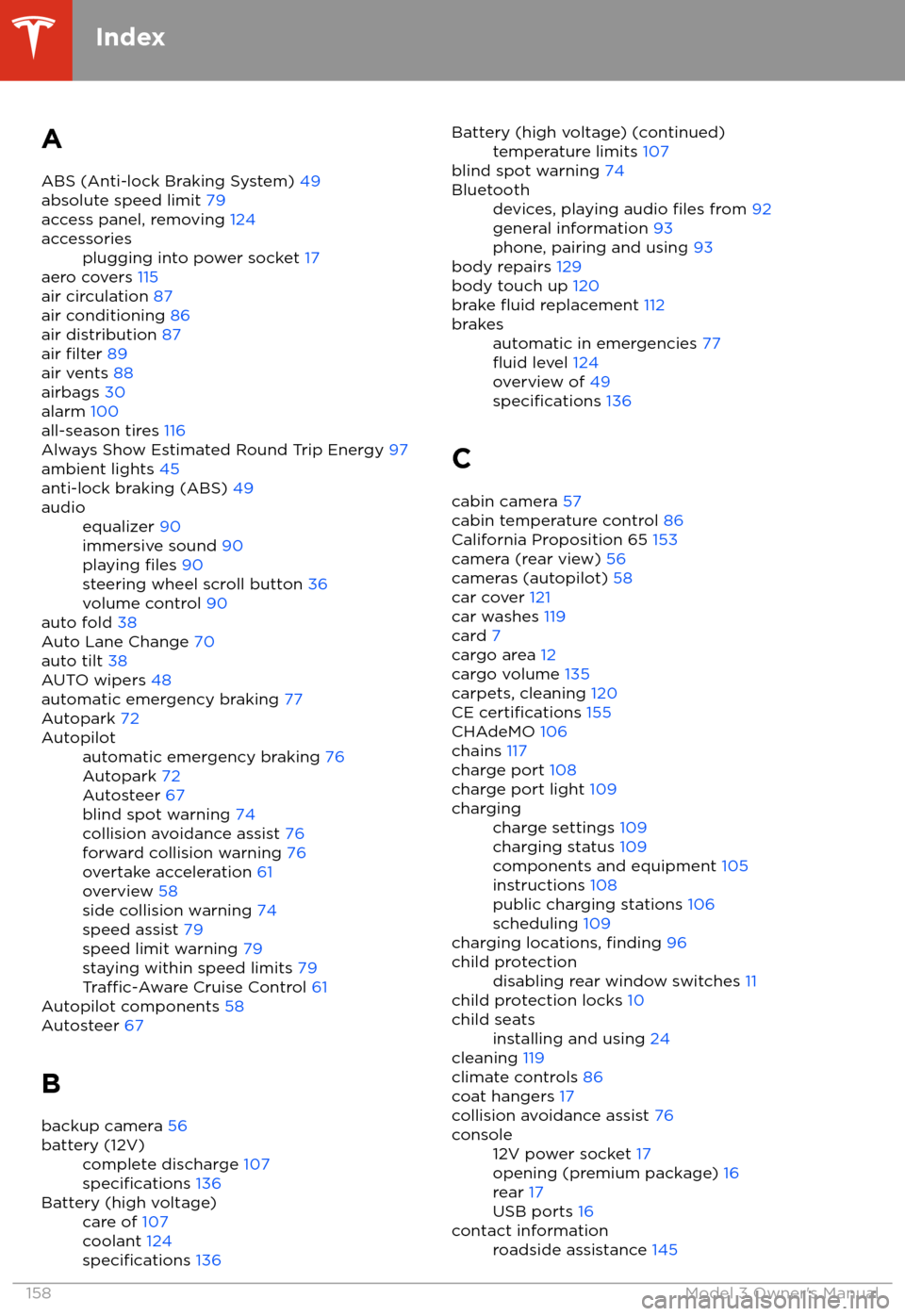
AABS (Anti-lock Braking System) 49
absolute speed limit 79
access panel, removing 124accessoriesplugging into power socket 17
aero covers 115
air circulation 87
air conditioning 86
air distribution 87
air
filter 89
air vents 88
airbags 30
alarm 100
all-season tires 116
Always Show Estimated Round Trip Energy 97
ambient lights 45
anti-lock braking (ABS) 49
audioequalizer 90
immersive sound 90
playing
files 90
steering wheel scroll button 36
volume control 90
auto fold
38
Auto Lane Change 70
auto tilt 38
AUTO wipers 48
automatic emergency braking 77
Autopark 72
Autopilotautomatic emergency braking 76
Autopark 72
Autosteer 67
blind spot warning 74
collision avoidance assist 76
forward collision warning 76
overtake acceleration 61
overview 58
side collision warning 74
speed assist 79
speed limit warning 79
staying within speed limits 79
Traffic-Aware Cruise Control 61
Autopilot components 58
Autosteer 67
B backup camera 56
battery (12V)complete discharge 107specifications 136Battery (high voltage)care of 107
coolant 124
specifications 136
Battery (high voltage) (continued)temperature limits 107
blind spot warning 74
Bluetoothdevices, playing audio files from 92
general information 93
phone, pairing and using 93
body repairs 129
body touch up 120
brake
fluid replacement 112
brakesautomatic in emergencies 77fluid level 124
overview of 49
specifications 136
C
cabin camera 57
cabin temperature control 86
California Proposition 65 153
camera (rear view) 56
cameras (autopilot) 58
car cover 121
car washes 119
card 7
cargo area 12
cargo volume 135
carpets, cleaning 120
CE
certifications 155
CHAdeMO 106
chains 117
charge port 108
charge port light 109
chargingcharge settings 109
charging status 109
components and equipment 105
instructions 108
public charging stations 106
scheduling 109
charging locations, finding 96
child protectiondisabling rear window switches 11
child protection locks 10
child seatsinstalling and using 24
cleaning 119
climate controls 86
coat hangers 17
collision avoidance assist 76
console12V power socket 17
opening (premium package) 16
rear 17
USB ports 16contact informationroadside assistance 145
Index
158Model 3 Owner
Page 163 of 165
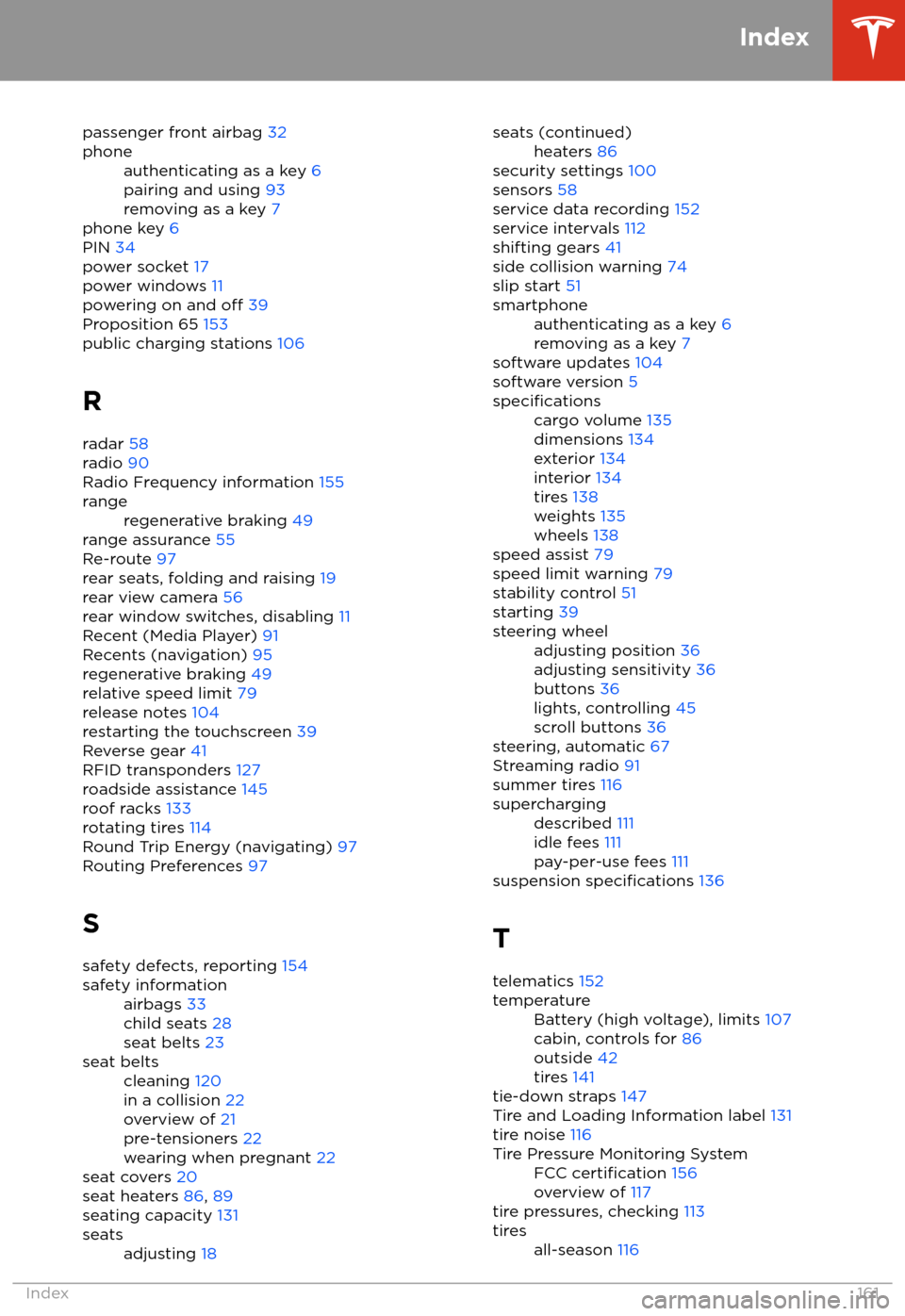
passenger front airbag 32phoneauthenticating as a key 6
pairing and using 93
removing as a key 7
phone key 6
PIN 34
power socket 17
power windows 11
powering on and
off 39
Proposition 65 153
public charging stations 106
R radar 58
radio 90
Radio Frequency information 155
rangeregenerative braking 49
range assurance 55
Re-route 97
rear seats, folding and raising 19
rear view camera 56
rear window switches, disabling 11
Recent (Media Player) 91
Recents (navigation) 95
regenerative braking 49
relative speed limit 79
release notes 104
restarting the touchscreen 39
Reverse gear 41
RFID transponders 127
roadside assistance 145
roof racks 133
rotating tires 114
Round Trip Energy (navigating) 97
Routing Preferences 97
S safety defects, reporting 154
safety informationairbags 33
child seats 28
seat belts 23seat beltscleaning 120
in a collision 22
overview of 21
pre-tensioners 22
wearing when pregnant 22
seat covers 20
seat heaters 86, 89
seating capacity 131
seatsadjusting 18seats (continued)heaters 86
security settings 100
sensors 58
service data recording 152
service intervals 112
shifting gears 41
side collision warning 74
slip start 51
smartphoneauthenticating as a key 6
removing as a key 7
software updates 104
software version 5
specificationscargo volume 135
dimensions 134
exterior 134
interior 134
tires 138
weights 135
wheels 138
speed assist 79
speed limit warning 79
stability control 51
starting 39
steering wheeladjusting position 36
adjusting sensitivity 36
buttons 36
lights, controlling 45
scroll buttons 36
steering, automatic 67
Streaming radio 91
summer tires 116
superchargingdescribed 111
idle fees 111
pay-per-use fees 111
suspension specifications 136
T telematics 152
temperatureBattery (high voltage), limits 107
cabin, controls for 86
outside 42
tires 141
tie-down straps 147
Tire and Loading Information label 131
tire noise 116
Tire Pressure Monitoring SystemFCC certification 156
overview of 117
tire pressures, checking 113
tiresall-season 116
Index
Index161