wheel TESLA MODEL 3 2022 Owner´s Manual
[x] Cancel search | Manufacturer: TESLA, Model Year: 2022, Model line: MODEL 3, Model: TESLA MODEL 3 2022Pages: 248, PDF Size: 7.76 MB
Page 163 of 248
Maintaining Tire Pressures
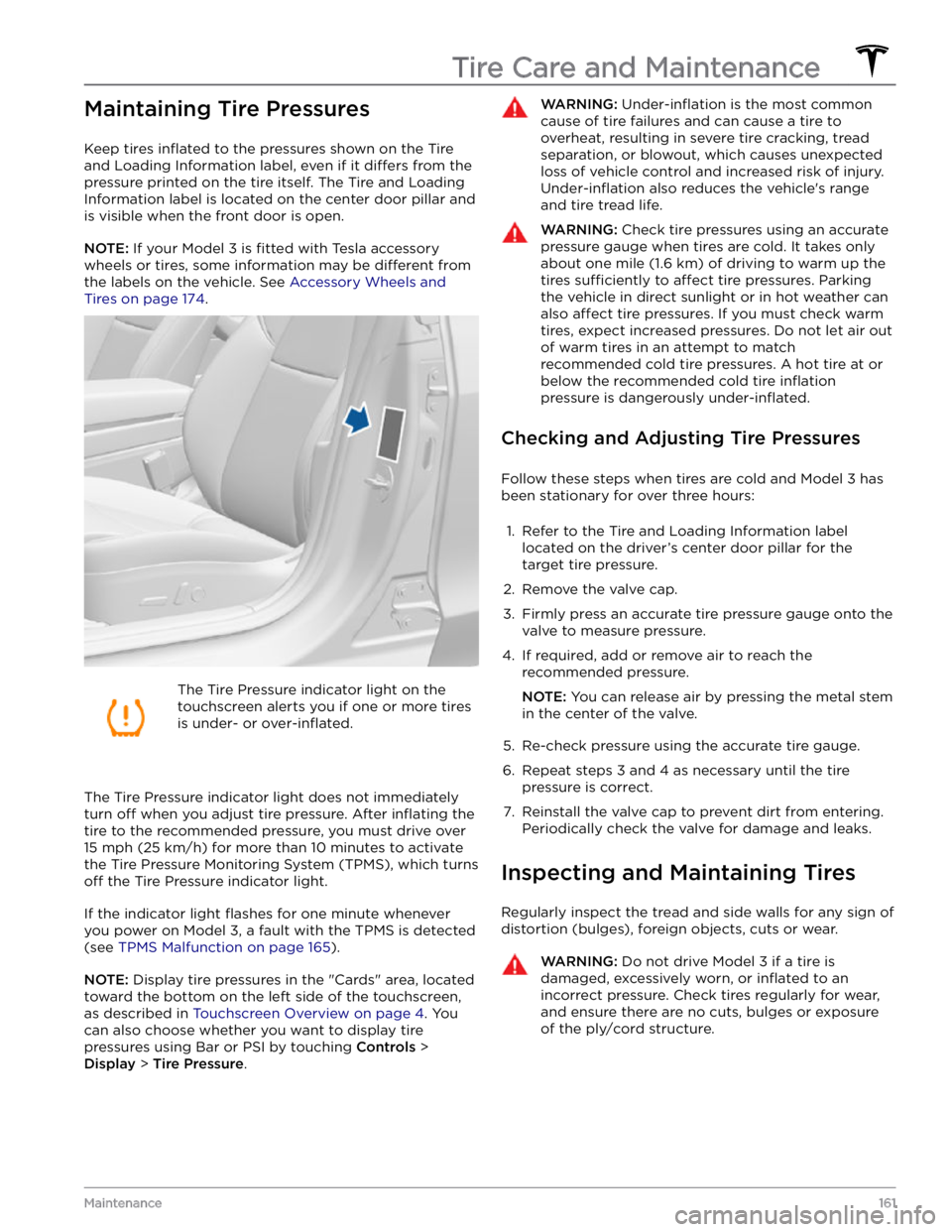
Keep tires inflated to the pressures shown on the Tire
and Loading Information label, even if it
differs from the
pressure printed on the tire itself. The Tire and Loading
Information label is located on the center door pillar and
is visible when the front door is open.
NOTE: If your Model 3 is fitted with Tesla accessory
wheels or tires, some information may be
different from
the labels on the vehicle.
See Accessory Wheels and
Tires on page 174.
The Tire Pressure indicator light on the
touchscreen alerts you if one or more tires
is under-
or over-inflated.
The Tire Pressure indicator light does not immediately
turn off when you adjust tire pressure. After inflating the
tire to the recommended pressure, you must drive over
15 mph (25 km/h) for more than 10 minutes to activate
the Tire Pressure Monitoring System (TPMS), which turns
off the Tire Pressure indicator light.
If the indicator light flashes for one minute whenever
you power on
Model 3, a fault with the TPMS is detected
(see
TPMS Malfunction on page 165).
NOTE: Display tire pressures in the "Cards" area, located
toward the bottom on the left side of the touchscreen
,
as described in Touchscreen Overview on page 4. You
can also choose whether you want to display tire pressures using Bar or PSI by touching
Controls >
Display > Tire Pressure.
WARNING: Under-inflation is the most common
cause of tire failures and can cause a tire to
overheat, resulting in severe tire cracking, tread
separation, or blowout, which causes unexpected
loss of vehicle control and increased risk of injury.
Under-inflation also reduces the vehicle
Page 164 of 248
Tire Wear
Adequate tread depth is important for proper tire
performance. Tires with a tread depth less than
4/32”
(3 mm) are more likely to hydroplane in wet conditions
and should not be used. Tires with a tread depth less than
5/32” (4 mm) do not perform well in snow and
slush and should not be used when driving in winter conditions.
Model 3 is originally fitted with tires that have wear
indicators molded into the tread pattern. When the
tread has been worn down to
4/32” (3 mm), the
indicators start to appear at the surface of the tread pattern, producing the
effect of a continuous band of
rubber across the width of the tire. For optimal performance and safety, Tesla recommends replacing tires before the wear indicators are visible.
Tire Rotation, Balance, and Wheel
Alignment
Tesla recommends rotating the tires every 6,250 miles
(10,000 km) or if tread depth difference is 2/32 in (1.5
mm) or greater, whichever comes first.
Unbalanced wheels (sometimes noticeable as vibration through the
steering wheel) affect vehicle handling and
tire life. Even with regular use, wheels can get out of
balance. Therefore, they should be balanced as required.
If tire wear is uneven (on one side of the tire only) or
becomes abnormally excessive, check the alignment of wheels.
NOTE: When replacing only two tires, install the new
tires on the rear if your vehicle
Page 165 of 248
NOTE: Installing winter tires with aggressive compound
and tread design may result in temporarily-reduced regenerative braking power. However, your vehicle is
designed to continuously recalibrate itself, and after changing tires it will increasingly restore regenerative
braking power after some moderate-torque straight-line accelerations. For most drivers this occurs after a short period of normal driving, but drivers who normally
accelerate lightly may need to use slightly harder accelerations while the recalibration is in progress.WARNING: For your safety, use only tires and
wheels that match the original specification. Tires
that do not match the original specification can
affect the operation of the TPMS.
WARNING: Never exceed the speed rating of your
vehicle
Page 166 of 248
NOTE: The lug nut cover tool can also be purchased
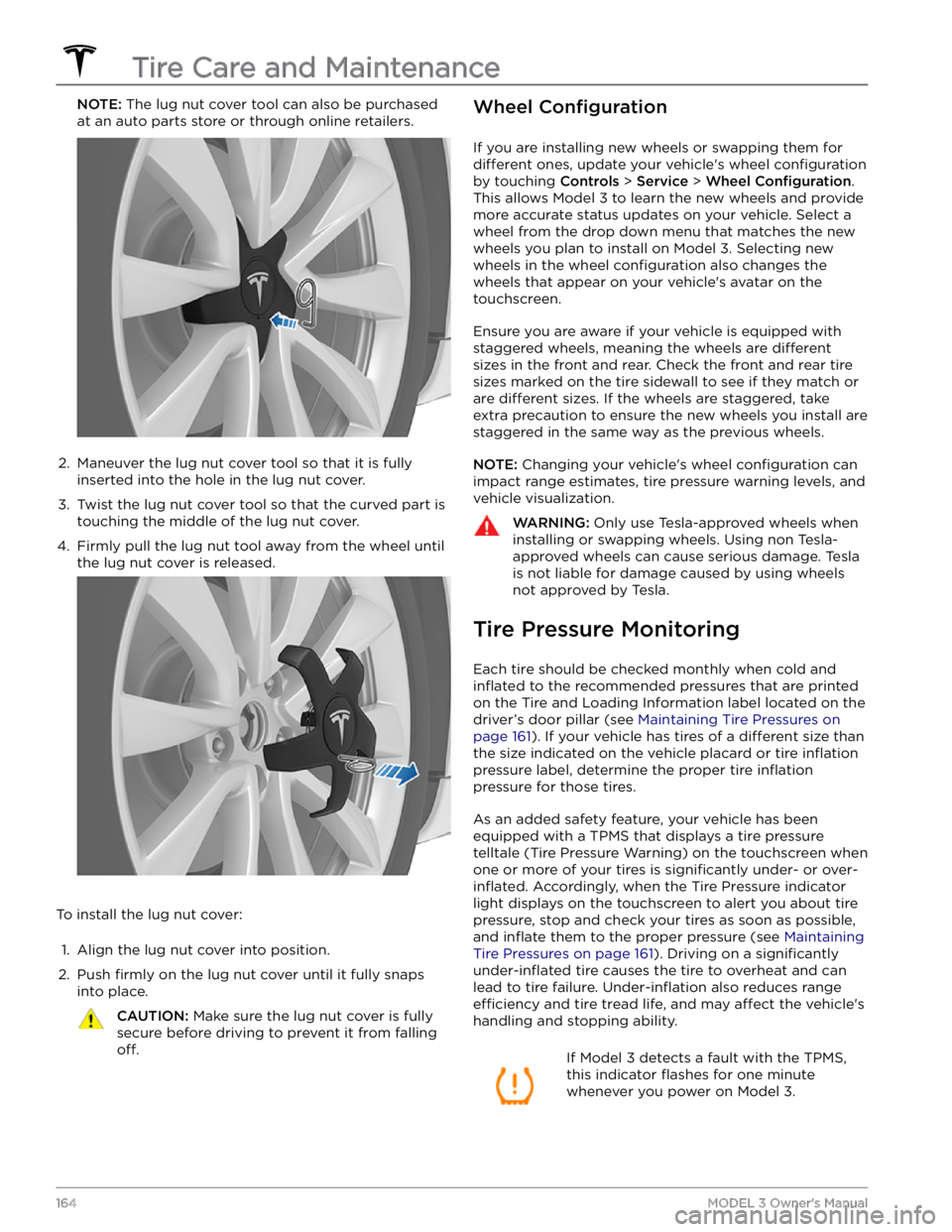
at an auto parts store or through online retailers.2.
Maneuver the lug nut cover tool so that it is fully inserted into the hole in the lug nut cover.
3.
Twist the lug nut cover tool so that the curved part is
touching the middle of the lug nut cover.
4.
Firmly pull the lug nut tool away from the wheel until the lug nut cover is released.
To install the lug nut cover:
1.
Align the lug nut cover into position.
2.
Push firmly on the lug nut cover until it fully snaps
into place.
CAUTION: Make sure the lug nut cover is fully
secure before driving to prevent it from falling
off.
Wheel Configuration
If you are installing new wheels or swapping them for
different ones, update your vehicle
Page 169 of 248
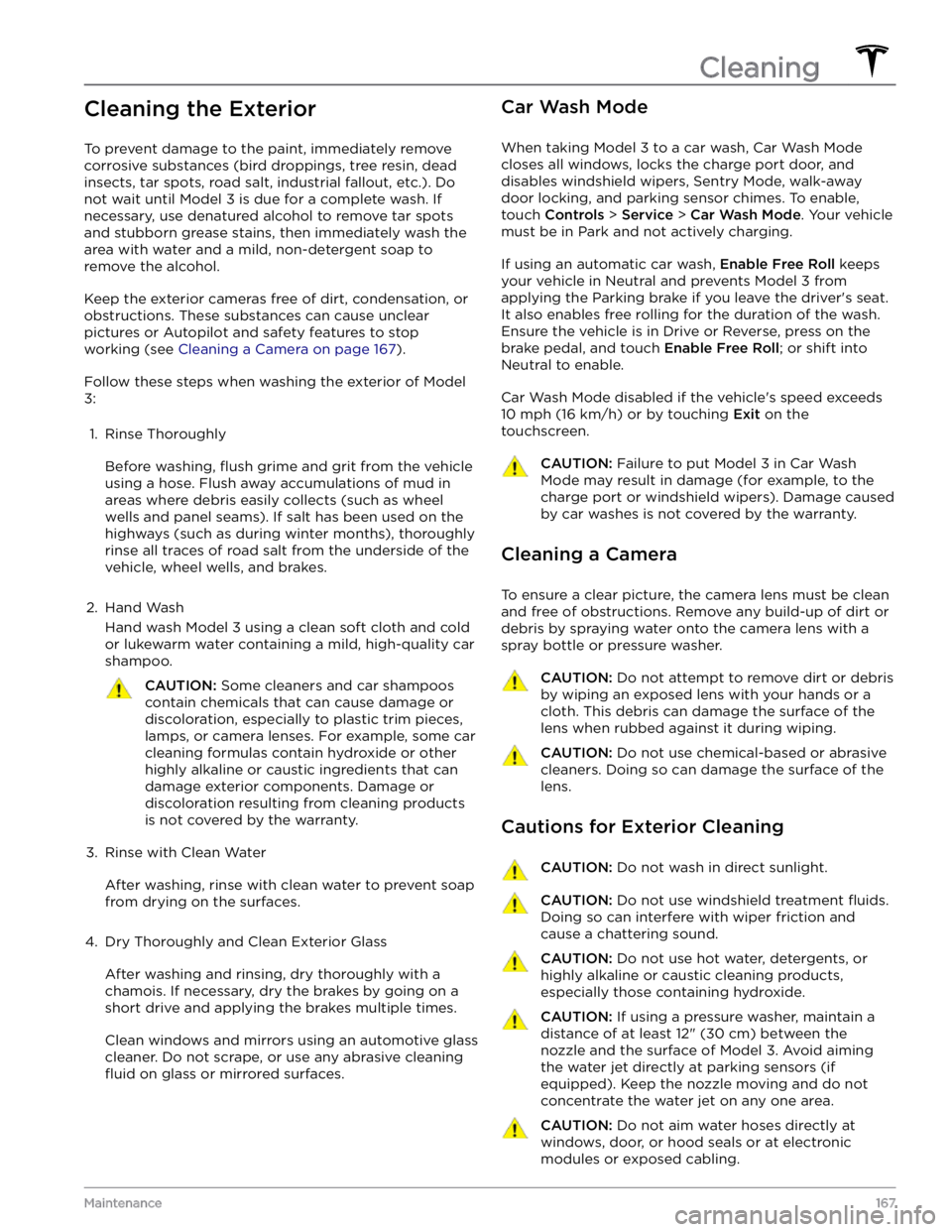
Cleaning the Exterior
To prevent damage to the paint, immediately remove
corrosive substances (bird droppings, tree resin, dead insects, tar spots, road salt, industrial fallout, etc.). Do not wait until
Model 3 is due for a complete wash. If
necessary, use denatured alcohol to remove tar spots
and stubborn grease stains, then immediately wash the area with water and a mild, non-detergent soap to remove the alcohol.
Keep the exterior cameras free of dirt, condensation, or obstructions. These substances can cause unclear pictures or Autopilot and safety features to stop working (see
Cleaning a Camera on page 167).
Follow these steps when washing the exterior of Model
3:
1.
Rinse Thoroughly
Before washing, flush grime and grit from the vehicle
using a hose. Flush away accumulations of mud in areas where debris easily collects (such as wheel wells and panel seams). If salt has been used on the highways (such as during winter months), thoroughly
rinse all traces of road salt from the underside of the
vehicle, wheel wells, and brakes.
2.
Hand Wash
Hand wash Model 3 using a clean soft cloth and cold
or lukewarm water containing a mild, high-quality car shampoo.
CAUTION: Some cleaners and car shampoos
contain chemicals that can cause damage or
discoloration, especially to plastic trim pieces,
lamps, or camera lenses. For example, some car
cleaning formulas contain hydroxide or other
highly alkaline or caustic ingredients that can
damage exterior components. Damage or
discoloration resulting from cleaning products
is not covered by the warranty.
3.
Rinse with Clean Water
After washing, rinse with clean water to prevent soap from drying on the surfaces.
4.
Dry Thoroughly and Clean Exterior Glass
After washing and rinsing, dry thoroughly with a chamois. If necessary, dry the brakes by going on a
short drive and applying the brakes multiple times.
Clean windows and mirrors using an automotive glass cleaner. Do not scrape, or use any abrasive cleaning
fluid on glass or mirrored surfaces.
Car Wash Mode
When taking Model 3 to a car wash, Car Wash Mode
closes all windows, locks the charge port door, and disables windshield wipers, Sentry Mode, walk-away door locking, and parking sensor chimes. To enable, touch
Controls > Service > Car Wash Mode. Your vehicle
must be in Park and not actively charging.
If using an automatic car wash, Enable Free Roll keeps
your vehicle in Neutral and prevents
Model 3 from
applying the Parking brake if you leave the driver
Page 170 of 248
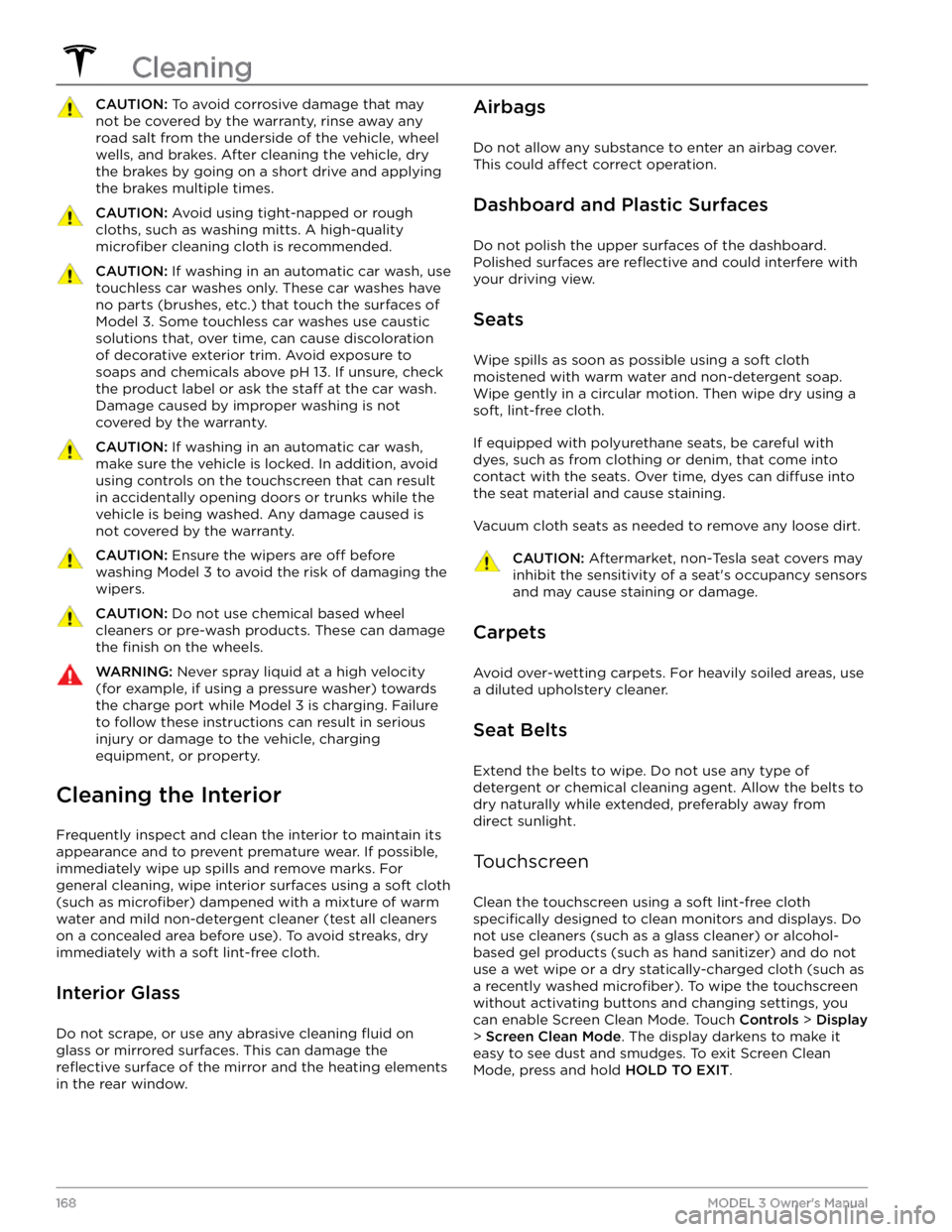
CAUTION: To avoid corrosive damage that may
not be covered by the warranty, rinse away any
road salt from the underside of the vehicle, wheel
wells, and brakes. After cleaning the vehicle, dry
the brakes by going on a short drive and applying
the brakes multiple times.
CAUTION: Avoid using tight-napped or rough
cloths, such as washing mitts. A high-quality
microfiber cleaning cloth is recommended.
CAUTION: If washing in an automatic car wash, use
touchless car washes only. These car washes have
no parts (brushes, etc.) that touch the surfaces of
Model 3. Some touchless car washes use caustic
solutions that, over time, can cause discoloration
of decorative exterior trim. Avoid exposure to
soaps and chemicals above pH 13. If unsure, check
the product label or ask the staff at the car wash.
Damage caused by improper washing is not
covered by the warranty.
CAUTION: If washing in an automatic car wash,
make sure the vehicle is locked. In addition, avoid
using controls on the touchscreen that can result
in accidentally opening doors or trunks while the
vehicle is being washed. Any damage caused is
not covered by the warranty.
CAUTION: Ensure the wipers are off before
washing Model 3 to avoid the risk of damaging the
wipers.
CAUTION: Do not use chemical based wheel
cleaners or pre-wash products. These can damage
the finish on the wheels.
WARNING: Never spray liquid at a high velocity
(for example, if using a pressure washer) towards
the charge port while Model 3 is charging. Failure
to follow these instructions can result in serious
injury or damage to the vehicle, charging
equipment, or property.
Cleaning the Interior
Frequently inspect and clean the interior to maintain its appearance and to prevent premature wear. If possible, immediately wipe up spills and remove marks. For
general cleaning, wipe interior surfaces using a soft cloth (such as
microfiber) dampened with a mixture of warm
water and mild non-detergent cleaner (test all cleaners on a concealed area before use). To avoid streaks, dry immediately with a soft lint-free cloth.
Interior Glass
Do not scrape, or use any abrasive cleaning fluid on
glass or mirrored surfaces. This can damage the
reflective surface of the mirror and the heating elements
in the rear window.
Airbags
Do not allow any substance to enter an airbag cover.
This could
affect correct operation.
Dashboard and Plastic Surfaces
Do not polish the upper surfaces of the dashboard. Polished surfaces are
reflective and could interfere with
your driving view.
Seats
Wipe spills as soon as possible using a soft cloth
moistened with warm water and non-detergent soap.
Wipe gently in a circular motion. Then wipe dry using a soft, lint-free cloth.
If equipped with polyurethane seats, be careful with dyes, such as from clothing or denim, that come into contact with the seats. Over time, dyes can
diffuse into
the seat material and cause staining.
Vacuum cloth seats as needed to remove any loose dirt.
CAUTION: Aftermarket, non-Tesla seat covers may
inhibit the sensitivity of a seat
Page 176 of 248
Parts, Accessories, and
Modifications
Use only genuine Tesla parts and accessories. Tesla
performs rigorous testing on parts to ensure their
suitability, safety, and reliability. Purchase these parts
from Tesla, where they are professionally installed and
where you can receive expert advice about
modifications to Model 3. Accessories are available for
purchase from Tesla stores or online at
www.tesla.com.
NOTE: Some accessories may not be available in your
market region.
Tesla is unable to assess parts manufactured by other distributors and therefore accepts no responsibility if you use non-Tesla parts on
Model 3.
WARNING: Installing non-approved parts and
accessories, or performing non-approved
modifications, can affect the performance of
Model 3 and the safety of its occupants. Any
damage caused by using or installing non-
approved parts, or by performing non-approved
modifications, is not covered by the warranty.
WARNING: Tesla does not accept liability for
death, personal injury or damage that occurs if you
use or install non-approved accessories or make
non-approved modifications.
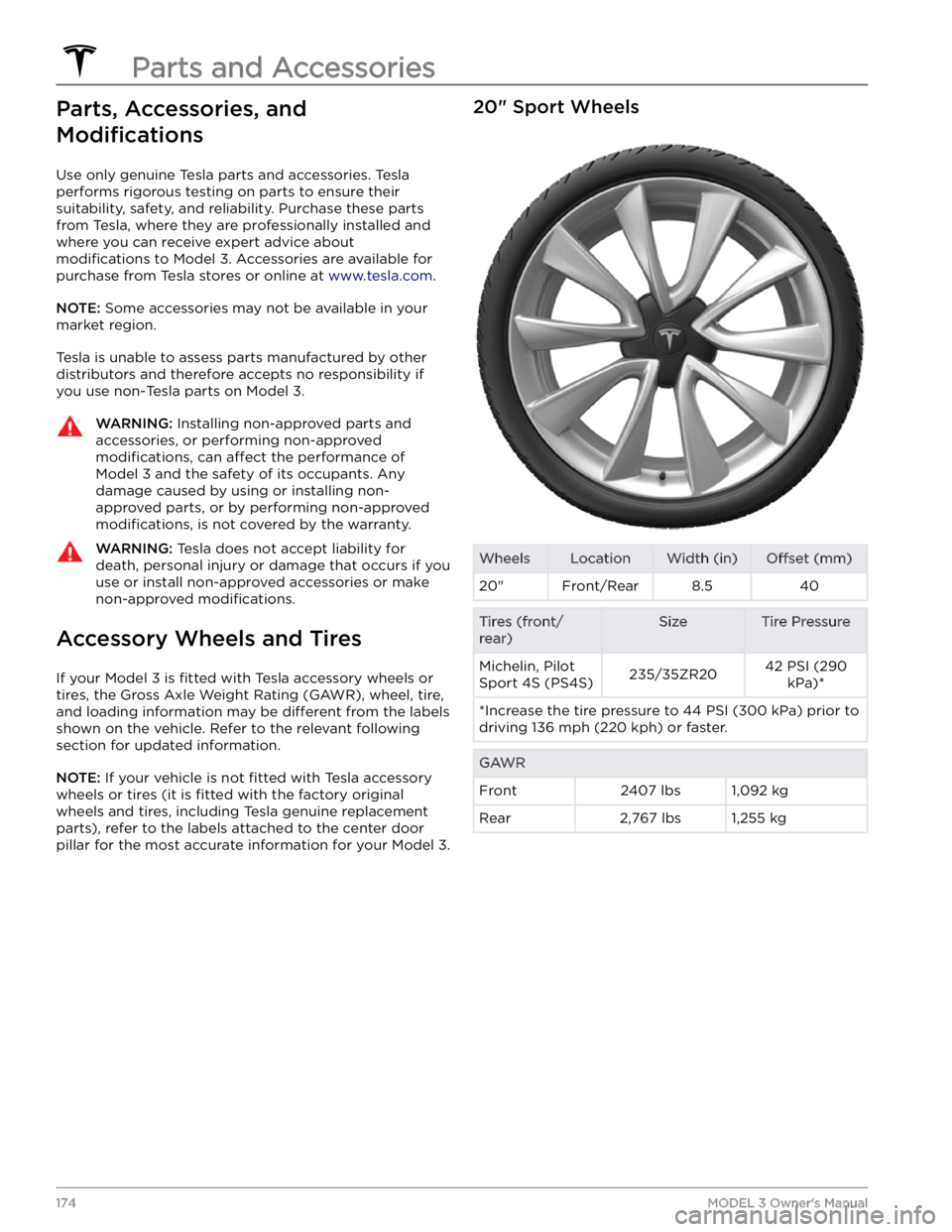
Accessory Wheels and Tires
If your Model 3 is fitted with Tesla accessory wheels or
tires, the Gross Axle Weight Rating (GAWR), wheel, tire, and loading information may be
different from the labels
shown on the vehicle. Refer to the relevant following
section for updated information.
NOTE: If your vehicle is not fitted with Tesla accessory
wheels or tires (it is
fitted with the factory original
wheels and tires, including Tesla genuine replacement
parts), refer to the labels attached to the center door pillar for the most accurate information for your
Model 3.
20" Sport WheelsWheelsLocationWidth (in)Offset (mm)20"Front/Rear8.540Tires (front/
rear)SizeTire PressureMichelin, Pilot
Sport 4S (PS4S)235/35ZR2042 PSI (290 kPa)**Increase the tire pressure to 44 PSI (300 kPa) prior to driving 136 mph (220 kph) or faster.GAWRFront2407 lbs1,092 kgRear2,767 lbs1,255 kg
Parts and Accessories
174MODEL 3 Owner
Page 177 of 248
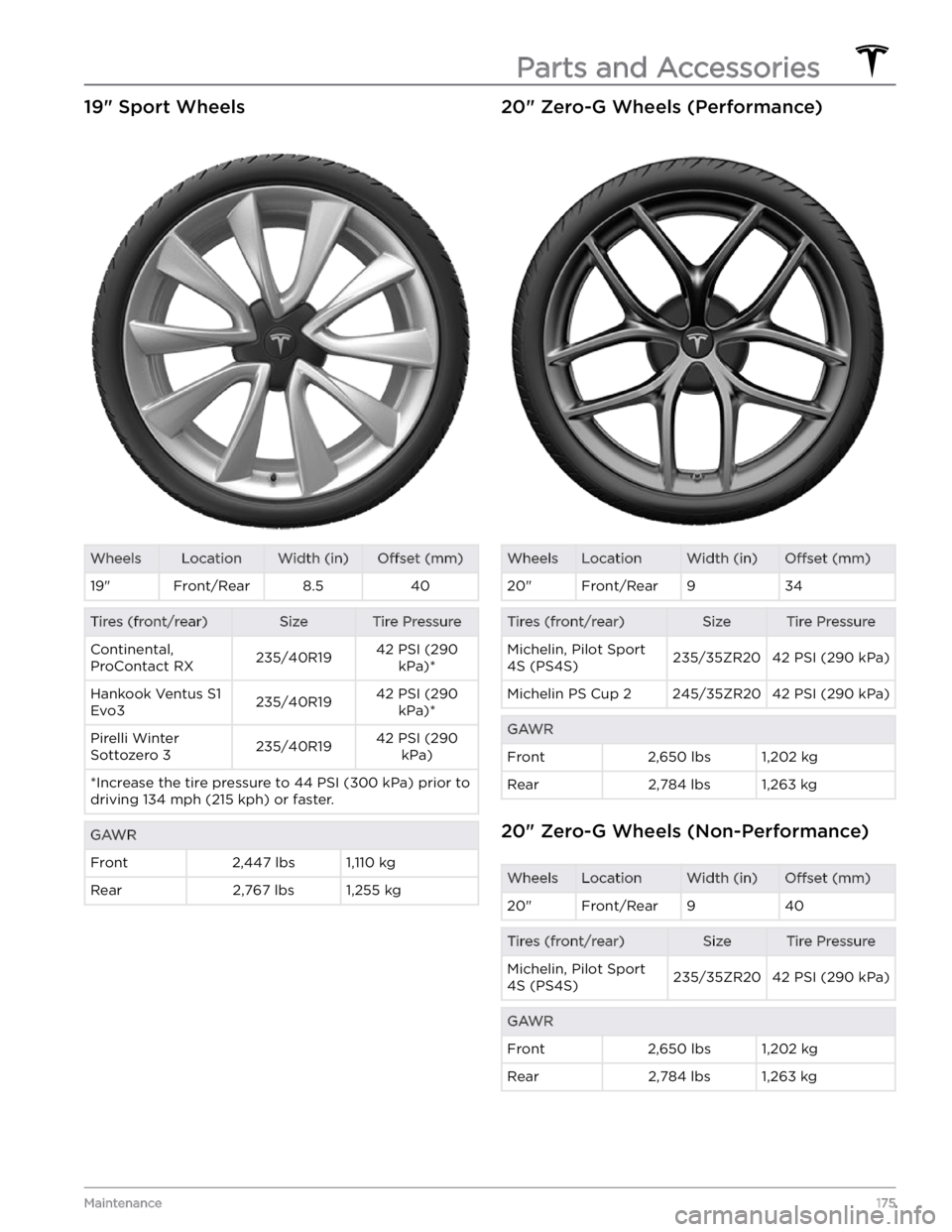
19" Sport WheelsWheelsLocationWidth (in)Offset (mm)19"Front/Rear8.540Tires (front/rear)SizeTire PressureContinental,
ProContact RX235/40R1942 PSI (290 kPa)*Hankook Ventus S1
Evo3235/40R1942 PSI (290 kPa)*Pirelli Winter
Sottozero 3235/40R1942 PSI (290 kPa)*Increase the tire pressure to 44 PSI (300 kPa) prior to driving 134 mph (215 kph) or faster.GAWRFront2,447 lbs1,110 kgRear2,767 lbs1,255 kg20" Zero-G Wheels (Performance)WheelsLocationWidth (in)Offset (mm)20"Front/Rear934Tires (front/rear)SizeTire PressureMichelin, Pilot Sport
4S (PS4S)235/35ZR2042 PSI (290 kPa)Michelin PS Cup 2245/35ZR2042 PSI (290 kPa)GAWRFront2,650 lbs1,202 kgRear2,784 lbs1,263 kg
20" Zero-G Wheels (Non-Performance)
WheelsLocationWidth (in)Offset (mm)20"Front/Rear940Tires (front/rear)SizeTire PressureMichelin, Pilot Sport
4S (PS4S)235/35ZR2042 PSI (290 kPa)GAWRFront2,650 lbs1,202 kgRear2,784 lbs1,263 kg
Parts and Accessories
175Maintenance
Page 178 of 248
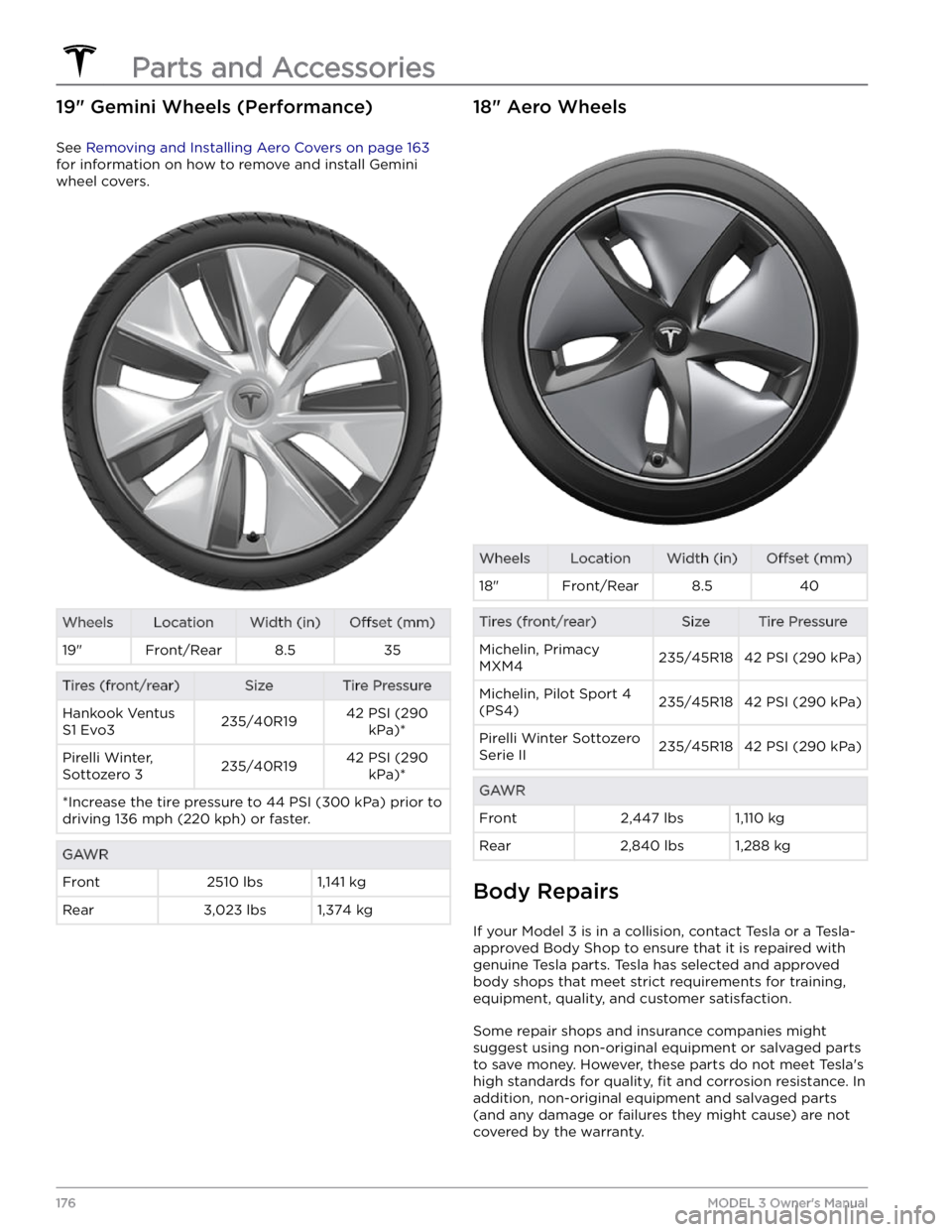
19" Gemini Wheels (Performance)
See Removing and Installing Aero Covers on page 163
for information on how to remove and install Gemini
wheel covers.
WheelsLocationWidth (in)Offset (mm)19"Front/Rear8.535Tires (front/rear)SizeTire PressureHankook Ventus
S1 Evo3235/40R1942 PSI (290 kPa)*Pirelli Winter,
Sottozero 3235/40R1942 PSI (290 kPa)**Increase the tire pressure to 44 PSI (300 kPa) prior to driving 136 mph (220 kph) or faster.GAWRFront2510 lbs1,141 kgRear3,023 lbs1,374 kg18" Aero WheelsWheelsLocationWidth (in)Offset (mm)18"Front/Rear8.540Tires (front/rear)SizeTire PressureMichelin, Primacy
MXM4235/45R1842 PSI (290 kPa)Michelin, Pilot Sport 4
(PS4)235/45R1842 PSI (290 kPa)Pirelli Winter Sottozero
Serie II235/45R1842 PSI (290 kPa)GAWRFront2,447 lbs1,110 kgRear2,840 lbs1,288 kg
Body Repairs
If your Model 3 is in a collision, contact Tesla or a Tesla-
approved Body Shop to ensure that it is repaired with genuine Tesla parts. Tesla has selected and approved
body shops that meet strict requirements for training, equipment, quality, and customer satisfaction.
Some repair shops and insurance companies might
suggest using non-original equipment or salvaged parts
to save money. However, these parts do not meet Tesla
Page 182 of 248
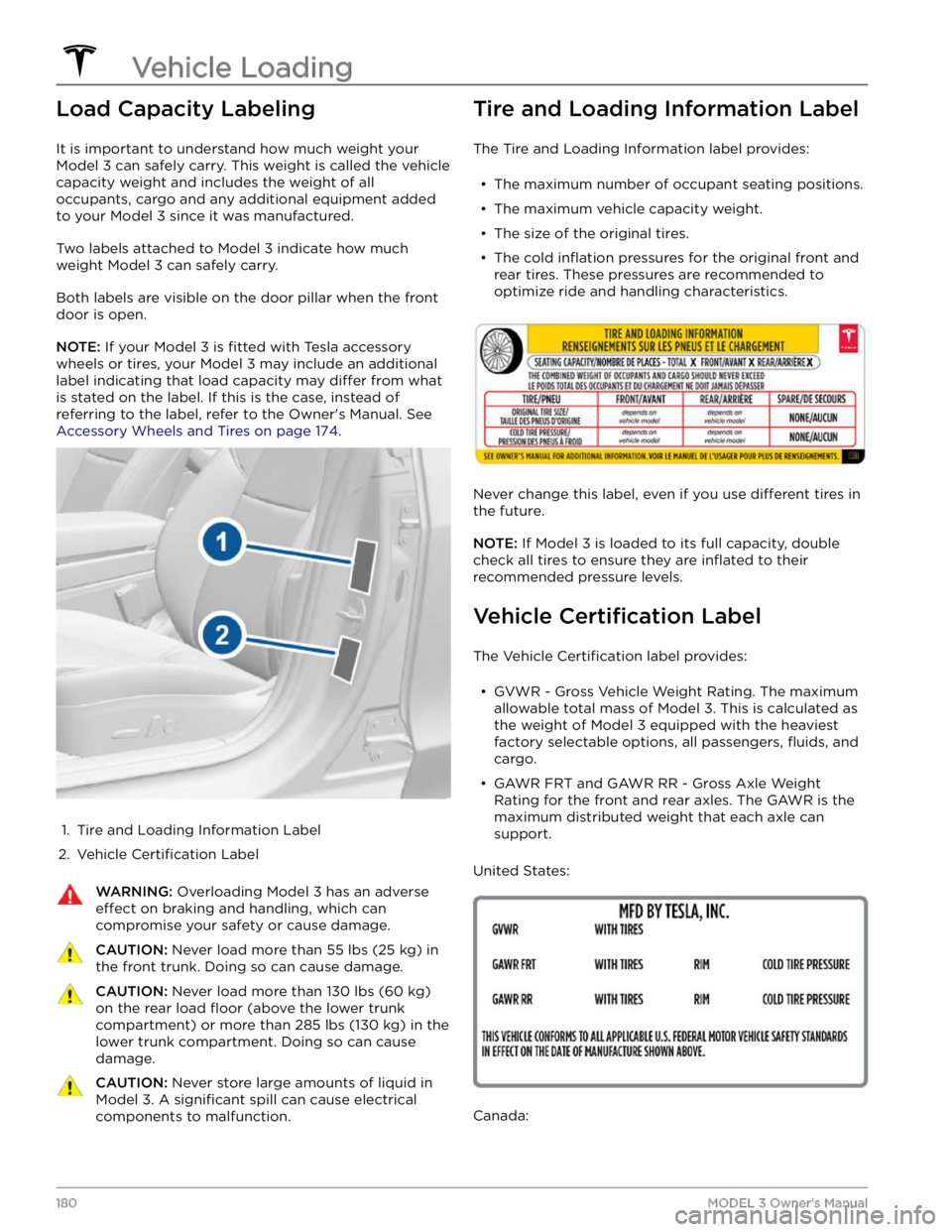
Load Capacity Labeling
It is important to understand how much weight your
Model 3 can safely carry. This weight is called the vehicle
capacity weight and includes the weight of all
occupants, cargo and any additional equipment added to your
Model 3 since it was manufactured.
Two labels attached to Model 3 indicate how much
weight
Model 3 can safely carry.
Both labels are visible on the door pillar when the front door is open.
NOTE: If your Model 3 is fitted with Tesla accessory
wheels or tires, your
Model 3 may include an additional
label indicating that load capacity may
differ from what
is stated on the label. If this is the case, instead of referring to the label, refer to the Owner