seats TESLA MODEL S 2016 User Guide
[x] Cancel search | Manufacturer: TESLA, Model Year: 2016, Model line: MODEL S, Model: TESLA MODEL S 2016Pages: 190, PDF Size: 4.85 MB
Page 27 of 190
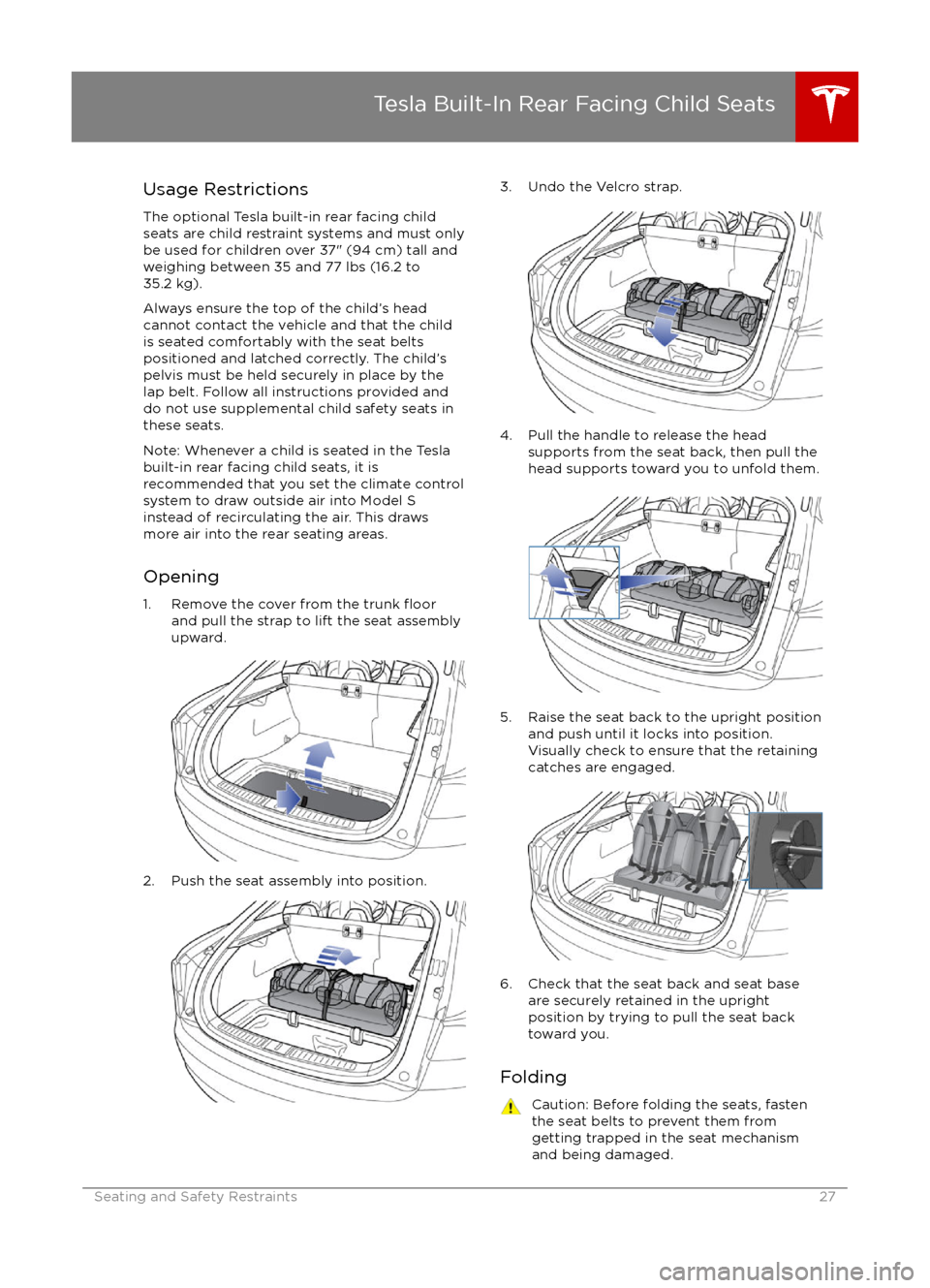
Usage RestrictionsThe optional Tesla built-in rear facing childseats are child restraint systems and must onlybe used for children over 37" (94 cm) tall andweighing between 35 and 77 lbs (16.2 to
35.2 kg).
Always ensure the top of the child
Page 28 of 190
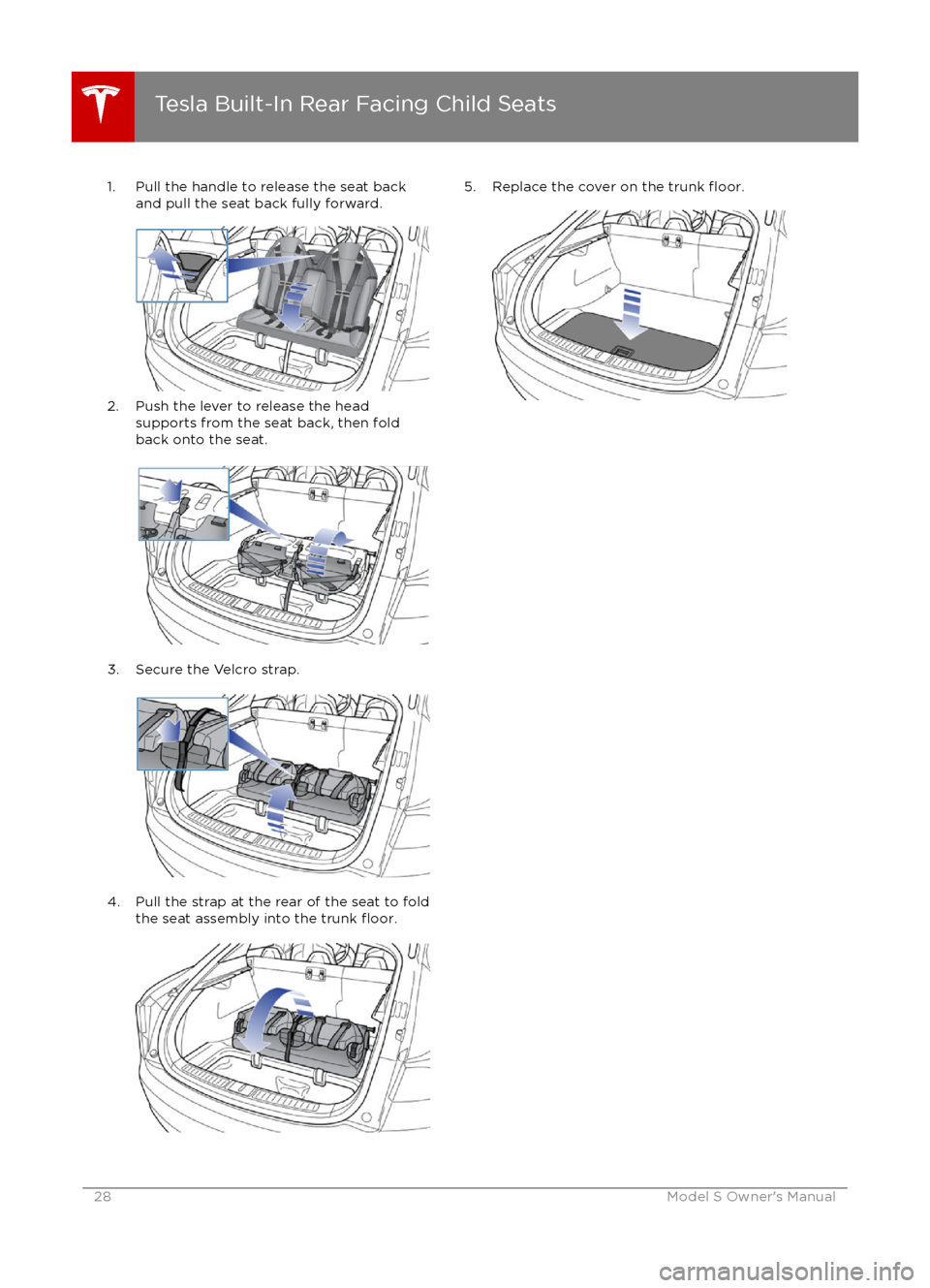
1. Pull the handle to release the seat backand pull the seat back fully forward.
2. Push the lever to release the head supports from the seat back, then fold
back onto the seat.
3. Secure the Velcro strap.
4. Pull the strap at the rear of the seat to fold
the seat assembly into the trunk floor.
5. Replace the cover on the trunk floor.
Tesla Built-In Rear Facing Child Seats
28Model S Owner
Page 29 of 190
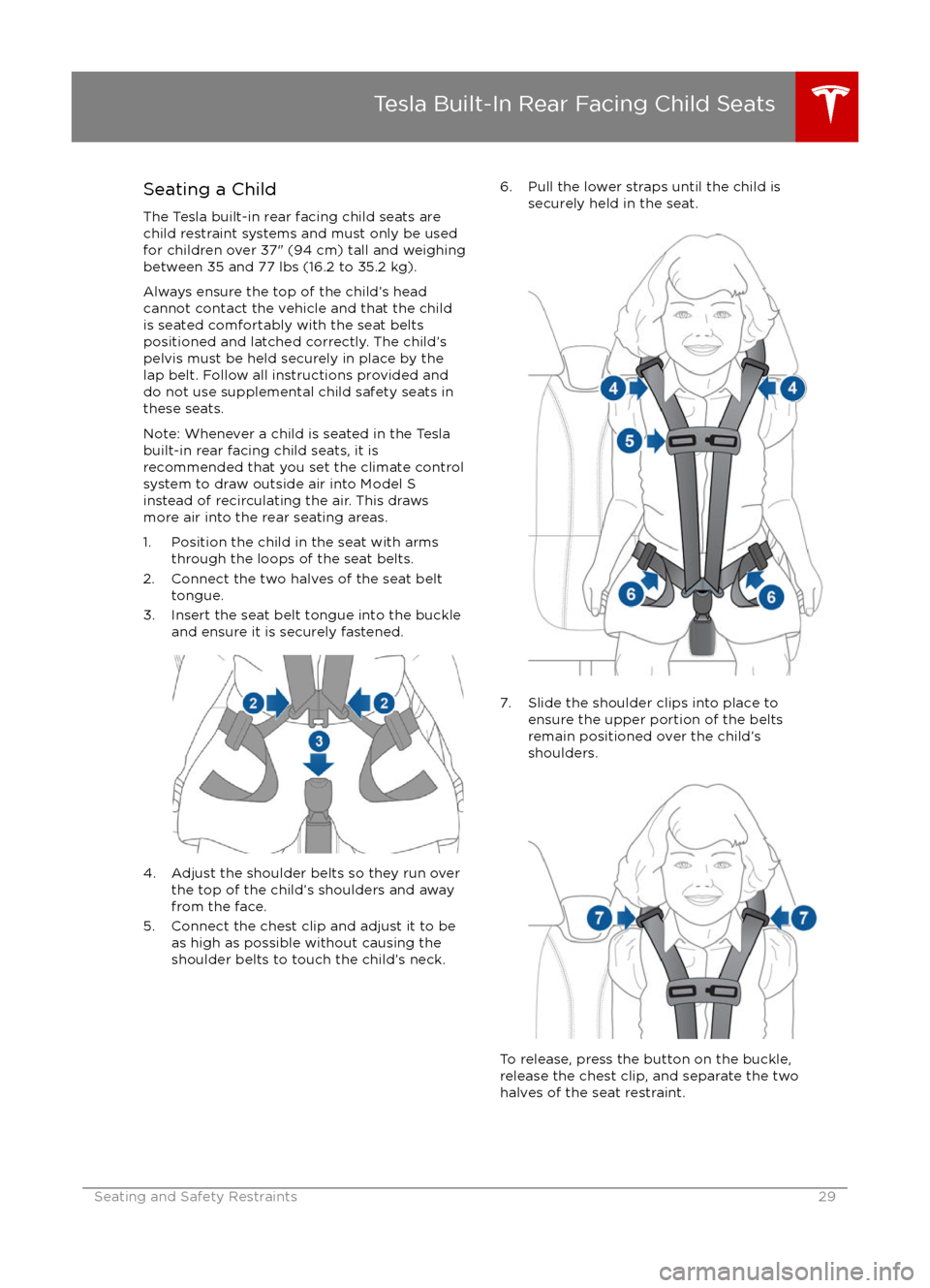
Seating a Child
The Tesla built-in rear facing child seats are
child restraint systems and must only be used
for children over 37" (94 cm) tall and weighing
between 35 and 77 lbs (16.2 to 35.2 kg).
Always ensure the top of the child
Page 30 of 190

Warnings - Tesla Child SeatsWarning: The Tesla built-in rear facing
seats are child restraint systems and must only be used for children over 37"(94 cm) tall and weighing between 35
and 77 lbs (16.2 to 35.2 kg).Warning: Do not use supplemental child
restraint systems, including booster seats, in the Tesla built-in rear facing child seats.Warning: Always ensure that the top of
the child
Page 98 of 190
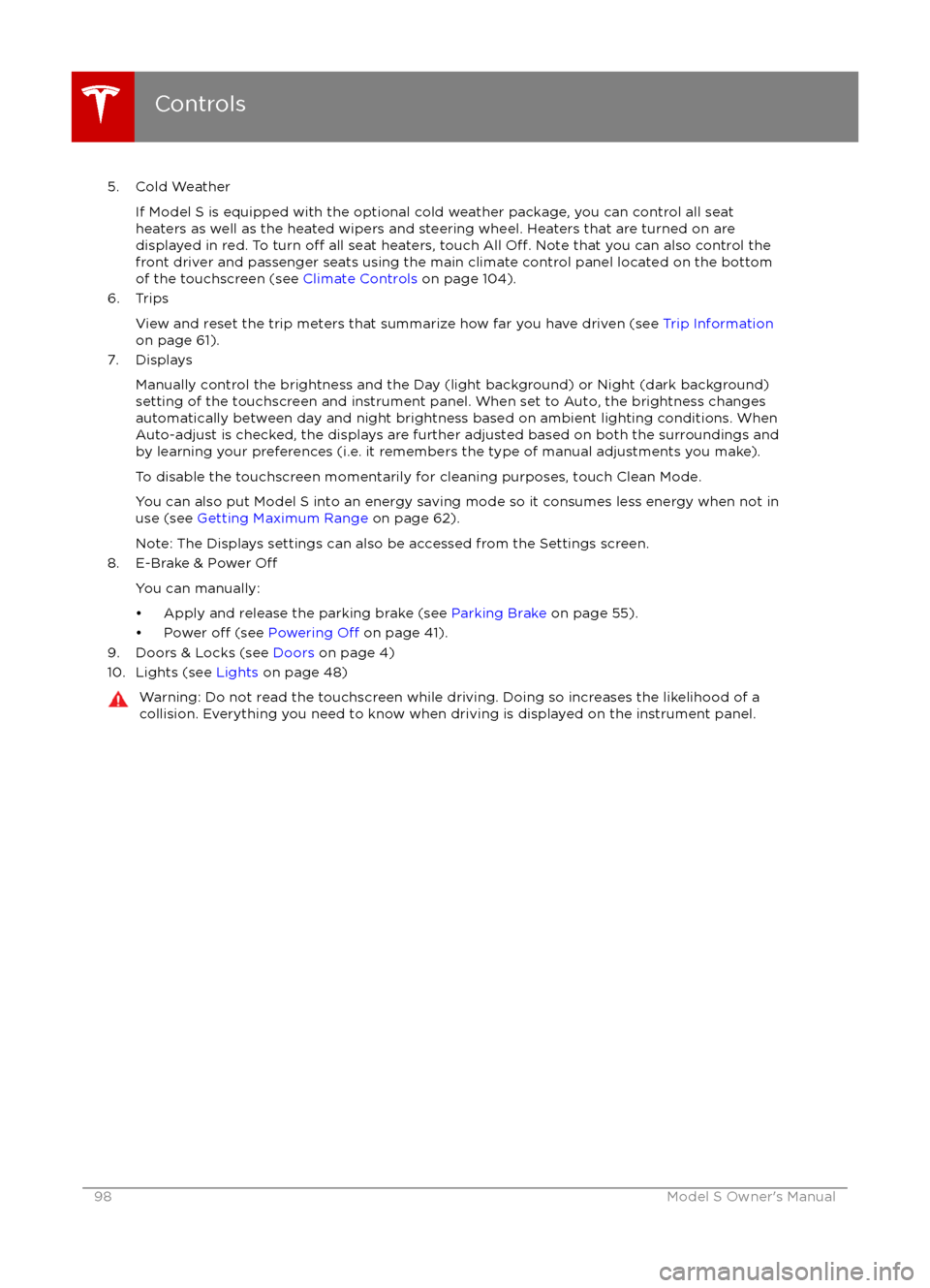
5. Cold WeatherIf Model S is equipped with the optional cold weather package, you can control all seat
heaters as well as the heated wipers and steering wheel. Heaters that are turned on are displayed in red. To turn
off all seat heaters, touch All Off. Note that you can also control the
front driver and passenger seats using the main climate control panel located on the bottom
of the touchscreen (see Climate Controls on page 104).
6. Trips
View and reset the trip meters that summarize how far you have driven (see Trip Information
on page 61).
7. Displays
Manually control the brightness and the Day (light background) or Night (dark background)setting of the touchscreen and instrument panel. When set to Auto, the brightness changes
automatically between day and night brightness based on ambient lighting conditions. When
Auto-adjust is checked, the displays are further adjusted based on both the surroundings and
by learning your preferences (i.e. it remembers the type of manual adjustments you make).
To disable the touchscreen momentarily for cleaning purposes, touch Clean Mode.You can also put Model S into an energy saving mode so it consumes less energy when not inuse (see Getting Maximum Range on page 62).
Note: The Displays settings can also be accessed from the Settings screen.
8. E-Brake & Power
Off
You can manually:
Page 104 of 190

Overview of Climate Controls
The climate controls are always available at the bottom of the touchscreen. By default, climate control is set to Auto On, which maintains optimum comfort in all but the most severe weather conditions. When you adjust the temperature, the system automatically adjusts the heating, air
conditioning, air distribution, air circulation, and fan speed to maintain your selected temperature. To override these settings, touch Auto On (see Customizing Climate Control on page 105).
The fan, heating, and air conditioning systems are powered by the Battery. Therefore, prolonged use decreases driving range.
Note: The following illustration is provided for demonstration purposes only. Depending on vehicle
options, software version, market region, and settings, the information displayed may be slightly
different.
1. The front seats are equipped with heating pads that operate at three levels from 3 (highest) to 1 (lowest).
When operating, the indicator turns red and displays the setting number.
Note: If Model S is equipped with the optional cold weather package, you can also control seat heaters in the rear seats, heated wipers, and heated steering wheel by touchingControls > Cold Weather (see Controls on page 94). When equipped with the optional
executive rear seats, you can control the seat and the backrest separately in each second row
passenger seat.
2. Touch the up or down arrow to set the cabin temperature (from LO, 63
Page 106 of 190

3. Choose how air is drawn into Model S:Outside air is drawn into Model S (see Ventilation on page 107).
Although less efficient than recirculating the air in very hot or low climate
conditions, this setting draws more air into the rear seating areas, and is
recommended when occupants are seated in the Tesla built-in rear facing
child seats.Air inside Model S is recirculated. This prevents outside air (traffic fumes)
from entering but reduces dehumidifying performance. Recirculating the
air is the most
efficient way to cool the front cabin area. To prevent the
windshield from fogging in some conditions, briefly change the setting
every hour to draw in outside air.
4. Choose where air flows into the cabin. You can choose more than one location:
Foot-level ventsFace-level ventsWindshield vents
Note: When air is directed to the foot-level vents, approximately one third of the air continues
to flow to the windshield vents to assist in defogging. However, when air is directed to the
face-level vents, no air flows to the windshield because the air flowing through the face-level
vents may be adequate to assist in defogging the windshield.
5. Drag the slider to set the speed of the fan.
Climate Controls
106Model S Owner
Page 145 of 190
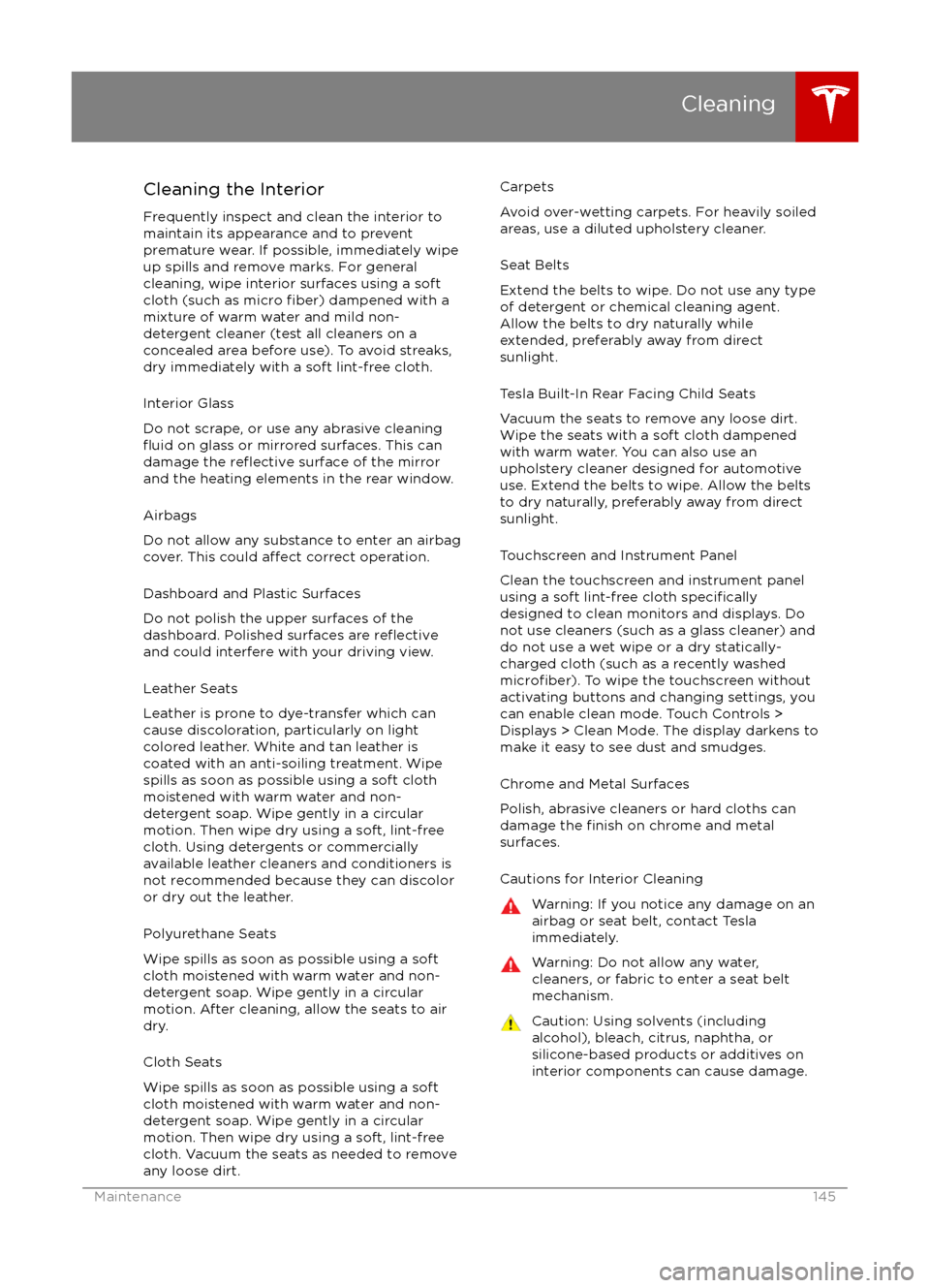
Cleaning the Interior
Frequently inspect and clean the interior to maintain its appearance and to prevent
premature wear. If possible, immediately wipe up spills and remove marks. For general
cleaning, wipe interior surfaces using a soft
cloth (such as micro
fiber) dampened with a
mixture of warm water and mild non-
detergent cleaner (test all cleaners on a
concealed area before use). To avoid streaks,
dry immediately with a soft lint-free cloth.
Interior Glass
Do not scrape, or use any abrasive cleaning
fluid on glass or mirrored surfaces. This can
damage the reflective surface of the mirror
and the heating elements in the rear window.
Airbags
Do not allow any substance to enter an airbag
cover. This could
affect correct operation.
Dashboard and Plastic Surfaces
Do not polish the upper surfaces of the
dashboard. Polished surfaces are
reflectiveand could interfere with your driving view.
Leather Seats
Leather is prone to dye-transfer which can
cause discoloration, particularly on light colored leather. White and tan leather iscoated with an anti-soiling treatment. Wipespills as soon as possible using a soft cloth
moistened with warm water and non-
detergent soap. Wipe gently in a circular
motion. Then wipe dry using a soft, lint-free
cloth. Using detergents or commercially
available leather cleaners and conditioners is
not recommended because they can discolor or dry out the leather.
Polyurethane Seats
Wipe spills as soon as possible using a soft
cloth moistened with warm water and non-
detergent soap. Wipe gently in a circular
motion. After cleaning, allow the seats to air
dry.
Cloth Seats
Wipe spills as soon as possible using a soft
cloth moistened with warm water and non-
detergent soap. Wipe gently in a circular
motion. Then wipe dry using a soft, lint-free
cloth. Vacuum the seats as needed to remove
any loose dirt.
Carpets
Avoid over-wetting carpets. For heavily soiled
areas, use a diluted upholstery cleaner.
Seat Belts
Extend the belts to wipe. Do not use any type
of detergent or chemical cleaning agent.
Allow the belts to dry naturally while
extended, preferably away from direct
sunlight.
Tesla Built-In Rear Facing Child Seats
Vacuum the seats to remove any loose dirt. Wipe the seats with a soft cloth dampened
with warm water. You can also use an upholstery cleaner designed for automotive
use. Extend the belts to wipe. Allow the belts
to dry naturally, preferably away from direct
sunlight.
Touchscreen and Instrument Panel
Clean the touchscreen and instrument panel
using a soft lint-free cloth
specificallydesigned to clean monitors and displays. Do not use cleaners (such as a glass cleaner) and
do not use a wet wipe or a dry statically- charged cloth (such as a recently washed
microfiber). To wipe the touchscreen without
activating buttons and changing settings, you
can enable clean mode. Touch Controls > Displays > Clean Mode. The display darkens to
make it easy to see dust and smudges.
Chrome and Metal Surfaces
Polish, abrasive cleaners or hard cloths can
damage the
finish on chrome and metal
surfaces.
Cautions for Interior Cleaning
Warning: If you notice any damage on an
airbag or seat belt, contact Tesla
immediately.Warning: Do not allow any water,
cleaners, or fabric to enter a seat belt
mechanism.Caution: Using solvents (including alcohol), bleach, citrus, naphtha, orsilicone-based products or additives on
interior components can cause damage.
Cleaning
Maintenance145
Page 164 of 190

Cargo VolumeTotal cargo volume (single motor
vehicles, rear seats not folded)31.6 cu ft894.85 LTotal cargo volume (dual motor
vehicles, rear seats not folded)28.8 cu ft815.5 LRear cargo volume26.3 cu ft744.7 LRear cargo volume (with seats
folded down)58.1 cu ft1645.2 LFront cargo volume (single motor
vehicles )5.3 cu ft150.1 LFront cargo volume (dual motor
vehicles)2.5 cu ft70.8 L
Dimensions and Weights
164Model S Owner
Page 173 of 190
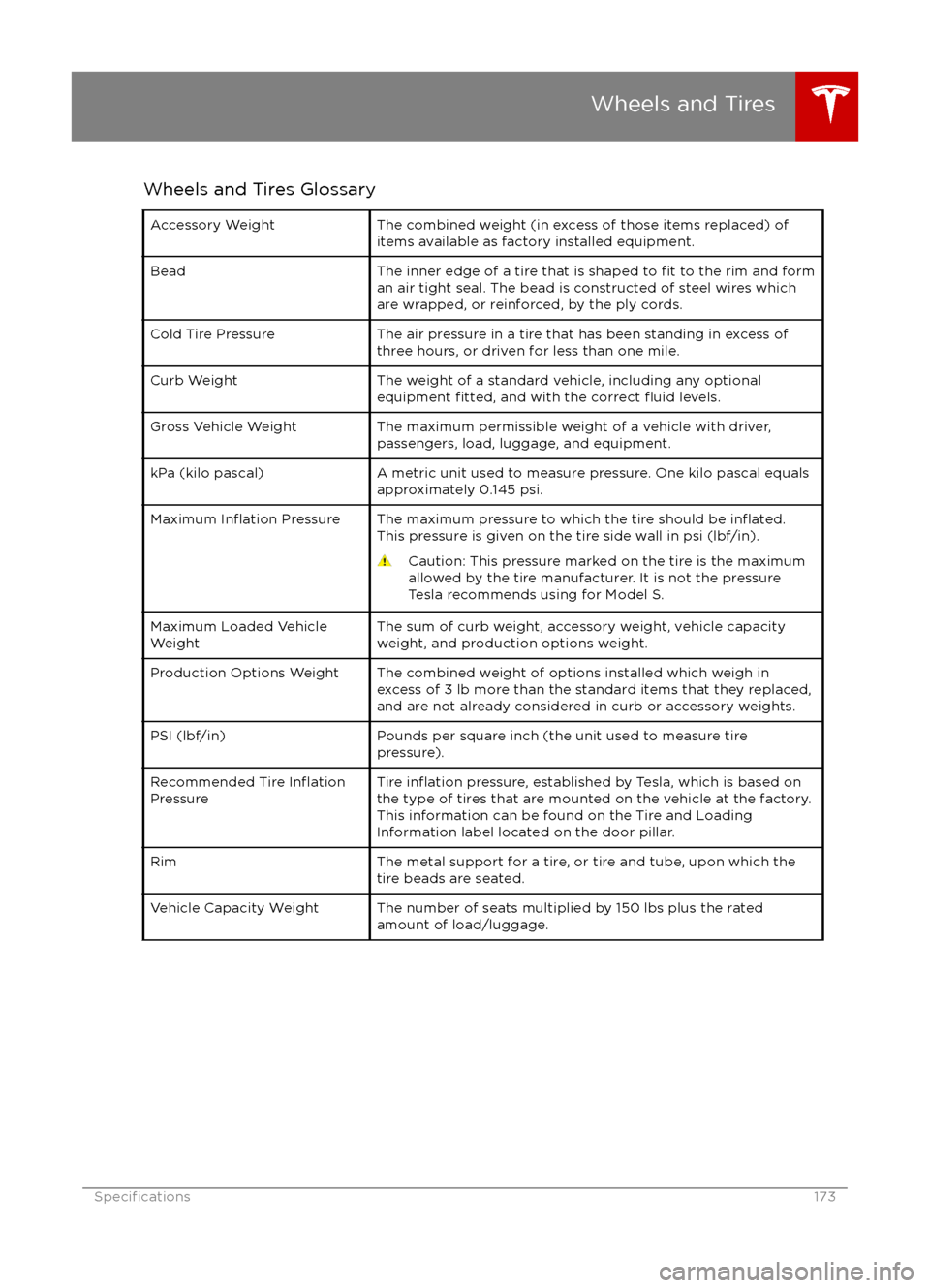
Wheels and Tires GlossaryAccessory WeightThe combined weight (in excess of those items replaced) of
items available as factory installed equipment.BeadThe inner edge of a tire that is shaped to fit to the rim and form
an air tight seal. The bead is constructed of steel wires which
are wrapped, or reinforced, by the ply cords.Cold Tire PressureThe air pressure in a tire that has been standing in excess of
three hours, or driven for less than one mile.Curb WeightThe weight of a standard vehicle, including any optional
equipment fitted, and with the correct fluid levels.Gross Vehicle WeightThe maximum permissible weight of a vehicle with driver,
passengers, load, luggage, and equipment.kPa (kilo pascal)A metric unit used to measure pressure. One kilo pascal equals
approximately 0.145 psi.Maximum Inflation PressureThe maximum pressure to which the tire should be inflated.This pressure is given on the tire side wall in psi (lbf/in).
Caution: This pressure marked on the tire is the maximum
allowed by the tire manufacturer. It is not the pressure
Tesla recommends using for Model S.Maximum Loaded Vehicle
WeightThe sum of curb weight, accessory weight, vehicle capacity
weight, and production options weight.Production Options WeightThe combined weight of options installed which weigh in
excess of 3 lb more than the standard items that they replaced, and are not already considered in curb or accessory weights.PSI (lbf/in)Pounds per square inch (the unit used to measure tirepressure).Recommended Tire InflationPressureTire inflation pressure, established by Tesla, which is based on
the type of tires that are mounted on the vehicle at the factory. This information can be found on the Tire and Loading
Information label located on the door pillar.RimThe metal support for a tire, or tire and tube, upon which the
tire beads are seated.Vehicle Capacity WeightThe number of seats multiplied by 150 lbs plus the rated
amount of load/luggage.
Wheels and Tires
Specifications173