sensor TESLA MODEL S 2016 User Guide
[x] Cancel search | Manufacturer: TESLA, Model Year: 2016, Model line: MODEL S, Model: TESLA MODEL S 2016Pages: 190, PDF Size: 4.85 MB
Page 77 of 190

If Model S is equipped with Driver Assistance
components (see About Driver Assistance on
page 65), and you have purchased the
optional Autopilot Tech Package, you can use
Auto Lane Change to move Model S into an adjacent lane without touching the steering
wheel (which would cancel Autosteer). When both
Traffic-Aware Cruise Control and
Autosteer are active, Auto Lane Change
intelligently steers Model S into an adjacent
driving lane. Using the forward looking camera, the radar sensor, and the ultrasonic
sensors, Autosteer detects lane markings and
the presence of other vehicles.
Auto Lane Change is designed for use on
highways and main roads with visible lane
markings and under relatively predictable circumstances in which minimal steering and
driver intervention is needed.
Warning: It is the driver
Page 82 of 190

Autopark shifts Model S into Drive or Reverse
(based on which button you pressed) and
drives into the parking space until the sensors have detected an obstacle, or Model S has
moved the maximum distance of 39 feet (12 meters), at which point parking is considered
completed and Autopark shifts Model S into Park.
Note: If you want Autopark to move Model S
multiple times in the same direction, up to the maximum of 39 feet (12 meters), press and
release the key
Page 83 of 190

If Model S is equipped with Driver Assistance
components (see About Driver Assistance on
page 65), the forward looking camera
monitors the markers on the lane you are
driving in, and the ultrasonic sensors monitor
the blind spot for the presence of a vehicle. To
help you stay in your driving lane and to avoid
side collisions, Lane Assist provides two types of warnings:
Page 86 of 190
alert and always pay attention to the area
in front of Model S so you can anticipate whether any action is required.Warning: Forward Collision Warning does
not operate when Model S is traveling less than 4 mph (7 km/h).Warning: Forward Collision Warning does
not provide a warning when the driver is already applying the brake.
Automatic Emergency Braking
The forward looking camera and the radar
sensor are designed to determine the distance
from any object (vehicle, motorcycle, bicycle,
or pedestrian) traveling in front of Model S.
When a frontal collision is considered
unavoidable, Automatic Emergency Braking is designed to automatically apply the brakes to
reduce the severity of the impact.
When Automatic Emergency Braking applies
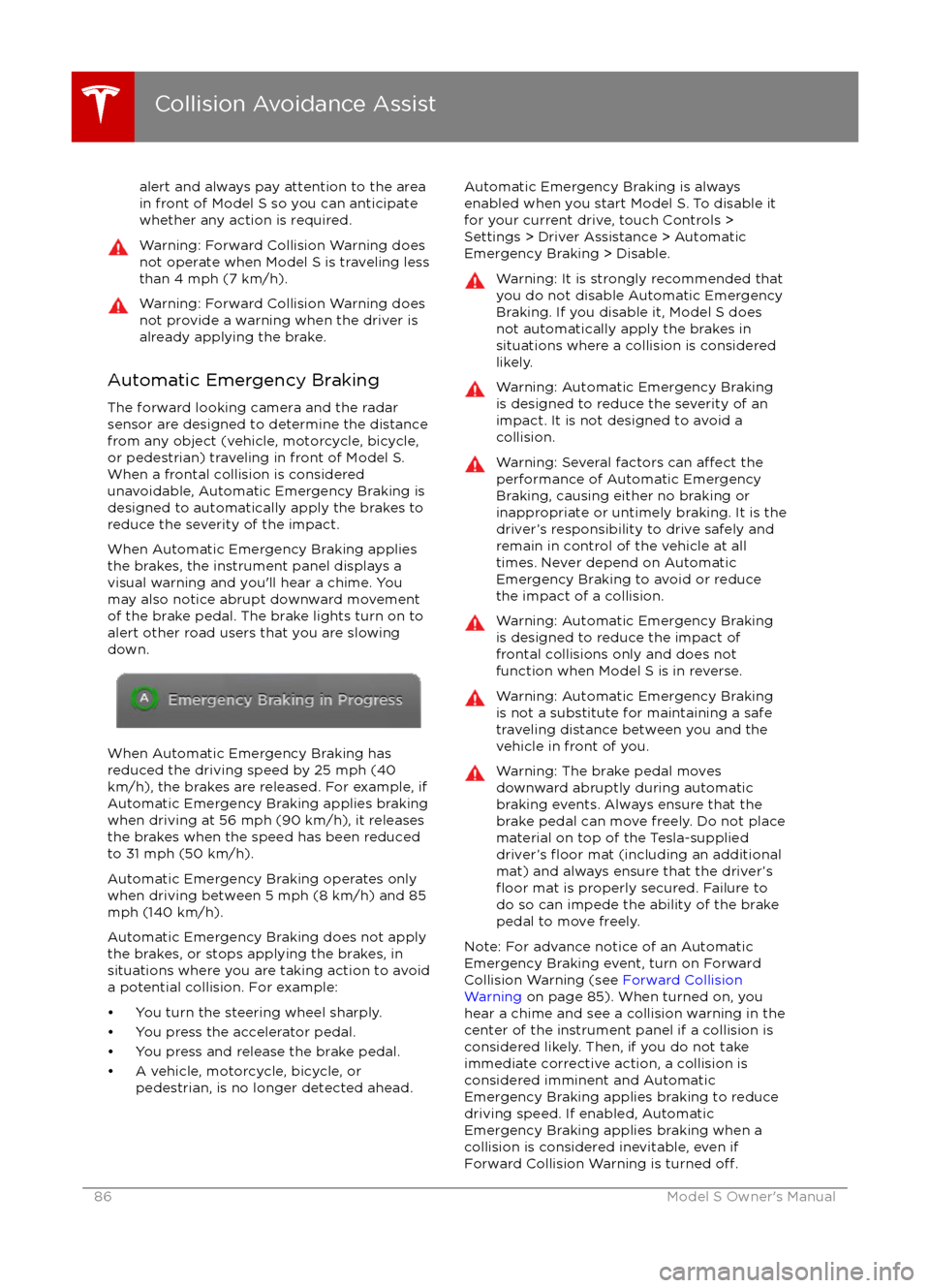
the brakes, the instrument panel displays a visual warning and you
Page 137 of 190
Replacing Tires and Wheels
Tires degrade over time due to the
effects of
ultraviolet light, extreme temperatures, high
loads, and environmental conditions. It is
recommended that tires are replaced every six
years, or sooner if required.
Wheel rims and tires are matched to suit the
handling characteristics of the vehicle.
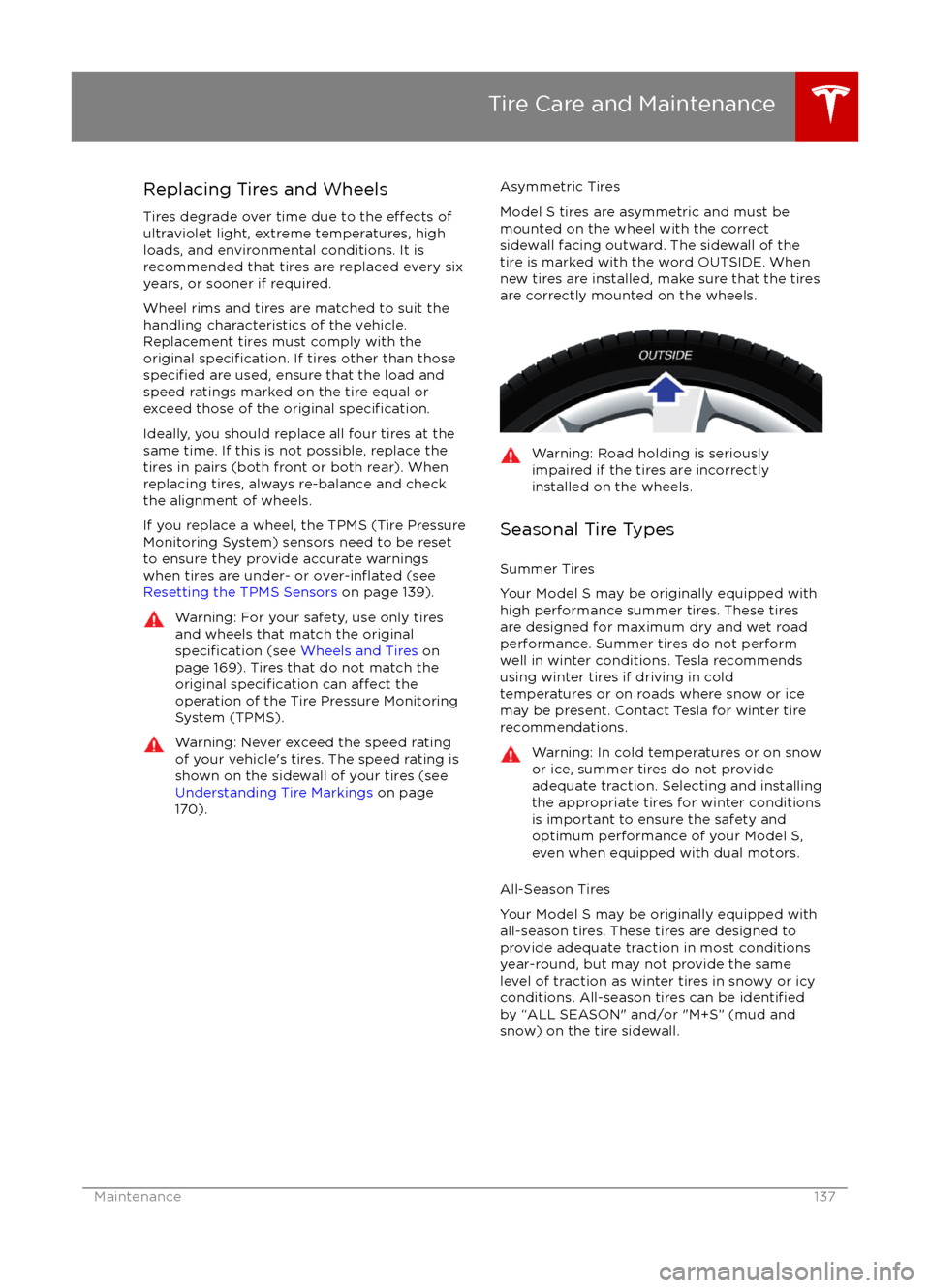
Replacement tires must comply with the
original
specification. If tires other than thosespecified are used, ensure that the load and
speed ratings marked on the tire equal or
exceed those of the original
specification.
Ideally, you should replace all four tires at the same time. If this is not possible, replace the
tires in pairs (both front or both rear). When
replacing tires, always re-balance and check
the alignment of wheels.
If you replace a wheel, the TPMS (Tire Pressure
Monitoring System) sensors need to be reset to ensure they provide accurate warnings
when tires are under- or
over-inflated (see
Resetting the TPMS Sensors on page 139).
Warning: For your safety, use only tires
and wheels that match the original
specification (see Wheels and Tires on
page 169). Tires that do not match the
original
specification can affect the
operation of the Tire Pressure Monitoring System (TPMS).
Warning: Never exceed the speed rating
of your vehicle
Page 140 of 190
Tire Repair Kit
Your Model S has no spare tire. Depending on
the legislations that apply to the region in
which you purchased Model S, a tire repair kit
may or may not be included. If a tire repair kit
was not provided in Model S upon delivery,
you can purchase one from Tesla.
Note: Although Model S does not have a spare
tire, in the event of a
flat tire, Roadside
Assistance provides towing coverage for up to 50 miles.
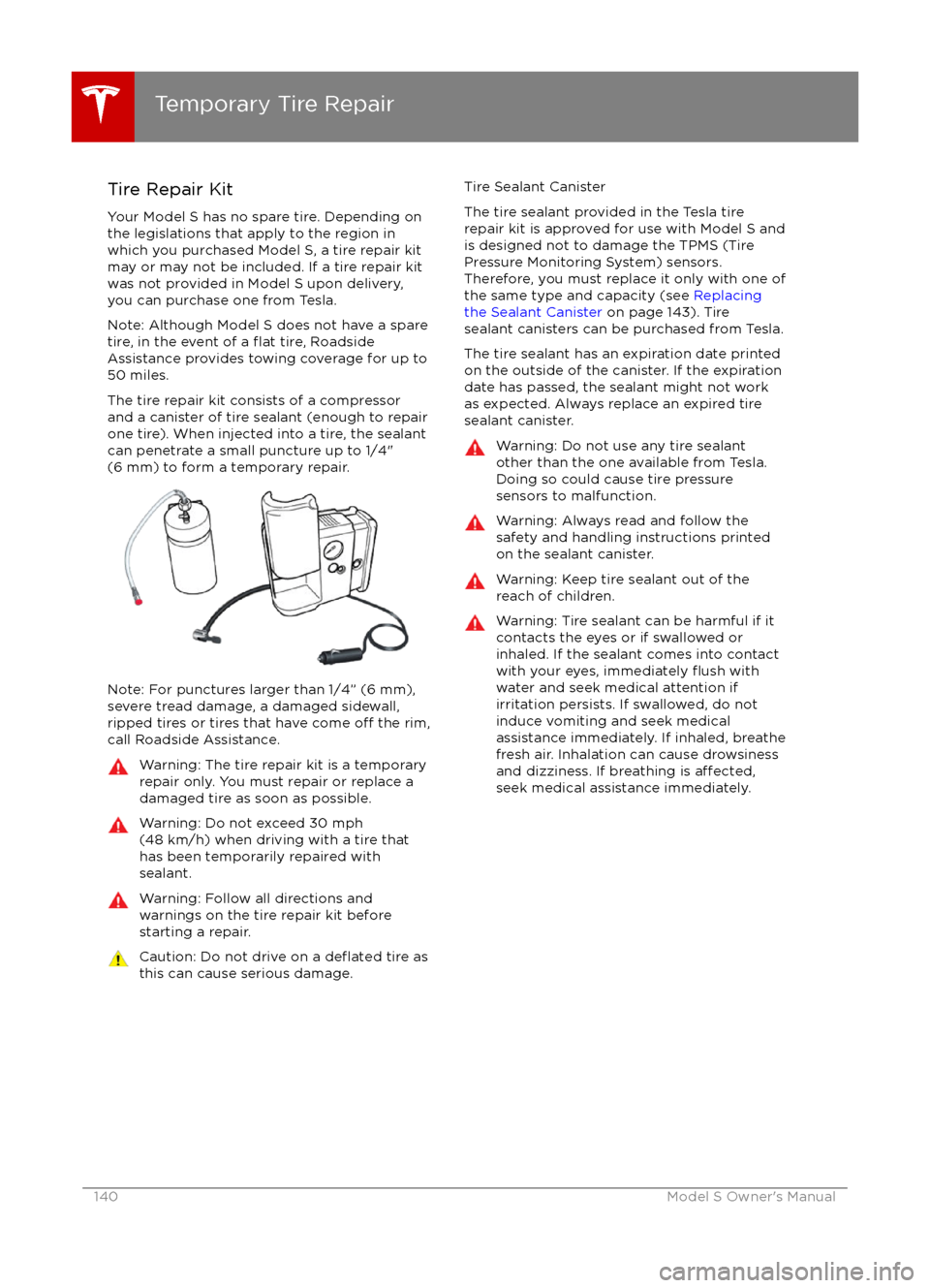
The tire repair kit consists of a compressor
and a canister of tire sealant (enough to repair
one tire). When injected into a tire, the sealant
can penetrate a small puncture up to 1/4" (6 mm) to form a temporary repair.
Note: For punctures larger than 1/4” (6 mm),
severe tread damage, a damaged sidewall,
ripped tires or tires that have come
off the rim,
call Roadside Assistance.
Warning: The tire repair kit is a temporary
repair only. You must repair or replace a
damaged tire as soon as possible.Warning: Do not exceed 30 mph
(48 km/h) when driving with a tire that
has been temporarily repaired with sealant.Warning: Follow all directions and
warnings on the tire repair kit before
starting a repair.Caution: Do not drive on a deflated tire as
this can cause serious damage.Tire Sealant Canister
The tire sealant provided in the Tesla tire
repair kit is approved for use with Model S and is designed not to damage the TPMS (Tire
Pressure Monitoring System) sensors.
Therefore, you must replace it only with one of
the same type and capacity (see Replacing
the Sealant Canister on page 143). Tire
sealant canisters can be purchased from Tesla.
The tire sealant has an expiration date printed
on the outside of the canister. If the expiration
date has passed, the sealant might not work
as expected. Always replace an expired tire
sealant canister.Warning: Do not use any tire sealant
other than the one available from Tesla.
Doing so could cause tire pressure
sensors to malfunction.Warning: Always read and follow the
safety and handling instructions printed on the sealant canister.Warning: Keep tire sealant out of the
reach of children.Warning: Tire sealant can be harmful if it
contacts the eyes or if swallowed or
inhaled. If the sealant comes into contact with your eyes, immediately
flush with
water and seek medical attention if
irritation persists. If swallowed, do not
induce vomiting and seek medical assistance immediately. If inhaled, breathe
fresh air. Inhalation can cause drowsiness
and dizziness. If breathing is
affected,seek medical assistance immediately.
Temporary Tire Repair
140Model S Owner
Page 144 of 190

Cleaning the ExteriorTo prevent damage to the paint, immediately
remove corrosive substances (bird droppings, tree resin, dead insects, tar spots, road salt,
industrial fallout, etc). Do not wait until
Model S is due for a complete wash. If
necessary, use denatured alcohol to remove
tar spots and stubborn grease stains, then
immediately wash the area with water and a
mild, non-detergent soap to remove the
alcohol.
Follow these steps when washing the exterior
of Model S:
1. Rinse Thoroughly Before washing,
flush grime and grit from
the bodywork using a hose. Flush away
accumulations of mud in areas where
debris easily collects (such as wheel
arches and panel seams). If salt has been used on the highways (such as during
winter months), thoroughly rinse all traces of road salt from the underside of thevehicle.
2. Hand Wash
Hand wash Model S using a clean soft
cloth and cold or lukewarm water
containing a mild, good quality car
shampoo.
3. Rinse with Clean Water
After washing, rinse with clean water to
prevent soap from drying on the surfaces.
4. Dry Thoroughly and Clean Exterior Glass
After washing and rinsing, dry thoroughly
with a chamois.
Clean windows and mirrors using an automotive glass cleaner. Do not scrape,
or use any abrasive cleaning
fluid on glass
or mirrored surfaces.
Cautions for Exterior CleaningCaution: Do not use windshield treatmentfluids. Doing so can interfere with wiper
friction and cause a chattering sound.Caution: Do not use hot water and
detergents.Caution: In hot weather, do not wash in direct sunlight.Caution: If using a pressure washer,
maintain a distance of at least 12" (30 cm)
between the nozzle and the surface of
Model S. Keep the nozzle moving and do
not concentrate the water jet on any one
area.Caution: Do not aim water hoses directly
at window, door or hood seals, or through
wheel apertures onto brake components.Caution: Avoid using tight-napped or
rough cloths, such as washing mitts.Caution: If washing in an automatic car
wash, use Touchless car washes only. These car washes have no parts (brushes,
etc.) that touch the surfaces of Model S.
Using any other type of car wash could
cause damage that is not covered by the
warranty.Caution: Do not used chemical based
wheel cleaners. These can damage the
finish on the wheels.
Caution: Avoid using a high pressure
power washer on the rear view camera or
parking sensors (if equipped) and do not
clean a sensor or camera lens with a
sharp or abrasive object that can scratch
or damage its surface.
Cleaning
144Model S Owner
Page 156 of 190

FuseRatingCircuit Protected495 AInstrument Panel505 ASiren, Intrusion/Tilt Sensor (Europe Only)5120 ATouchscreen5230 AHeated Rear Window535 ABattery Management System5415 AWiper De-icer5530 ALeft Front Electric Seat5630 ARight Front Electric Seat5730 ACabin Fan5830 A12V Outlet/Forward Camera Subfeed5930 AHVAC2 Power
Fuses
156Model S Owner
Page 157 of 190
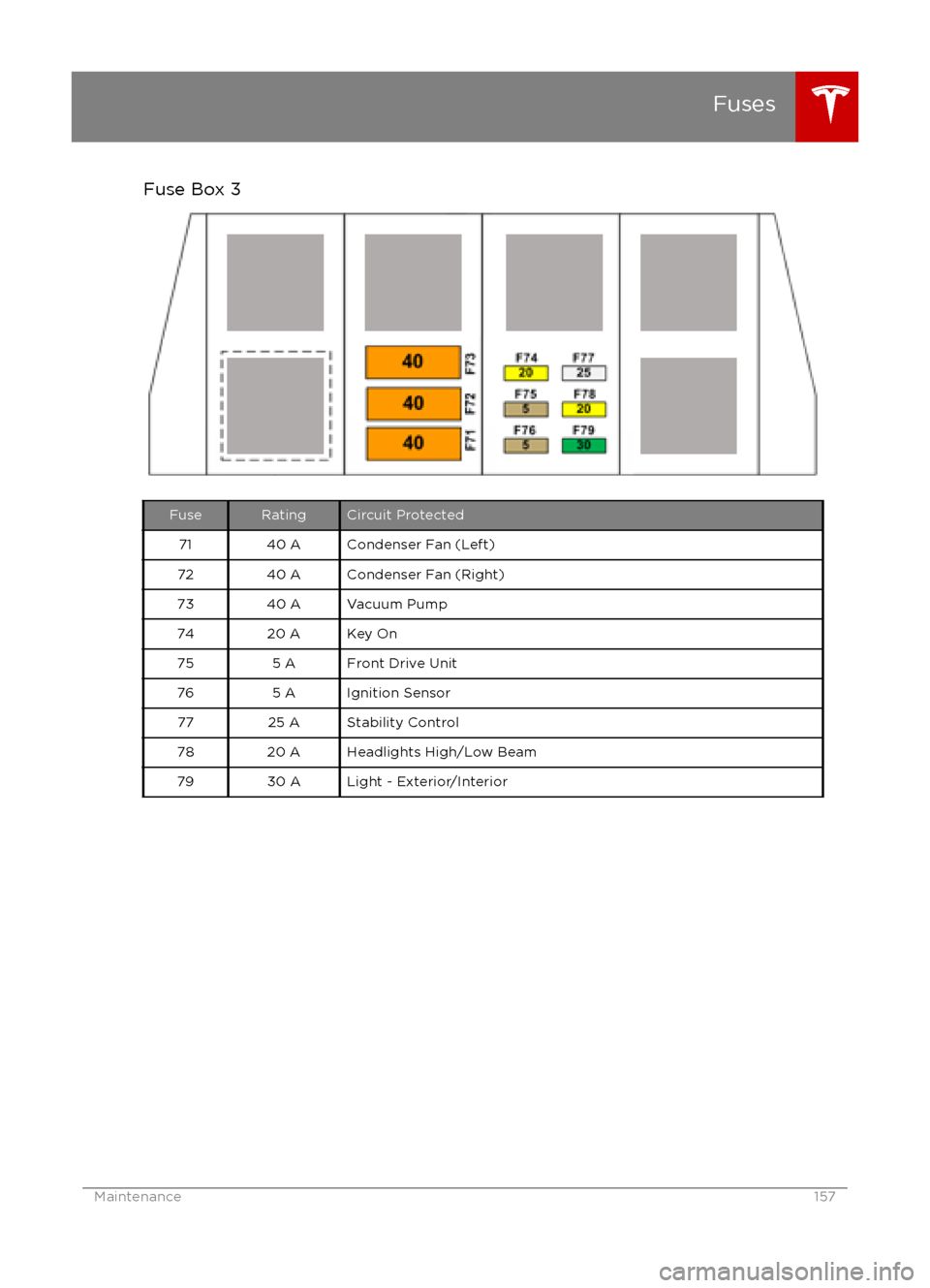
Fuse Box 3FuseRatingCircuit Protected7140 ACondenser Fan (Left)7240 ACondenser Fan (Right)7340 AVacuum Pump7420 AKey On755 AFront Drive Unit765 AIgnition Sensor7725 AStability Control7820 AHeadlights High/Low Beam7930 ALight - Exterior/Interior
Fuses
Maintenance157
Page 177 of 190

3. If applicable, disconnect the bumpersensors.
If Model S is equipped with Autopilot
components (see About Driver Assistance
on page 65), you also need to disconnect
the cords for the ultrasonic sensors. To do
so, press down on the tab and pull to release.
4. Insert the towing eye.
Fully insert the towing eye into the
opening on the right side, then turn it
counter-clockwise until securely fastened.
5. Attach the winch cable to the towing eye.
Caution: Before pulling, make sure the
towing eye is securely tightened.Pull Onto the Trailer and Secure the
Wheels
Secure wheels using the eight-point tie-downmethod with basket straps or tie-down straps: