park assist TESLA MODEL S 2016 Owner's Manual
[x] Cancel search | Manufacturer: TESLA, Model Year: 2016, Model line: MODEL S, Model: TESLA MODEL S 2016Pages: 190, PDF Size: 4.85 MB
Page 3 of 190
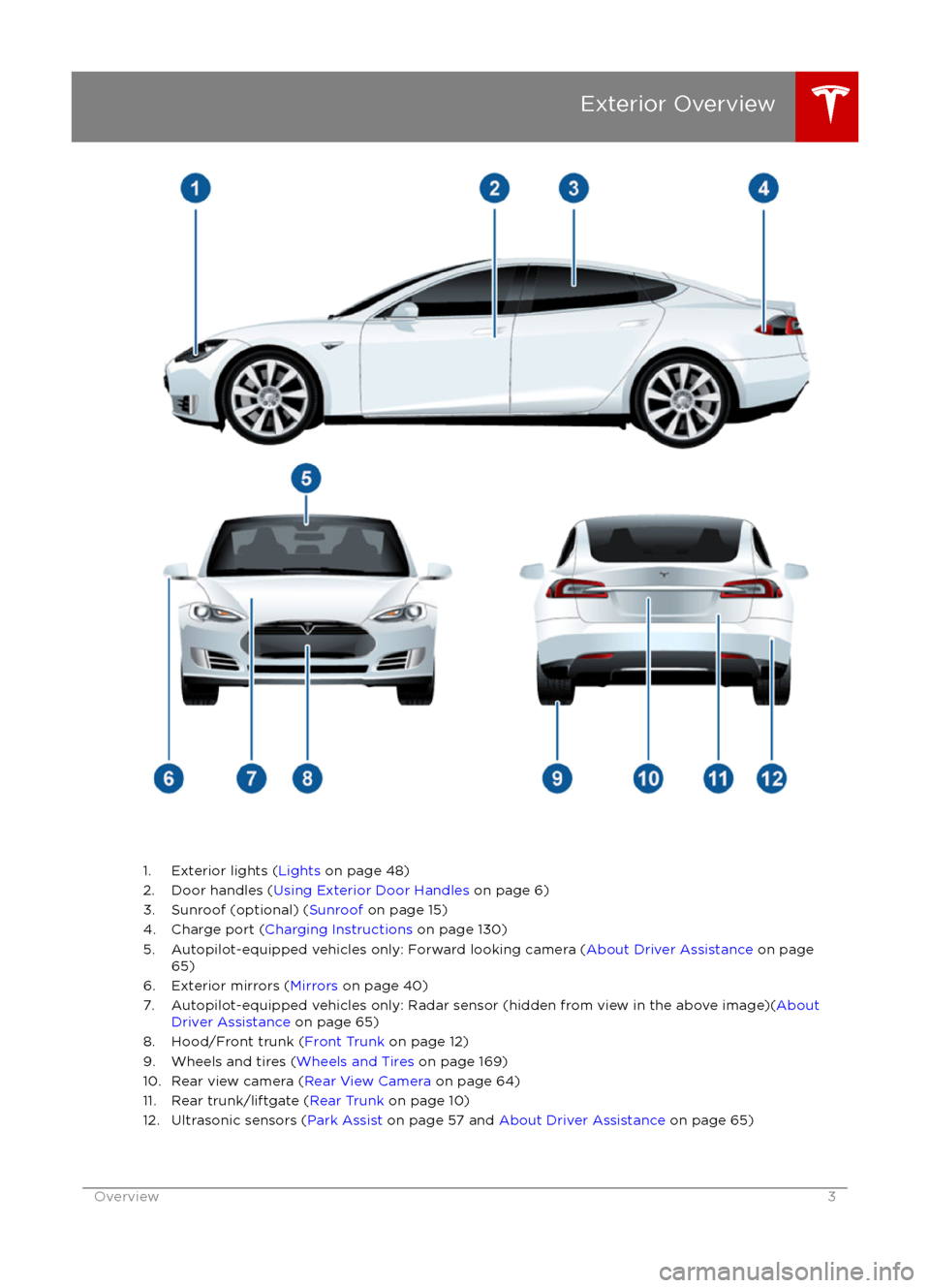
1. Exterior lights (Lights on page 48)
2. Door handles ( Using Exterior Door Handles on page 6)
3. Sunroof (optional) ( Sunroof on page 15)
4. Charge port ( Charging Instructions on page 130)
5. Autopilot-equipped vehicles only: Forward looking camera ( About Driver Assistance on page
65)
6. Exterior mirrors ( Mirrors on page 40)
7. Autopilot-equipped vehicles only: Radar sensor (hidden from view in the above image)( About
Driver Assistance on page 65)
8. Hood/Front trunk ( Front Trunk on page 12)
9. Wheels and tires ( Wheels and Tires on page 169)
10. Rear view camera ( Rear View Camera on page 64)
11. Rear trunk/liftgate ( Rear Trunk on page 10)
12. Ultrasonic sensors ( Park Assist on page 57 and About Driver Assistance on page 65)
Exterior Overview
Overview3
Page 47 of 190

8. Use the right steering wheel buttons to change what displays on the right side of theinstrument panel whenever a phone call is not active (see Using Left Steering Wheel Buttons
on page 37).
9. Total estimated driving distance (or energy) available. Instead of driving distance, you can display the percentage of battery energy remaining. To do so, touch Controls > Settings >
Units & Format > Energy & Charging (see Settings on page 99).
Note: When anticipating when you need to charge, use range estimates as a general guideline only.
Note: In cold weather, some of the stored energy in the Battery may not be available on your drive because the Battery is too cold. When this happens, a portion of the Battery meter isblue and the driving distance value has a
snowflake image next to it. If Model S is plugged in,
you can heat your Battery using wall power by turning on climate control using the mobile app. When the Battery warms up, the blue portion on the meter and the
snowflake image are
no longer displayed.
10. The speed limit (if available) that is currently being detected by Speed Assist (see Speed
Assist on page 88).
11. The car in front of you (if applicable).
12. Pay attention to important driving-related messages that appear at the bottom center of the instrument panel.
13. Your Model S.
14. When Autosteer is active, the driving lane is highlighted in blue (see Autosteer on page 74).
The lane may highlight in red If a front wheel passes over a lane marking and the associated
turn signal is
off (see Lane Assist on page 83).
15. The following distance that Traffic-Aware Cruise Control will maintain from the car in front of
you. You can adjust the following distance as appropriate for driving conditions (see Traffic-
Aware Cruise Control on page 68).
16. Currently selected gear: Park, Reverse, Neutral, or Drive.
Instrument Panel
Driving47
Page 57 of 190
How Park Assist Works
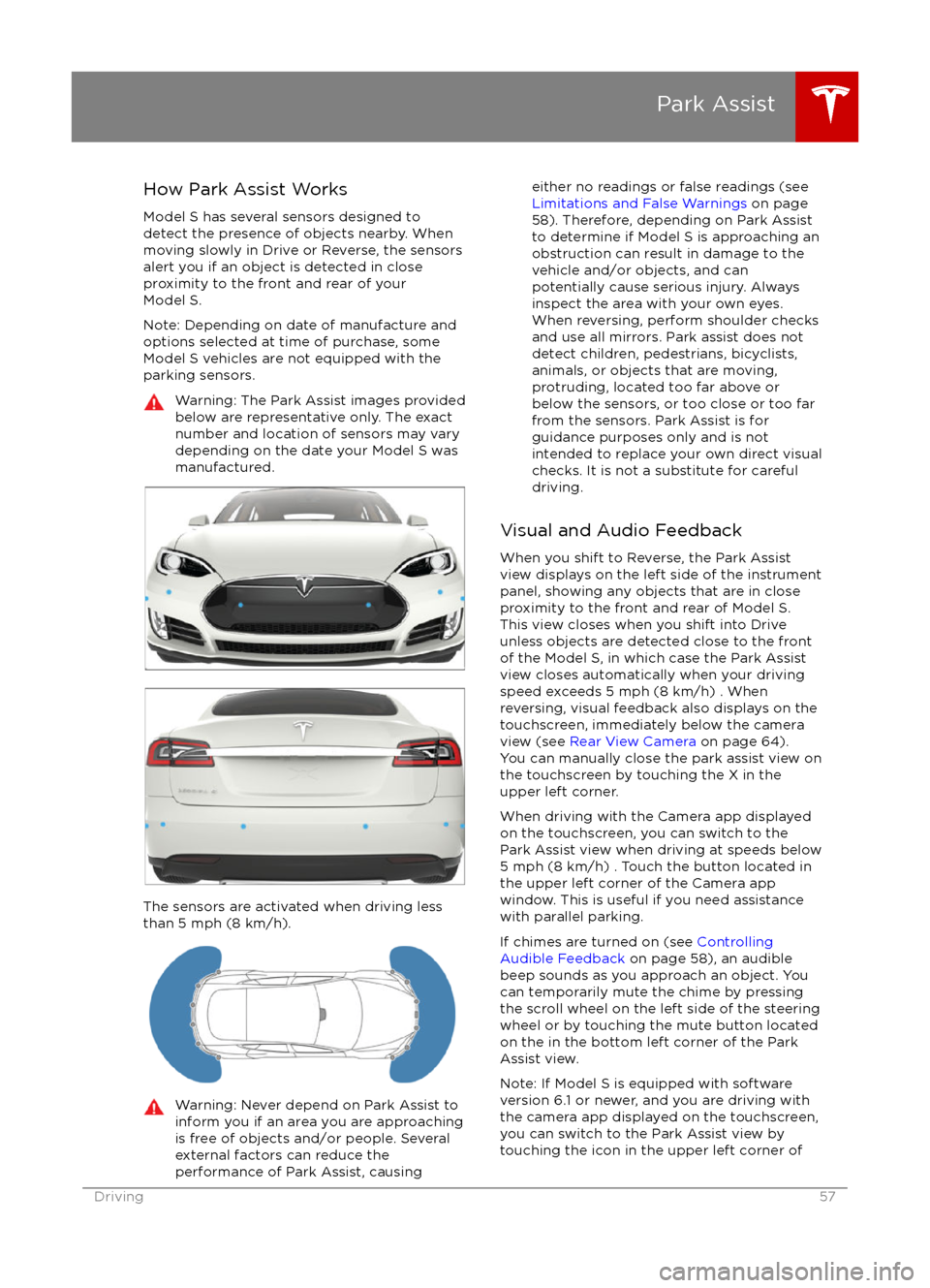
Model S has several sensors designed to detect the presence of objects nearby. When
moving slowly in Drive or Reverse, the sensors
alert you if an object is detected in close proximity to the front and rear of your
Model S.
Note: Depending on date of manufacture and options selected at time of purchase, someModel S vehicles are not equipped with theparking sensors.Warning: The Park Assist images provided
below are representative only. The exact
number and location of sensors may vary
depending on the date your Model S was
manufactured.
The sensors are activated when driving less
than 5 mph (8 km/h).
Warning: Never depend on Park Assist to
inform you if an area you are approaching is free of objects and/or people. Several
external factors can reduce the
performance of Park Assist, causingeither no readings or false readings (see
Limitations and False Warnings on page
58). Therefore, depending on Park Assist
to determine if Model S is approaching an obstruction can result in damage to the
vehicle and/or objects, and can
potentially cause serious injury. Always
inspect the area with your own eyes.
When reversing, perform shoulder checks and use all mirrors. Park assist does not
detect children, pedestrians, bicyclists,
animals, or objects that are moving, protruding, located too far above or
below the sensors, or too close or too far
from the sensors. Park Assist is for
guidance purposes only and is not intended to replace your own direct visual
checks. It is not a substitute for careful
driving.
Visual and Audio Feedback
When you shift to Reverse, the Park Assist
view displays on the left side of the instrument
panel, showing any objects that are in close
proximity to the front and rear of Model S.
This view closes when you shift into Drive
unless objects are detected close to the front
of the Model S, in which case the Park Assist
view closes automatically when your driving
speed exceeds 5 mph (8 km/h) . When
reversing, visual feedback also displays on the
touchscreen, immediately below the camera
view (see Rear View Camera on page 64).
You can manually close the park assist view on
the touchscreen by touching the X in the
upper left corner.
When driving with the Camera app displayed
on the touchscreen, you can switch to the
Park Assist view when driving at speeds below
5 mph (8 km/h) . Touch the button located in the upper left corner of the Camera appwindow. This is useful if you need assistance
with parallel parking.
If chimes are turned on (see Controlling
Audible Feedback on page 58), an audible
beep sounds as you approach an object. You
can temporarily mute the chime by pressing
the scroll wheel on the left side of the steering
wheel or by touching the mute button located
on the in the bottom left corner of the Park Assist view.
Note: If Model S is equipped with software
version 6.1 or newer, and you are driving with
the camera app displayed on the touchscreen,
you can switch to the Park Assist view by
touching the icon in the upper left corner of
Park Assist
Driving57
Page 58 of 190
the camera app window. You must be drivingat speeds below 5 mph (8 km/h).
Note: If a sensor is unable to provide
feedback, the instrument panel displays an
alert message.Caution: Keep sensors clean from dirt,
debris, snow, and ice. Avoid using a high
pressure power washer on the sensors
and do not clean a sensor with a sharp or abrasive object that can scratch or
damage its surface.Caution: Do not install accessories or
stickers on or near the parking sensors.
Controlling Audible Feedback
You can use Park Assist with or without
audible feedback. To turn chimes on or
off,touch Controls > Settings > Safety &
Security > Park Assist Chimes.
You can also mute the chimes temporarily by
pressing the scroll wheel on the left side of the steering wheel or by touching the mute buttonin the bottom left corner of the Park Assist
view. The chimes are muted until you shift into
a
different gear or drive over 5 mph (8 km/h).
Limitations and False Warnings
The parking sensors may not function
correctly in these situations:
Page 64 of 190
Camera Location
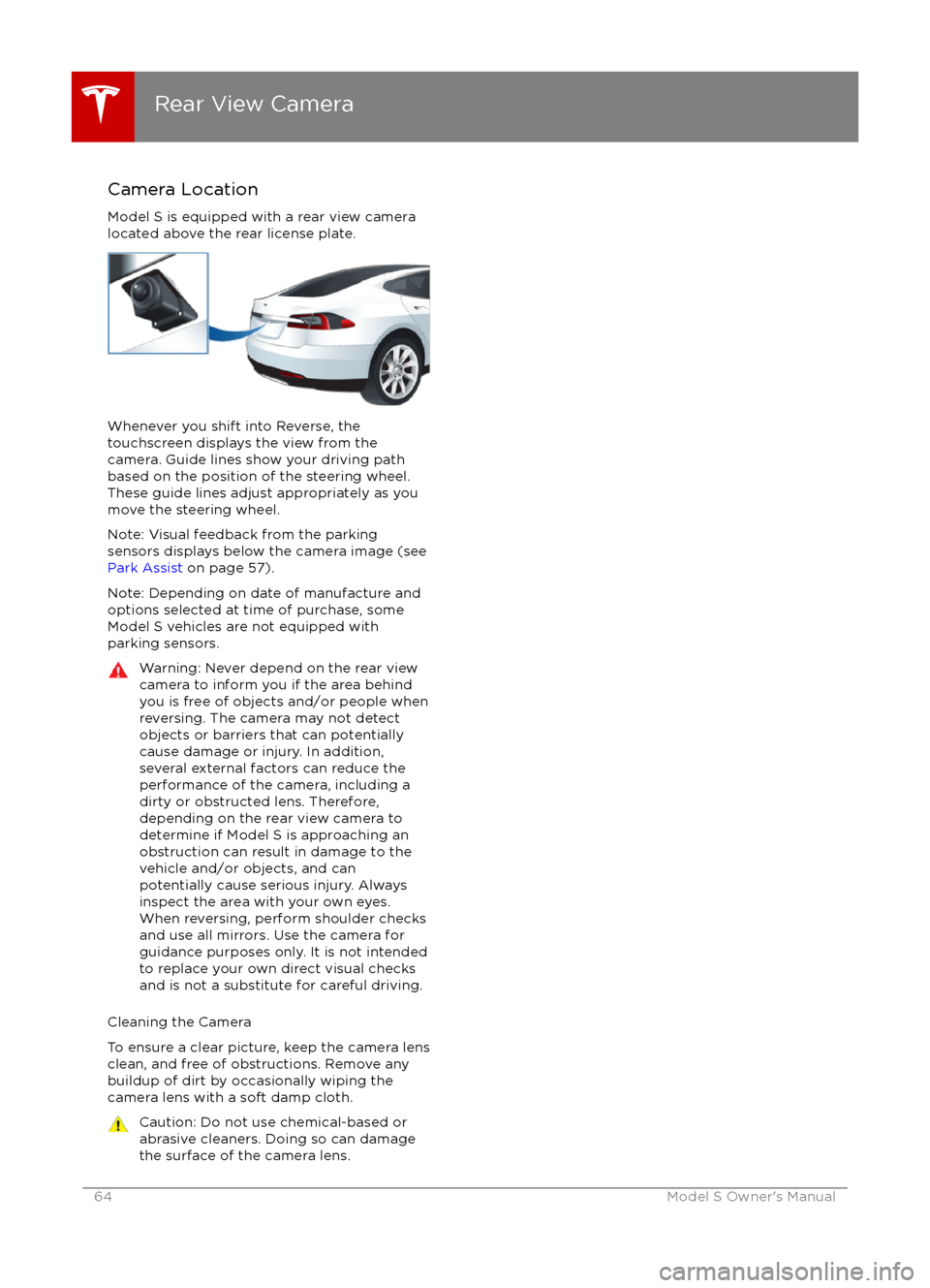
Model S is equipped with a rear view camera
located above the rear license plate.
Whenever you shift into Reverse, the
touchscreen displays the view from the
camera. Guide lines show your driving path
based on the position of the steering wheel. These guide lines adjust appropriately as you
move the steering wheel.
Note: Visual feedback from the parking
sensors displays below the camera image (see
Park Assist on page 57).
Note: Depending on date of manufacture and
options selected at time of purchase, some Model S vehicles are not equipped with
parking sensors.
Warning: Never depend on the rear view
camera to inform you if the area behind
you is free of objects and/or people when
reversing. The camera may not detect
objects or barriers that can potentially
cause damage or injury. In addition, several external factors can reduce the
performance of the camera, including a
dirty or obstructed lens. Therefore,
depending on the rear view camera to
determine if Model S is approaching an
obstruction can result in damage to the vehicle and/or objects, and can
potentially cause serious injury. Always
inspect the area with your own eyes.
When reversing, perform shoulder checks and use all mirrors. Use the camera forguidance purposes only. It is not intendedto replace your own direct visual checks
and is not a substitute for careful driving.
Cleaning the Camera
To ensure a clear picture, keep the camera lens clean, and free of obstructions. Remove any
buildup of dirt by occasionally wiping the
camera lens with a soft damp cloth.
Caution: Do not use chemical-based or abrasive cleaners. Doing so can damage
the surface of the camera lens.
Rear View Camera
64Model S Owner
Page 79 of 190
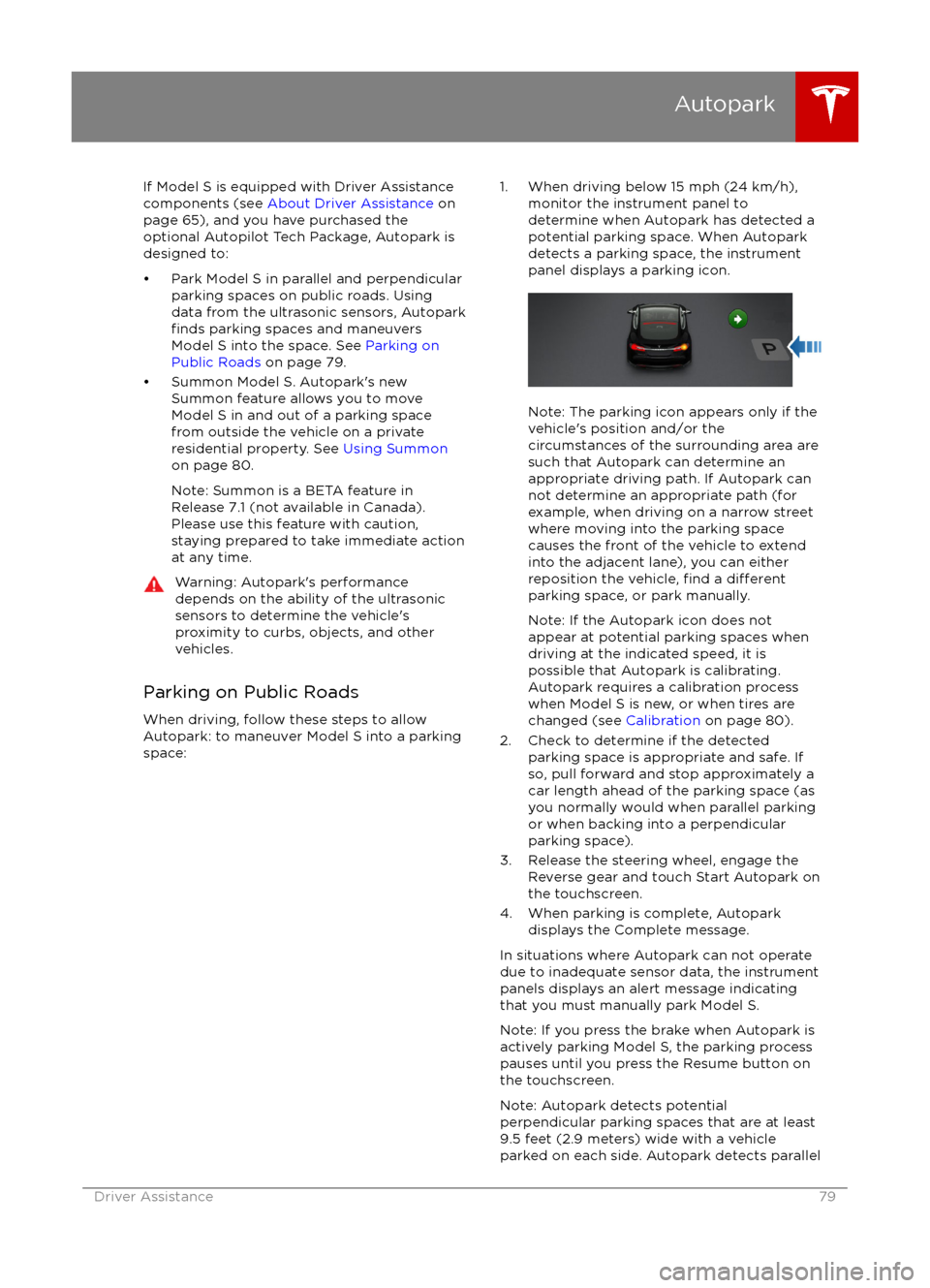
If Model S is equipped with Driver Assistance
components (see About Driver Assistance on
page 65), and you have purchased the
optional Autopilot Tech Package, Autopark is
designed to:
Page 154 of 190

FuseRatingCircuit Protected1820 APremium Audio Amplifier19OpenNot Used20OpenNot Used2115 APark Assist225 AThermal System Controls (Main Power)2315 ANot Used245 ACoolant Pump 32515 ADrive Inverter2615 ACoolant Pump 12710 ASRS (Seating and Safety Restraints) Control Module
Fuses
154Model S Owner
Page 185 of 190
AABS (Anti-lock Braking System) 54
Acceleration (dual motor) 94
access panel, removing 149accessoriesinstalling 159
plugging into power socket 113
air circulation 105
air conditioning 104
air distribution 105
air
filter 107
air suspension 109
air vents 107
airbags 31
alarm 121
all-season tires 137
always connected, setting 62
anti-lock braking (ABS) 54
audioplaying files 110
steering wheel buttons 37
volume control 110
Auto High Beam 51
Auto Lane Change 77
auto-raising suspension 108
automatic emergency braking 85
Autopark 79
Autopilot 65
Autosteer 74
B backup camera 64
battery (12V)complete discharge 129specifications 167Battery (high voltage)care of 129
coolant 149
specifications 168
temperature limits 129
battery (key), replacing 5
blind spot warning 83
Bluetoothdevices, playing audio files from 112
general information 114
phone, pairing and using 114
body repairs 159
body touch up 146
brake
fluid replacement 134
brakesautomatic in emergencies 85fluid level 150
overview of 54
specifications 167
brightness of displays 99
C
cabin temperature control 104
calendar 119
California Proposition 65 180
camera (rear view) 64
car cover 146
car washes 144
cargo volume 164
carpets, cleaning 145
CE
certifications 182
CHAdeMO 128
chains 138
change of ownership 103
charge port 130
charge port light 131
chargingcharge settings 132
components and equipment 127
instructions 130
public charging stations 128
scheduling 132
status of 133child protectiondisabling liftgate and rear door handles 7
disabling rear window switches 9child seatscleaning 145
installing and using 22
Tesla built-in rear facing 27
cleaning 144
climate controls 104
climate ionizer 99
clock 37
Cold Weather controls 94
collision avoidance assist 85
console12V power socket 113
cup holders 16
USB ports 113contact informationroadside assistance 174
Tesla 181coolantBattery, checking level of 149
Battery, replacement interval 134
copyrights 178, 179
Creep 94
cruise control 68
cup holders 16
customizing 99
D
dashboard overview 2
data recording 180
day mode 99
declarations of conformity 182
Index
Index185
Page 186 of 190
delivery mileage 180devicesBluetooth, playing audio files 112
connecting 113
playing audio
files from 112
dimensions 163
display brightness 99
dome (map) lights 48
door handles 6
door labels 161
Door Unlock Mode 7
doors 4
doors, opening 4
Drive gear 42
drive-away locking 7
driverprofiles 35
seat adjustment 17driver assistanceAuto Lane Change 77
automatic emergency braking 85
Autopark 79
Autosteer 74
blind spot warning 83
collision avoidance assist 85
forward collision warning 85
overtake acceleration 68
overview 65
settings for 99
side collision avoidance 83
side collision warning 83
staying inside lane markings 83
Traffic-Aware Cruise Control 68
drivingseating position 17
starting 41
tips to maximize range 62
E
electric parking brake 55
emergency
flashers 52
emergency rear door opening 8
emission label 160
energygained from regenerative braking 55
range information 43, 46
tips to minimize usage of 62
energy & charging setting 99
energy app 62
energy saving mode 62
Erase & Reset 103
event data recording 180
exteriorcar cover 146
cleaning 144
dimensions 163
lights 48exterior (continued)overview 3
polishing, touch up, & repair 146
F
factory defaults, restoring 103
factory reset 103
fan speed, interior 105
favorites, adding and removing 112
FCC
certifications 182
features, downloading new 125
firmware (software) updates 125flash drives, playing audio files from 112flashers, warning 52flat tire repair 140floor mats 146
fluidsreplacement intervals 134
reservoirs, checking 149
fog lights 48
forward collision warning 85
front passenger detection 33
front trunk 12
fuseslocation of 152
removing access panel 149
G
garage doors, opening 122
gates, opening 122
GAWR 161
gears 42
glove box 14
Gross Axle Weight Rating 161
Gross Vehicle Weight Rating 161
ground clearance 163
GVWR 161
H
hazard warning
flashers 52
head supports 18
headlightsafter exit 51
high beams 51
heated wipers 53
heating 104
height adjustments (suspension)auto-raising 108
automatic and manual settings 109
disabling (Jack mode) 109
high beam headlights 51
high voltageBattery specifications 168
Index
186Model S Owner
Page 188 of 190
odometerresetting trip odometer 61
outside temperature 37
overhang dimensions 163
overtake acceleration 68
Owner Information, about 178, 179
P Park Assist 57
Park gear 42
parking brake 55
parking, automatic 79
parts replacement 159
passenger detection 33
passenger front airbag 33
personal data, erasing 103
phonesteering wheel controls for 38
using 114
PIN 35
power management 62
power socket 113
power windows 9
powering on and
off 41
Preconditioning 99
preferences, setting 99
Proposition 65 180
public charging stations 128
R
radar 65
radio 110
Radio Frequency information 182
radio frequency, FCC information 184
rain sensor 53
rangedisplayed on instrument panel 43, 46
driving tips to maximize 62
regenerative braking 55
range assurance 62
range mode 62
Range Mode 94
Rated range 99
rear seats, folding and raising 18
rear view camera 64
rear window switches, disabling 9
regenerative braking 55
region format 99
release notes 125
Reverse gear 42
roadside assistance 174
roof racks 162
rotating tires 136
route overview 116
Ssafety defectsreporting (Canada) 181
reporting (U.S.) 181
safety defects, reporting 181
safety informationairbags 34
child seats 26
rear facing child seats 30
seat belts 20seat beltscleaning 145
in a collision 20
overview of 19
pre-tensioners 20
wearing when pregnant 19
seat covers 18
seat heaters 104
seating capacity 161
seatsadjusting 17
heaters 104
Tesla built-in rear facing 27
security settings 121
self parking and unparking 79
sensors 65
service data recording 180
service intervals 134
Settings 99
Settings, erasing 103
shifting gears 42
side collision avoidance 83
side collision warning 83
Slacker 111
slip start 56
Smart Preconditioning 99
software reset 103
software updates 125
specificationscargo volume 164
dimensions 163
exterior 163
interior 163
motor 166
subsystems 166
tires 169
weights 165
wheels 169
stability control 56
starting 41
steering
specifications 166
steering wheel 37
steering, automatic 74
summer tires 137
Summon 79
sunroof 15
suspension 109
suspension
specifications 167
Index
188Model S Owner