brake TESLA MODEL S 2021 Owner´s Manual
[x] Cancel search | Manufacturer: TESLA, Model Year: 2021, Model line: MODEL S, Model: TESLA MODEL S 2021Pages: 281, PDF Size: 7.63 MB
Page 93 of 281
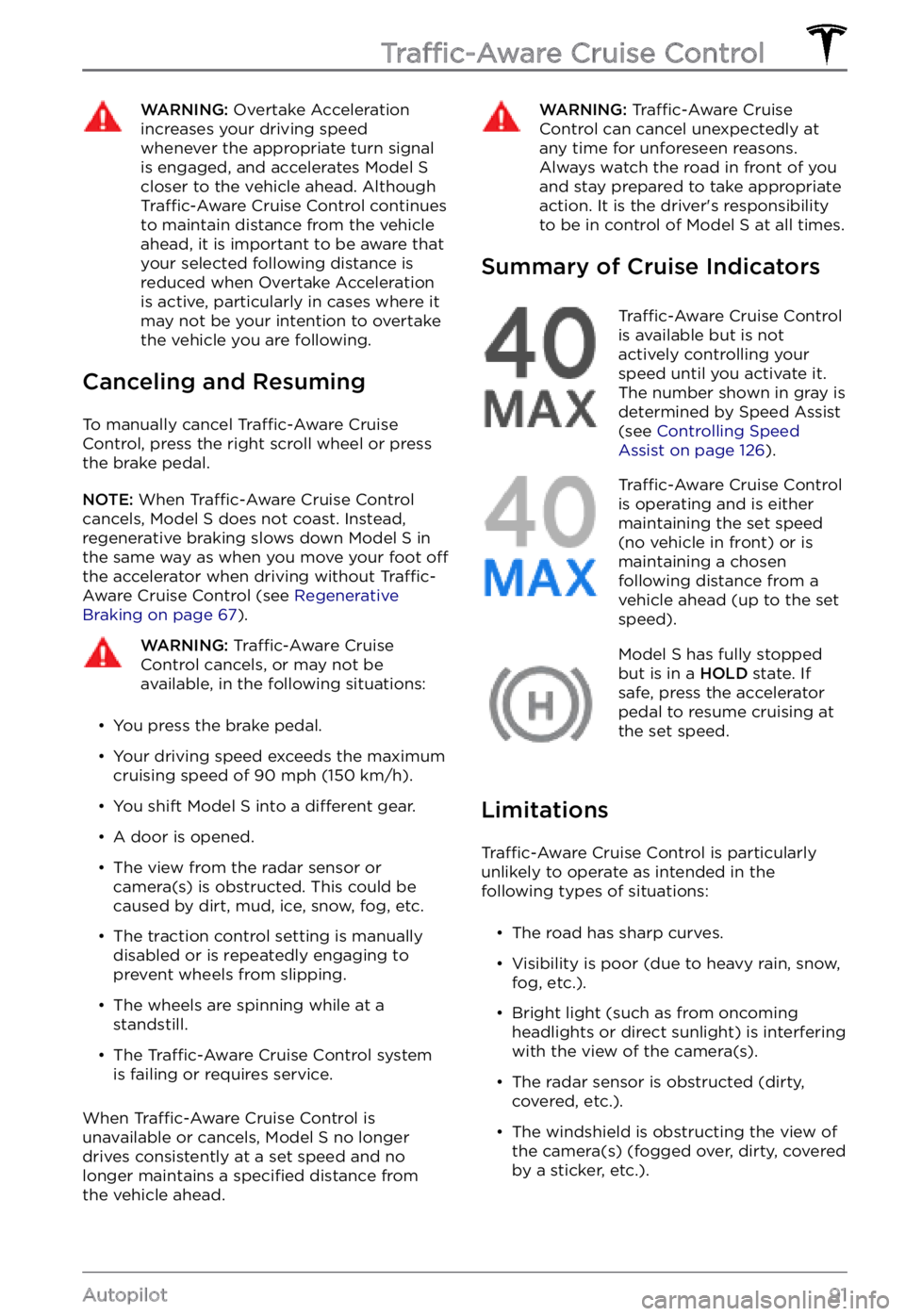
WARNING: Overtake Acceleration increases your driving speed whenever the appropriate turn signal is engaged, and accelerates Model S closer to the vehicle ahead. Although Traffic-Aware Cruise Control continues to maintain distance from the vehicle ahead, it is important to be aware that your selected following distance is reduced when Overtake Acceleration is active, particularly in cases where it may not be your intention to overtake the vehicle you are following.
Canceling and Resuming
To manually cancel Traffic-Aware Cruise
Control, press the right scroll wheel or press
the brake pedal.
NOTE: When Traffic-Aware Cruise Control
cancels, Model S does not coast. Instead,
regenerative braking slows down Model S in
the same way as when you move your foot off the accelerator when driving without Traffic-Aware Cruise Control (see Regenerative Braking on page 67).
WARNING: Traffic-Aware Cruise Control cancels, or may not be available, in the following situations:
Page 112 of 281

WARNING: When Autopark is active, monitor the touchscreen and instrument panel to ensure that you are aware of the instructions that Autopark is providing.
To Pause Parking
To pause Autopark, press the brake pedal
once. Model S stops and remains stopped
until you touch Resume on the touchscreen.
To Cancel Parking
Autopark cancels the parking sequence when
you manually move the steering yoke, change
gears, or touch Cancel on the touchscreen.
Autopark also cancels parking when:
Page 125 of 281
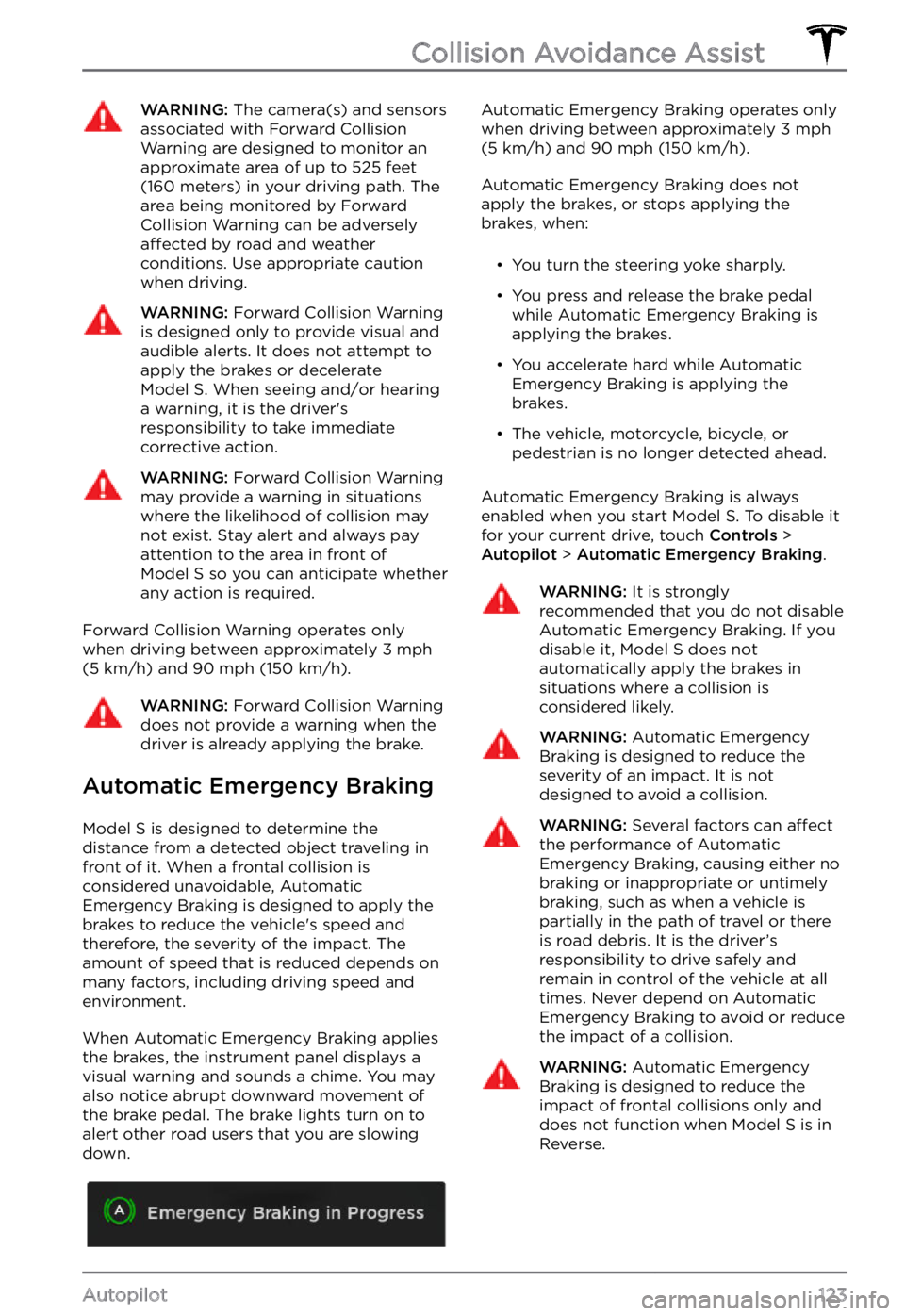
WARNING: The camera(s) and sensors associated with Forward Collision Warning are designed to monitor an approximate area of up to 525 feet (160 meters) in your driving path. The area being monitored by Forward Collision Warning can be adversely affected by road and weather conditions. Use appropriate caution when driving.
WARNING: Forward Collision Warning is designed only to provide visual and audible alerts. It does not attempt to apply the brakes or decelerate Model S. When seeing and/or hearing a warning, it is the driver
Page 126 of 281
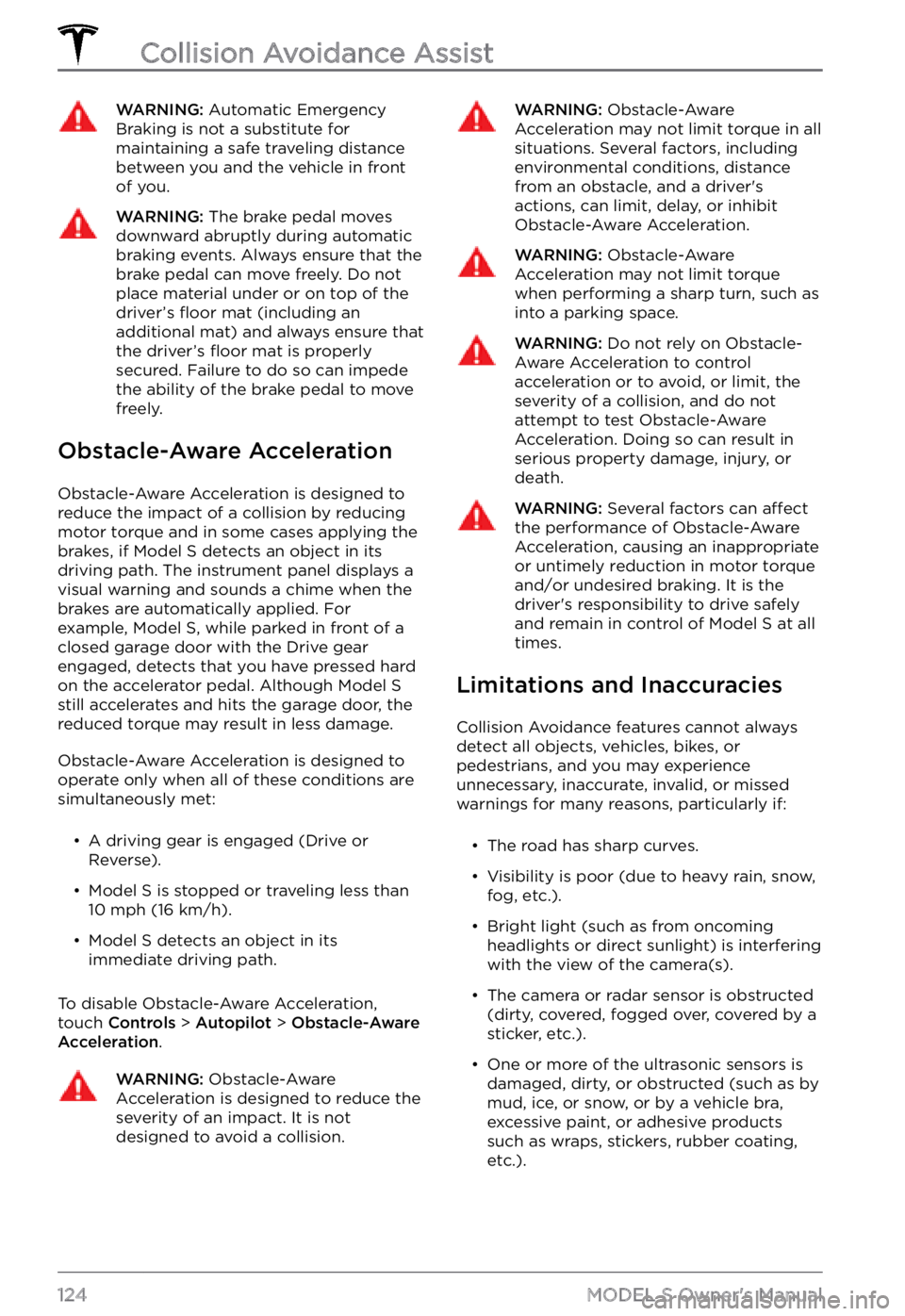
WARNING: Automatic Emergency Braking is not a substitute for maintaining a safe traveling distance between you and the vehicle in front of you.
WARNING: The brake pedal moves downward abruptly during automatic braking events. Always ensure that the brake pedal can move freely. Do not place material under or on top of the driver
Page 161 of 281
Touch Show Suspension Data to display
detailed information about the dampers for
each wheel, including ride height,
compression and rebound values, and body accelerations.
Auto-Raising Suspension
Auto-raising suspension saves you from
manually having to raise the suspension every
time you arrive at a frequently-used location
where you have previously raised the
suspension. Whenever you raise the suspension to
High or Very High, you can
touch Always Auto-Raise at This Location to
save the location. When you return to the
saved location,
Model S raises the suspension
and the instrument panel displays a message
indicating that the suspension is being raised.
NOTE: When returning to a saved location
and driving faster than the High and Very High suspension settings allow, the
suspension does not raise until
Model S slows
down.
NOTE: After leaving a saved location, the
suspension automatically lowers. However, it
may not lower until you are driving faster than the speed threshold at which the suspension lowers.
NOTE: If Model S reaches a saved location
and the existing suspension setting is already
higher than the level that has been saved for
that location, the ride height is not adjusted.
To remove an auto-raising location
If you do not want the suspension to auto- raise at a saved location, touch the X in the
auto-raising location status message that
displays at a saved location. Doing so
removes the auto-raise location and the suspension no longer raises automatically
when you arrive at the location.
Self-Leveling
Model S equipped with air suspension
automatically self-levels, even when power is
off. To prevent damage when jacking or lifting
the vehicle, you must activate Jack mode to
disable self-leveling (press the brake pedal
and touch
Controls > Service > Jack Mode).
For more details, see Jack Mode on page 201.
Air Suspension
159Using the Touchscreen
Page 196 of 281
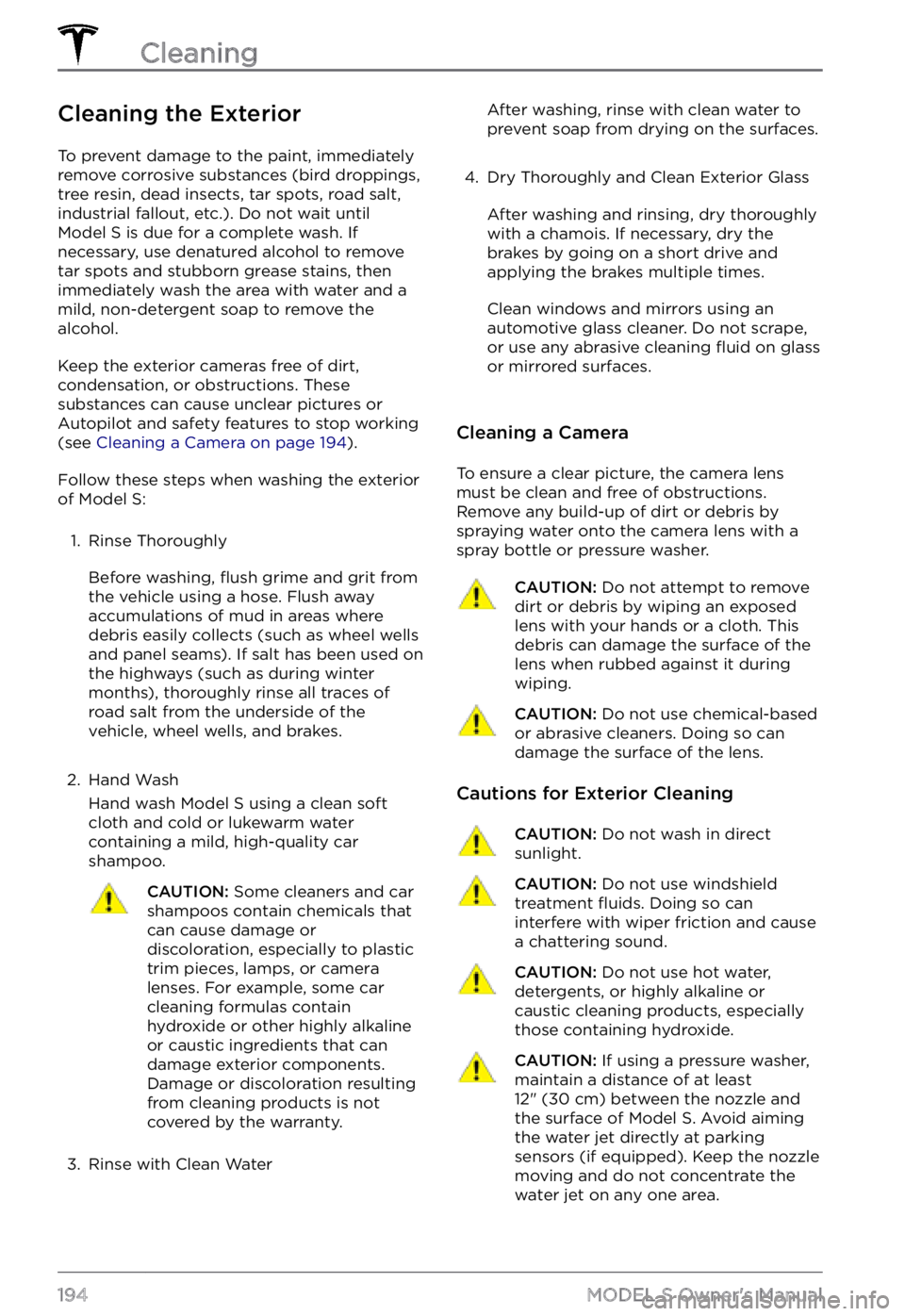
Cleaning the Exterior
To prevent damage to the paint, immediately
remove corrosive substances (bird droppings, tree resin, dead insects, tar spots, road salt,
industrial fallout, etc.). Do not wait until
Model S is due for a complete wash. If
necessary, use denatured alcohol to remove
tar spots and stubborn grease stains, then
immediately wash the area with water and a
mild, non-detergent soap to remove the alcohol.
Keep the exterior cameras free of dirt,
condensation, or obstructions. These
substances can cause unclear pictures or
Autopilot and safety features to stop working
(see
Cleaning a Camera on page 194).
Follow these steps when washing the exterior
of Model S:
1.
Rinse Thoroughly
Before washing, flush grime and grit from
the vehicle using a hose. Flush away
accumulations of mud in areas where
debris easily collects (such as wheel wells
and panel seams). If salt has been used on the highways (such as during winter months), thoroughly rinse all traces of road salt from the underside of the vehicle, wheel wells, and brakes.
2.
Hand Wash
Hand wash Model S using a clean soft
cloth and cold or lukewarm water
containing a mild, high-quality car shampoo.
CAUTION: Some cleaners and car shampoos contain chemicals that can cause damage or discoloration, especially to plastic trim pieces, lamps, or camera lenses. For example, some car cleaning formulas contain hydroxide or other highly alkaline or caustic ingredients that can damage exterior components. Damage or discoloration resulting from cleaning products is not covered by the warranty.
3.
Rinse with Clean Water
After washing, rinse with clean water to
prevent soap from drying on the surfaces.4.
Dry Thoroughly and Clean Exterior Glass
After washing and rinsing, dry thoroughly
with a chamois. If necessary, dry the
brakes by going on a short drive and applying the brakes multiple times.
Clean windows and mirrors using an
automotive glass cleaner. Do not scrape,
or use any abrasive cleaning
fluid on glass
or mirrored surfaces.
Cleaning a Camera
To ensure a clear picture, the camera lens
must be clean and free of obstructions.
Remove any build-up of dirt or debris by
spraying water onto the camera lens with a
spray bottle or pressure washer.
CAUTION: Do not attempt to remove dirt or debris by wiping an exposed lens with your hands or a cloth. This debris can damage the surface of the lens when rubbed against it during wiping.
CAUTION: Do not use chemical-based or abrasive cleaners. Doing so can damage the surface of the lens.
Cautions for Exterior Cleaning
CAUTION: Do not wash in direct sunlight.CAUTION: Do not use windshield treatment fluids. Doing so can interfere with wiper friction and cause a chattering sound.
CAUTION: Do not use hot water, detergents, or highly alkaline or caustic cleaning products, especially those containing hydroxide.
CAUTION: If using a pressure washer, maintain a distance of at least 12" (30 cm) between the nozzle and the surface of Model S. Avoid aiming the water jet directly at parking sensors (if equipped). Keep the nozzle moving and do not concentrate the water jet on any one area.
Cleaning
194MODEL S Owner
Page 197 of 281
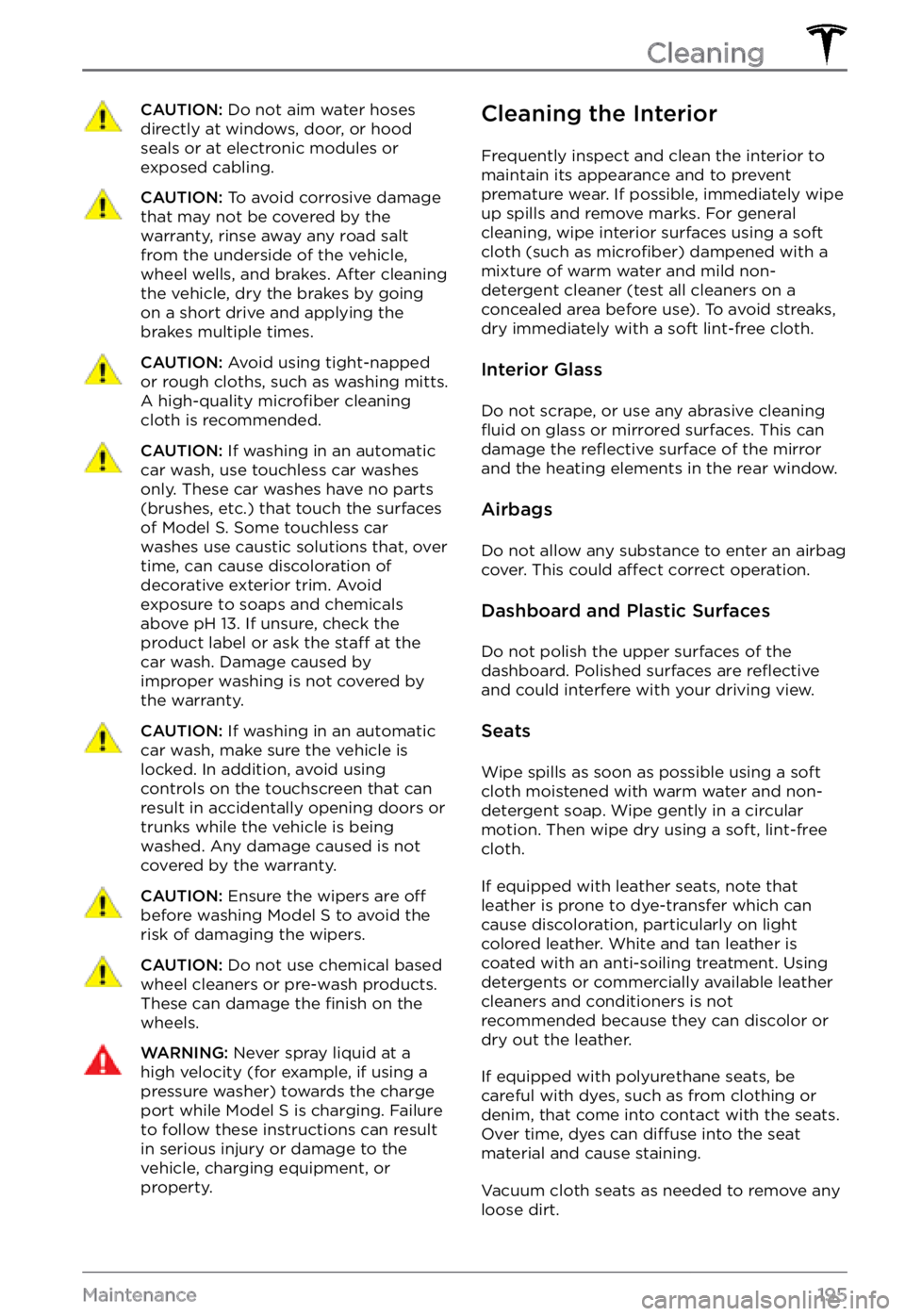
CAUTION: Do not aim water hoses directly at windows, door, or hood seals or at electronic modules or exposed cabling.
CAUTION: To avoid corrosive damage that may not be covered by the warranty, rinse away any road salt from the underside of the vehicle, wheel wells, and brakes. After cleaning the vehicle, dry the brakes by going on a short drive and applying the brakes multiple times.
CAUTION: Avoid using tight-napped or rough cloths, such as washing mitts. A high-quality microfiber cleaning cloth is recommended.
CAUTION: If washing in an automatic car wash, use touchless car washes only. These car washes have no parts (brushes, etc.) that touch the surfaces of Model S. Some touchless car washes use caustic solutions that, over time, can cause discoloration of decorative exterior trim. Avoid exposure to soaps and chemicals above pH 13. If unsure, check the product label or ask the staff at the car wash. Damage caused by improper washing is not covered by the warranty.
CAUTION: If washing in an automatic car wash, make sure the vehicle is locked. In addition, avoid using controls on the touchscreen that can result in accidentally opening doors or trunks while the vehicle is being washed. Any damage caused is not covered by the warranty.
CAUTION: Ensure the wipers are off
before washing Model S to avoid the risk of damaging the wipers.
CAUTION: Do not use chemical based wheel cleaners or pre-wash products. These can damage the finish on the wheels.
WARNING: Never spray liquid at a high velocity (for example, if using a pressure washer) towards the charge port while Model S is charging. Failure to follow these instructions can result in serious injury or damage to the vehicle, charging equipment, or property.
Cleaning the Interior
Frequently inspect and clean the interior to
maintain its appearance and to prevent
premature wear. If possible, immediately wipe up spills and remove marks. For general cleaning, wipe interior surfaces using a soft cloth (such as
microfiber) dampened with a
mixture of warm water and mild non-
detergent cleaner (test all cleaners on a
concealed area before use). To avoid streaks,
dry immediately with a soft lint-free cloth.
Interior Glass
Do not scrape, or use any abrasive cleaning fluid on glass or mirrored surfaces. This can
damage the reflective surface of the mirror
and the heating elements in the rear window.
Airbags
Do not allow any substance to enter an airbag
cover. This could affect correct operation.
Dashboard and Plastic Surfaces
Do not polish the upper surfaces of the dashboard. Polished surfaces are reflective and could interfere with your driving view.
Seats
Wipe spills as soon as possible using a soft
cloth moistened with warm water and non- detergent soap. Wipe gently in a circular
motion. Then wipe dry using a soft, lint-free
cloth.
If equipped with leather seats, note that
leather is prone to dye-transfer which can
cause discoloration, particularly on light
colored leather. White and tan leather is
coated with an anti-soiling treatment. Using
detergents or commercially available leather
cleaners and conditioners is not
recommended because they can discolor or dry out the leather.
If equipped with polyurethane seats, be
careful with dyes, such as from clothing or
denim, that come into contact with the seats.
Over time, dyes can
diffuse into the seat
material and cause staining.
Vacuum cloth seats as needed to remove any
loose dirt.
Cleaning
195Maintenance
Page 201 of 281
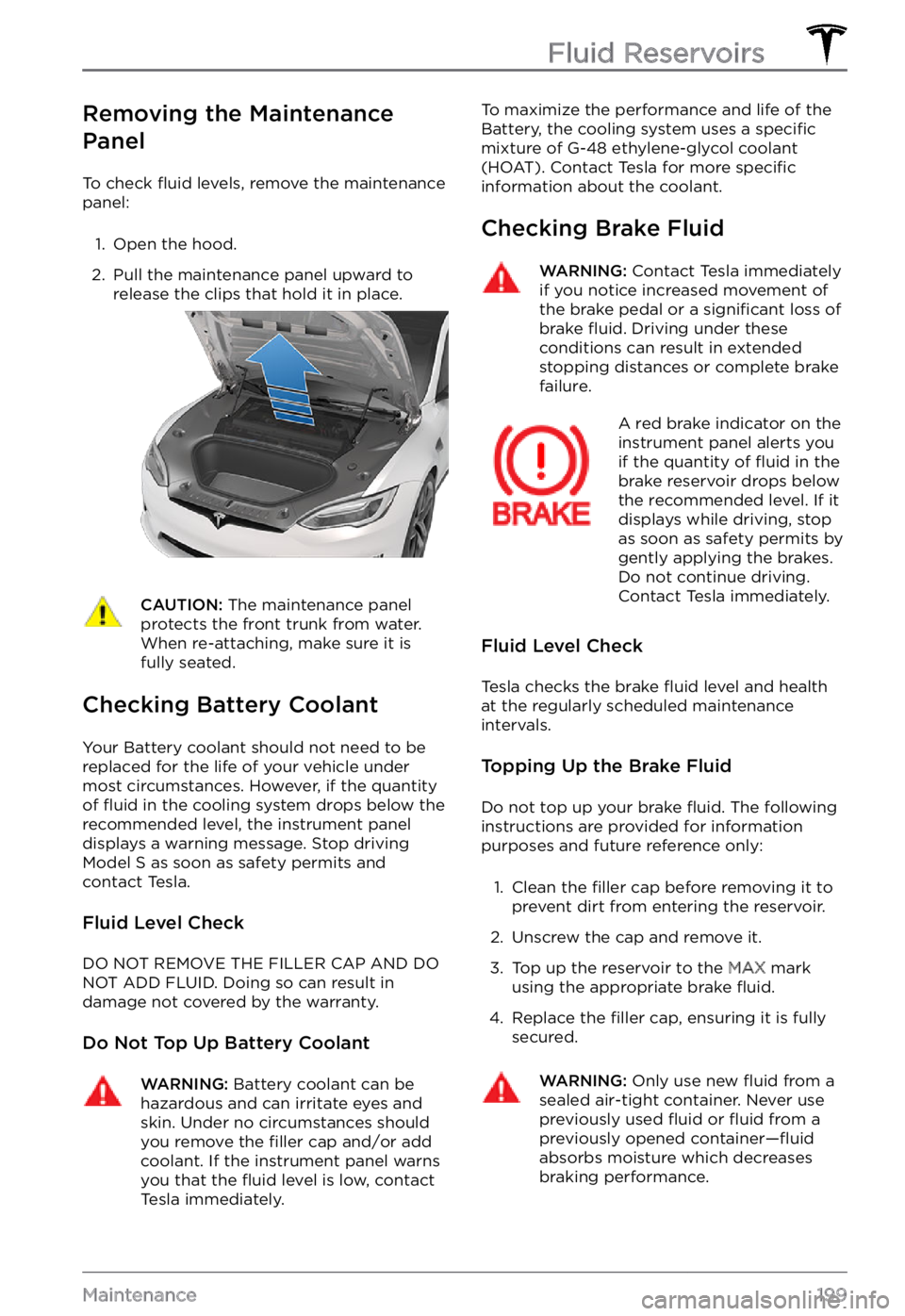
Removing the Maintenance
Panel
To check fluid levels, remove the maintenance
panel:
1.
Open the hood.
2.
Pull the maintenance panel upward to
release the clips that hold it in place.
CAUTION: The maintenance panel protects the front trunk from water. When re-attaching, make sure it is fully seated.
Checking Battery Coolant
Your Battery coolant should not need to be
replaced for the life of your vehicle under
most circumstances. However, if the quantity
of
fluid in the cooling system drops below the
recommended level, the instrument panel displays a warning message. Stop driving Model S as soon as safety permits and
contact Tesla.
Fluid Level Check
DO NOT REMOVE THE FILLER CAP AND DO NOT ADD FLUID. Doing so can result in damage not covered by the warranty.
Do Not Top Up Battery Coolant
WARNING: Battery coolant can be hazardous and can irritate eyes and skin. Under no circumstances should you remove the filler cap and/or add coolant. If the instrument panel warns you that the fluid level is low, contact Tesla immediately.
To maximize the performance and life of the
Battery, the cooling system uses a specific
mixture of G-48 ethylene-glycol coolant
(HOAT). Contact Tesla for more specific information about the coolant.
Checking Brake Fluid
WARNING: Contact Tesla immediately if you notice increased movement of the brake pedal or a significant loss of brake fluid. Driving under these conditions can result in extended stopping distances or complete brake failure.
A red brake indicator on the instrument panel alerts you
if the quantity of fluid in the
brake reservoir drops below
the recommended level. If it
displays while driving, stop
as soon as safety permits by
gently applying the brakes.
Do not continue driving.
Contact Tesla immediately.
Fluid Level Check
Tesla checks the brake fluid level and health
at the regularly scheduled maintenance intervals.
Topping Up the Brake Fluid
Do not top up your brake fluid. The following
instructions are provided for information purposes and future reference only:
1.
Clean the filler cap before removing it to
prevent dirt from entering the reservoir.
2.
Unscrew the cap and remove it.
3.
Top up the reservoir to the MAX mark
using the appropriate brake fluid.
4.
Replace the filler cap, ensuring it is fully
secured.
WARNING: Only use new fluid from a sealed air-tight container. Never use previously used fluid or fluid from a previously opened container
Page 202 of 281

WARNING: Brake fluid is highly toxic. Keep containers sealed and out of the reach of children. In the event of accidental consumption, seek medical attention immediately.
CAUTION: Brake fluid damages painted surfaces. Immediately soak up any spills with an absorbent cloth and wash the area with a mixture of car shampoo and water.
Topping Up Windshield Washer Fluid
The only reservoir into which you can add fluid is the windshield washer fluid reservoir,
which is located behind the front trunk. When
the level is low, a message displays on the
instrument panel.
To top up the washer fluid:
1.
Open the hood.
2.
Clean around the filler cap before opening
it to prevent dirt from entering the
reservoir.
3.
Open the filler cap.
4.
While avoiding spilling, fill the reservoir
until the fluid level is visible just below the filler neck.
5.
Wipe up any spills immediately and wash
the affected area with water.
6.
Replace the filler cap.
NOTE: Some national or local regulations
restrict the use of Volatile Organic Compounds (VOCs). VOCs are commonly
used as antifreeze in washer
fluid. Use a
washer fluid with limited VOC content only if
it provides adequate freeze resistance for all
climates in which you drive
Model S.
CAUTION: Do not add formulated washer fluids that contain water repellent or bug wash. These fluids
can cause streaking, smearing, and squeaking or other noises.
WARNING: In temperatures below 40
Page 210 of 281
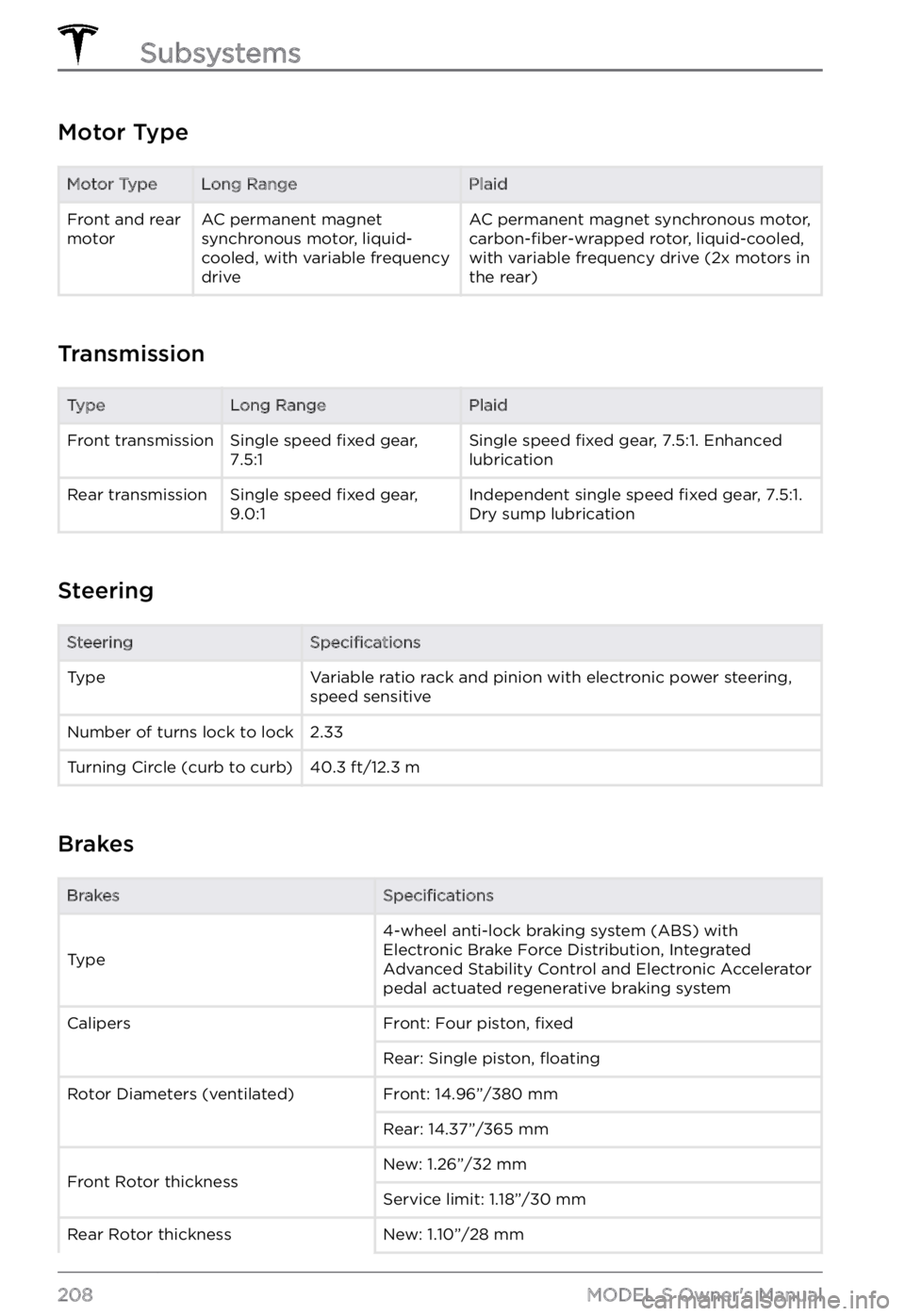
Motor Type
Motor TypeLong RangePlaidFront and rear
motorAC permanent magnet
synchronous motor, liquid-
cooled, with variable frequency
driveAC permanent magnet synchronous motor, carbon-fiber-wrapped rotor, liquid-cooled,
with variable frequency drive (2x motors in
the rear)
Transmission
TypeLong RangePlaidFront transmissionSingle speed fixed gear,
7.5:1Single speed fixed gear, 7.5:1. Enhanced
lubricationRear transmissionSingle speed fixed gear,
9.0:1Independent single speed fixed gear, 7.5:1.
Dry sump lubrication
Steering
SteeringSpecificationsTypeVariable ratio rack and pinion with electronic power steering,
speed sensitiveNumber of turns lock to lock2.33Turning Circle (curb to curb)40.3 ft/12.3 m
Brakes
BrakesSpecifications
Type
4-wheel anti-lock braking system (ABS) with
Electronic Brake Force Distribution, Integrated
Advanced Stability Control and Electronic Accelerator
pedal actuated regenerative braking systemCalipersFront: Four piston, fixedRear: Single piston, floatingRotor Diameters (ventilated)Front: 14.96”/380 mmRear: 14.37”/365 mmFront Rotor thicknessNew: 1.26”/32 mmService limit: 1.18”/30 mmRear Rotor thicknessNew: 1.10”/28 mm
Subsystems
208MODEL S Owner