phone TESLA MODEL S 2021 Owner´s Manual
[x] Cancel search | Manufacturer: TESLA, Model Year: 2021, Model line: MODEL S, Model: TESLA MODEL S 2021Pages: 281, PDF Size: 7.63 MB
Page 113 of 281
NOTE: Depending on market region, vehicle configuration, options purchased, and software version, your vehicle may not be equipped with Summon, or the feature may not operate exactly as described.
Summon allows you to automatically park and
retrieve Model S while you are standing
outside the vehicle. Summon uses data from
the ultrasonic sensors to move
Model S forward and reverse up to 39 feet (12 meters) in, or out of, a parking space.
To move Model S a longer distance while
steering around objects, you can use Smart
Summon
(if equipped) and your mobile
phone. Smart Summon allows your vehicle to
find you (or you can send your vehicle to a
chosen location). See Smart Summon on page 115.
CAUTION: Ensure all cameras and sensors are clean. Dirty cameras and sensors, as well as environmental conditions such as rain and faded lane markings, can affect Autopilot performance.
WARNING: Summon is designed and intended for use only on parking lots and driveways on private property where the surrounding area is familiar and predictable.
WARNING: Summon is a BETA feature. You must continually monitor the vehicle and its surroundings and stay prepared to take immediate action at any time. It is the driver
Page 117 of 281

NOTE: Depending on market region, vehicle configuration, options purchased, and software version, your vehicle may not be equipped with Smart Summon, or the feature may not operate exactly as described.
Smart Summon is designed to allow you to
move Model S to your location (using your
phone
Page 130 of 281
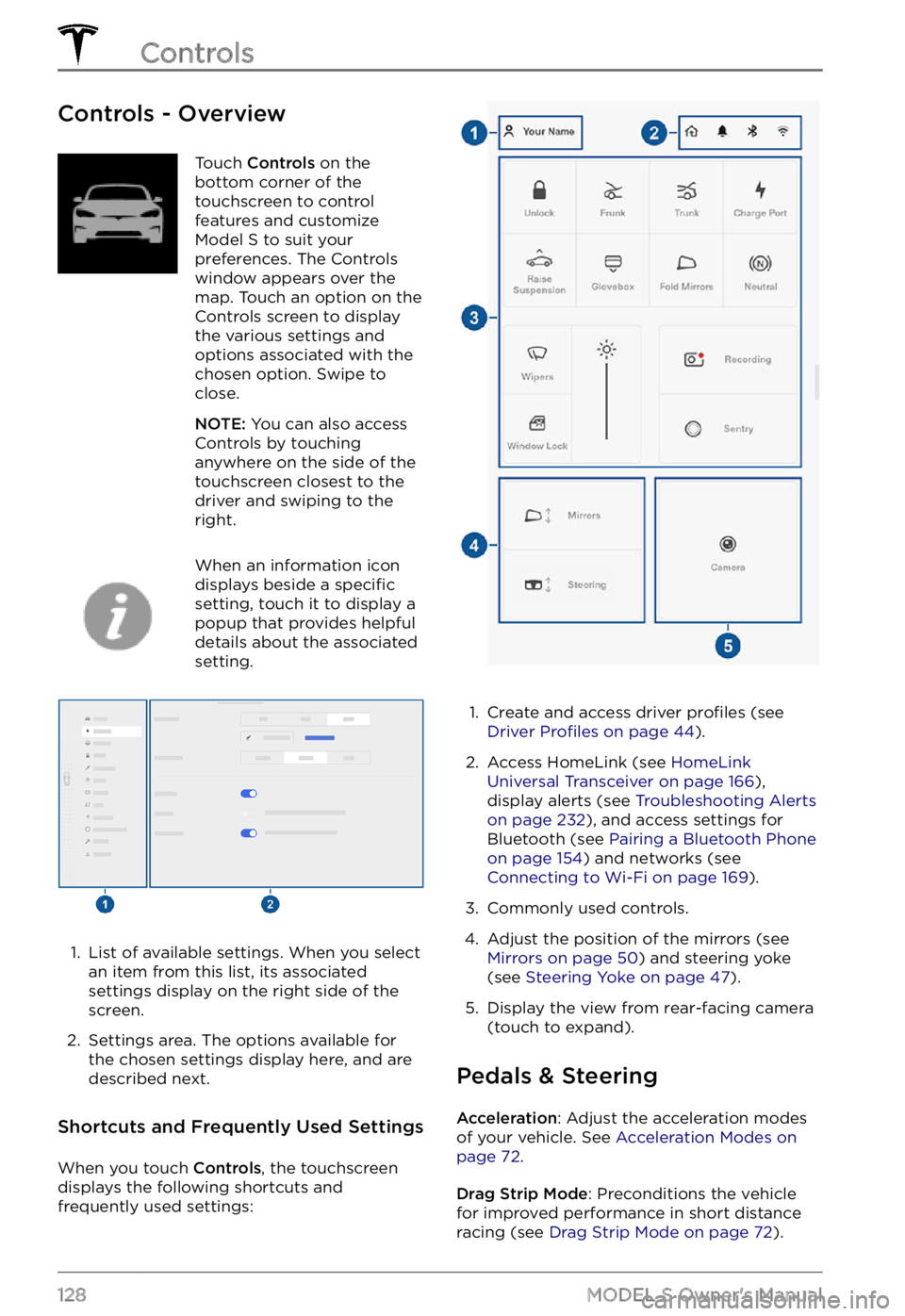
Controls - OverviewTouch Controls on the
bottom corner of the
touchscreen to control
features and customize
Model S to suit your
preferences. The Controls
window appears over the
map. Touch an option on the
Controls screen to display
the various settings and
options associated with the
chosen option. Swipe to
close.
NOTE: You can also access
Controls by touching
anywhere on the side of the
touchscreen closest to the
driver and swiping to the
right.
When an information icon
displays beside a specific
setting, touch it to display a
popup that provides helpful
details about the associated
setting.
1.
List of available settings. When you select
an item from this list, its associated settings display on the right side of the
screen.
2.
Settings area. The options available for
the chosen settings display here, and are
described next.
Shortcuts and Frequently Used Settings
When you touch Controls, the touchscreen
displays the following shortcuts and
frequently used settings:
1.
Create and access driver profiles (see Driver Profiles on page 44).
2.
Access HomeLink (see HomeLink Universal Transceiver on page 166),
display alerts (see Troubleshooting Alerts on page 232), and access settings for
Bluetooth (see Pairing a Bluetooth Phone on page 154) and networks (see Connecting to Wi-Fi on page 169).
3.
Commonly used controls.
4.
Adjust the position of the mirrors (see Mirrors on page 50) and steering yoke
(see Steering Yoke on page 47).
5.
Display the view from rear-facing camera
(touch to expand).
Pedals & Steering
Acceleration: Adjust the acceleration modes
of your vehicle. See Acceleration Modes on page 72.
Drag Strip Mode: Preconditions the vehicle
for improved performance in short distance racing (see
Drag Strip Mode on page 72).
Controls
128MODEL S Owner
Page 142 of 281
NOTE: Software updates cannot be
performed when Keep Climate On, Dog Mode,
or Camp Mode is active.
NOTE: The intrusion sensor (if equipped)
automatically disables when Keep Climate On,
Dog Mode, or Camp Mode is active. However,
you can override this behavior and keep the intrusion sensor enabled. To do so, touch
Controls > Safety > Tilt/Intrusion after
enabling Keep Climate On, Dog mode, or Camp mode. However, note that keeping the intrusion sensor enabled while Keep Climate On, Dog Mode, and Camp Mode is active can
trigger an alarm event as a result of air
movement inside the cabin.
WARNING: You can adjust the climate control system remotely using the mobile app. However, if you use the mobile app to turn off the climate control system, Keep Climate On, Dog Mode, and Camp Mode stop operating.
WARNING: Avoid using Keep Climate On, Dog Mode, or Camp Mode when the battery charge is low. When leaving a dog or pet in Model S, you must ensure that you have your phone with you and that the Tesla mobile app is running. This allows you to proactively monitor the cabin temperature. To ensure the safety and comfort of anyone or anything in your vehicle, always make sure you have adequate cellular coverage to receive notifications and allow enough time to return to Model S should the climate control system stop operating
Page 145 of 281
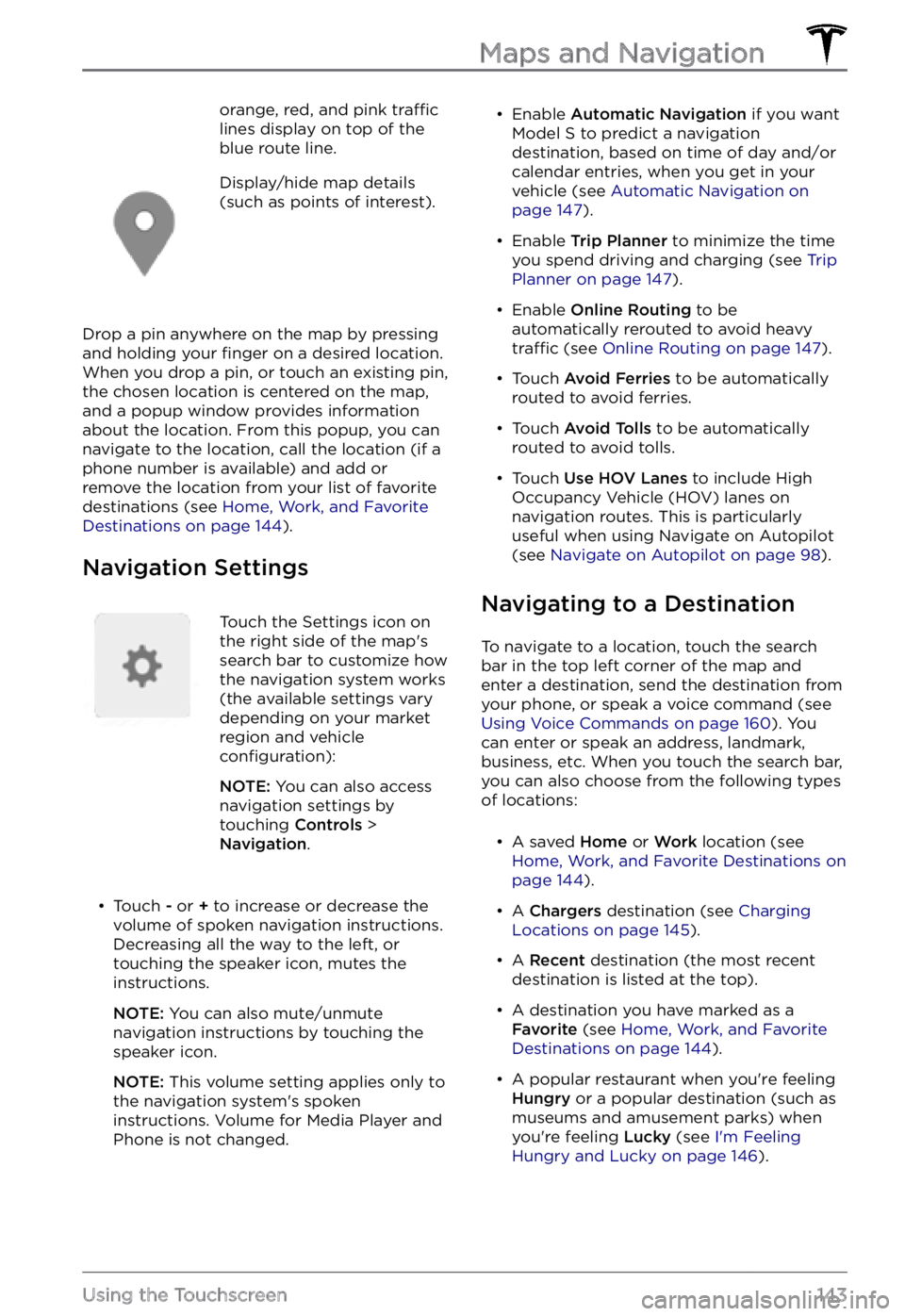
orange, red, and pink traffic lines display on top of the
blue route line.Display/hide map details
(such as points of interest).
Drop a pin anywhere on the map by pressing
and holding your finger on a desired location.
When you drop a pin, or touch an existing pin,
the chosen location is centered on the map,
and a popup window provides information
about the location. From this popup, you can
navigate to the location, call the location (if a
phone number is available) and add or
remove the location from your list of favorite
destinations (see
Home, Work, and Favorite Destinations on page 144).
Navigation Settings
Touch the Settings icon on
the right side of the map
Page 157 of 281

Importing Contacts and Recent
Calls
Once paired, use the Bluetooth settings
screen to specify whether you want to allow
access to your phone
Page 159 of 281
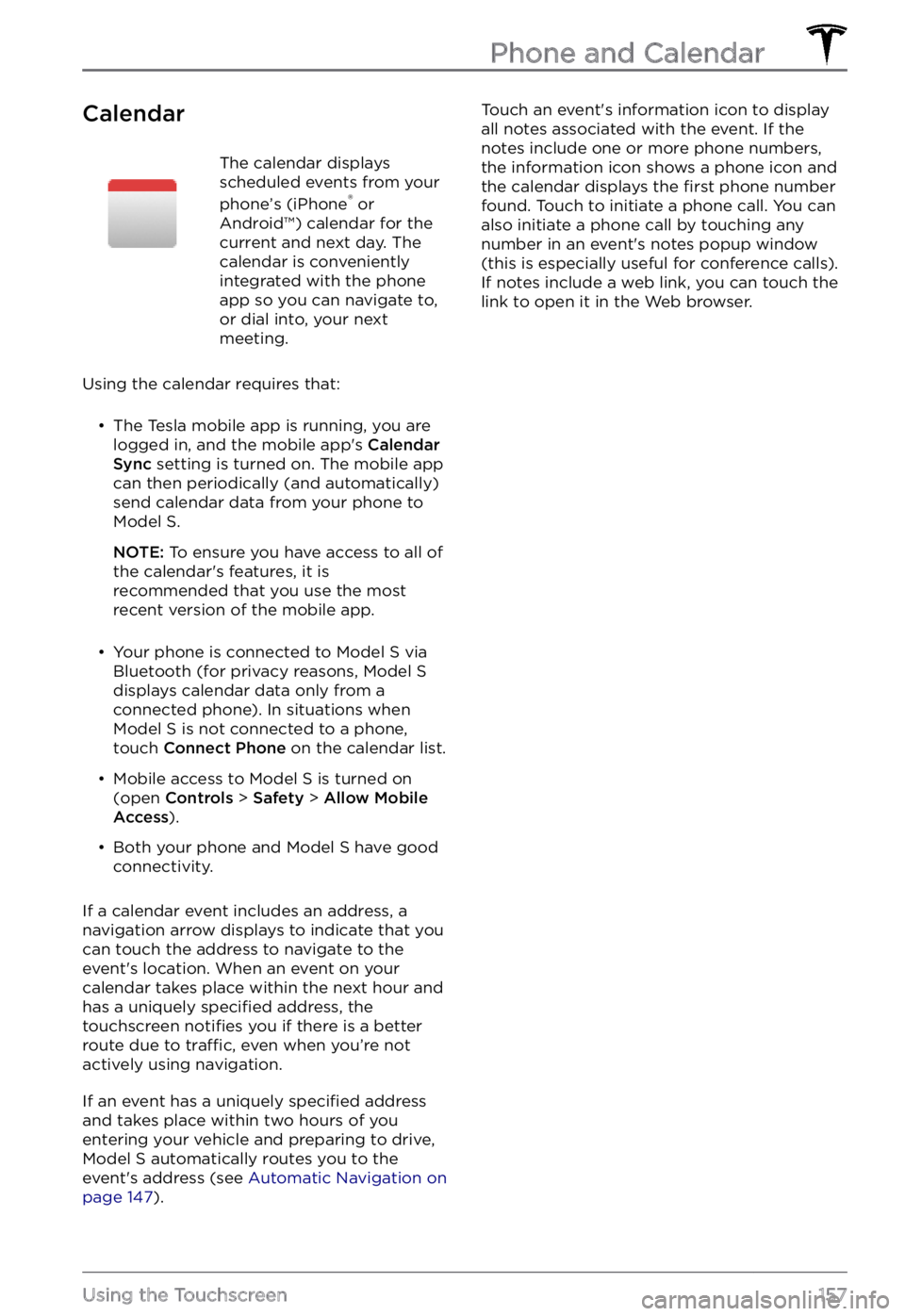
CalendarThe calendar displays
scheduled events from your
phone
Page 174 of 281
The Tesla mobile app allows you to
communicate with Model S remotely using
your iPhone
Page 274 of 281

A
ABS (Anti-lock Braking System): 66
absolute speed limit: 126
access panel, removing: 199
accessories: 24
plugging into power socket: 24
Active Road Noise Reduction: 25
adaptive headlights: 58
adjacent lane speed: 119
aero covers: 190
air conditioning: 135
air filter: 140
air vents: 138
airbags: 38
alarm: 161
all-season tires: 192
Always Show Estimated Round Trip Energy: 146
anti-lock braking (ABS): 66
apps: 6
audio: 149, 152
playing files: 149, 152
settings: 149
volume control: 149
auto fold: 50
Auto High Beam: 57
Auto Lane Change: 95
auto tilt: 50
AUTO wipers: 65
automatic emergency braking: 123
automatic navigation: 142
Autopark: 109
autopilot: 119
blind spot collision warning: 119
side collision warning: 119
Autopilot: 84, 87, 93, 95, 109, 111, 122, 126
Auto Lane Change: 95
automatic emergency braking: 122
Autopark: 109
Autosteer: 93
collision avoidance assist: 122
forward collision warning: 122
overtake acceleration: 87
overview: 84
speed assist: 126
speed limit warning: 126
staying within speed limits: 126
Summon: 111
Traffic-Aware Cruise Control: 87
Autopilot components: 84
Autosteer: 93
B
backup camera: 76
battery (12V): 177, 210
complete discharge: 177
specifications: 210
Battery (high voltage): 177, 199, 210
care of: 177
coolant: 199
specifications: 210
temperature limits: 177
battery (key), replacing: 12
blind spot collision warning: 119
Bluetooth: 150, 154
devices, playing audio files from: 150
general information: 154
phone, pairing and using: 154
body repairs: 202
body touch up: 196
Boombox: 153
brakes: 66, 123, 199, 208
automatic in emergencies: 123
fluid level: 199
overview of: 66
specifications: 208
Bumper Clearance (Summon): 111
C
cabin air filter: 140
cabin camera: 25
cabin temperature control: 135
Calendar: 154, 157
California Proposition 65: 227
camera (rear view): 76
cameras (autopilot): 84
Camp Mode: 139
car cover: 197
Index
Page 277 of 281
key: 12, 229
FCC and IC certifications: 229
replacing battery: 12
key card: 10
keys: 9, 12
adding key cards and phone keys: 12
deleting key cards and phone keys: 12
displaying a list of: 12
overview: 9
L
label: 204
Tire and Loading Information: 204
vehicle certification: 204
lane assist: 119
lane change, automatic: 95
Lane Departure Avoidance: 119
LATCH child seats, installing: 35
liftgate: 17
adjust opening height: 17
opening: 17
lifting: 201
lights: 56, 58
adaptive headlights: 58
hazard warning: 58
headlights after exit: 58
turn signals: 58
load limits: 204
location tracking: 142
locking: 14
lumbar adjustment: 26
M
maintenance: 186, 187, 188, 194, 198, 199, 200
brake fluid, checking: 199
cleaning: 194
daily checks: 186
fluid replacement intervals: 187
monthly checks: 186
panel, removing: 199
replacing wiper blades: 198
service intervals: 186
tires: 188
washer fluid, topping up: 200
washer jets, cleaning: 198
map orientation: 142
map updates: 148
mats: 197
media: 149, 152
microphones: 25
mileage upon delivery: 227
mirrors: 50
mobile app: 172
mobile app access: 172
Mobile Connector: 176, 179
description: 176
using: 179
modifications: 202
motor specifications: 208
N
Navigate on Autopilot: 98
navigating: 142
NCC certifications: 229
Neutral gear: 55
NHTSA, contacting: 229
noise reduction microphones: 25
O
Obstacle-Aware Acceleration: 122
occupancy sensor: 40
occupant classification: 41
odometer: 73
Off-Peak Charging: 184
offset from speed limit: 126
Online Routing: 147
opening hood without power: 222
overhang dimensions: 206
overtake acceleration: 87
Owner Information, about: 224
P
Park Assist: 70
Park gear: 54
parking brake: 68
parking, using Autopark: 109
parking, using Summon: 111
parts replacement: 202
Index