air suspension TESLA MODEL X 2017 Owner's Manual (UK)
[x] Cancel search | Manufacturer: TESLA, Model Year: 2017, Model line: MODEL X, Model: TESLA MODEL X 2017Pages: 202, PDF Size: 4.82 MB
Page 50 of 202

IndicatorDescriptionFront fog lights (optional). See Lights on page 53.Rear fog lights. See Lights on page 53.Adaptive Front Lighting. See Adaptive Front Lighting System (AFS) on page 56.Electronic stability control systems are actively minimizing wheel spin by controlling
brake pressure and motor power (indicator flashes). See Traction Control on page 61.
If this indicator stays illuminated, a fault is detected (contact Tesla immediately).Smart Air Suspension
Page 55 of 202
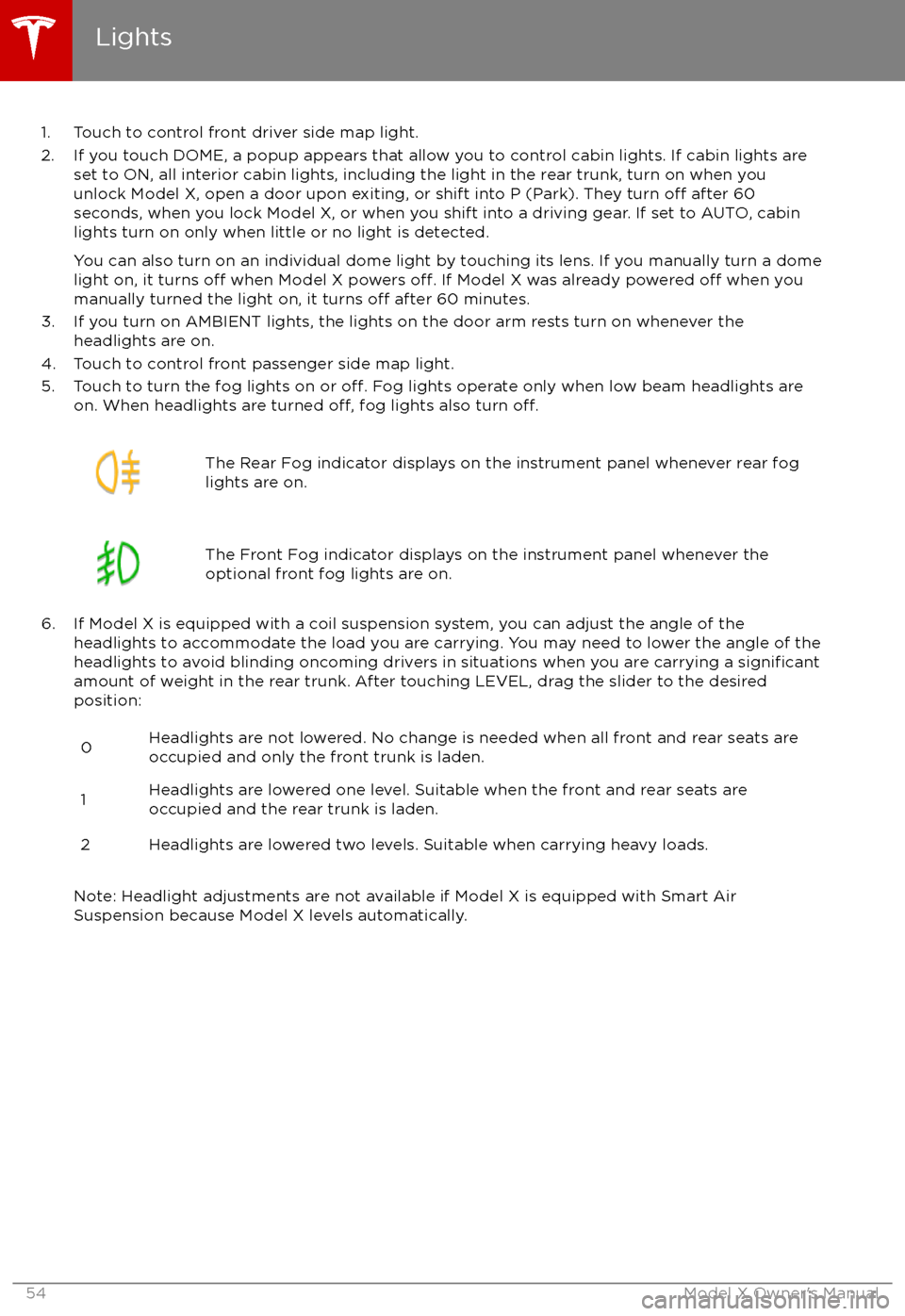
1. Touch to control front driver side map light.
2. If you touch DOME, a popup appears that allow you to control cabin lights. If cabin lights are set to ON, all interior cabin lights, including the light in the rear trunk, turn on when youunlock Model X, open a door upon exiting, or shift into P (Park). They turn
off after 60
seconds, when you lock Model X, or when you shift into a driving gear. If set to AUTO, cabin lights turn on only when little or no light is detected.
You can also turn on an individual dome light by touching its lens. If you manually turn a domelight on, it turns
off when Model X powers off. If Model X was already powered off when you
manually turned the light on, it turns off after 60 minutes.
3. If you turn on AMBIENT lights, the lights on the door arm rests turn on whenever the headlights are on.
4. Touch to control front passenger side map light.
5. Touch to turn the fog lights on or
off. Fog lights operate only when low beam headlights are
on. When headlights are turned off, fog lights also turn off.
The Rear Fog indicator displays on the instrument panel whenever rear fog
lights are on.The Front Fog indicator displays on the instrument panel whenever the
optional front fog lights are on.
6. If Model X is equipped with a coil suspension system, you can adjust the angle of the headlights to accommodate the load you are carrying. You may need to lower the angle of theheadlights to avoid blinding oncoming drivers in situations when you are carrying a
significantamount of weight in the rear trunk. After touching LEVEL, drag the slider to the desired position:
0Headlights are not lowered. No change is needed when all front and rear seats are
occupied and only the front trunk is laden.1Headlights are lowered one level. Suitable when the front and rear seats are occupied and the rear trunk is laden.2Headlights are lowered two levels. Suitable when carrying heavy loads.
Note: Headlight adjustments are not available if Model X is equipped with Smart Air
Suspension because Model X levels automatically.
Lights
54Model X Owner
Page 74 of 202

Warning: Under no circumstances shouldyou exit Trailer Mode when towing a
trailer. Doing so can cause serious injury
and/or death.Warning: Do not use the air suspension setting to appropriately match the height
of the hitch with the height of the trailer.
While Towing a Trailer
Model X is designed primarily as a passenger-
carrying vehicle. Towing a trailer puts additional load on the motor, drive train,brakes, tires and suspension and
significantlydecreases range. If you decide to tow a trailer,
proceed with caution and follow these general
guidelines:
Page 109 of 202
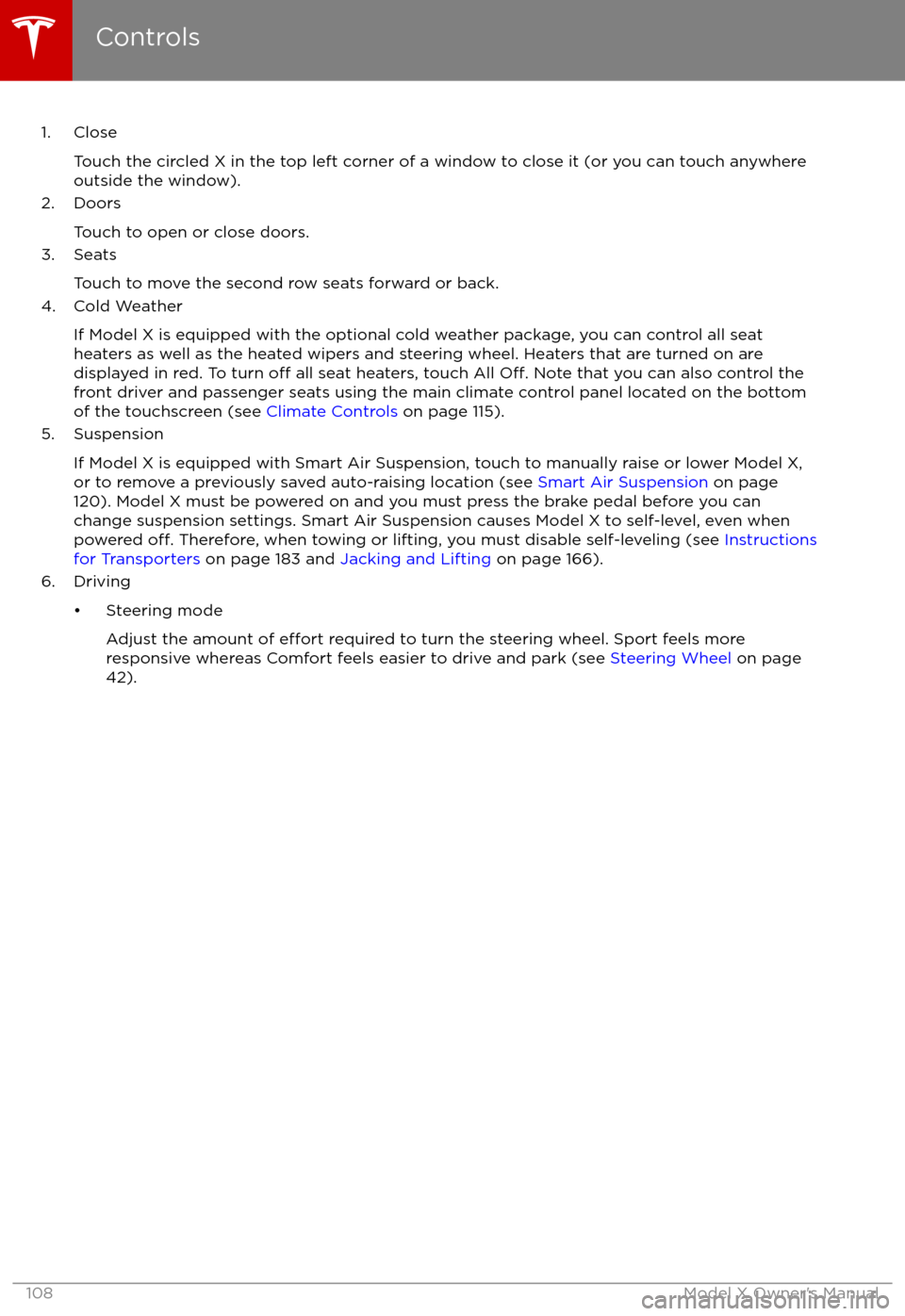
1. CloseTouch the circled X in the top left corner of a window to close it (or you can touch anywhere
outside the window).
2. Doors
Touch to open or close doors.
3. Seats
Touch to move the second row seats forward or back.
4. Cold Weather
If Model X is equipped with the optional cold weather package, you can control all seatheaters as well as the heated wipers and steering wheel. Heaters that are turned on are displayed in red. To turn
off all seat heaters, touch All Off. Note that you can also control the
front driver and passenger seats using the main climate control panel located on the bottom
of the touchscreen (see Climate Controls on page 115).
5. Suspension
If Model X is equipped with Smart Air Suspension, touch to manually raise or lower Model X,or to remove a previously saved auto-raising location (see Smart Air Suspension on page
120). Model X must be powered on and you must press the brake pedal before you can
change suspension settings. Smart Air Suspension causes Model X to self-level, even when powered
off. Therefore, when towing or lifting, you must disable self-leveling (see Instructions
for Transporters on page 183 and Jacking and Lifting on page 166).
6. Driving
Page 121 of 202
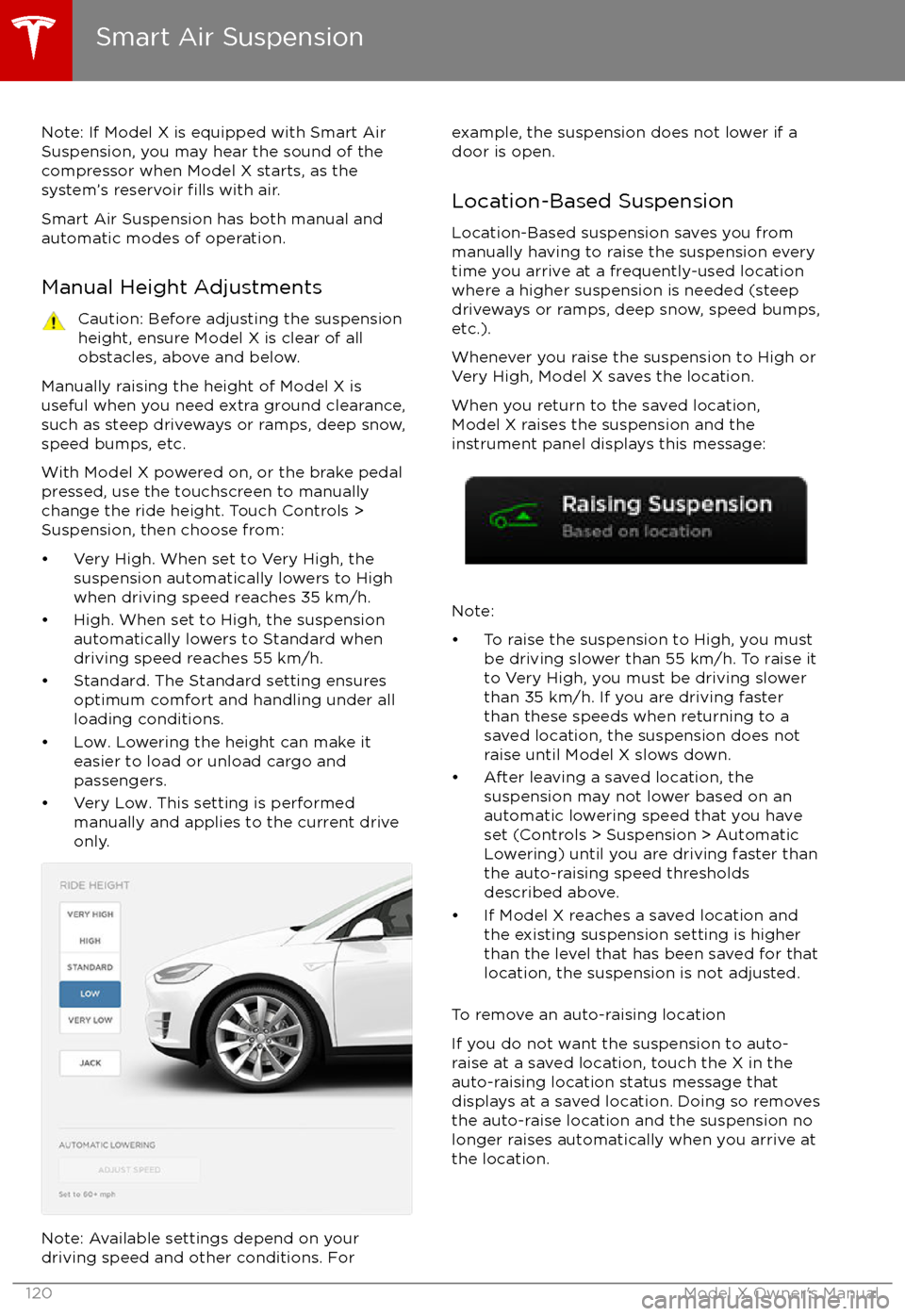
Note: If Model X is equipped with Smart AirSuspension, you may hear the sound of the
compressor when Model X starts, as the system
Page 122 of 202
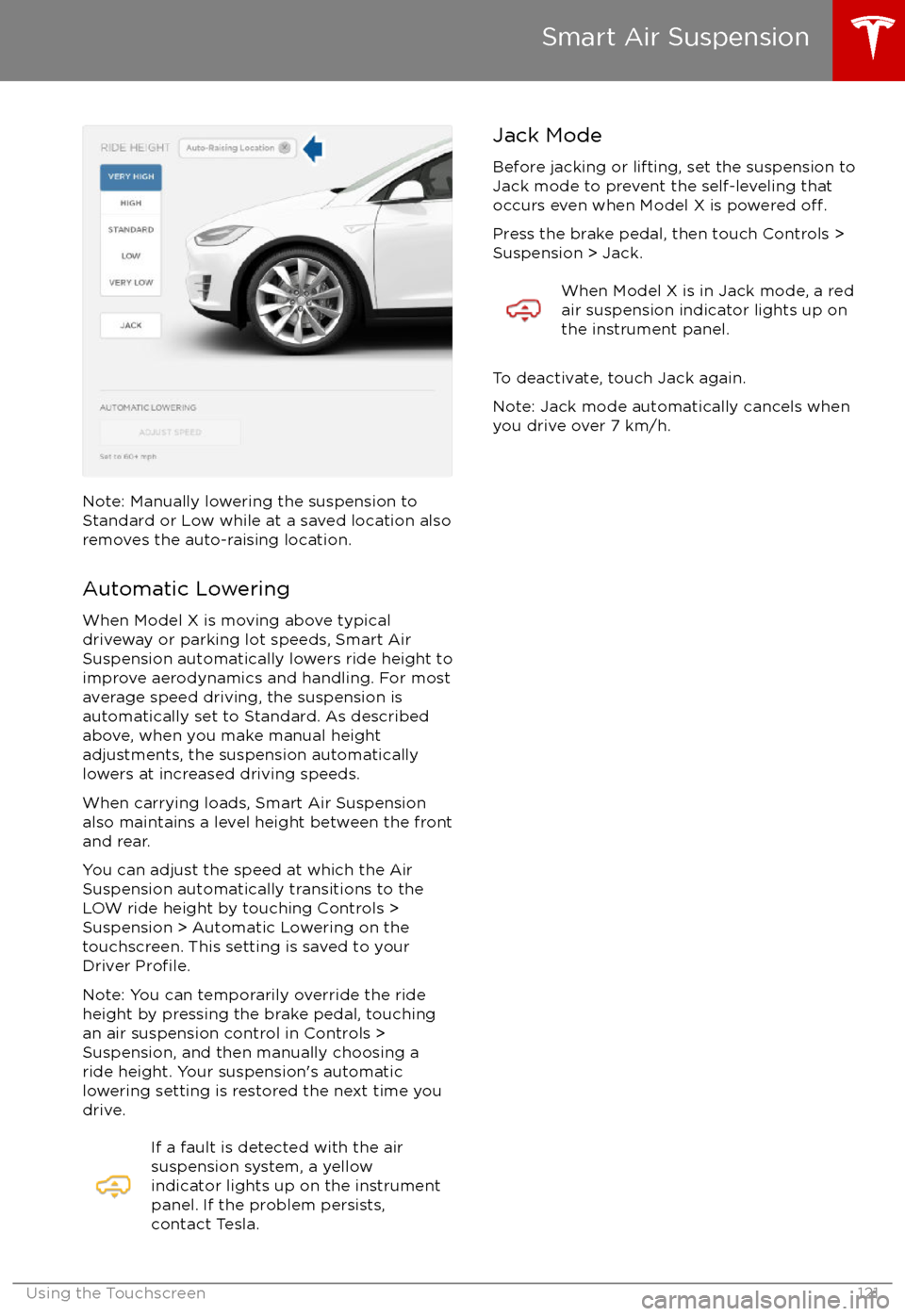
Note: Manually lowering the suspension toStandard or Low while at a saved location alsoremoves the auto-raising location.
Automatic Lowering
When Model X is moving above typical
driveway or parking lot speeds, Smart Air
Suspension automatically lowers ride height to improve aerodynamics and handling. For most
average speed driving, the suspension is
automatically set to Standard. As described
above, when you make manual height adjustments, the suspension automatically
lowers at increased driving speeds.
When carrying loads, Smart Air Suspension
also maintains a level height between the front
and rear.
You can adjust the speed at which the Air
Suspension automatically transitions to the LOW ride height by touching Controls >Suspension > Automatic Lowering on the
touchscreen. This setting is saved to your
Driver
Profile.
Note: You can temporarily override the ride
height by pressing the brake pedal, touching
an air suspension control in Controls >
Suspension, and then manually choosing a
ride height. Your suspension
Page 167 of 202

Jacking Procedure
Follow the steps below to lift Model X. Ensure
that any non-Tesla repair facility is aware of
these lifting points.
1. Position Model X centrally between the lift posts.
2. If your Model X is equipped with Smart Air Suspension, it automatically self-levels,
even when power is
off. Use the
touchscreen to set the suspension as
follows:
Page 176 of 202

Brakes
Type
4-wheel anti-lock braking system (ABS)
with Electronic Brake Force Distribution,
Integrated Advanced Stability Control and
Electronic Accelerator pedal actuated
regenerative braking systemCalipersFour piston fixedRotor Diameters (ventilated)Front: 13.98”/355 mm
Rear: 14.37”/365 mmFront Rotor thicknessNew: 1.26”/32 mm
Service limit: 1.18”/30 mmRear Rotor thicknessNew: 1.10”/28 mm
Service limit: 1.02”/26 mmFront Brake Pad Thickness (excluding back plate)New: 0.354”/9.0 mm
Service limit: 0.078”/2 mmRear Brake Pad Thickness (excluding back plate)New: 0.315”/8.0 mm
Service limit: 0.078”/2 mmElectronic Parking Brake (EPB) Pad Thickness
(excluding back plate). Electronic calipers self-
adjust for pad wear.New: 0.216”/5.5 mm
Service limit: 0.039”/1 mmParking brakeElectrically actuated parking brake
calipers
Suspension
FrontIndependent, double wishbone, air spring,
sway barRearIndependent, multi-link, air spring, sway
bar
Battery - 12V
Rating33 amp-hr or higherVoltage and Polarity12V negative (-) ground
Subsystems
Specifications175
Page 184 of 202
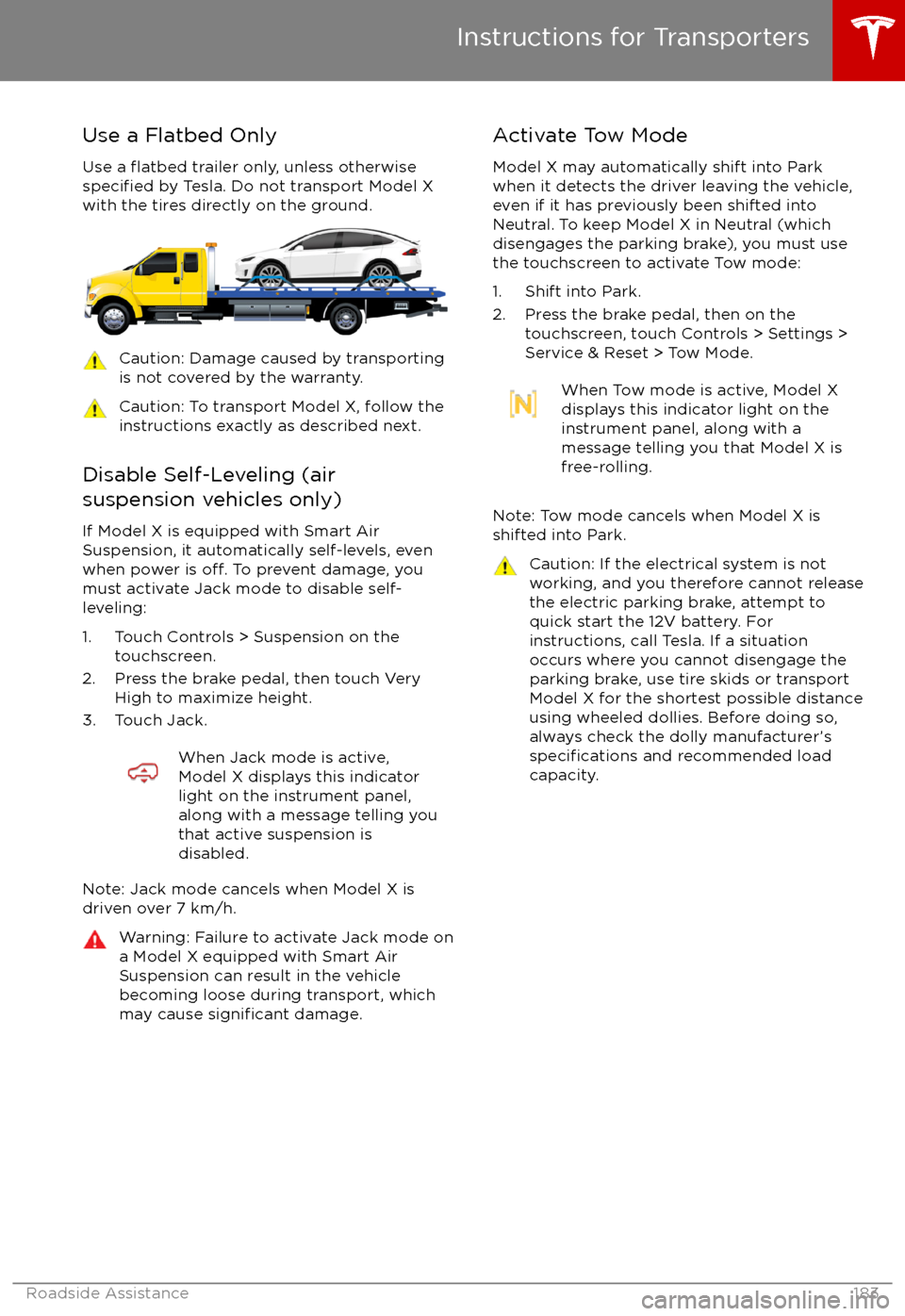
Use a Flatbed OnlyUse a
flatbed trailer only, unless otherwisespecified by Tesla. Do not transport Model X
with the tires directly on the ground.
Caution: Damage caused by transporting is not covered by the warranty.Caution: To transport Model X, follow the
instructions exactly as described next.
Disable Self-Leveling (air
suspension vehicles only)
If Model X is equipped with Smart Air
Suspension, it automatically self-levels, even
when power is
off. To prevent damage, you
must activate Jack mode to disable self-
leveling:
1. Touch Controls > Suspension on the touchscreen.
2. Press the brake pedal, then touch Very High to maximize height.
3. Touch Jack.
When Jack mode is active,
Model X displays this indicator
light on the instrument panel,
along with a message telling you
that active suspension is
disabled.
Note: Jack mode cancels when Model X is
driven over 7 km/h.
Warning: Failure to activate Jack mode on
a Model X equipped with Smart Air
Suspension can result in the vehicle
becoming loose during transport, which
may cause
significant damage.
Activate Tow Mode
Model X may automatically shift into Park
when it detects the driver leaving the vehicle,
even if it has previously been shifted into Neutral. To keep Model X in Neutral (which
disengages the parking brake), you must use
the touchscreen to activate Tow mode:
1. Shift into Park.
2. Press the brake pedal, then on the touchscreen, touch Controls > Settings >
Service & Reset > Tow Mode.When Tow mode is active, Model X
displays this indicator light on the
instrument panel, along with a
message telling you that Model X is
free-rolling.
Note: Tow mode cancels when Model X is
shifted into Park.
Caution: If the electrical system is not
working, and you therefore cannot release
the electric parking brake, attempt to
quick start the 12V battery. For
instructions, call Tesla. If a situation
occurs where you cannot disengage the
parking brake, use tire skids or transport Model X for the shortest possible distance
using wheeled dollies. Before doing so,
always check the dolly manufacturer
Page 195 of 202
AABS (Anti-lock Braking System) 59
Acceleration (dual-motor) 107
access panel, removing 164accessoriesinstalling 167
plugging into power socket 126
adaptive headlights 56
air circulation 116
air conditioning 115
air distribution 116
air
filter 119
air suspension 121
air vents 119
airbag, front passenger, disabling 37
airbags 35
alarm 136
all-season tires 153
always connected, setting 67
anti-lock braking (ABS) 59
audioplaying files 122
steering wheel buttons 42
volume control 122
Auto High Beam 56
Auto Lane Change 88
auto-raising suspension 120
Autopark 90
Autopilot 77
Autosteer 85
average range 67
B
backup camera 69
battery (12V)complete discharge 144specifications 175Battery (high voltage)care of 144
coolant 164
specifications 176
temperature limits 144
battery (key), replacing 5
blind spot warning 95
Bluetoothdevices, playing audio files from 125
general information 127
phone, pairing and using 127
body repairs 167
body touch up 162
brake
fluid replacement 150
brakesautomatic in emergencies 97fluid level 164
overview of 59
specifications 175
brightness of displays 111
C
Cabin Overheat Protection setting 111
cabin temperature control 115
Calendar app 134
camera (rear view) 69
car cover 162
car washes 160
carpets, cleaning 161
CE
certifications 189
CHAdeMO 143
chains 154
change of ownership 114
charge port 145
charge port light 147
chargingcharge settings 148
components and equipment 142
instructions 145
public charging stations 143
scheduling 148
status of 149
charging locations, finding 130
child protectiondisabling liftgate and rear door handles 9
disabling rear window switches 11child seatsdisabling front passenger airbag 37
installing and using 25
cleaning 160
climate controls 115
Cold Weather controls 107
collision avoidance assist 97
console12V power socket 126
cup holders 17
USB ports 126
consumption chart 67
contact informationroadside assistance 180coolantBattery, checking level of 164
Battery, replacement interval 150
copyrights 185, 186
Creep 107
cruise control 79
cup holders 17
D
DAB radio 123
dashboard overview 2
data recording 187
day mode 111
declarations of conformity 189
Index
194Model X Owner